
worklenz
All in one project management tool for efficient teams
Automatically checked · GitHub checked 2026-11-17
Before you switch
Evaluate hosting, migration and feature requirements before switching.
Overview



Meet Worklenz, a powerful, open-source project management platform built to help teams plan smarter, collaborate better, and ship faster. No bloated tools. No unnecessary complexity. Just everything your team needs, in one place. 🚀
Worklenz is growing every day. Your bug reports, feature ideas, and feedback shape what we build next. Jump into Discord or open a GitHub issue - we read everything!
🚀 Getting Started
Pick the setup that works best for you:
☁️ Worklenz Cloud
The fastest way to get started - no setup, no infrastructure. Just sign up at worklenz.com and start managing projects in minutes.
🖥️ Self-Host Worklenz
Prefer full control over your data? Run Worklenz on your own server.
Self-hosted installations send an installation heartbeat by default. Set WORKLENZ_TELEMETRY_ENABLED=false before starting to disable it. See TELEMETRY.md for the payload, destination, and retention.
| Method | Guide |
|---|---|
| 🐳 Docker (Recommended) | Quick Docker Setup |
| 🔧 Manual Installation | Manual Dev Setup |
🌟 Features
- 🗺️ Project Management - Plan, execute, and monitor projects from start to finish with full visibility across every stage.
- 📋 Task Management - Break projects into tasks, set priorities, due dates, and track progress with multiple views (list, board, Gantt).
- 📐 Resource Planning - Allocate the right people to the right tasks at the right time - keep your team balanced and productive.
- 👥 Team & Client Collaboration - Bring your team and clients together in one shared space to align on goals, updates, and deliverables.
- 💰 Financial Insights - Track budgets, costs, and financial performance across projects to keep spending on track and transparent.
- ⏱️ Time Tracking - Log time directly on tasks to understand where your team's hours are actually going.
- 📊 Analytics & Reporting - Get real-time insights into project health, team workload, and performance.
- 🗓️ Resource Management - Plan team capacity, avoid overallocation, and schedule work with a visual scheduler.
- 🧩 Project Templates - Start new projects in seconds using pre-built templates for common workflows.
- 🤝 Team Collaboration - Comment on tasks, share files, and keep all communication in context - right where the work is.
- 📅 Planner - Schedule and visualize project timelines across a cross-project view, with team-wide member utilization at a glance.
- 🔄 Import & Export - Import tasks from a CSV file and export entire projects to CSV for easy data portability.
📸 Screenshots
Task Management Task List View
Task Management Kanban View
Resource Management
Projects & Tasks Templates
Time Tracking
Project Insights
Team Utilization
Scheduler
Project Profitability Monitor
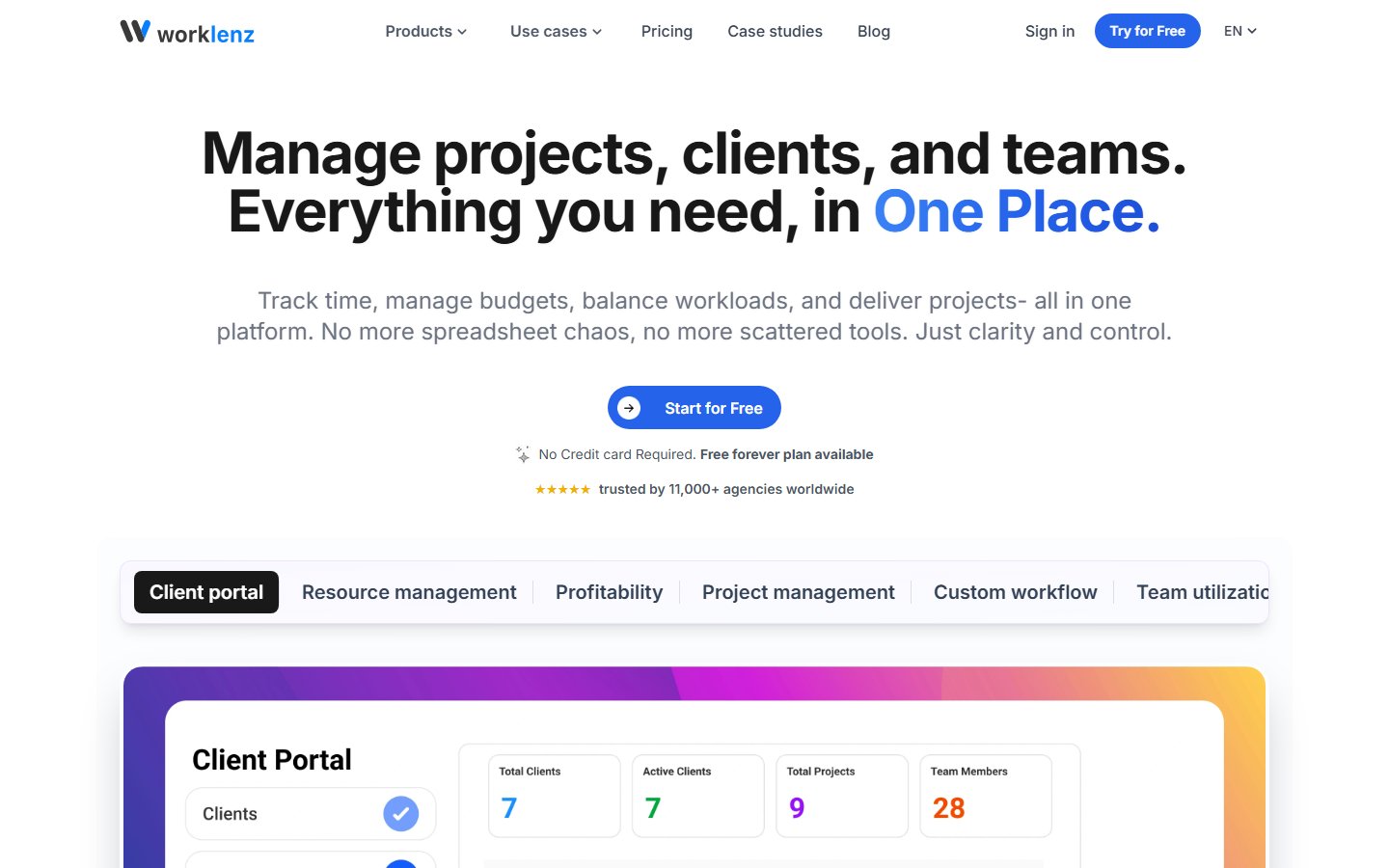
Client Portal
⚙️ Tech Stack





| Layer | Technology |
|---|---|
| Frontend | React + Ant Design |
| Backend | TypeScript + Express.js |
| Database | PostgreSQL |
| Storage | SeaweedFS (S3-compatible), AWS S3, or Azure Blob |
| Proxy | Nginx |
Requirements
- Node.js version v22.12.0 or newer
- PostgreSQL version v15 or newer
- Docker and Docker Compose (for containerized setup)
📝 Documentation
Explore Worklenz's product documentation to learn about features, setup, and usage and more.
🐳 Quick Start (Docker — Recommended)
Fresh-install limitation: The currently pinned backend image does not complete database migrations on a clean install. See DOCKER_SETUP.md before deploying.
The fastest way to get Worklenz running locally with all dependencies included. The supplied Compose file runs PostgreSQL, SeaweedFS, the application services, nginx, and a database backup container.
📋 Prerequisites:
- Docker and Docker Compose installed on your system
- Git
🪜 Steps:
Option 1: Automated Setup (Easiest)
# 📥 Clone the repository
git clone https://github.com/Worklenz/worklenz.git
cd worklenz

# Run the automated setup script
./quick-setup.sh
This script will:
- ✅ Create
.envfile with auto-generated security secrets - ✅ Configure URLs based on your domain (localhost or production)
- ✅ Generate a self-signed certificate for localhost, or use a certificate you provision for your domain
- ✅ Install and start all services
Option 2: Manual Setup
# 📥 Clone the repository
git clone https://github.com/Worklenz/worklenz.git
cd worklenz

# 📄 Copy and configure environment file
cp .env.example .env
# Edit .env and replace the example passwords and secrets.
# Before starting nginx, provision nginx/ssl/cert.pem and nginx/ssl/key.pem.
# For local testing only, see DOCKER_SETUP.md for a self-signed certificate.

# ▶️ Start services (includes PostgreSQL and SeaweedFS)
docker compose up -d
🌐 Access the application:
- Application: https://localhost (HTTP redirects to HTTPS)
- SeaweedFS S3 API: http://localhost:8333
🛠️ Management:
# Use the management script for common operations
./manage.sh status    # View service status
./manage.sh logs      # View logs
./manage.sh backup    # Create database backup
./manage.sh stop      # Stop all services
./manage.sh start     # Start all services
For detailed documentation, see DOCKER_SETUP.md
Video Guide: For a visual walkthrough of the local Docker deployment process, check out our step-by-step video guide.
🛠️ Manual Installation (For Development)
Use this path to run the services individually, either for development or on a server that does not use Docker.
📋 Prerequisites:
- Node.js (version 22.12.0 or higher)
- PostgreSQL (version 15 or higher)
- An S3-compatible storage service (SeaweedFS is bundled) or Azure Blob Storage
🪜 Steps:
- 📥 Clone the repository:
# Open a terminal and navigate to the directory where you want to clone Worklenz.
cd /path/to/your/projects

git clone https://github.com/Worklenz/worklenz.git
cd worklenz
git switch main
- ⚙️ Set up environment variables:
cp worklenz-backend/.env.template worklenz-backend/.env
# Update the environment variables with your configuration
Self-hosted features and email
The OSS distribution is self-hosted by default. Planner, Finance, and Client
Portal are included for every organization; do not change
WORKLENZ_DEPLOYMENT_MODE=self_hosted.
Email invitations use the SMTP relay you configure in
worklenz-backend/.env:
EMAIL_PROVIDER=smtp
EMAIL_FROM="Worklenz <[email protected]>"
SMTP_HOST=smtp.your-provider.com
SMTP_PORT=587
SMTP_SECURE=false
SMTP_USER=your-smtp-username
SMTP_PASSWORD=your-smtp-password
CLIENT_PORTAL_HOSTNAME=client.your-domain.com
Use SMTP_SECURE=true for an implicit-TLS SMTP service (normally port 465).
For submission with STARTTLS, use port 587 and leave it false.
- 📦 Install dependencies:
# Backend dependencies
cd worklenz-backend
npm install

# 🖥️ Frontend dependencies
cd ../worklenz-frontend
npm install
- 🗄️ Set up the database:
# Create a PostgreSQL database named worklenz_db
cd worklenz-backend

# Execute the SQL setup files in the correct order
psql -U your_username -d worklenz_db -f database/sql/0_extensions.sql
psql -U your_username -d worklenz_db -f database/sql/1_tables.sql
psql -U your_username -d worklenz_db -f database/sql/indexes.sql
psql -U your_username -d worklenz_db -f database/sql/4_functions.sql
psql -U your_username -d worklenz_db -f database/sql/triggers.sql
psql -U your_username -d worklenz_db -f database/sql/3_views.sql
psql -U your_username -d worklenz_db -f database/sql/2_dml.sql
psql -U your_username -d worklenz_db -f database/sql/5_database_user.sql

# Apply versioned migrations after the base schema is initialized
npm run migrate:up
- ▶️ Start the development servers:
# Backend (builds, watches, and auto-restarts)
cd worklenz-backend
npm run dev

# Frontend (in another terminal)
cd worklenz-frontend
npm run dev
- 🌐 Access the application at http://localhost:5000
Production server (without Docker)
For a production server, build the applications and run the backend through a
process manager such as systemd or PM2. Do not leave npm start running only in
an SSH session.
cd worklenz-backend
npm run build
npm run migrate:up

cd ../worklenz-frontend
npm run build
The frontend production files are written to worklenz-frontend/build. Configure
your web server to serve that directory and proxy /api and /socket.io to the
backend. Configure the process manager to run npm start from the
worklenz-backend directory.
To update a manual deployment, back up the database, then pull the latest
main branch, rebuild both applications, apply migrations, and restart the
backend process:
cd /path/to/your/projects/worklenz
git pull --ff-only origin main

cd worklenz-backend
npm ci
npm run build
npm run migrate:up

cd ../worklenz-frontend
npm ci
npm run build
🚢 Deployment
🏠 Local Development
For local development, follow the Quick Start (Docker) section above.
🌍 Production Deployment
For a public deployment, configure your domain, HTTPS certificate, firewall, secrets, and backups before starting the stack. The supplied Compose file publishes application and storage ports in addition to nginx. See the Docker setup guide for the prerequisites and setup steps. The bundled database backup does not include attachments; back up the SeaweedFS data separately.
⚙️ Configuration
Environment Variables
Worklenz uses a comprehensive environment configuration system. Copy .env.example to .env and configure according to your needs.
📂 Key Configuration Areas:
- Infrastructure: The supplied Compose file starts bundled PostgreSQL and SeaweedFS; external services require changes to Compose.
- OSS Feature Entitlement:
WORKLENZ_DEPLOYMENT_MODE=self_hostedenables Planner, Finance, and Client Portal for all organizations - Domain & URLs: Configure for localhost or production domain
- Database: PostgreSQL credentials and connection settings
- Security Secrets: Session, cookie, and JWT secrets (auto-generated by setup scripts)
- Storage: SeaweedFS (default), AWS S3, or Azure Blob Storage
- SSL/TLS: Externally provisioned certificate for production, self-signed for localhost
- Backups: The Compose database backup retains SQL files for 30 days; back up attachments separately
- Optional Features: Google OAuth, reCAPTCHA, email notifications
OSS entitlement and email defaults:
WORKLENZ_DEPLOYMENT_MODE: alwaysself_hostedin this public distribution; this enables Planner, Finance, and Client Portal for all organizations.EMAIL_PROVIDER:smtp; configureSMTP_HOST,SMTP_PORT,SMTP_USER,SMTP_PASSWORD, andEMAIL_FROMbefore sending invitations.CLIENT_PORTAL_HOSTNAME: public client-portal hostname used in invitation and password-reset links.
⚡ Quick Configuration:
# Auto-generate all secrets and configure based on domain
./manage.sh auto-configure

# Or manually generate secrets
openssl rand -hex 32  # Use for SESSION_SECRET, COOKIE_SECRET, JWT_SECRET
📌 Important Variables:
DOMAIN: Your domain (localhost for local testing)WORKLENZ_DEPLOYMENT_MODE: self_hosted (OSS default; do not change)STORAGE_PROVIDER: s3 (SeaweedFS/AWS) or azureS3_PUBLIC_URL: externally reachable bucket URL used in attachment links
For a complete list of variables with detailed documentation, see .env.example.
🪣 SeaweedFS Integration
The Docker setup uses SeaweedFS as its bundled S3-compatible object storage service. The default bucket is created automatically when the service starts.
🔧 Working with SeaweedFS
SeaweedFS exposes an S3-compatible API on port 8333. Worklenz uses a private container endpoint for API calls and a separate public bucket URL for attachment links.
-
🖥️ S3 API: http://localhost:8333
-
Access key: configured with
S3_ACCESS_KEY_ID -
Secret key: configured with
S3_SECRET_ACCESS_KEY -
🪣 Default Bucket: worklenz-bucket (created automatically when the containers start)
⬆️ Upgrading from MinIO
SeaweedFS uses a different on-disk format. An existing worklenz_minio_data
Docker volume is intentionally left untouched and is not mounted into
SeaweedFS. Copy existing objects through the S3 API before removing the old
volume; do not copy the raw volume contents into worklenz_seaweedfs_data.
🛠️ Backend Storage Configuration
The backend is pre-configured to use SeaweedFS with the following settings:
export const REGION = process.env.S3_REGION || "us-east-1";
export const BUCKET = process.env.S3_BUCKET || "worklenz-bucket";
export const S3_ENDPOINT = process.env.S3_ENDPOINT;
export const S3_URL = process.env.S3_PUBLIC_URL || process.env.S3_URL;
export const S3_ACCESS_KEY_ID = process.env.S3_ACCESS_KEY_ID || "";
export const S3_SECRET_ACCESS_KEY = process.env.S3_SECRET_ACCESS_KEY || "";
🔒 Security
Worklenz is built with security in mind:
- 🔐 Non-root Docker containers
- 🌐 Compose networking (the default file also publishes backend, frontend, client-portal, and storage ports; restrict access at your firewall)
- 🔑 SSL/TLS (provide and renew a certificate for production; self-signed for localhost)
- 🛡️ Rate limiting on API and login endpoints
- 🔒 Security headers (HSTS, CSP, X-Frame-Options, etc.)
- 🗝️ Auto-generated secure secrets via
openssl rand -hex 32
Found a security vulnerability? Please do not open a public issue. Email us at [email protected] instead. We take all legitimate reports seriously.
📈 Analytics
Worklenz-operated deployments use Google Analytics, Mixpanel, and Microsoft Clarity to understand application usage. The behavior below describes the source in this repository; published images may contain a different version.
What we track:
- 📊 Usage statistics
- 🗺️ Page views and navigation patterns
- 🧩 Feature usage
- 💻 Browser and device information
Privacy and consent:
- Google Analytics loads only on Worklenz-operated production and test hosts, without waiting for the cookie choice. Microsoft Clarity is restricted to the production host and uses the cookie consent setting.
- Mixpanel initializes when a valid
VITE_MIXPANEL_TOKENis included in the frontend build, including on self-hosted installations. Leave it unset when building to disable Mixpanel. Its initialization does not wait for the cookie banner choice. - 🔎 Analytics data may include identifiers such as cookies, IP-derived location, and device details. Data is handled according to the providers' policies, including Google's Privacy Policy.
🤝 Contributing
We love contributions from the community! Here's how you can help:
- 🐛 Report bugs
- ✨ Request features
- 📖 Improve the documentation
- 💬 Share Worklenz with your team or write about it
Please read CONTRIBUTING.md before submitting a pull request.
Contributors
Thanks to everyone who has contributed to Worklenz! 💙
💙 Community
Join the Worklenz community:
- 💬 Discord Server - chat with contributors and users
- 🐙 GitHub Discussions - longer form conversations
- 🐦 Follow updates on our website
We follow a Code of Conduct across all community spaces.
📄 License
Worklenz is open source, released under the GNU Affero General Public License v3.0.
By contributing to Worklenz, you agree your contributions will be licensed under AGPL v3.0.
www.worklenz.com