
tome
Self-hosted ebook library server with built-in reader, KOReader sync, OPDS feed, and reading stats. Single Docker image.
Automatically checked · GitHub checked 2026-11-13
Overview

Tome


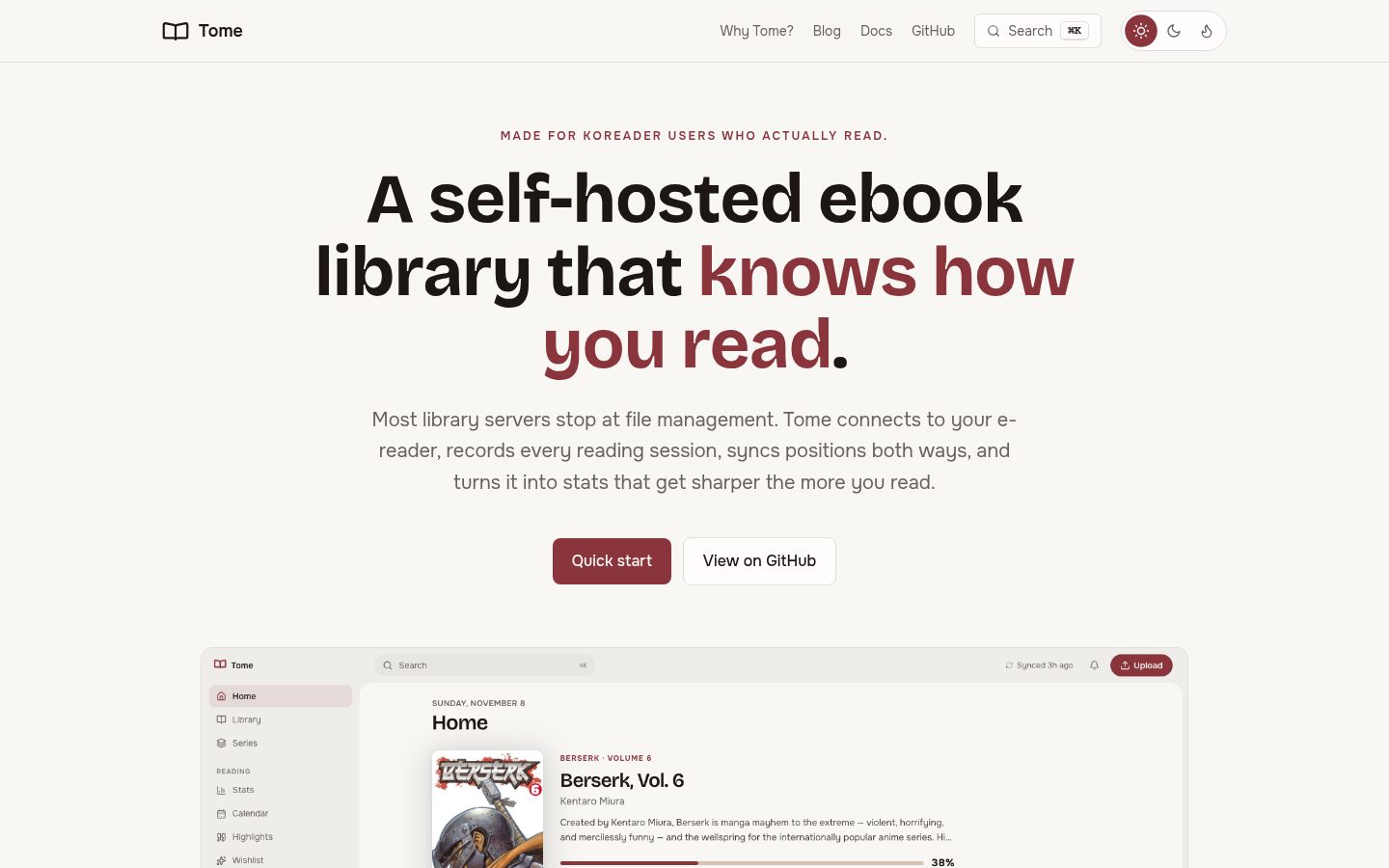
A self-hosted ebook library server that knows how you read -- not just what you own.
Most library servers stop at file management. Tome connects to your e-reader via a custom KOReader plugin, records every reading session with page-level granularity, syncs positions bidirectionally between device and browser, and turns all of it into stats that get sharper the more you read.
Built with FastAPI, React, and SQLite. Ships as a single Docker image.
Highlights
- TomeSync -- custom KOReader plugin records reading sessions, syncs positions bidirectionally (device to web, web to device), and works fully offline. This is what makes Tome different. Use a current KOReader release (v2024.07 or newer for all features). Details
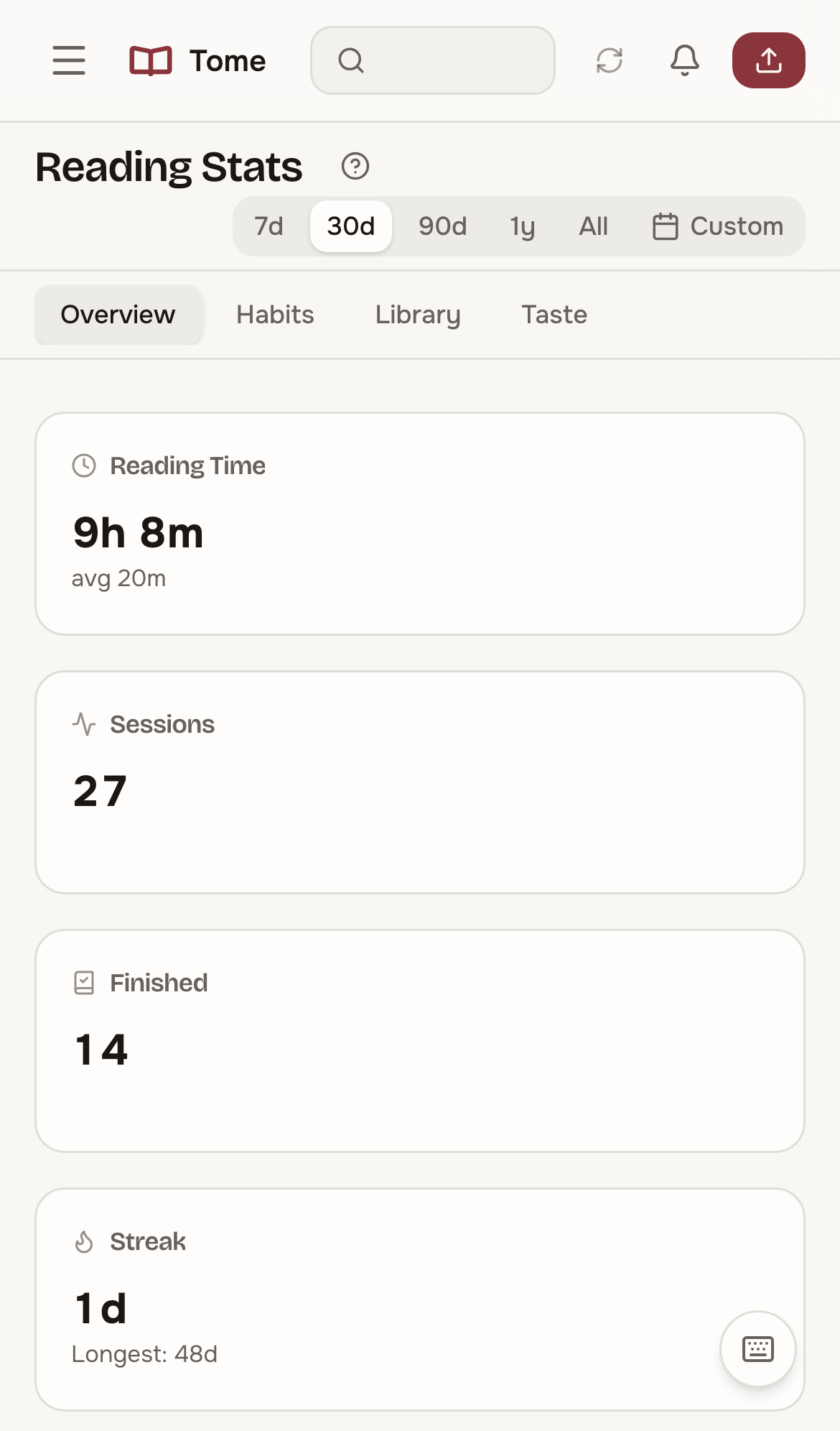
- Reading stats -- session tracking, streaks, time-of-day heatmaps, reading pace, completion estimates, genre trends, monthly comparisons, and per-book breakdowns -- all powered by real session data from your e-reader
- Calendar -- every month of your reading as a calendar: the books you had open each day as chips, a card for any day with what you read, how far you got, your pace, and when you read. Details
- Hardcover sync -- push your ratings (half-stars included), progress, and finish dates to your Hardcover profile. One-way, opt-in, per-user; nothing is ever deleted on Hardcover. If you don't know Hardcover yet: it's the indie, ad-free Goodreads alternative with a public API -- well worth a look even without Tome. Details
- Metadata from 3 sources -- fetch and compare metadata from Hardcover, Google Books, and OpenLibrary with a side-by-side diff UI
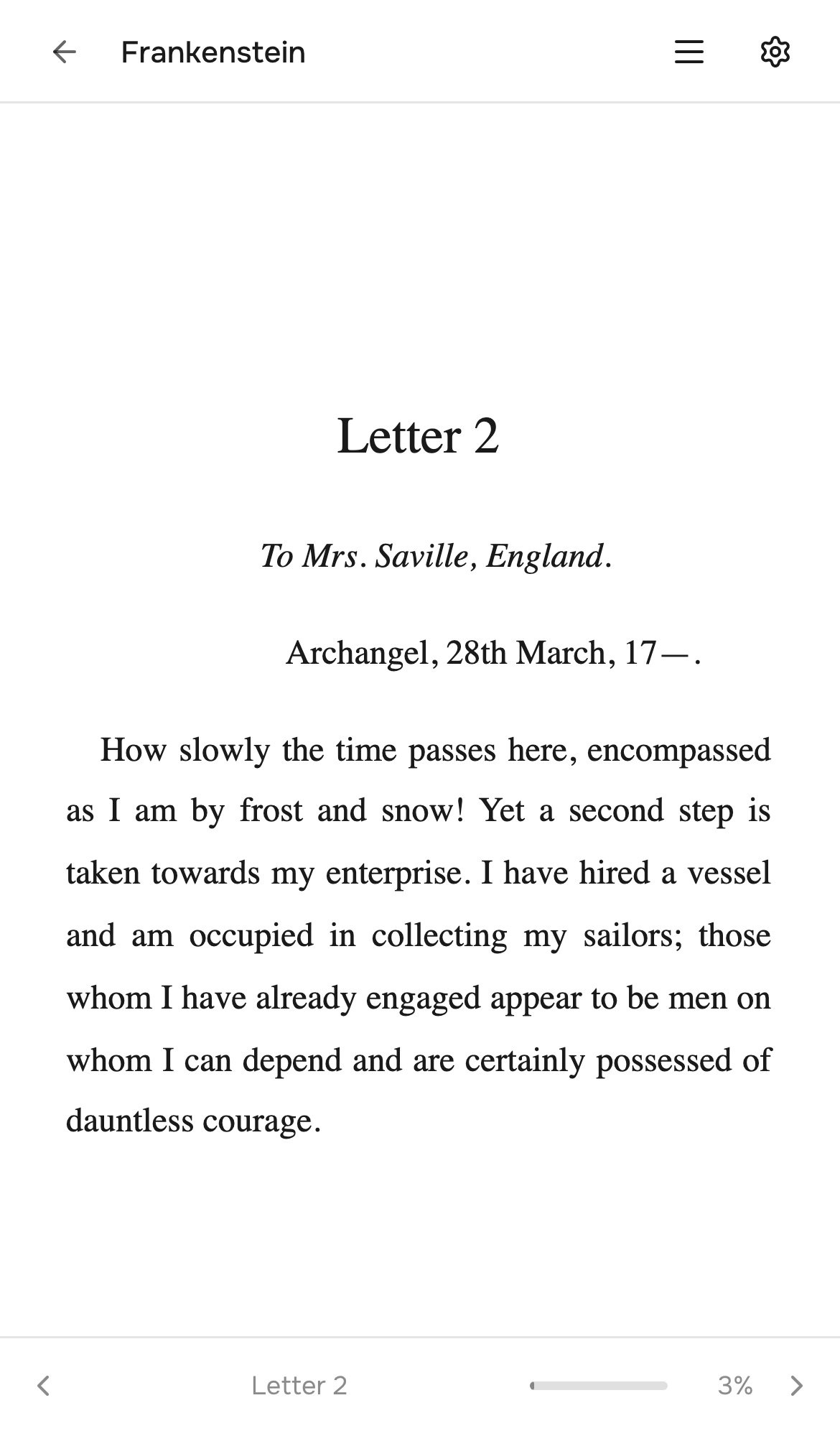
- Built-in reader -- EPUBs, manga (CBZ/CBR), and PDFs render directly in the browser. Two-page spread, RTL mode, webtoon scroll, pinch-to-zoom on mobile. Details
- Bindery -- an inbox for incoming books. Drop files in a folder, review pre-filled metadata, accept into your library. Optional auto-import on a schedule. Details
- Scribe -- a Claude Code Skill for conversational batch ingest, metadata refresh, series-wide audits, and series-level annotation (arc breakdowns, publication status). Uses API tokens for auth and talks to Tome over HTTP. Details
- OPDS feed -- browse and download from KOReader, Panels, Chunky, or any OPDS client
- SSO (OIDC) -- optional single sign-on against any OpenID Connect provider (Pocket ID, Authelia, Authentik, Keycloak, …) with group-to-role mapping and account linking. Local login always stays. Details
- Themes -- 3 built-in (light, dark, amber) plus fully custom themes via 10-value hex palette
Plus: series browsing with story arcs and publication status, bulk operations, libraries with icons, shelves (saved filters), Quick Connect (6-char code sign-in), OPDS PINs (e-ink-friendly passwords), role-based access control, per-user book visibility, user-level API tokens, audit logging, and a bulk import script. Full feature list
How is Tome different?
There are several self-hosted ebook tools — here's where Tome sits.
| Tome | Calibre-Web | Komga | Kavita | |
|---|---|---|---|---|
| Reading session tracking (time, pace, streaks from your e-reader) | ✅ via TomeSync plugin | ❌ | ❌ | ❌ |
| Bidirectional position sync with KOReader | ✅ | partial (KOSync) | ❌ | partial |
| Built-in EPUB + manga reader | ✅ | ✅ | manga only | ✅ |
| Stats / reading insights | ✅ rich | minimal | minimal | minimal |
| Single-binary deploy | ✅ Docker, FastAPI + SQLite | requires Calibre install | ✅ | ✅ |
| Comics & novels in one place | ✅ | EPUB-focused | comics-focused | ✅ |
| Maturity | v1.0 | mature, dated UI | mature | mature |
Pick Calibre-Web if you want the largest ecosystem and don't mind the dated UI. Komga if you're comics/manga-only. Kavita if you want a featureful all-rounder. Tome if reading-session tracking and KOReader integration are what you actually want — that's what it's built around.
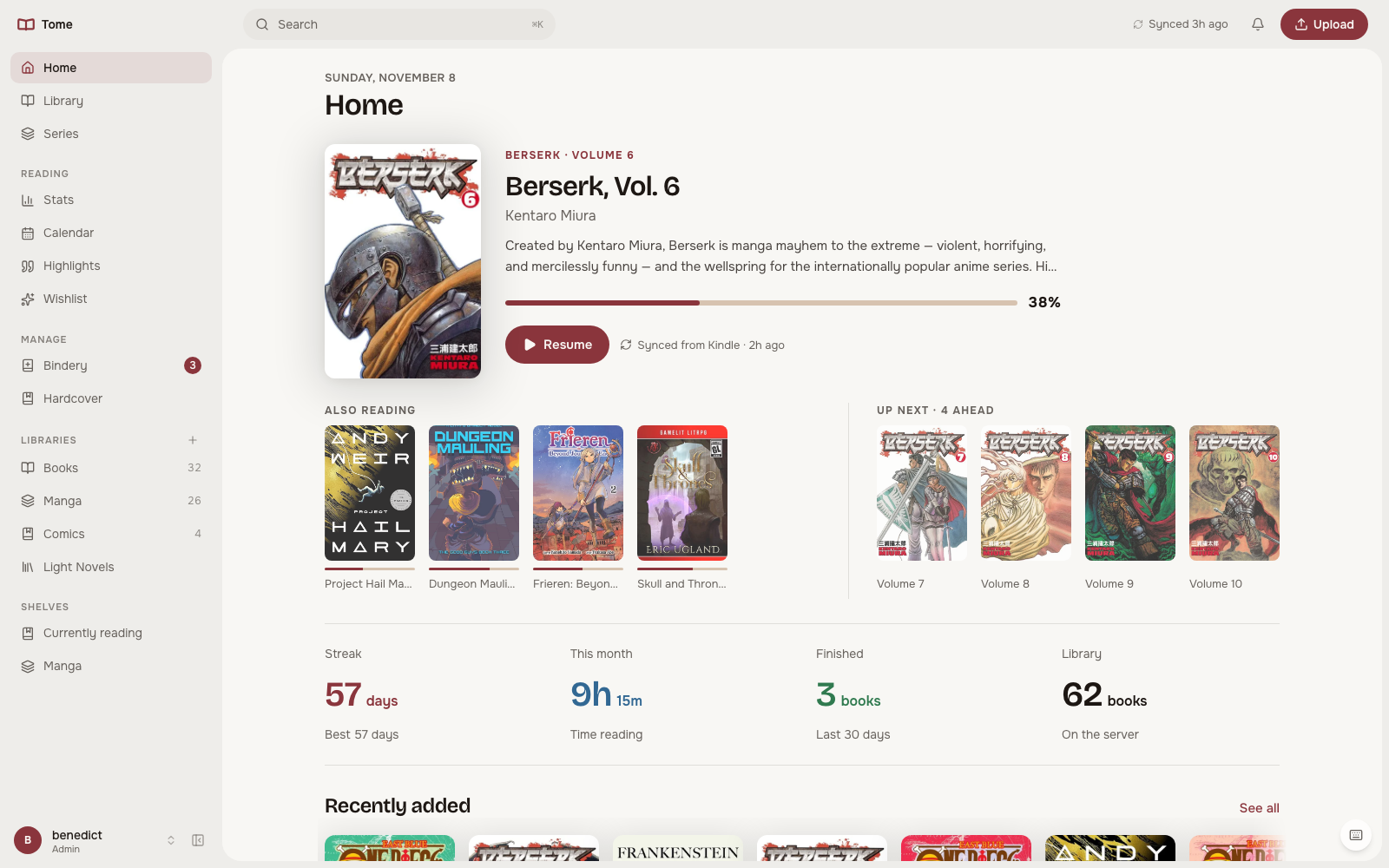 Home is built around the book you are reading: progress, Resume, the other books in progress, what comes next in the series, and four bare numbers.
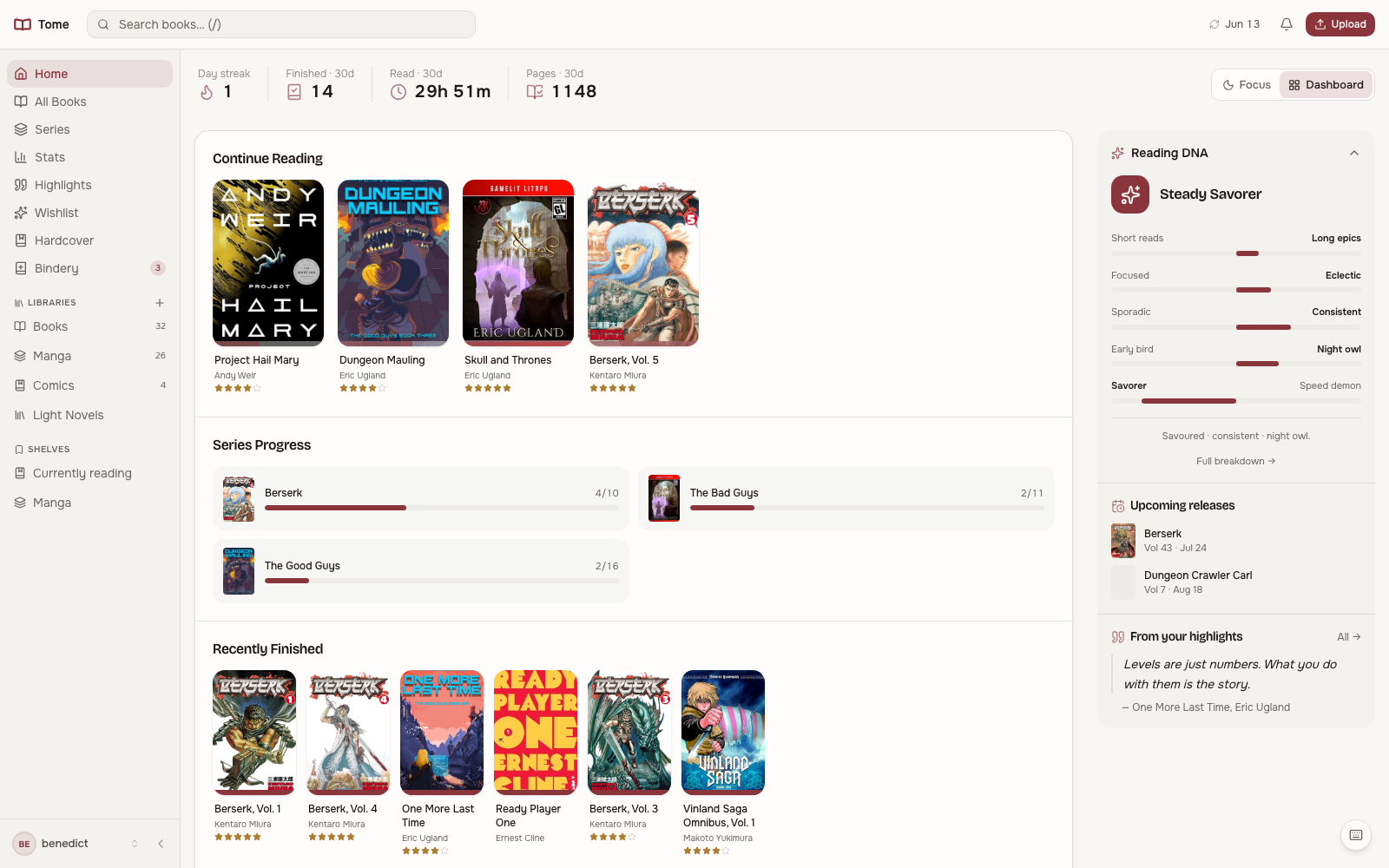 Filter, sort, group by series and browse your library. Bulk select for metadata edits, library assignment, or export.
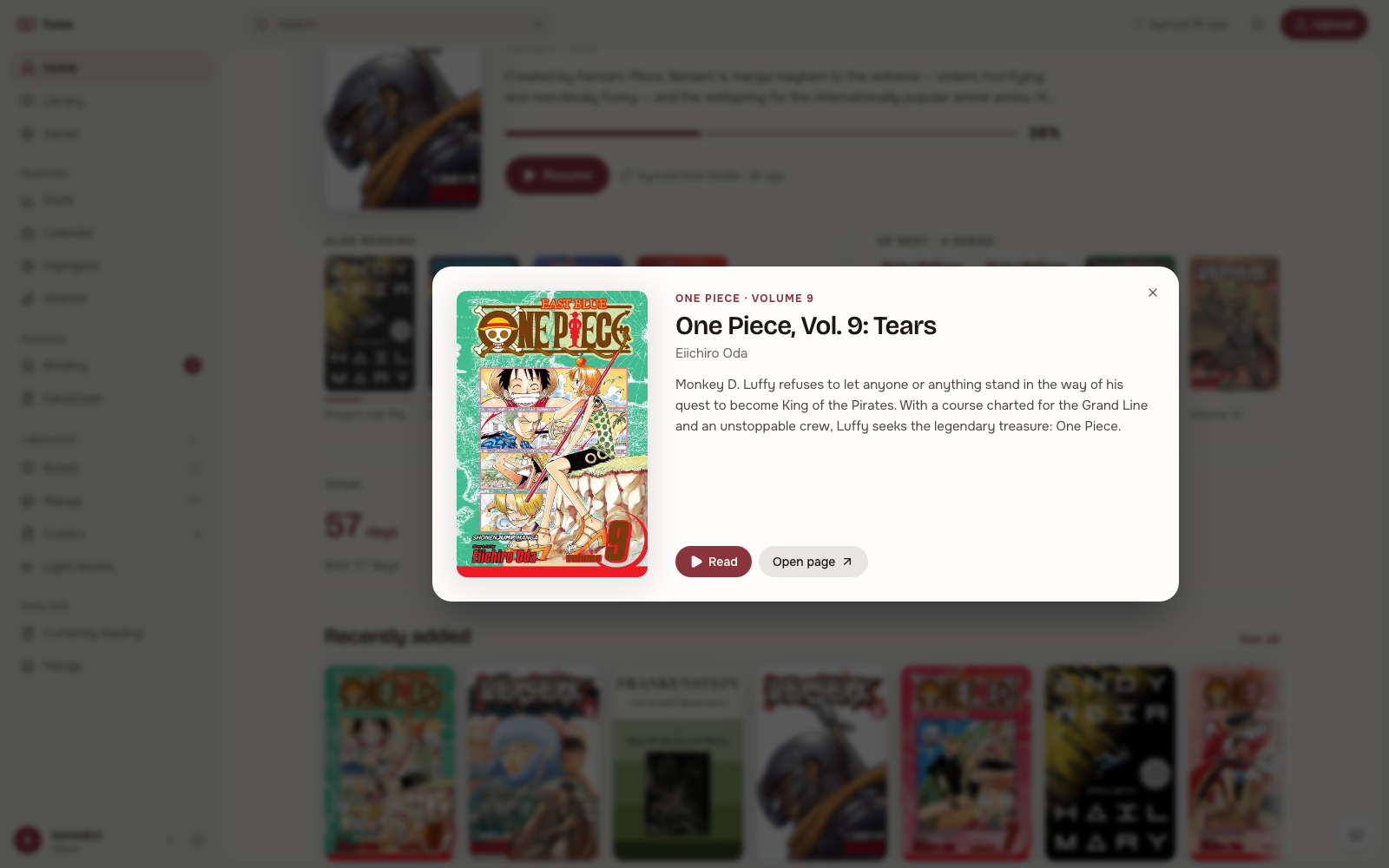 A quick look opens from any cover: description, progress, reading time, Read and Open page, without leaving where you are.
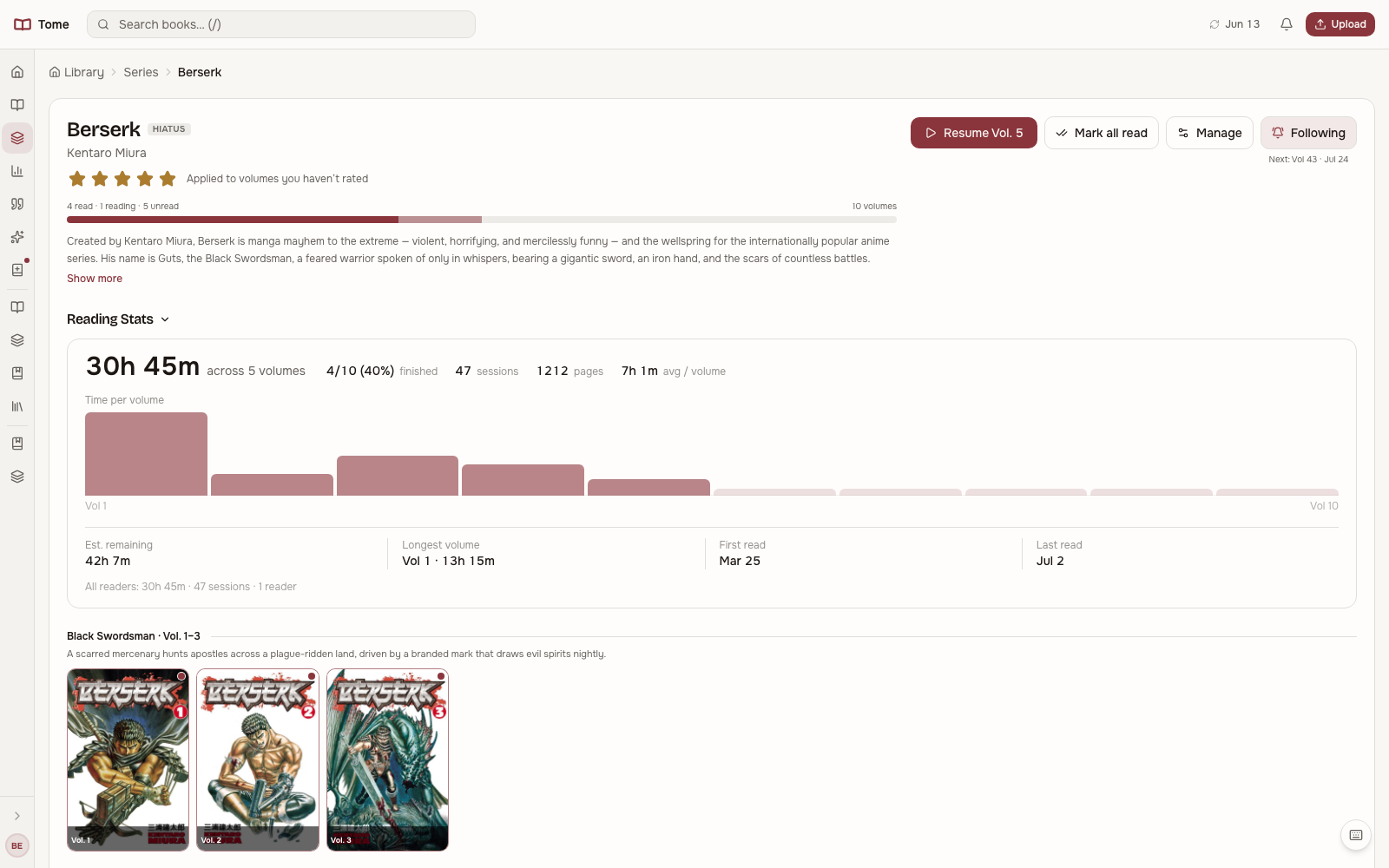 Drill into a series to see every volume, track progress per book, and pick up where you stopped.
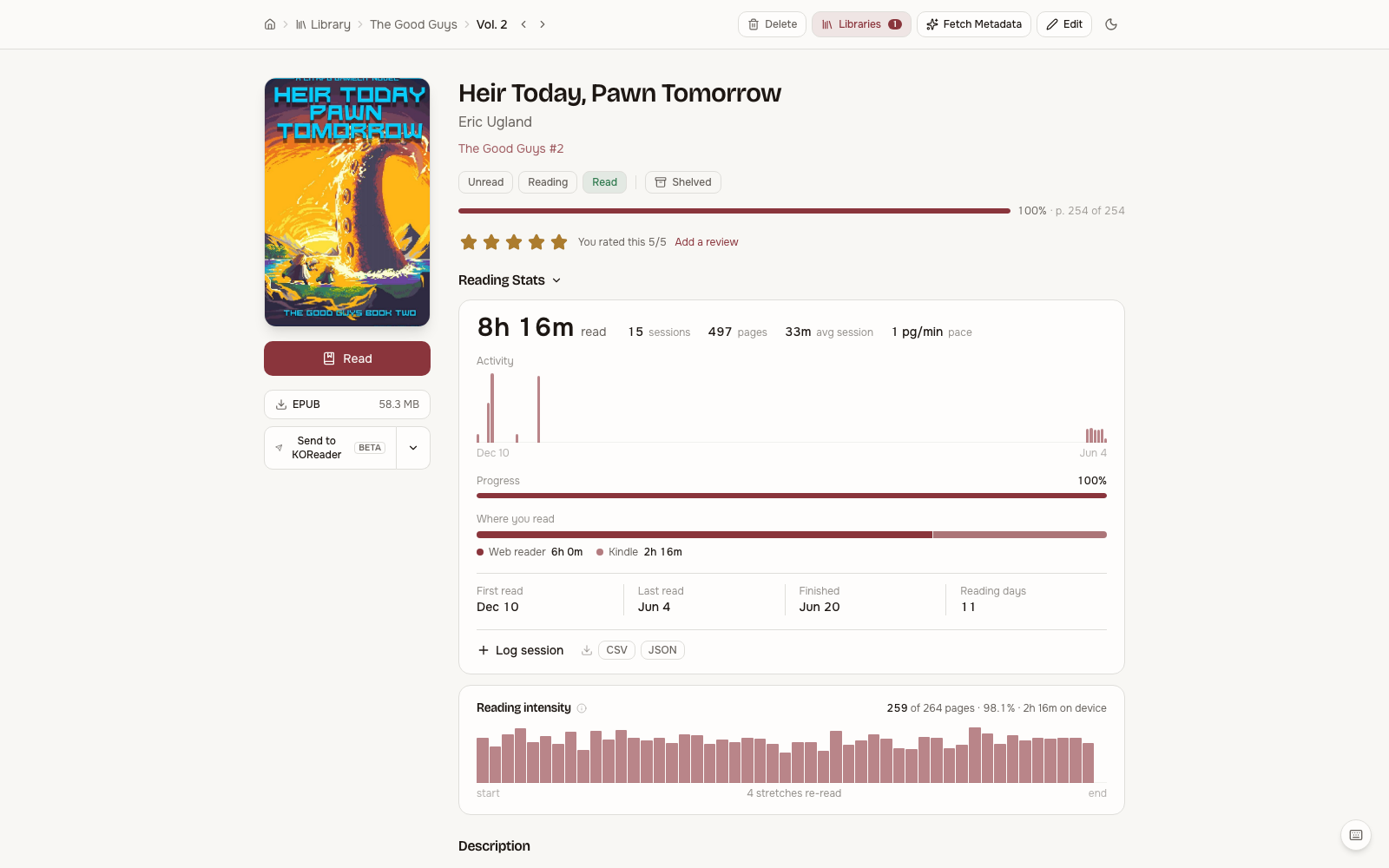 Full metadata view with cover, description, reading stats per book and one-click reading.
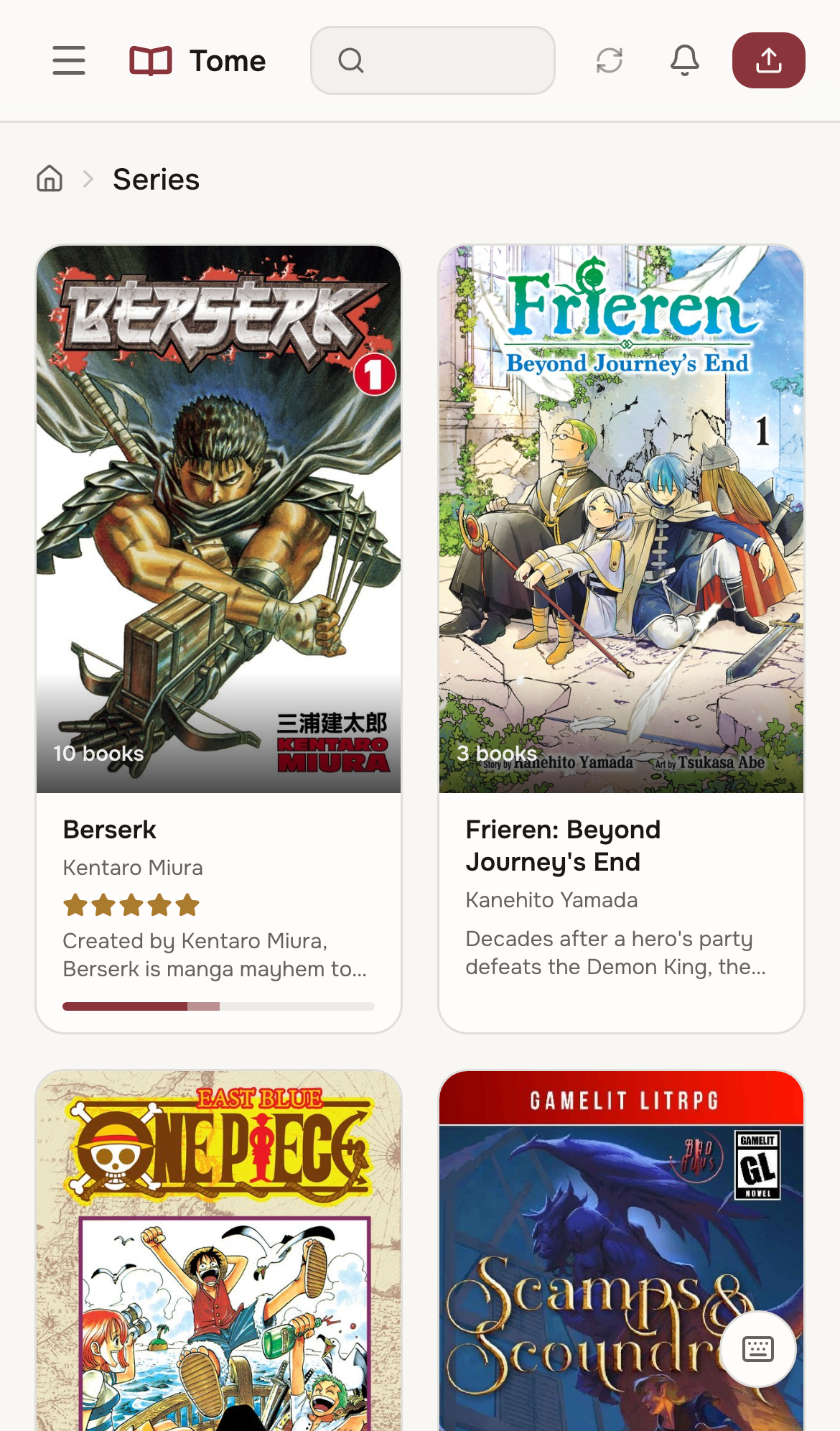
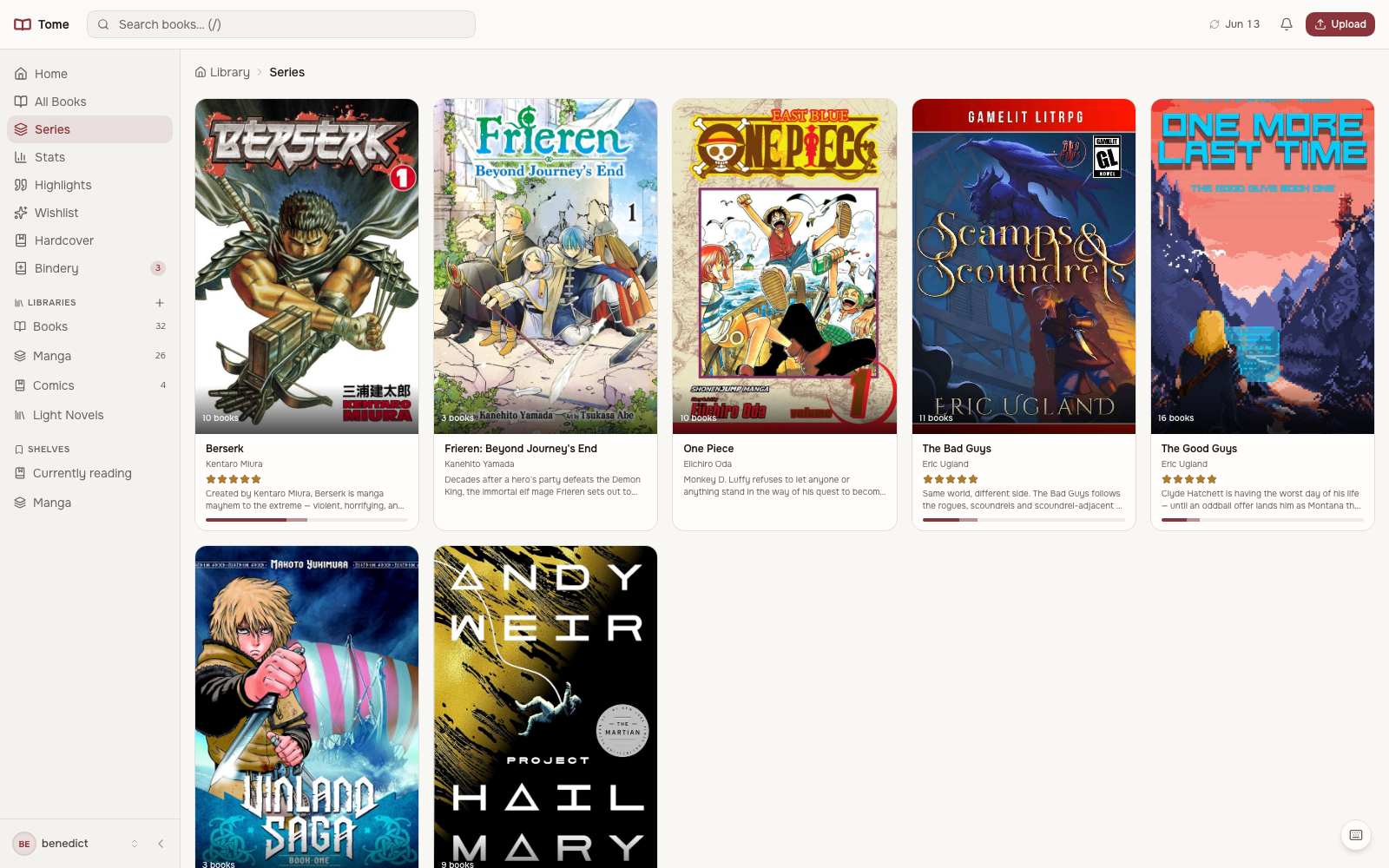 All your series at a glance with volume counts and descriptions.
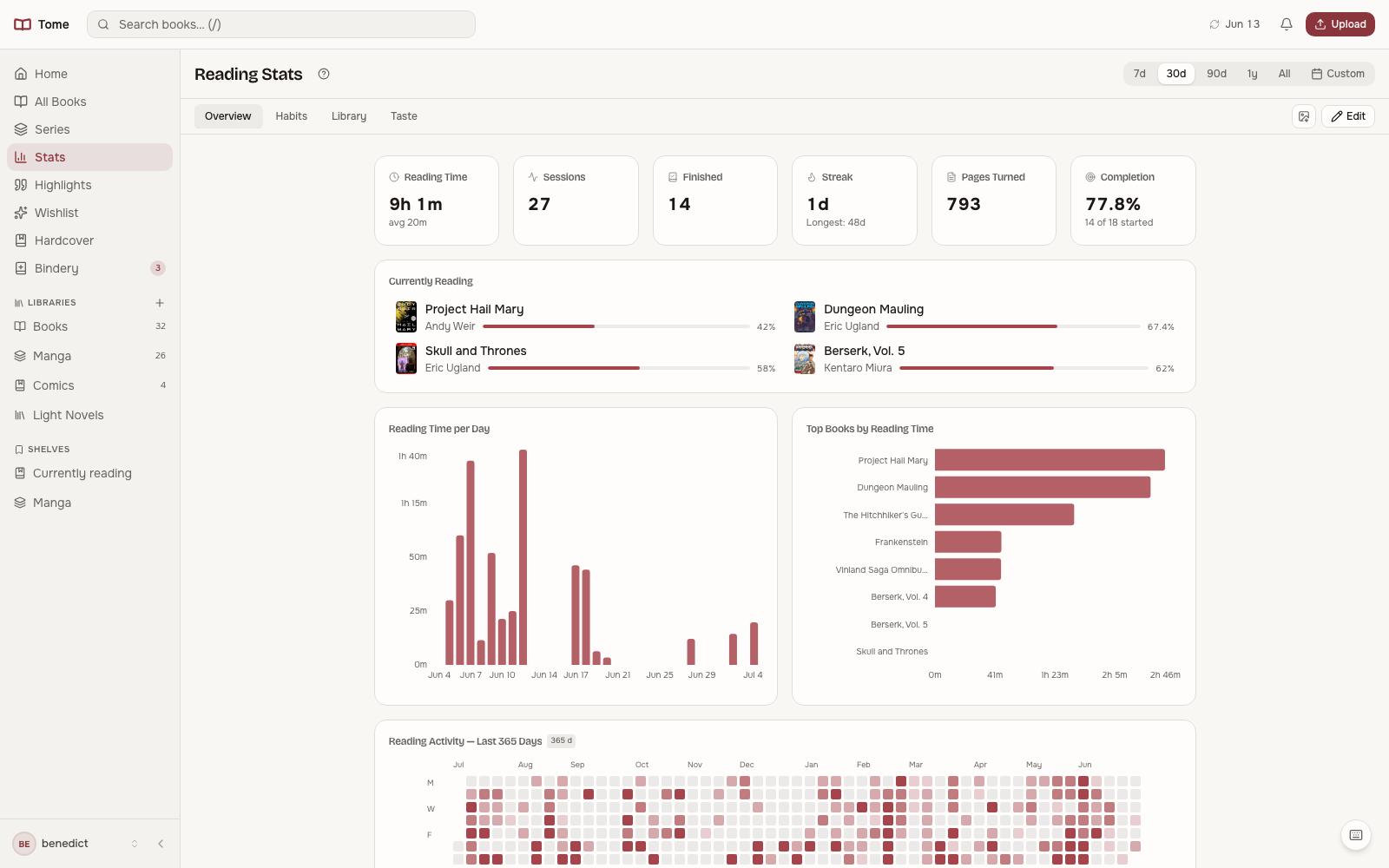 Reading activity, streaks, session history, and time-of-day patterns on boards you can rearrange.
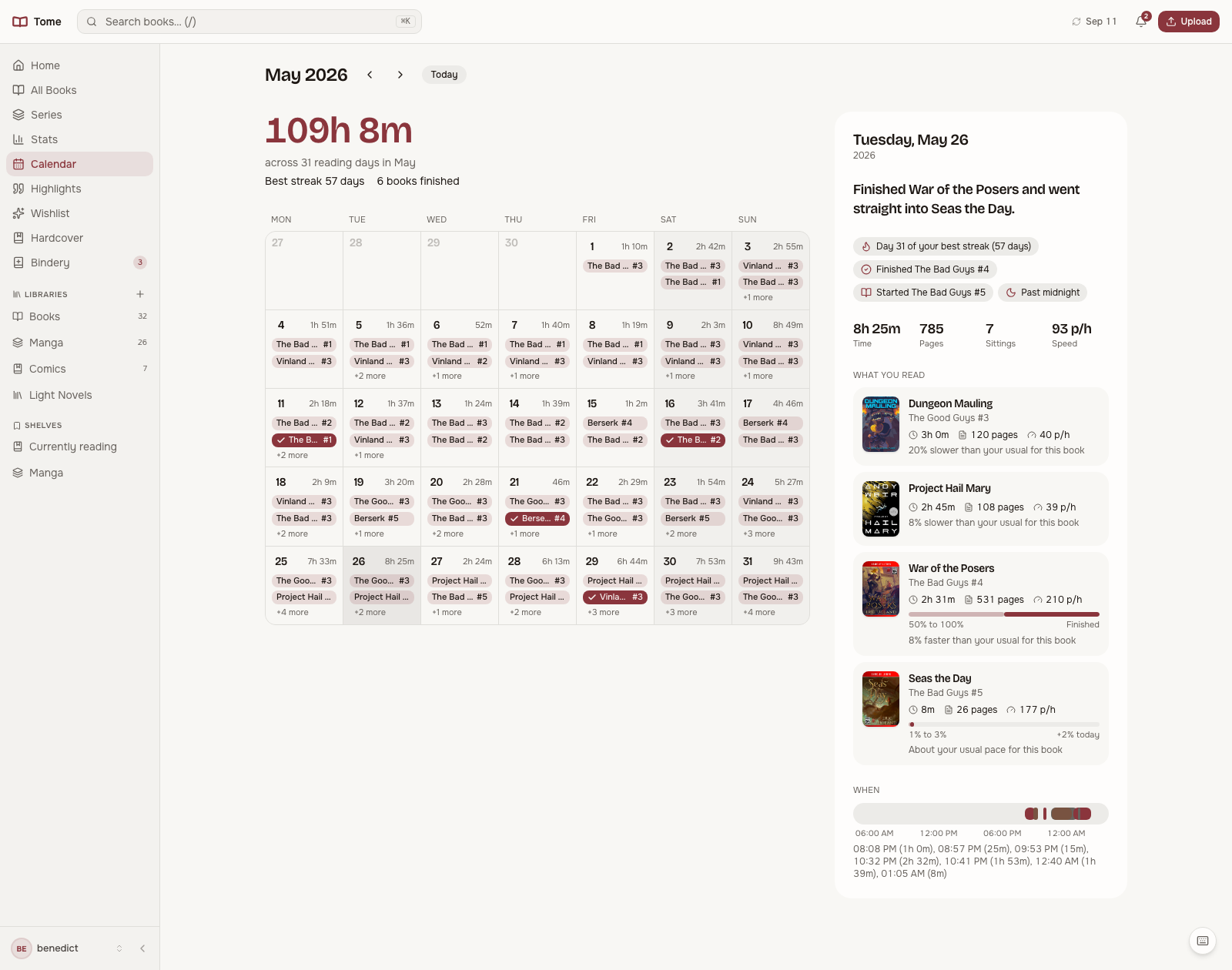 A month of reading as a calendar, with a card for any day you pick.
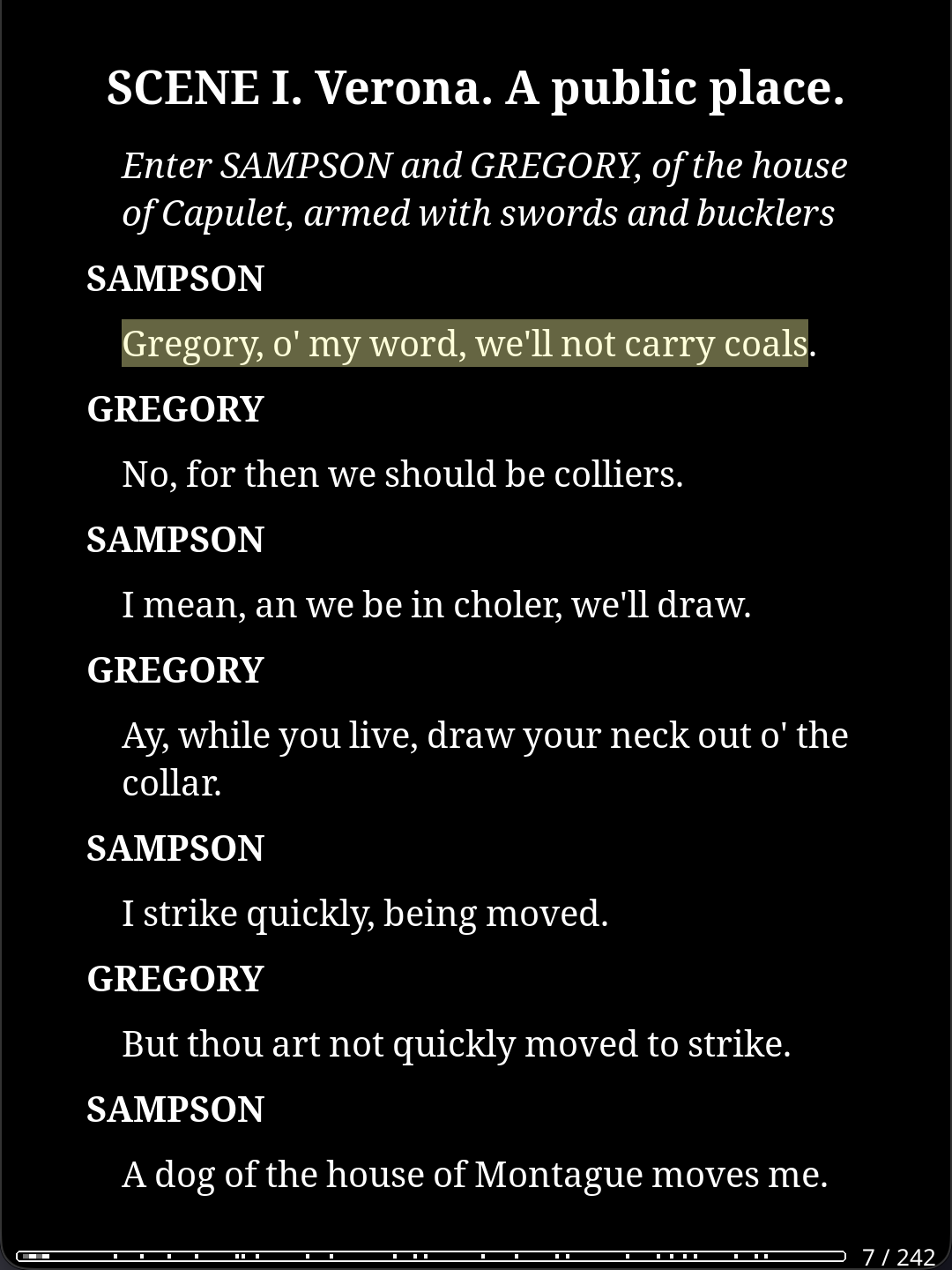 Highlight and annotate on your e-reader…
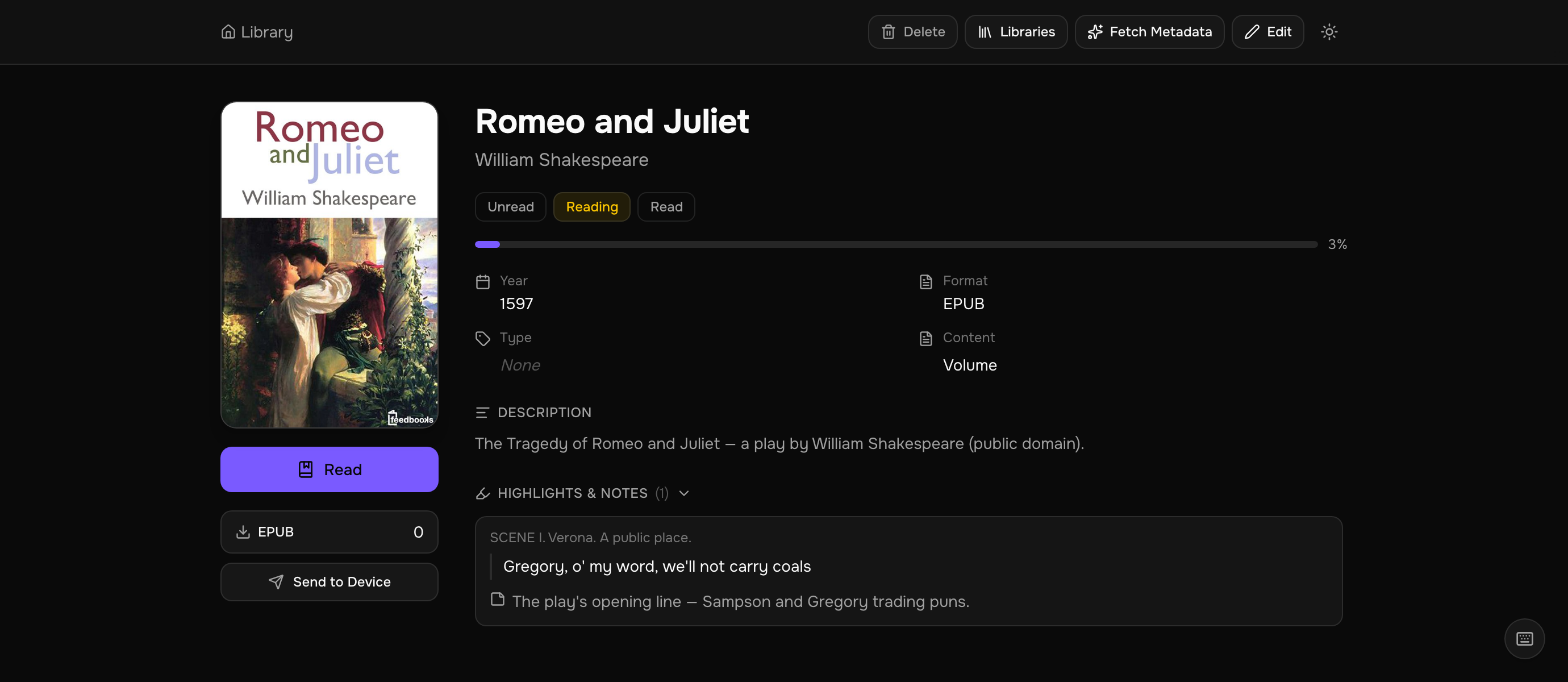 …and they sync to Tome via the TomeSync plugin, collected per book with the text, your note, and the chapter.
Mobile
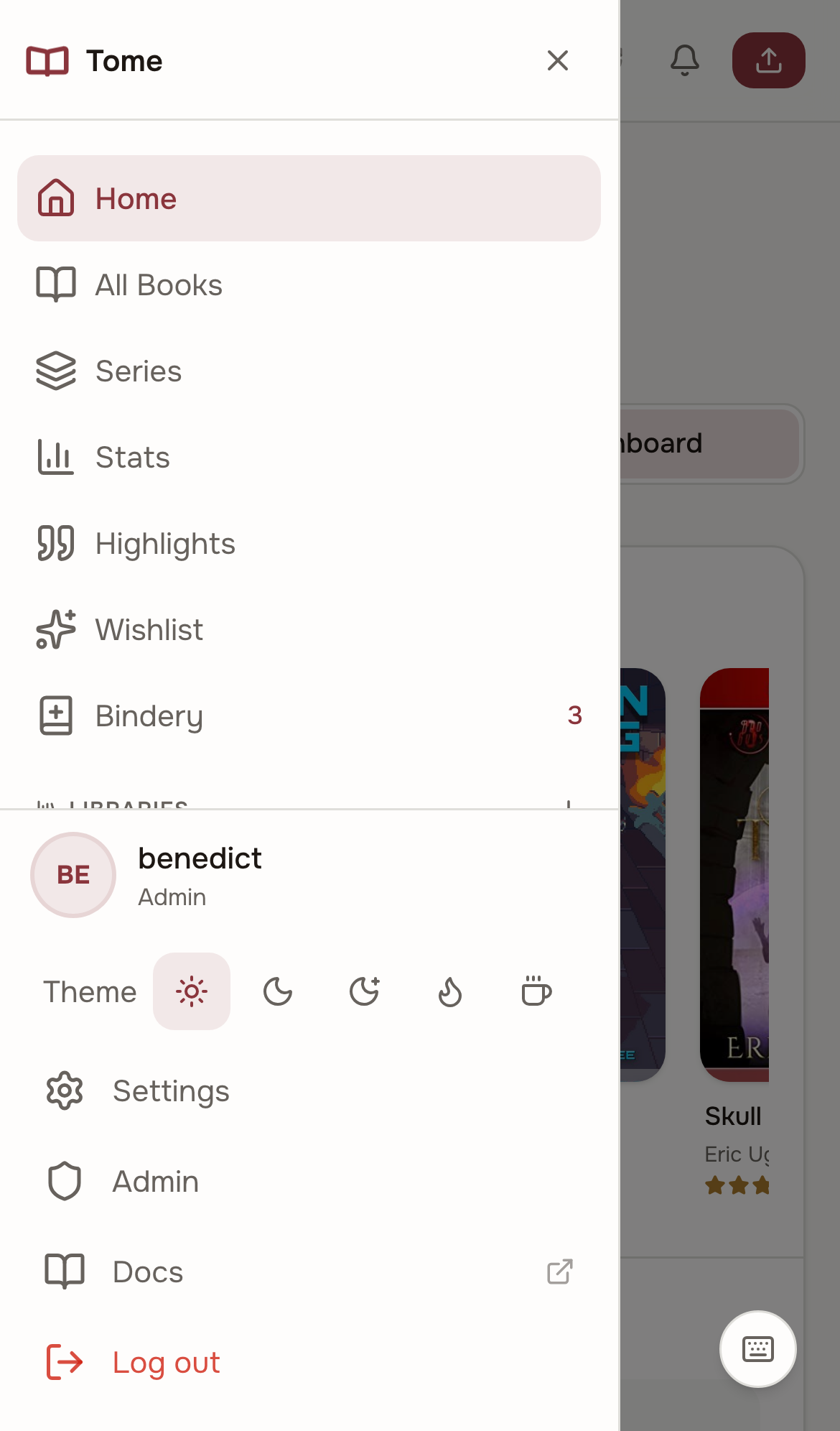
Tome works as a PWA on mobile. Pin it to your home screen for a native app feel.
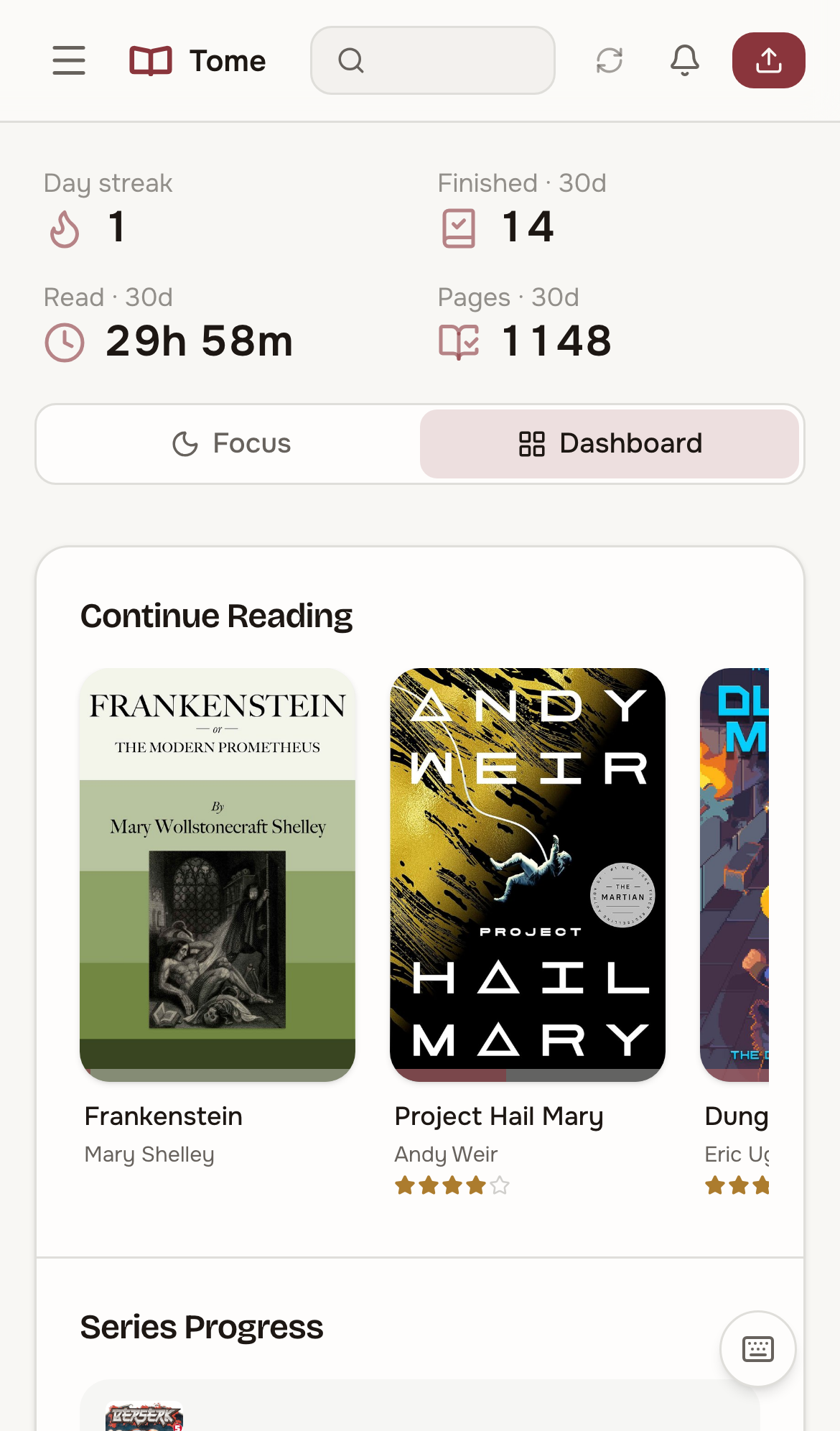 |  |  |  |  |
iPhone
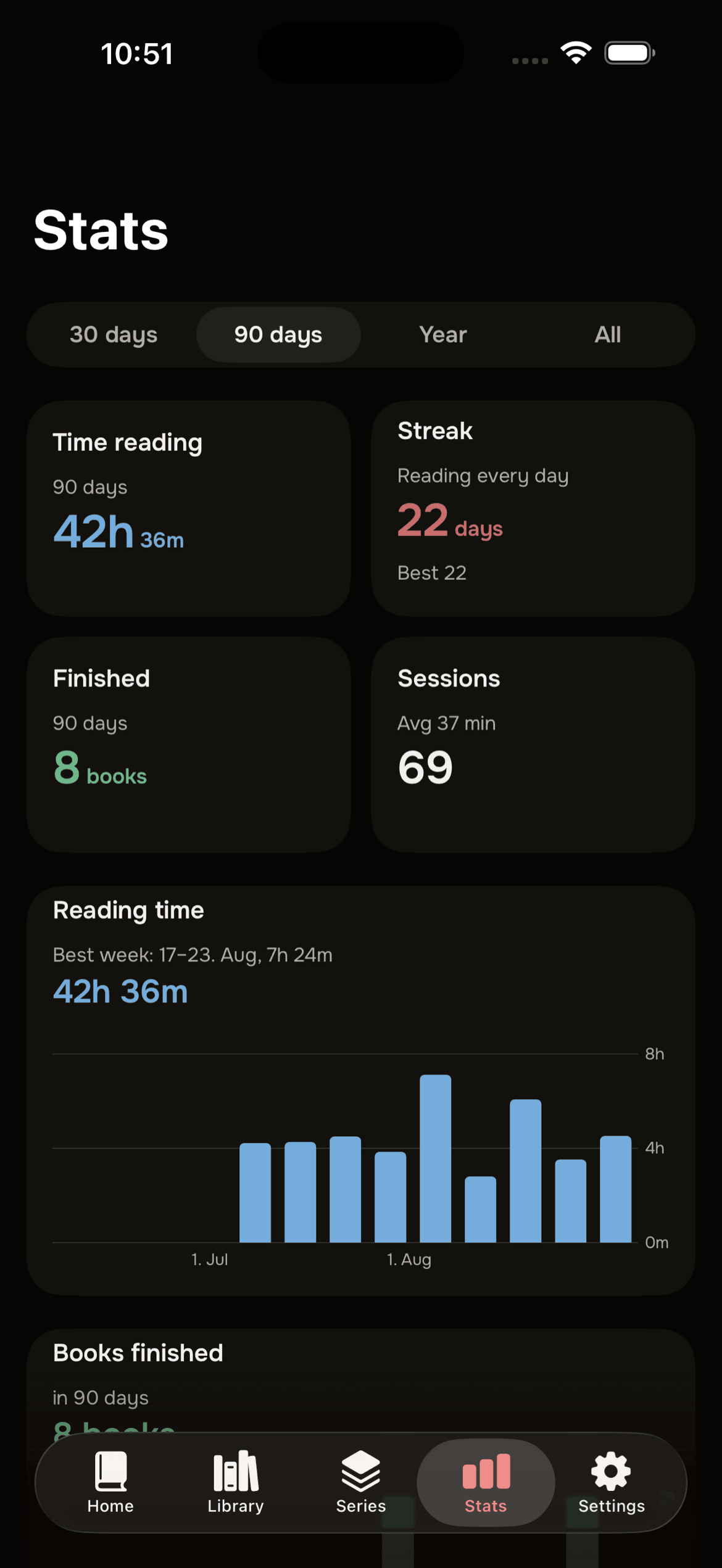
Tome Reader is a native iPhone app for your Tome: pair with a QR code from Settings → Quick Connect, browse the library and series, read EPUB and comics offline, and keep progress and stats in sync. It is in free beta until 31 December 2026 — join it on TestFlight.
The app is closed source and entirely optional. Tome never requires it, and everything it does goes through the same public API any other client can use. Feedback on the app goes to Discussions > Tome Reader (iOS).
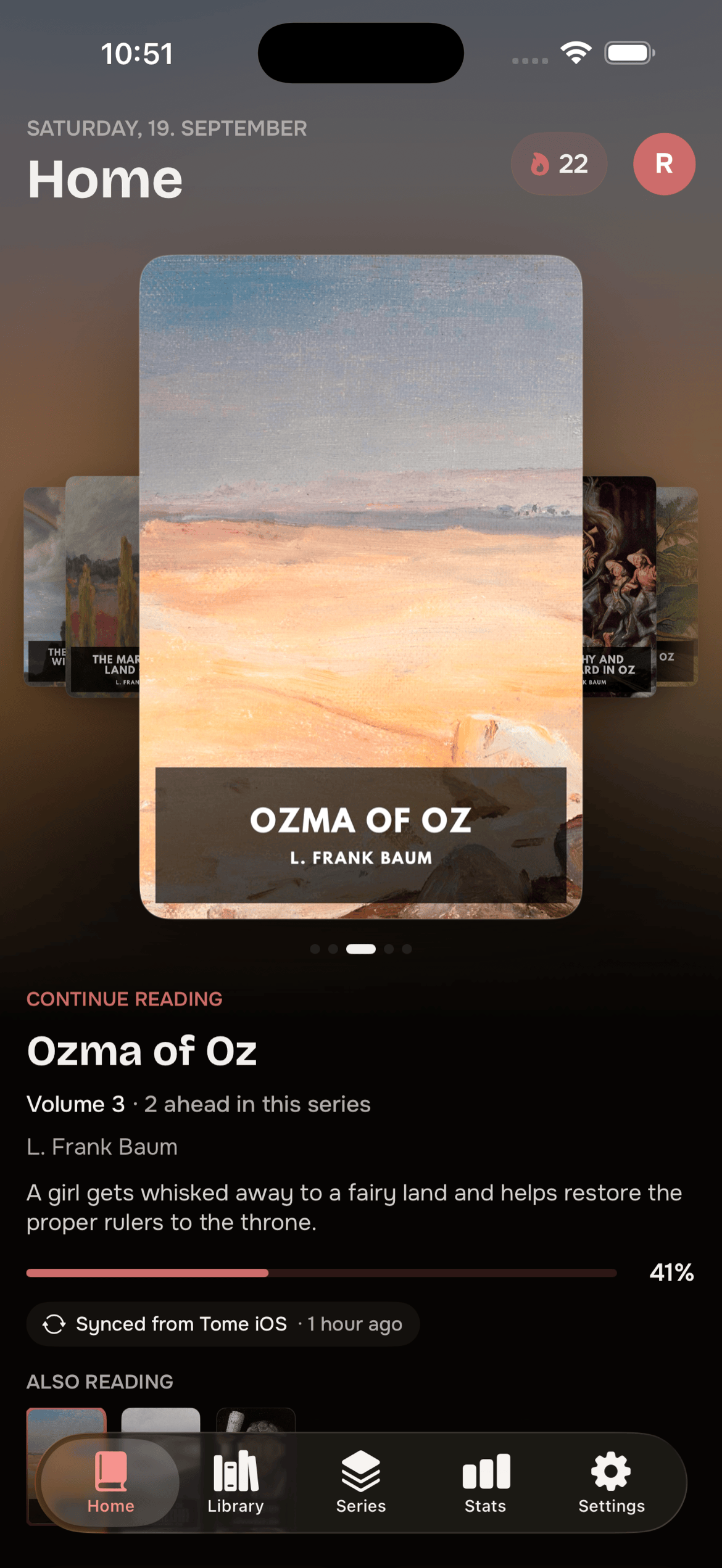 | 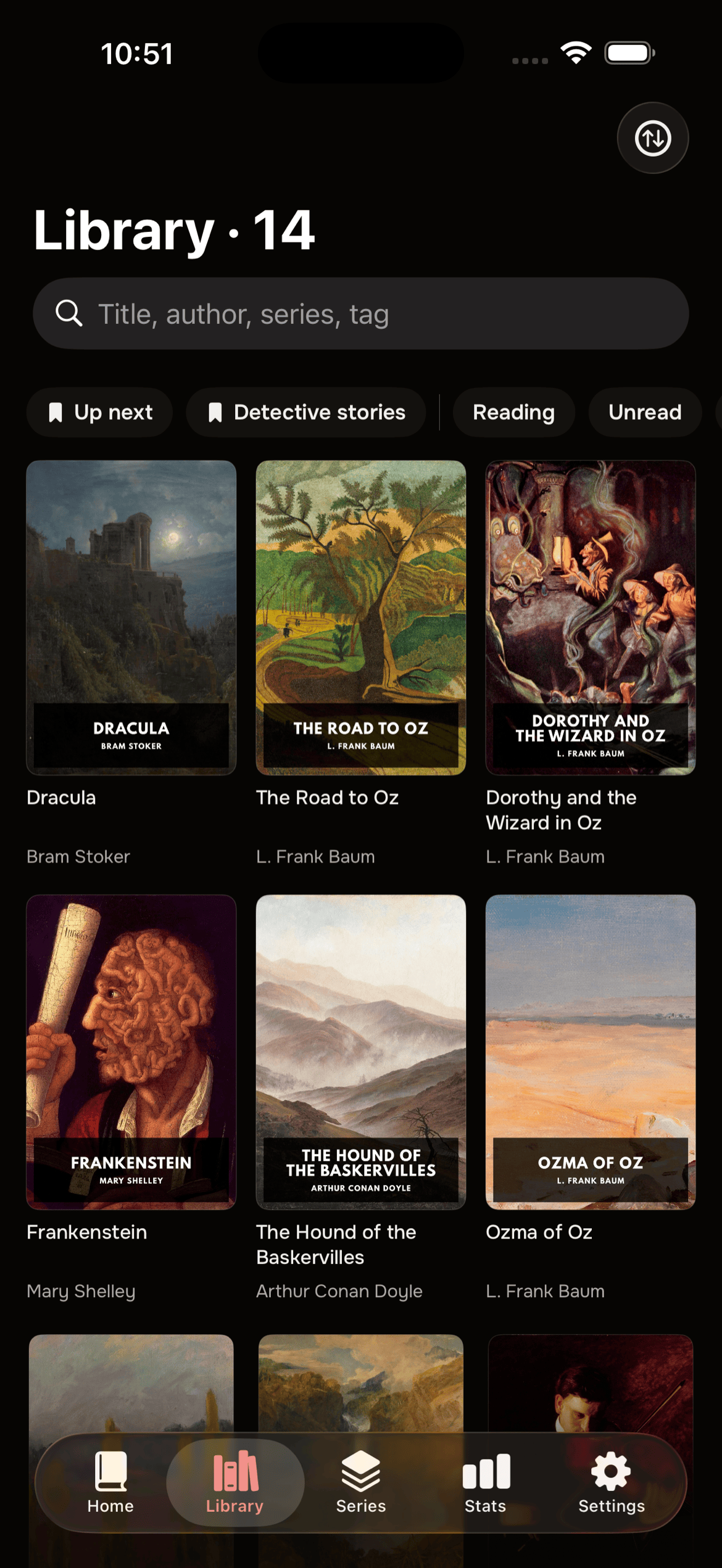 | 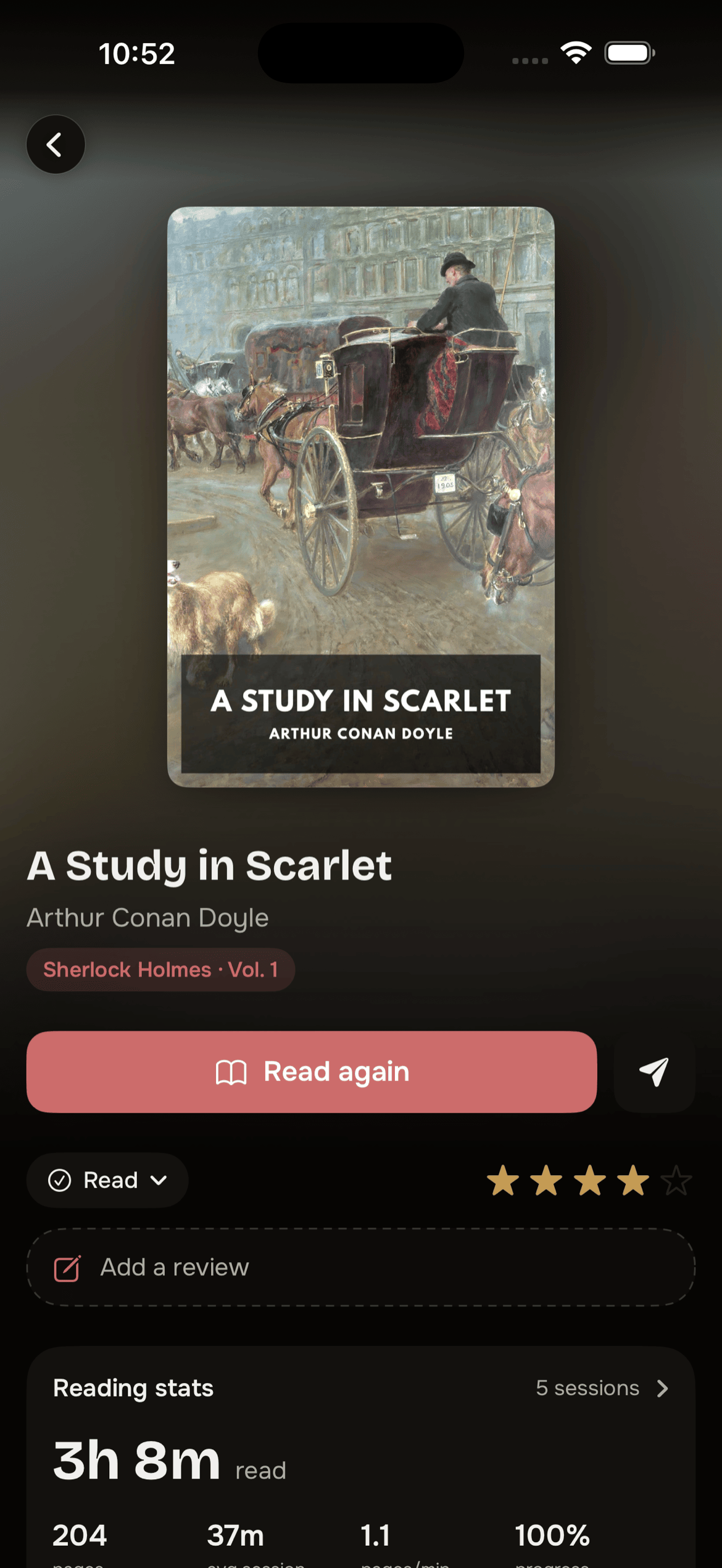 | 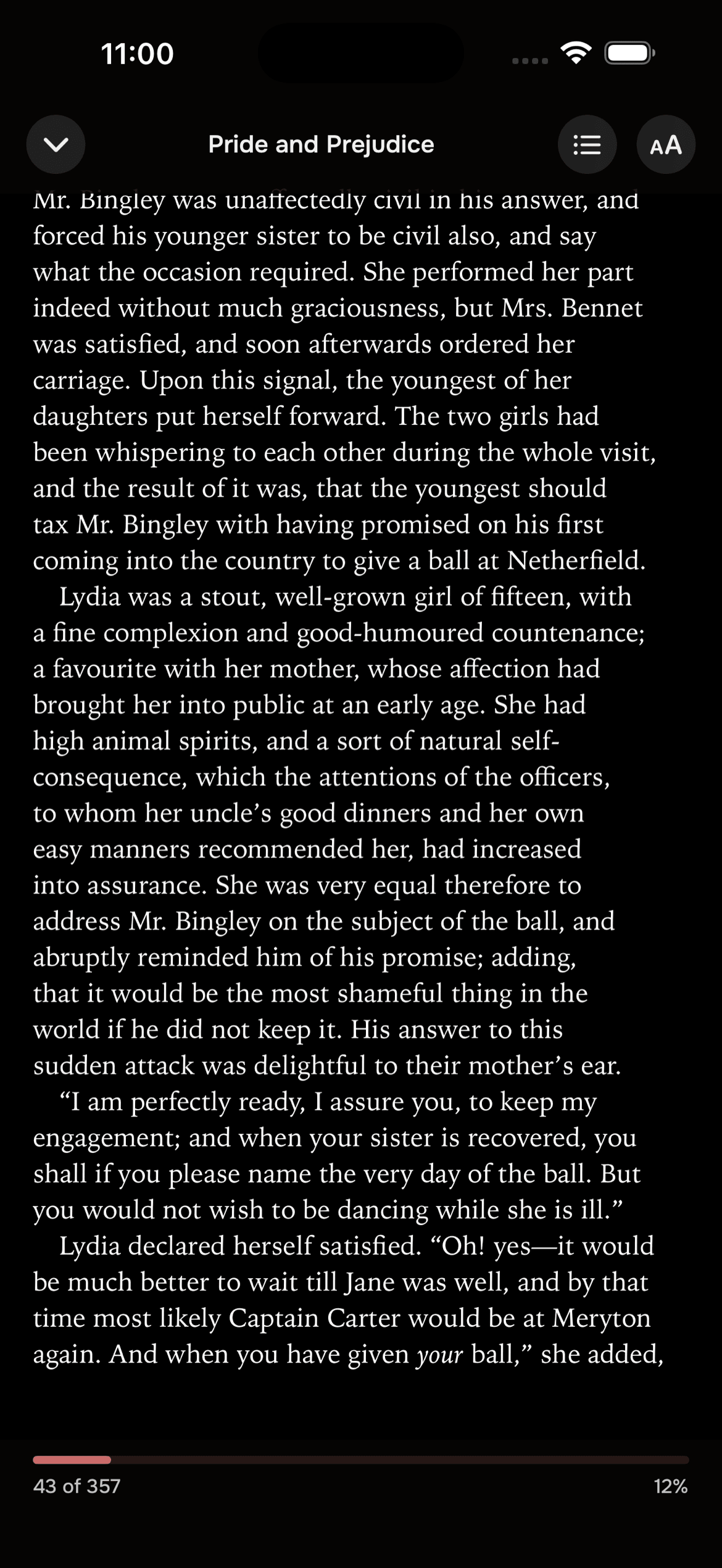 |  |
Quick Start
docker run -d \
  --name tome \
  --restart unless-stopped \
  -p 8080:8080 \
  -v ./data:/data \
  -v ./books:/books \
  -v ./bindery:/bindery \
  ghcr.io/bndct-devops/tome:latest
Open http://localhost:8080 and follow the setup wizard to create your admin account.
Or with Docker Compose -- the canonical docker-compose.yml in this repo is portable; clone and docker compose up -d. See docs/examples/ for setups specific to Unraid and similar.
Try it in 60 seconds
Want to kick the tires before committing it to your homelab? This installer spins Tome up in a fresh ~/Tome folder on a free port and prints the URL -- all it needs is Docker installed and running:
curl -fsSL https://tome.bndct.sh/install.sh | bash
Upload a book, click around, decide if it's for you. It uses a fresh, empty ~/Tome/books, so nothing in your real library is touched. (It's a plain shell script -- read it first with ... | less if you like.)
Didn't click? Remove every trace -- container, image, and folder:
cd ~/Tome && docker compose down             # stop + remove the container
docker rmi ghcr.io/bndct-devops/tome:latest  # drop the image
rm -rf ~/Tome                                 # delete data + the test books folder
Did click? Don't run it on your laptop long-term. Move ~/Tome to an always-on box (NAS, mini-PC, that spare Pi) and point the books volume at your real library. A sleeping laptop is a poor host for KOReader sync and OPDS -- a box that's always up is where Tome belongs.
Volumes
| Mount | Purpose |
|---|---|
/data | SQLite database and cover cache |
/books | Ebook library (read-only is fine) |
/bindery | Incoming folder for new books |
Environment Variables
| Variable | Required | Default | Description |
|---|---|---|---|
PUID / PGID | No | 1000 / 1000 | Host UID/GID the container runs as. Set to the owner of your mounts (Synology/QNAP/TrueNAS: your docker user; Unraid: 99/100) |
TOME_SECRET_KEY | Yes | -- | JWT signing secret |
TOME_DATA_DIR | No | /data | DB and cover cache |
TOME_LIBRARY_DIR | No | /books | Library root |
TOME_INCOMING_DIR | No | /bindery | Bindery folder |
TOME_PORT | No | 8080 | HTTP port |
TOME_PUBLIC_URL | No | -- | Canonical public origin (e.g. https://tome.example.org). Pin this behind a reverse proxy so the KOReader plugin is baked with the correct https:// URL |
TOME_HARDCOVER_TOKEN | No | -- | Hardcover API token for metadata |
TOME_AUTO_IMPORT | No | false | Auto-import files from the bindery on a schedule |
TOME_AUTO_IMPORT_INTERVAL | No | 300 | Seconds between auto-import scans |
TOME_SCAN_WORKERS | No | 1 | Parallel scan workers (>1 = multi-process; ~60–80 MB each) |
TOME_LOG_LEVEL | No | INFO | Level of Tome's own log lines: DEBUG, INFO, WARNING or ERROR |
TOME_KOSYNC_POSITION_BRIDGE | No | false | Experimental: let TomeSync plugin devices pick up progress pushed by third-party KOSync clients (read-only bridge) |
TOME_MAX_UPLOAD_MB | No | 4096 | Largest upload the server accepts, in MB; a bigger book upload is refused with 413 before it is written to disk. 0 = no limit. Backup restores are not limited |
TOME_WEBHOOK_ALLOWED_HOSTS | No | -- | Comma-separated host names or IPs (e.g. ntfy.lan,192.168.1.20) that members' notification channels may reach. Admins' channels may point anywhere; everyone else's must resolve to public internet addresses unless the host is listed here |
TOME_CONTENT_SECURITY_POLICY | No | on | Send a Content-Security-Policy with the web interface, which stops script inside a book from running in the reader. off drops the header (only if a proxy or setup of yours breaks with it) |
Secrets can also be read from a file (Docker/Kubernetes secrets): TOME_SECRET_KEY, TOME_HARDCOVER_TOKEN, TOME_GOOGLE_BOOKS_KEY, TOME_SMTP_USER, TOME_SMTP_PASSWORD and TOME_OIDC_CLIENT_SECRET each accept a _FILE variant, e.g. TOME_SECRET_KEY_FILE=/run/secrets/tome_secret_key. Set one or the other, not both.
Supported Formats
| Format | Reader | Notes |
|---|---|---|
| EPUB | Text reader | CFI position tracking |
| CBZ | Comic reader | Streaming page delivery |
| CBR | Comic reader | Auto-repacked to ZIP |
| Browser viewer | Served directly |
Development
Requirements: Python 3.12+, Node.js 22.19+
./dev.sh # starts backend :8080 + frontend :5173
| Layer | Technology |
|---|---|
| Backend | Python 3.12+ / FastAPI |
| Database | SQLite (WAL) / SQLAlchemy 2.0 |
| Frontend | React 19 / Vite / TypeScript |
| Styling | Tailwind CSS 4 |
| Auth | JWT (python-jose) |
See CONTRIBUTING.md for project conventions and PR guidelines.
Translating
The web UI is translatable. English is the source and lives in the code;
every other language is a community-maintained catalog under
frontend/src/locales/<code>/messages.po, editable with any text editor or
Poedit. Anything not yet translated falls back to
English, so partial catalogs are fine to ship. To improve a language, fill in
the empty msgstr entries and open a pull request; to add one, see
docs/translating.md for the two-line setup. The
KOReader plugin and this website stay English for now.
Documentation
- Reader -- EPUB, comic/manga reader, keyboard shortcuts, ComicInfo.xml
- KOReader Plugin -- TomeSync setup, sync behavior, offline support
- Bindery -- setting up the incoming book inbox
- Scribe -- Claude Code Skill for batch ingest, metadata refresh, and series audits
- Import Script -- bulk importing an existing collection from filenames
- Features -- Quick Connect, OPDS PINs, permissions, themes, API tokens, and more
- Translating -- improving or adding a UI language
Telemetry
Off by default. Admins are asked once whether Tome may send one small anonymous report a month, and the question shows the exact report before you can say yes. Never a title, a name or a hostname. TOME_TELEMETRY=false hides the question entirely. What is in the report, how consent works and where it goes: tome.bndct.sh/docs/telemetry. The numbers it produces are public at tome.bndct.sh/stats.
Separately from telemetry, Tome checks upgrades.bndct.dev once a day for a newer version. Only the version number is sent. TOME_UPDATE_CHECK=false turns it off.
Questions and feedback
Bugs and concrete feature requests go to Issues. Setup questions, rough ideas and anything else go to Discussions.
Supporters
Tome is free and stays free. If it is useful to you, you can say thanks on GitHub Sponsors. Nothing in Tome is locked behind a sponsorship.
Thank you to everyone who supports Tome:
Acknowledgements
- KOReader -- the open source e-reader app that Tome's sync plugin and OPDS integration are built for
- Hardcover -- the community-run, ad-free book-tracking platform. Its open GraphQL API powers Tome's metadata fetch, series catalogue, release detection, and profile sync -- go give them your shelf
- foliate-js -- the EPUB rendering engine powering Tome's built-in reader
- Substantial portions of Tome were developed in collaboration with Claude Code
License
AGPL-3.0 — see LICENSE