
synaplan
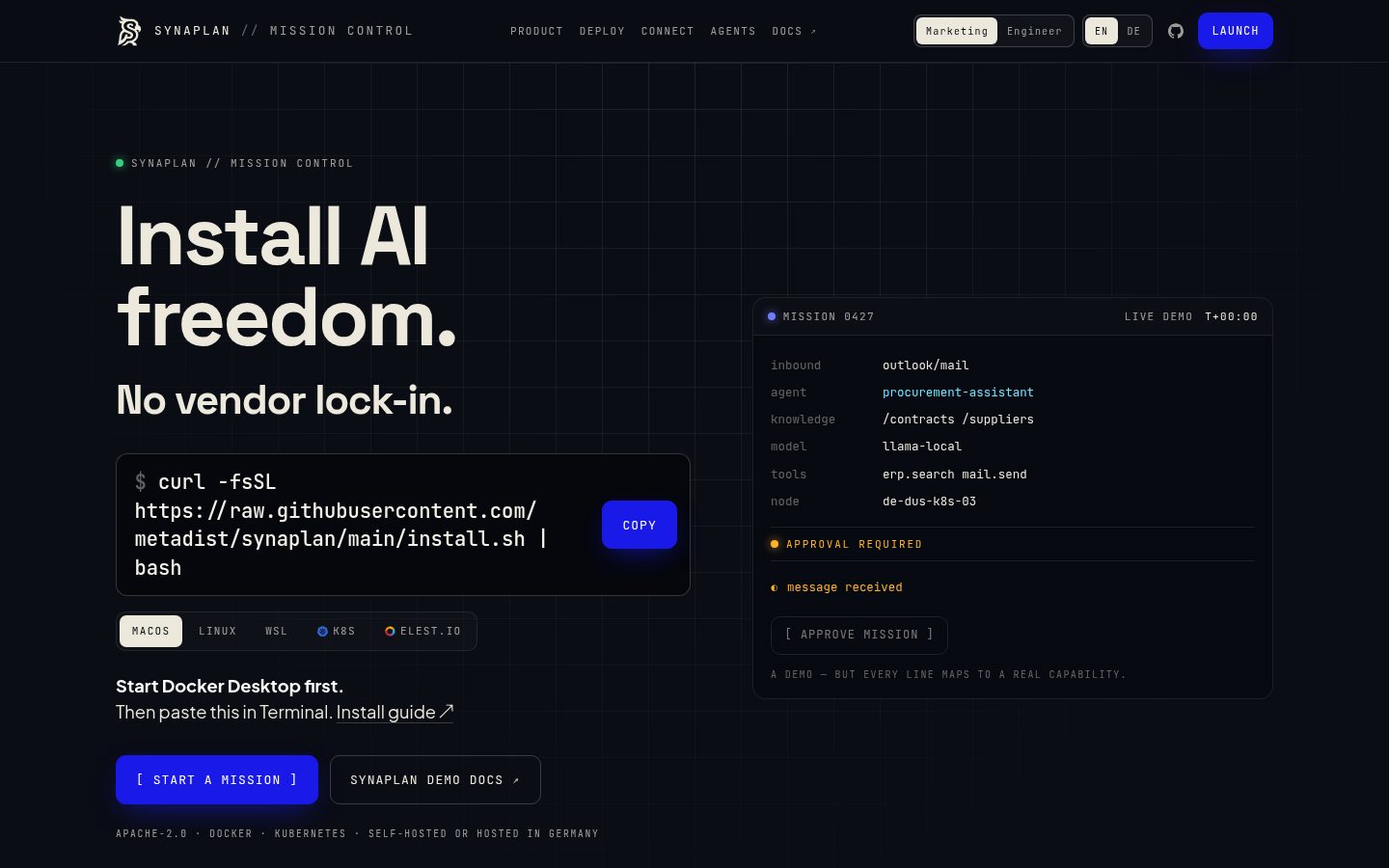
Own the flow: one open-source AI platform for your knowledge, models and channels – web, WhatsApp, email, Outlook, Nextcloud & ownCloud. Local and cloud models side by side, with the cost on every answer.
Automatically checked · GitHub checked 2026-11-12
Overview
Build AI assistants on your own documents and put them wherever work happens: web, WhatsApp, email, Outlook, Nextcloud and ownCloud. Mix local models with the best cloud AI, see what every answer costs, and decide what the AI is allowed to do – open source, on your server or ours.
Run it in up to five minutes · Try it hosted · Docs · Discord



Self-hosting is free. The hosted version opens with a paid plan or an invitation code – ask us at [email protected].
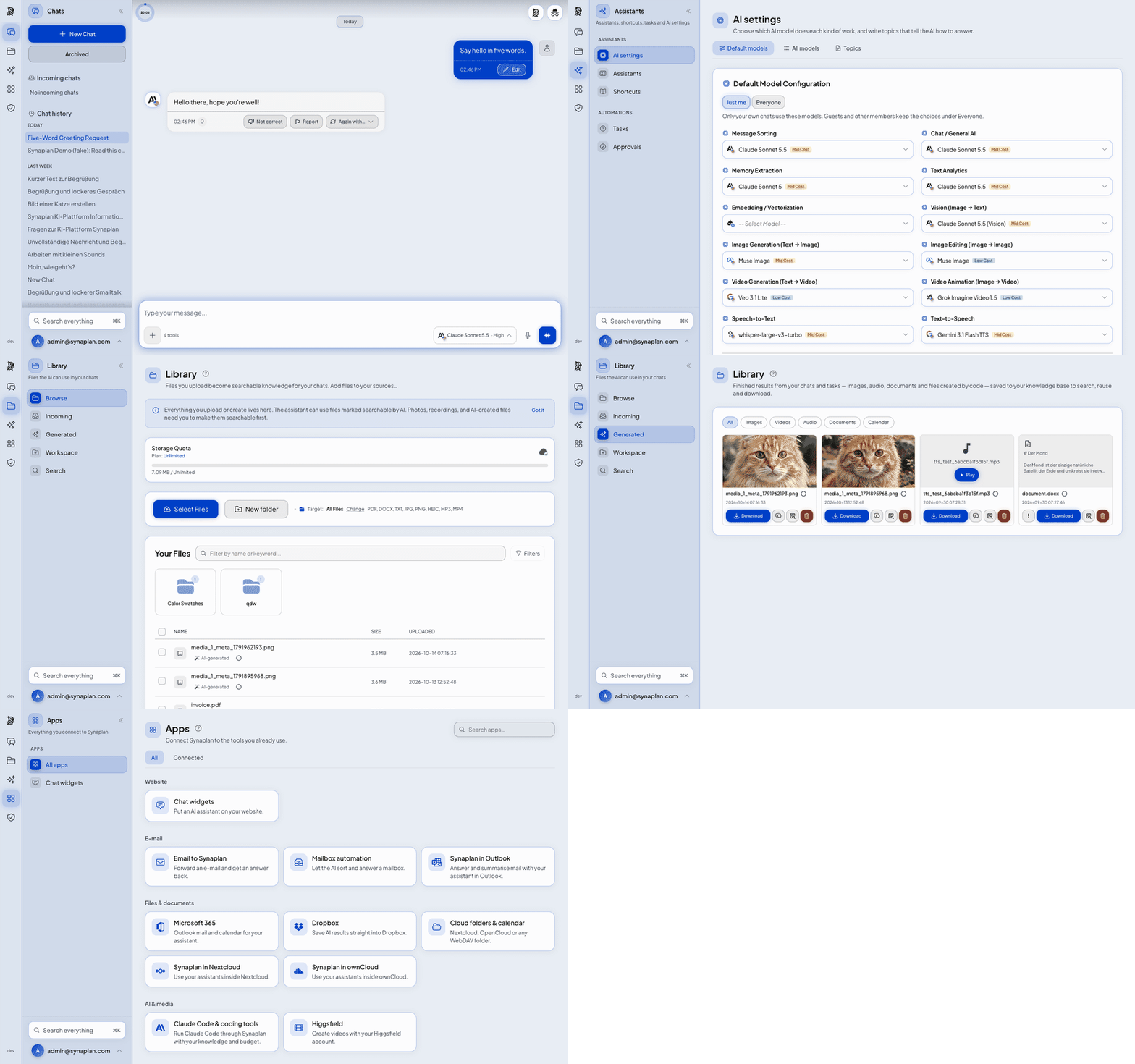
Chat, the cost of every answer, your files, generated media and connected apps – in about 30 seconds.
Why Synaplan
- Own your channels. One assistant answers on your website, in WhatsApp, by email, in Outlook and inside Nextcloud and ownCloud – with the same knowledge and the same rules everywhere.
- Own your models. Hundreds of models from OpenAI, Anthropic, Google, Mistral, sovereign EU providers or locally via Ollama. Mix them per task: sensitive work stays local, everything else gets the best model for the job.
- Own your costs. Every answer shows its model and price. A planner splits bigger requests into steps and spends the expensive model only where it matters.
- Own the decisions. Actions like sending mail or creating tickets wait for your approval, and every step is logged.
- Own the stack. On-prem, EU cloud or fully air-gapped. No training on your data, no forced telemetry, no feature paywall: self-hosted Synaplan is the same software as our cloud, under Apache-2.0.
Running in production at Megaherz Yoga · SANI Pflegedienst · National Secure Cloud · PlateArt
Quickstart
You need: Docker with Compose v2 and 8 GB of RAM.
git clone https://github.com/metadist/synaplan.git
cd synaplan
make up
Open http://localhost:5173, log in as [email protected] / admin123 and say hello. Your first message starts the Synaplan Demo – no API key needed (40 messages a day for 14 days, how it works). When you're ready, add your own key (free: Groq) or run local models with Ollama.
The first start downloads everything and takes 5–15 minutes. After that, Synaplan starts in seconds.
[!IMPORTANT] These logins are for trying Synaplan on your own machine. On a server, use the installer – it creates its own admin password.
Install it your way
| Where | How | Guide |
|---|---|---|
| Your machine | make up – the quickstart above | Quickstart |
| Published image, no git | One compose.yaml, then docker compose up -d | Published image |
| Docker GUI | Portainer, Dockge, Synology: paste the compose file as a stack | Docker GUI |
| Closed network | No route to the internet, HTTPS on your LAN address | Closed network |
| Linux server | The installer pins a release, generates secrets and runs a smoke test | On a server |
| Kubernetes | Helm charts for clusters | synaplan-charts |
| One click | RepoCloud · Elestio | – |
A Linux server in one line:
curl -fsSL https://raw.githubusercontent.com/metadist/synaplan/main/install.sh | \
  bash -s -- --mode server --domain https://ai.example.com
Public sector & sovereign cloud (EU/CH): synaplan.eu covers openDesk, Nextcloud and OpenCloud deployments, on-premises or in an EU cloud.
How it compares
People usually arrive comparing Synaplan with a chat window or an app builder. This is what each project is for. It is not a scoreboard.
| Synaplan | Open WebUI | LibreChat | Dify | |
|---|---|---|---|---|
| What it is | A team platform: chat, your files as knowledge, a site widget, and the same assistant on WhatsApp and email | A chat interface for local and cloud models | A chat app for many providers | A builder for AI apps and workflows |
| First run | Several containers, about 4 GB | One container | A Compose stack | A Compose stack, and a hosted cloud |
| Cost of an answer | Shown on the answer | Not on the answer | Not on the answer | In the builder's usage logs, not on the chat answer |
| Same assistant on your site, WhatsApp and email | Yes | No | No | Site widget yes. WhatsApp and email are not built in |
If you only want a chat window, Open WebUI or LibreChat gets you there faster.
Take the tour
▶ Watch the full demo on YouTube · Click any screenshot to see it full size.
 Chat Every answer shows what it cost |
 Provider setup One key, tested and encrypted |
 Model choice A different model per task |
 Document search Answers from your own files |
 Media generation Images, video and audio in chat |
 Chat widget One snippet, any website |
 AI instructions Your own system prompts |
 Files Uploads become knowledge |
 Plugins Extend without forking |
 Admin Users, usage and health |
 Branding White-label the whole app |
One AI, everywhere you work
The same assistant, the same knowledge, the same model policy – on every channel your team and your customers already use.
| Surface | What it does | Get it |
|---|---|---|
| Web app | Full chat and admin UI, light and dark, five languages | This repo |
| Mobile apps | Chat, documents and voice on iPhone and Android – on web.synaplan.com or your own server | App Store · Google Play |
| Outlook add-in | Find and process mail inside Outlook (Web, new & classic, Mac) without sending it anywhere | Synamail |
| Chat widget | Your assistant on any website with one snippet, human takeover included | Widget guide |
| WhatsApp & email | The AI answers on the channel the question came in on | WhatsApp · Email |
| Nextcloud, ownCloud & OpenCloud | Use your assistants inside your file cloud, with its files as knowledge – your file store stays in charge | Nextcloud · ownCloud · OpenCloud |
| Synaplan Desktop | Pair a computer and run skills on it (no installer yet – build from source) | synaplan-desktop |
| MCP & Claude Code | Your knowledge and memories as MCP tools, plus an Anthropic-compatible endpoint | MCP guide |
Connects to Microsoft 365 · Dropbox · Nextcloud / ownCloud / WebDAV · CalDAV · IMAP · Jira & Confluence · your own MCP servers – how to connect
Under the hood
- Stack: Symfony (PHP) backend, Vue frontend, MariaDB VECTOR or Qdrant for document search, Redis, Docker.
- Lean core: app, database and Redis. Local AI, office files, web search, voice and more are building blocks you switch on when you need them.
- Open by design: OpenAPI REST API, MCP server and client, an Anthropic-compatible
/v1/messagesendpoint and a plugin system – extend Synaplan without forking it.
Full feature list, every AI provider, all building blocks and developer commands: Platform reference.
Troubleshooting
| Problem | What to do |
|---|---|
| "Port already in use" on start | A port Synaplan needs is taken – see Port conflicts |
| Containers stop right after start | Give Docker at least 8 GB of RAM, then check docker compose logs -f backend |
| Chat gives no answers | Use the Synaplan Demo, paste one provider key, or add the local-ai profile – see the quickstart |
| First start seems stuck | The first start downloads all images and takes 5–15 minutes. docker compose logs -f startup-notes shows where it is |
| Anything else | Ask in Discord or open a GitHub issue |
Learn more
- docs.synaplan.com – guides for users and admins
- docs/README.md – the technical manual, in five learning tracks
- Platform reference – install variants, features, providers and building blocks
- Changing the code? Start with adding an AI provider or following a tool call.
Help shape what's next
We build Synaplan in the open. Tell us what you'd use it for, vote on ideas or show what you built in Discussions – we read everything.
- 💬 Discord – the fastest place for self-hosting and configuration questions
- 🐛 Issues – bugs and feature requests
- 🙌 Contributing – how to get your first pull request merged (AGENTS.md is the guide for coding agents)
- 🔒 Security policy – report a vulnerability privately
License
Apache-2.0 · Built in Düsseldorf by metadist · Member of the Open Source Business Alliance

If Synaplan helps you own your flow, a ⭐ helps the next team find it.