
sokuji
Real-time two-way speech translation for bilingual meetings — auto-detects the spoken language and translates both directions, cloud or fully offline on-device. Desktop (Windows · macOS · Linux) + browser extension (Chrome · Edge) for Zoom, Meet, Teams & any app.
Automatically checked · GitHub checked 2026-11-18
Overview

Real-time two-way speech translation for bilingual meetings — cloud or fully offline on your device




English | 日本語 | 中文 | Tiếng Việt
Why Sokuji?
Built by Kizuna AI Lab — we use AI to break language and accessibility barriers, creating genuine human connections. "Kizuna" (絆) means "bond" in Japanese, and Sokuji (即時) is our flagship tool to make real-time communication possible across any language.
Sokuji is a cross-platform live speech translation app for desktop and browser. It supports Local Inference — on-device ASR, translation, and TTS powered by WASM and WebGPU, with no API key required, no expensive GPU needed, fully offline, and completely private. It also integrates with cloud providers including OpenAI, Google Gemini, Palabra.ai, Kizuna AI, Doubao AST 2.0, Soniox, and OpenAI-compatible APIs.
How It Works
graph LR
    A["🗣️ You speak<br/>(any language)"] --> B["🎙️ Sokuji"]
    B --> C{"Choose one"}
    C -->|"☁️ Cloud"| D["OpenAI · Gemini<br/>Palabra · Doubao..."]
    C -->|"🖥️ Local"| E["On-device AI<br/>ASR → Translate → TTS<br/>(fully offline, no GPU)"]
    D --> F["🔊 Translated voice"]
    E --> F
    F --> G["💻 Zoom · Teams · Meet<br/>Discord · Any app"]

    style A fill:#4a9eff,stroke:#357abd,color:#fff
    style B fill:#10a37f,stroke:#0d8a6a,color:#fff
    style C fill:#ff9f43,stroke:#e88a2e,color:#fff
    style D fill:#6c5ce7,stroke:#5a4bd1,color:#fff
    style E fill:#00b894,stroke:#009d7e,color:#fff
    style F fill:#fd79a8,stroke:#e56b96,color:#fff
    style G fill:#636e72,stroke:#525c60,color:#fff
| Providers | 8 — OpenAI, Gemini, Palabra.ai, Kizuna AI, Doubao AST 2.0, Soniox, OpenAI Compatible, Local Inference |
| Local Models | 44 ASR models, 75 translation models, 137 TTS models |
| Languages | 99+ (speech recognition) · 55+ (translation) · 53 (text-to-speech) |
| Platforms | Linux · Windows · macOS · Chrome · Edge |
| Privacy | Local Inference = 100% on-device, no API key, no internet |
Demo
Install
Sokuji is available as a Desktop App and a Browser Extension — same features, different reach.
| Desktop App | Browser Extension | |
|---|---|---|
| Features | All features identical | All features identical |
| Use with | Any app with mic input — Zoom, Teams, Discord, Slack, games, OBS, and more | Web-based meeting platforms — Google Meet, Teams, Zoom, Yandex Telemost, Discord, Slack, Gather.town, Whereby, Jitsi Meet |
| Install | Download & install | Zero install — add from store |
| Platforms | Windows · macOS · Linux | Chrome · Edge · Brave (coming soon) |
Desktop App
Download from the Releases page:
| Platform | Package |
|---|---|
| Windows | Sokuji-x.y.z.Setup.exe |
| macOS (Apple Silicon) | Sokuji-x.y.z-arm64.pkg |
| macOS (Intel) | Sokuji-x.y.z-x64.pkg |
| Linux (Debian/Ubuntu x64) | sokuji_x.y.z_amd64.deb |
| Linux (Debian/Ubuntu ARM64) | sokuji_x.y.z_arm64.deb |
Browser Extension


Install extension in Developer Mode
- Download
sokuji-extension.zipfrom the Releases page - Extract the zip file
- Go to
chrome://extensions/and enable "Developer mode" - Click "Load unpacked" and select the extracted folder
Build from Source
git clone https://github.com/kizuna-ai-lab/sokuji.git
cd sokuji && npm install
npm run electron:dev        # Development
npm run electron:build      # Production
Two-Way Translation for Bilingual Meetings
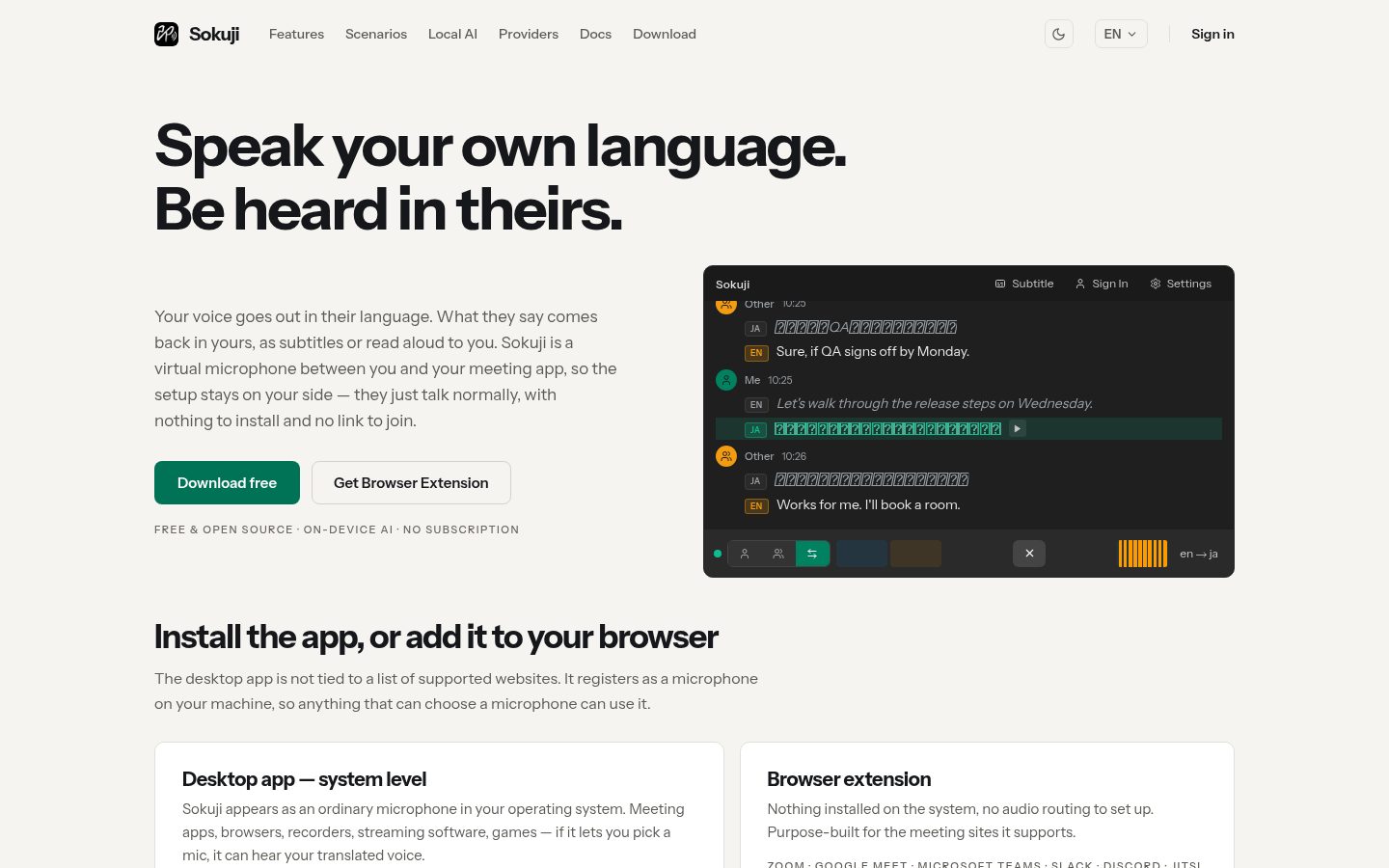
Two people, two languages, one conversation. Sokuji auto-detects which language is being spoken and translates it into the other — in both directions, in real time. Set Language A and Language B, capture system audio and microphone together, and everyone follows along.
- Auto language detection — no manual switching mid-conversation
- Both directions at once — mic + system audio in a single session
- Live subtitles — share your screen so the other side reads along too
- Works in Zoom, Google Meet, Teams, Discord, or any app (desktop), and directly inside web meeting platforms (browser extension)
Powered by Soniox two-way mode — 60+ languages, 3,600+ language pairs.
Features
Local Inference (Edge AI)
Run everything on your device — no API keys, no internet once models are downloaded, no expensive GPU, complete privacy. Powered by WASM and WebGPU, Sokuji runs efficiently on any modern browser using your existing CPU and integrated graphics.
- 44 ASR models (23 offline + 10 streaming + 11 WebGPU including Whisper, Cohere Transcribe, Voxtral, Granite Speech) covering 99+ languages
- 75 translation models — 69 Opus-MT language pairs + 6 multilingual LLMs (Qwen 2.5 / 3 / 3.5, Hunyuan-MT 1.5, TranslateGemma) with WebGPU
- 137 TTS models across 53 languages (Piper, Piper-Plus, Coqui, Mimic3, Matcha, MMS, VITS, Supertonic engines)
- One-click model download with IndexedDB caching
Cloud Providers
| Provider | Key Feature |
|---|---|
| OpenAI | gpt-realtime-mini / gpt-realtime-1.5 · 10 voices · configurable turn detection (Normal / Semantic / Disabled) · noise reduction · 60+ languages |
| Google Gemini | Dynamic model selection (audio/live models) · 30 voices · built-in turn detection · 34 language variants |
| Palabra.ai | WebRTC low-latency · voice cloning · auto sentence segmentation · partial transcription translation · 60+ source / 40+ target languages |
| Kizuna AI | Sign in and go — API key managed by backend · same OpenAI models with optimized defaults |
| Doubao AST 2.0 | Speech-to-speech with speaker voice cloning · bidirectional Chinese↔English · Ogg Opus audio output |
| Soniox | Real-time speech-to-speech · one-way & two-way translation (auto-detects speaker language) · 60+ languages / 3,600+ pairs · 200 voices (filter by gender, age, accent, use case, style) · voice cloning · bring-your-own-key |
| OpenAI Compatible | Bring your own endpoint — any OpenAI Realtime API-compatible service (Electron only) |
| Local Inference | Fully offline · ASR → Translation → TTS on-device · no API key · no GPU required |
Audio
- Translate your voice — speak in your language, others hear the translation as if you spoke it natively
- Translate others' voice — capture meeting audio (extension) or any system audio (desktop) and get real-time translated subtitles
- Virtual Microphone — route translated audio to Zoom, Meet, Teams, or any app
- Real-time Passthrough — monitor your own voice while recording
- AI Noise Suppression — removes background noise, keyboard sounds, and other distractions
- Echo Cancellation — built-in with modern Web Audio API
Interface
- 30 languages — fully localized UI
- Simple Mode — streamlined setup for non-technical users
- Advanced Mode — waveform display and detailed controls
Privacy
Your audio stays on your device — if you choose Local Inference, your audio and text never leave.
- Cloud mode connects directly to provider APIs — no intermediary servers
- API keys stored locally only, never transmitted to us
- Local Inference processes audio and text on-device; anonymous usage analytics are still sent to PostHog
- Anonymous usage analytics via PostHog
Tech Stack
- Desktop: Electron (Windows, macOS, Linux)
- Extension: Chrome/Edge Manifest V3
- UI: React + TypeScript + Zustand
- Local AI: sherpa-onnx (WASM) · Transformers.js · WebGPU
- Audio: Web Audio API · AudioWorklet · WebRTC
- i18n: i18next (30 languages)
Contributing
We welcome contributions! Please read our Contributing Guidelines before getting started.
License
Sponsors
 | Free code signing on Windows provided by SignPath.io, certificate by SignPath Foundation. |
Support
- Issues — Bug reports
- Discussions — Questions & ideas
Acknowledgments
- Cloud APIs: OpenAI, Google Gemini, Volcengine
- ASR: sherpa-onnx, OpenAI Whisper, SenseVoice, Moonshine, Cohere Transcribe, Voxtral Mini 4B
- TTS: Piper, Piper-Plus, Matcha-TTS, Coqui TTS, Mimic 3
- Translation: Opus-MT, Qwen, TranslateGemma
- Infra: Transformers.js, ONNX Runtime, Electron, React
For detailed model licenses, see THIRD_PARTY_NOTICES.md.