
project-maya
Run GLM-5.3 (744B), GLM-5.3-Flash (321B), DeepSeek-V4.1-Flash (748B) and MiniMax-M3.1-Flash (428B) on your own GPUs - one engine, one dashboard, OpenAI- and Anthropic-compatible API.
Automatically checked · GitHub checked 2026-11-12
Overview
English | 日本語 | 简体中文 | Português

Project Maya
GLM-5.3 (744 B), GLM-5.3-Flash (321 B), DeepSeek-V4.1-Flash-1017 (748 B) and MiniMax-M3.1-Flash (428 B) on your own GPU
private and fast · one NVIDIA GPU or up to 16 · AMD and Windows · chat, pictures, OpenAI- and
Anthropic-compatible API · several requests at once





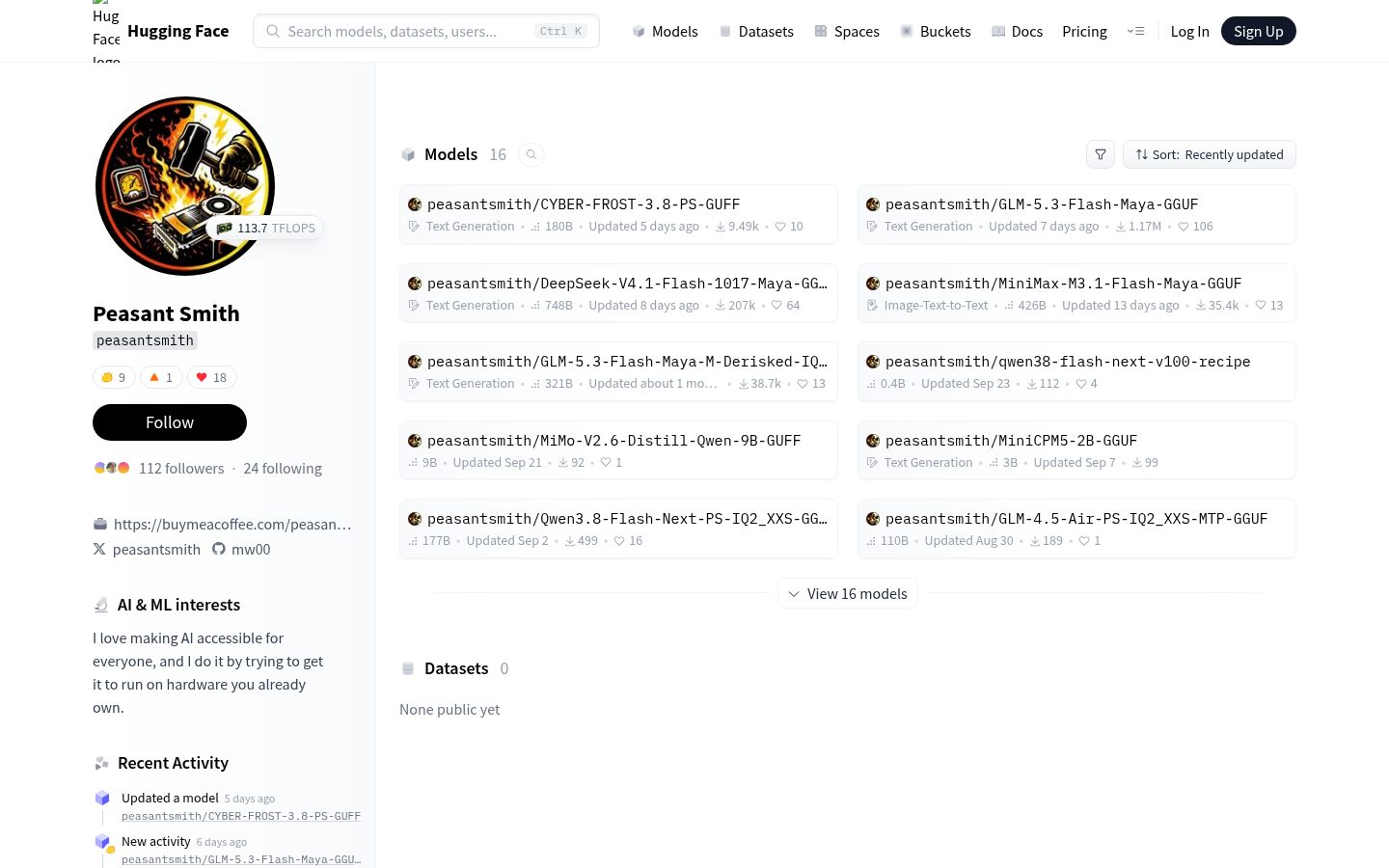
Created and led by Peasant Smith (@mw00), co-maintained with @needmorevram

Project Maya is free. If it runs well on your PC, sponsoring it pays for the test hardware and the work on it.

Models this size usually need a datacenter. Maya runs four of them on the hardware you already have: GLM-5.3, GLM-5.3-Flash, DeepSeek-V4.1-Flash-1017 and MiniMax-M3.1-Flash. Each model has an engine built for it. It keeps the experts your conversation uses most on the GPU, the next ones in RAM and the rest on your NVMe SSD, and moves them as you chat. It measures your GPUs, CPU, RAM and SSD and tunes itself to them. Nothing leaves your machine.
- Fast: up to 149 tokens/s on two RTX 5090s and an RTX 4090, 124 on two H100s, 118 on four RTX 4090s, 81 on one RTX PRO 6000, 30+ on a single RTX 5090. Real numbers from real users.
- Close to the original: Maya's own quants of GLM-5.3-Flash keep 97.7-99.2% of the FP8 model's zero-shot accuracy; DeepSeek V4.1 · Maya-S picks the same next token as the original 92.6% of the time, MiniMax M3.1 · Maya-S 87.6% (the average over its categories).
- Plugs into your tools: OpenAI- and Anthropic-compatible API with tool calls, ready for coding agents.
- Several requests at once: up to 8 answered together with GLM-5.3-Flash, DeepSeek-V4.1-Flash and MiniMax-M3.1-Flash - for agents that run several sessions, or several people on one PC.
- Everything in the box: a chat and a live monitor in the browser, pictures on every model, thinking levels, a Models page that downloads, loads and deletes models, a Turbo button, a one-command setup.
Quick start
git clone https://github.com/mw00/project-maya.git && cd project-maya
./setup.sh
The setup asks which model you want, downloads it, builds everything once and starts the model. Then open
http://127.0.0.1:8080. Windows: START-MAYA.bat instead of ./setup.sh. More in Install.
All documentation: docs/README.md
Pick your model
Every Maya quant is named after its model, then its tier - XS, S, M or L, by how many bits its experts keep. The setup
recommends one for your PC; to pick one yourself, give its setup id: ./setup.sh --model glm-maya-s24.
| Model | Maya quant · setup id | Size | Made for |
|---|---|---|---|
| GLM-5.3-Flash zai-org · MIT · 321 B, 18 B active · up to 1M context | Maya-S (default) · glm-maya-s | 96.5 GB | PCs with a smaller memory pool (RAM and VRAM together) |
Maya-S24 · glm-maya-s24 | 94.7 GB | cards of 24 GB or less: ~1.5 GB more of the card for experts, decode +14% | |
Maya-XS · glm-maya-xs | 73.4 GB | PCs with 64 GB of RAM and a 24 GB card, at 128K context | |
Maya-M · glm-maya-m | 116 GB | a bigger memory pool; calibrated toward tool calls and front-end code | |
Maya-M-Derisked · glm-maya-m-derisked | 116 GB | Maya-M with a weight edit by Blackfrost_AI that reduces blanket refusals; experimental | |
Maya-L · glm-maya-l | 156.3 GB | the biggest memory pools; the closest to the original | |
| GLM-5.3 zai-org · its own license · 744 B, 40 B active · up to 1M context · text only | Maya-XS · glm-5.3-maya-xs | 170.0 GB | the whole model in a 192 GB memory pool (VRAM and RAM together); NVIDIA from the V100 on and AMD (details) |
UD-IQ2_M (unsloth) · GLM-5.3-UD-IQ2_M | 238.6 GB | the biggest memory pools; closer to the original | |
| DeepSeek-V4.1-Flash-1017 DeepSeek · MIT · 748 B | Maya-S (default) · deepseek-maya-s | 340 GB | any amount of memory: what VRAM and RAM don't hold is read from the SSD |
Maya-XS (v2) · deepseek-maya-xs | 277 GB | the whole model in a 128 GB PC's memory (the Engram tables stay on the SSD); v2 is about 12% closer to the original and about 20% faster at writing than v1 - running the setup again offers the update | |
| MiniMax-M3.1-Flash MiniMax · MiniMax Community License · 428 B, 23 B active · up to 1M context | Maya-XS · minimax-maya-xs | 93 GB | the whole model in a 128 GB PC's memory |
Maya-S · minimax-maya-s | 122 GB | closer to the original |
Which model fits your PC? See docs/MEMORY.md for each model's recommended memory (VRAM + RAM together).
All of them run on NVIDIA from the V100 / RTX 20 on, and on AMD and Windows (see What you need). DeepSeek's sizes include its Engram tables. The setup also offers unsloth's GGUF and turboderp's and LibertAIDAI's EXL3 quants of DeepSeek, orcarouter's abliterated DeepSeek, Mia-AiLab's EXL3 quant of MiniMax, turboderp's EXL3 quants of GLM, Qwen-3.8-Flash-Next (CYBER-FROST) as its Q5_K_M GGUF and Qwen-3.8-Flash-Next itself as unsloth's UD-IQ2_XS GGUF, both with pictures (its settings). Each model's files, drafters, pictures and options: docs/MODELS.md.
Quality
Maya's quants are made from each model's released weights and measured against the original:
- GLM-5.3-Flash · Maya quants keep 97.7-99.2% of the FP8 model's zero-shot accuracy and pick its next token 83-90% of the time (Maya-L: 99.2%, 90%). How they're made and measured: MAYA-S, MAYA-S24, MAYA-M, MAYA-L.
- DeepSeek V4.1 · Maya-S picks the same next token as the original 92.6% of the time.
- MiniMax M3.1 · Maya-S picks it 87.6% of the time (the average over its categories).
More on each model's card on Hugging Face.
How fast is it?
Real machines measured by our users, most with ./maya.sh --bench (decode: three greedy 256-token answers; prefill:
an 8K-token prompt unless the row says otherwise). Share yours: --bench, then --report, in a
GitHub issue.
GLM-5.3-Flash speed benchmarks
| Machine | Model | Decode (writing the answer) | Prefill (reading your prompt) | By |
|---|---|---|---|---|
| 2x RTX 5090 32 GB + RTX 4090 48 GB (PCIe 5.0 x8, 5.0 x8, 4.0 x4), Core i7-13700K, 188 GB RAM | Maya-S / Maya-M-Derisked (DFlash2), 32K context | 148.6 / 123.4 tokens/s | 2605 / 2341 tokens/s | @prismaillya17 (v1.1.26, #498) |
| 2x H100 80 GB (PCIe 5.0), Xeon Platinum 8488C, 504 GB RAM | Maya-L / Maya-M-Derisked, 1M context | 122.4 / 123.7 tokens/s | 2099 / 1986 tokens/s | @Molyleaf (v1.1.11, #258, #259) |
| 4x RTX 4090 24 GB (PCIe 4.0 x16), Xeon w7-3445, 62 GB RAM | Maya-S24 | 118 tokens/s | 4129 tokens/s | @0xPreDa (v1.0.31, #89) |
| 8x RTX 3090 24 GB (PCIe 4.0, six x16 and two x8), EPYC 7402P, 126 GB RAM | EXL3-4.05bpw (DFlash2), 1M context | 117.4 tokens/s | 1470 tokens/s | @MarkMakers (v1.1.15, #414) |
| 4x RTX 3090 24 GB | Maya-S24 / Maya-M (DFlash2), 256K context | 100.8 / 86.5 tokens/s | 979 / 907 tokens/s | @Whamp (v1.1.19, #349) |
| 2x A100 80 GB (PCIe 4.0 x16), EPYC 7742 (a VM, 25 threads), 161 GB RAM | Maya-M, 128K context | 91.9 tokens/s | - | @driona-will-fluff (v1.1.19, #326) |
| RTX PRO 6000 Blackwell 96 GB, Ryzen 7 9800X3D, 61 GB RAM | Maya-M, 256K context | 81.0 tokens/s | 3102 tokens/s | @yundddd (v1.1.7, #172) |
| 4x Tesla V100 32 GB (PCIe 3.0 x16), 2x Xeon E5-2630 v4, 126-504 GB RAM, SATA SSD | Maya-S / Maya-M / Maya-L, 32K context | 69.7 / 67.2 / 43.3 tokens/s | 730 / 713 / 627 tokens/s | @HansStrupat (v1.1.36, #327, #340, #653) |
| 4x Tesla V100-SXM2 32 GB (NVLink 2.0) | Maya-S, 32K context | 68.4 tokens/s | 549 tokens/s | @jeremiahlangner (v1.1.18, #333) |
| 4x Tesla V100-SXM2 16 GB, Xeon E5-2643 v4, 63 GB RAM | Maya-XS, 128K context | 64.0 tokens/s (after --calibrate) | 596 tokens/s | @atollerus-tm (v1.1.63, #997) |
| 1x H100 80 GB (PCIe 5.0 x16), Xeon Platinum 8488C, 504 GB RAM | Maya-M-Derisked, 1M context | 61.4 tokens/s | 2014 tokens/s | @Molyleaf (v1.1.15, #260) |
| 2x NVIDIA CMP 170HX 64 GB (PCIe Gen2 x4 each), 2x Xeon E5-2690 v4, 91 GB RAM | Maya-M, every expert in VRAM | 61.3 tokens/s | 514 tokens/s | @ZackO2o (v1.0.6, #22) |
| 2x RTX A6000 48 GB (PCIe 4.0 x8), Core i9-13900K, 128 GB RAM, SATA SSD | Maya-S / Maya-M / Maya-L, 131K-token prompts | 60.7 / 50.9 / 32.1 tokens/s | 1726 / 1629 / 1298 tokens/s (131K) | @everson (v1.1.20, #371) |
| 4x RTX 4090 24 GB (PCIe 4.0 x16), Xeon Platinum 8380, 251 GB RAM, SATA SSD | Maya-L, 1M context | 60.6 tokens/s | 1458 tokens/s (654 at 2K) | @oscarlius (v1.1.57, #938) |
| 2x RX 7900 XTX 24 GB (PCIe 4.0 x4 each) + Radeon 8060S helper (Ryzen AI Max+ 395, 128 GB) | Maya-M, up to 512K context | 56.0 tokens/s (50.1 after a 456K-token prompt) | 907 tokens/s (114K) | @pepuscz (v1.1.25 + #454-#457, #458) |
| 2x RTX 5880 Ada 45 GB (PCIe 4.0 x16), Xeon Gold 5420+, 393 GB RAM | Maya-L, 256K context | 54.5 tokens/s | 1401 tokens/s | @vjsyong (v1.1.4, #149) |
| 2x NVIDIA CMP 170HX 40 GB (PCIe Gen2 x16 each), Xeon w3-2423, 128 GB DDR5 | Maya-S, 128K context | 54.3 tokens/s | 831 tokens/s | @nvsofts (v1.1.15, #263) |
| 2x RTX 3090 24 GB (PCIe 4.0 x16, NVLink, power-capped at 252 W), Threadripper PRO 3975WX, 512 GB RAM | Maya-M / Maya-L, 128K context | 54.1 / 40.3 tokens/s | 936 / 850 tokens/s | @ksim63-gif (v1.1.23, #404) |
| 2x RTX 3090 24 GB (PCIe 4.0 x16, power-capped at 225 W), Threadripper 3970X, 128 GB RAM | Maya-S24 | 53.0 tokens/s | 885 tokens/s | @briepala (v1.1.2, #135) |
| 3x Tesla V100 32 GB (PCIe 3.0 x16), 2x Xeon E5-2696 v3, 128 GB DDR3L, Windows 10 | Maya-S, 128K context | 52.9 tokens/s | 616 tokens/s | @noahark (v1.1.20, #346) |
| RTX PRO 6000 Blackwell 96 GB (PCIe 5.0 x16), Ryzen 9 9950X3D, 253 GB RAM, Windows 11 | Maya-L, 512K context | 48.8 tokens/s | 3810 tokens/s | @Andrey0710 (v1.1.43, #730) |
| 4x Tesla V100 32 GB (PCIe 3.0 x16), 24 CPU cores, a 100 GiB RAM limit | Maya-L, 32K context | 48.3 tokens/s (after --calibrate) | 499 tokens/s | @areslp (v1.1.3, #130) |
| 2x Radeon AI PRO R9700 32 GB (gfx1201), Core i5-13500, 96 GB DDR5 | Maya-S, 128K context | 45.2 tokens/s | 848 tokens/s | @rim-jaynor (v1.1.57, #942) |
| 2x Radeon AI PRO R9700 32 GB (gfx1201, PCIe 4.0 x16 each, 240 W), EPYC 7313, 256 GB RAM | Maya-M-Derisked, 256K context | 44.4 tokens/s | 703 tokens/s | @knoodrake (v1.1.28, #509) |
| 4x RTX 3090 24 GB (PCIe 4.0 x8 behind one switch), Xeon Platinum 8260M, 376 GB RAM | Maya-L, 1M context | 44.2 tokens/s (tuned) | 698 tokens/s | @foureight84 (v1.1.17, #302) |
| 2x Radeon AI PRO R9700 32 GB (gfx1201, PCIe 4.0 x8 each), Ryzen 5 3600, 64 GB RAM | Maya-S24 / Maya-M-Derisked, 256K context | 44.1 / 24.9 tokens/s | 704 / 617 tokens/s | @gegnep (v1.1.20, #395) |
| 2x RTX 3090 24 GB (PCIe 4.0 x16, power-capped at 250 W), EPYC 7452, 256 GB RAM | Maya-M / Maya-L, 128K context | 44.0 / 30.2 tokens/s | 860 / 801 tokens/s | @orochifj (v1.1.4, #165) |
| 8x AMD Instinct MI50 32 GB (gfx906, PCIe), EPYC 7K62, 112 GB RAM | Maya-L, 128K context | 43.3 tokens/s | 288 tokens/s | @abluesheep (v1.1.52, #830) |
| RTX PRO 6000 Blackwell 96 GB (PCIe 5.0 x16), Ryzen 9 9950X3D, 253 GB RAM, Windows 11 | Maya-L, a coding-agent session grown from 265K to 482K tokens | 42.4 tokens/s (median of 51 answers) | - | @Andrey0710 (v1.1.53, #873) |
| 2x RTX 4090 24 GB (PCIe 3.0 + 4.0 x16), 2x Xeon Silver 4309Y, 188 GB RAM | Maya-S24 | 40.5 tokens/s | 1271 tokens/s | @fuad00 (v1.1.0, #122) |
| RTX PRO 6000 Blackwell 96 GB (PCIe 4.0 x16), Ryzen 5 5600, 92 GB DDR4 | Maya-L, 1M context | 39.6 tokens/s | 2708 tokens/s (3246 warm) | @QueTensors (v1.1.28, #532) |
| 4x Tesla T10 15 GB (PCIe 3.0 x16), Xeon E5-2680 v4, 63 GB RAM | Maya-S24, 100K context | 38.4 tokens/s | 393 tokens/s | @zeallag (v1.1.16, #291) |
| 2x Tesla V100 32 GB (PCIe 3.0 x16 each, power-capped at 150 W), EPYC 7V12, 256 GB DDR4-3200 | Maya-L, 128K context | 34.9 tokens/s (after --calibrate) | 589 tokens/s | @scranst (v1.1.52, #939) |
| 2x Tesla V100 32 GB (PCIe 3.0 x8 each), Ryzen 9 7945HX3D, 96 GB RAM | Maya-M / Maya-L | 33.8 / 13.3 tokens/s | 490 / 372 tokens/s | @nkhaooat (v1.1.11, #208) |
| RTX 3090 24 GB + RTX 3060 12 GB (PCIe 4.0 x16), EPYC 7702P (8-channel DDR4), 141 GB RAM (a VM) | Maya-M, 128K context | 33.7 tokens/s | 682 tokens/s | @erikash (v1.1.4, #157) |
| 2x RX 9070 16 GB (gfx1201, PCIe x8 each), Ryzen 9 9950X, 89 GB RAM | Maya-S24, 128K context, tuned | 33.0 tokens/s | 562 tokens/s | @bob-u (v1.1.56, #934) |
| AMD Radeon 8065S (Ryzen AI Max+ PRO 495, 192 GB, 160 GB of it for the GPU), Windows 11 | Maya-S, 32K context | 31.5 tokens/s | 342 tokens/s | @tobitege (v1.1.37, #663) |
| RTX 5090 32 GB, Ryzen 9 7950X, 96 GB DDR5 | Maya-M | 30+ tokens/s | ~2000 tokens/s | @siganos (#43) |
| 2x RTX 3090 24 GB (PCIe 4.0 x16, NVLink), Threadripper PRO 3955WX, 247 GB RAM | EXL3-3.05bpw, 128K context | 29.2 tokens/s | - | @catonooka (v1.1.9, #187) |
| 2x Tesla P40 24 GB (Pascal, PCIe 3.0 x16), EPYC 7302P (a VM), 184 GB RAM | Maya-S24 / Maya-L | 28.0 / 16.9 tokens/s | 202 / 194 tokens/s | @Jw88888 (v1.1.11 + #214, #212) |
| RX 7900 XTX 24 GB + Radeon 8060S helper (Ryzen AI Max+ 395, 128 GB) | Maya-S24, 114K-token prompts | 27.5 tokens/s | 836 tokens/s (114K) | @pepuscz (v1.1.17, #311) |
| 1x RTX 3090 24 GB (PCIe 4.0 x16), EPYC 7702P (8-channel DDR4), 141 GB RAM (a VM) | Maya-M, 128K context | 27.0 tokens/s | 1069 tokens/s | @erikash (v1.1.4, #157) |
| RTX 4080 SUPER 32 GB (a 32 GB modded card), Threadripper 3970X, 157 GB RAM, SATA SSD | Maya-S24, 262K context | 26.7 tokens/s | 1552 tokens/s | @Micro-ATP (v1.1.11, #200) |
| 3x Tesla V100 16 GB (PCIe 3.0 x16), 2x Xeon E5-2690 v4, 62 GB RAM | Maya-S, 128K context | 26.6 tokens/s | 497 tokens/s | @saatvik-viniak (v1.1.11, #211) |
| 4x RTX 3080 20 GB, 64 GB DDR4 | Maya-M, 512K context | 26.3 tokens/s (a day of use) | - | @CoolJohn-lab (#104) |
| 1x RTX 3090 24 GB (power-capped at 225 W), Threadripper 3970X, 128 GB RAM | Maya-S24 | 26.0 tokens/s | 913 tokens/s | @briepala (v1.1.2, #135) |
| 1x L40S 48 GB (vGPU), Xeon Platinum 8580 (a VM, 32 vCPUs), 504 GB RAM | UD-Q4_K_XL / UD-Q5_K_XL / Q8_0, 512K context | 26.0 / 22.3 / 17.8 tokens/s | 1987 / 1877 / 1750 tokens/s (185K) | @talisp (v1.1.32, #577) |
| RTX 4090 24 GB (PCIe 4.0 x16), 2x Xeon Silver 4310, 251 GB RAM | Maya-S24, 32K context | 25.7 tokens/s | 1963 tokens/s | @oscarlius (v1.1.24, #420) |
| RTX PRO 4000 Blackwell 24 GB, Core i9-13900K, 128 GB DDR5 | Maya-S24 | 24.7 tokens/s | 1146 tokens/s | @morrisfamily (v1.1.7, #174) |
| 2x Tesla V100 16 GB (PCIe 3.0 x16), 2x Xeon E5-2696 v4, 128 GB DDR3-1866 | Maya-M, 256K context | 24.6 tokens/s (normal sampling) | 1092 tokens/s (12K) | @c200762620-max (v1.1.49, #790) |
| RTX 5090 32 GB (PCIe 5.0 x16), Core i9-13900K, 64 GB RAM, Windows 11 | Maya-S, 128K context | 23.0 tokens/s | 2173 tokens/s | @gianbing (v1.1.3, #139) |
| 4x Tesla T4 16 GB, Xeon E5-2660 v2, 220 GB RAM | Maya-S | 22.6 tokens/s | 416 tokens/s | @ksanislo (v1.0.16, #36) |
| 2x RTX 2080 Ti 22 GB (modded, NVLink, PCIe 3.0 x16, 250 W), Xeon E5-2686 v4, 247 GB RAM, SATA SSD | Maya-M, 1M context | 22.0 tokens/s | 533 tokens/s | @blackxwhite88 (v1.1.36, #675) |
| Radeon AI PRO R9700 32 GB (gfx1201), Core i5-14400F, 128 GB RAM | Maya-S | 21.4 tokens/s | - | @potatopote-debug (v1.1.12, #213) |
| 1x NVIDIA CMP 170HX 64 GB (PCIe Gen2 x16), Core i7-9700K, 32 GB RAM | Maya-S24, 32K context | 20.6 tokens/s | 797 tokens/s | @Kanorin-chan (v1.1.8, #281) |
| 2x Quadro RTX 5000 16 GB (Turing, PCIe 3.0 x16 each, 200 W), Xeon W-2133, 94 GB RAM | Maya-S, 128K context | 18.8 tokens/s | 494 tokens/s | @arpleasa (v1.1.39, #707) |
| AMD Radeon 8060S (Ryzen AI Max+ 395, 128 GB, 96 GB of it for the GPU), Windows 11 | Maya-S | 18.3 tokens/s | 320 tokens/s | @LIN-LAB-AI (v1.0.30, #102) |
| RTX 3090 Ti 24 GB (PCIe 3.0 x16, a VM), EPYC 7302P, 240 GB RAM | Maya-L, 32K context | 18.2 tokens/s (tuned, #177) | 791 tokens/s | @Jw88888 (v1.1.7, #177) |
| 3x Tesla P100 16 GB (Pascal; PCIe 3.0 x8, 3.0 x8, 2.0 x4), Ryzen 5 2600, 64 GB RAM | Maya-S24, 64K context | 17.9 tokens/s | 105 tokens/s | @maxlawrie (v1.1.28 + #479, #504) |
| 2x RX 6800 16 GB (gfx1030, PCIe 3.0 x16 each), Core i9-7980XE, 256 GB DDR4-2666 | Maya-L, 1M context | 16.7 tokens/s | 195 tokens/s | @digitalhomesteader (v1.1.56, #895) |
| RTX 4090 24 GB, Ryzen 7 9700X, 64 GB RAM | Maya-S24, 32K context | 16.6 tokens/s | 1320 tokens/s | @MagikEh (#274) |
| RTX 5070 12 GB (PCIe 4.0 x16), EPYC 7302 (4-channel DDR4), 126 GB RAM | Maya-S24, 64K context | 16.6 tokens/s | 323 tokens/s | @hugou74130 (v1.1.45, #755) |
| NVIDIA DGX Spark (GB10, 121 GB unified memory) | Maya-S, 128K context | 16.5 tokens/s | ~730 tokens/s (6K prompt) | @ericoh88 (v1.1.15, #282) |
| RTX 4090 24 GB, Ryzen 9 9950X3D, 192 GB DDR5, Windows 11 | Maya-L, 128K context | 16.4 tokens/s | 1371 tokens/s | @npc97 (v1.0.24, #63) |
| RTX A4000 16 GB (power-capped at 110 W), Core i7-14700, 64 GB DDR5-5600 | Maya-XS, 256K context, a real coding session | 15.2 tokens/s (15.6 at 32K) | 573 tokens/s (21K-token prompt) | @kai-r (v1.1.64, #999) |
| RTX 5090 Laptop 24 GB, Core Ultra 9 275HX, 64 GB RAM, Windows 11 (a laptop) | Maya-S24 | 14.5 tokens/s | 994 tokens/s | @klvnblst (v1.0.30, #67) |
| 2x RTX 4060 Ti 16 GB (PCIe 3.0 x8 each), Core i7-10700K, 128 GB DDR4, SATA SSD | UD-IQ3_XXS, 128K context | 13.0 tokens/s | 385 tokens/s | @oisee (v1.1.42, #723) |
DeepSeek-V4.1-Flash speed benchmarks
| Machine | Model | Decode (writing the answer) | Prefill (reading your prompt) | By |
|---|---|---|---|---|
| 8x RTX 5090 32 GB, Xeon Gold 6530, 1 TB RAM | Maya-S, 512K context, --parallel 4 | 184.2 tokens/s | 2510 tokens/s | @etevrfed34-commits (v1.1.34, #585) |
| 10x RTX 3090 24 GB (tensor parallel 2, PCIe 4.0 x4 each, 200 W), Xeon (24 threads), 64 GB RAM | EXL3 2.9 bpw, 1M context | 97.0 tokens/s | 2390 tokens/s (128K) | @DoktorMincs (v1.1.28, #494) |
| RTX 6000D 85 GB (PCIe 5.0 x16), Threadripper PRO 9965WX, 251 GB RAM | EXL3 2.9 bpw, 512K context | 89.3 tokens/s | 1687 tokens/s (2836 at 33K) | @Ross-Yang-94 (v1.1.25, #423) |
| 2x A100-SXM4 80 GB, Xeon Platinum 8360Y, 1 TB RAM | Maya-S, 1M context | 87.4 tokens/s | 2084 tokens/s | @SunYong0821 (v1.1.34, #445, #594) |
| 2x RX 7900 XTX 24 GB (tensor parallel 2, PCIe 4.0 x4 each) + Radeon 8060S helper (Ryzen AI Max+ 395, 128 GB), the model on a USB4 NVMe | Maya-XS (v2), 512K context, DS4_INDEX_TC=1 | 82.5 tokens/s | 1587 tokens/s (130K; 663 at 8K) | @pepuscz (v1.1.50 + #801, #797) |
| RTX PRO 6000 Blackwell 96 GB (PCIe 5.0 x16), Ryzen 9 9950X3D, 253 GB RAM, Windows 11 | Maya-S, 256K context | 72.3 tokens/s | 1757 tokens/s | @Andrey0710 (v1.1.43, #737) |
| 2x RX 7900 XTX 24 GB (tensor parallel 2, PCIe 4.0 x4 each) + Radeon 8060S helper (Ryzen AI Max+ 395, 128 GB), the model on a USB4 NVMe | turboderp EXL3 2.25 bpw, 1M context, DSpark | 69.4 tokens/s | 1801 tokens/s (120K; 932 at 8K) | @pepuscz (v1.1.56 + #867, #904, #945, #967, #968, #969) |
| 2x RTX PRO 5000 Blackwell 72 GB, Ryzen 9 9950X3D, 249 GB DDR5 | Maya-S, 512K context | 68-71 tokens/s (prose), up to 162 (code), tuned | ~3700 tokens/s (42K) | @realsquall1980-art (v1.1.28, #424) |
| 4x RTX 4090 24 GB (PCIe 4.0 x16), 2x Xeon Platinum 8380, 251 GB RAM, SATA SSD | Maya-S, 256K context | 67.5 tokens/s | 1087 tokens/s (400 at 2K) | @oscarlius (v1.1.51) |
| 1x A100-SXM4 80 GB, Xeon Platinum 8360Y, 1 TB RAM | Maya-S, 1M context | 60.2 tokens/s | 241 tokens/s | @SunYong0821 (v1.1.34, #594) |
| 4x AMD Instinct MI100 32 GB (gfx908, PCIe 4.0 x16 each), EPYC 7402, 252 GB RAM | Maya-XS, 32K context | 51.8 tokens/s | 172 tokens/s | @nsaxploit (v1.1.22, #396) |
| 4x RTX 3090 24 GB (PCIe 3.0, SM clocks capped at 1500 MHz), Threadripper 1950X, 126 GB RAM | Maya-S, 256K context | 50-53 tokens/s (code), 40-43 (prose) | 947 tokens/s (10K), 1954 (90K) | @mgabor3141 (v1.1.26, #448) |
| 2x NVIDIA A40 48 GB (PCIe 4.0 x16), 2x Xeon Gold 6330, 256 GB RAM, Windows Server 2022 | Maya-S, 256K context | 48.9 tokens/s (tuned) | ~660 tokens/s (3K) | @yjyz1011 (v1.1.28, #508) |
| 2x RX 7900 XTX 24 GB (tensor parallel 2, PCIe 4.0 x4 each) + Radeon 8060S helper (Ryzen AI Max+ 395, 128 GB), the model on a USB4 NVMe | turboderp EXL3 2.25 bpw, 1M context, DSpark | 48.6 tokens/s | 650 tokens/s (8K) | @pepuscz (v1.1.56, #905) |
| 2x RTX PRO 6000 Blackwell 96 GB (tensor parallel 2, PCIe 5.0), Core Ultra 7 270K Plus, 188 GB DDR5 | UD-Q8_K_XL, 1M context, DSpark | 48.3 tokens/s | 1245 tokens/s (3360 at 48K) | v1.1.51, #819 |
| RTX 4090 24 GB (PCIe 4.0 x8), Ryzen 9 9950X3D, 192 GB DDR5 | Maya-XS, 64K context | 44.1 tokens/s | 539 tokens/s | @naeq (v1.1.27, #503) |
| 4x Tesla V100 32 GB (PCIe 3.0 x16), 2x Xeon E5-2630 v4, 504 GB RAM | Maya-S / UD-Q4_K_XL / UD-Q8_K_XL, 64K context | 44.0 / 28.6 / 29.7 tokens/s | 592 / 236 / 233 tokens/s | @HansStrupat (v1.1.49, #785) |
| RX 7900 XTX 24 GB (PCIe 4.0 x4) + Radeon 8060S helper (Ryzen AI Max+ 395, 128 GB), the model on a USB4 NVMe | turboderp EXL3 2.25 bpw, 1M context, DSpark | 43.3 tokens/s | 371 tokens/s (8K) | @pepuscz (v1.1.56, #908) |
| 1x L40S 48 GB (vGPU), Xeon Platinum 8580 (a VM, 32 vCPUs), 504 GB RAM | UD-Q8_K_XL, 256K context | 43.2 tokens/s | 1862 tokens/s (174K) | @talisp (v1.1.32, #577) |
| AMD Radeon 8065S (Ryzen AI Max+ PRO 495, 192 GB, 160 GB of it for the GPU), Windows 11 | orcarouter abliterated Mix-128G, 256K context, DSpark | 43.2 tokens/s | 453 tokens/s | @tobitege (v1.1.37, #663) |
| 2x RX 7900 XTX 24 GB (tensor parallel 2, PCIe 4.0 x4 each) + Radeon 8060S helper (Ryzen AI Max+ 395, 128 GB), the model on a USB4 NVMe | Maya-S, 512K context, DS4_INDEX_TC=1 | 41.7 tokens/s (49.4 after a 130K-token prompt, cached) | 1378 tokens/s (130K; 478 at 8K) | @pepuscz (v1.1.48 + #801, #797) |
| 4x RTX 3090 24 GB (PCIe 4.0 x16), Threadripper PRO 3975WX, 502 GB RAM | UD-Q8_K_XL, 256K context | 37.1 tokens/s | 596 tokens/s | @bandito1 (v1.1.50, #766) |
4x RX 7900 XT 20 GB (gfx1100, --tp 4, tuned), 2x Xeon E5-2699C v4 (a Dell T7910), 1 TB DDR4-2400 | UD-Q4_K_XL | 35.0 tokens/s | - | @Cass67 (v1.1.32, #566) |
| 2x Radeon AI PRO R9700 32 GB (gfx1201, PCIe 3.0 x16 each), Xeon E5-2690 v4, 126 GB RAM | Maya-XS, 256K context | 34.0 tokens/s | 444 tokens/s | @imaginitivename (v1.1.55, #890) |
| 2x RTX 3090 24 GB (PCIe 4.0 x8, 270 W), Core Ultra 7 265K, 192 GB DDR5 | Maya-S, 1M context, tuned | 33.3 tokens/s | 467 tokens/s | @Jellepepe (v1.1.35, #614) |
| 2x RX 7900 XTX 24 GB (tensor parallel 2, PCIe 4.0 x4 each) + Radeon 8060S helper (Ryzen AI Max+ 395, 128 GB), the model on the internal NVMe | LibertAIDAI EXL3 2.9 bpw, 1M context, DSpark | 32.6 tokens/s | 1455 tokens/s (160K; 376 at 8K) | @pepuscz (v1.1.56 + #867, #904, #945, #967, #968, #987) |
| 2x Tesla V100 16 GB (PCIe 3.0 x16), 2x Xeon E5-2696 v4, 128 GB DDR3-1866 | Maya-XS (v2), 256K context, DSpark | 32.0 tokens/s | 420 tokens/s | @c200762620-max (v1.1.51, #815) |
| Tesla V100 32 GB (PCIe 3.0 x16, power-capped at 150 W), Xeon E5-2680 v4, 128 GB DDR4-2400 | Maya-XS (v2) | 24.5 tokens/s | 510 tokens/s after --calibrate (355 before) | @wairentiun (v1.1.61, #978) |
| 3x Tesla V100 32 GB (PCIe 3.0 x16), 2x Xeon E5-2696 v3, 128 GB DDR3L, Windows 10 | Maya-S, 64K context | 23-26 tokens/s (long answers) | 377 tokens/s | @noahark (v1.1.26, #450) |
| 2x RTX 2080 Ti 22 GB (modded, PCIe 3.0 x16, power-capped at 250 W), 2x Xeon E5-2696 v4, 94 GB RAM | Maya-XS, 128K context | 23.1 tokens/s | 317 tokens/s | @NorwinYu (v1.1.36, #659) |
| 2x RTX 4090 24 GB (PCIe 3.0 + 4.0 x16), 2x Xeon Silver 4309Y, 188 GB RAM | Maya-XS, 64K context | 21.5 tokens/s | 573 tokens/s | @fuad00 (v1.1.22, #393) |
| RTX 4000 Ada 20 GB, Xeon w7-3455, 255 GB DDR5, Windows 11 | Maya-XS, 256K context | 21.1 tokens/s | 518 tokens/s (20K) | @pietroMastro92 (v1.1.29, #534) |
| 2x Tesla V100 32 GB (PCIe 3.0 x8 each), Ryzen 9 5900XT, 128 GB DDR4-3200 | Maya-S, 64K context | 20.8 tokens/s | 344 tokens/s | @pirosap (v1.1.34, #586) |
| RX 7900 XTX 24 GB (gfx1100, PCIe 4.0 x16), Core i7-14700KF, 63 GB RAM, ROCm 10.2 | Maya-XS, 64K context, DSpark | 18.4 tokens/s | 395 tokens/s (146 at 2K) | @Cayaf89 (v1.1.46, #757) |
MiniMax-M3.1-Flash speed benchmarks
| Machine | Model | Decode (writing the answer) | Prefill (reading your prompt) | By |
|---|---|---|---|---|
| RTX PRO 6000 Blackwell 96 GB (PCIe 5.0 x16), Ryzen 9 9950X3D, 253 GB RAM, Windows 11 | Maya-XS, 256K context, DSpark, refusal ablation on | 78.4 tokens/s | 1186 tokens/s (1332 at 2K) | @Andrey0710 (v1.1.64, #1005) |
| RTX PRO 6000 Blackwell 96 GB (PCIe 5.0 x16), Ryzen 9 9950X3D, 253 GB RAM, Windows 11 | Maya-S, 256K context, DSpark | 48.6 tokens/s | 757 tokens/s | @Andrey0710 (v1.1.43, #738) |
| RTX 3090 24 GB + 8x RTX 5060 Ti 16 GB (PCIe 3.0 x8 each), 183 GB RAM | EXL3 3.5 bpw, tensor parallel 4 + DSpark, 8K context | 38.2 tokens/s (code), 32.4 (prose) | - | @needmorevram (#477) |
| 1x L40S 48 GB (vGPU), Xeon Platinum 8580 (a VM, 32 vCPUs), 504 GB RAM | Maya-S / EXL3 3.55 bpw, 256K context | 23.4 / 16.7 tokens/s | 332 / 273 tokens/s (158K) | @talisp (v1.1.32, #577) |
| 2x RTX 3090 24 GB (power-capped at 230 W), EPYC 7543 (a VM, 32 vCPUs), 224 GB RAM | Maya-S, 200K context, DSpark | 22.0 tokens/s (code), 18.4 (prose) | 163 tokens/s (10K) | @noonghunna (v1.1.30, #549) |
| AMD Radeon 8065S (Ryzen AI Max+ PRO 495, 192 GB, 160 GB of it for the GPU), Windows 11 | Maya-S, 128K context, DSpark | 21.0 tokens/s | 139 tokens/s | @tobitege (v1.1.37, #663) |
| 2x Tesla V100 16 GB (PCIe 3.0 x16), 2x Xeon E5-2696 v4, 128 GB DDR3-1866 | Maya-XS, 256K context, DSpark | 14.5 tokens/s | 254 tokens/s | @c200762620-max (v1.1.51, #816) |
A token is about ¾ of a word. The speed holds as a conversation grows, and the first answers after a start are the slowest while the caches fill with what you use.
Using it
- In the browser: chat (kept in your browser, with search, pins and folders, per-chat instructions and thinking
level, edit and regenerate, HTML previews), a live Monitor of the model and your hardware (down to what fills
each GPU's memory), a context size and port you can change in Settings, and Models: every model set up on this
machine, switching to another (Maya starts again with it) and each one's engine settings (context, GPUs, drafting,
images, memory), saved into its
maya-<model>.json. - Models page: the catalog lists every Maya model with its size. Download one with a progress bar, load it, unload the running one or delete one - no command line needed.
- Turbo: one button beside the model's parameters sets the fastest settings for the model (greedy sampling, no thinking, expert skipping, the fastest drafting). It trades some quality for speed; switching it off restores your settings exactly.
- Saved: the sidebar's Saved line adds up what the model's own API (DeepSeek's, Z.ai's or MiniMax's) would have
charged for the same tokens - the prompt Maya reuses from its cache at the API's cached price, DeepSeek's peak hours
at its peak price - kept per model in
token-savings.json; its prices can be changed in Settings › Savings. - Your apps and coding agents: an OpenAI-compatible API at
http://127.0.0.1:8080/v1, and Anthropic's athttp://127.0.0.1:8080/v1/messages(Claude Code:ANTHROPIC_BASE_URL=http://127.0.0.1:8080). Tool calls are streamed as the model writes them, and a long prompt's reading progress too when a request asks for it ("return_progress": true). A web page served from another address can call it too once you allow its address ("cors_origins", docs/SETUP.md). - Responses API:
/v1/responsessupports text/image conversations, streaming, function tool calls, schema-validated output, background tasks with cancellation/replay, and optional shared in-memory history (store:true,previous_response_id). Responses are not stored by default. Options and limits: docs/RESPONSES.md. - Model API:
/api/tags,/api/ps,/api/show,/api/chat,/api/generate,/api/pulland/api/deletelist, load, download and delete models from any app or script. A request for a model that is not loaded swaps to it, andkeep_aliveunloads it when idle./models/load,/models/unloadand/models/sseare on by default too ("model_management": falseturns them off). - Thinking: Off, Low, High (the default) or Max, in Settings or per request, and a thinking budget field that sets how many tokens the model may think before it answers.
- Loop guard: on by default - an agent that repeats the same tool call with the same result is steered off it.
- Pictures: attach one in the chat, or send image parts through either API. Every model reads them (setup details per model: docs/MODELS.md). Videos too, for the models that read them.
- Files: attach any file in the chat. Text and code go in as they are; PDFs as their text, or a scanned one's
first pages as pictures; Word, Excel, PowerPoint, OpenDocument, EPUB and RTF files as their text. Anything Maya can't
read says why. The same works through the APIs: OpenAI
file/input_fileparts and Anthropicdocumentblocks (sent inline). poppler, when installed (sudo apt install poppler-utils), reads PDFs a little better; it is optional. - MCP tools: list MCP servers in the config (
"mcp_servers"; Claude Desktop'smcpServersblock works as it is) and the web chat's model can call their tools. A switch in the chat's + menu turns them on and off. What it does: serve/mcp.py. - Docker: there is no official image. docs/DOCKER.md is a recipe to build one from a release.
- From another device:
./maya.sh --setup --host 0.0.0.0 --api-key <secret>. Always set a key. - Tuning:
./maya.sh --calibratetunes the engine to your hardware in 10-15 minutes. Every setting: docs/SETTINGS.md. - Each model's own options - GLM-5.3-Flash's several requests at once (
--parallel), long contexts and DFlash2 drafter; DeepSeek's kept conversations, expert loading and Engram read-ahead; MiniMax's thinking levels: docs/MODELS.md.
What you need
| GPU | NVIDIA, compute capability 7.0 or newer (V100, RTX 20 and newer): one, or up to 16 that share the model. More VRAM is faster. Pascal (Tesla P40 / P100, GTX 10) is experimental, not validated yet. AMD: RX 7900 XT / XTX, Radeon AI PRO R9700 / RX 9070, Strix Halo and Gorgon Halo (Radeon 8060S / 8065S); RX 6800 / 6900 and Radeon PRO V620 / W6800 not validated yet; GLM-5.3-Flash and DeepSeek-V4.1-Flash-1017 read pictures there too - docs/AMD_MAYA.md |
| RAM | 32 GB runs it. More RAM keeps more experts close and is faster |
| Disk | A fast NVMe SSD with room for the model (~75 GB for GLM-5.3-Flash · Maya-XS, ~100 GB for GLM-5.3-Flash · Maya-S, ~160 GB for GLM-5.3-Flash · Maya-L, ~350 GB for DeepSeek V4.1 · Maya-S, ~470 GB for unsloth's Q8 GGUF of it, ~95 GB for MiniMax M3.1 · Maya-XS, ~200 GB for MiniMax-M3.1-Flash's EXL3 quant) and its picture encoder (1.1 GB). Not a hard disk |
| System | Linux (x86-64; a CPU with AVX2 is best), the NVIDIA driver, CUDA 12.x (CUDA 13 works for RTX 20 and newer, not for the V100 or Pascal), g++, Python 3.10+. Windows 10/11: docs/WINDOWS.md. Not WSL2. AMD: ROCm 7 |
The setup checks all of this, prints the exact command for anything missing, and installs nothing system-wide.
Install
Run the two commands in Quick start and answer a few questions (Enter takes the recommended choice).
The setup shows every download before it starts it, builds everything once (20-40 minutes plus the download) and
starts the model. Then open http://127.0.0.1:8080. Ctrl+C stops it, and ./setup.sh starts it again right away.
- Windows:
START-MAYA.batinstead of./setup.sh- see docs/WINDOWS.md. - AMD: docs/AMD_MAYA.md.
- Mac with Apple Silicon (experimental, GLM-5.3-Flash only):
./maya.sh --backend metal(on a Mac,./maya.shpicks Metal by itself) - see docs/METAL.md. Built and unit-tested on GitHub's Macs, not yet tested by us with the real model (we have no Mac): if you run it, please tell us how it went in an issue. - Intel Arc: not supported by Maya's engine; a community report of the Maya-XS DeepSeek GGUFs on llama.cpp's SYCL backend: docs/INTEL_ARC.md.
- Updating: the page's Settings › About and updates, or
git pullthen./setup.sh. The model isn't downloaded again. - Model files downloaded another way (a download manager, another PC, a Hugging Face cache):
./maya.sh --import-model FOLDERfinds Maya's files in FOLDER by size and checksum, whatever they are called, and moves them into place (--copywhen FOLDER is on another drive; the originals stay). Files that do not match are left alone. - Every option (GPUs, context, a model folder you already have, remote access, ...): docs/SETUP.md.
The start takes a few minutes: the engine pins most of the free RAM (all but about 6 GB) for its expert tier, so other programs get little RAM while Maya runs.
Something went wrong?
Run ./maya.sh --report (Windows: START-MAYA.bat --report) right after a slow answer or an error, and attach the
maya-report.txt it writes to a GitHub issue. It holds your hardware,
your setup and the engine's speed lines; nothing is sent anywhere by itself. The engine's own log is
maya-<model>.log in the Maya folder.
- The build stops ("nvcc ... cannot build for these GPUs", "unsupported GNU version", or
cuda_profiler_api.h/nvtx3/nvToolsExt.hmissing): docs/SETUP.md has the fix for each. - Slow, with the SSD busy all the time: not enough free RAM for the experts. Close programs or add RAM.
- Windows: answers suddenly several times slower: the card is too full and Windows moves GPU memory to RAM. Leave
more of it free:
START-MAYA.bat --setup --vram-reserve-mib 2048(the expert pool's size). - Windows on a Strix Halo / Gorgon Halo: other programs run out of memory, or the setup warns about the page file: set the page file to the size the setup prints (docs/AMD_MAYA.md).
- The download stopped: run
./maya.shagain; it continues where it stopped. - Port 8080 is in use: Maya is already running, or
--port 8081starts another one. Settings > Port moves Maya to another port for good (it starts again there).
Your Support ❤️
Maya is free and open source, and it always will be. It exists so that anyone can run the biggest open models at home, on hardware they already own. Sponsors make that possible:
- More hardware runs well. Every release is tested on our own NVIDIA and AMD machines before it ships. Macs are so far tested only on GitHub's virtual Macs. The current goal is 50 monthly sponsors, enough for a real Mac and newer GPUs.
- New models sooner. Every new model and quant takes many hours of GPU time to build and check.
- Faster fixes when something breaks on your setup.
If you enjoy running big models on your own machine, a small monthly sponsorship is the best way to keep Maya growing. Thank you!
Speed reports, bug reports and pull requests are welcome: CONTRIBUTING.md says what helps most.
Credits and license
- People: Project Maya is created and led by Peasant Smith (@mw00,
X), who owns the project, its name and the Maya models.
@needmorevram (X) is a co-maintainer and
contributed major features: DFlash2 drafting, EXL3 support, KV streaming,
conversation checkpoints, the layer-split search, the expert profile and the CPU expert kernels, and for
maya-ds4the 3.5-bit EXL3 option, tensor parallel over 4 / 8 GPUs and the threaded expert-cache swaps (#276). Thanks also to everyone who sent code and speed reports (contributors). - Built on ggml / llama.cpp (MIT License, Copyright (c) 2023-2026 The ggml
authors): the quantization formats, the CPU dot products and the prompt path's MMQ kernels, built from a pinned
commit (
third_party/ggml/LICENSE). - EXL3 support follows exllamav3's format, codebooks, CPU expert
kernel and tensor-core decoding of a tile (MIT License, Copyright (c) 2025 Turboderp;
third_party/exllamav3/LICENSE). The DFlash2 drafter's forward follows beellama.cpp's (MIT License, Copyright (c) 2023-2026 The ggml authors, Anbeeld;third_party/beellama.cpp/LICENSE). - The models: GLM-5.3-Flash by zai-org (MIT); Maya's quants and the image encoder file are made from zai-org's released weights and keep its license. GLM-5.3 by zai-org (its own license); its GGUF is unsloth's. DeepSeek-V4.1-Flash-1017 by DeepSeek (MIT); Maya's quant, its Engram tables and the drafter are made from DeepSeek's released weights and keep its license; the vision tower comes from DeepSeek's checkpoint, the GGUF option from unsloth's GGUFs, the EXL3 options are turboderp's (2.25 bpw) and LibertAIDAI's (2.9 and 3.5 bpw). The optional DFlash2 drafter (GLM-5.3-Flash-DFlash2-GGUF by Anbeeld) is CC BY-NC-ND 4.0, non-commercial use only, and is downloaded only when you choose it.
- The dashboard's font: Outfit (SIL Open Font License 1.1,
serve/web/fonts/OFL.txt); its icons: Lucide (ISC License,serve/web/LICENSE.lucide.txt); its UI library: Preact (MIT License) with htm (Apache License 2.0), bundled inserve/web/preact.jswith their notices. - Maya is open source under the MIT License; the notices in LICENSE and
third_party/stay with every copy.