
PrintStash
Self-hosted asset management for 3D printing files, slicer metadata, and printer workflows.
Automatically checked · GitHub checked 2026-11-13
Overview

PrintStash
Self-hosted library for 3D models, G-code revisions, and print history.
Keep each model's files, slicer settings, and print results together.






Get Started · Documentation · Releases · Contributing

Quick Start
You need Docker with the Compose plugin, an AMD64 or ARM64 host, and space
for your files. Start with 1 GB RAM; 2 GB or more helps with large meshes.
The default is one container, SQLite, and a persistent volume at /data.
[!WARNING] Use a trusted network and restrict access during setup: the first registered account becomes the administrator. For remote access, configure TLS and access controls.
mkdir -p printstash && cd printstash
curl -fsSL https://raw.githubusercontent.com/xiao-villamor/PrintStash/main/docker-compose.yml -o docker-compose.yml
printf 'PRINTSTASH_VERSION=0.15.1\n' > .env
docker compose up -d
Open http://localhost:3000 (or your server's IP), create the administrator account, and upload a model. There are no default credentials. To index a folder or NAS, mount it inside the container and add it under Settings → Library sources.
This guide prepares the 0.15.1 image pin. Use it after that version appears in
GitHub Releases; until then,
use the version shown in the latest published release. Without a pin, latest can include
unreleased changes. See installation options
for ports, PostgreSQL, remote storage, and SSO. Existing installations should
read the upgrade notes first.
Features
- Library: Collections, tags, filters, favorites, saved views, and multipart models. Optional AI search supports local models and compatible inference servers.
- Imports: Upload files and archives (ZIP, 7z, RAR, TAR), index folders or NAS in place, and review browser captures. Remote sources are read-only; mounted folders can accept new files without overwriting originals.
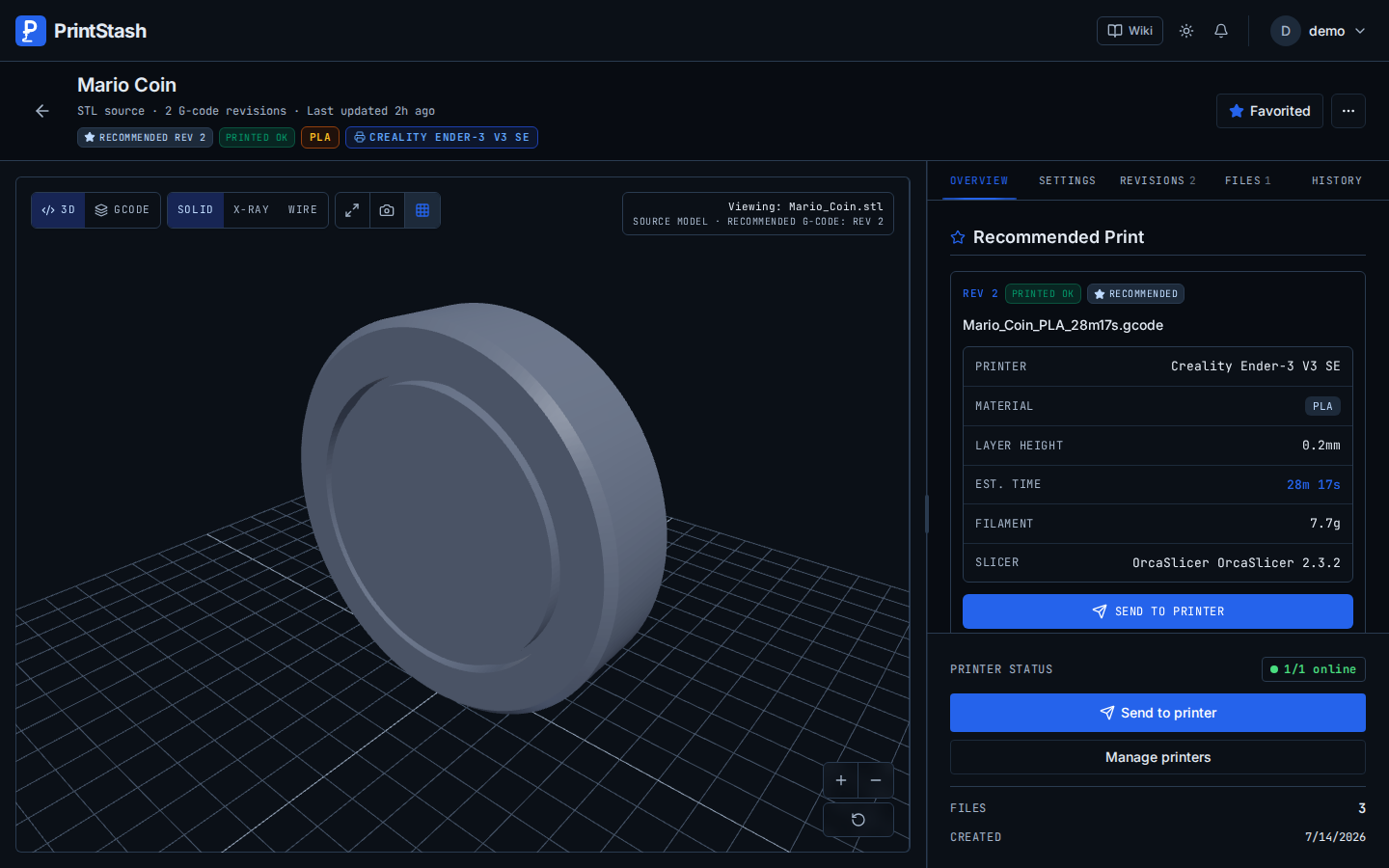
- Previews and revisions: View meshes and G-code layers, compare slicer settings, mark tested revisions, and open files in your slicer.
- Printers and queues: Monitor temperatures, send G-code, control prints, and queue copies across printer groups. Actions depend on the integration.
- Materials and history: Filament profiles, print outcomes, time and cost tracking, plus optional Spoolman integration.
- Backups and access: Verified backups, file audits, trash recovery, library export, user permissions, API keys, and OIDC/SSO. Library source originals need separate backups.
PrintStash does not slice models or verify that G-code is safe for your printer.
STL, 3MF, OBJ, GLB/glTF, PLY, Rhino 3DM, FBX, STEP/STP, DXF, G-code, and .bgcode are accepted; DXF has no preview,
and BGCODE conversion has limits.
Print queues use plain-text G-code. Material or nozzle mismatches block
automatic routing; unknown material state does not.
Screenshots
Library, G-code revisions, and printers
| Model Library | G-code Revisions | Printer Management |
|---|---|---|
 |  |  |
Demo
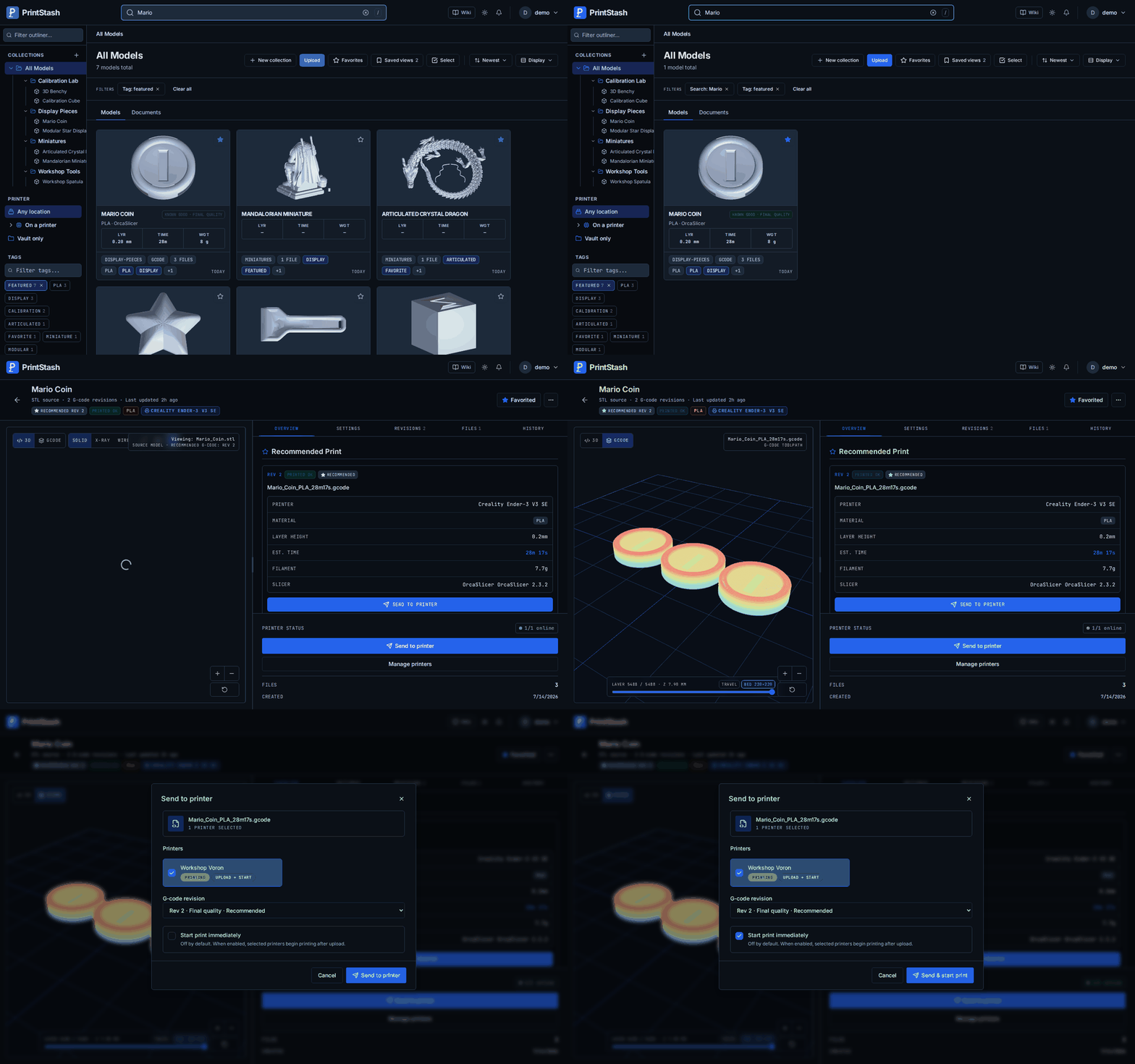
Screenshots use demonstration data. The GIF shows an earlier version of the interface.
Printer Compatibility
Moonraker/Klipper is the primary integration. All providers below support status, upload/start, and pause/resume/cancel. Uploads use plain-text G-code unless noted.
| Integration | Status | Capabilities and limits |
|---|---|---|
| Moonraker / Klipper | Stable | Remote files, matching print history, measured filament use |
| Elegoo Neptune 4 / Pro / Plus / Max | Via Moonraker | Dedicated setup preset |
| Bambu LAN | Beta | External-job history; file recovery depends on the printer cache. No remote file listing |
| PrusaLink | Beta | Local FDM; remote files and validated .bgcode upload. No Prusa Connect |
| OctoPrint / OctoPi | Beta | Remote files |
| Elegoo Centauri Carbon / Carbon 2 | Beta | No file listing or history import. Carbon 2 upload unconfirmed on hardware |
Hardware validation is limited, especially for beta integrations; automated tests are not printer certification. Check the printer guide for setup, firmware limits, and unsupported actions.
Documentation
| Topic | Guides on printstash.org |
|---|---|
| Installation | Setup · First run · Upgrading |
| Library | Folders and NAS · Multipart models |
| Printing | Printers · OrcaSlicer |
| Storage | Provider support · Backups · Data safety |
| Access | Users and permissions |
| Development | Developer guide · API |
Project Status & Roadmap
PrintStash 0.15.1 includes multi-plate 3MF browsing, additional model and archive formats, clearer library and multipart workflows, and preview recovery on older NAS kernels. See the release notes for details and GitHub Releases for available images.
Stable today: the library, G-code revisions with known-good tagging, backups and restore, and the one-container Docker deploy on SQLite. Beta: the printer integrations marked Beta in Printer Compatibility, meaning Bambu LAN, PrusaLink, OctoPrint and the Elegoo Centauri Carbon models.
Upgrading to 0.15.1: take a verified backup, stop all API and worker processes, and upgrade them together after the image is published. Allow background processing to refresh changed previews and metadata. Keep the previous image and pre-upgrade backup for rollback. Read the 0.15.1 upgrade instructions, including the additional steps for installations on older releases.
Contributing
See CONTRIBUTING.md for development and contribution guidelines. Report bugs, discuss ideas, or help with translations, documentation, and printer testing.
Security
Report vulnerabilities through SECURITY.md.
License
Trademark
PrintStash is the name and mark of this self-hosted, open-source project, published at xiao-villamor/PrintStash and printstash.org. It is not affiliated with, endorsed by, or connected to any separately hosted service using the same name. Services reusing the name should clearly distinguish themselves from this project.