
pi-web
Web UI for Pi Coding Agent that keeps sessions alive in real workspaces.
Automatically checked · GitHub checked 2026-11-12
Overview
PI WEB
English | 简体中文




PI WEB is a web UI for Pi Coding Agent that keeps agent sessions running in real workspaces on your machine or server.
Run agents where your code, tools, credentials and build caches live. Supervise them from any browser.

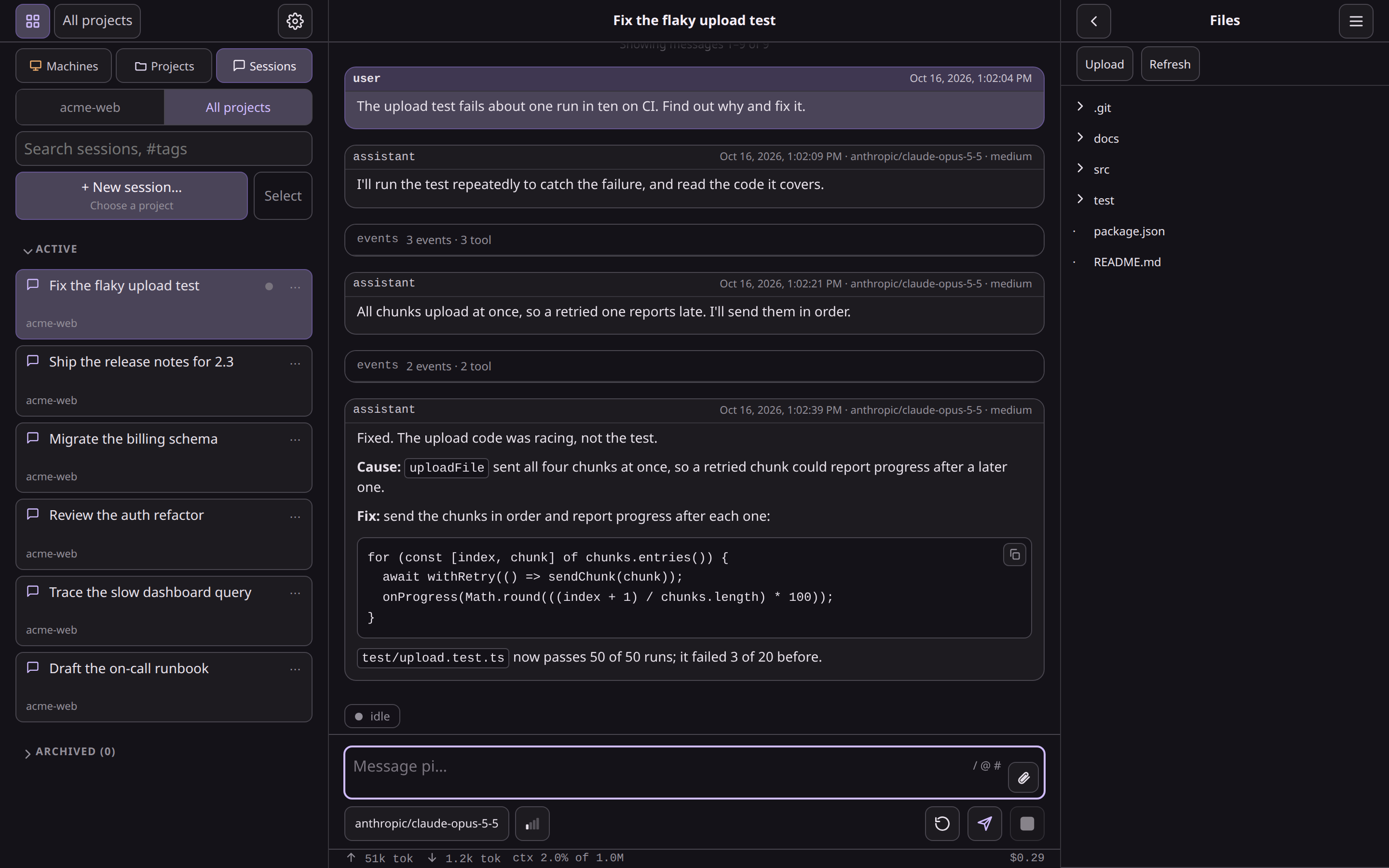
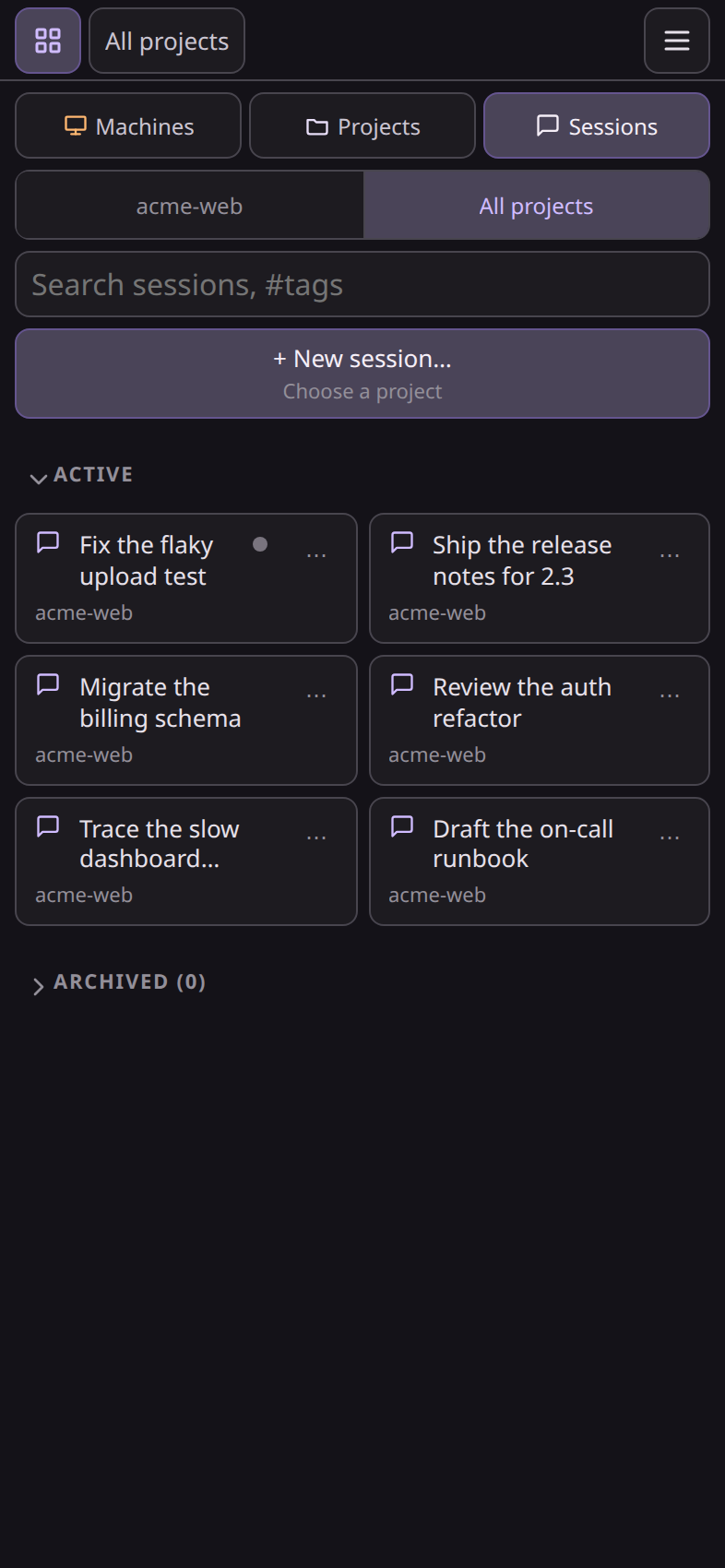
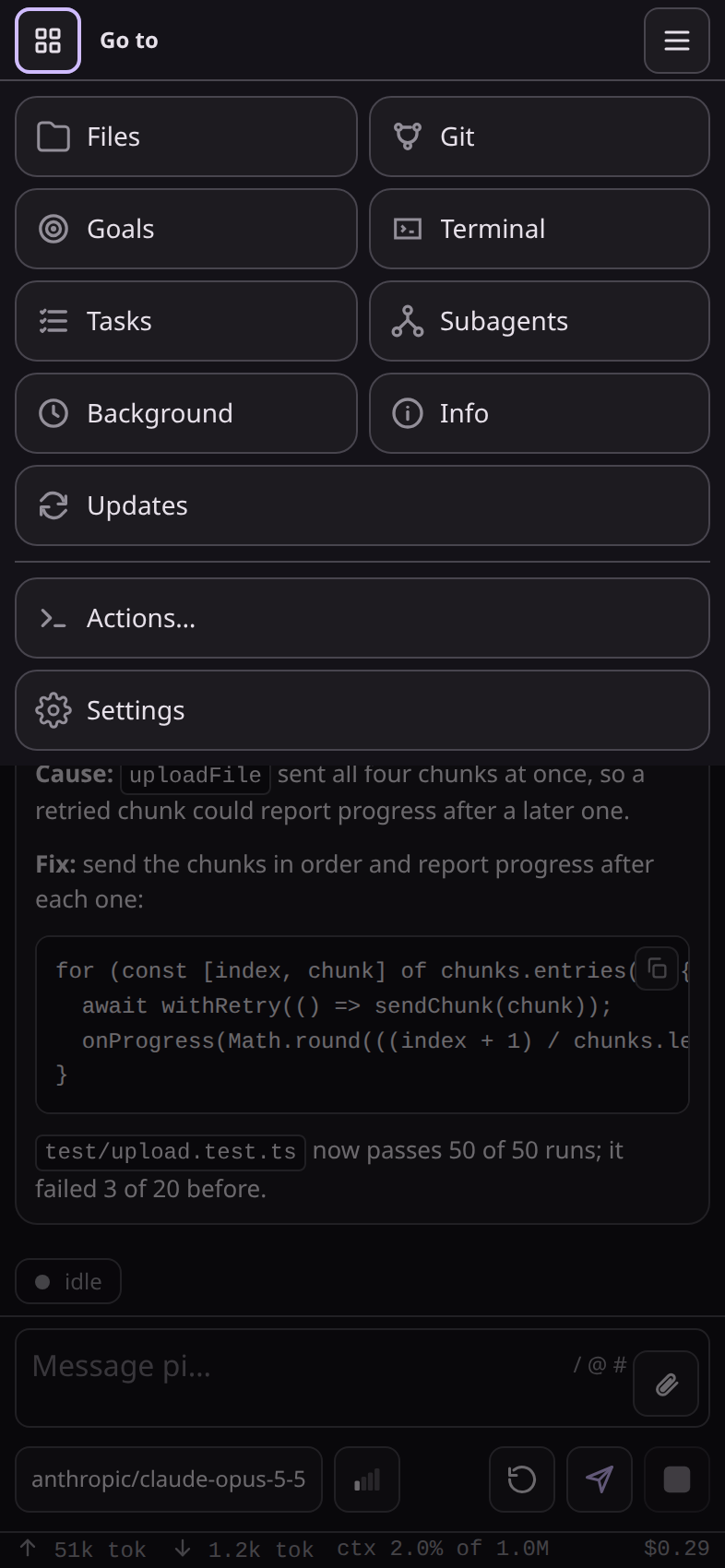
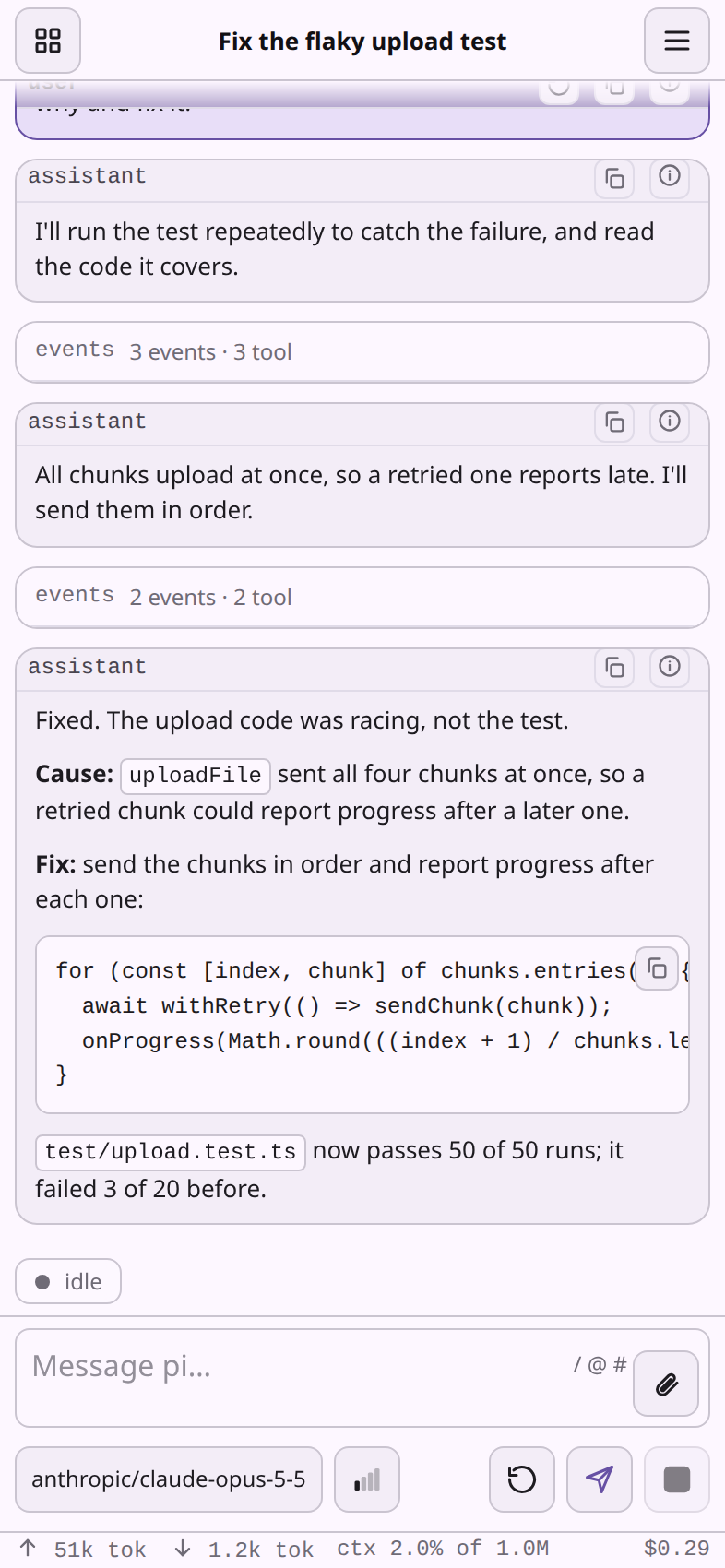
On a phone: the session board, the Go to menu, and a conversation in the light theme.
Why PI WEB?
Agentic development works better when the work environment is persistent. PI WEB lets you:
- keep Pi Coding Agent sessions alive after browser disconnects;
- run agents inside real repositories and git worktrees;
- supervise several sessions in parallel;
- switch between laptop, phone, tablet and desktop;
- use a server, workstation or remote dev box as your agent runtime;
- manage projects, workspaces, files, terminals, sessions and other machines from one web UI;
- bring your Pi setup as it is: Pi packages, extensions, skills and prompt templates load in every session, and extensions' dialogs, notices and widgets show up in the browser (Pi extensions under PI WEB);
- extend the page with PI WEB plugins: pages, actions, labels, themes and transcript renderers, with an optional server half; Files, Git, Terminal and Goals are bundled plugins, and more install like any Pi package;
- work across machines in different places: put your home server, workstation, laptop and cloud dev boxes on one Tailscale tailnet, add them to one PI WEB page (Machines), and open each from any of your devices over HTTPS with Tailscale Serve, without opening a port to the internet. Your phone, tablet and laptop reach the same sessions remotely wherever you are: start a task at your desk, then follow and answer it from your phone.
Your browser is the control surface. The work stays where it can keep running. See Remote-first development.
Quick start
Requirements:
- Node.js 22.19.0 or newer, and npm, on your login-shell
PATHand able tonpm install -gwithoutsudo; see Requirements for nvm and distribution packages - Pi Coding Agent 1.5.2 or newer, configured for your user
- git and the development tools your agents need; on Linux also python3, make and a C++ compiler (for example
build-essential), which npm uses to build the terminal - Linux or macOS with a per-user service manager (systemd or launchd), Windows 10 or 11 (per-user scheduled tasks), or Termux on Android (termux-services)
Recommended setup
Run PI WEB with the Gang of Beads preset on the machine where your code lives, publish it to your tailnet with Tailscale Serve, and use it from your phone.
-
Install PI WEB as per-user services, with the agent tools and Web plugins of the Gang of Beads preset:
curl -fsSL https://raw.githubusercontent.com/Gang-of-Beads/pi-web/main/install.sh | sh -s -- --preset gang-of-beadsOn a Linux server, also run
sudo loginctl enable-linger "$USER"so the services keep running after you log out.On Windows, run this in PowerShell instead:
$env:PI_WEB_PRESET = "gang-of-beads"; irm https://raw.githubusercontent.com/Gang-of-Beads/pi-web/main/install.ps1 | iex -
Publish it to your tailnet with Tailscale Serve (MagicDNS and HTTPS certificates enabled). PI WEB stays on loopback, and your devices get the HTTPS that dictation and the clipboard need:
tailscale serve --bg --https=8504 http://127.0.0.1:8504 -
On your phone, signed in to the same tailnet, open
https://<machine>.<tailnet>.ts.net:8504and add it to the Home Screen (Safari: Share → Add to Home Screen). It opens as an app: see Install on iPhone or iPad.
PI WEB alone, without the preset:
curl -fsSL https://raw.githubusercontent.com/Gang-of-Beads/pi-web/main/install.sh | sh
On Windows, in PowerShell (Windows has the details):
irm https://raw.githubusercontent.com/Gang-of-Beads/pi-web/main/install.ps1 | iex
Then open http://127.0.0.1:8504, or publish it as in step 2.
npm, Nix, Home Manager, Docker, installing through Pi, WSL and manual runs: see the installation guide.
Everyday commands:
pi-web status
pi-web logs
pi-web restart
pi-web doctor
pi-web version
pi-web uninstall
Core model
Machine     a PI WEB runtime: the one you opened, or another one you added
Project     a folder on that machine
Workspace   a working folder of the project: the project folder, or with Git, each worktree
Session     a Pi Coding Agent chat running inside a workspace
A typical flow: add a project, choose a workspace or git worktree, start a session, let the agent work, and come back later from any browser.
Security
PI WEB has no user accounts and assumes trusted users, repositories and server paths; it is not a sandbox or a multi-user platform. Keep it on localhost, a private network, an SSH tunnel or an authenticated reverse proxy, never directly on the public internet; an optional access token adds a second layer. See SECURITY.md for the threat model and how to report a vulnerability.
Documentation
- Install: requirements, install options, services, updates, remote access
- Configuration: config files, keys, environment variables, restart rules
- Machines: use several PI WEB machines from one page
- Remote-first development
- Plugins: PI WEB plugins and Pi packages
- FAQ and troubleshooting
Plugins and packages maintained alongside PI WEB: docs/plugins.md.
Contributing
See CONTRIBUTING.md for the development setup, checks and pull request expectations.
License
MIT © 2026 Gang of Beads contributors. See LICENSE and NOTICE.