
papilot
Next-Generation AI LaTeX Editor: Don't read or write LaTeX. Just work on the PDF.
Automatically checked · GitHub checked 2026-11-15
Overview


Next-Generation AI LaTeX Editor
Don't read or write .tex
Just work on the 
A new paradigm for responsible writing and typesetting with AI.


English · 简体中文 · 繁體中文 · 日本語 · 한국어 · Deutsch · Français · Español · Português · Italiano · Svenska

📄 You care about the PDF
Not the .tex behind it
Papers, theses, books, slides: readers only ever see the typeset page.
So the page is where you should work, too.

No more compiling diffs in your head.
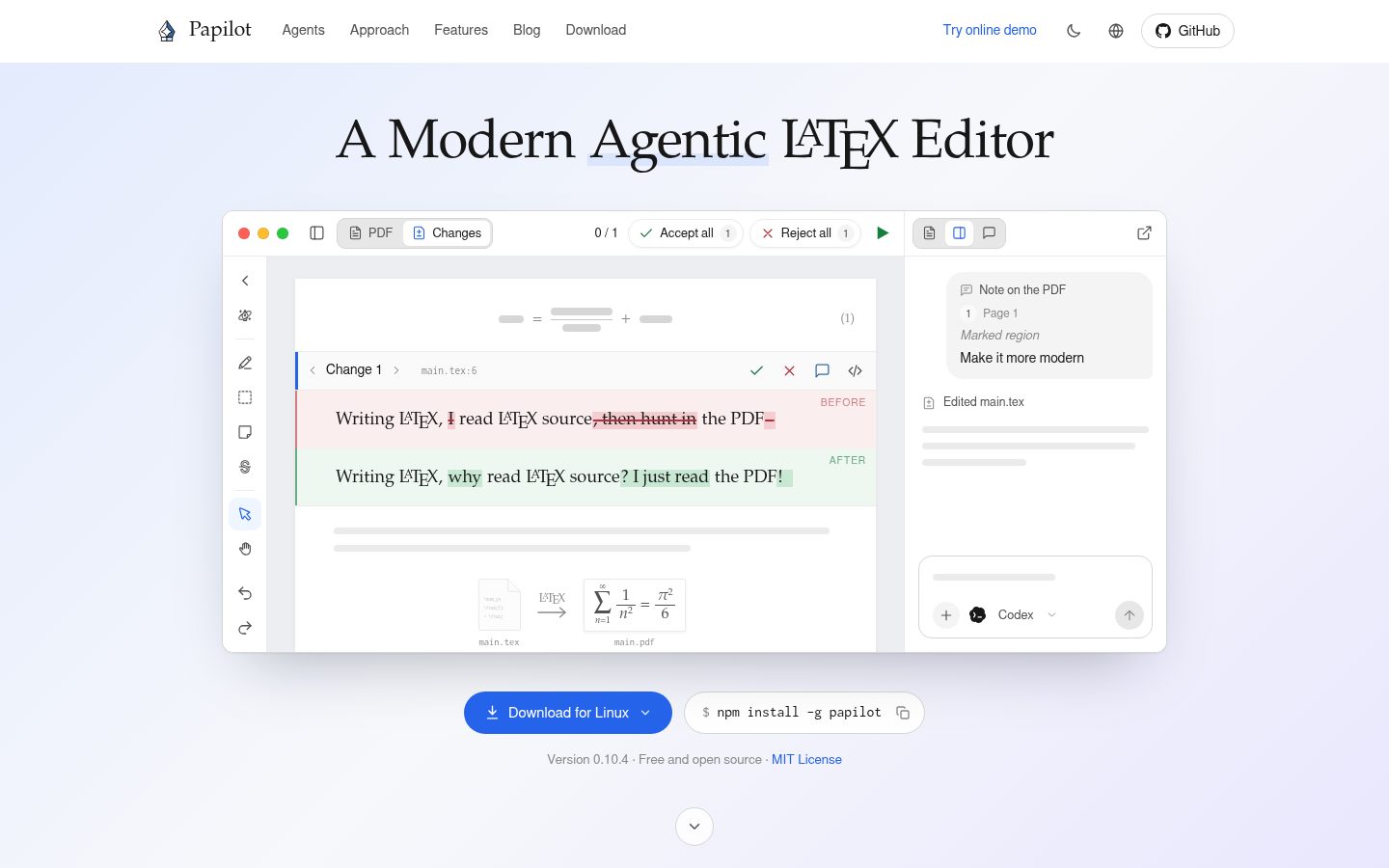
A source diff makes you imagine the PDF. Papilot shows it to you, typeset.
👉 Point at the page and say what you want
Mark a sentence, an equation or a figure, and write a note.
Your agent finds the source. You never open a .tex file.

🔒 Your files stay yours
 Plain files on your machine. Every change lands in your Git history.
 Sync with coauthors through Git. Pull, push, and let an agent resolve conflicts.
 Free and open source. MIT licensed, for macOS, Linux and Windows.
🤖 Bring the AI agent you already use

📥 Downloads
| System / distribution | Download / package | Install / run |
|---|---|---|
 | Apple Silicon · Intel DMG / ZIP | Open the DMG and drag Papilot to Applications. |
 | Installer · Portable x64 | Run the installer or open the portable executable. |
  Ubuntu / Debian / Linux Mint | .deb | sudo apt install ./Papilot-*.deb |
 | AppImage | chmod +x Papilot-*.AppImage./Papilot-*.AppImage |
 NixOS | Nix flake | Add to your flake.nix |
| macOS / Linux / Windows (CLI) | npm | npm install -g papilot |
Linux packages are x86_64 and tested on Ubuntu 22.04. See desktop setup for dependencies and AppImage/FUSE help.
The npm package opens the browser interface and requires Node.js 22.22+. Nix requires flakes; see Nix setup.
🚀 Get started
- Install. Download the app for macOS, Linux or Windows, or run
npm install -g papilot(Node.js 22.22+). You also need Git and TeX Live or MacTeX. - Open your project. Choose the folder with your
.texfiles. Papilot builds the PDF. - Pick an agent. Use the CLI login or API key you already have, then mark up the page.
Want a sample first? Run papilot demo. Details are in the guide.
🤝 Community
 Found a bug or missing a feature? Open an issue, even a rough one.
 Have a question or an idea? Start a discussion.
 Become a contributor. Pull requests are very welcome, including ones written with AI agents. Start with the contributing guide.
Contributors
