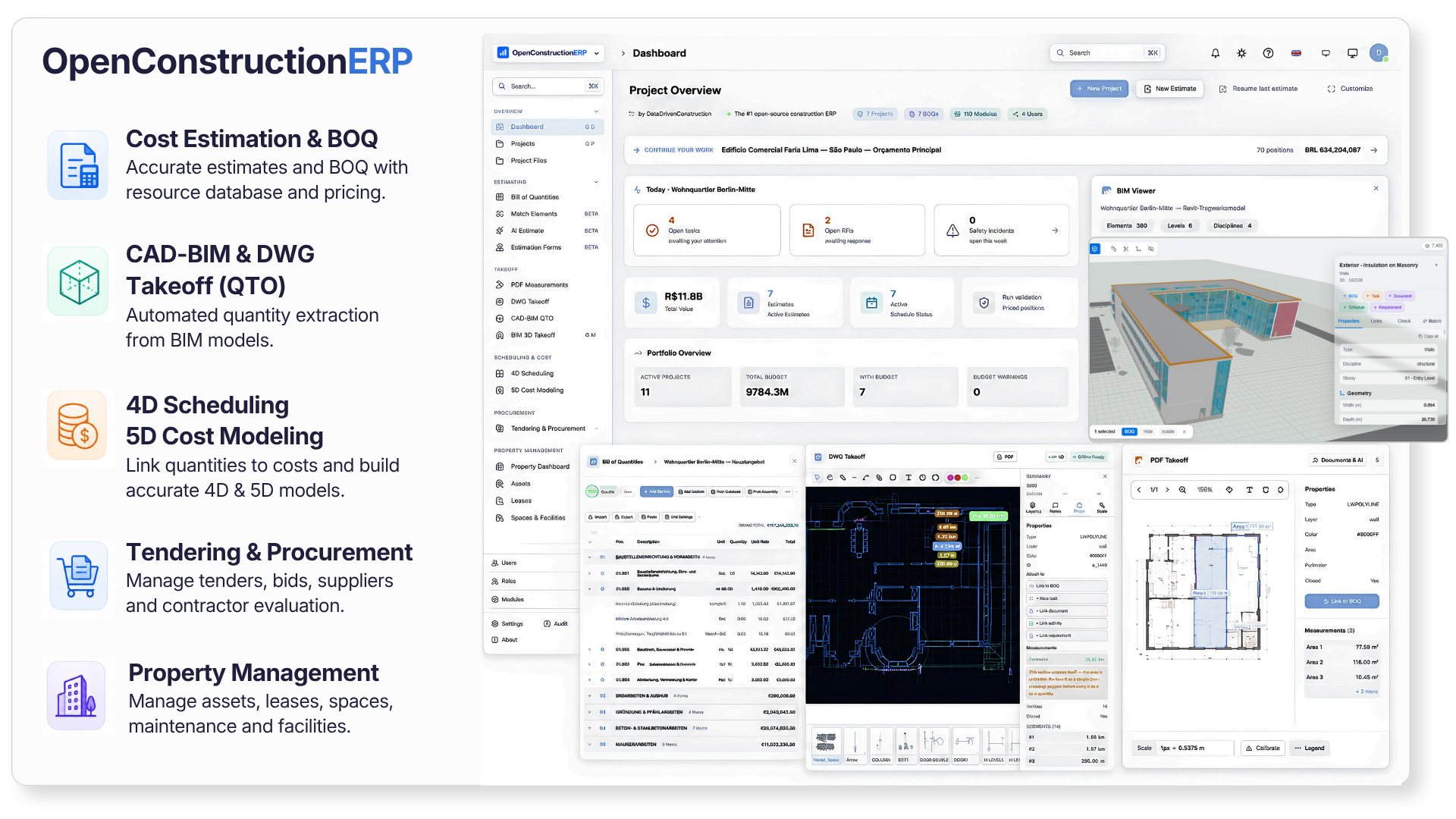
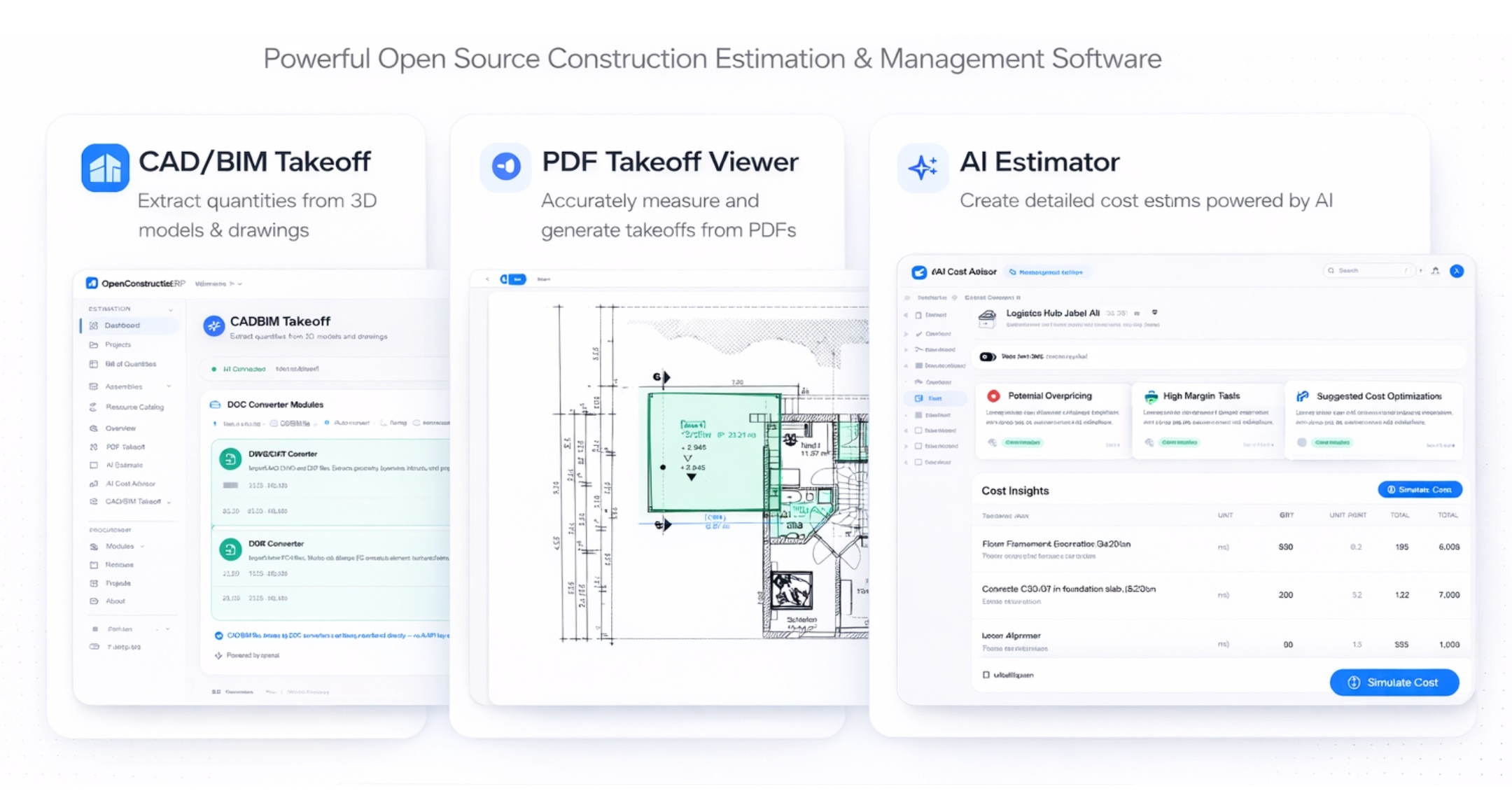
The open-source construction ERP. BOQ, BIM and CAD takeoff, 4D scheduling, 5D cost and tendering in one self-hosted platform. Free under AGPL-3.0, no per-seat fees, your data stays on your server.
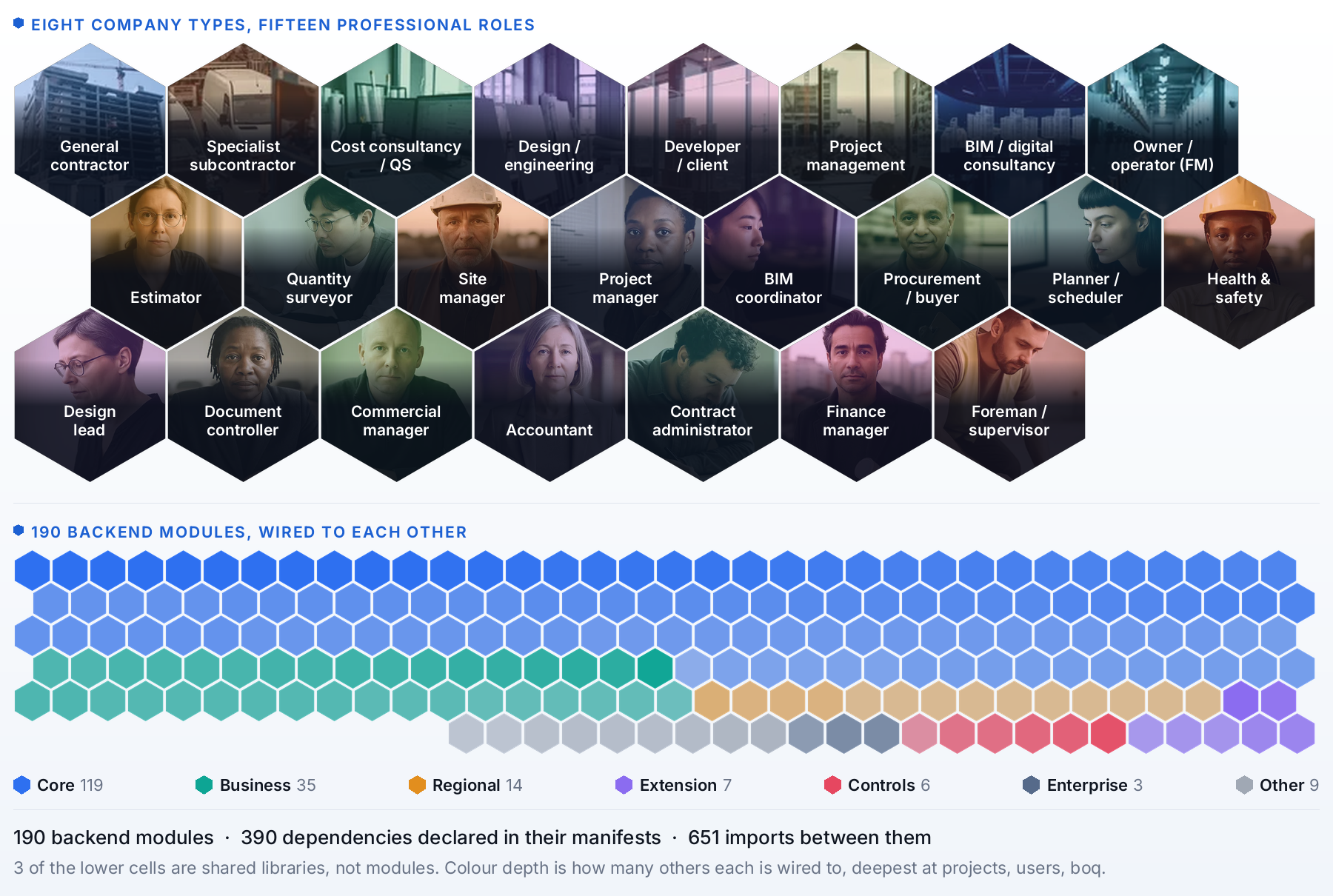
Modular like a plugin system. Pick modules from the marketplace, drop in your own, or replace ours. Same idea for BOQ, scheduling, cost control, BIM and tendering.
1-minute teaser above · for the full 12-minute walkthrough → watch on YouTube · onboarding → BOQ → BIM → DWG → PDF → AI → dashboard
Download the free desktop app
No Python, no Docker, nothing to set up. Pick your system and run it.
Not sure which file? openconstructionerp.com/download picks the right one for you automatically. Prefer the terminal? pip install openconstructionerp or Docker, see Quick Start below.
120K+ cost items
44 languages
47 countries
6 CAD formats
240+ modules
293 guided cases
What you can do
Take off from models and drawings
Pull quantities from IFC and Revit models in the 3D viewer, and from DWG and PDF drawings, with every quantity linked to the element it came from.
Price it from open cost data
Cost databases for 40+ markets with rates and resources, plus assemblies, so a quantity becomes a priced position in one step.
Build the BOQ
A spreadsheet-fast editor with live totals, markups and export to GAEB XML, Excel and PDF.
Plan in 4D
A Gantt programme tied to the model, so you see what gets built and when.
Validate before you issue
Rule sets (DIN 276, NRM, MasterFormat and more) check every estimate and give it a quality score.
Run the project
Dashboards, a common data environment, finance and tendering on the same data.
Ready to try it? See the Getting Started guide for three ways to install (desktop app, pip, Docker) with prerequisites and step-by-step instructions, or jump straight to the Quick Start section below.
Video guides
108 videos in 16 playlists, each following a real project in one country, in its language, with its own contracts, standards and payment rules. Browse the channel or take a free or paid course at the OpenConstruction Academy.
Construction cost estimation software is expensive, closed-source, and locked to specific regions. OpenConstructionERP changes that.
What you get
How it works
Free forever
AGPL-3.0 license. No subscriptions, no per-seat fees, no vendor lock-in.
Your data, your server
Self-hosted. Everything runs on your machine - nothing leaves your network.
44 languages
Full UI translation: English, German, French, Spanish, Portuguese, Russian, Chinese, Arabic, Hindi, Japanese, Korean, and 33 more.
30+ regional standards
DIN 276, NRM 1/2, CSI MasterFormat, GAEB, ГЭСН, DPGF, GB/T 50500, CPWD, ÖNORM, Birim Fiyat, Sekisan, SINAPI, and more.
AI-powered
Connect any LLM provider (Anthropic, OpenAI, Gemini, Mistral, Groq, DeepSeek) for smart estimation.
120,000+ cost items
Nine cost bases covering 40+ markets - global CWICR plus eight national bases (China, Turkey, Brazil, Spain, Italy, Greece, Vietnam, Indonesia).
The whole platform in your language
The entire UI ships in 44 languages, including full right-to-left support for Arabic, Urdu, Persian and Hebrew. Switch language from any screen and every label, message and report follows.
🇬🇧 English · 🇩🇪 Deutsch · 🇫🇷 Français · 🇪🇸 Español · 🇲🇽 Español (MX) · 🇨🇱 Español (CL) · 🇨🇴 Español (CO) · 🇵🇹 Português · 🇧🇷 Português (BR) · 🇷🇺 Русский · 🇨🇳 简体中文 · 🇸🇦 العربية · 🇮🇳 हिन्दी · 🇹🇷 Türkçe · 🇮🇹 Italiano · 🇳🇱 Nederlands · 🇵🇱 Polski · 🇨🇿 Čeština · 🇯🇵 日本語 · 🇰🇷 한국어 · 🇸🇪 Svenska · 🇳🇴 Norsk · 🇩🇰 Dansk · 🇫🇮 Suomi · 🇧🇬 Български · 🇭🇷 Hrvatski · 🇭🇺 Magyar · 🇮🇩 Bahasa Indonesia · 🇷🇴 Română · 🇹🇭 ไทย · 🇻🇳 Tiếng Việt · 🇺🇦 Українська · 🇬🇷 Ελληνικά · 🇰🇬 Кыргызча · 🇰🇿 Қазақша · 🇧🇩 বাংলা · 🇪🇪 Eesti · 🇵🇭 Filipino · 🇵🇰 اردو · 🇮🇷 فارسی · 🇮🇱 עברית · 🇺🇿 Oʻzbekcha · 🇲🇳 Монгол
How It Compares
Capability
OpenConstructionERP
Enterprise BIM
CAD Takeoff
Legacy Estimating
PDF Markup
License
AGPL-3.0 (free)
Proprietary
Proprietary
Proprietary
Proprietary
Self-hosted / offline
✔
✖
✖
⚠ partial
✖
Price
Free forever
~€500/mo
~€300/mo
~€200/mo
~€30/mo
AI estimation
✔ 20 LLM providers
✖
✖
✖
✖
UI languages
44
5
3
2
8
Regional standards
30+
4
3
2
-
BOQ editor
✔
✔
✔
✔
✖
CAD/BIM takeoff
✔ RVT IFC DWG
✔
✔
✖
PDF only
4D/5D planning
✔
✔
✖
✖
✖
Cost database included
✔ 120K+ rates
✖ extra
✖ extra
✖ extra
✖
Resource catalog
✔ 7K+ priced
✖ extra
✖
✖
✖
Validation engine
✔ built-in rules
⚠ limited
✖
✖
✖
REST API
✔ full
⚠ limited
✖
✖
✖
Real-time collab
✔ soft locks
✔
✖
✖
✖
Open data export
✔ GAEB · XLSX · JSON
⚠ limited
⚠ limited
⚠ limited
PDF only
IDS / COBie requirements
✔ import + export
✖
✖
✖
✖
Property dev lifecycle
✔ Lead → SPA → Handover
✖
✖
✖
✖
3D globe / geo-anchor
✔ Cesium 3D Tiles
⚠ map only
✖
✖
✖
Comparison reflects typical category capabilities based on publicly available information. Pricing is approximate (per-seat, list price) and varies by vendor and region. OpenConstructionERP is an independent open-source project and is not affiliated with any commercial vendor in the categories above.
A Look Inside
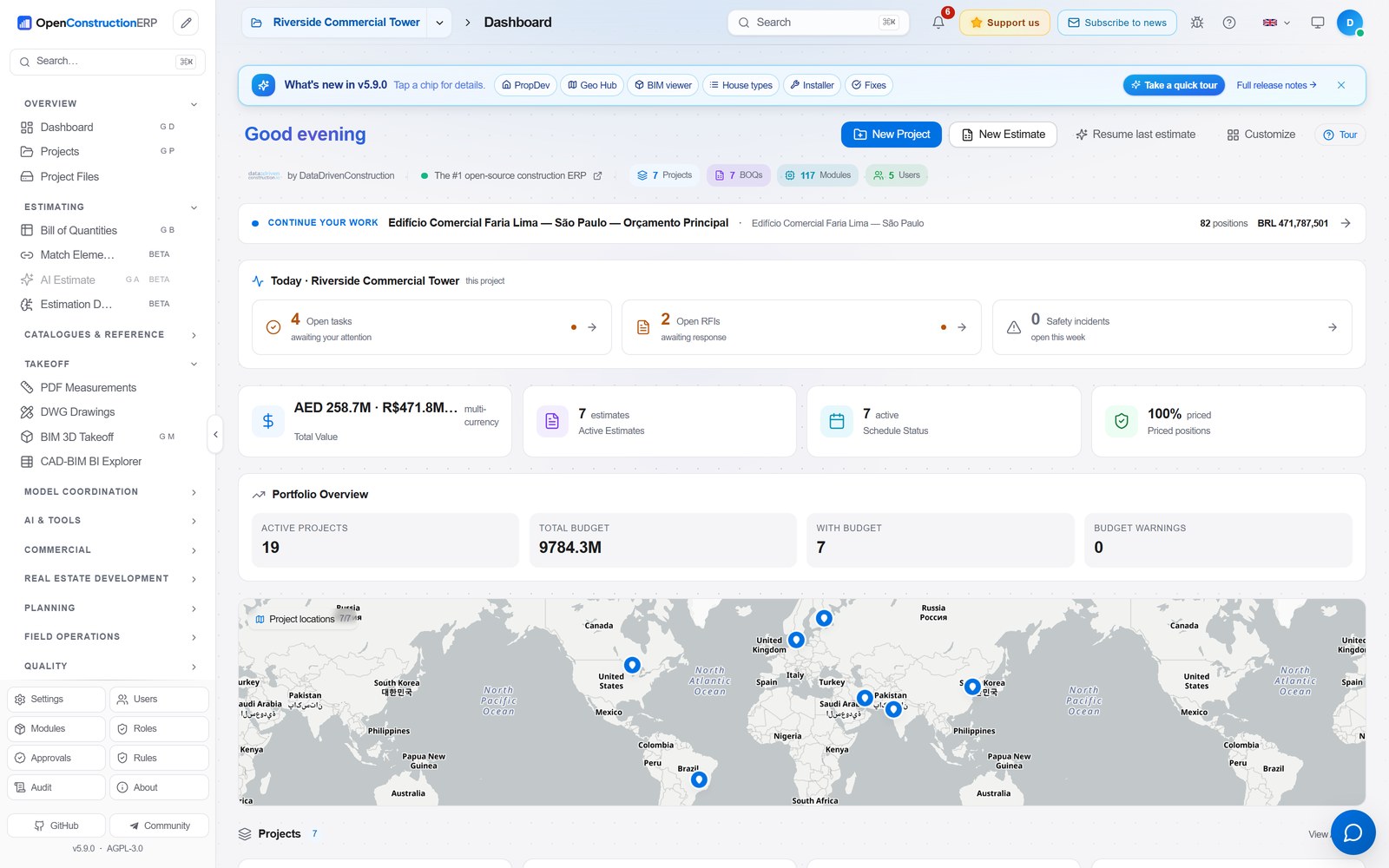
A quick tour of the main workspaces. Every screen is the real application running the 70-project demo spanning 30+ countries that ships with a fresh install.
Portfolio Dashboard Every project on one live map, with multi-currency totals that are grouped by currency, never blended.
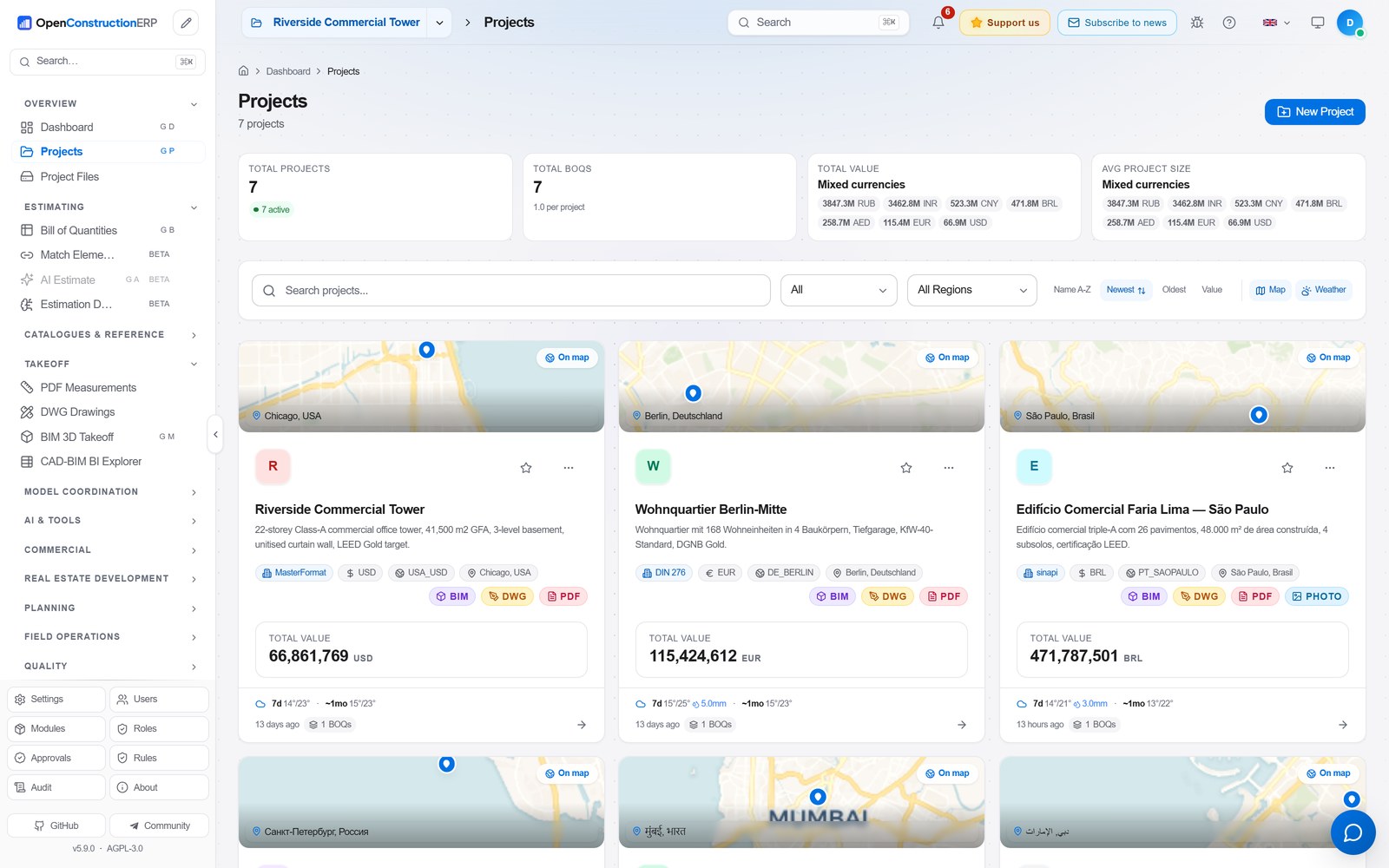
Projects Localized projects worldwide. Each card carries its site map, BIM / DWG / PDF badges and live value.
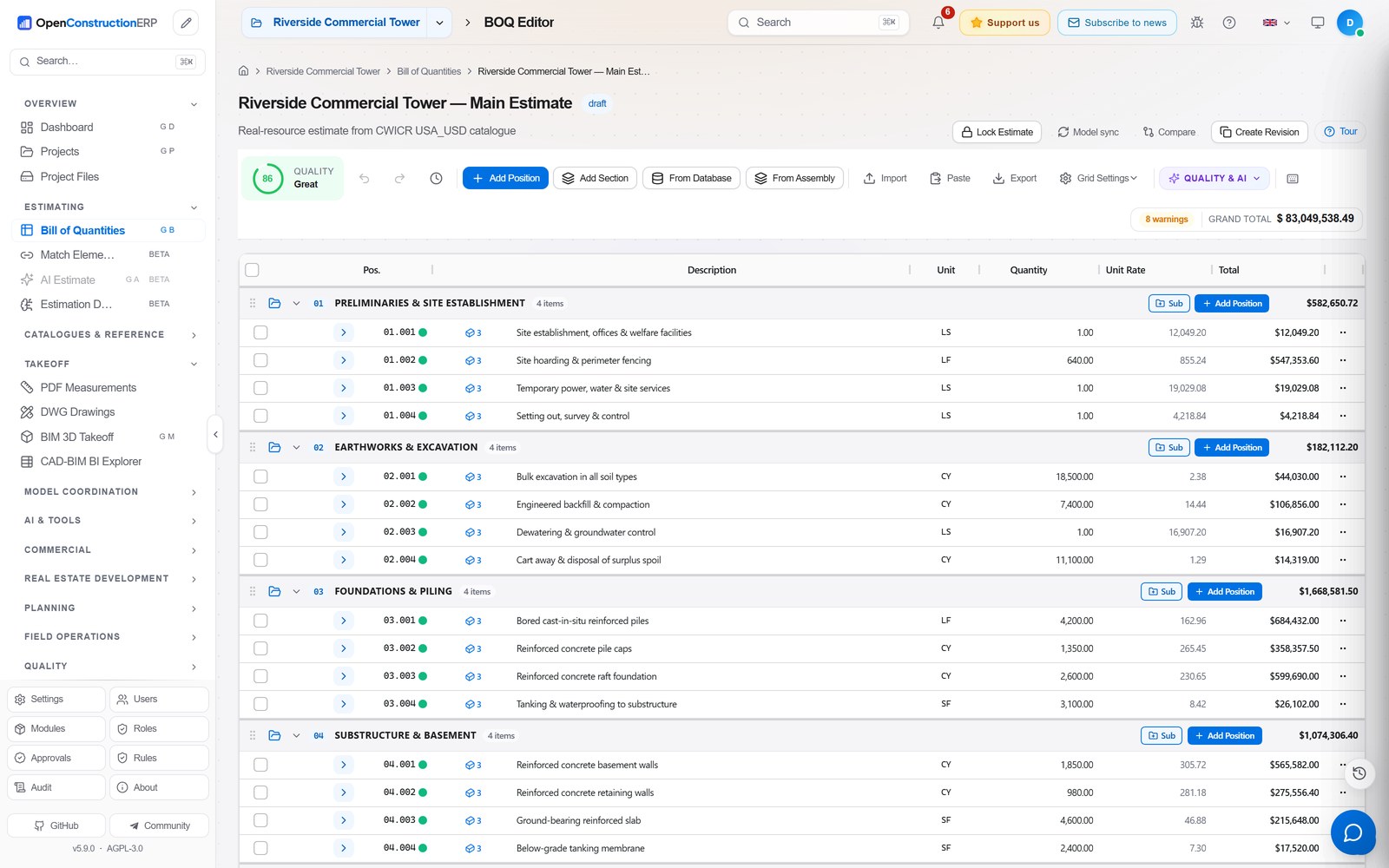
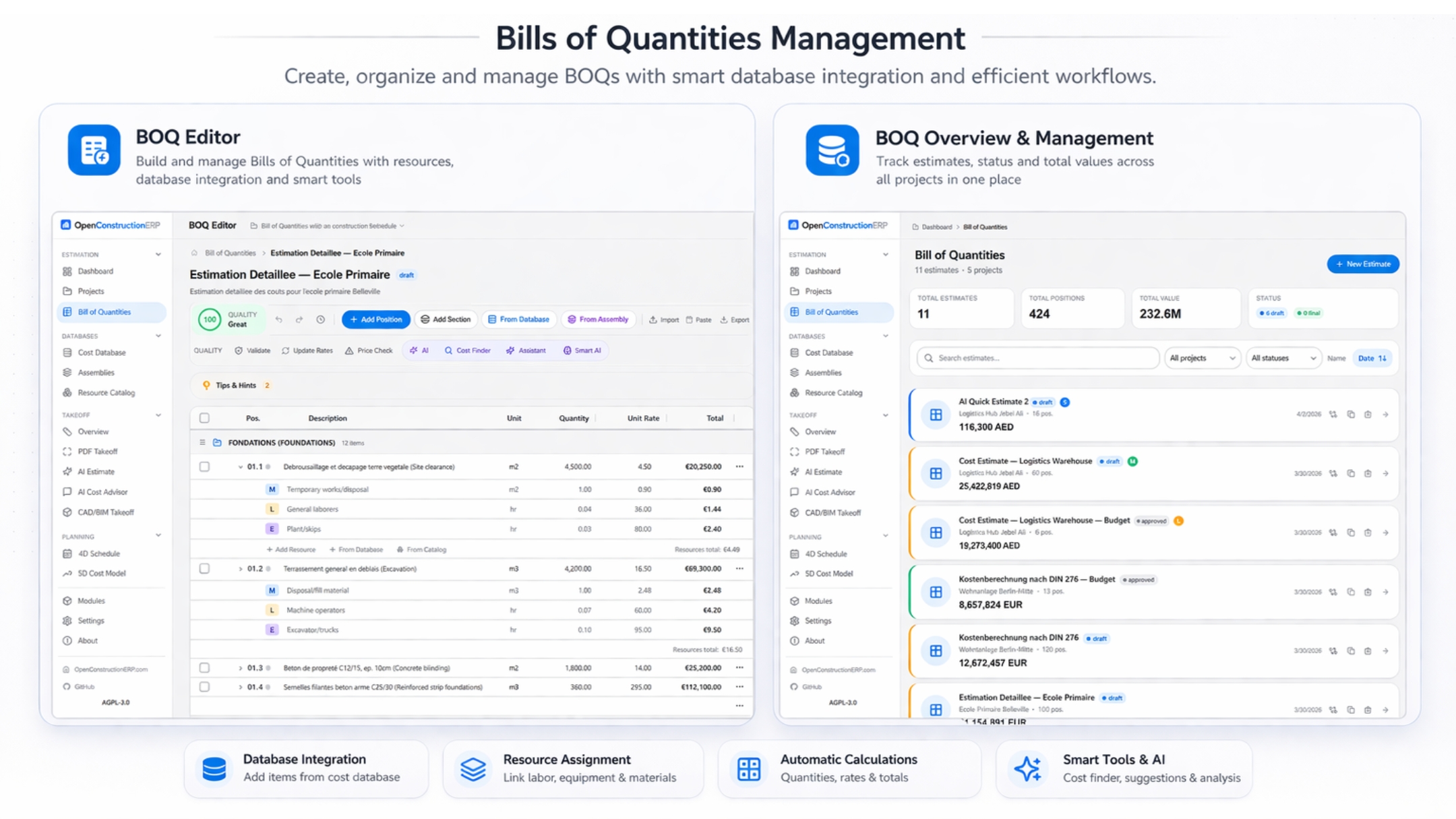
BOQ Editor Keyboard-first bill of quantities with sections, assemblies, a live quality score and grand total.
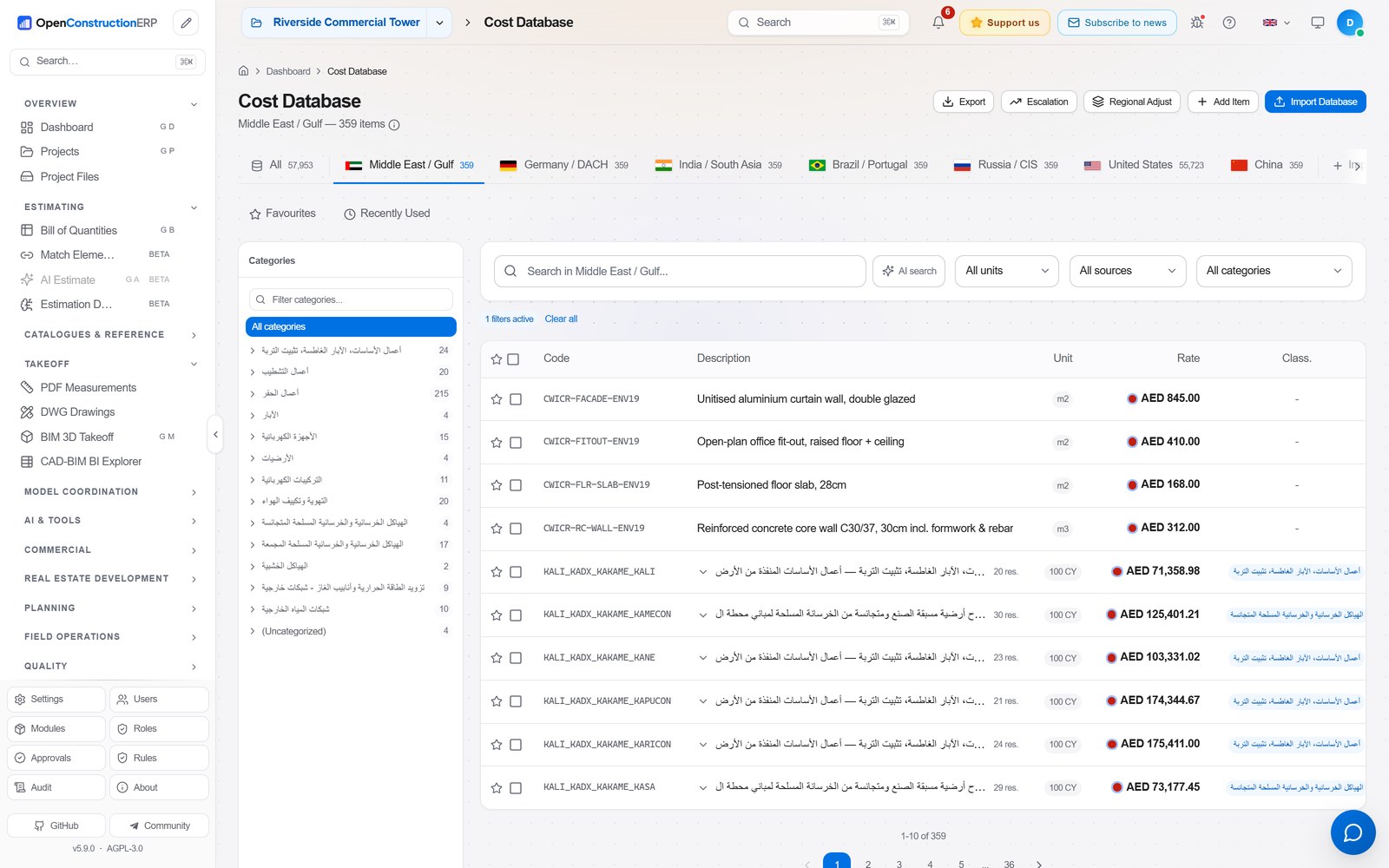
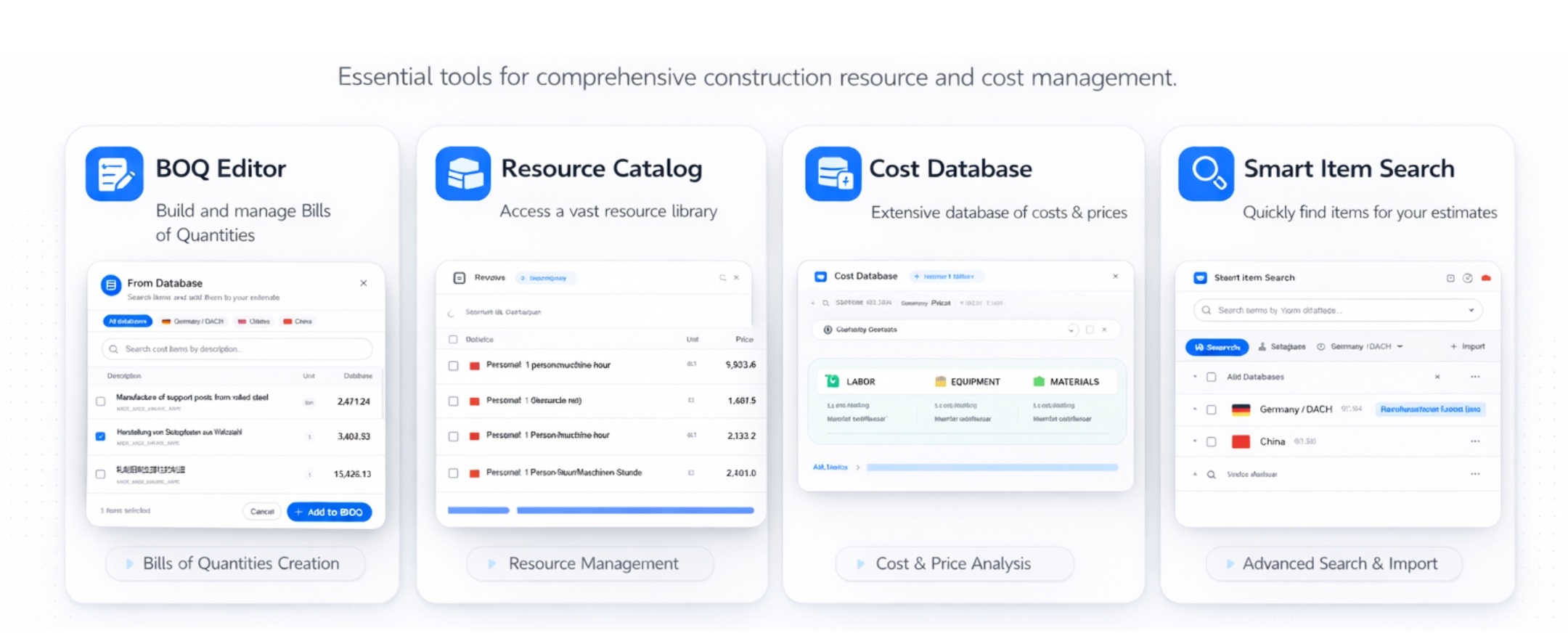
Cost Database 120,000+ priced items across 9 cost bases, bilingual, searchable by code, unit or class.
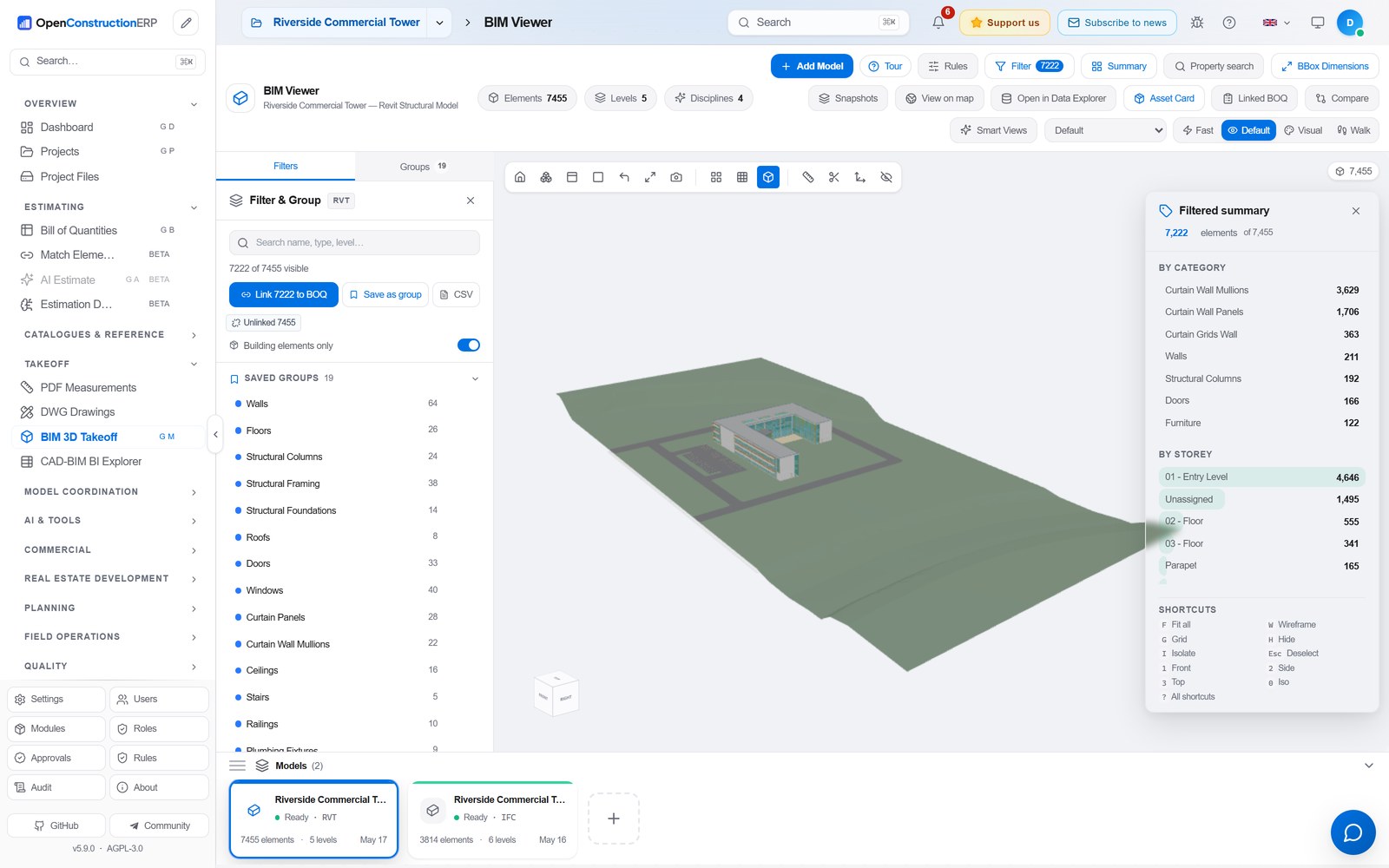
3D BIM Viewer Federated models in the browser with a category and storey breakdown. Converted with DDC Converters 2.0.
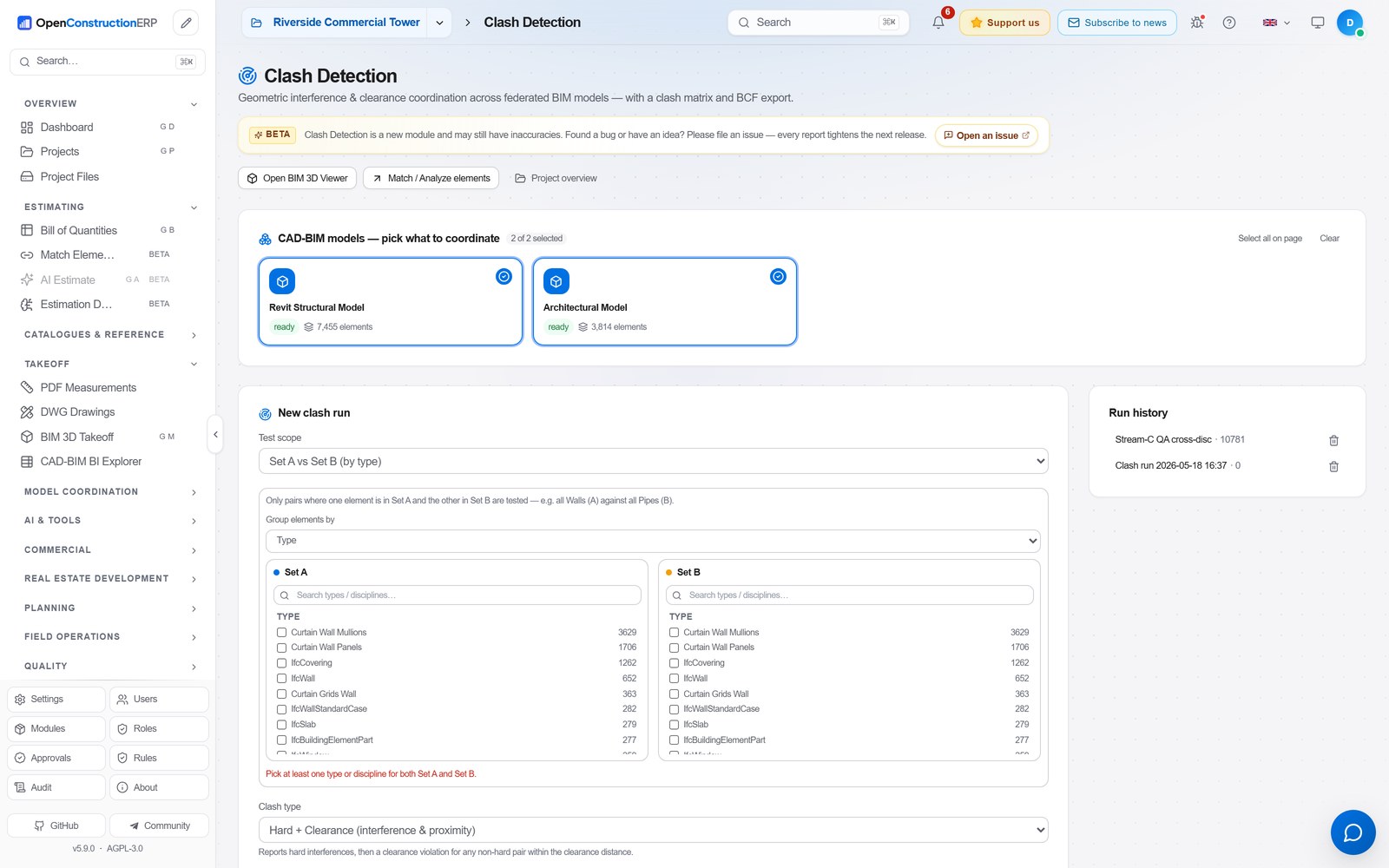
Clash Detection Geometric coordination across federated models, with a clash matrix and BCF export.
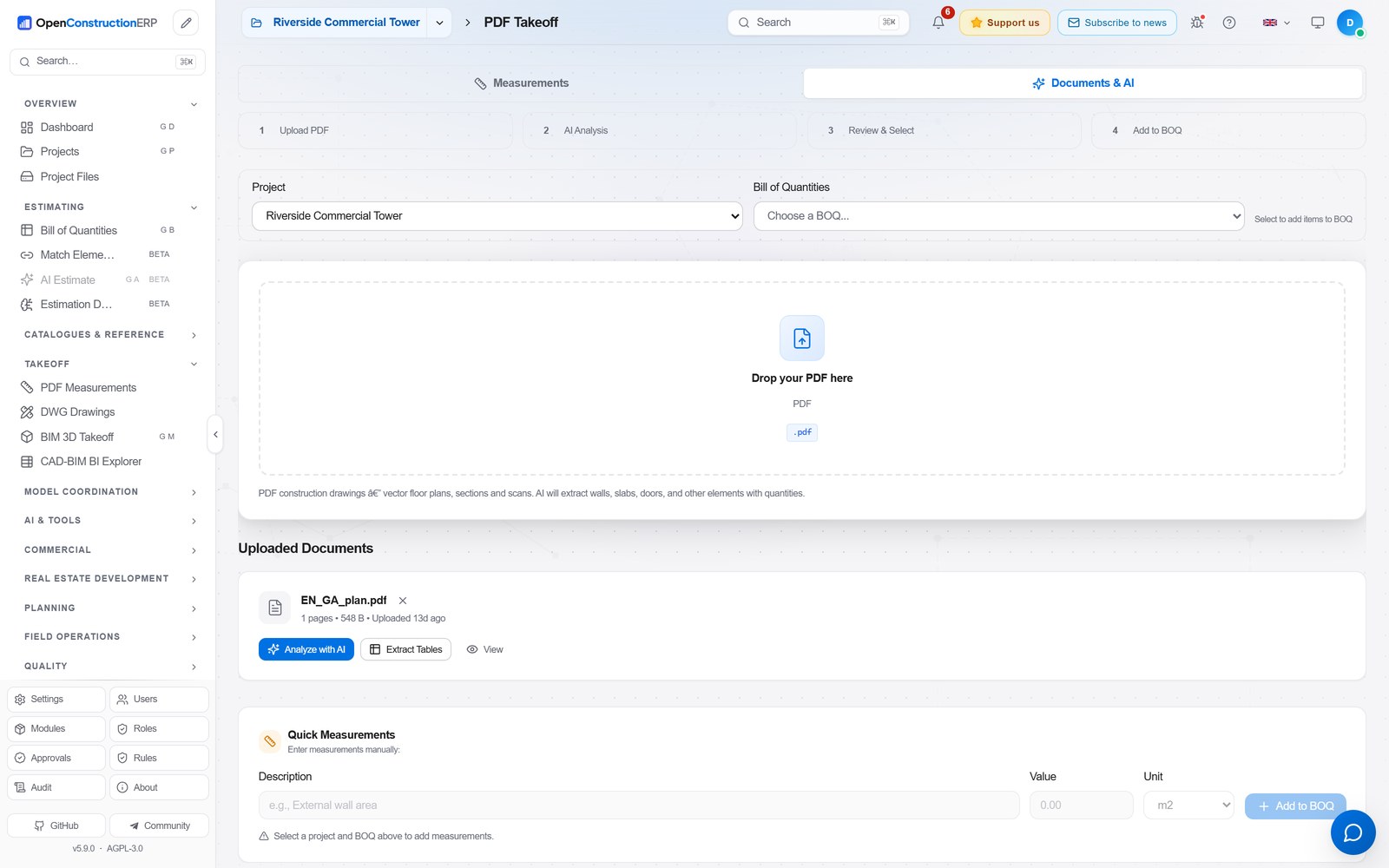
PDF Takeoff Drop a drawing, let AI extract the quantities, then push them straight into the BOQ.
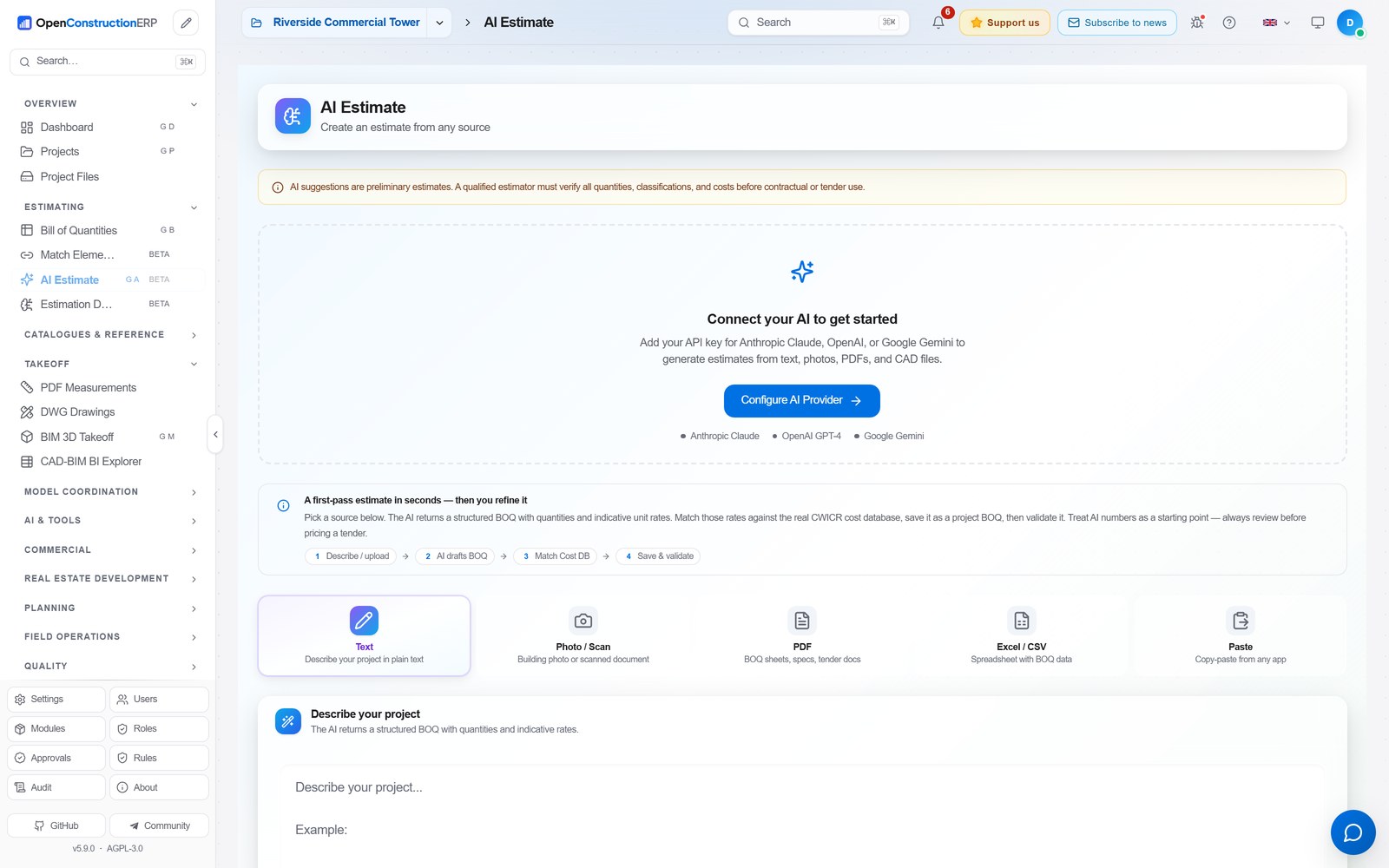
AI Estimate Turn text, a photo, a PDF or a spreadsheet into a scoped BOQ in seconds, with confidence scores.
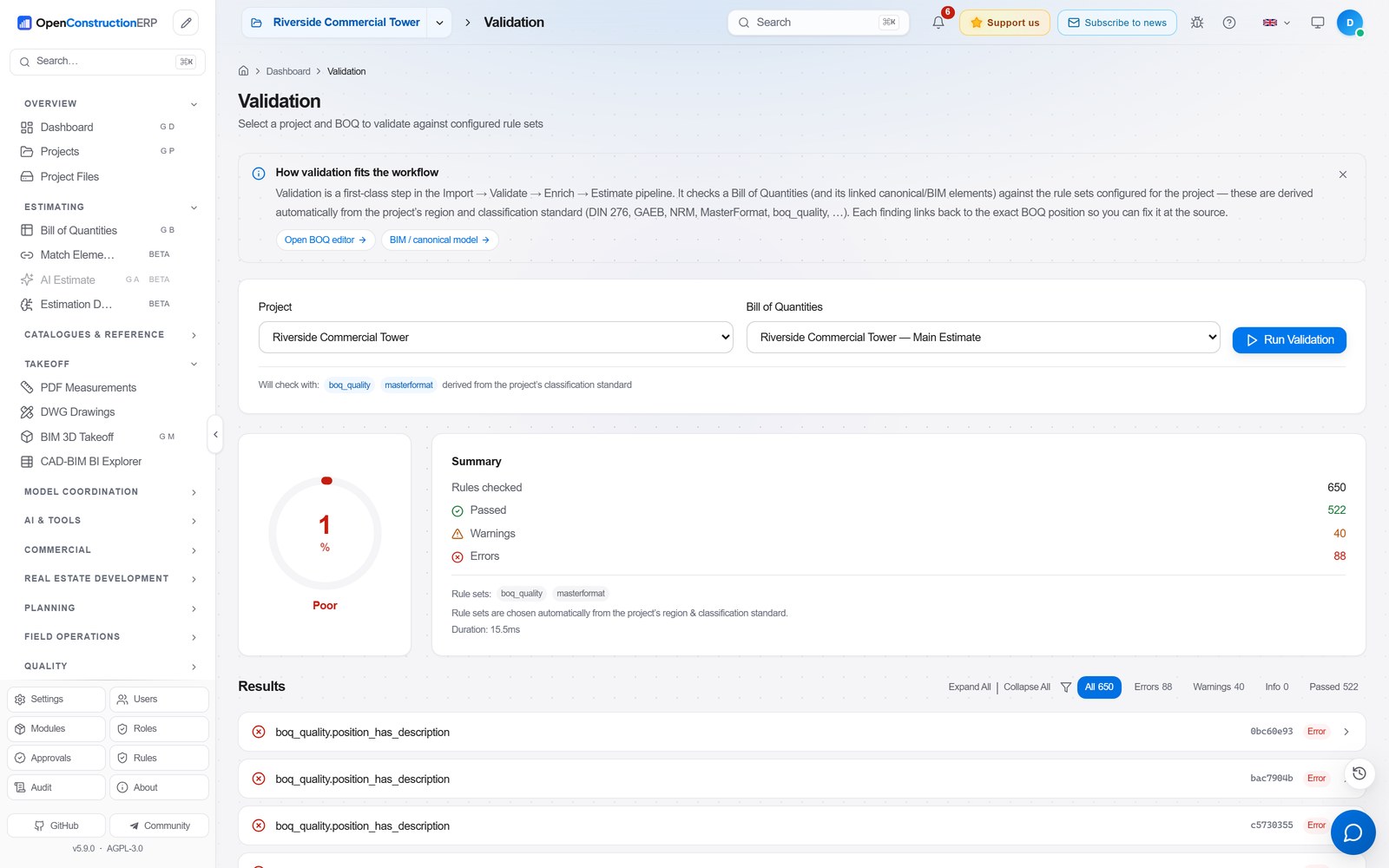
Validation Built-in DIN 276, NRM and MasterFormat rules score every BOQ with a traffic-light report.
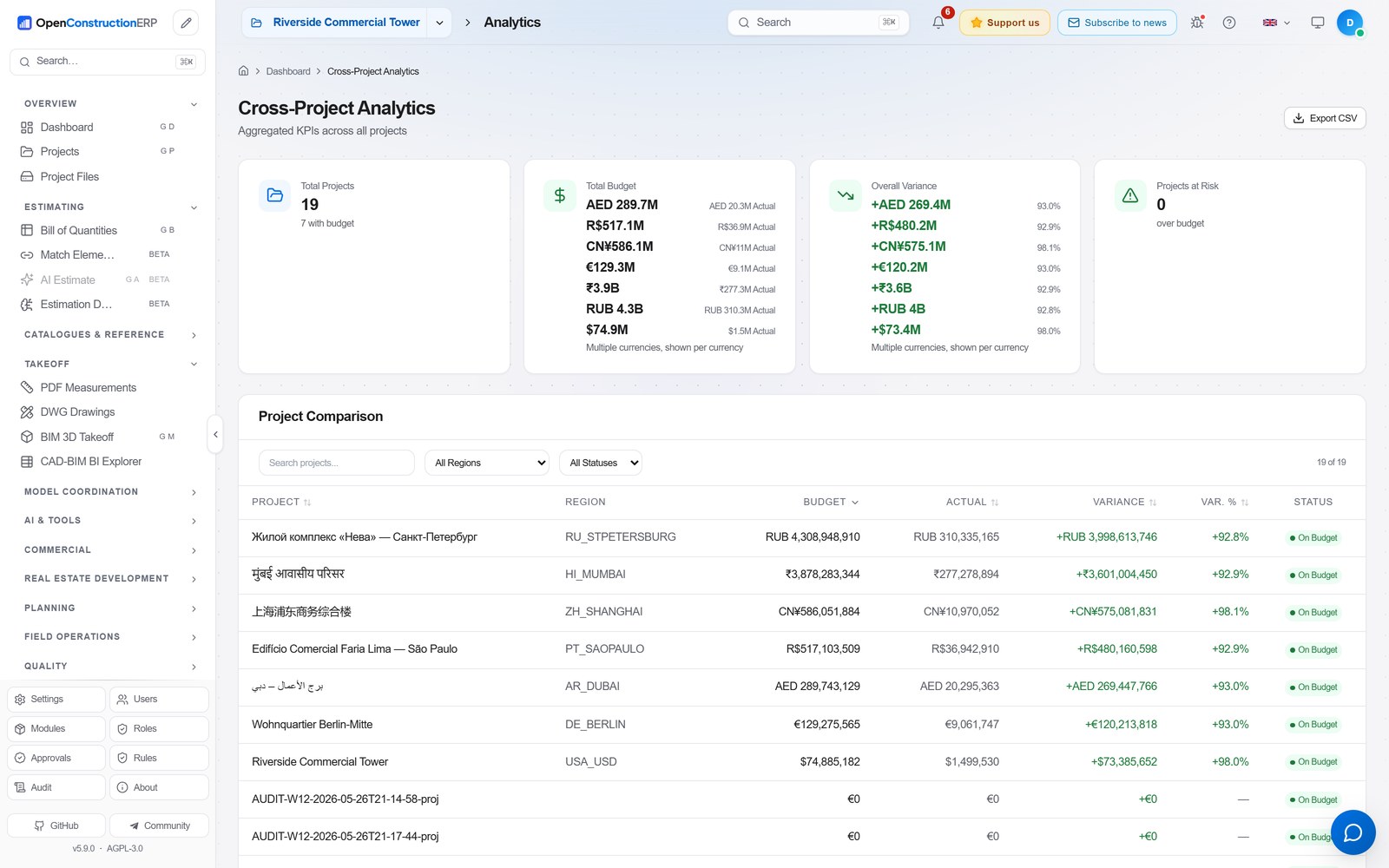
Cross-Project Analytics Portfolio KPIs grouped by currency: budget, actuals and variance, project by project.
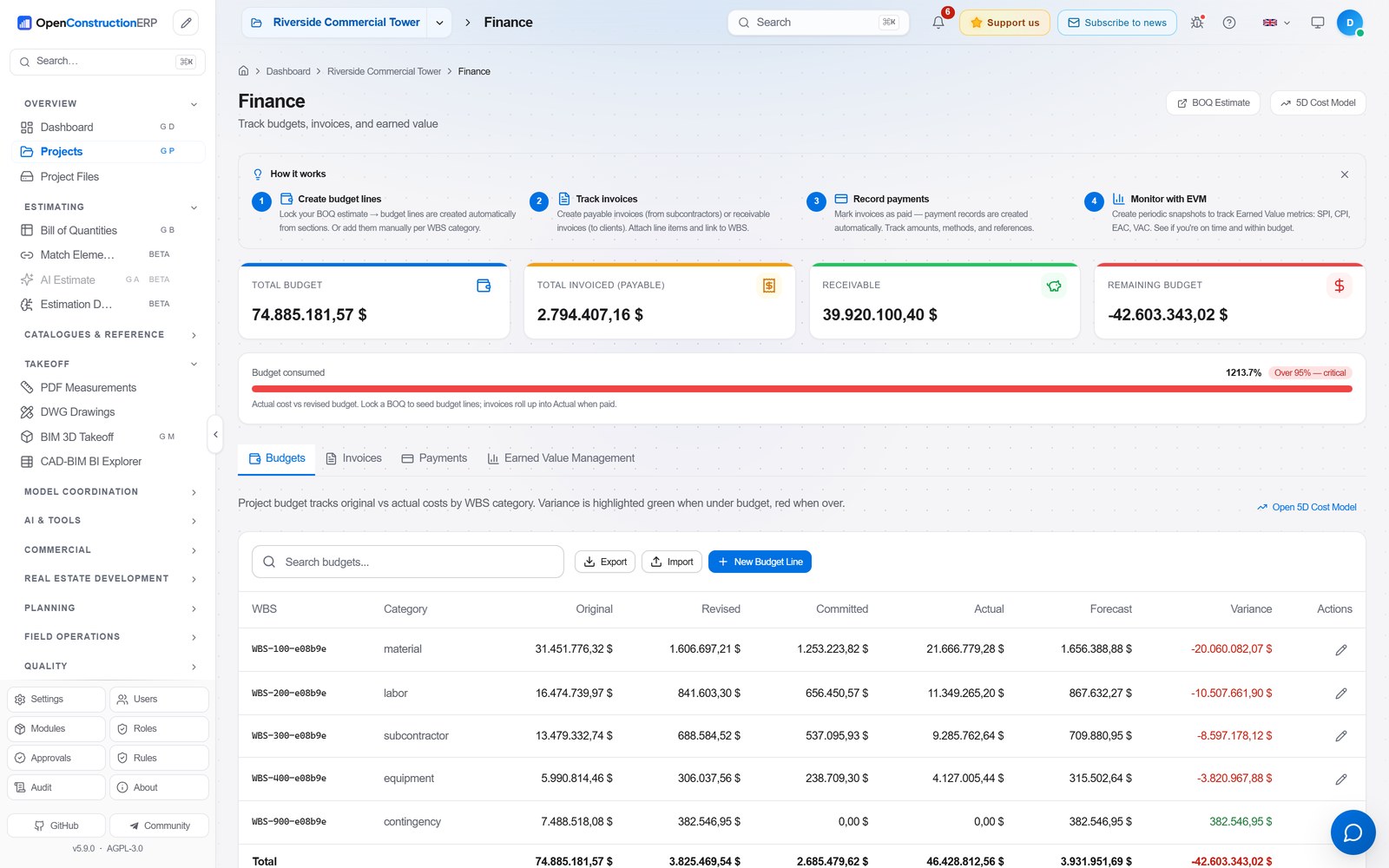
Finance & Earned Value Budgets, invoices, payments and earned value tracked against the estimate.
Key Features
Bill of Quantities (BOQ) Management
Build professional cost estimates with a powerful BOQ editor. The full lifecycle - from first sketch to final tender submission:
Hierarchical BOQ structure - Sections, positions, sub-positions with drag-and-drop reordering
Inline editing - Click any cell to edit. Tab between fields. Undo/redo with Ctrl+Z
Resources & assemblies - Link labor, materials, equipment to each position. Build reusable cost recipes
Markups - Overhead, profit, VAT, contingency - configure per project or use regional defaults
Automatic calculations - Quantity × unit rate = total. Section subtotals. Grand total with markups
Validation - Built-in rules check for missing quantities, zero prices, duplicate items, and compliance with DIN 276, NRM, MasterFormat
Export - Download as Excel, CSV, PDF report, or GAEB XML (X83)
Cost Databases & Resource Catalog
Cost bases - 120,000+ cost items across 9 bases and 40+ markets: the global CWICR database covering all major construction trades, plus 8 national bases built on each country's own norm system (China, Turkey, Brazil, Spain, Italy, Greece, Vietnam, Indonesia)
Smart search - Find items by description, code, or classification. AI-powered semantic search matches meaning, not just keywords ("concrete wall" finds "reinforced partition C30/37")
Resource catalog - 7,000+ materials, equipment, labor rates, and operators. Build custom assemblies from catalog items
Regional pricing - Automatic price adjustment based on project location. Compare rates across regions
Import your data - Upload your own cost database from Excel, CSV, or connect via API
CAD/BIM Takeoff & AI Estimation
Extract quantities from any source - drawings, models, text, or photos:
CAD/BIM takeoff - Upload RVT, IFC or DWG files. DDC converters extract elements with volumes, areas, and lengths automatically
Interactive QTO - Choose how to group extracted data: by Category, Type, Level, Family. Format-specific presets for RVT and IFC
Linked geometry preview - Click the BIM link badge on any BOQ position to see a 3D preview of linked elements with interactive rotate/zoom/pan controls
BIM Quantity Picker - Select quantities (area, volume, length) directly from linked BIM elements and apply them to BOQ positions. The source parameter name is shown next to the unit
DWG polyline measurement - Click any polyline in the DWG viewer to instantly see area, perimeter, and individual segment lengths with on-canvas labels
PDF measurement - Open construction drawings directly in the browser. Measure distances, areas, and count elements with calibrated scale
AI estimation - Describe your project in plain text, upload a building photo, or paste a PDF - AI generates a complete BOQ with quantities and market rates
AI Cost Advisor - Ask questions about pricing, materials, or estimation methodology. AI answers using your cost database as context
Cost matching - After AI generates an estimate, match each item against your CWICR database to replace AI-guessed rates with real market prices
The platform also includes 3D globe visualization (Cesium), property development lifecycle, accommodation management, an AI assistant that prepares changes for a person to approve, BIM clash detection, 4D/5D scheduling, tendering and risk management, PDF markups, punch lists, daily diary with HSE tracking, and 30+ regional classification standards. See MODULES.md for the full list of 240+ modules.
Guided Onboarding
Choose language - Select from 44 languages. The entire UI switches instantly
Select region - Determines default cost database, currency, and classification standard
Load cost database - One-click import of CWICR pricing data for your region (120,000+ items)
Import resource catalog - Materials, labor, equipment, and pre-built assemblies
Configure AI(optional) - Enter an API key from any supported LLM provider
Create your first project - Set name, region, standard, and start estimating
Capital plan
Rank projects against a limited yearly budget and see what happens if one is delayed. Guide: English · Deutsch · Русский.
Yearly budget - Funding per year and source, against the cost of each project spread over its years
What-if scenarios - Copy a scenario, move a start year, compare the two. The baseline is never changed
Suggested funding - Funds by priority, score and cost until a year runs out; you confirm before anything changes
Easiest: download the desktop app (no Python, no setup)
Download the installer for your operating system, run it, and OpenConstructionERP opens as a native desktop app. No Python, no pip, no Docker, and no database to set up. Everything runs locally on your machine.
Or grab one straight from the latest release: Windows .exe installer, macOS .dmg (Apple Silicon), or Linux .deb / .AppImage.
Your operating system will warn you before it runs the installer, and that is expected. There is no code signing certificate for this project yet, so the desktop builds are unsigned. On Windows, SmartScreen says "Windows protected your PC"; choose More info, then Run anyway. If Windows 11 Smart App Control blocks the app instead, there is no Run anyway button, and Windows blocks the app explains the options. On macOS, Gatekeeper says the developer cannot be verified; open the app from the Finder context menu and choose Open, or clear it with xattr -dr com.apple.quarantine on the installed app. Linux packages are unaffected. If you would rather verify the download than trust the warning, every release carries SHA256SUMS together with a Sigstore signature and certificate, so you can check the bytes you received against what the build produced.
There is no Intel macOS build at the moment. On an Intel Mac, use the pip or Docker route below.
The first launch takes about a minute while it sets up your local database, then every launch after that is fast. Open source under AGPL-3.0.
Prefer the command line? The options below (pip, Docker, source) need Python 3.12+. Check with python --version.
That's it. The single wheel ships the backend plus the pre-built React frontend. The first run sets up a local embedded PostgreSQL database (no Docker, no setup), loads the demo data, opens your browser at http://localhost:8080, and you sign in with [email protected] / DemoPass1234!. No Node.js and no extra services. Every later run, just type openconstructionerp again. PyPI package.
If the openconstructionerp command is not found after install, run it through Python instead. This works on every operating system and never depends on PATH:
python -m openconstructionerp
Deploying on a server? By default the app listens on 127.0.0.1 (localhost only). To make it reachable over the network, add --host 0.0.0.0:
"Command not found"? Install with pipx which handles PATH automatically. For platform-specific PATH setup and Ubuntu/Debian PEP 668 workarounds, see docs/getting-started.md.
If something looks off, run openconstructionerp doctor for a per-check OK/WARN/ERROR report.
Alternative 1: One-line installer (handles PATH for you)
# Linux / macOS
curl -fsSL https://raw.githubusercontent.com/datadrivenconstruction/OpenConstructionERP/main/scripts/install.sh | bash

# Windows (PowerShell)
irm https://raw.githubusercontent.com/datadrivenconstruction/OpenConstructionERP/main/scripts/install.ps1 | iex
If you would rather not think about PATH at all, use this. It picks Docker if installed, otherwise uv, otherwise a dedicated Python virtual environment, installs OpenConstructionERP there, puts the openconstructionerp command on your PATH automatically, and finishes with a short panel showing the URL, the demo login and how to start. It also offers to launch right away. Open a new terminal afterwards and openconstructionerp just works. Runs at http://localhost:8080.
Alternative 3: Local development (clone + npm + uvicorn)
git clone https://github.com/datadrivenconstruction/OpenConstructionERP.git
cd OpenConstructionERP

# Install dependencies
pip install -e ./backend[server]
cd frontend && npm install && cd ..

# Start (Linux/macOS)
make dev

# Start (Windows - two terminals)
# Terminal 1: cd backend && uvicorn app.main:create_app --factory --reload --port 8000
# Terminal 2: cd frontend && npm run dev
Open http://localhost:5173 - for hacking on the codebase. Requires Python 3.12+ and Node.js 22 or newer.
Demo Accounts
Three demo accounts are created on first start. On a local install, sign in to any of them with the password DemoPass1234!. To set your own passwords (for a team demo or CI), set these before the first start:
Demo accounts include 70 pre-loaded projects across 30+ countries with complete BOQs, schedules and cost models, from a Berlin residential block and a Paris school to a Dubai warehouse, a Shanghai office tower, a Toronto condo and a Guangzhou renovation.
Security note. For any internet-exposed deployment, set the three
DEMO_*_PASSWORD variables to strong, unique secrets, or disable demo
accounts entirely with DISABLE_DEMO_ACCOUNTS=1. Do not reuse
passwords from examples, screenshots, or earlier versions of this README.
OLTP with JSON columns; an embedded PostgreSQL starts automatically for local dev, so there is no Docker, no separate database, and nothing to configure
UI
Tailwind CSS / AG Grid
Professional data grid, responsive design, dark mode
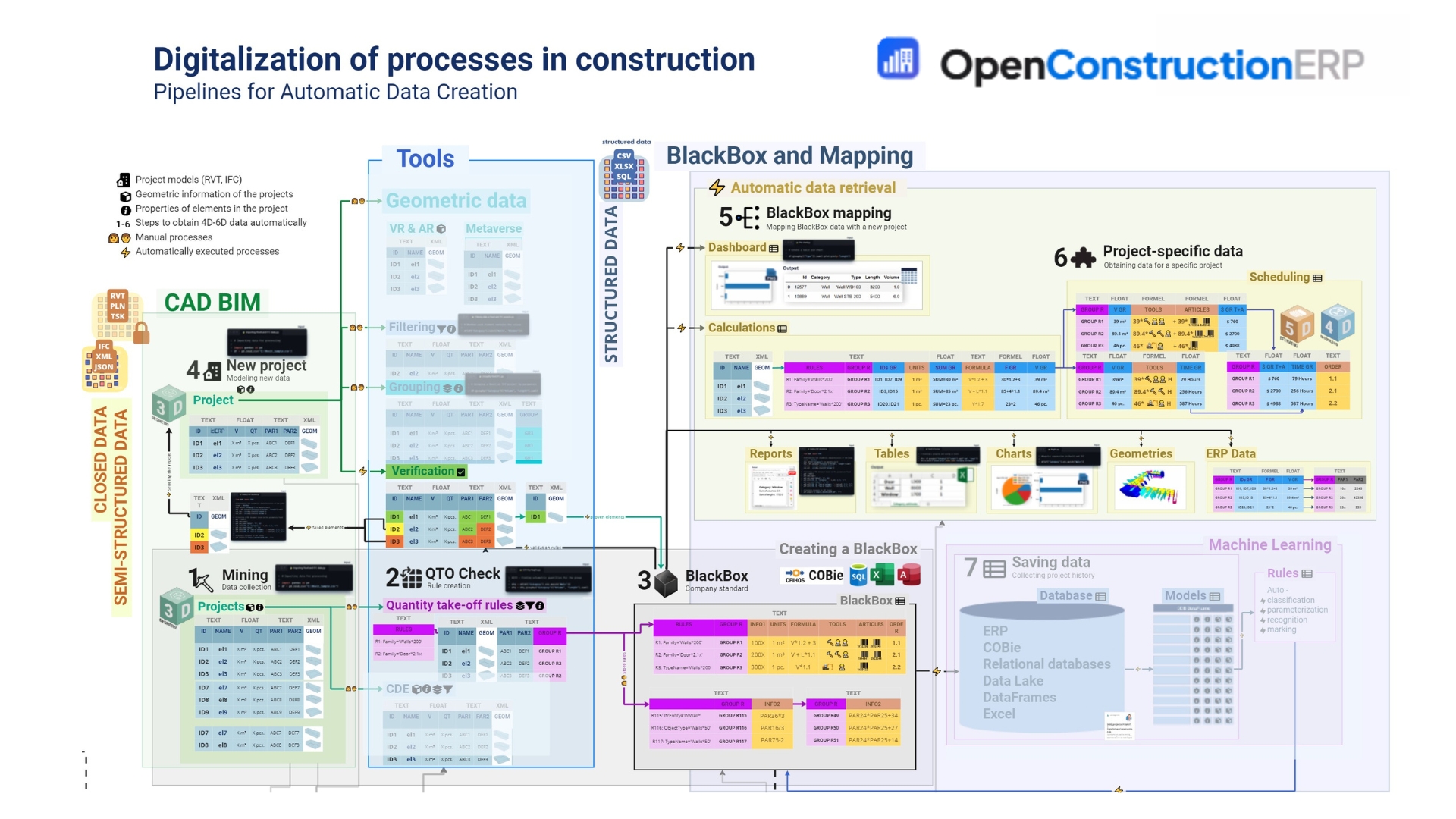
How the platform turns raw CAD/BIM into structured ERP data
OpenConstructionERP is built around seven cooperating pipelines that turn closed CAD/BIM files (RVT, IFC, DWG) into structured, queryable ERP data - without locking you into a proprietary stack. Every module in the platform plugs into one or more of these stages:
Mining - collect existing project data (CAD/BIM models, CDE drops, COBie deliverables) into a semi-structured pool. Handled by cad, documents, bim_hub, file_search modules + the DDC Converters 2.0 (RVT/IFC/DWG → canonical JSON).
QTO Check & Quantity Take-off rules - apply rule sets per discipline / family / type to extract quantities deterministically. Handled by takeoff, requirements, validation, and the rule editor in match-elements.
BlackBox (company standard) - codify your firm's classifications, formulas, unit factors and assembly recipes as a single canonical rule book (COBie / CFIHOS / SQL / Excel / Access). Handled by costs, assemblies, catalog, cost_intelligence.
New project modeling - apply the BlackBox to a fresh model: geometry → filtering → grouping → verification → BOQ. Handled by boq, projects, match-elements, clash.
BlackBox mapping - map a new project's raw element list onto the canonical rule book via vector + lexical + rule-based matchers. Handled by match-elements (7-stage pipeline) + AI Estimate.
Project-specific data (4D/5D/6D) - derive scheduling, cost, hours, ordering and environmental footprint per group. Handled by scheduling, advanced_schedule, 5d_planner, risk, carbon, hse.
Saving data & Machine Learning - persist project history into the database, data lake and ML models so each new project starts further ahead. Handled by analytics, bi_dashboards, ai_chat, cost_intelligence, and the rule-learning loop in clash and match-elements.
The right-hand side of the diagram is the automatic data retrieval layer that every UI surface (Dashboard, BOQ editor, /clash, /match-elements, /files, /scheduling) consumes: dashboards, calculations, reports, tables, charts, geometries, and ERP-ready exports - all driven from the same canonical store. The Machine-Learning column on the far right is where the platform progressively automates classification, parameterisation, recognition and marking, replacing manual steps () with automatic steps () over time.
Technical stack
Plain-text version (for screen readers or non-Mermaid renderers)
Measured on 6 November 2026 from the GitHub API, PyPI and pypistats.org.
1,268 stars
395 forks
16 watchers
78 contributors
305 releases
19.1.0 latest release
235 issues closed
49,094 PyPI downloads
Release downloads
GitHub release assets only, does not include pip install from PyPI, docker pull from GHCR, git clone, or direct downloads from openconstructionerp.com.
Stars
Every current stargazer on the day they starred, one step per day, with nothing smoothed or filled in between.
Support the Project
OpenConstructionERP is built by DataDrivenConstruction and shaped by feedback from users worldwide. If you find it useful:
OpenConstructionERP is shaped by the people who report bugs, request features, and ask the sharp questions that push the platform forward. We credit every one of them. For supply-chain security, we do not merge external pull requests - see CONTRIBUTING.md for how contributions work here.
AI suggestions produced by this software are preliminary estimates. A
qualified construction-estimation professional must verify all
quantities, classifications, and costs before any contractual or
tender-submission use. See NOTICE and TERMS.md §4.
Trademarks
All product names, logos, and trademarks referenced in this repository
are property of their respective owners. Any comparative references to
commercial categories or products are made for fair comparative purposes
based on publicly available information. OpenConstructionERP is an
independent project and is not affiliated with, endorsed by, or sponsored
by any third-party trademark owners. Full attributions in NOTICE.
Development and Contribution Model
We integrate all changes through one reviewed and tested development line to keep the many interconnected modules stable, secure and consistent, so the GitHub contributor list shows fewer names than the people who have shaped the project. See CONTRIBUTING.md for how to contribute.
License
AGPL-3.0 - see LICENSE. Third-party attributions in
NOTICE.
You can freely use, modify, and distribute this software. If you modify
and deploy it as a service, AGPL §13 requires you to make the
corresponding source code available under the same license.
For commercial licensing, which lifts the AGPL obligations on
OpenConstructionERP itself so you can deploy it closed-source, see
COMMERCIAL-LICENSE.md or contact
[email protected].
No dependency we ship is under the AGPL, so the commercial license
covers everything a closed-source deployment runs. Releases up to and
including 18.7.0 shipped PyMuPDF, which is AGPL; PDF reading now goes
through pypdfium2 (Apache-2.0 / BSD-3-Clause). Section 4a of that file
has the details.