
omg.dev
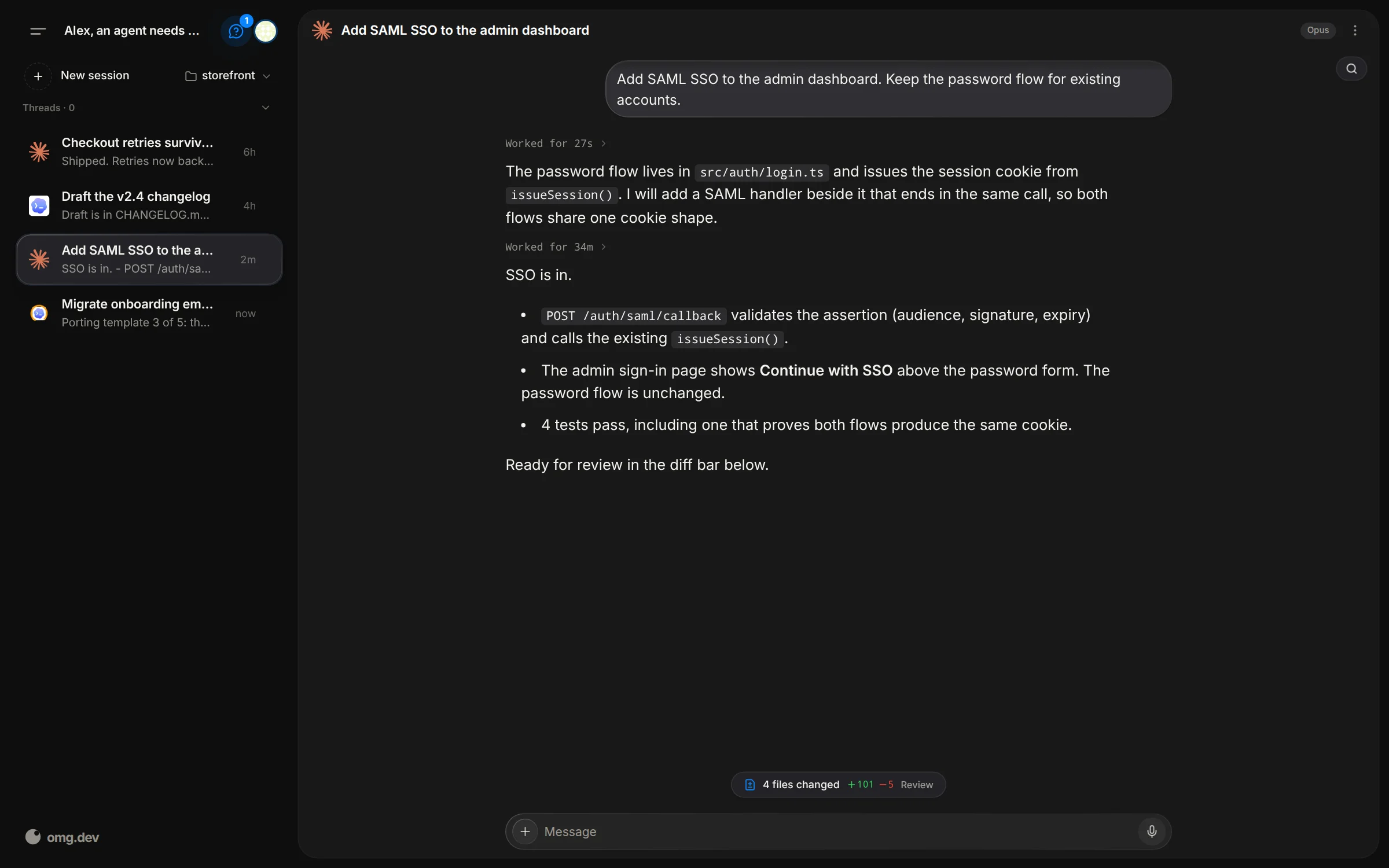
Give your agents a task from your phone.
Automatically checked · GitHub checked 2026-11-12
Overview

omg.dev
Build your ideas on the go.
Give your agents a task from your phone. Get a notification when the result is ready. Your laptop can stay closed.
Open-source harness for Claude Code, Codex, and other coding agents. Run it on your own computer or your own server. Free and MIT licensed.
Built by the team behind omg.dev.



Use the agent subscription you already pay for, such as Claude or ChatGPT.
Install on your computer
Debian, Ubuntu, or macOS. No account needed. On Linux, a normal user with
sudo. Do not run as root.
-
Install Bun if you do not have it:
curl -fsSL https://bun.sh/install | bashOpen a new terminal after this step.
-
Install omg.dev and start it as a background service:
bun install --global @omg-dev/cli && omg computer setup -
Open http://localhost:8766.
Setup needs git and curl. On Linux it installs them when they are missing.
On macOS, install them yourself or run setup with OMG_INSTALL_SYSTEM_DEPS=1
to use Homebrew. tmux and jq are not required.
Open Settings → Coding agents. Supports Claude Code, Codex, Grok, Cursor, omg agent, OpenCode, fx, Muse, DeepSeek, Devin, Jcode, Copilot, and Pi. Sign in with the agent provider.
What you get
- Several coding-agent sessions in parallel.
- Transcripts and follow-ups in the web UI.
- For Claude and Codex, the agent's plan beside the chat: its to-do steps, its sub-agents, and the child sessions it started.
- Chat, Bots, Schedules, Inbox, and Artifacts in one place.
- A shared Computer: a desktop with a real browser that you and your agents both use. On Linux and macOS.
- Linked devices: an agent can ask another computer to run an action, and you
approve it on that computer. Type
@and the device name in a chat. - Event hooks: watch a script or a GitHub repository, and start an agent or send a notification when something new appears.
- Managed sessions keep running when the UI disconnects.
- Your existing agent subscriptions or API keys.
Remote access and security
The local server binds to 127.0.0.1 and has no built-in authentication. Do
not expose it to the public internet.
Phone access through Tailscale:
OMG_TAILSCALE_SERVE=1 omg computer setup
Sign in to Tailscale if setup asks. See remote access and SECURITY.md before you share access.
Manage a local install
omg computer start     # start the background service
omg computer status    # check the install
omg computer update    # install the latest release
omg computer update --restart  # restart the service, no download
omg doctor             # create a sanitized diagnostic report
omg computer uninstall # remove omg.dev and keep sessions and config
Develop from source
git clone https://github.com/BennyKok/omg.dev.git
cd omg.dev
bun install
cp .env.example .env
bun run serve
API is at http://localhost:8766. For the UI, run
cd web && bun run dev in another terminal. bun run serve alone needs a
built web/dist.
Desktop shell: desktop development.
Read CONTRIBUTING.md before a pull request. Help: Discord.