
OfficeIMO
MIT-licensed, COM-free .NET libraries for creating, reading, editing, converting, rendering, and extracting Office, PDF, email, OneNote, and text formats.
Automatically checked · GitHub checked 2026-11-16
Overview
OfficeIMO



OfficeIMO creates, edits, reads and converts Word, Excel, PowerPoint, PDF, Markdown and two dozen other document formats in .NET, without Microsoft Office or COM. New documents start from a theme, so a table, chart or slide looks finished without styling each element by hand.
PowerShell users get the same engines through PSWriteOffice, which lives in this repository.
Install
dotnet add package OfficeIMO
OfficeIMO brings Word, Excel, PowerPoint, PDF and Markdown, the conversions between them, OfficeConverter and the document reader. To keep a dependency small, reference only the packages you use.
Quick start
A Word report, an Excel table with a chart and a PowerPoint deck from the same data, each also saved as PDF:
using OfficeIMO;
using OfficeIMO.Excel;
using OfficeIMO.Excel.Pdf;
using OfficeIMO.PowerPoint;
using OfficeIMO.PowerPoint.Pdf;
using OfficeIMO.Word;
using OfficeIMO.Word.Pdf;

Sale[] sales = [new("North", 182_400m, 0.12), new("South", 141_900m, 0.08), new("West", 97_300m, -0.03)];

using (var report = WordDocument.Create("Sales.docx")) {
    report.AddHeading("Quarterly sales", level: 1);
    report.AddParagraph("Revenue by region for the third quarter.");
    report.AddTable(sales);
    report.AddChart(OfficeChartType.Column, sales, nameof(Sale.Region), nameof(Sale.Revenue));
    report.Save();
    report.SaveAsPdf("Sales.pdf");
}

using (var book = ExcelDocument.Create("Sales.xlsx", new ExcelCreateOptions { Theme = OfficeTheme.Modern })) {
    ExcelSheet sheet = book.AddSheet("Sales");
    sheet.AddTable(sales, new OfficeTableOptions { Name = "Sales" });
    sheet.AddChart(OfficeChartType.Column, sales, nameof(Sale.Region),
        new ExcelChartOptions { Title = "Revenue by region", Row = 2, Column = 6 }, nameof(Sale.Revenue));
    book.Save();
    book.SaveAsPdf("Sales-workbook.pdf");
}

using (var deck = PowerPointDocument.Create("Sales.pptx")) {
    deck.AddSlide().AddTitle("Quarterly sales");
    PowerPointSlide chartSlide = deck.AddSlide();
    chartSlide.AddTitle("Revenue by region");
    chartSlide.AddChart(OfficeChartType.Column, sales, nameof(Sale.Region), new PowerPointChartOptions {
        Left = OfficeLength.Centimeters(2.3), Top = OfficeLength.Centimeters(5.5),
        Width = OfficeLength.Centimeters(29), Height = OfficeLength.Centimeters(12)
    }, nameof(Sale.Revenue));
    deck.Save();
    deck.SaveAsPdf("Sales-deck.pdf");
}

record Sale(string Region, decimal Revenue, double Growth);
Every format follows the same shape:
| Job | API |
|---|---|
| Create, load and save | {Format}Document.Create(path), Load(path), Save(), Save(path), SaveAsync(stream) |
| Add content | AddHeading, AddParagraph, AddTable(rows), AddChart(type, rows, category, values), AddImage; each returns what it created |
| Write another format | doc.SaveAsPdf(path), doc.SaveAsHtml(path); returns an OfficeConversionReport |
| Convert in memory | doc.ToMarkdown(), markdown.ToWord() |
| Convert files or folders | OfficeConverter.Convert(input, output), OfficeConverter.ConvertAsync(files, outputDirectory, target) |
| Read for search or AI | OfficeDocumentReader from OfficeIMO.Reader.All |
Conversions report what the target could not carry. report.HasLoss and report.ThrowIfLoss() check it; FailOnLoss in the conversion options turns loss into an error.
Themes
OfficeTheme carries the palette, fonts, type scale, table and chart styles. The built-in themes are Modern (the default), Classic, Minimal, Boardroom and Dark. Loading an existing document never restyles it.
Colors can name theme roles instead of literal values, so output follows the theme:
using OfficeIMO;

OfficeColor brand = OfficeColor.Accent1;
OfficeColor alert = OfficeColor.Danger;
OfficeLength margin = OfficeLength.Centimeters(2.5);
Convert files and folders
using OfficeIMO;

OfficeConversionReport report = OfficeConverter.Convert("Sales.docx", "Sales-copy.pdf",
    new OfficeConversionOptions { FileConflictPolicy = OfficePublicationPolicy.Replace });
Console.WriteLine($"{report.Target}: {report.Diagnostics.Count} diagnostics");

OfficeBatchReport batch = await OfficeConverter.ConvertAsync(
    Directory.EnumerateFiles("Reports", "*.docx"),
    outputDirectory: "Pdf",
    target: OfficeDocumentFormat.Pdf,
    new OfficeBatchOptions { MaxParallelism = 4, ConflictPolicy = OfficePublicationPolicy.Replace });
Console.WriteLine($"{batch.Summary.Completed} converted, {batch.Summary.Failed} failed");
OfficeConverter refuses to replace an existing output unless the conflict policy says so. A batch reports every file and can resume an interrupted run from a checkpoint (OfficeBatchOptions.ResumeFrom, which needs the default Fail policy).
Packages
Install a format package for that format alone. Conversion adapters are named OfficeIMO.{Source}.{Target} and bring only the two engines they join.
| Format | Package | Document type | Common adapters |
|---|---|---|---|
Word .docx, .doc | OfficeIMO.Word | WordDocument | .Word.Pdf, .Word.Markdown, .Word.Html, .Word.Rtf, .Word.OpenDocument |
Excel .xlsx, .xls | OfficeIMO.Excel | ExcelDocument | .Excel.Pdf, .Excel.Html, .Excel.Csv, .Excel.OpenDocument |
PowerPoint .pptx, .ppt | OfficeIMO.PowerPoint | PowerPointDocument | .PowerPoint.Pdf, .PowerPoint.Html, .PowerPoint.OpenDocument |
| OfficeIMO.Pdf | PdfDocument | .Pdf.Word, .Pdf.Excel, .Pdf.PowerPoint, .Pdf.Ocr | |
| Markdown | OfficeIMO.Markdown | MarkdownDocument | .Markdown.Pdf, .Markdown.Html |
| HTML | OfficeIMO.Html | HtmlDocument | .Html.Pdf, .Html.Rtf |
Visio .vsdx | OfficeIMO.Visio | VisioDocument | .Visio.Pdf |
Project .mpp, .xml | OfficeIMO.Project | ProjectDocument | |
Access .accdb, .mdb | OfficeIMO.Access | AccessDocument | |
OneNote .one | OfficeIMO.OneNote | OneNoteSection | .OneNote.Markdown, .OneNote.Html, .OneNote.Pdf |
Email .eml, .msg, .pst | OfficeIMO.Email | .Email.Html, .Email.Image | |
| RTF | OfficeIMO.Rtf | RtfDocument | .Rtf.Pdf, .Rtf.Markdown |
OpenDocument .odt, .ods, .odp | OfficeIMO.OpenDocument | .OpenDocument.Odt.Pdf, .Ods.Pdf, .Odp.Pdf | |
| EPUB | OfficeIMO.Epub | EpubDocument | .Epub.Image |
| CSV | OfficeIMO.CSV | .Excel.Csv | |
| YAML | OfficeIMO.Yaml | YamlDocument | .Yaml.Configuration |
| TOML | OfficeIMO.Toml | TomlDocument | .Toml.Configuration |
| Apple Pages, Numbers, Keynote | OfficeIMO.IWork | .Word.IWork, .Excel.IWork, .PowerPoint.IWork | |
| AsciiDoc, LaTeX | OfficeIMO.AsciiDoc, OfficeIMO.Latex | .Markdown, .Pdf | |
| Publisher, XPS, DjVu, CHM, DocBook, OPML | OfficeIMO.Publisher, OfficeIMO.Xps, OfficeIMO.DjVu, OfficeIMO.Chm, OfficeIMO.DocBook, OfficeIMO.Opml | .Pdf where listed |
Shared and cross-format packages:
| Need | Package |
|---|---|
| Theme, colors, lengths, charts, drawing and image export used by every format | OfficeIMO.Core |
| File-to-file and batch conversion across every registered route | OfficeIMO (OfficeConverter) |
| Read, search and chunk any format for indexing and AI ingestion | OfficeIMO.Reader.All, or one OfficeIMO.Reader.{Format} |
| OCR for scanned pages and images | OfficeIMO.Ocr, OfficeIMO.Ocr.Tesseract, OfficeIMO.Pdf.Ocr |
| Certificate signatures for Word, PDF and email | OfficeIMO.Security |
| Print any convertible document to installed queues or IPP printers on Windows, macOS and Linux, with sheet preview and job tracking | OfficeIMO.Workflows |
| Snapshot tests for generated PDFs | OfficeIMO.Pdf.Testing |
| ZIP, CAB, MSI, TAR and gzip extraction; reproducible ZIP, TAR and gzip creation | OfficeIMO.Archives |
| Google Docs, Sheets, Slides and Drive | OfficeIMO.GoogleWorkspace |
| Confluence pages | OfficeIMO.Confluence |
| Electronic invoices | OfficeIMO.Invoicing |
The package catalog lists every package, what each one covers and its third-party dependencies. The generated operation contract shows each package's supported operations.
Tools
- PSWriteOffice: PowerShell commands for every format, from
Install-Module PSWriteOffice. - OfficeIMO.Tool: the
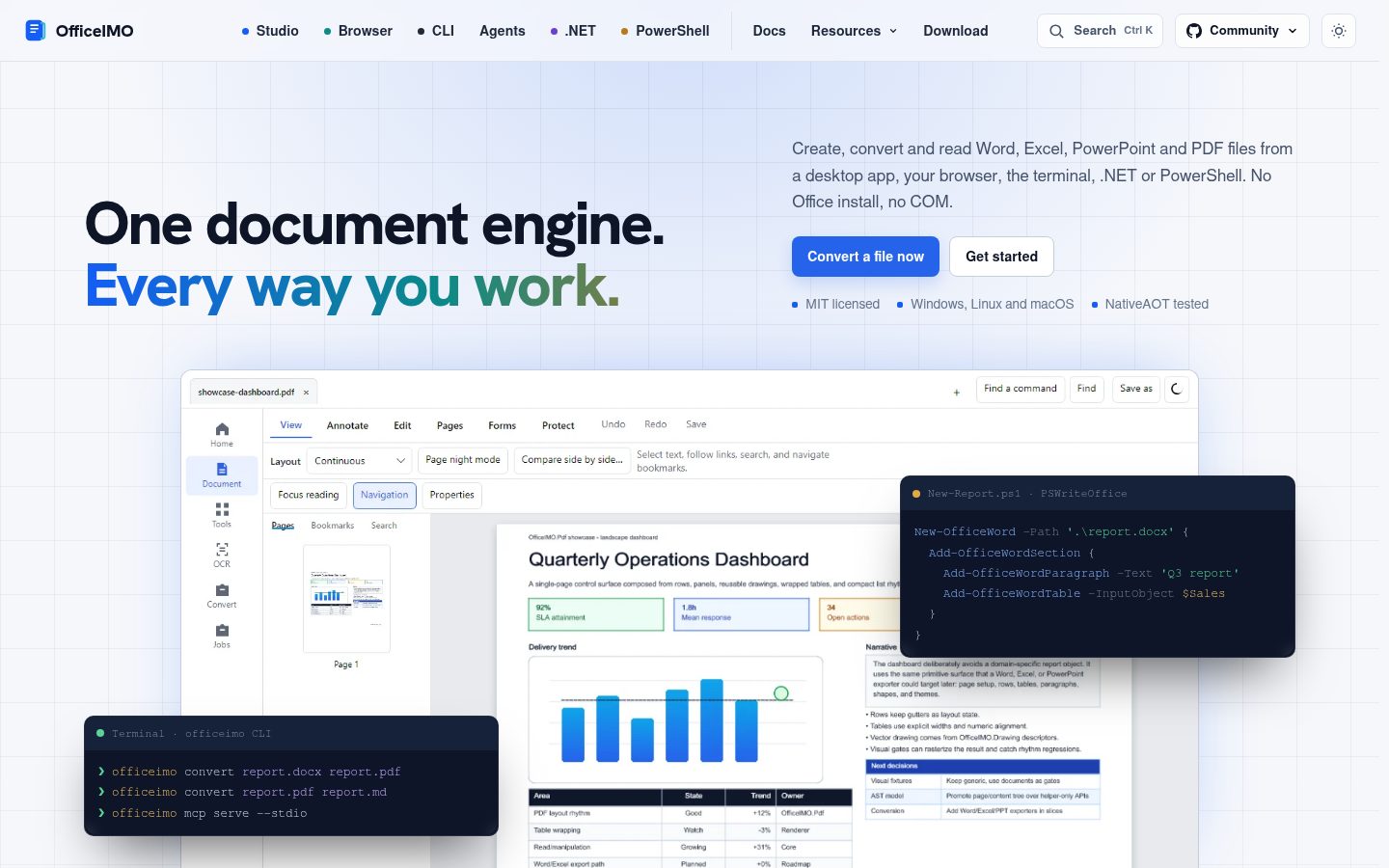
officeimocommand line, fromdotnet tool install --global OfficeIMO.Tool. It also serves conversions, extraction and search to AI agents over MCP; the Document Tools plugin installs it in Claude Code, Codex, VS Code and Cursor. - OfficeIMO Studio: an app for reading, marking up, filling, converting, protecting and signing documents on Windows and Linux (README), with native Mac, iPad and iPhone apps in development (README).
Platforms
Every library targets netstandard2.0, net8.0 and net10.0; Windows builds also target net472, so .NET Framework applications get the same routes. A few packages that depend on modern-only runtimes, such as OfficeIMO.Tool, OfficeIMO.AI and OfficeIMO.Odbc, target modern .NET only; their READMEs say so.
OfficeIMO runs on Windows, macOS and Linux, in services, containers and build agents. It does not automate Office applications. Word, Excel and PowerPoint use the Open XML SDK for package mechanics and HTML uses AngleSharp for parsing. The PDF, Markdown, RTF, OpenDocument, OneNote, email and other engines are OfficeIMO's own code; the package catalog lists every third-party dependency.
Keep every OfficeIMO package in an application on the same version.
Documentation
- Migration guide: what changed in 3.6 and how to update code and scripts.
- Documentation index: guides, support matrices and evidence.
- Examples: runnable examples for every package.
- API design: the naming, lifecycle and conversion rules every package follows.
- Roadmap and GitHub Releases.
Report bugs and request features in OfficeIMO issues, for the libraries and PSWriteOffice alike.
Sponsors
If OfficeIMO saves you time, please consider supporting the work through GitHub Sponsors or PayPal.


License
MIT. See LICENSE.