
netcap
A framework for secure and scalable network traffic analysis - https://netcap.io
Automatically checked · GitHub checked 2026-11-13
Overview
Documentation · Releases · First capture


Netcap (NETwork CAPture) converts live traffic and PCAP/PCAPNG files into structured Protocol Buffer audit records for security monitoring, forensic analysis and dataset preparation. The net CLI combines concurrent packet/stream decoding, investigation tools and a local web UI.
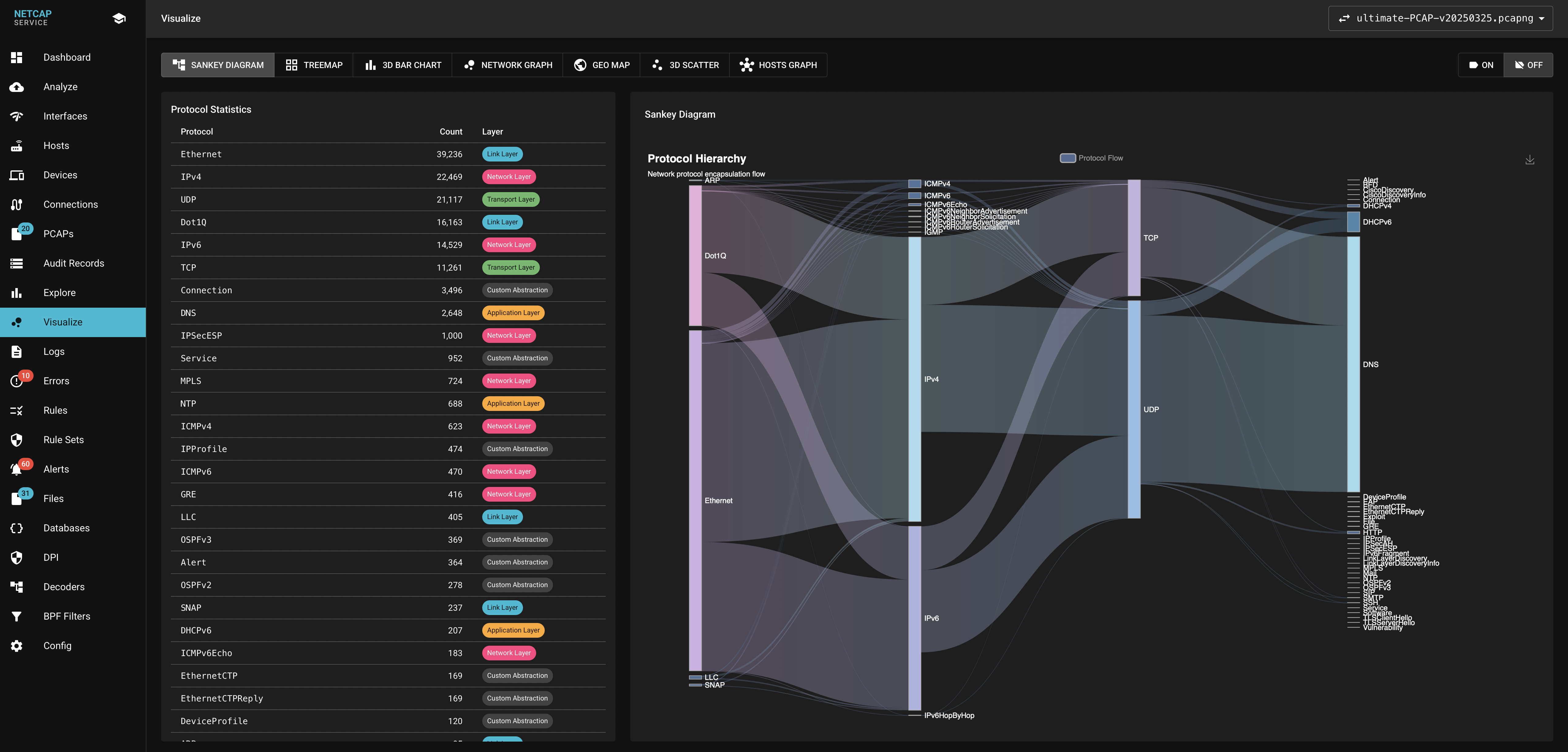
Protocol hierarchy in the web UI — more screenshots
Features
| Capability | Summary and details |
|---|---|
| Protocol analysis | Packet decoding and stream reassembly for network, application and OT/ICS protocols, including HTTP, TLS, DNS, SMB and S7Comm. Coverage and limits; record schema. |
| Analyst web UI | Record browsing, filters, protocol/host visualizations, alerts and investigation workspaces. Web interface. |
| Security analysis | JA4 TLS ClientHello fingerprints (JA4+ requires an opt-in source build under separate terms), credential harvesting, file extraction, optional YARA-X scanning and Magika classification, plus software/CVE enrichment. TLS, credentials, files, vulnerabilities. |
| Detection rules | YAML expressions, thresholds and sequences over audit records, including OT/ICS hunts. Rule engine; S7 hunting. |
| Enrichment | DNS, GeoIP/ASN and MAC vendor lookups, with optional native DPI. Resolvers, DPI, database sources and updates. |
| Output and integrations | Protocol Buffers, CSV/JSON, Elasticsearch, Prometheus/Grafana, Maltego and Suricata/custom dataset labels. Export, Elasticsearch, metrics, Maltego, labeling. |
| Distributed capture | Remote agents deliver audit records over mutually authenticated TLS with acknowledgments and reconnects. Distributed collection; sealed offline sensor bundles. |
| AI-agent access | Stdio MCP server for capture analysis and investigation. MCP guide. |
Network detections
Capture-time scans, DNS anomalies, periodic connections and application-policy observations run alongside YAML rules. Network detections explains thresholds, indicator configuration and coverage; a match alone does not establish compromise.
Hunting evidence
DNS transaction timing, DCE/RPC operations, connection byte ratios and capture-derived host/account identities support investigation. Use net triage and the record definitions to inspect observations and their qualifications.
Evidence linking
Related-record timelines, hashed packet-subset exports, retained packets/streams and capture-health manifests preserve investigation context. Check scope, gaps and unavailable counters before drawing conclusions; DNS-to-connection links remain candidates. Evidence guide.
Behavioral monitoring
Opt-in device/service discovery and traffic models detect changes against an explicitly approved baseline, scoped by sensor, interface and VLAN. Learning does not grant trust. Baseline lifecycle and walkthrough.
Quick Start
Install a release archive using the installation guide, then analyze an existing capture into a fresh output directory:
net --version
net capture -read traffic.pcap -out analysis -dpi=false -geoDB=false
net triage -read analysis

# Analyze again and keep the local web UI running
net capture -read traffic.pcap -out browser-audit -dpi=false -geoDB=false \
  -http 127.0.0.1:8080
Open http://127.0.0.1:8080 and sign in at /auth with the per-run token printed in the terminal as Local Web UI access token: …. Keep tokens out of URLs. First capture covers recording traffic and exporting records; live capture and service mode cover other entrypoints.
Capture archives support Linux libc/musl, macOS (DPI: 26+, nodpi: 15+) and Windows amd64 nodpi. Windows offline analysis without BPF needs no Npcap driver; live capture and BPF filtering require Npcap and remain unqualified. Keep bundled runtimes with the executable. Installation covers platform limits and source builds, including UI assets and native dependencies.
Subcommands
Run net COMMAND -h for installed options or browse the command guide.
Investigation tools
net investigate provides bounded flow rankings, NetFlow/IPFIX/sFlow collection and queries, packet evidence and controlled protocol experiments. Flow analysis, file-transfer walkthrough and protocol experiments cover the workflows. Qualification tests cover declared fixtures and limits, not arbitrary traffic or hardware.
Application firewall
netcap-firewall is a separate, CGO-free executable for a reverse-proxy WAF, protocol gateways, policy/fleet control and optional Linux packet enforcement. Standalone release archives target Linux amd64/arm64 and contain no capture runtime; the full CLI exposes the same commands under net firewall. The capture decoder-policy bridge evaluates decoded records after the fact. See the firewall quickstart and deployment modes.
Docker
Use the container guide for matched native builder/runtime images and service mode; Dockerfiles live in docker/.
Documentation
| Start here | Reference |
|---|---|
| User guide | Local documentation index |
| Releases | Changelog and migration |
| Original thesis | DeepWiki |
Contributing
See contributing, macOS development and testing. Use the bug report template when reporting a problem.
License
Netcap's public Go source is GPL-3.0-or-later, a strong-copyleft license. LICENSE and the license guide cover source, native-runtime and dataset boundaries, optional JA4+ terms and the separately negotiated commercial alternative.