
nanocl
Work in progress distributed system that simplifies the orchestration of containers and virtual machines.
Automatically checked · GitHub checked 2026-11-12
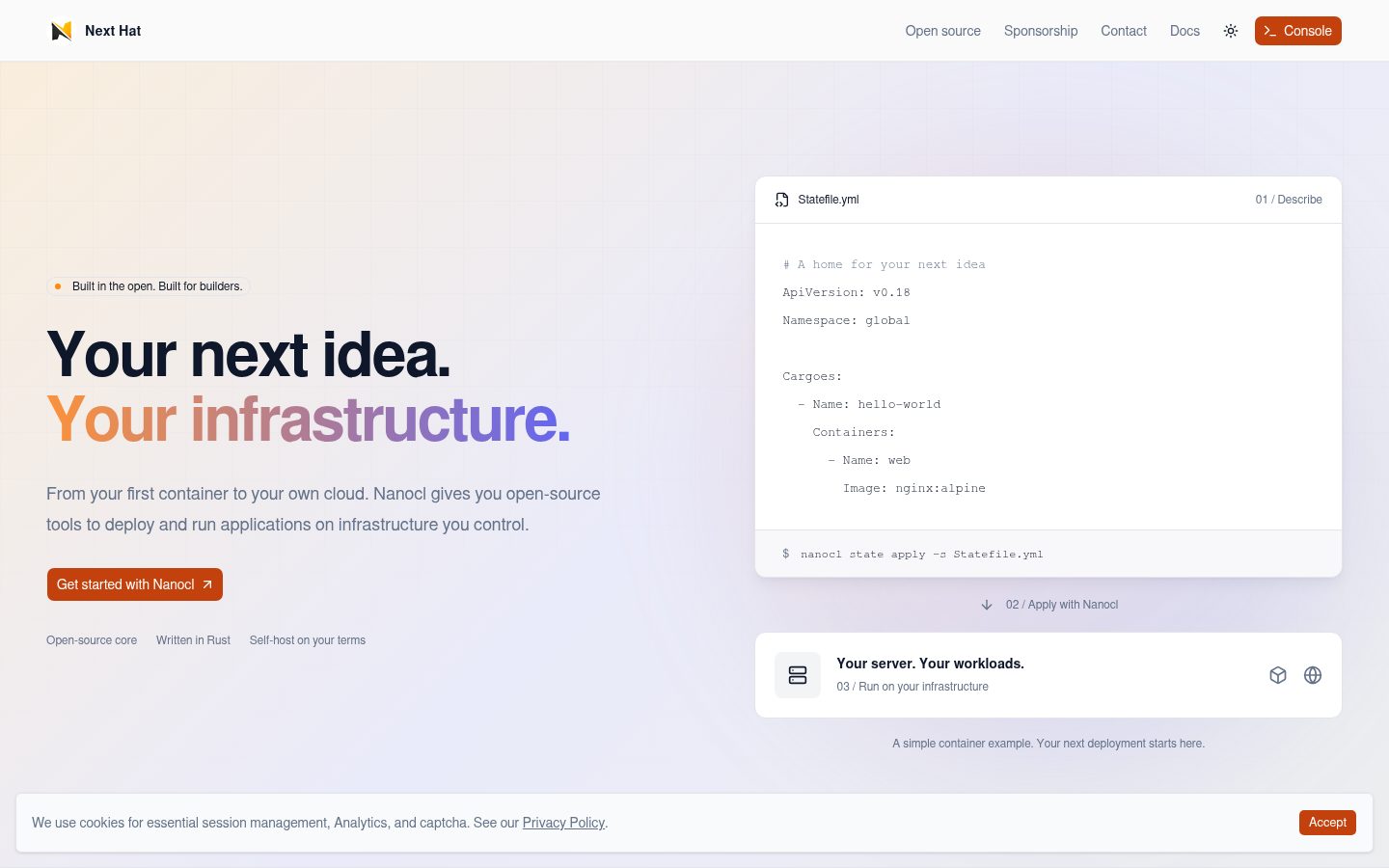
Overview

Nanocl
Containers and virtual machines. One declarative workflow.
Define your workloads, networking, and secrets in a Statefile.
Deploy and manage them on infrastructure you control.
Quick start · Documentation · Registry · Examples · Discord


Nanocl is an open-source container and virtual machine orchestrator written in Rust. It brings application containers, VMs, jobs, routing, and secrets into one CLI and a declarative configuration format, with Docker as its container runtime.
Use it for self-hosted applications, homelab services, or development environments where you want to keep deployment configuration in Git and operate your own infrastructure.
Why Nanocl?
- Describe the whole deployment. Keep workloads, proxy rules, and secrets together in YAML, TOML, or JSON Statefiles. Apply changes with
nanocl state apply. - Bring your container images. Group named application containers into a Cargo, with ordered init containers and a replica count.
- Go beyond containers. Manage virtual machines, one-off jobs, and scheduled tasks through the same CLI.
- Connect your services. Configure HTTP/TCP routing, TLS, and service DNS through the
ncproxyandncdnscontrollers. - Reuse your configuration. Statefile arguments, templates, and SubStates let you adapt deployments across environments and compose larger applications.
Nanocl uses its own API and Statefile format. Start with the single-node workflow below, then explore the concepts and architecture.
Like the direction? Give Nanocl a ⭐ to bookmark it and help others discover the project.
Quick start
Deploy an NGINX web server and open it in your browser. This example targets the v0.18 API and uses a local Nanocl installation with Docker running and port 8080 available.
1. Install Nanocl
On Linux or macOS, install the CLI:
curl -fsSL https://download.next-hat.com/scripts/get-nanocl.sh | sh
Open a new terminal and complete the socket-access setup in the post-installation guide. Then install the Nanocl components:
nanocl install
For platform requirements and other installation methods, see the installation guide. Windows users should follow the Windows guide; native Windows support is experimental and WSL is recommended.
2. Describe your application
Save this as Statefile.yml:
ApiVersion: v0.18
Namespace: global

Cargoes:
  - Name: hello-nanocl
    PortBindings:
      "80/tcp":
        - HostIp: "127.0.0.1"
          HostPort: "8080"
    Containers:
      - Name: web
        Image: docker.io/library/nginx:alpine
A Cargo describes a group of application containers. This one runs NGINX and publishes its HTTP port on your machine's loopback address.
3. Deploy and open it
nanocl state apply -s Statefile.yml
nanocl cargo ls --namespace global
Once the container is running, open http://127.0.0.1:8080. You should see the NGINX welcome page. You can also check the response and view the logs:
curl http://127.0.0.1:8080
nanocl cargo logs global.hello-nanocl
Existing Cargoes and VMs are addressed as namespace.name, such as global.hello-nanocl. To change this deployment, edit the Statefile and run nanocl state apply again.
4. Clean up
nanocl state rm -s Statefile.yml
Next: follow the getting-started guide or explore the examples below.
Build something useful
Start with a real application. The Nanocl Registry is a collection of ready-to-use Statefiles and real-world deployment examples. Browse the catalog, choose a deployment, and follow its instructions to adapt it to your infrastructure.
Try Uptime Kuma for monitoring, Jellyfin for a media server, or Vaultwarden for password management.
| You want to… | Start here |
|---|---|
| Route a domain to your application | Proxy rule example |
| Configure HTTPS | TLS deployment example |
| Run a scheduled task | Cron job example |
| Run a virtual machine | VM Statefile · VM command reference |
| Pass environment secrets to containers | Deployment with environment secrets |
| Reuse deployment configuration | Statefile arguments · SubStates |
Examples declare their own ApiVersion; check it against your installed version and supply any required domain, certificate, or VM image.
Browse all examples, the CLI reference, or the daemon API reference.
How it works
The nanocl CLI sends requests to nanocld, which manages workloads through Docker and stores their configuration in nstore. Networking controllers provide proxy and DNS configuration.
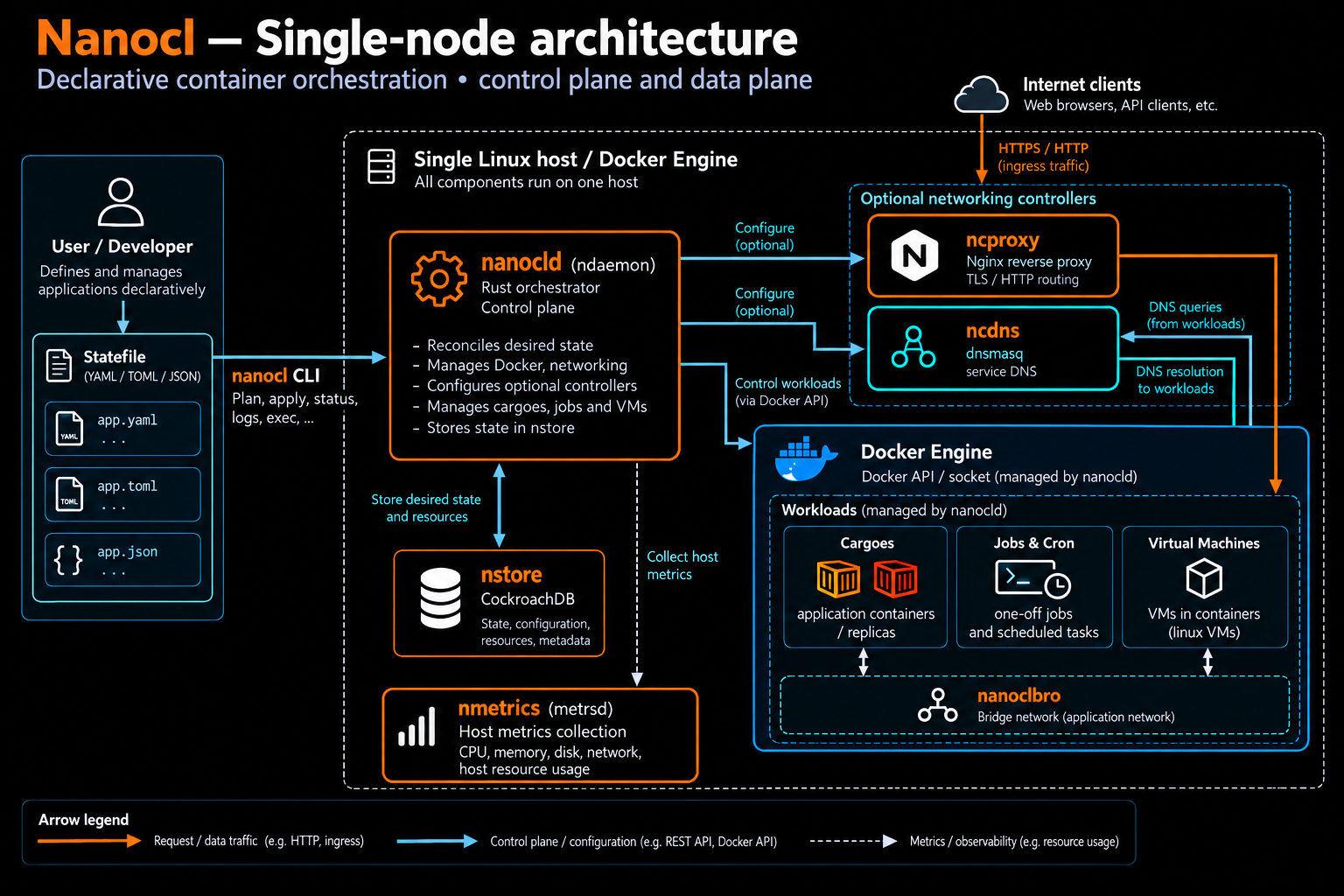
| Component | Role |
|---|---|
nanocl | CLI for deploying and managing workloads |
nanocld (ndaemon) | REST API and orchestration daemon |
nstore | Persistent cluster state in CockroachDB |
nmetrics | Resource usage collection |
ncproxy | Proxy controller with an embedded NGINX data plane |
ncdns | DNS controller with an embedded dnsmasq data plane |
Project status
Nanocl is actively developed. This repository's nightly branch includes work for v0.19; the quick start above uses the v0.18 configuration format. Check the releases and changelog for version-specific changes.
Have a use case, a rough edge, or a feature idea? Open an issue or join Discord and help shape what comes next.
Contribute and support
Bug reports, documentation improvements, examples, and code contributions are all welcome. The contribution guide explains how to set up a development environment; the Code of Conduct applies to our community.
- Build with us: report a bug or suggest a feature, or contribute to the documentation.
- Talk with us: get help and share what you are building on Discord.
- Fund development: support the project through GitHub Sponsors.
- Help people find Nanocl: star the repository or share it with someone building their own infrastructure.
Report vulnerabilities privately using the security policy.
License
Dual licensed under MIT or Apache 2.0, at your option.