
moeshift
Memory efficient and high performance Mixture-of-Experts inference for Apple Silicon
Automatically checked · GitHub checked 2026-11-14
Overview
MoEShift
Run a local language model that’s bigger than your Mac’s memory.
On Apple Silicon, MoEShift keeps the full model on your SSD and reads the parts it needs as it works. That leaves more memory for the editor, browser and other apps you use alongside your local assistant.
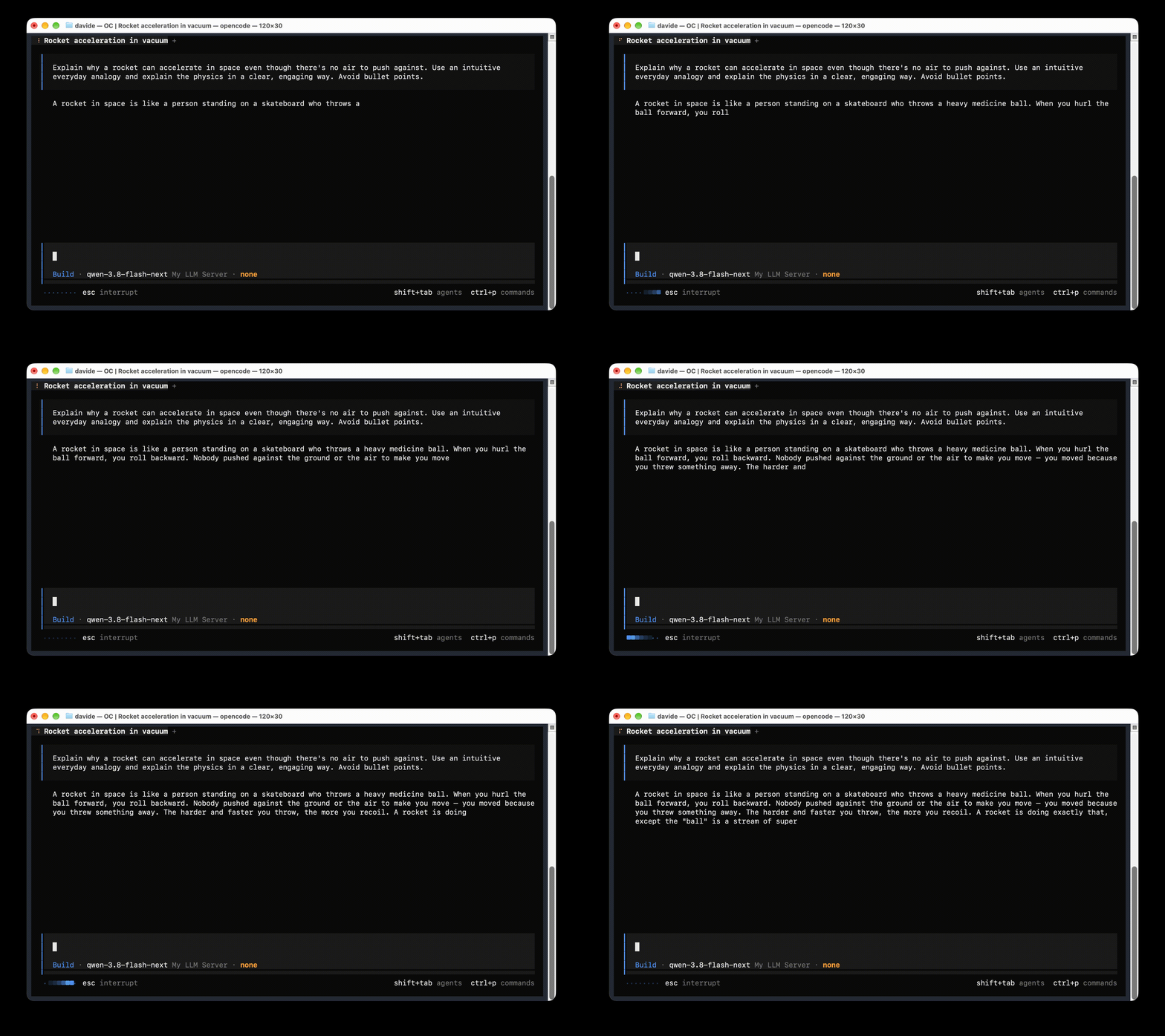
On a MacBook Pro with an M5 Pro and 24 GB of memory, Qwen 3.8 Flash Next (125B) generated about 15 tokens per second on a short prompt and 13 on a long prompt. MoEShift’s reported peak memory use was about 8.5 GB, with Safari, Teams and IntelliJ open.
Use MoEShift with OpenCode or another OpenAI-compatible client.
Requirements
You need an Apple Silicon Mac with at least 10 GB of RAM, a fast SSD and Homebrew. The benchmarks below used Macs with 24 GB and 32 GB of memory.
| Model in the setup wizard | Free SSD space needed |
|---|---|
| Qwen 3.8 Flash Next (125B) | 120 GB |
| Qwen3.6-35B-A3B (35B) | 61 GB |
Disk space includes both the downloaded model and the files MoEShift prepares for streaming.
Quick start
brew install davide-troiani/moeshift/moeshift
moeshift
On first launch, choose a model. MoEShift downloads it, prepares the files and starts a localhost server that handles one inference request at a time.
Configure your coding agent or API client with the OpenAI-compatible base URL
http://127.0.0.1:8080/v1 and the model ID for your preset.
| Model | Model ID |
|---|---|
| Flash Next (125B) | qwen-3.8-flash-next-rco-gsq-iq3-xxs |
| Qwen3.6 (35B) | qwen-3.6-35b-a3b-q6-xl |
Tested models and benchmarks
Qwen 3.8 Flash Next on M5 Pro
The 125B model (GSQ-RCO IQ3_XXS) ran on a MacBook Pro with 24 GB of unified memory, using the internal SSD and default MoEShift settings. The Mac was plugged in, with the user's usual apps open.
| Measurement | Short prompt | Long prompt |
|---|---|---|
| Input tokens | 72 | 6,060 |
| Prompt processing | - | 374.15 tok/s |
| Text generation | 14.69 tok/s | 13.14 tok/s |
| Wall time for a 512-token reply | 36.71 s | 55.13 s |
Each column shows the median of three runs after one warmup, with prompt caching disabled. Peak process memory was measured separately at approximately 8.5 GB. Source and test conditions
Qwen3.6-35B-A3B on M5
The 35B model (UD-Q6_K_XL) ran on a MacBook Pro with an M5 chip and 32 GB of unified memory, using the internal SSD and default MoEShift settings. The Mac was plugged in, with a code editor open and a video playing in the background.
| Measurement | Short prompt | Long prompt |
|---|---|---|
| Input tokens | 72 | 6,060 |
| Prompt processing | - | 473.75 tok/s |
| Text generation | 16.07 tok/s | 14.94 tok/s |
| Wall time for a 512-token reply | 33.64 s | 47.09 s |
Each column shows the median of three runs after one warmup. Combined resident memory (RSS) for the router and worker peaked at approximately 7.7 GB. System swap stayed at 0 MB throughout the run. Source and test conditions
Configuration
To adjust memory use or conversation length, edit the JSON configuration and restart MoEShift. Configuration reference
The two presets above support SSD streaming. Other GGUF models load directly and have different memory requirements. Supported models · Architecture
Contributing
MoEShift is in alpha. If you hit a problem during setup or while using a model, open an issue. For fixes and pull requests, see the contributing guide.
Share a result from your Mac
Running a Mac with less than 24 GB? Tell us which model you tried, what else was open and how your Mac felt while it answered. Someone with the same Mac could use that information before downloading the model. Run the benchmark and share your result.
Credits and license
MoEShift builds on tc-mb/llama.cpp-omni, llama.cpp and ggml.
The setup wizard uses Qwen model files published by ISTA-DASLab and Unsloth.
Original Git history and copyright notices are retained. See LICENSE and the bundled third-party licenses. Model weights retain their own licenses.