
mimick
Immich client for Linux — background sync, library browser, album sync, and search. Built with RUST and GTK4, Adwaitaa
Automatically checked · GitHub checked 2026-11-13
Overview
Mimick - Immich Desktop Client for Linux









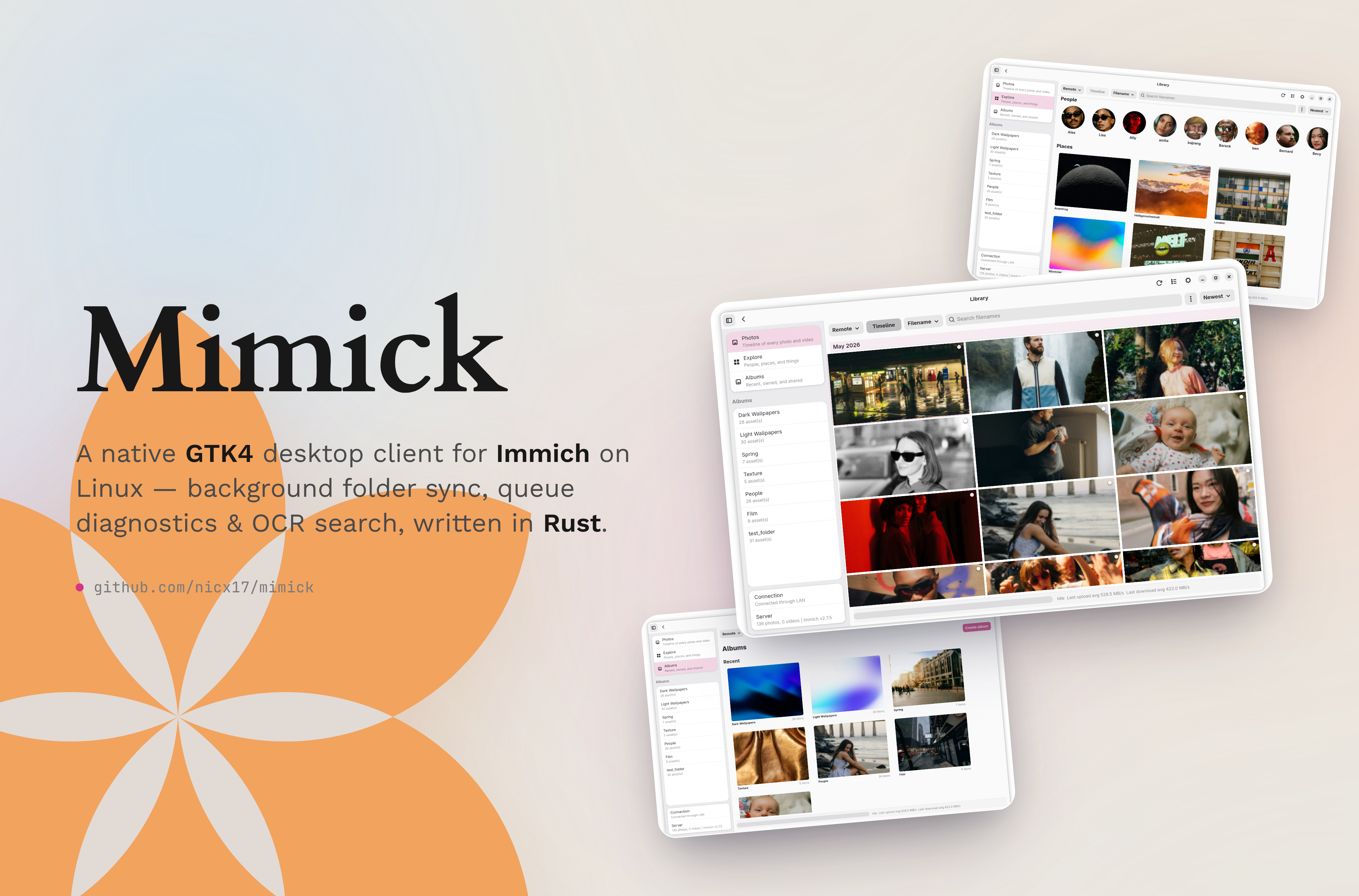
Mimick is an unofficial Immich desktop client for Linux. It syncs your photo and video folders to a self-hosted Immich server in the background, and has an optional library browser for viewing, searching, and managing your photos from the desktop.
This is a community-developed project and is not affiliated with or endorsed by the Immich project.
Status: Supports Immich v3.0.0+.
Table of Contents





Screenshots
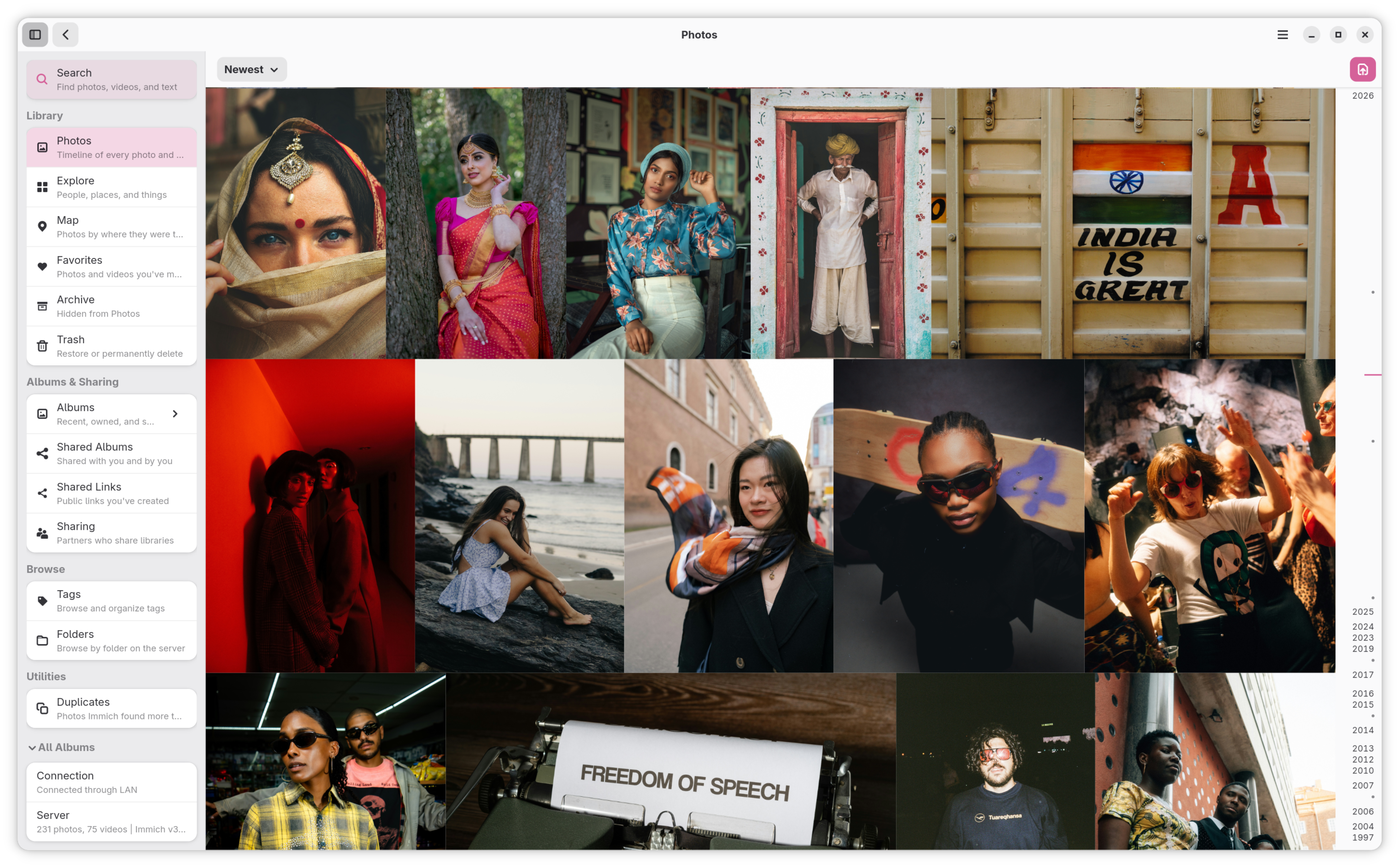
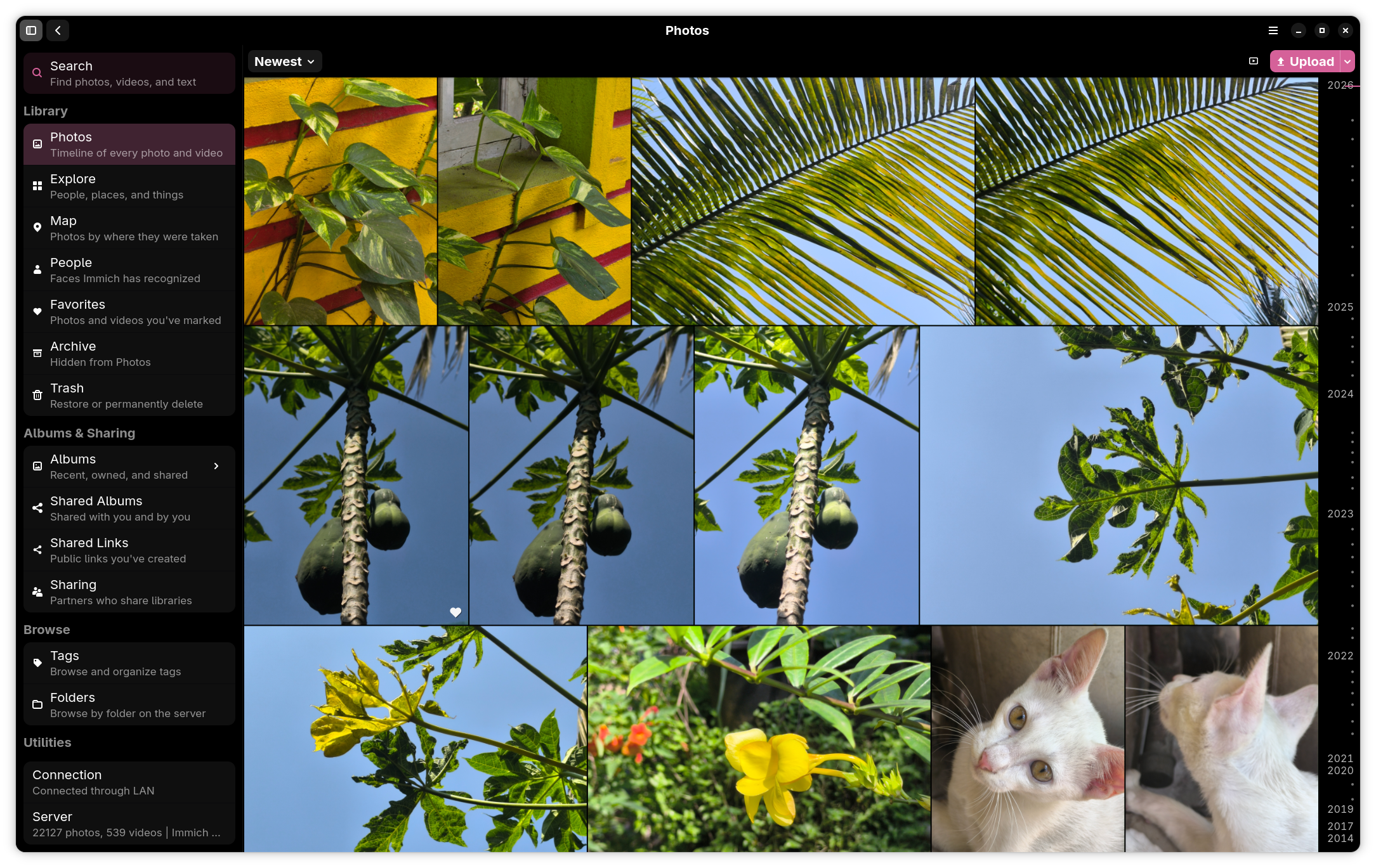
| Library View (Light) | Library View (Black) |
|---|---|
 |  |
| Explore View | Sync Status Dashboard |
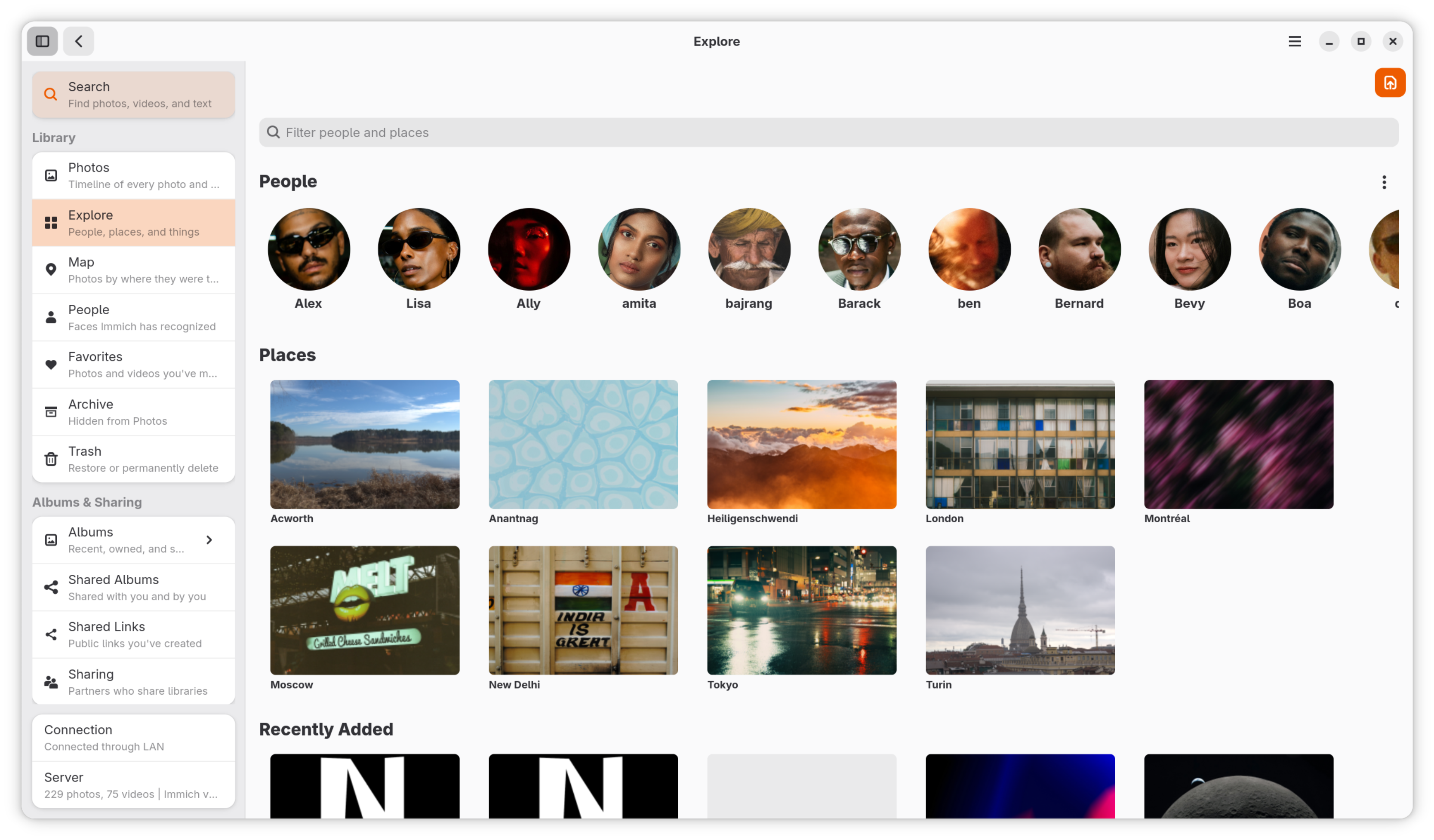 | 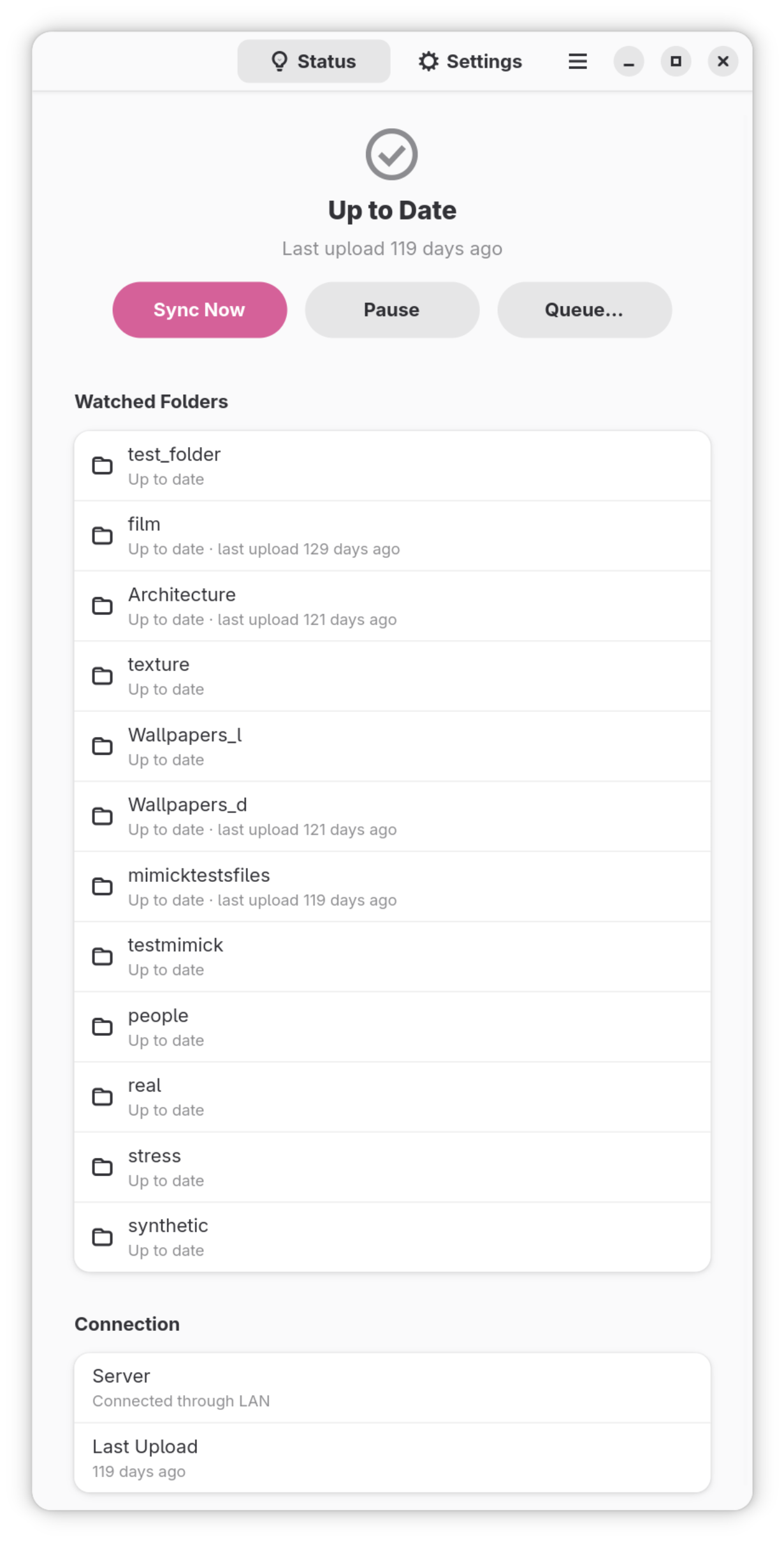 |
| Settings & Watch Folders | Mobile View (Phone) |
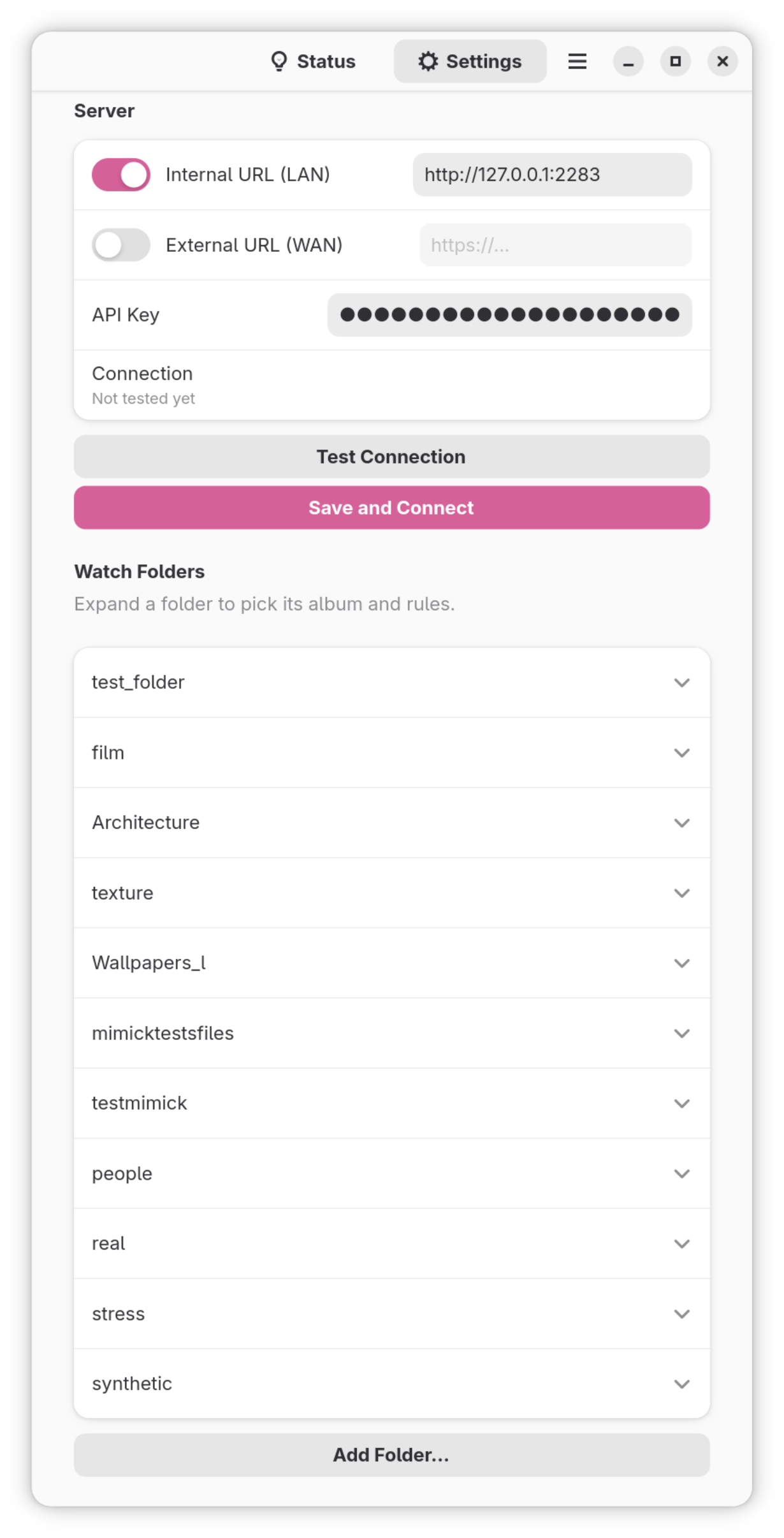 | 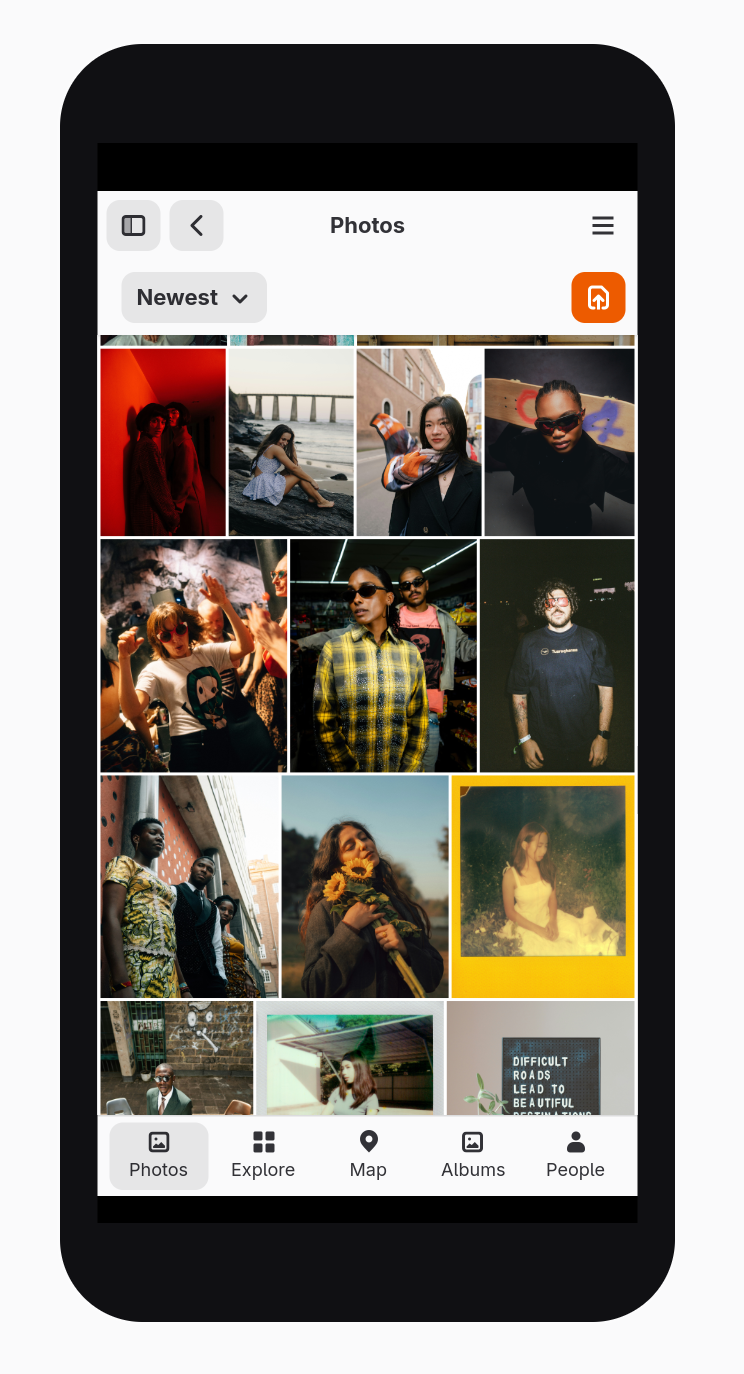 |

Features
- Background sync: watches your folders and uploads new photos and videos as they appear, with 1–10 parallel uploads.
- No duplicate uploads: SHA-1 checksums skip files already on the server, and a local index keeps startup scans fast.
- Per-folder control: upload to your library, a chosen album, or an album named after the folder. Each folder can skip hidden files, cap file size, allow only some file types, and use Upload Only, Download Only, or Full sync.
- Reliable: failed uploads are saved and retried, Mimick switches between your LAN and WAN addresses automatically, and the Queue Inspector shows and retries failures.
- Battery and network aware: quiet hours, and optional pausing on metered networks or battery power.
- Desktop integration: tray icon, Run on Startup, Open With Mimick from your file manager, and drag and drop to upload or export.
- Private by design: the Flatpak can only read folders you pick, and your API key is kept in the system keyring.
- Library browser (optional): a Photos timeline, albums, Explore, metadata, smart, and text (OCR) search, people, tags, folders, a map, video playback, sharing, archive, and trash.
- Works on Linux phones: the layout adapts down to 360 px wide, with a bottom navigation bar.
See Current App Highlights for the full list, and the Library View User Guide for the browser (or press Ctrl+? in the app for shortcuts).
Installation
Flathub (recommended)
Flathub keeps Mimick updated automatically:
flatpak install flathub dev.nicx.mimick
Note: If you haven't set up Flathub yet, follow the guide for your distribution at flathub.org/setup.
Arch Linux (AUR)
A native build of the latest release, installed with an AUR helper such as yay or paru:
yay -S mimick
AppImage
Each release includes an AppImage for x86_64 and aarch64 that runs without installing anything:
chmod +x Mimick-*.AppImage
./Mimick-*.AppImage
See Installation for details on each method.
Getting Started
The settings window opens the first time you launch Mimick.
- Under Server, enter your Immich Internal URL (LAN, e.g.
http://192.168.1.50:2283), External URL (e.g.https://photos.example.com), or both. - In Immich, create an API key under Account Settings → API Keys, paste it into Mimick, and press Save and Connect.
- Under Watch Folders, press Add Folder… and choose where each folder uploads to.
- Turn on Background Sync to keep syncing after you close the window, and Run on Startup to start Mimick when you log in.
Core sync needs only these API key permissions; all enables every feature:
| Permission | Why |
|---|---|
user.read | Establish current user session and identity |
asset.upload | Send media to the server |
asset.update | Apply correct timezone metadata after upload |
The Configuration and First Run guide covers every setting and the permissions each feature needs.
Documentation







Building from Source
You need a Rust toolchain, GTK 4.24, libadwaita 1.10, libheif 1.21, libshumate 1.7, GStreamer with the GTK 4 video sink, and libclang. The Development guide lists the packages for each distribution.
git clone https://github.com/nicx17/mimick.git
cd mimick
cargo run -- --settings      # native build, opens the settings window

flatpak-builder --user --install --force-clean build-dir dev.nicx.mimick.local.yml
flatpak run dev.nicx.mimick  # local Flatpak build
Translations
| Language | Coverage | Progress | Strings |
|---|---|---|---|
Chinese (Simplified) (zh_CN) | 100% | [████████████████████] | 1465 / 1465 |
Chinese (Traditional) (zh_TW) | 100% | [████████████████████] | 1465 / 1465 |
Czech (cs) | 100% | [████████████████████] | 1465 / 1465 |
Dutch (nl) | 100% | [████████████████████] | 1465 / 1465 |
Finnish (fi) | 100% | [████████████████████] | 1465 / 1465 |
French (fr) | 100% | [████████████████████] | 1465 / 1465 |
German (de) | 100% | [████████████████████] | 1465 / 1465 |
Hindi (hi) | 100% | [████████████████████] | 1465 / 1465 |
Indonesian (id) | 100% | [████████████████████] | 1465 / 1465 |
Italian (it) | 100% | [████████████████████] | 1465 / 1465 |
Japanese (ja) | 100% | [████████████████████] | 1465 / 1465 |
Konkani (Romi) (kok@latin) | 100% | [████████████████████] | 1465 / 1465 |
Korean (ko) | 100% | [████████████████████] | 1465 / 1465 |
Norwegian Bokmål (nb) | 100% | [████████████████████] | 1465 / 1465 |
Polish (pl) | 100% | [████████████████████] | 1465 / 1465 |
Portuguese (Brazil) (pt_BR) | 100% | [████████████████████] | 1465 / 1465 |
Russian (ru) | 100% | [████████████████████] | 1465 / 1465 |
Spanish (es) | 100% | [████████████████████] | 1465 / 1465 |
Swedish (sv) | 100% | [████████████████████] | 1465 / 1465 |
Turkish (tr) | 100% | [████████████████████] | 1465 / 1465 |
Ukrainian (uk) | 100% | [████████████████████] | 1465 / 1465 |
Mimick uses gettext. See Translations in the contributing guide.
Contributing
Pull requests are welcome. See CONTRIBUTING.md for commit and style guidelines. Releases ship with checksums, and CI runs formatting, linting, tests, dependency audits, and CodeQL analysis.
Support
If you find Mimick useful and want to support ongoing development, donations are welcome via UPI.

nick14@ptyes

Credits
- Icon design: illustration by Round Icons on Unsplash.
- Map data and styles: © OpenStreetMap contributors and VersaTiles, with satellite imagery from the VersaTiles sources.
- Place search: Photon by komoot, licensed under the Apache License 2.0, searching OpenStreetMap data. Map searches are sent to the public server at photon.komoot.io.
- Special thanks: Immich.
- Built with: GTK, libadwaita, libshumate, GStreamer, libheif, LibRaw, libjpeg-turbo, libwebp, and OpenJPEG.
License
GNU General Public License v3.0 — see LICENSE.