
LocalAI
LocalAI is the open-source AI engine. Run any model - LLMs, vision, voice, image, video - on any hardware. No GPU required.
Automatically checked · GitHub checked 2026-11-17
Overview


Documentation | Quick start | Discord | FAQ | Blog
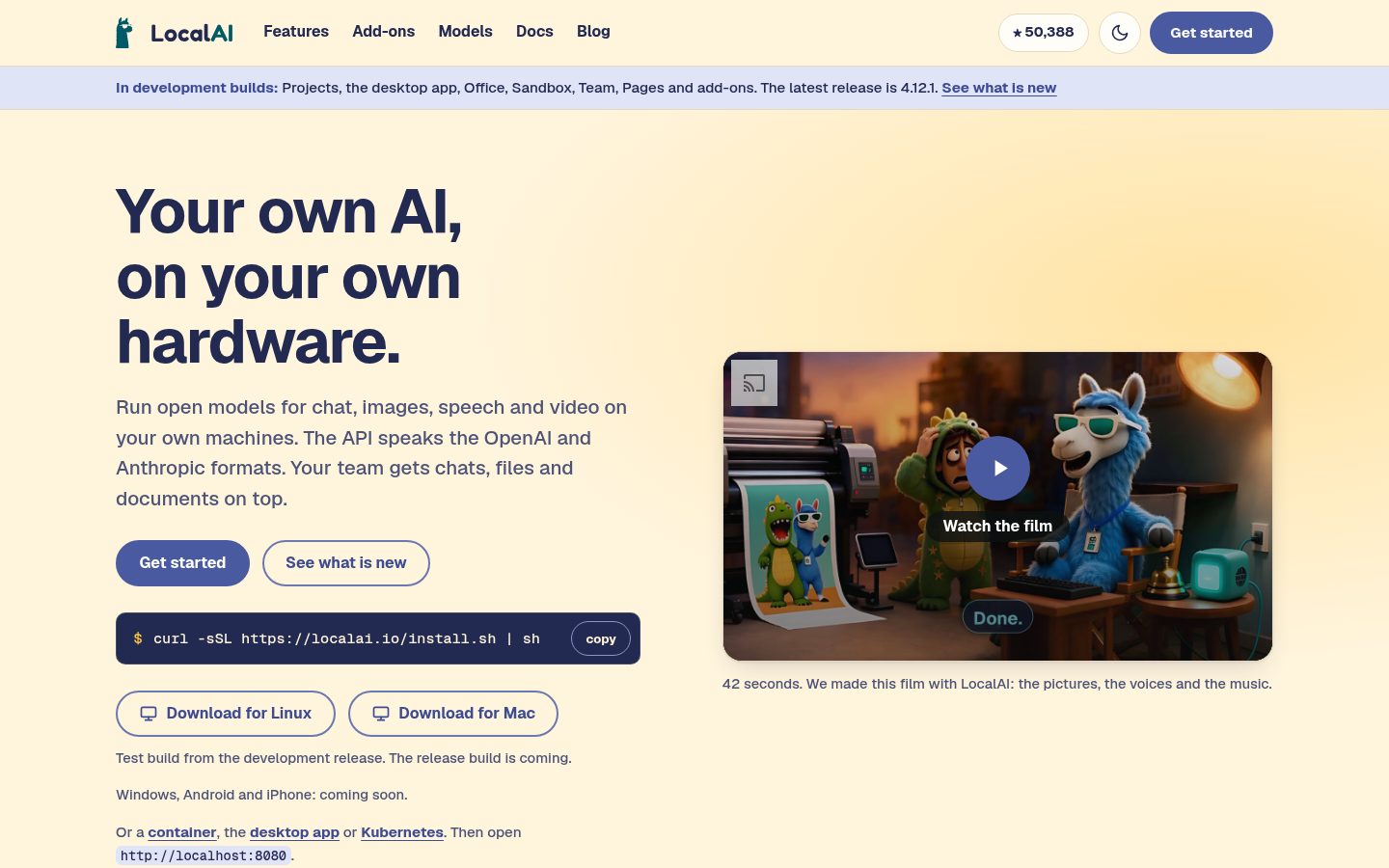
LocalAI runs open models for chat, images, speech and video on your own machines. The API speaks the OpenAI and Anthropic formats. Your team gets chats, files and documents on top, and the assistant can write and run code. It runs on a laptop, a server, in a container or on Kubernetes, and a distributed mode spreads models over several machines. No GPU needed, though a GPU makes it faster.
- Chats, agents, Projects and a team: chats and saved agents that use tools, MCP servers, files, Knowledge collections and skills. Projects group chats, files, notes and agents around one piece of work. Users, roles, quotas and shared folders for a team (development builds).
- Add-ons: an admin installs add-ons from a library: Office, Sandbox, Tables, chat apps, mail, calendar and more (development builds).
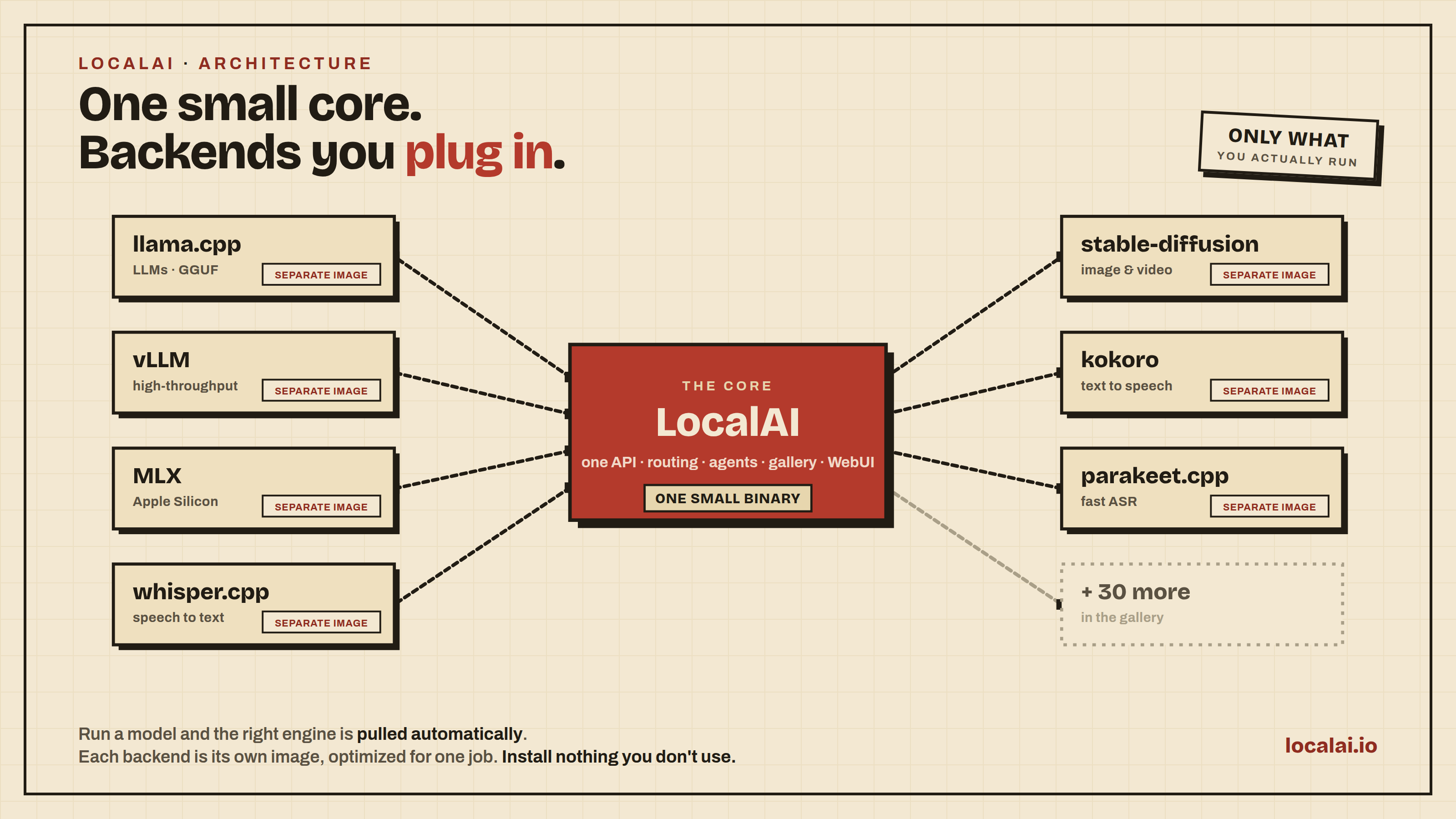
- Every kind of model, one API: text, vision, speech to text, text to speech, images, video, music and sound, embeddings and reranking, in the OpenAI and Anthropic formats (with ElevenLabs-compatible text to speech and sound generation), with more than 80 backends. Each backend is its own image, pulled only when a model needs it.
- Your hardware: NVIDIA, AMD, Intel, Apple Silicon, Vulkan, NVIDIA Jetson or CPU only. The server, the models and your files stay on your own machines.
Created by Ettore Di Giacinto and maintained by the LocalAI team.
Quick start
Script (Linux, and macOS on Apple Silicon): it downloads the release binary for your machine and checks it against the release checksums.
curl -sSL https://localai.io/install.sh | sh
local-ai
# open http://localhost:8080 and install a model from there
The script installs the program and does not start it; local-ai starts the server. To run a model directly, name it, for example local-ai run gemma-4-e2b-it-qat-q4_0, a small Google Gemma 4 model for CPUs (4.3 GB to download: 3.35 GB for the model and 0.99 GB for the image projector).
Container (Docker, podman, ...):
docker run -ti --name local-ai -p 8080:8080 localai/localai:latest
Desktop app: it installs, updates, starts and stops the server for you and shows the web interface in its own window, on macOS and Linux. It comes with the next release. Test builds are on the dev-master pre-release. See the desktop app guide.
The install script and the latest image give 4.12.1 today. Projects, the new desktop app, the add-ons, Office, Sandbox and team features described below need a development build or a newer release.
Then open http://localhost:8080. To restart an existing container, use docker start -i local-ai. More ways to install: Install LocalAI.
GPU images (NVIDIA, AMD, Intel, Vulkan)
# NVIDIA, CUDA 13
docker run -ti --name local-ai -p 8080:8080 --gpus all localai/localai:latest-gpu-nvidia-cuda-13

# NVIDIA, CUDA 12
docker run -ti --name local-ai -p 8080:8080 --gpus all localai/localai:latest-gpu-nvidia-cuda-12

# NVIDIA Jetson ARM64 (CUDA 12, for AGX Orin and similar)
docker run -ti --name local-ai -p 8080:8080 --gpus all localai/localai:latest-nvidia-l4t-arm64

# NVIDIA Jetson ARM64 (CUDA 13, for DGX Spark)
docker run -ti --name local-ai -p 8080:8080 --gpus all localai/localai:latest-nvidia-l4t-arm64-cuda-13

# AMD (ROCm)
docker run -ti --name local-ai -p 8080:8080 --device=/dev/kfd --device=/dev/dri --group-add=video localai/localai:latest-gpu-hipblas

# Intel (oneAPI)
docker run -ti --name local-ai -p 8080:8080 --device=/dev/dri/card1 --device=/dev/dri/renderD128 localai/localai:latest-gpu-intel

# Vulkan
docker run -ti --name local-ai -p 8080:8080 localai/localai:latest-gpu-vulkan
LocalAI detects your GPU and downloads the matching backend. See GPU Acceleration.
Load a model:
# From the model gallery (list it with `local-ai models list` or on the Models page of the web UI)
local-ai run gemma-4-e2b-it-qat-q4_0
# From Hugging Face
local-ai run huggingface://TheBloke/phi-2-GGUF/phi-2.Q8_0.gguf
# From the Ollama OCI registry
local-ai run ollama://gemma:2b
# From a standard OCI registry (for example Docker Hub)
local-ai run oci://localai/phi-2:latest
To talk to a running server from the terminal, start the built-in agent in another shell. It asks you to approve anything that changes state. See the Terminal agent docs.
local-ai chat --model gemma-4-e2b-it-qat-q4_0
More in the Quickstart.
What you can do
| Area | What it gives you |
|---|---|
| Chats | Conversations the server keeps, with saved agents that use tools, MCP, skills and files, triggers, and chat apps |
| Add-ons | Office, Sandbox, Tables, chat apps, mail, calendar and more install from a library and run beside the server (development builds) |
| Text generation | llama.cpp, transformers, vllm ... and more, with an OpenAI-compatible tools API and constrained grammars |
| Animated video | With the Sandbox add-on and its media profile, the assistant can build short videos with ffmpeg from a sentence, such as a title card with a fade or a slideshow with a slow zoom, saved as MP4 in your Files. The Sandbox has no internet, and results need a look before you use them (development builds) |
| Music and sound | Make music and sound effects from a text prompt with /v1/sound-generation. See text to audio |
| Speech | Text to audio, audio to text, voice activity detection (Silero-VAD) and the Realtime API for speech-to-speech |
| Images, video and vision | Image generation, video generation, the Vision API and object detection |
| Search | Embeddings and a reranker |
| Operations | API key auth, user quotas and roles, distributed mode (PostgreSQL + NATS) and P2P inferencing |
| Models and backends | Models from Hugging Face and a Backend Gallery to install or remove backends on the fly, plus the integrated web UI |
LocalAI has more than 80 backends. Hardware acceleration covers NVIDIA (CUDA 12 and 13), AMD (ROCm), Intel (oneAPI/SYCL), Apple Silicon (Metal), Vulkan and NVIDIA Jetson (L4T). See the Backend and Model Compatibility Table.
Backends we build
Most backends wrap an upstream engine such as llama.cpp or vLLM. We wrote 18 of them ourselves: native C, C++ and GGML engines with no Python at inference.
| Backend | What it does |
|---|---|
| vllm.cpp | From-scratch C++20 port of vLLM for text generation: paged KV cache, continuous batching, prefix caching, safetensors + GGUF loading, engine-enforced structured output, on CPU, CUDA, Metal and Vulkan. Also serves MiniMax-H3 joint video+audio generation |
| parakeet.cpp | C++/GGML port of NVIDIA NeMo Parakeet ASR (tdt/ctc/rnnt/hybrid), with cache-aware streaming transcription |
| moss-transcribe.cpp | C++/GGML port of OpenMOSS MOSS-Transcribe-Diarize: joint long-form transcription, speaker diarization and timestamping in a single pass |
| moss-tts.cpp | C++/GGML port of the OpenMOSS MOSS-TTS family: text-to-speech (MOSS-TTS-Local v1.5, 48 kHz stereo) with reference-audio voice cloning, through the MOSS-Audio-Tokenizer neural codec |
| magpie-tts.cpp | C++/GGML port of NVIDIA's Magpie TTS Multilingual 357M: 22.05 kHz mono text-to-speech in 5 voices and 9+ languages, with the NanoCodec neural codec and tokenizer/G2P embedded in a single GGUF |
| ced.cpp | C++/GGML port of the CED audio-tagging models: sound-event classification (527-class AudioSet) over REST and the realtime API for live recognition |
| voice-detect.cpp | Speaker recognition and voice analysis (ECAPA-TDNN, WeSpeaker, ERes2Net, CAM++, wav2vec2 age/gender/emotion), replacing the Python speaker-recognition backend |
| vibevoice.cpp | Native port of Microsoft VibeVoice for TTS (voice cloning) and long-form ASR with speaker diarization |
| rf-detr.cpp | Native RF-DETR object detection and instance segmentation |
| locate-anything.cpp | Open-vocabulary object detection and visual grounding (LocateAnything-3B) |
| depth-anything.cpp | Depth Anything 3 monocular metric depth + camera pose estimation |
| face-detect.cpp | Face detection, recognition, demographics and anti-spoofing (SCRFD/ArcFace, YuNet/SFace), replacing the Python insightface backend |
| timestral.cpp | Mistral Timestral time-series forecasting: quantile forecasts with covariates, on the CPU |
| trellis2.cpp | C++/GGML port of Microsoft TRELLIS.2: single-image to textured 3D mesh (GLB with PBR materials) |
| gem-x.cpp | Live human motion capture with SOMA and SMPL pose streams (CPU/Vulkan) |
| kimodo.cpp | C++/GGML text-to-motion on CPU and Vulkan, exported as animated skeleton GLB |
| privacy-filter.cpp | Standalone GGML PII/NER token-classification engine powering LocalAI's PII redaction tier |
| LocalVQE | Joint acoustic echo cancellation, noise suppression, and dereverberation |
The team also ships a vector store, local-store, in the main tree, and maintains apex-quant, a per-tensor, per-layer quantization recipe for Mixture-of-Experts models that exploits their structural sparsity to produce GGUFs matching or beating Q8_0 quality. They run out of the box on stock llama.cpp.
Latest news
-
October 2026: LocalAI 4.12.1: A security fix for the policy on URLs that users give. Redirect targets are now checked on every hop. Release notes
-
October 2026: LocalAI 4.12.0: A redesigned web UI, streaming voice answers, decision routing with the
/v1/decisionsAPI, image upscaling in Studio and Qdrant stores. Release notes -
October 2026: LocalAI 4.11.0: Audio scenes with transcription, speaker labels, and sound detection. Also the Decisions API (
/v1/systemone), model failover chains, signed OCI galleries, and Kimodo text-to-animation. Release notes -
September 2026: LocalAI 4.10.0: A fleet operations dashboard, one credentials file for private model sources, and
local-ai benchmarkfor measuring model latency and throughput. Release notes -
August 2026: LocalAI 4.9.0: Deny-by-default authentication, opt-in chat context compression, unified model and backend management, and MiniMax-H3 video generation with audio. Release notes
Older news and the full release notes: GitHub Releases and the blog.
Resources
- Documentation and the Quickstart
- LLM fine-tuning guide, build from source and Kubernetes installation
- Integrations and community projects
- Examples, including the realtime voice assistant demo
- Contributing and security policy
Team
LocalAI is maintained by a small team of humans, together with the wider community of contributors.
- Ettore Di Giacinto: original author and project lead
- Richard Palethorpe: maintainer
A huge thank you to everyone who contributes code, reviews PRs, files issues, and helps users in Discord. See the full contributors list.
Sponsors
Support the project by becoming a backer or sponsor. A huge thank you to our sponsors, who cover CI expenses, and to the individual sponsors listed on GitHub and buymeacoffee. Special shout out to drikster80.

License
MIT. LocalAI is created by Ettore Di Giacinto and maintained by the LocalAI team. The LocalAI name, logo and mascot art are not covered by the MIT license: all rights reserved. See BRAND-USAGE.md for what you may do with them.
Citation and acknowledgements
@misc{localai,
  author = {Ettore Di Giacinto},
  title = {LocalAI: the open source AI engine},
  year = {2026},
  publisher = {GitHub},
  journal = {GitHub repository},
  howpublished = {\url{https://github.com/mudler/LocalAI}},
}
LocalAI couldn't have been built without the help of great software already available from the community: llama.cpp, stanford_alpaca, llama-go, alpaca.cpp, Stable-Diffusion-NCNN, whisper.cpp, piper and exo (MLX distributed auto-parallel sharding).