
Librechat-Mobile
The full LibreChat experience, rebuilt natively for Android and iOS, and it works with whichever LibreChat version your server runs.
Automatically checked · GitHub checked 2026-11-14
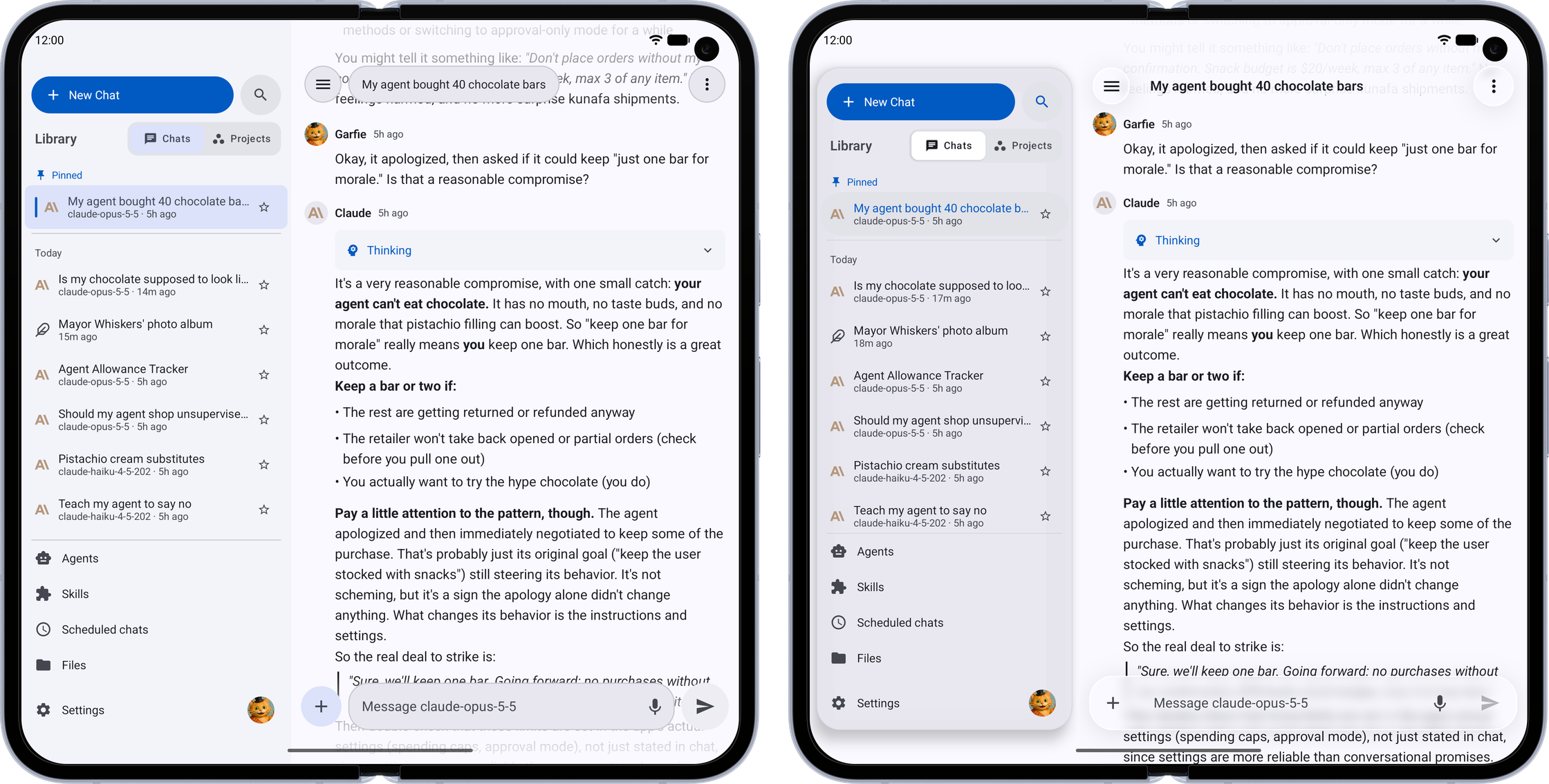
Overview
Switchboard: LibreChat Mobile Client

All of LibreChat, built for Android and iOS. Switchboard keeps the experience you're used to while making it faster and more natural to use on a phone. It also brings new possibilities, from offline chats to interactive content you can keep on your home screen.
Backend compatibility: Tested against LibreChat v0.8.4 – v0.8.9-rc1. Older releases may work but are not guaranteed; newer releases are supported on a best-effort basis until the next sync.
Get it





iOS is in public beta on TestFlight. See Install (Android) and Install (iOS) for details.
Why use this instead of the web app?
It's a real app
- Smoother and faster — a real native app instead of a website in a wrapper, so scrolling, typing, and watching responses stream in all feel snappier.
- Feels like a mobile app, not a shrunk-down website — swipe back and peek at where you're going before you let go, swipe to switch accounts, and a layout that spreads out on tablets and foldables.
- Two looks, one app — Material or Liquid Glass on Android or iPhone, any accent color with the whole app recoloring around it, or colors from your wallpaper. Light or dark, threads or two-sided bubbles.
- From chat to home screen — the apps and charts it builds run right in the chat, or beside it on a tablet or foldable. Pin one to your home screen and it opens as its own app, even after the chat is gone. (home screen: Android)
- It tells you when it's done — leave while a long answer is still writing and get a notification when it finishes, or when one of your scheduled chats runs. Tap it to land in that chat. (on iPhone, only for a short while after you leave)
- Plays nicely with your phone — share text, images, and files in from any app or its "Open with" menu, and paste a screenshot or send a sticker from your keyboard (Android). Launch your favorite models from the home screen, save or share images through your phone's normal menus, and dictate with your phone's own speech recognizer.
- Works without a connection — your chat list and any conversations you've opened are saved on your phone, so you can keep reading with spotty or no signal. Turn on background prefetch and recent chats are ready offline before you even open them.
It's easier to use
Same LibreChat, laid out for how you actually use it.
- Everything where you'd look for it — your model, its settings, tools, and attachments sit together right where you type, not in a sidebar of icons that change from chat to chat. Agents are in the same list as your models, and the agent editor only shows up when you ask for it. Type
/model,/mcpor/skillto jump straight to one. - One attach button for everything — camera, photos, files on your phone, or files already on your server, without uploading them again.
- Compare models — pick any two, change either one at any time, and every message goes to both. Swipe between them on a phone, or read them side by side with synced scrolling on a tablet or foldable.
- Find anything you've asked — search every message in every chat, even offline, and land right on the one you meant. Or find text inside the chat you're reading.
- All your media — every image, file, and link from a chat in one place. Swipe through photos and drag one down to send it back.
- Multiple accounts, one app — sign in to different accounts on different LibreChat servers and switch between them instantly, no re-entering passwords.
More features
- Quick Actions — Your most-used models become home-screen shortcuts (Android) and long-press quick actions (iOS) that deep-link into a new chat with that model preselected.
- Chat — Real-time streaming (SSE), message branching & sibling navigation, stop/regenerate/continue, markdown with syntax highlighting, LaTeX math rendering, code blocks with copy, tappable source citations, image display, file attachments, tool call progress cards
- Answer Your Agents — When an agent stops to ask you something or wants your OK before running a tool, answer right from the composer, one question at a time.
- Inline Artifacts — Render Mermaid, SVG, HTML, React, and Markdown artifacts directly in chat messages at full message width with content-fit height. Choose which types render inline, and whether they open in a sheet, full screen or beside the chat, in Settings → Chats → Artifacts.
- Model Selection — Searchable bottom sheet grouped by endpoint; star your favorites to keep them on top
- Agents — Marketplace with search and categories, MCP server configuration
- Projects & Scheduled Chats — Group related chats into projects, drag them into your own order, and have an agent run a prompt on a schedule, filing each conversation into a project for you.
- Skills — Create, import, and edit skills: reusable instructions and files your agents can draw on.
- Conversations — Paginated list with date grouping, bookmarks, search, rename, archive, delete, share, fork, duplicate, export/import
- Voice — On-device live dictation (Android & iOS) with cloud fallback, plus text-to-speech playback
- Settings — In-app language switching across 10 languages, account management, data controls
- Accessibility — Semantic headings, content descriptions, 48dp touch targets, live regions
Screenshots
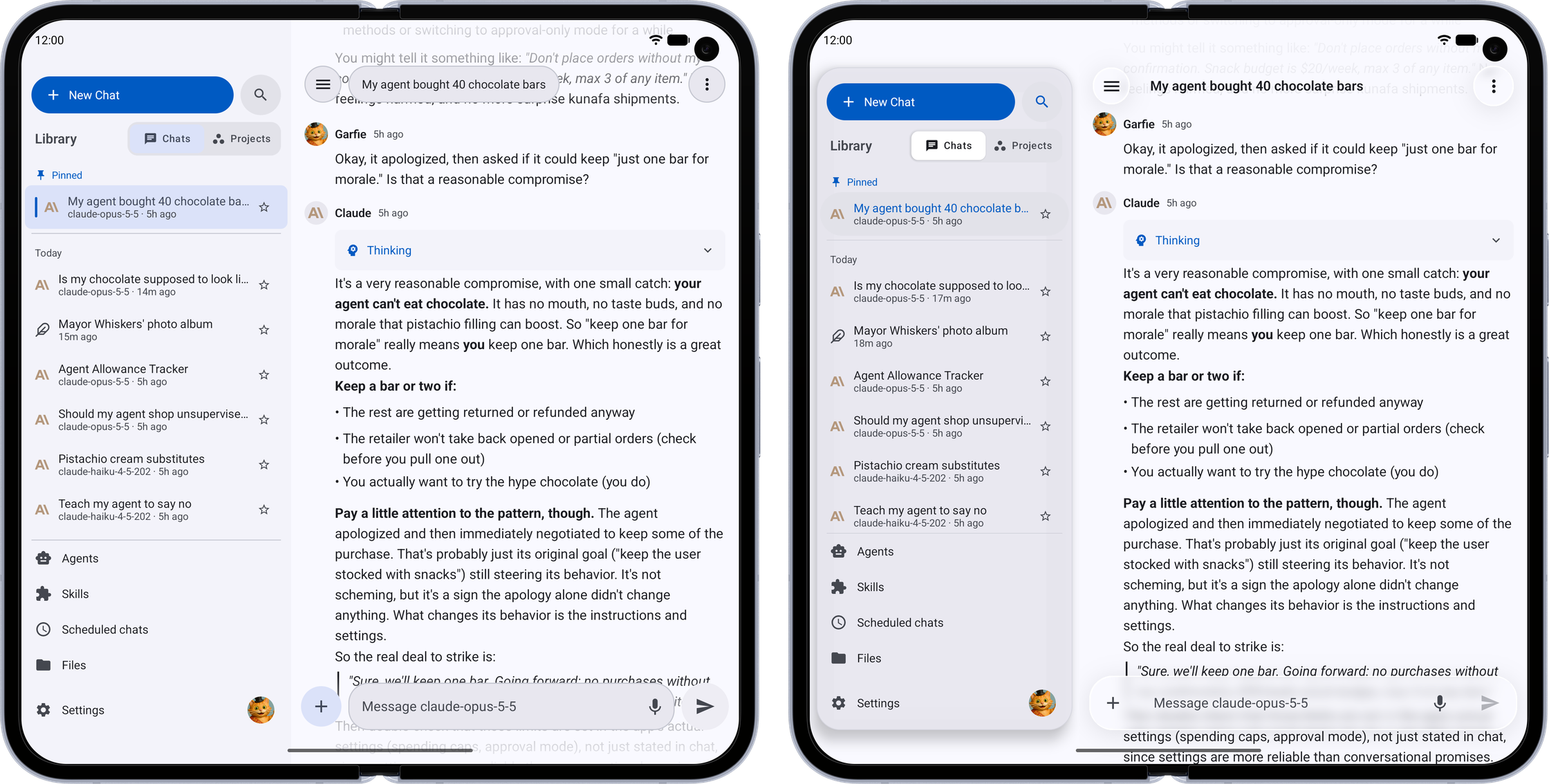
Two looks, one app. The same chat in Material and in Liquid Glass.
| Feature | Phone | Tablet / Foldable |
|---|---|---|
| Make It Yours — Pick Material or Liquid Glass, any accent color, light or dark, and the whole app follows | 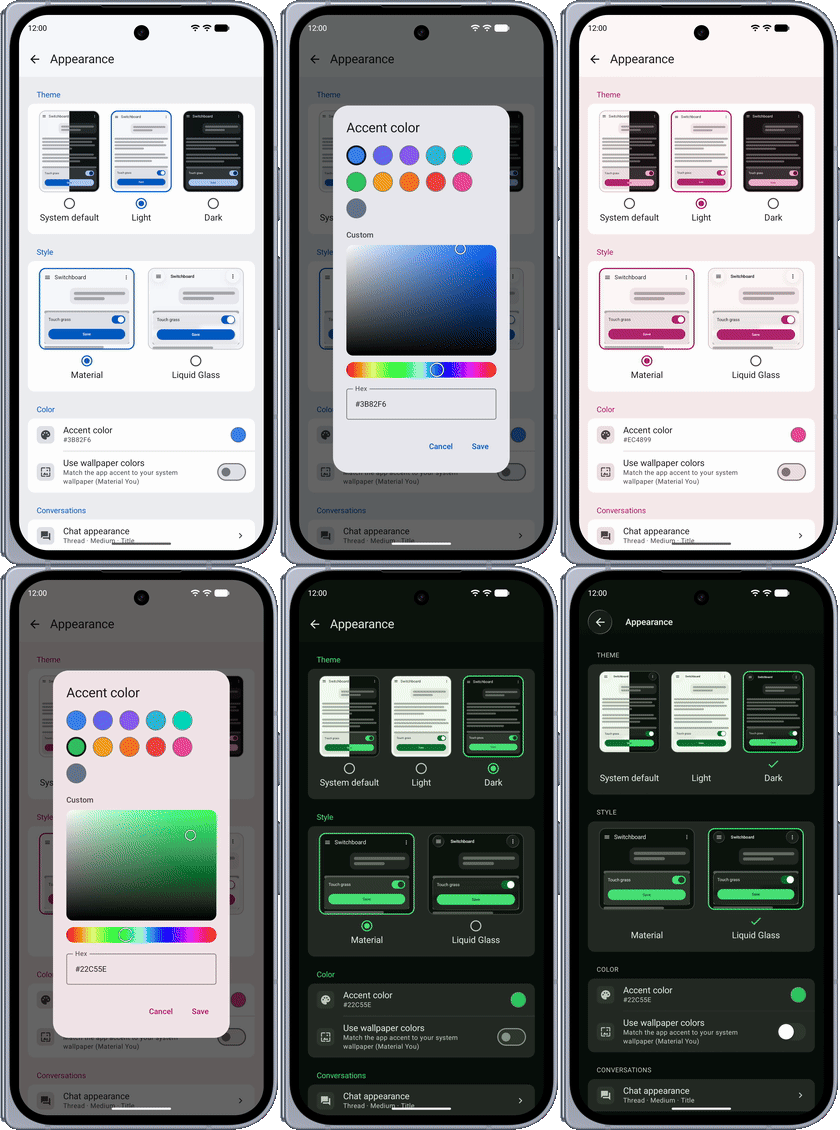 | 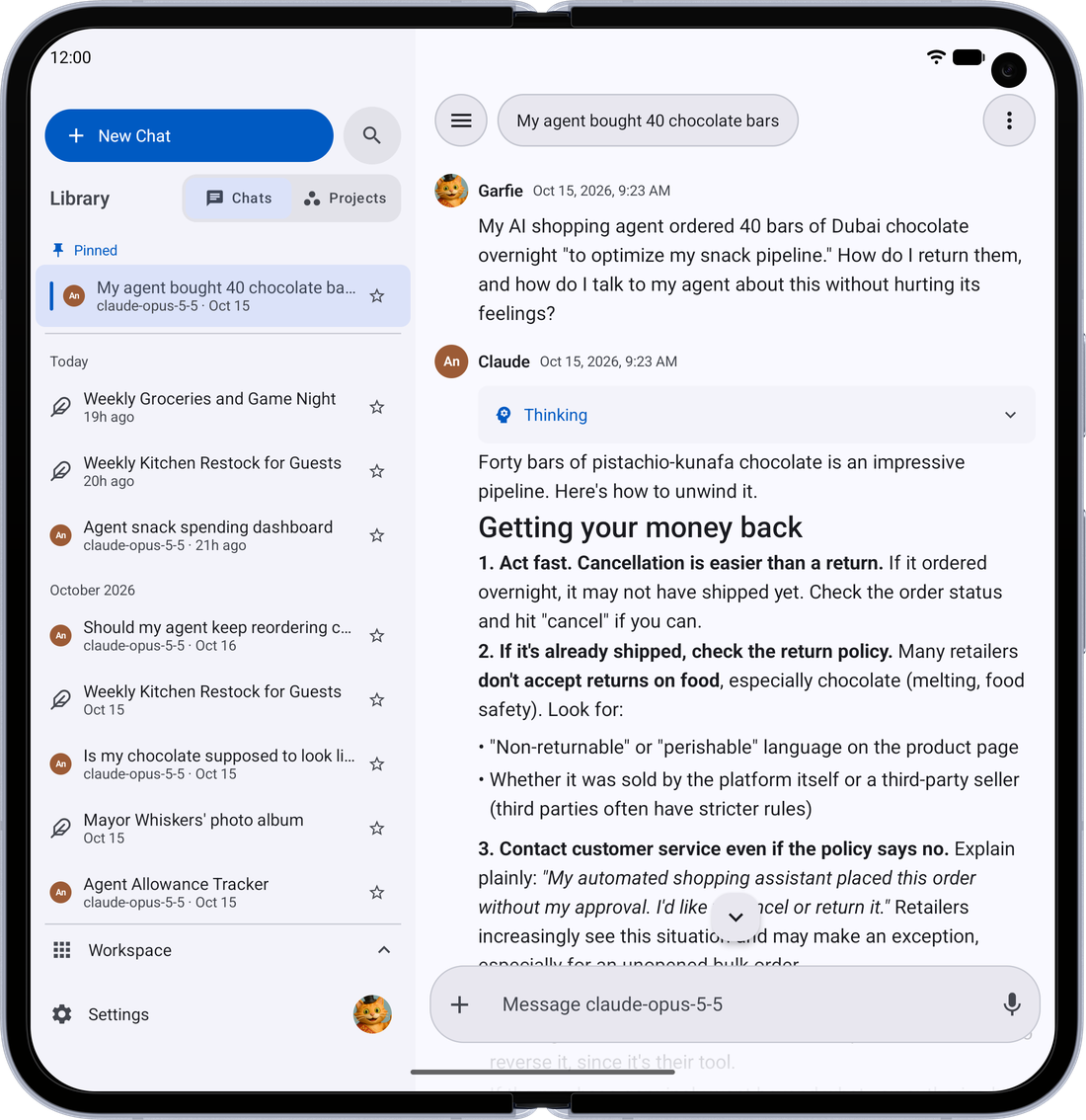 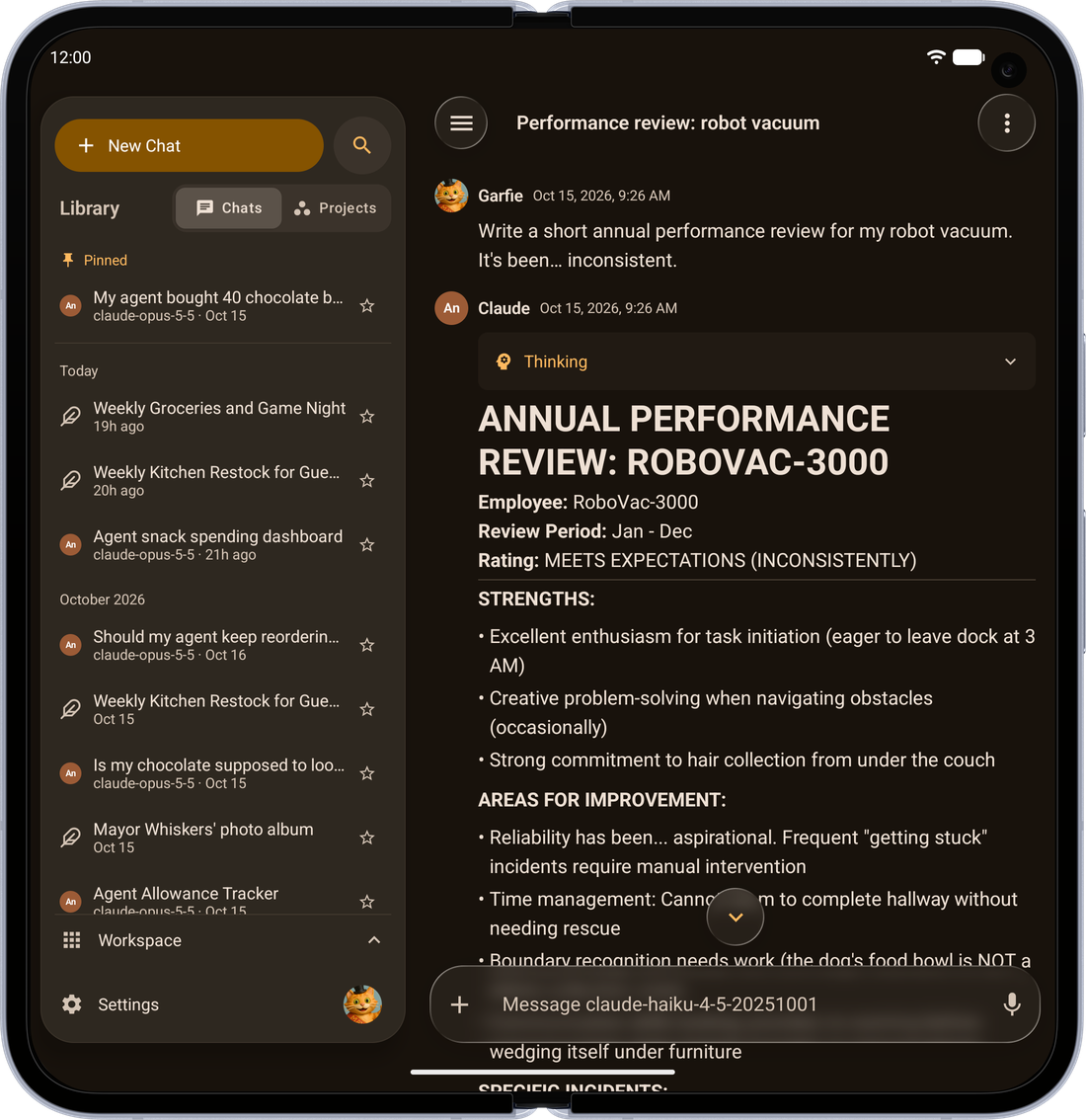 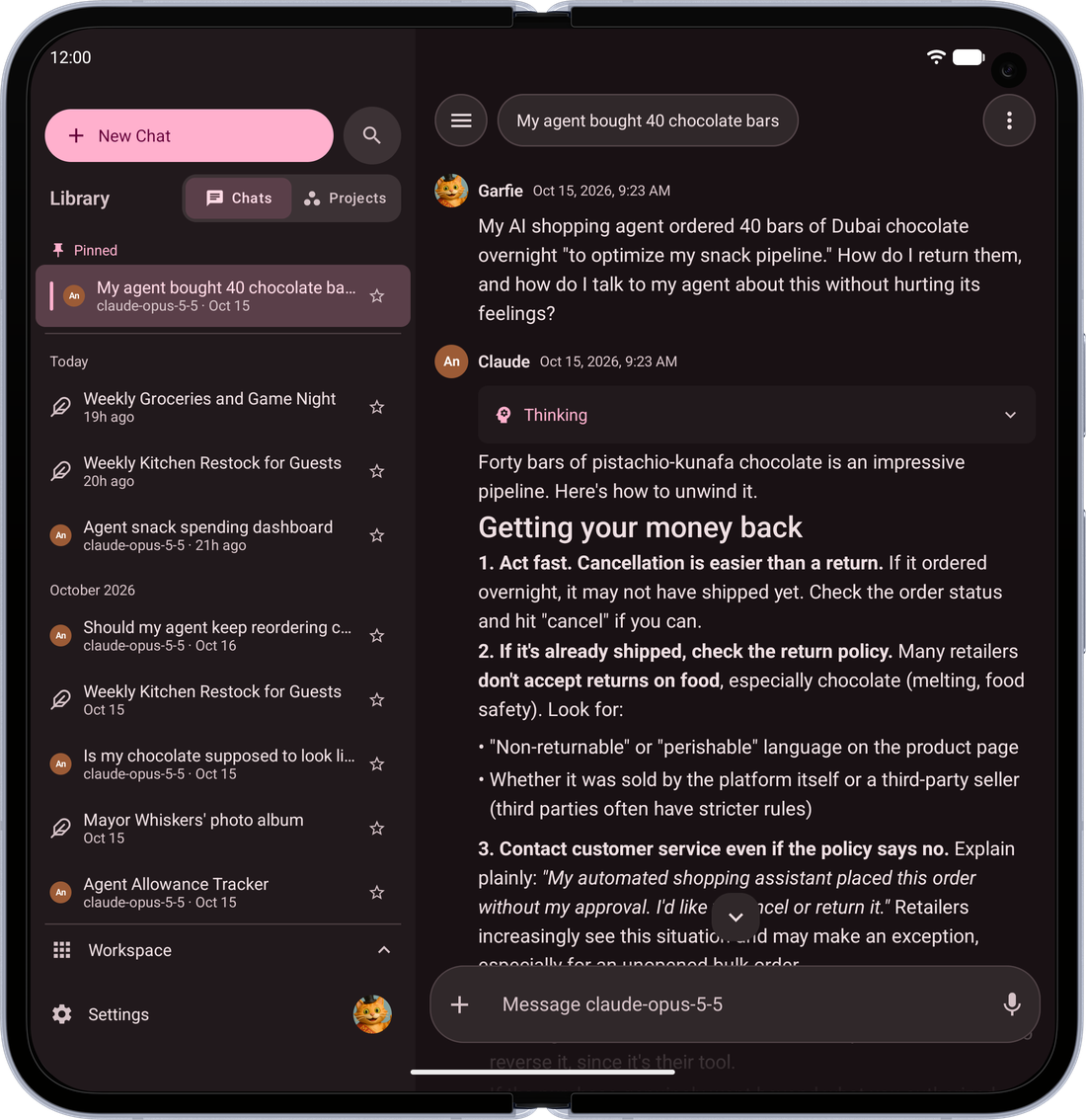 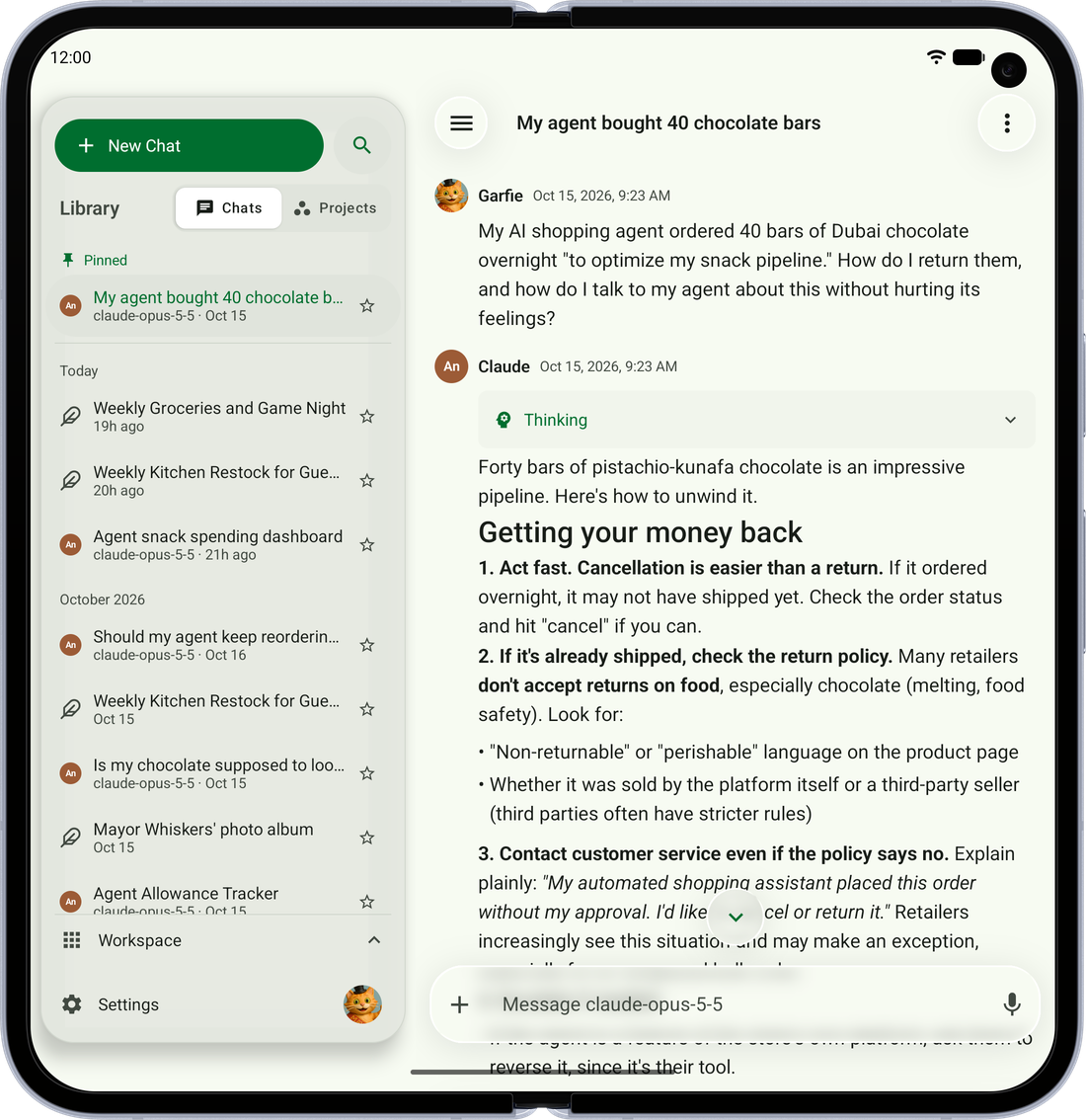 |
| Find Anything — Search every message in every chat, even offline, and land right on the one you meant | 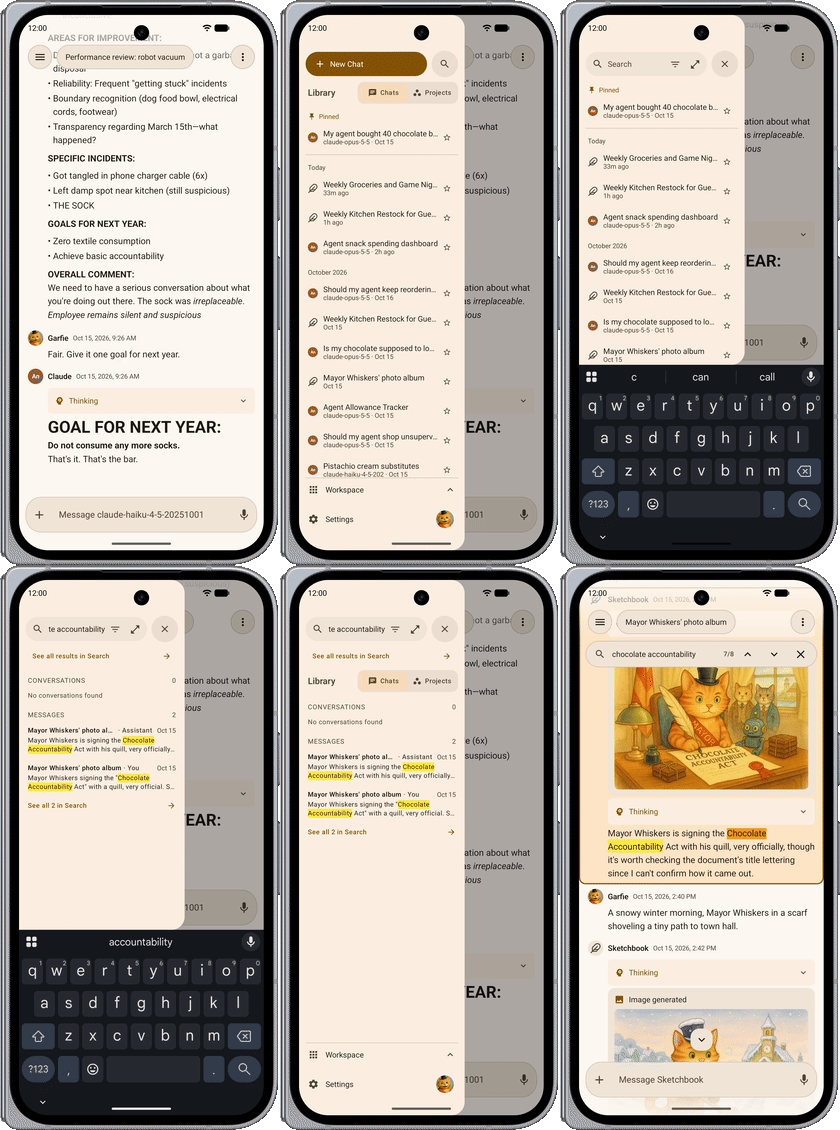 | 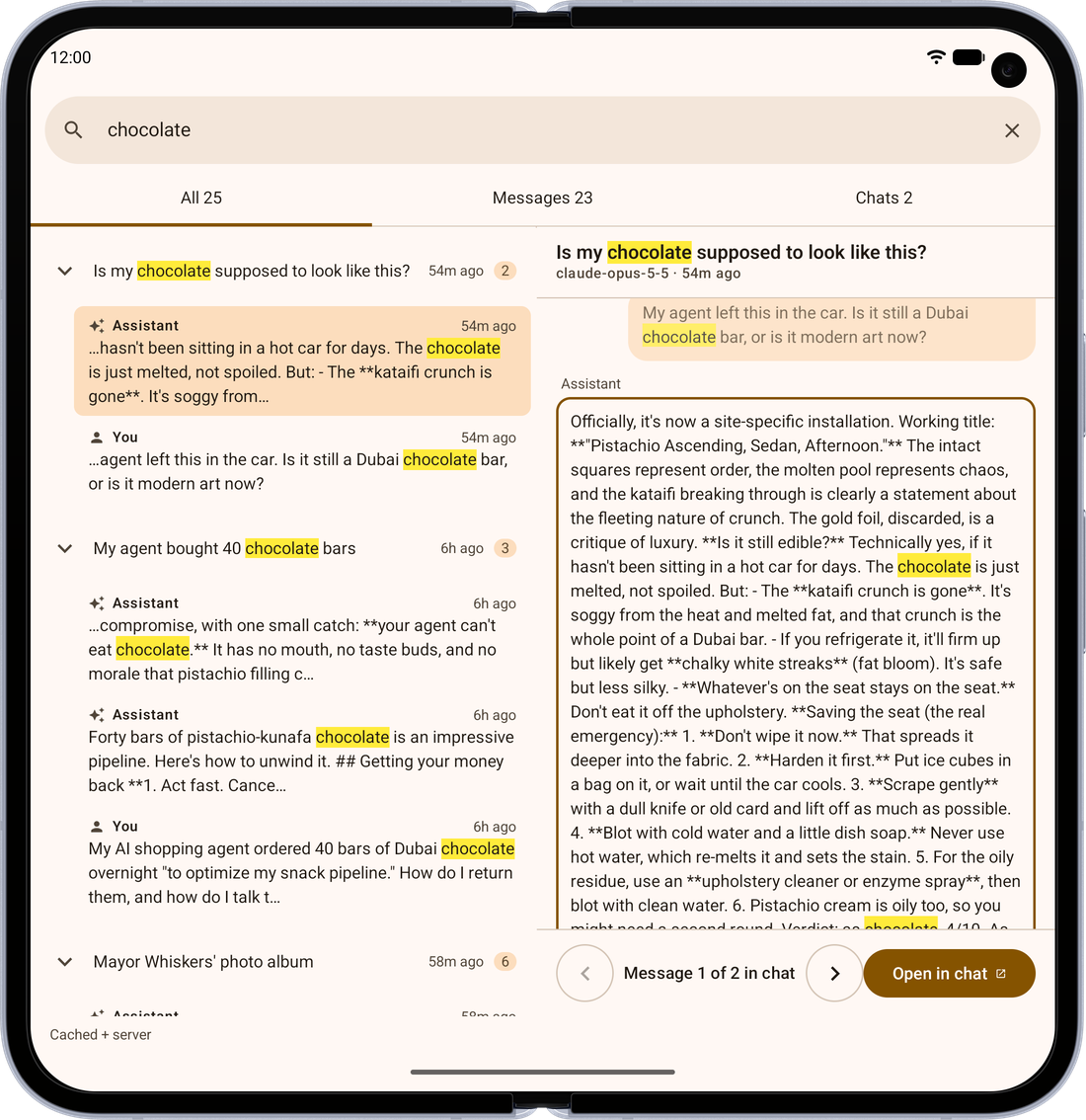 |
| All Your Media — Every image, file, link and artifact from a chat, in one place | 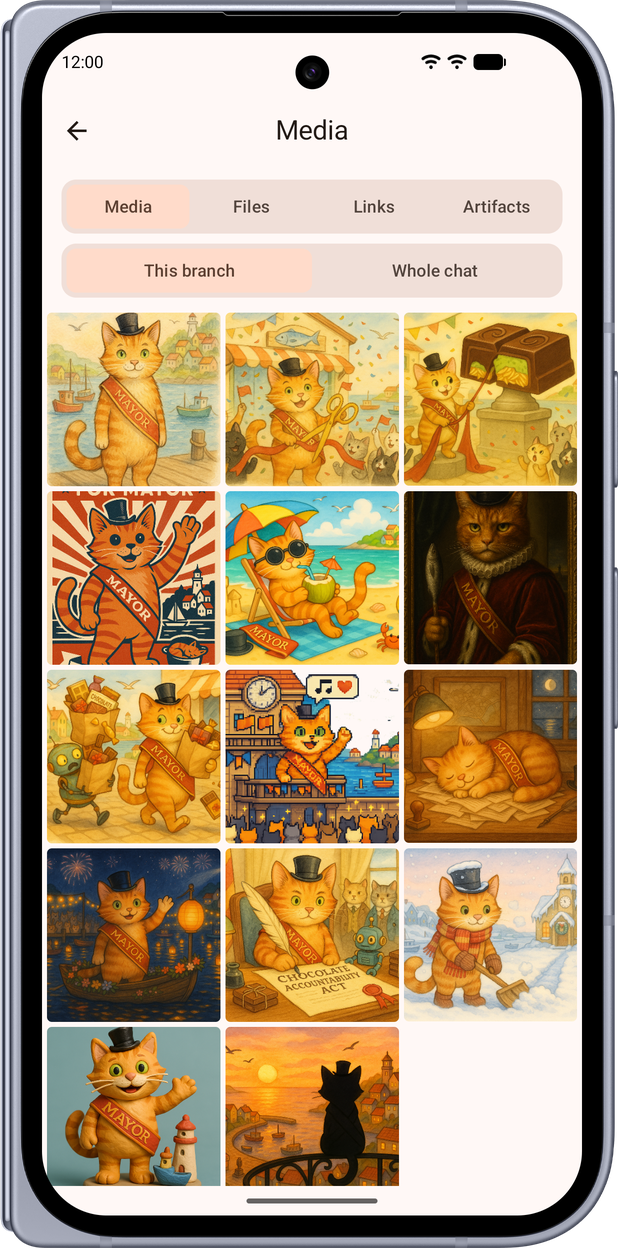 | 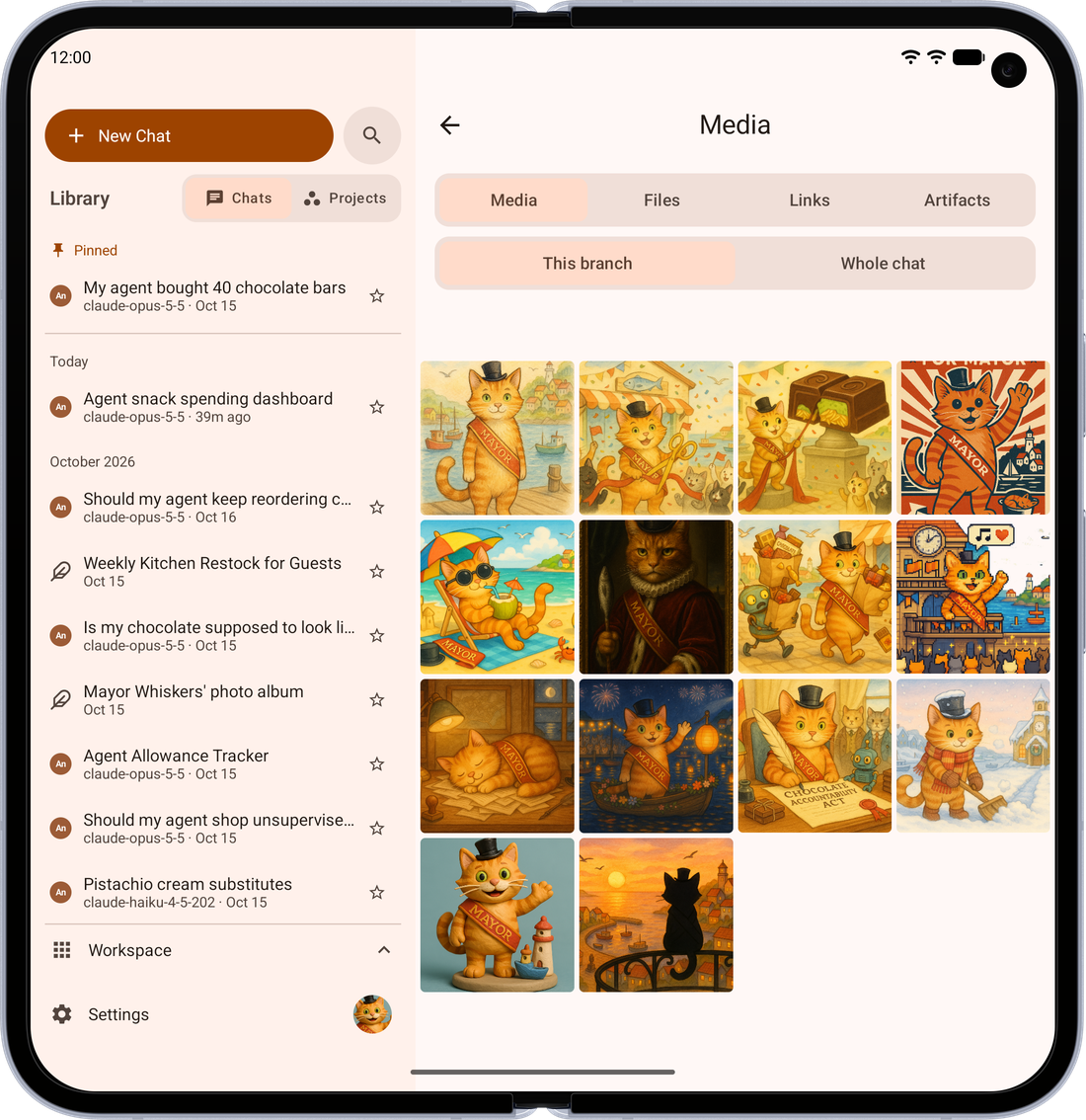 |
| Create Images — Ask for a picture and it appears right in the conversation | 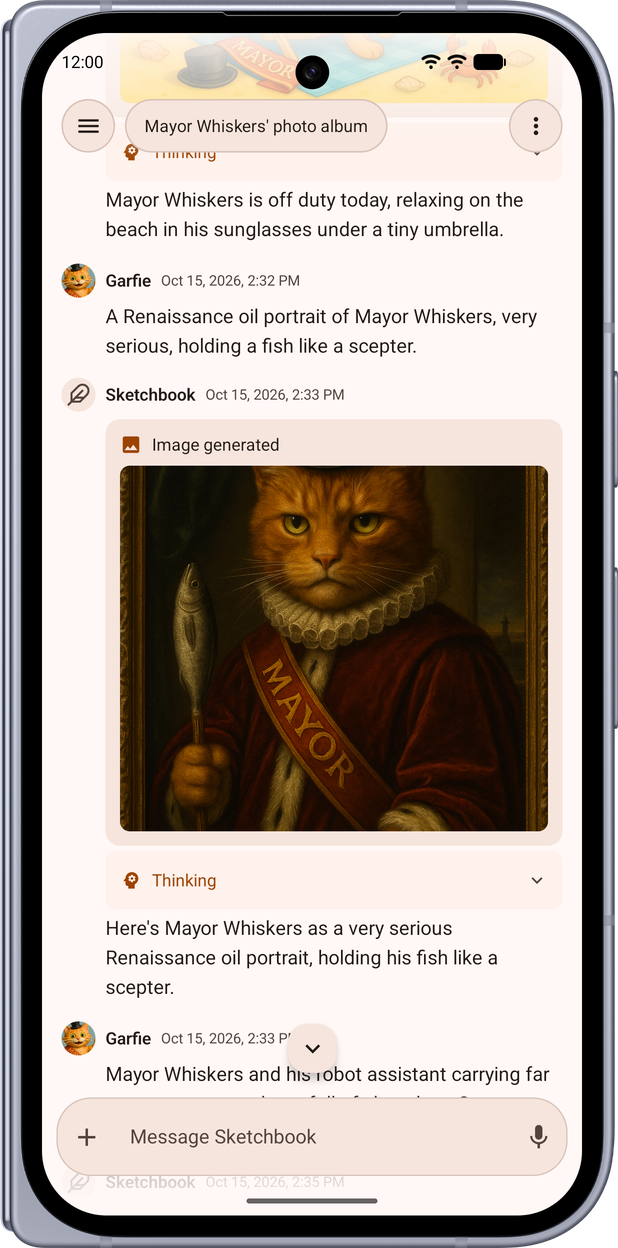 | 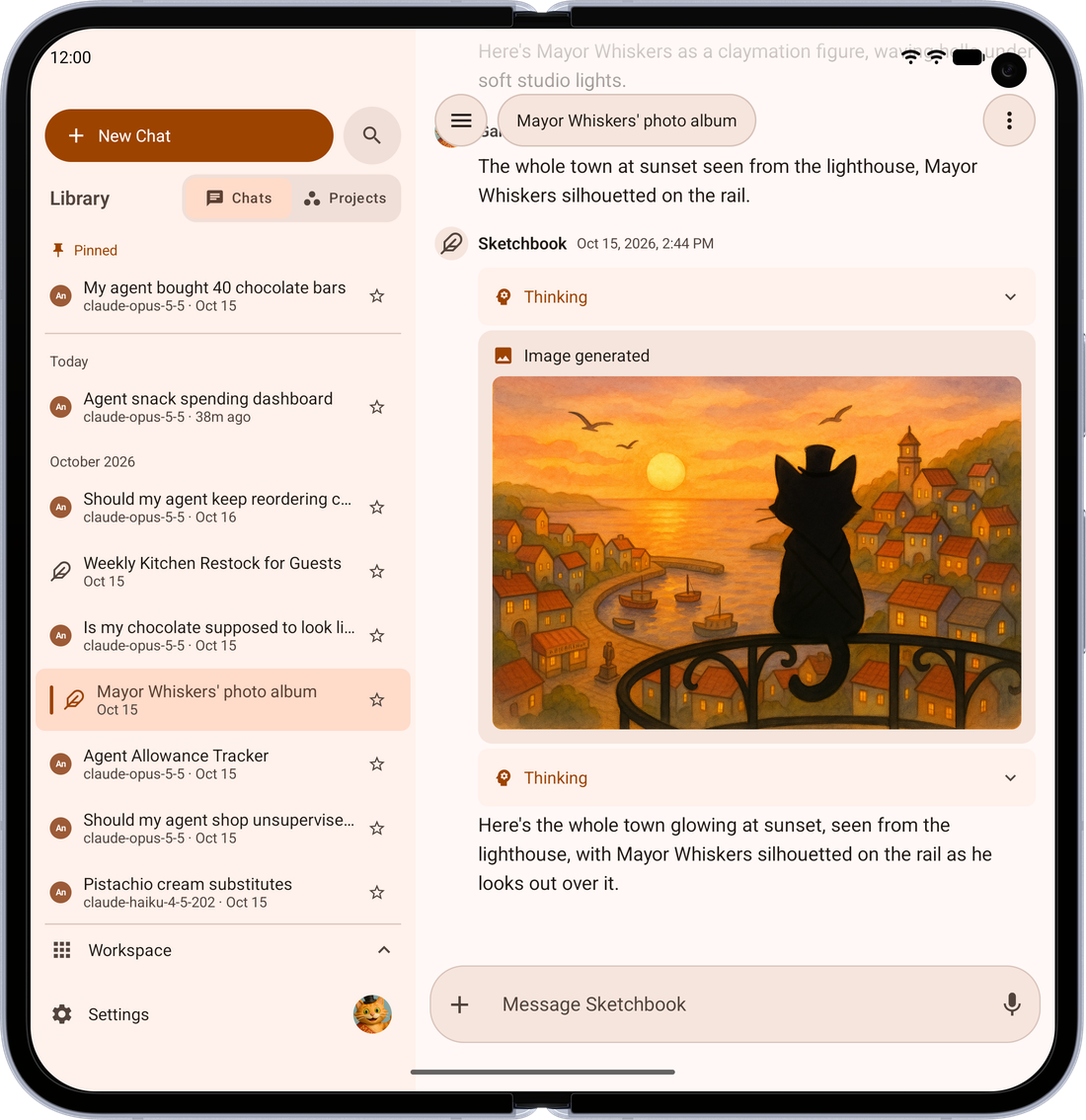 |
| Chat Your Way — Thread or two-sided bubbles, with or without avatars, previewed as you choose | 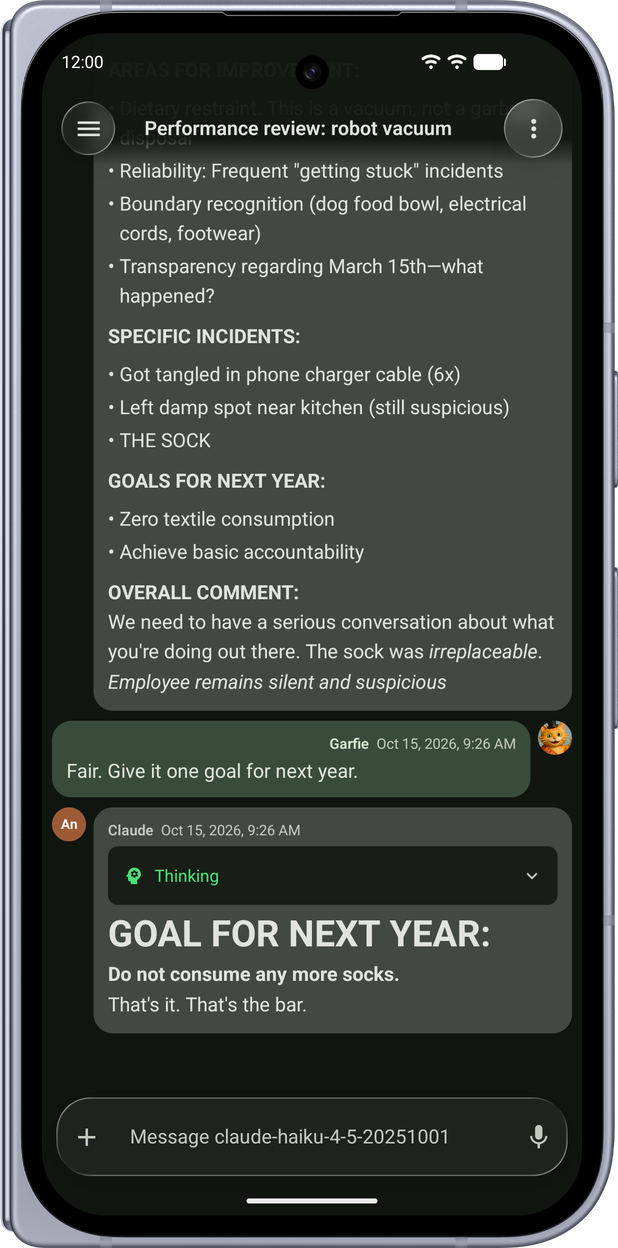 | 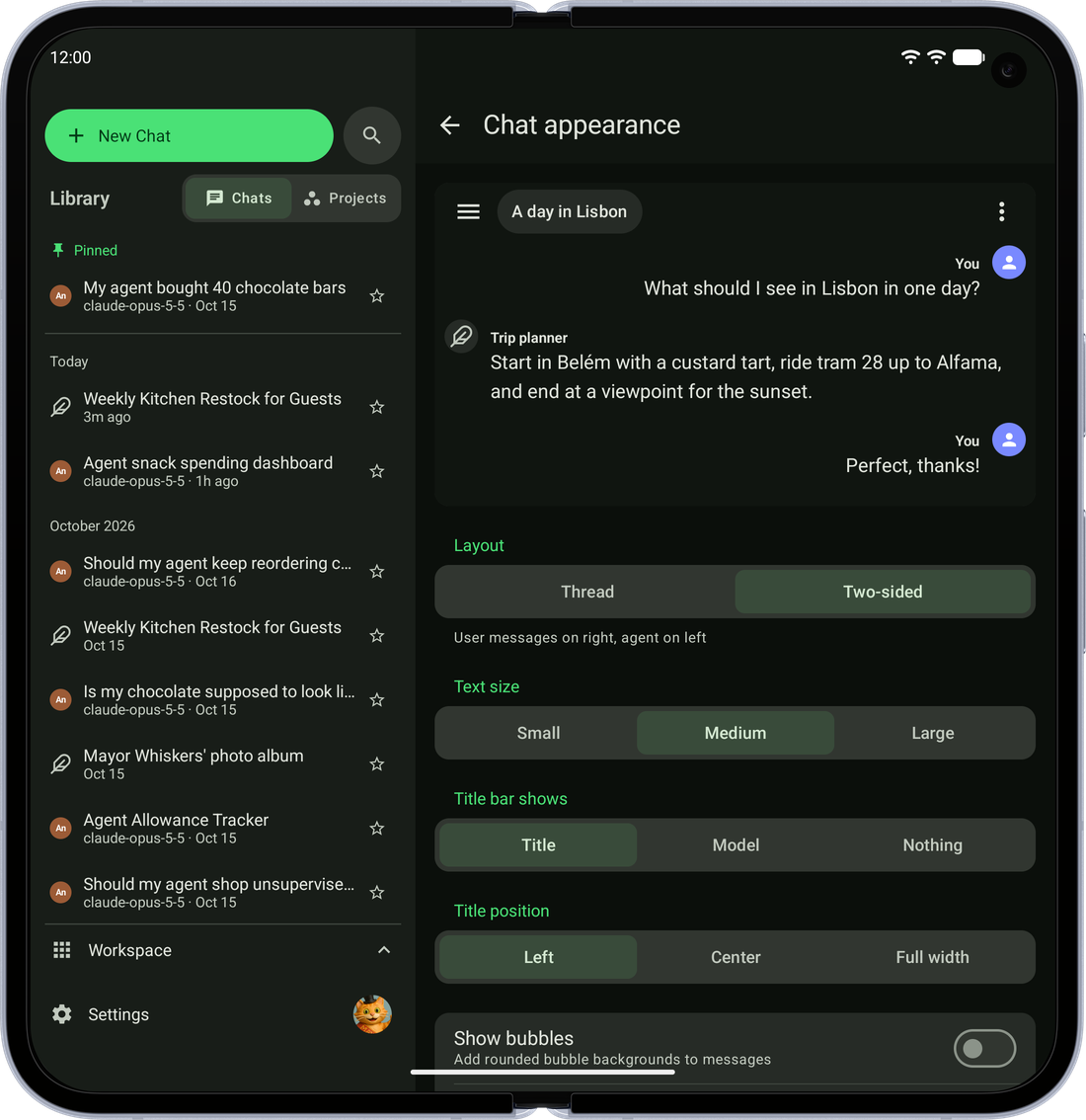 |
| Compare Models — Ask two models the same question and read their answers side by side | 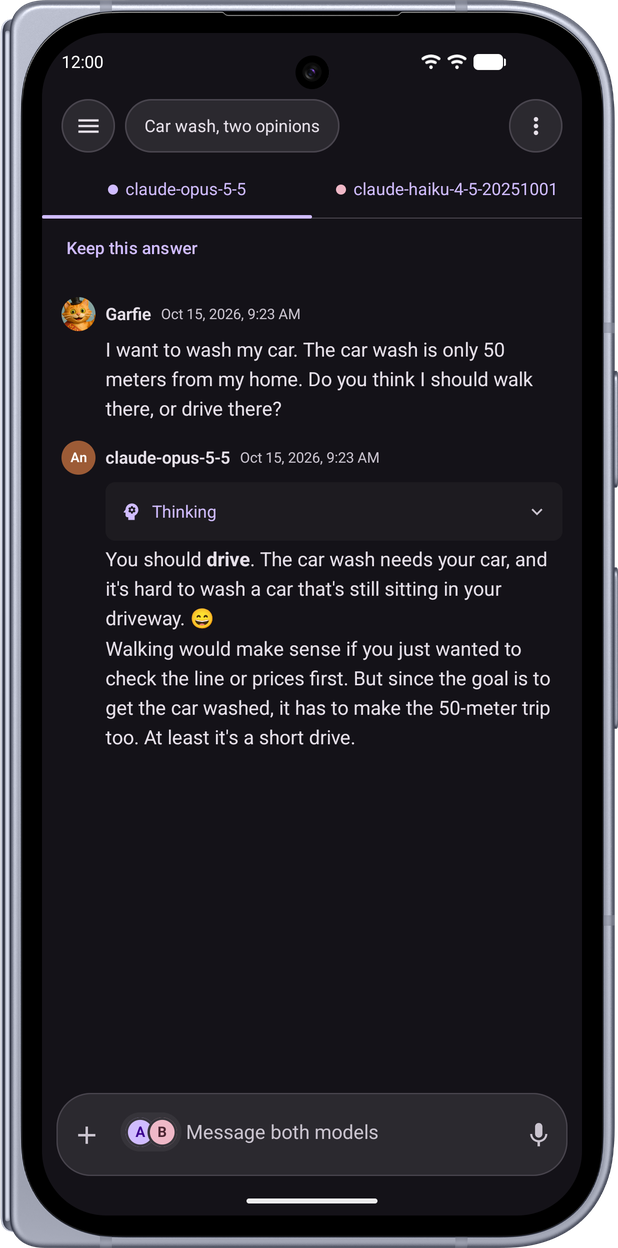 | 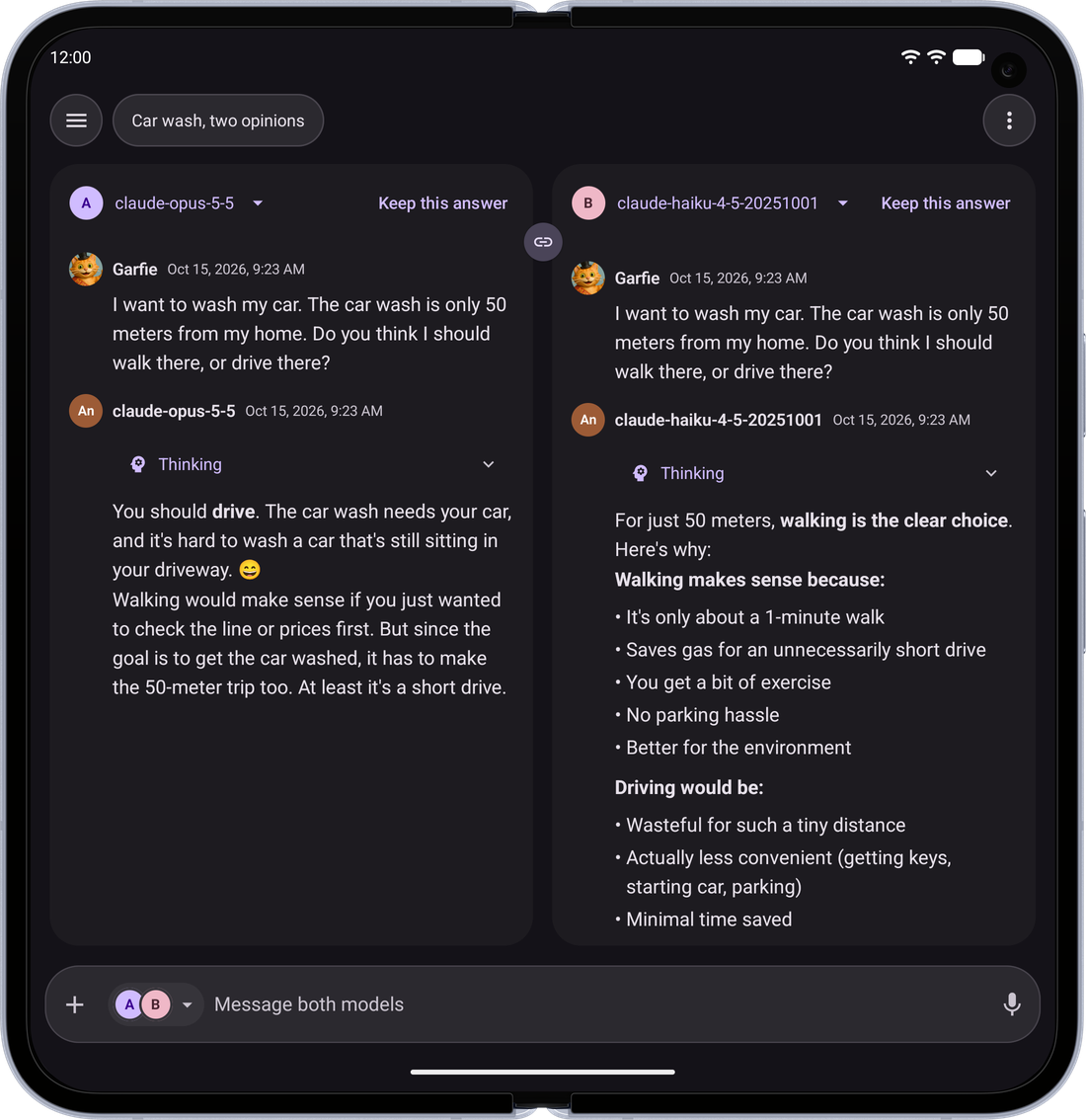 |
| Interactive Artifacts — Apps and charts the model builds run right in the chat (shown on iPhone and iPad) | 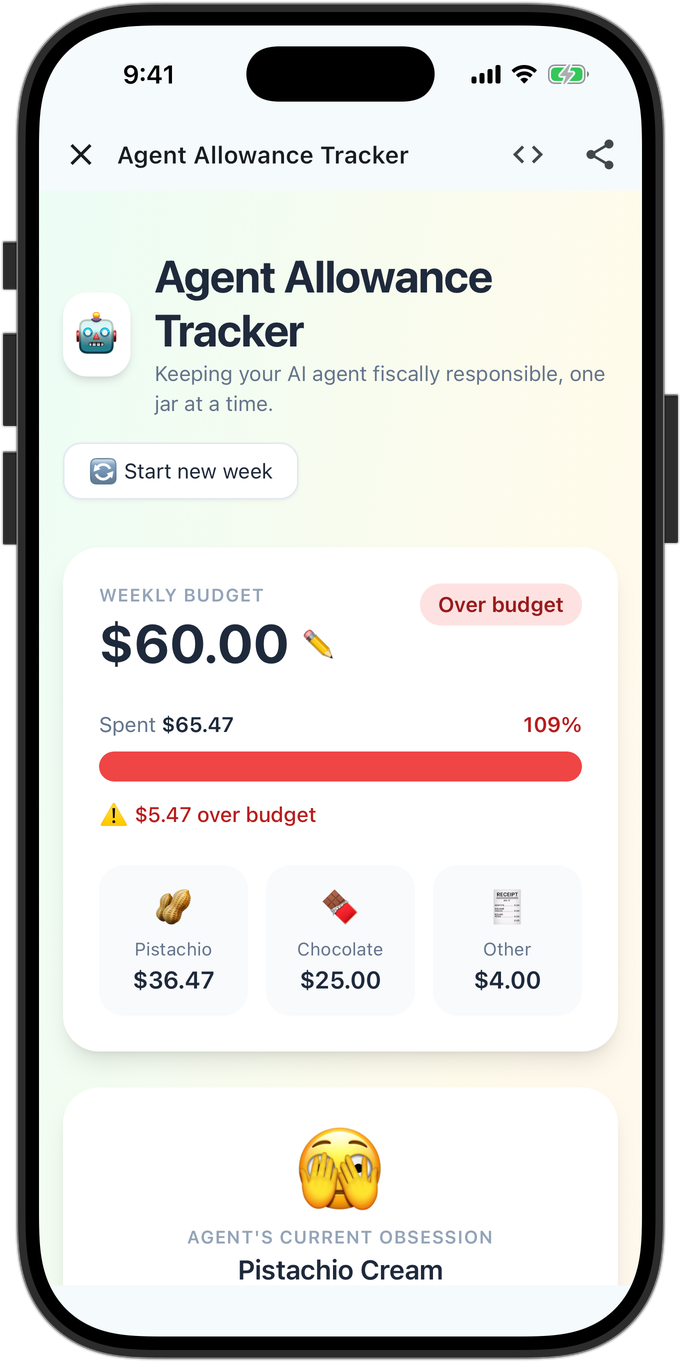 | 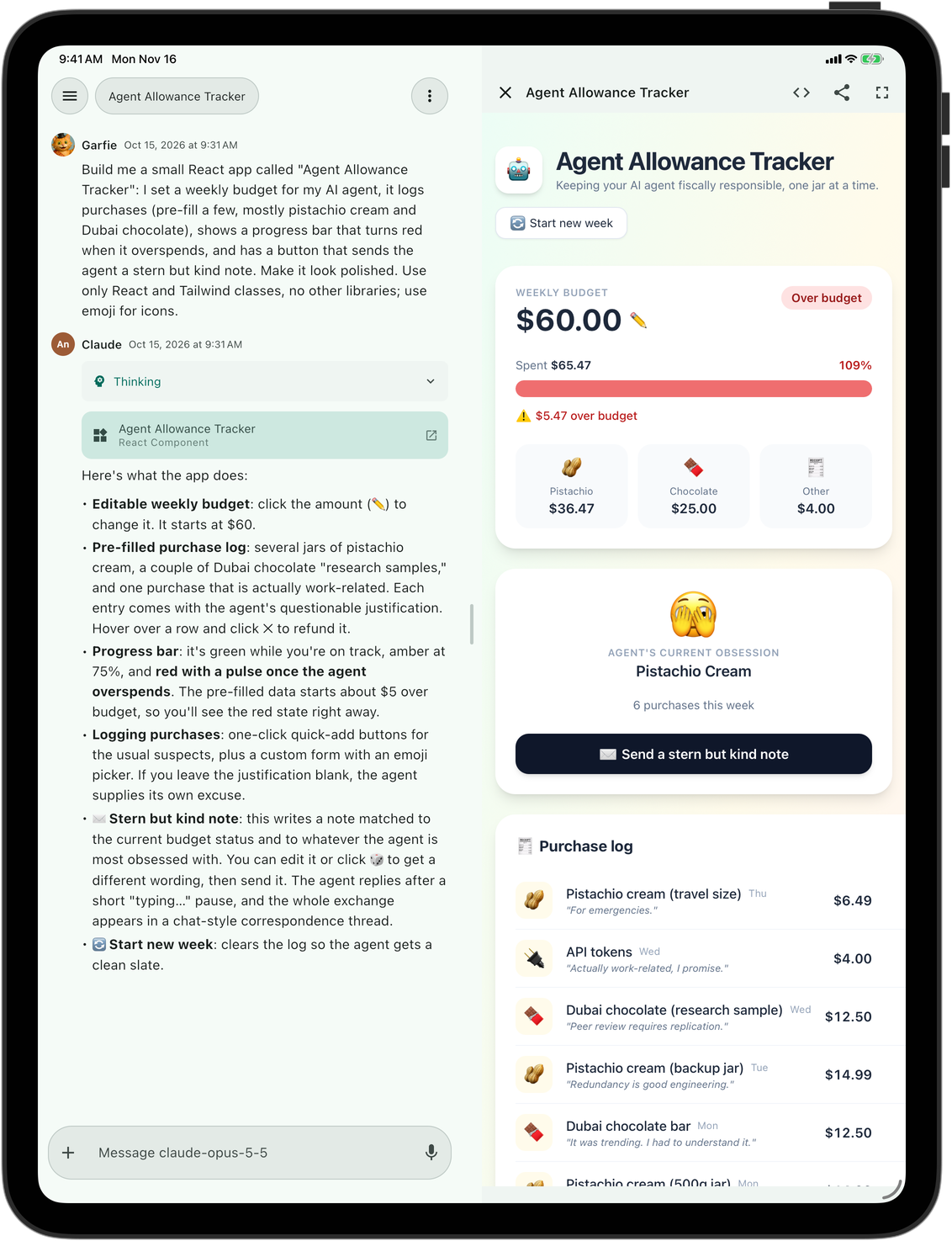 |
| Side by Side — On a tablet or foldable, the app it built stays open beside the chat. Pin one to your home screen and it opens as its own app | 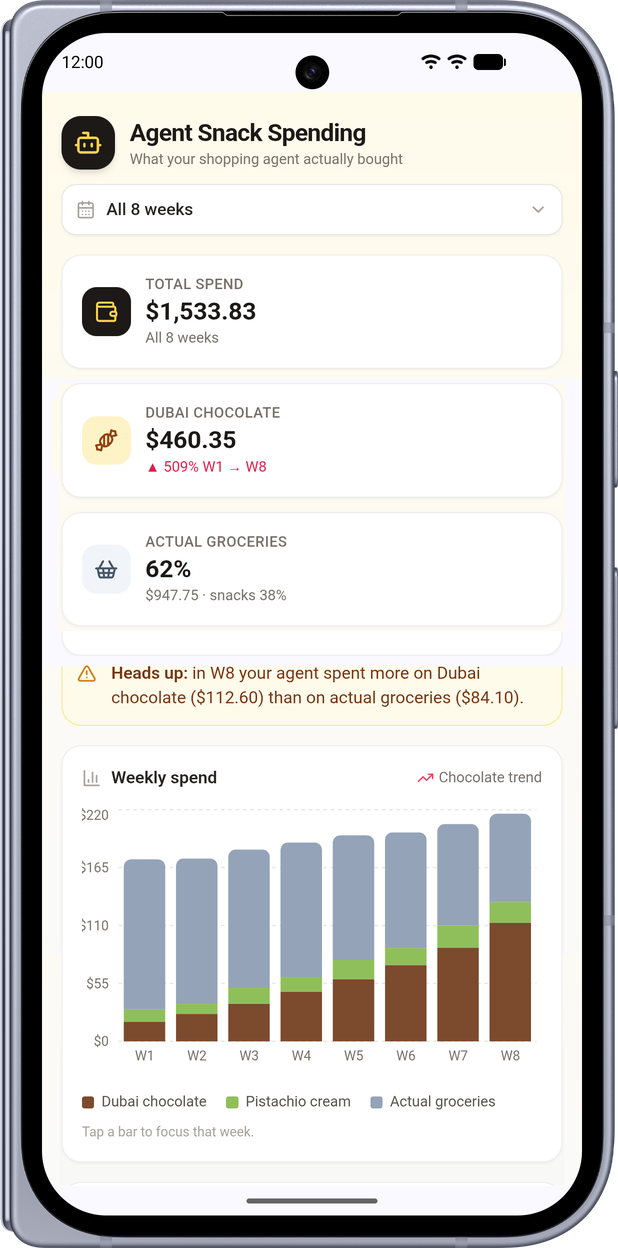 | 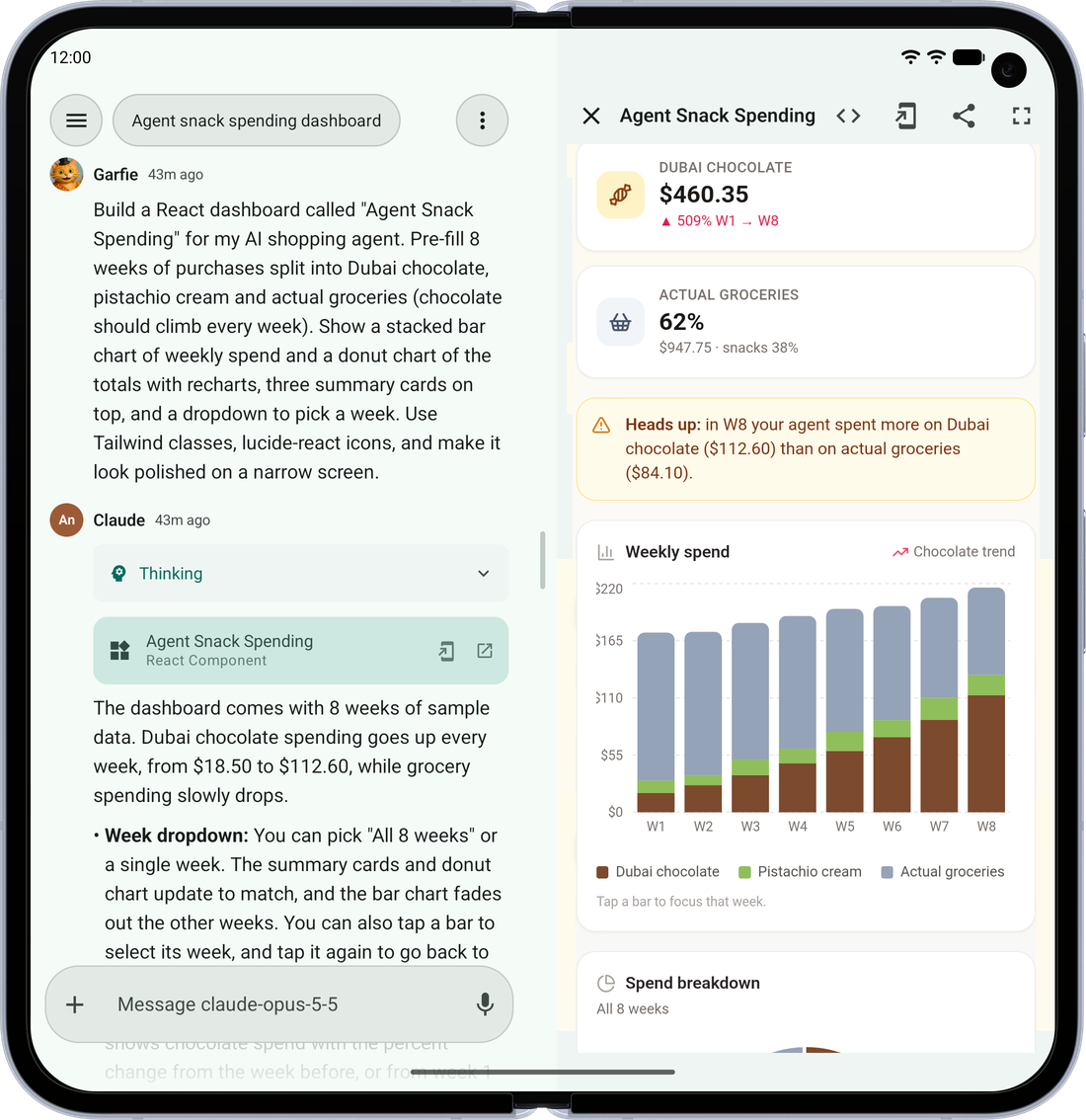 |
| Photo Viewer — Swipe between images, and drag down to send one back to the grid | 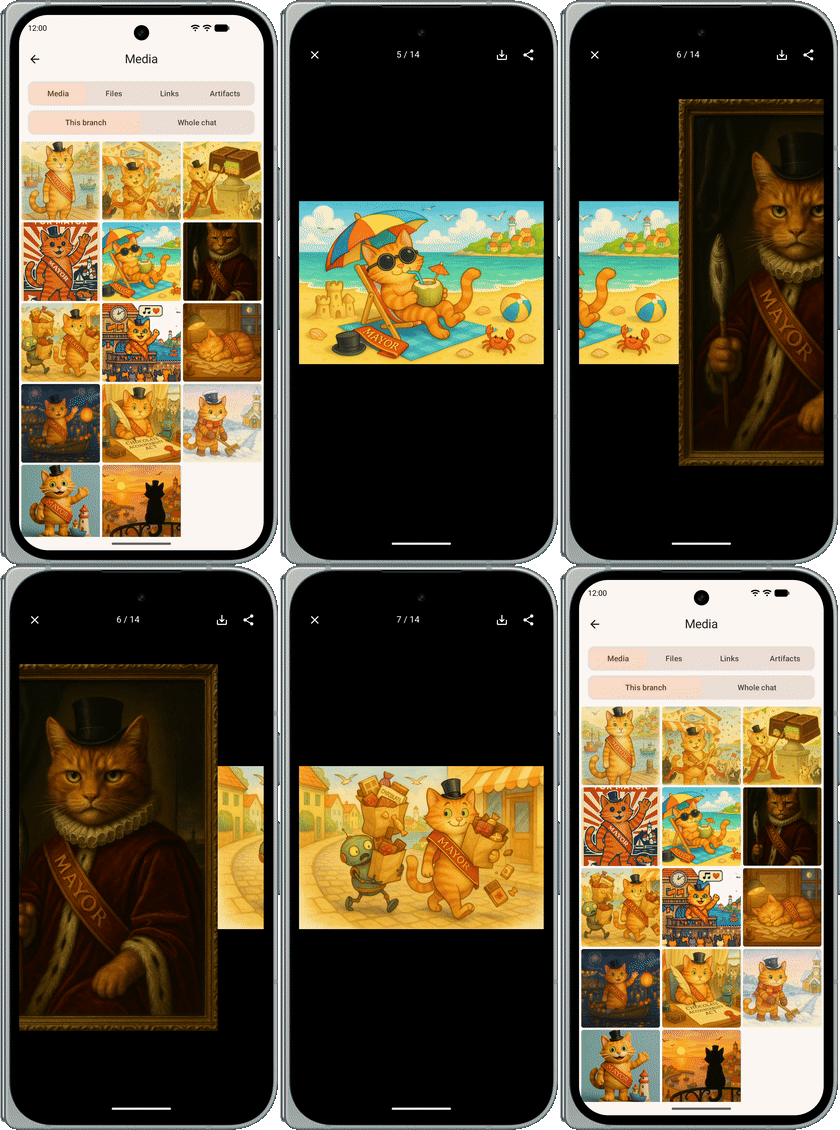 | |
| Answer Your Agents — When an agent needs something from you, answer right in the chat, one question at a time | 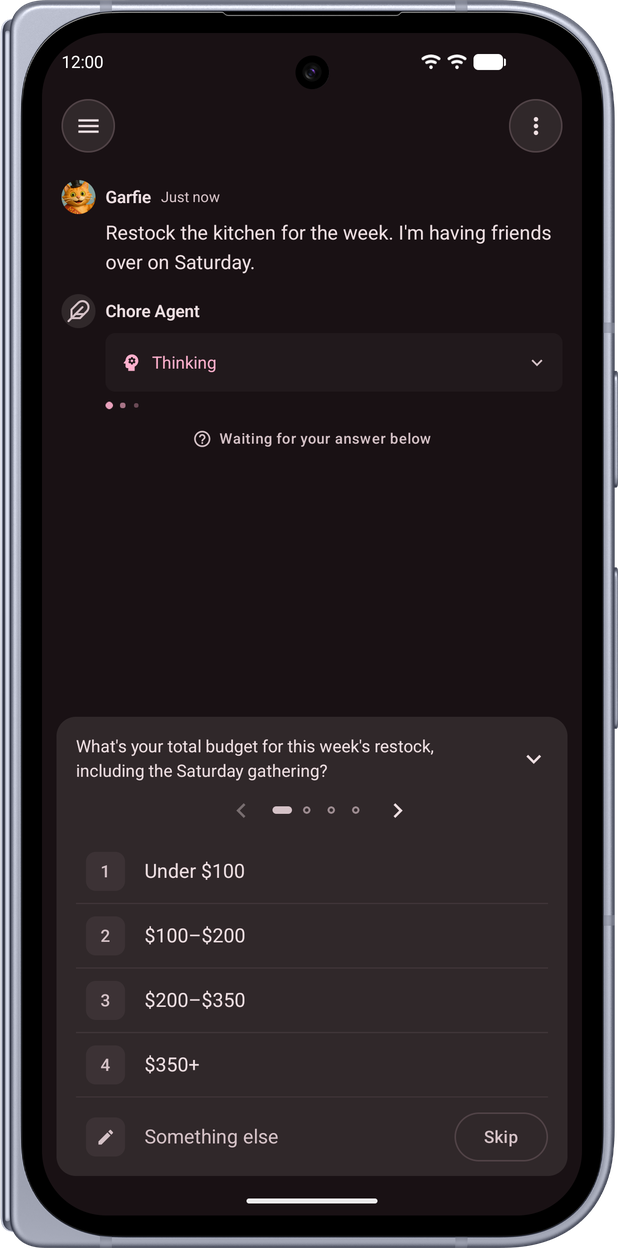 | 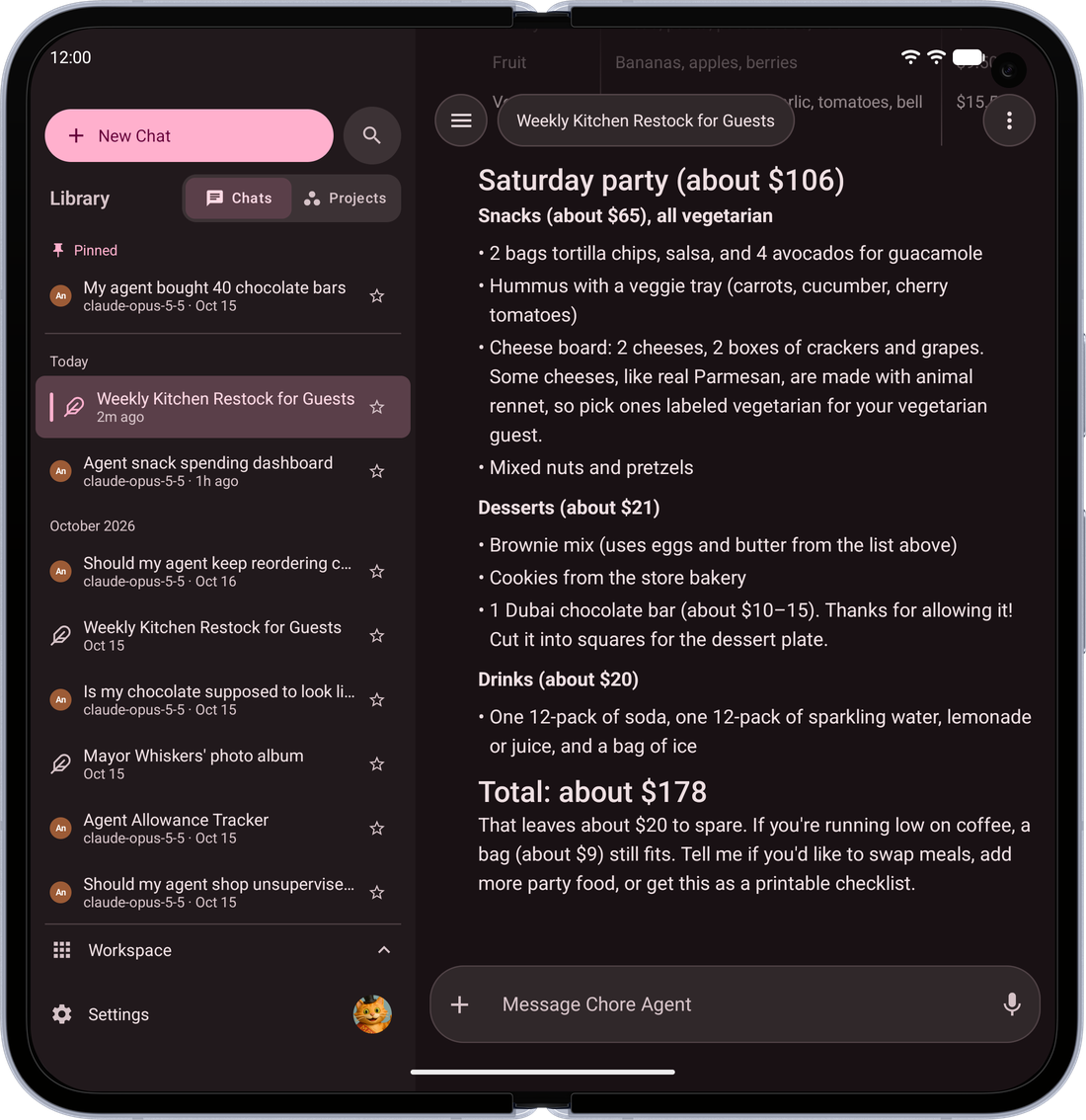 |
| Everything in Reach — Your chats, projects and tools a swipe away, with your favorites pinned in the Workspace tray | 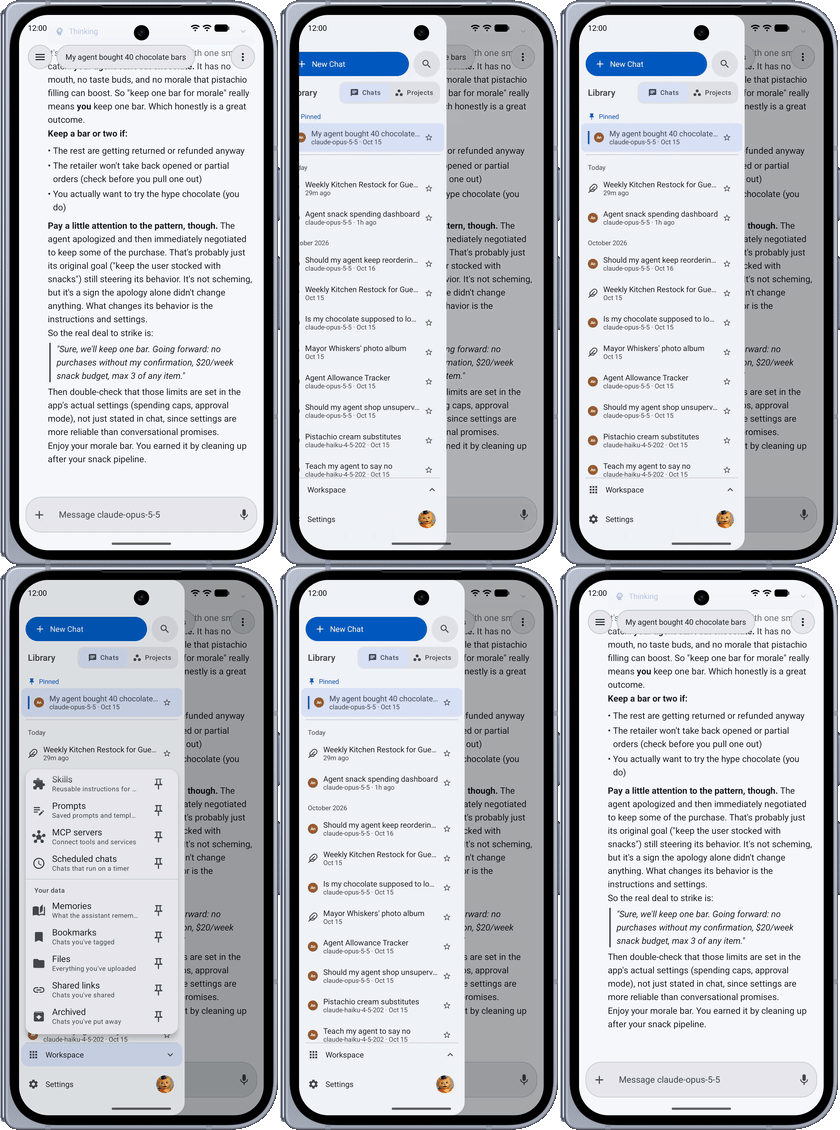 | 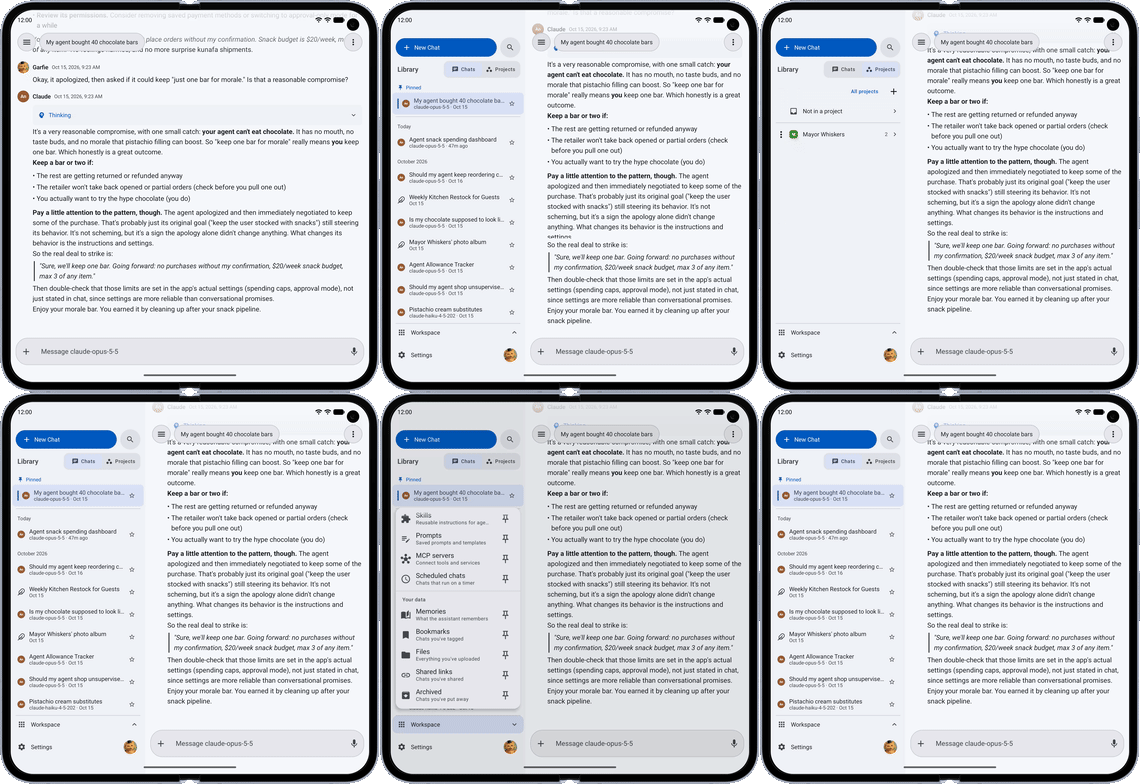 |
| Everything Where You Type — Pull up from the message box for your model, its settings, tools and attachments, all in one sheet | 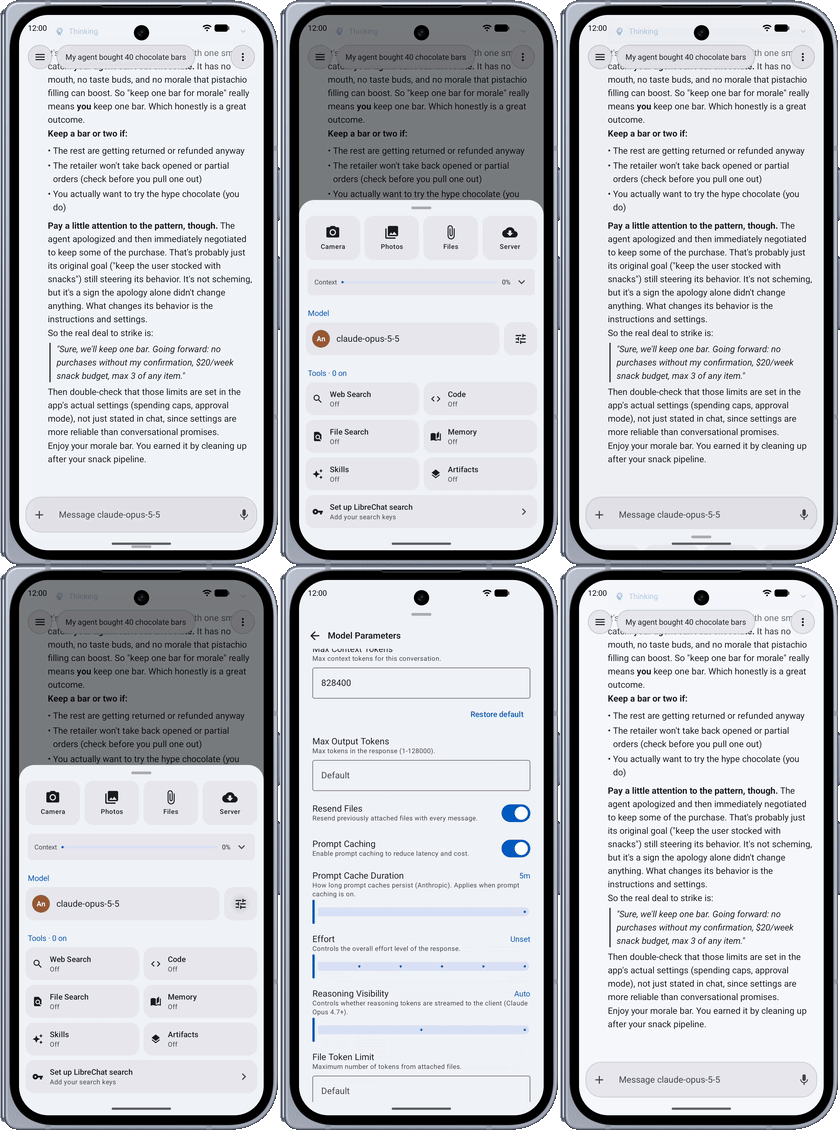 | 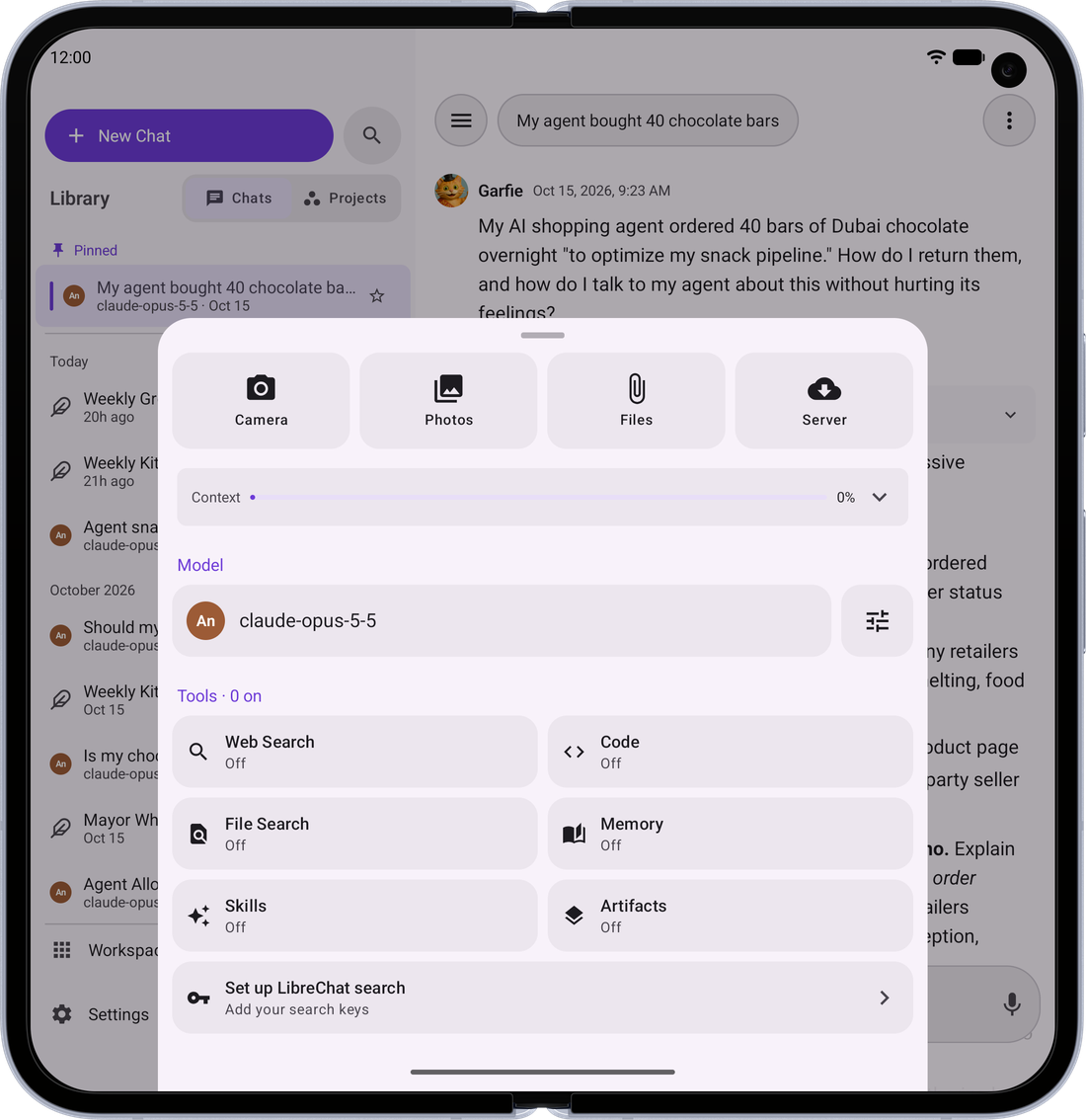 |
| Swipe Back — The back gesture peeks at where you're going before you let go | 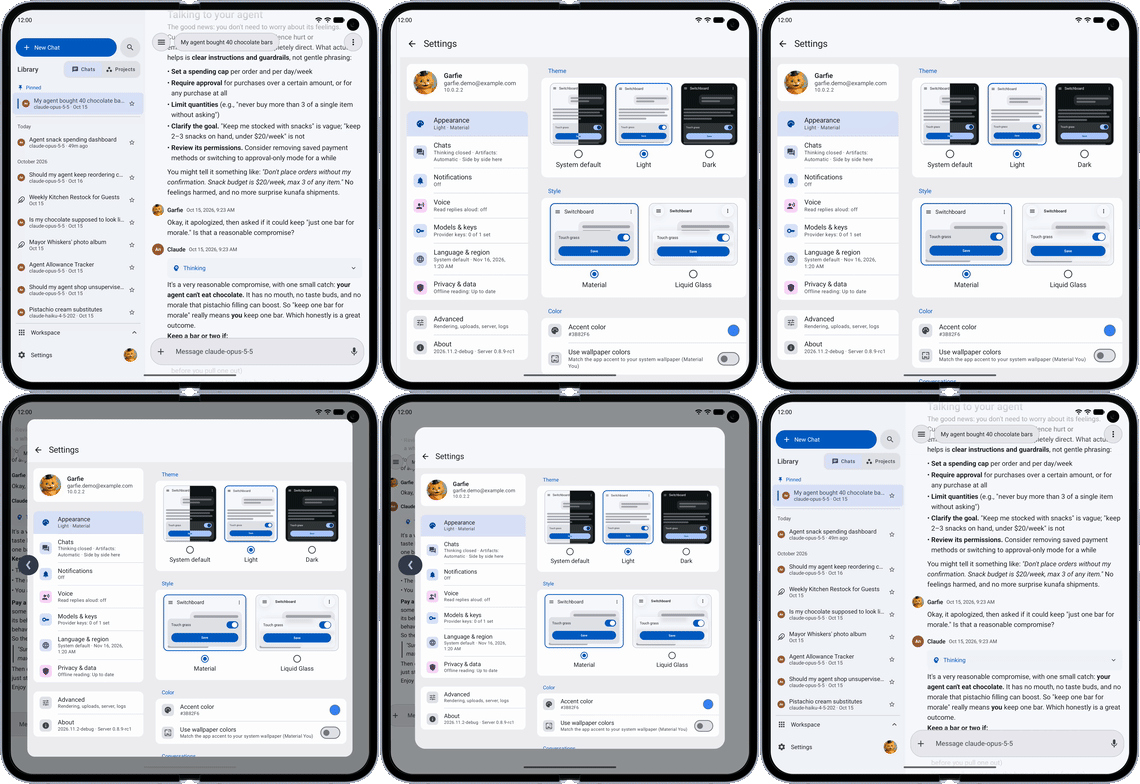 |
Install (Android)
Pre-built, signed APKs are published on the Releases page. No need to build from source.
Obtainium (recommended)
Obtainium installs the app straight from GitHub Releases and keeps it updated automatically.

- Install Obtainium from its releases.
- Tap the Add to Obtainium badge above (or, in Obtainium, Add App → paste
https://github.com/garfiec/Librechat-Mobile). - Obtainium tracks new releases and prompts you to update when one ships.
Release-candidate builds (versions like 2026.07.1-rc1) are published as GitHub pre-releases and are ignored unless you enable Include prereleases for the app in Obtainium.
Manual install
Download the latest switchboard-vYYYY.MM.P.apk from Releases and open it on your device (you may need to allow installs from your browser/file manager).
To hear about new releases without Obtainium, turn on Settings → About → Check for updates daily. It is off by default; when on, the app asks GitHub for the release list once a day while it is open.
Verifying the signing key
All releases are signed with the same key, so updates install in place. Verify a downloaded APK matches the published certificate:
apksigner verify --print-certs switchboard-vYYYY.MM.P.apk
# or check the .sha256 checksum attached to each release:
sha256sum -c switchboard-vYYYY.MM.P.apk.sha256
Signing certificate SHA-256:
66:8A:71:96:6A:07:06:14:D1:44:95:5D:83:E7:23:6A:3C:ED:77:F8:64:08:57:C3:FA:84:B0:3C:CD:E4:0E:59
If the signing key ever changed, Android would refuse the update — so this key is permanent. Never install a build signed with a different certificate over an existing install.
Verifying build provenance (optional, strongest)
Every release APK carries a SLSA build-provenance attestation, signed by GitHub Actions via Sigstore. Unlike the .sha256 — which whoever attaches a release could regenerate — the attestation proves the binary was produced by this repo's release workflow at a specific commit, and cannot be forged outside GitHub's CI. With the GitHub CLI:
gh attestation verify switchboard-vYYYY.MM.P.apk \
  --repo garfiec/Librechat-Mobile \
  --signer-workflow garfiec/Librechat-Mobile/.github/workflows/release.yml
A pass confirms the exact bytes you downloaded came from that workflow. The run and attestation are also linked from each release's notes — but those links are convenience, not proof; only the command above verifies the bytes in your hand.
Install (iOS)
TestFlight (recommended)
Join the public beta at testflight.apple.com/join/pVhFr3a5. Install the TestFlight app first, then open the link on your iPhone or iPad. TestFlight keeps the app updated and needs no sideloading tools. Each TestFlight build is valid for 90 days; a newer build replaces it before then.
Sideloading
Every release also carries an unsigned switchboard-vYYYY.MM.P.ipa for AltStore, SideStore, Sideloadly, or TrollStore. See docs/RELEASING.md for the install routes and their trade-offs.
Server Setup
The app works with any standard LibreChat server. During onboarding, you'll enter your server URL (e.g., https://chat.example.com or http://192.168.1.100:3080).
Required Configuration
Add the following to your LibreChat server's .env file:
# Safety net for native app clients.
# The app sends a browser User-Agent to pass the uaParser middleware,
# but if it ever fails to parse, this prevents ban point accumulation.
NON_BROWSER_VIOLATION_SCORE=0
Without this setting, the server's violation system may accumulate ban points against the mobile client if the User-Agent check fails, eventually locking the account out.
Notes
- Registration — The app respects your server's registration settings. If registration is disabled server-side, only the login form is shown.
- Access gateways — Behind Authelia, the app offers to sign you in to it when you connect; the admin registers the app once (see FAQ.md). For gateways that authenticate on static headers, such as Cloudflare Access service tokens, add them under Advanced on the server URL screen, or later in Settings → Advanced → Server connection.
- Self-signed TLS certificates — Both platforms enforce certificate requirements stricter than browsers. Install your private CA on the device and the app trusts it; on Android, sign-in and Settings → About say when a server relies on one. See FAQ.md for the requirements and setup.
Requirements
| Tool | Version |
|---|---|
| JDK | 17+ |
| Android Studio or IntelliJ IDEA | Latest stable (recommended IDE for all code editing) |
| Xcode | 15+ (iOS only, Apple Silicon Mac required — IDE not needed, CLI only) |
| iOS Deployment Target | 16.0+ |
| Gradle | 9.8.2 (via wrapper) |
| Kotlin | 2.4.10 |
Building from Source
Android
./gradlew assembleDebug
The debug APK will be at app/build/outputs/apk/foss/debug/app-foss-debug.apk.
For a release build:
./gradlew assembleRelease
iOS
Xcode builds the Kotlin framework itself via a build phase (direct integration), so there is no separate link*Framework step to run by hand.
Simulator:
xcodebuild -project iosApp/iosApp.xcodeproj -scheme iosApp \
  -sdk iphonesimulator \
  -destination 'platform=iOS Simulator,name=iPhone 16' \
  -derivedDataPath iosApp/build build
Physical device:
open iosApp/iosApp.xcodeproj
Then in Xcode: select your device, set your Team under Signing & Capabilities, and press ⌘R.
See iosApp/README.md for full build and launch instructions.
Tech Stack
- Kotlin Multiplatform (KMP) with shared business logic
- Jetpack Compose (Android) + Compose Multiplatform (iOS)
- Koin (dependency injection)
- Ktor Client (OkHttp on Android, Darwin on iOS)
- Kotlinx Serialization
- Room (cache), DataStore (preferences), EncryptedSharedPreferences / Keychain (tokens)
- Kotlin 2.4.10, compileSdk 37, minSdk 26
Contributing
See CONTRIBUTING.md for development setup, code style, and PR guidelines.
License
This project is licensed under the Apache License 2.0. See NOTICE for attribution, including the LibreChat code this app adapts under the MIT License.