
lap
An offline-first photo manager for large local libraries
Automatically checked · GitHub checked 2026-11-17
Overview

Lap - Private Local Photo Manager
Open-source desktop photo manager for macOS, Windows, and Linux.



English | Česky | Deutsch | Español | Français | Italiano | Magyar | Nederlands | Polski | Português | Русский | Українська | Tiếng Việt | 中文简体 | 中文繁體 | 日本語 | 한국어
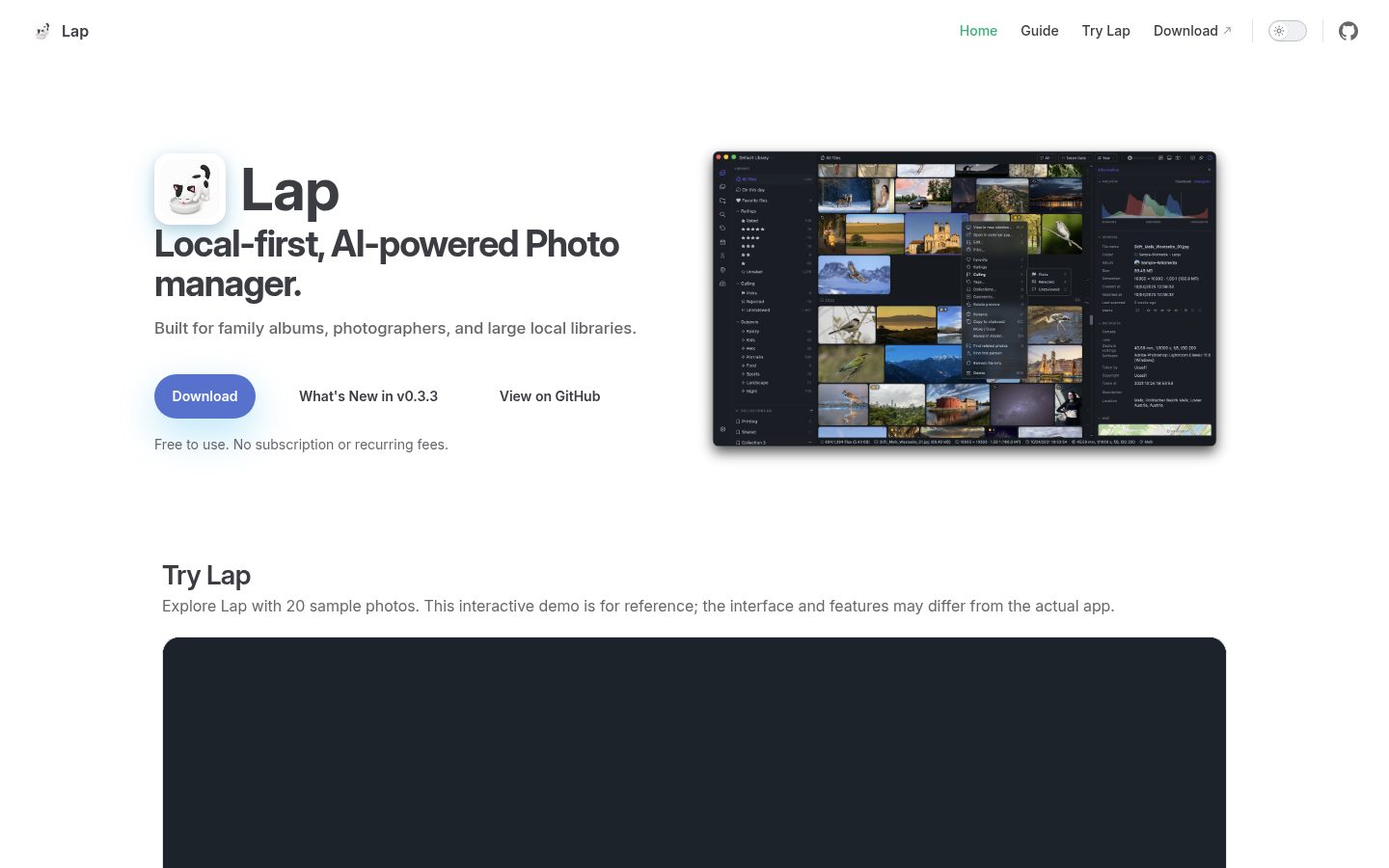
Lap is an open-source, local-first photo manager for browsing family albums, finding old photos quickly, and managing large personal media libraries offline. No import step, no subscription, no upload: your folders stay as they are, AI search runs on your machine, and you can save your ratings and tags to standard XMP sidecars.
Download Lap
Open the latest release page, then download the file that matches your system:
| Platform | Package | Note |
|---|---|---|
| macOS (Apple Silicon / Intel) | _aarch64.dmg / _x64.dmg | Notarized by Apple |
| Windows 10/11 (x64 / ARM64) | _x64_en-US.msi / _arm64_en-US.msi | Unsigned. If your browser blocks the download, choose Keep anyway. If SmartScreen blocks the installer, choose More info → Run anyway. |
| Linux (x64 / ARM64) | _amd64.deb / _arm64.deb | For Debian-based distros (Ubuntu, Debian, Linux Mint, etc.) |
| Linux (x64 / ARM64) | _amd64.AppImage / _aarch64.AppImage | Make the file executable, then double-click to run |
macOS with Homebrew
brew tap julyx10/lap
brew install --cask lap
Screenshots
Why Lap
- Folder-based library management. Open your existing folders directly in Lap. Your files stay where they are, in their original formats.
- AI search that never leaves your machine. Describe a photo ("sunset at the beach"), find similar shots, or browse by face. Everything is computed locally.
- Portable ratings and tags. Save your ratings and tags to XMP sidecars to use them in compatible photo apps.
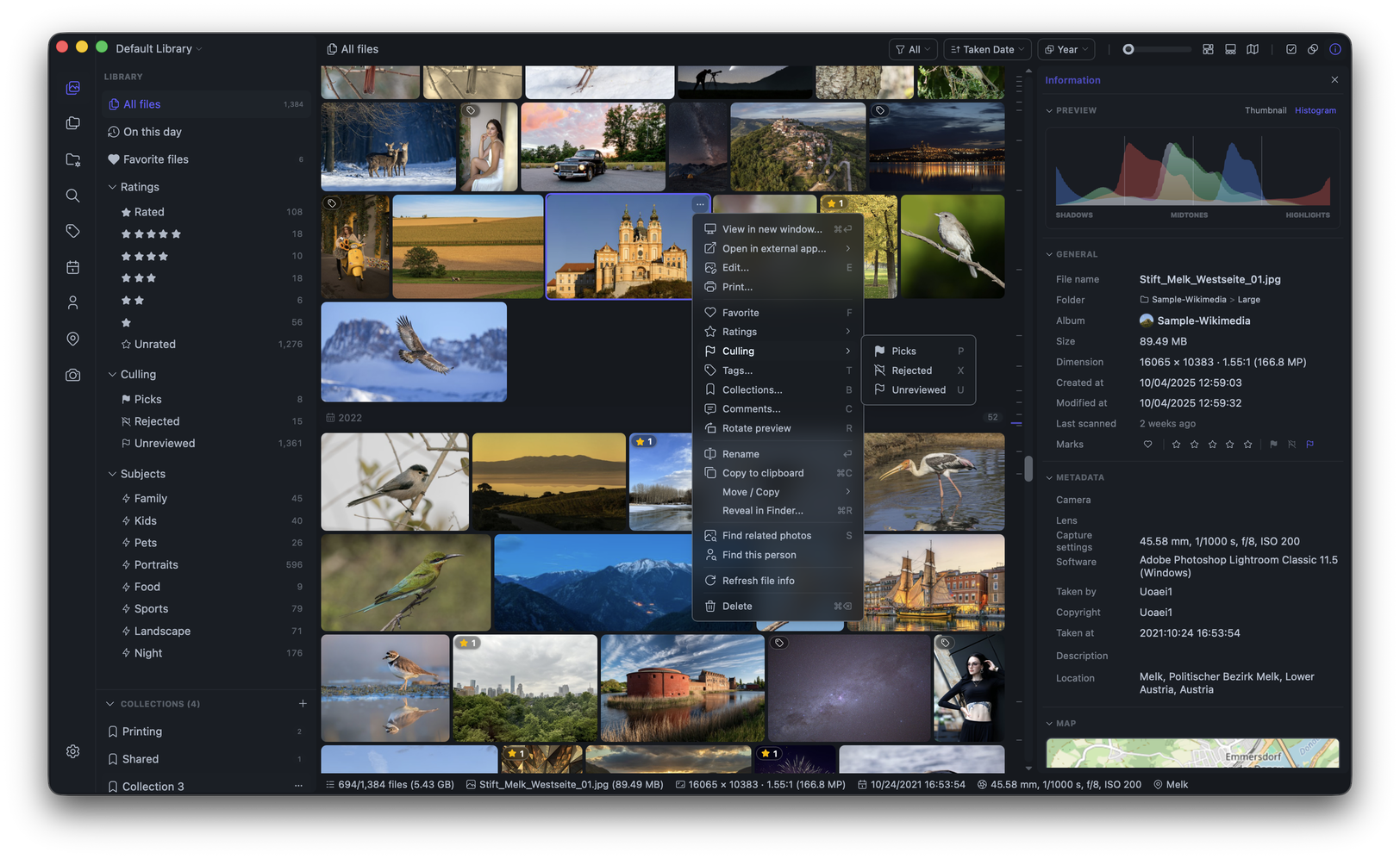
- Culling built for photographers. Instant Space-bar preview, auto-advance after rating, autofocus area overlay, four-pane comparison, and duplicate keep rules.
- Built for libraries with 100,000+ photos and videos. A native Rust core powers browsing, search, and scanning.
- Free and open source. No subscription, no account, no forced ecosystem. 17 languages, on macOS, Windows, and Linux.
Features
- Flexible library browsing by date, folder, location, camera, lens, tags, ratings, and faces, with sorting and search.
- Folder-first workflow with multiple libraries, drag-&-drop import/export, copy-paste import/export, batch rename, filesystem sync, and safe move/copy/delete operations.
- Local AI search for text prompts, visual similarity, subjects, face clustering, and optional multilingual search in 50+ languages.
- Metadata import and XMP writeback: read embedded EXIF/IPTC/XMP and sidecars (ratings, tags, favorites, culling flags, GPS, dates, and more), edit text fields, and write your organization back to XMP sidecars.
- Smart Albums save rule-based views with custom grouping, sorting, folder-name filters, and searchable value pickers.
- Date-organized import with day, month, year, or single-folder layouts, original filenames, and duplicate skipping.
- Collections and hierarchical tags to organize files in bulk, with a drag-to-reorder tag tree and subtree counts.
- Duplicate cleanup with keep rules (preferred folders, format, size, date), reclaimable-space summaries, and bulk removal.
- Culling and comparison tools including a four-pane comparison viewer and auto-advance.
- Built-in editing for crop, arbitrary-angle straighten, rotate, flip, resize, and basic image adjustments.
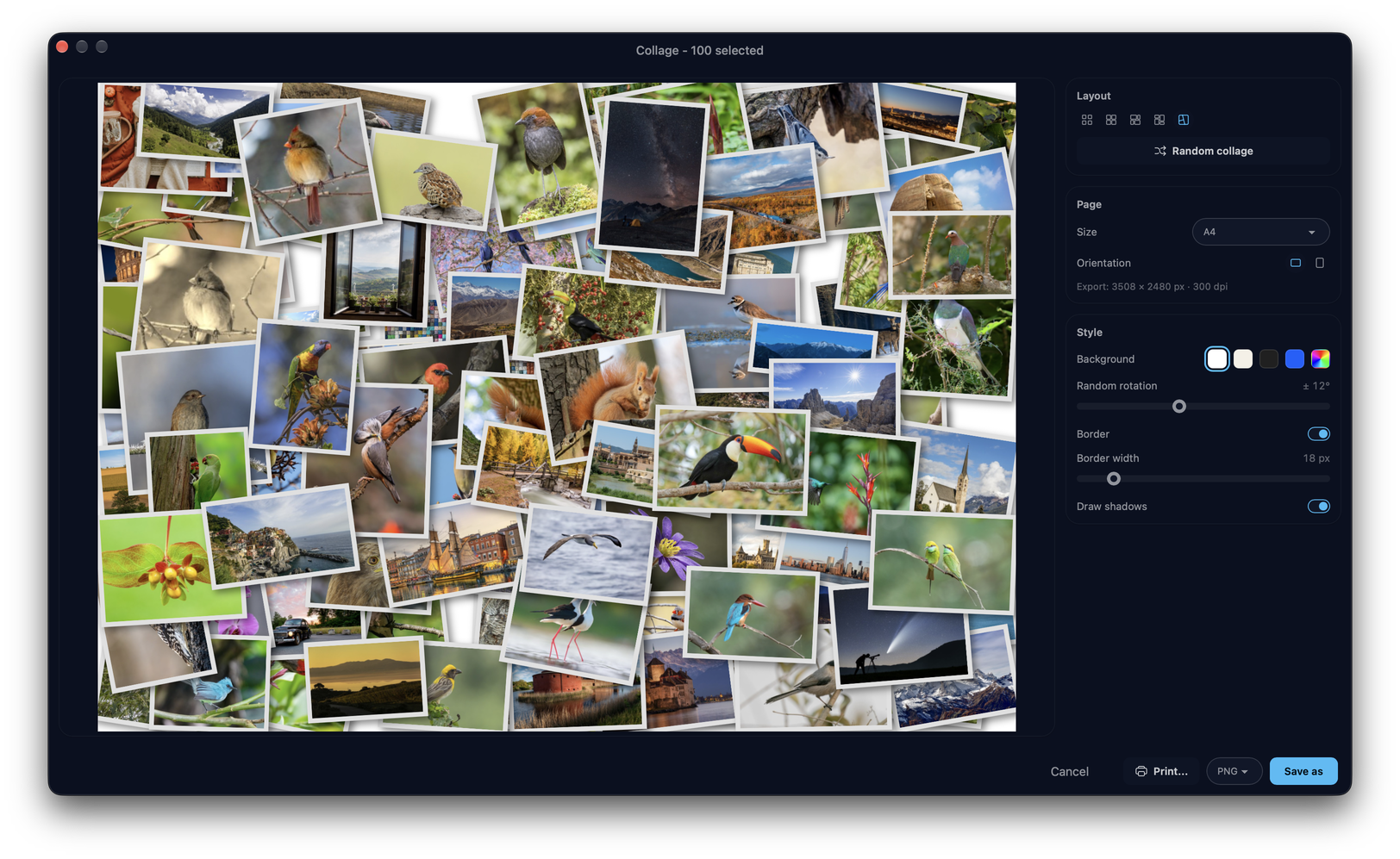
- Photo Collage to compose selected photos into grid, justified-mosaic, or picture-pile layouts.
- Apple Live Photos and Google Motion Photos with motion playback and a unified Smart Album filter.
- RAW + JPEG/HEIC pairs displayed as one item and kept together during file operations, with a choice of deletion scope.
- Configurable RAW thumbnails and previews using RAW rendering or the camera's embedded preview, with adjustable brightness and RAW+JPEG pair display.
- Customizable File Info with selectable fields, lazy-loaded details, and an autofocus area overlay in the viewer.
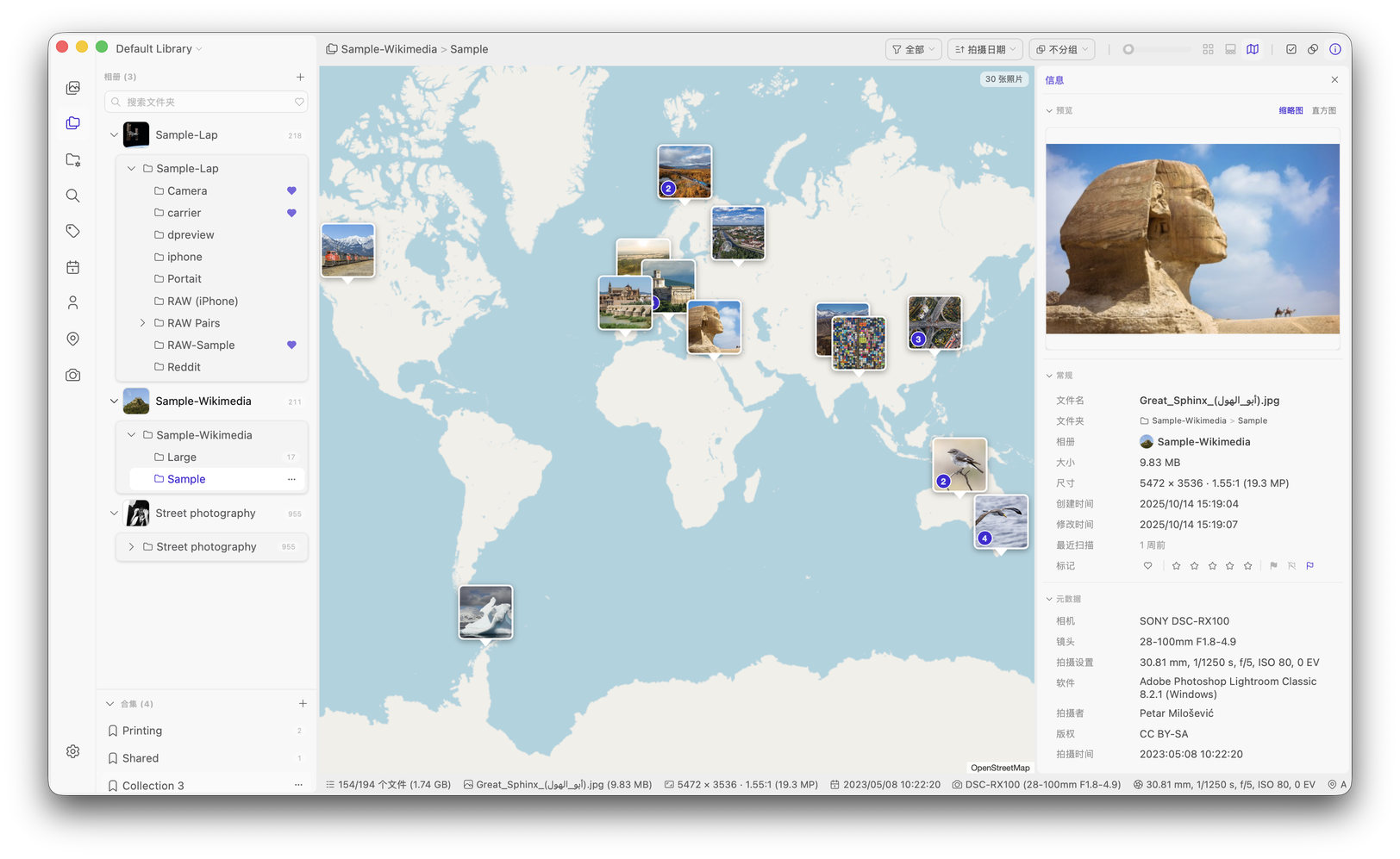
- Interactive Map View to explore geotagged photos and videos in clusters that follow your current filters.
- Offline album browsing that keeps albums on disconnected or network storage visible with cached thumbnails.
- Cloud-only file browsing for OneDrive Files On-Demand and macOS dataless files: indexed and shown without downloading. Lap never downloads them automatically.
- Light and dark themes, optionally following the system appearance.
- Broad format support for 60+ image, RAW, and video formats, plus Affinity document previews.
Metadata, Collections, and Moving Files
Lap is folder-first. Most of the information shown in Lap is read from your files, and you can choose to write your organization back to standard XMP sidecars so it travels with the files and stays readable by other photo apps.
Lap imports compatible metadata from Lightroom, digiKam, darktable, and ACDSee. Supported fields vary by application.
What stays with the file
- Your original photos and videos always remain ordinary files in their existing folders.
- Embedded EXIF, IPTC, and XMP metadata is read when Lap indexes the file: capture date, camera, lens, GPS, orientation, ratings, favorites, keywords, culling flags, descriptions, title, headline, creator, copyright. Turn on Settings → Metadata → Import metadata to import the organization fields into the local database; your local edits are preserved.
- When Lap imports metadata from an XMP sidecar, supported sidecar values take precedence over embedded values, including GPS and capture dates.
- Title, headline, description, creator, and copyright are editable in Lap. Edits are saved to the local database.
- Save Metadata to XMP writes tags (including hierarchical keywords), ratings, favorites, culling states, title, headline, description, creator, and copyright to sidecars. It preserves unrelated XMP properties and leaves the original files untouched.
- When you rename, move, copy, delete, or import files in Lap, Lap updates its local database and keeps XMP sidecars and supported grouped assets — Apple Live Photo components, AAE sidecars, and enabled RAW + JPEG/HEIC pairs — together with the files. When deleting a RAW pair, you can delete either file or both. The shared XMP sidecar stays with the remaining file if you keep one.
- Saving a built-in image edit writes the resulting image to the selected destination.
What is stored locally by Lap
The following are Lap library data. They are stored in Lap's local database or library configuration:
- Collections, Smart Albums and their rules, grouping, sorting, and ordering
- AI search data, face data, thumbnails, and other index/cache data
- Tags, ratings, favorites, culling states (picks and rejects), and editable text fields are stored in the local database and can be written to XMP as described above.
By default, this data does not travel with a file when it is copied, exported, or moved outside Lap, and it is not available automatically to other applications.
Working with files outside Lap
Lap can rescan folders and detect many filesystem changes. With metadata import enabled, it also checks for changes to XMP sidecars. But changes made outside Lap—such as renaming, moving, replacing, or copying files—can disrupt organization that is stored only in Lap.
Rename and move files in Lap to preserve their data in the local database, including collection membership. To share supported metadata with other apps, use Save Metadata to XMP and keep the sidecar with the file. If you also manage files outside Lap, back up Lap's database and configuration together with your photos. You can manage the database location and create a backup in Settings → Storage.
Deleting Lap's database or configuration removes this local organization and index data, but does not delete your original media files.
Uninstall Lap
Lap works directly with your existing photo folders. Uninstalling Lap, or deleting its database and cache files, does not delete your original photos.
The standard uninstall steps remove the application. To remove Lap completely, quit Lap first, uninstall the application, then delete its local database, thumbnail cache, and configuration files using the cleanup command for your platform.
macOS
If you installed Lap with Homebrew:
brew uninstall --cask lap
For a manual installation, quit Lap and move Lap.app from the Applications folder to the Trash.
To remove all Lap database, cache, and configuration files:
rm -rf "$HOME/Library/Application Support/com.julyx10.lap" \
       "$HOME/Library/Caches/com.julyx10.lap" \
       "$HOME/Library/WebKit/com.julyx10.lap"
rm -f "$HOME/Library/Preferences/com.julyx10.lap.plist"
Windows
Open Settings > Apps > Installed apps, find Lap, and select Uninstall.
Then open PowerShell and remove all Lap database, cache, and configuration files:
Remove-Item -Recurse -Force -ErrorAction SilentlyContinue "$env:LOCALAPPDATA\com.julyx10.lap"
Remove-Item -Recurse -Force -ErrorAction SilentlyContinue "$env:APPDATA\com.julyx10.lap"
Linux
For DEB installations, uninstall the package:
sudo apt remove lap
For a locally installed Arch package, use sudo pacman -R lap.
For AppImage installations, quit Lap and delete the downloaded .AppImage file.
Then remove all Lap database, cache, and configuration files:
rm -rf "$HOME/.local/share/com.julyx10.lap" \
       "$HOME/.cache/com.julyx10.lap" \
       "$HOME/.config/com.julyx10.lap"
If you selected a custom database storage directory in Lap settings, delete that directory separately after confirming that it contains only Lap database files.
Build from Source
Requirements: Node.js 20+, pnpm, Rust stable.
# macOS system deps
xcode-select --install
brew install nasm pkg-config autoconf automake libtool cmake

# Linux system deps
# sudo apt install libwebkit2gtk-4.1-dev libappindicator3-dev librsvg2-dev \
#   patchelf nasm clang pkg-config autoconf automake libtool cmake

# Clone and build
git clone --recursive https://github.com/julyx10/lap.git
cd lap
git submodule update --init --recursive
cargo install tauri-cli --version "^2.0.0" --locked
./scripts/download_models.sh            # Windows: .\scripts\download_models.ps1
./scripts/download_ffmpeg_sidecar.sh    # Windows: .\scripts\download_ffmpeg_sidecar.ps1
cd src-vite && pnpm install && cd ..
cargo tauri dev
Distribution packages can link against the system libheif (1.17 or newer) instead of the bundled libheif and libde265. Set LAP_SYSTEM_LIBHEIF=1 for the build. The submodules third_party/libheif and third_party/libde265 are then not needed. HEVC decoding depends on the codec plugins of the system libheif.
Arch Linux (x86_64)
An experimental source-built Arch recipe is in contrib/aur. It has not been published to the AUR, so yay -S lap is not available yet. To build and install it locally on Arch Linux:
cd contrib/aur
makepkg -s
sudo pacman -U lap-<version>-x86_64.pkg.tar.zst
The recipe pins an upstream source commit and checksums the bundled AI models and FFmpeg tools. The Arch build disables in-app self-updates so pacman remains responsible for upgrades; other platform builds keep their existing updater. See the recipe guide for build details and outstanding release checks.
Supported Formats
Lap supports 60+ image, RAW, and video formats.
| Type | Formats |
|---|---|
| Images | JPG/JPEG/JFIF, PNG, GIF, BMP, TIFF, WebP, HEIC/HEIF/HIF, AVIF, JXL, PSD, EXR, HDR/RGBE, TGA, JPEG 2000 (JP2/J2K/J2C/JPC/JPF/JPX), DDS, DPX, QOI |
| RAW photos | CR2, CR3, CRW, NEF, NRW, ARW, SRF, SR2, RAF, RW2, ORF, PEF, DNG, SRW, RWL, MRW, 3FR, MOS, IIQ, DCR, KDC, ERF, MEF, RAW, MDC |
| Affinity documents | AF, AFPHOTO, AFDESIGN, AFPUB (embedded preview) |
| Videos | MP4, MOV, M4V, MKV, AVI, FLV, TS/MTS/M2TS, WMV, WebM, 3GP, MPG/MPEG, VOB, MOD/TOD, HEVC, ASF. H.264 playback is supported on all platforms, with automatic compatibility processing when native playback is unavailable. HEVC/H.265 and VP9 are natively supported on macOS. |
Linux Video Playback
If videos don't play, install the GStreamer plugins:
sudo apt install gstreamer1.0-libav gstreamer1.0-plugins-good
Architecture
- Core: Tauri + Rust
- Frontend: Vue + Vite + Tailwind CSS
- Data: SQLite
Key Libraries
| Library | Purpose |
|---|---|
| LibRaw | RAW image decoding and thumbnail extraction |
| libheif | HEIC/HEIF/HIF image decoding and preview generation |
| libjpeg-turbo | Fast JPEG decoding and thumbnail generation |
| FFmpeg | Video processing and thumbnail generation |
| exiftool-rs | Rust port of ExifTool |
| Video.js | Cross-platform video playback UI |
| ONNX Runtime | Local AI model inference engine |
| CLIP | Image-text similarity search |
| InsightFace | Face detection and recognition |
| Leaflet | Interactive map for geotagged photos |
| daisyUI | UI component library |
License
GPL-3.0-or-later. See LICENSE.
Privacy
Read the Privacy Policy for details on data handling and optional online services.