
KeeForge
KeePass-compatible password manager for iPhone, iPad, and Mac
Automatically checked · GitHub checked 2026-11-12
Before you switch
Evaluate hosting, migration and feature requirements before switching.
Overview

KeeForge
English | Deutsch | Français | Español | 简体中文 | 繁體中文 | 日本語 | Italiano | Русский
A free, open-source KeePass manager for iPhone, iPad, and Mac.
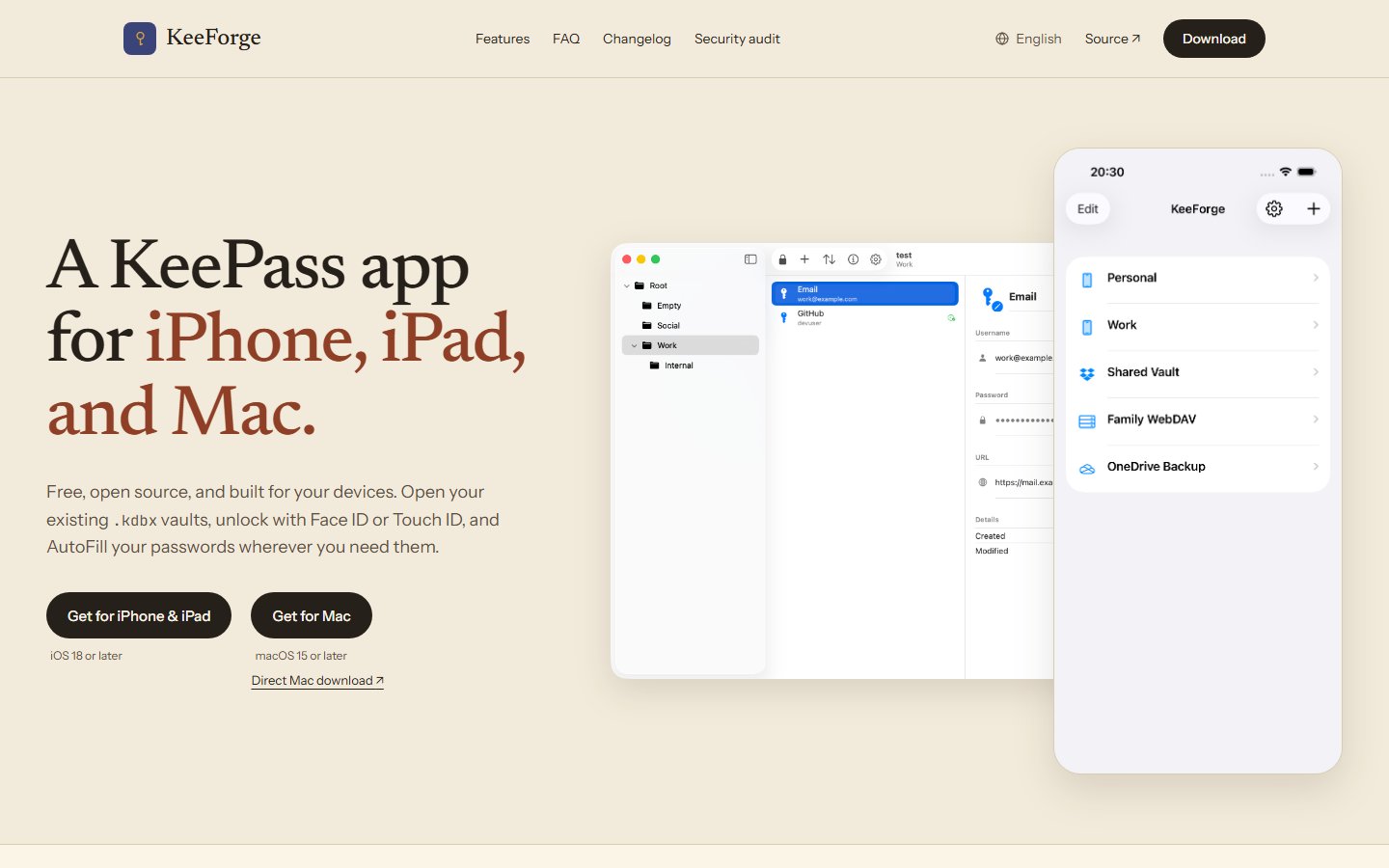
Native SwiftUI on iPhone and iPad and native AppKit on Mac, local-first storage, AutoFill, passkeys, TOTP, cloud sync, KDBX editing, and attachment viewing.







Why KeeForge?
KeeForge is a native KeePass client for iPhone, iPad, and Mac, built for people who want their vault to stay theirs. Open .kdbx databases from local files, WebDAV or FTP on every platform, with iCloud Drive, Dropbox, OneDrive, and other Files providers on iPhone and iPad; unlock with a master password, key file, or biometrics; then browse, search, edit, save, and AutoFill without handing your vault to a hosted password service.
Public Beta
Join the KeeForge beta for iPhone, iPad, and Mac on TestFlight
Beta availability can differ between iPhone, iPad, and Mac while Apple reviews each platform build.
Highlights
| Area | What KeeForge Does |
|---|---|
| KeePass compatibility | Reads and writes KDBX 4.x databases with AES-256, ChaCha20, or Twofish encryption and AES-KDF, Argon2d, or Argon2id. Also opens KDBX 3.1 databases in read-only mode. |
| Local-first editing | Create, edit, move, and delete entries and groups; and save with conflict checks, timestamped backups, and preservation of entry history and unknown XML. |
| New databases | Create new KDBX 4.x databases locally or through WebDAV or FTP on every platform, and directly inside Dropbox or OneDrive on iPhone and iPad. |
| Composite keys | Unlock with password, key file, or both, including binary, hex, XML v1/v2 (.key/.keyx), and arbitrary key files. |
| AutoFill | Native password AutoFill in apps and browsers, with biometric unlock, plus passkey registration on every platform; iPhone and iPad additionally provide QuickType suggestions and password-entry creation from the extension. |
| Passkeys | Detect and authenticate FIDO2/WebAuthn passkeys stored in KeePassXC-compatible custom fields. |
| TOTP | Live one-time password display, copy support, and countdowns on every platform, plus verification-code AutoFill on iOS 18+ and Mac. |
| Cloud sync | WebDAV and FTP browsing and read/write sync on every platform. Dropbox and OneDrive integration is currently available on iPhone and iPad; Mac users can open their synced folders as local files. |
| Attachments | View KeePass entry attachments, preview supported files with QuickLook, and share them from short-lived protected temporary files. Add and remove attachments in the entry editor. |
| Native on every screen | Focused iPhone navigation, a split-view iPad workspace, and a desktop-optimized native Mac app with menus, commands, and Touch ID. |
| Security | AES-GCM in-memory secret encryption, failed-unlock backoff, decompression bomb limits, and constant-time HMAC comparison. |
Privacy
KeeForge has no analytics, no background telemetry, and no crash-reporting SDKs. Vault data stays on device and in the storage locations you choose. Network access is limited to connected cloud providers, opt-in favicon fetching through DuckDuckGo, optional App Store purchases for the tip jar, update checks for the direct-download Mac app, and the in-app feedback form when you explicitly submit a message.
On iPhone and iPad, copied secrets are marked local-only so they do not travel through Universal Clipboard. macOS does not offer that exclusion, so copied secrets can follow your system's Universal Clipboard setting; KeeForge marks them as concealed and clears its clipboard entry after the clear timeout you choose, or when you lock the database if you choose Never. KeeForge also protects app-switcher previews on iPhone and iPad. Screen-capture blocking on Mac is best-effort and may not stop every screenshot or recording.
Read the privacy policy.
Data Safety
KeeForge takes data safety very seriously: a password manager must never corrupt your vault or silently lose any part of it. Before any change ships, automated tests verify that:
- Nothing gets lost when you save. Every kind of edit is saved and read back piece by piece — passwords, notes, attachments, entry history, and even data from other KeePass apps that KeeForge doesn't recognize must all come back exactly as they went in.
- Your file is protected before it's touched. KeeForge checks for changes made elsewhere while you had the file open and refuses saves when it detects a conflict, writes a timestamped backup before every save, and rejects damaged databases outright instead of loading partial data.
- An independent program agrees. Every release must pass a gate where KeePassXC — a widely used KeePass app that shares no code with KeeForge — opens KeeForge-written databases, decrypts the passwords, and confirms attachments match bit for bit. Databases created by other KeePass software must likewise open in KeeForge and stay readable elsewhere after KeeForge saves them.
With FTP, the final conflict check and file replacement cannot happen as one operation. A simultaneous save from another app or device may still be overwritten, so avoid editing an FTP database in two places at once.
For the technically curious, the test suite is mapped in KeeForgeTests/AGENTS.md and the pre-release verification gate in ci_scripts/AGENTS.md.
Project Map
KeeForge/
├── App/              # App entry point, adaptive root shell, scene lifecycle
├── Extensions/       # Shared platform-compat helpers
├── Models/           # KDBX parser/writer, crypto, edit draft, TOTP, passkeys
├── Resources/        # String catalogs and asset catalogs
├── Services/         # Persistence, cloud sync, Keychain, bookmarks, attachments, AutoFill helpers
├── ViewModels/       # Database list, unlock, save, search, sort, TOTP state
├── Views/            # SwiftUI screens, editor, settings, tip jar, reusable controls
AutoFillExtension/    # AutoFill credential provider, passkey auth, credential creation
KeeForgeMac/          # Native macOS app: AppKit shell, configuration and entitlements
KeeForgeMacUITests/   # XCUITest coverage for the macOS app
KeeForgeTests/        # Unit tests
KeeForgeUITests/      # XCUITest coverage
TestFixtures/         # Sample .kdbx databases and key files
Vendor/               # Vendored KeeForgeTwofish Swift package
ci_scripts/           # Xcode Cloud bootstrap and release gate scripts
scripts/              # Local dev tooling
Docs
CHANGELOG.md- version historyROADMAP.md- planned product work and open prioritiesAGENTS.md- context for coding agentsKeeForge/AGENTS.md- app-target architecture mapAutoFillExtension/AGENTS.md- extension constraints and shared-source notesSECURITY.md- vulnerability disclosure policydocs/- implementation specs, audits, and longer-form design docs
Support
- App Store (iPhone, iPad, and Mac): KeeForge on the App Store
- Direct Mac download: latest GitHub release
- Homebrew (Mac): KeeForge/homebrew-tap installs the direct-download build
- Email: [email protected]
- Issues: GitHub Issues
Contributing
See CONTRIBUTING.md for build requirements, how to build from source, the pull request workflow, the Developer Certificate of Origin sign-off requirement, and licensing terms. Start with AGENTS.md, then open the folder-local README.md closest to the code you are changing.
License
KeeForge is GPLv3 licensed. See LICENSE for details.