
garlic-hub
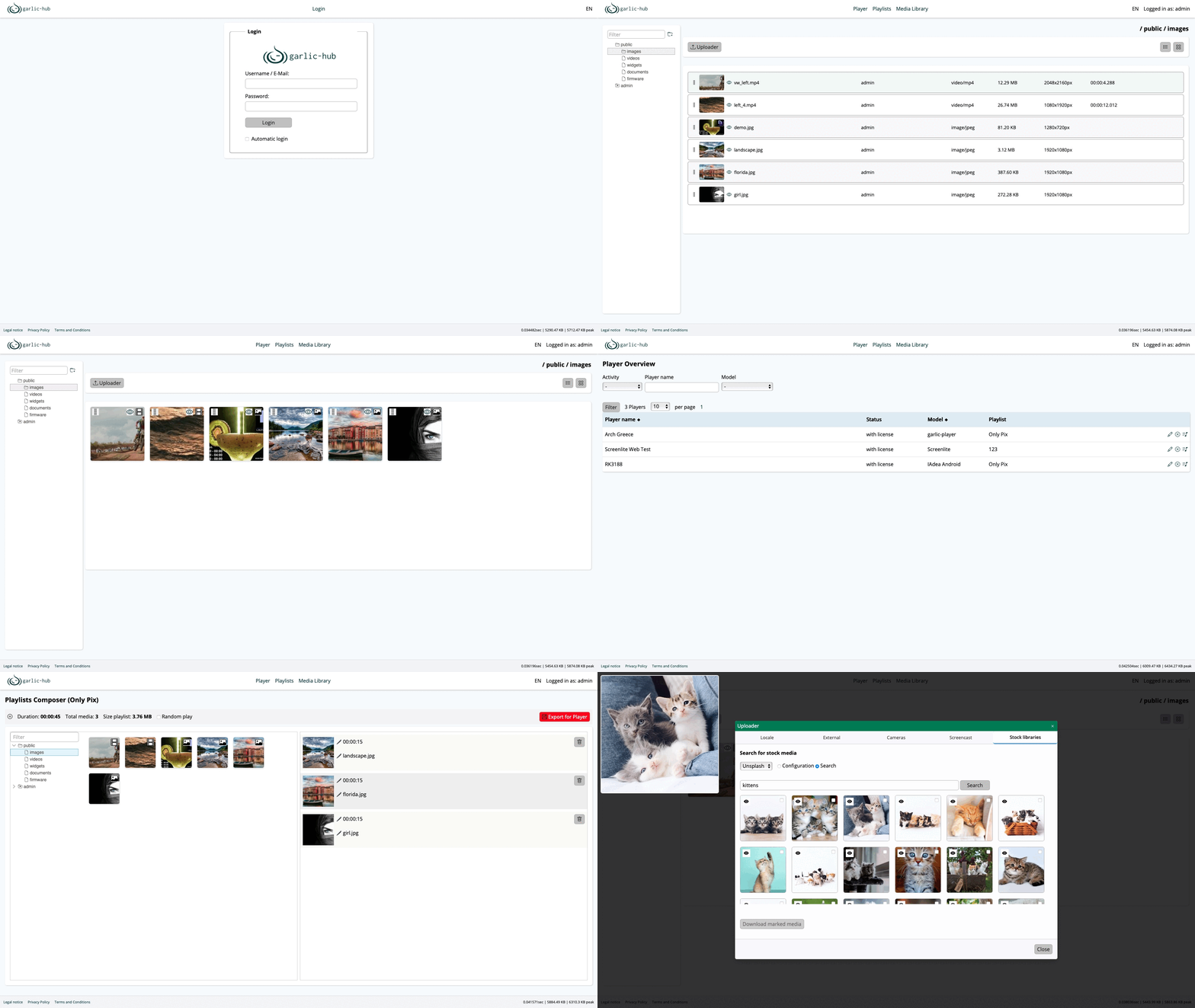
Garlic-Hub manages your digital signage network — devices, content and playlists — from a single self-hosted interface.
Automatically checked · GitHub checked 2026-11-17
Before you switch
Evaluate hosting, migration and feature requirements before switching.
Overview


Garlic-Hub: Digital Signage Management
Garlic-Hub manages your digital signage network — devices, content and playlists — from a single self-hosted interface. No SaaS, no per-device fees, no vendor lock-in.
Part of the GarlicSignage Ecosystem
| Project | Role |
|---|---|
| garlic-player | SMIL media player |
| garlic-hub | Device and content management ← you are here |
| garlic-launcher | Root-free Android kiosk launcher |
| garlic-daemon | systemd-based player maintenance |
| garlic-proxy | Proxy for restricted networks |
Live Demo
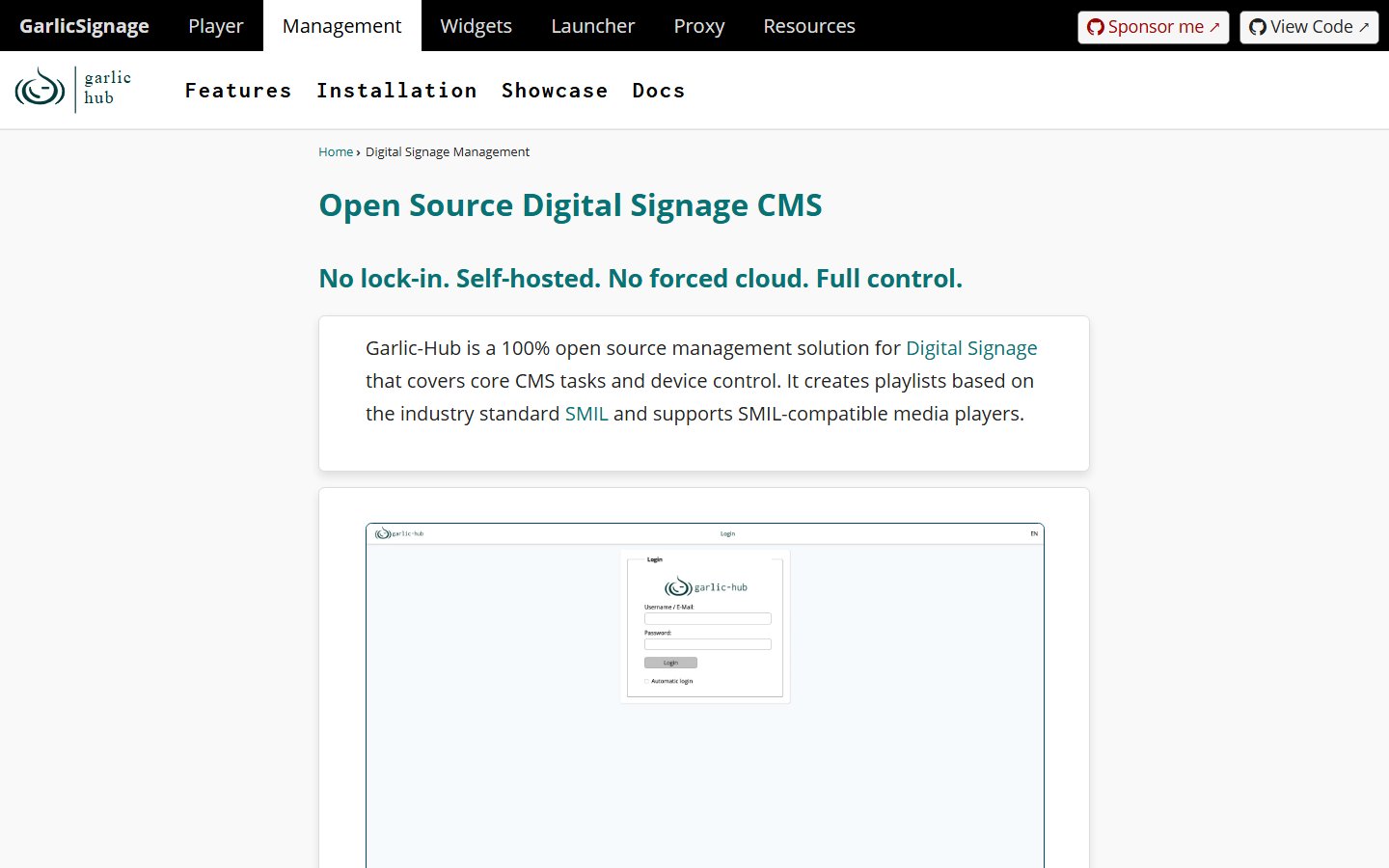
See garlic-hub in action: https://garlic-hub.com
- login:
admin - password:
Demo1234!
The demo is deleted and rebuilt regularly.
Installation
- User Installation Guide
- Connecting Media Players
- Proxmox LXC Helper Script (community contribution, maintained by @SB-CanaryBlue)
Features
| Feature | Status | Description |
|---|---|---|
| Media management | ✅ | Hierarchical folders, uploads from local files, external links, screencasts, camera and stock platforms (with API key) |
| Media search | 🧪 | Search by tags, name and description in all readable folders, filter by kind of media |
| SMIL playlists | ✅ | Create playlists and export them in the industry-standard SMIL format |
| Multi-zone content | ✅ | Graphical editor for display zones |
| Template editor | ✅ | Image templates based on fabric.js |
| Conditional play | ✅ | Date and time conditions for media playback |
| Triggers | ✅ | Play media or nested playlists by priority, triggered by access keys, touch/click, date/time or network |
| Player management | ✅ | Any number of players register on first contact; list with filters for online/offline, model and playlist; assign playlists |
| Local player | ✅ | A player on the same machine is connected automatically without registration |
| Push | ✅ | Push a playlist directly to players reachable over their REST API, e.g. in the intranet |
| User management | ✅ | Basic user management with roles per module; initial admin user set up after installation |
| Authentication | ✅ | Session login with remember-me and basic OAuth2 token authorization |
| Two-factor authentication | 🧪 | TOTP with Aegis and compatible apps, recovery codes, reset by the admin; can be required for all users |
| Single sign-on | 🧪 | OpenID Connect with Google, Entra ID, Okta, Keycloak and other providers, several at once; the first login creates the user without rights |
| Internationalization | ✅ | UI in English, German, Spanish, French, Greek and Russian |
| Preview player | 🧪 | Preview playlists in the browser with the WASM player in a resizable overlay |
| Thumbnail preview | 🧪 | Enlarged thumbnail of playlist items on hover and touch |
| Sharing | 🧪 | Share units and mediapool folders with users and grant roles from the context menu |
| Versioning | 🧪 | Exported playlists and saved templates are versioned and can be restored, including the template items of a playlist |
| Release | 🧪 | Editors mark playlists as ready for release, only admins export; status in the list and on the dashboard; off by default |
| System settings | 🧪 | Settings per module, e.g. playlist defaults and mediapool file sizes |
| Audit log | 🧪 | Log of rights, shares, settings, users, deletions and failed logins; off by default |
| Scheduler | 🧪 | Background jobs run by cron every 5 minutes; off by default |
| AI helpers | 🧪 | Correct texts, tag media and whole folders, fill a playlist on a theme, generate images; with a local model (e.g. Ollama) or a provider over the OpenAI compatible API, per company or per user; off by default, see AI Helpers |
✅ released · 🧪 in testing on main, not yet in a release
Planned work: Milestones
Development
Requirements
- PHP 8.4 with the extensions curl, fileinfo, imagick, intl, mbstring, openssl, simplexml and zip
- Composer
- SQLite or MariaDB
- Docker with DDEV (recommended for local development)
Quick Start
git clone https://github.com/garlic-signage/garlic-hub.git
cd garlic-hub
ddev start
ddev composer install
cp .env.dist .env        # then fill in the values
ddev exec bash dev-install.sh
Then open https://garlic-hub.ddev.site and create the admin user. The full guide is in docs/install.md.
Tests and Static Analysis
ddev exec vendor/bin/phpunit                                          # everything except the browser tests
ddev exec vendor/bin/paratest                                         # the same in parallel processes, much faster
ddev exec vendor/bin/phpunit --testsuite unit                         # fast unit tests with mocks
ddev exec vendor/bin/phpunit --testsuite integration                  # real database, real migrations, real services
ddev exec vendor/bin/phpunit --testsuite integration --group db       # only repository tests
ddev exec vendor/bin/phpunit --testsuite integration --group acl      # only who-sees-and-may-do-what tests
ddev exec vendor/bin/phpunit --testsuite integration --group io       # only tests with real files etc., no database
ddev exec vendor/bin/phpunit --testsuite architecture                 # layers, module dependencies, groups of the tests
ddev exec vendor/bin/phpunit --testsuite blackbox                     # the real application behind a web server, asked over HTTP
ddev exec vendor/bin/phpunit --testsuite browser                      # the JavaScript in a headless Chromium, not in the default run
ddev exec vendor/bin/phpstan analyze
cd tests/Js && deno test                                              # the logic of the JavaScript with Deno, without a browser
bin/check-code.sh runs the tests with coverage and the static analysis.
Mutation tests with Infection show tests which run the code but would not notice a change of it. Run them regularly, at least before a release:
ddev exec bin/infection.sh           # the whole code base
ddev exec bin/infection.sh v1.2.0    # only the lines changed since this git ref
The report is in var/infection/infection.html. The rules for the tests and the markers are in
docs/coding-standards.md.
GitHub runs them over the whole code once a month (.github/workflows/mutation.yml, also by hand under Actions)
and shows the mutation score in the badge above; the reports are kept as artifacts of the run.
The JavaScript has its own mutation tests with StrykerJS, in Docker on the host, not in ddev:
bin/stryker.sh                       # all groups of public/js one after another (takes hours)
bin/stryker.sh core uploads          # only these groups, the list is in the script
The reports are in var/stryker/<group>.html, the surviving mutants are listed at the end of each group.
Tech Stack
- PHP 8.4 with strict types, PHPStan level 8, PHPUnit 12
- Slim 4 with PSR-7/PSR-15 middleware and PHP-DI
- Doctrine DBAL with SQL migrations
- Mustache templates
- league/oauth2-server, Flysystem, Monolog, phpfastcache, Symfony Console
- Vanilla JavaScript (ES modules) and a few external libraries such as fabric.js
Developer Documentation
Start here
- Architecture — layers, request flow and every directory explained
- Installation
- Raspberry Pi Image — write the image with the Raspberry Pi Imager
- Load Tests — how to run them and the results of a Raspberry Pi 4 with 1 GB
- Coding Standards
Concepts
- Controller
- Datatables
- DI Container
- Exceptions
- Input, Validation and Escaping
- User Administration — roles and access levels
- API and OAuth2
- CLI
- AI Helpers — setting up the AI, the helpers, security and how to add one
How-tos
- Paginator
- Connect a Media Player
- Multizone Presets — the fixed layouts of the zone editor and their file
- Multizone Export — why the export of a multizone playlist exports nothing of its zones
Security
Vulnerability reports: see SECURITY.md.
Before reporting, please read the Threat Model. It documents which properties garlic-hub protects, which behaviours are deliberate design decisions arising from the constraints of unattended signage hardware, and what is in and out of scope.
A CycloneDX SBOM is generated for each release and attached to the release assets.
Contributing
PRs and issues are welcome. The project is in active development, so code and APIs may still change. See CONTRIBUTING.md for the checks to run before a PR, what the CI requires and how to write tests.
License
GNU Affero General Public License v3.0
Note: the AGPL requires that modifications — including server-side deployments — are released under the same license.