
Flocon
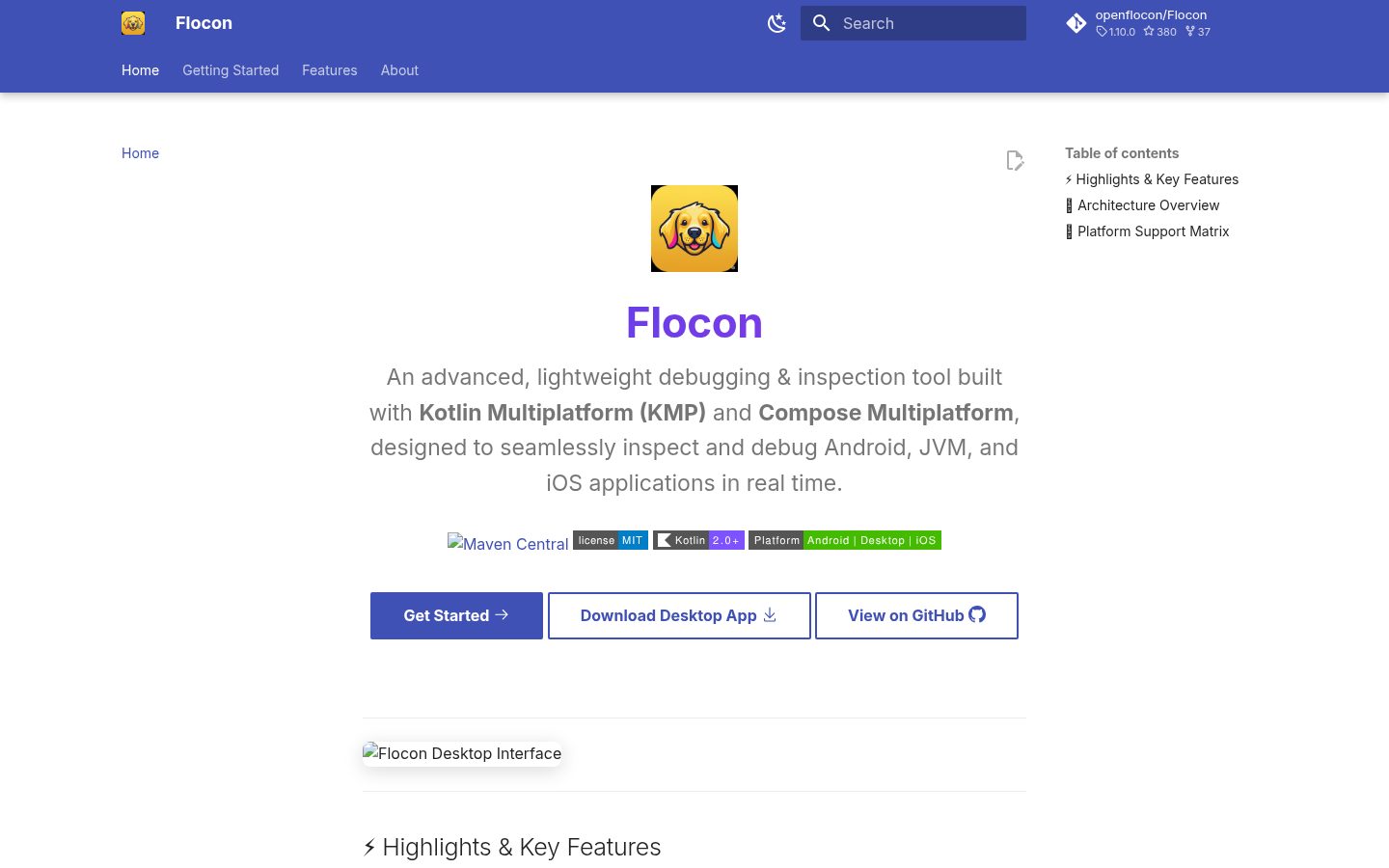
Flocon is an advanced debugging and inspection tool built with Kotlin Multiplatform (KMP), designed to work seamlessly across Android and desktop environments.
Automatically checked · GitHub checked 2026-11-13
Overview

Flocon
See what your mobile app does, live on your desktop: network, databases, preferences, analytics, crashes...
And let your AI agent see it too.




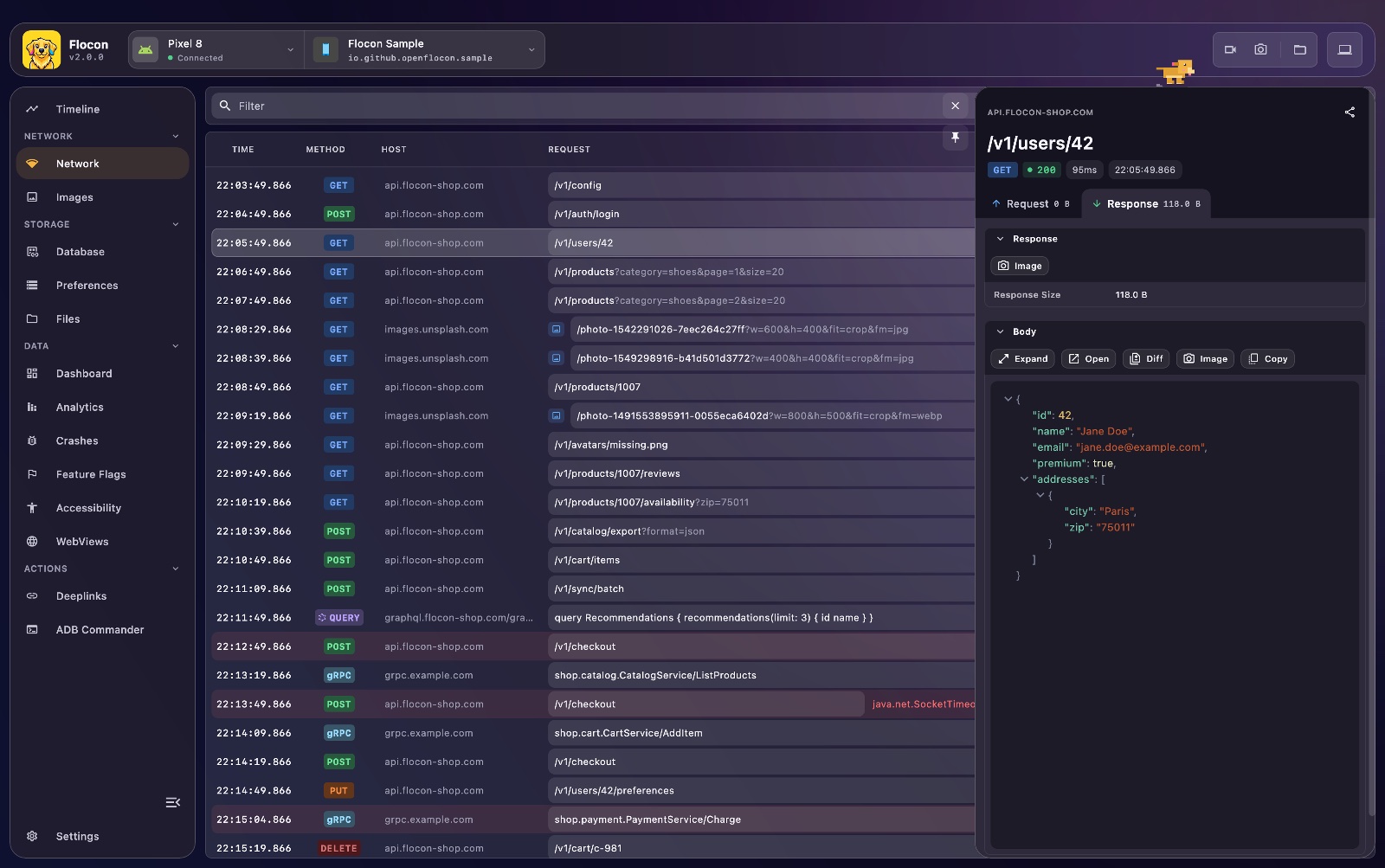
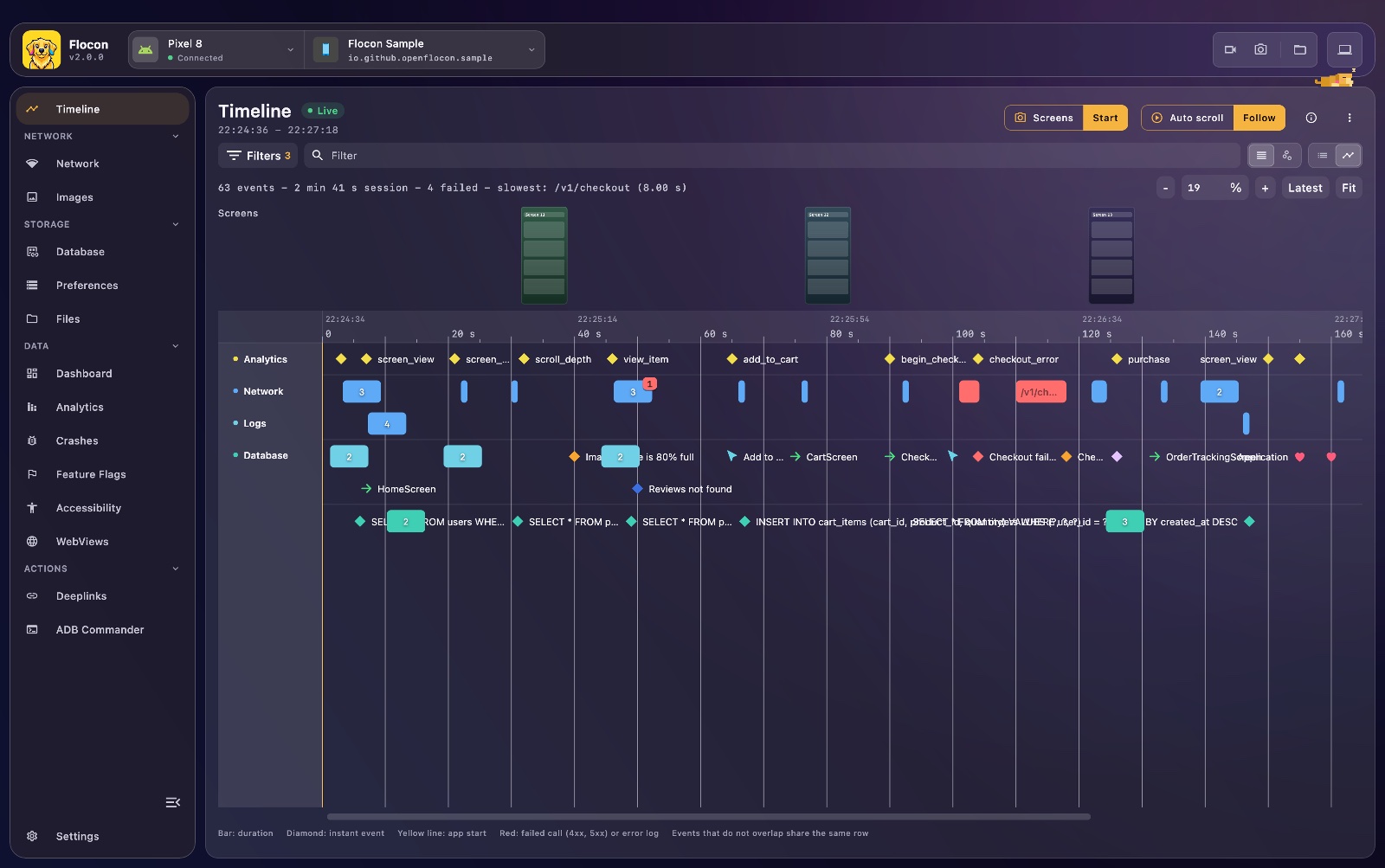
| Network: every HTTP, GraphQL and gRPC call. Mock it, slow it down. | Timeline: what happened in the app. |
|---|---|
 |  |
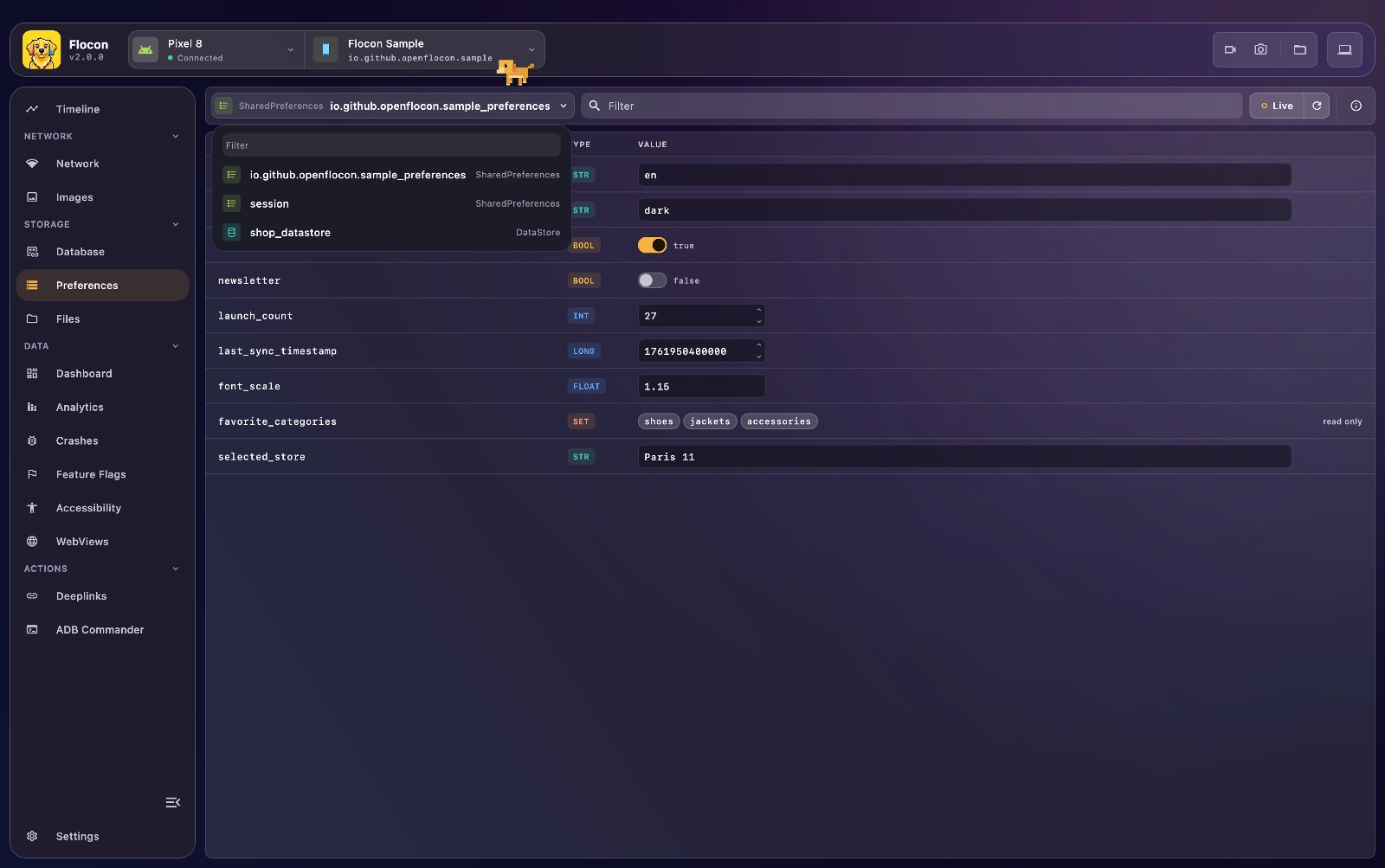
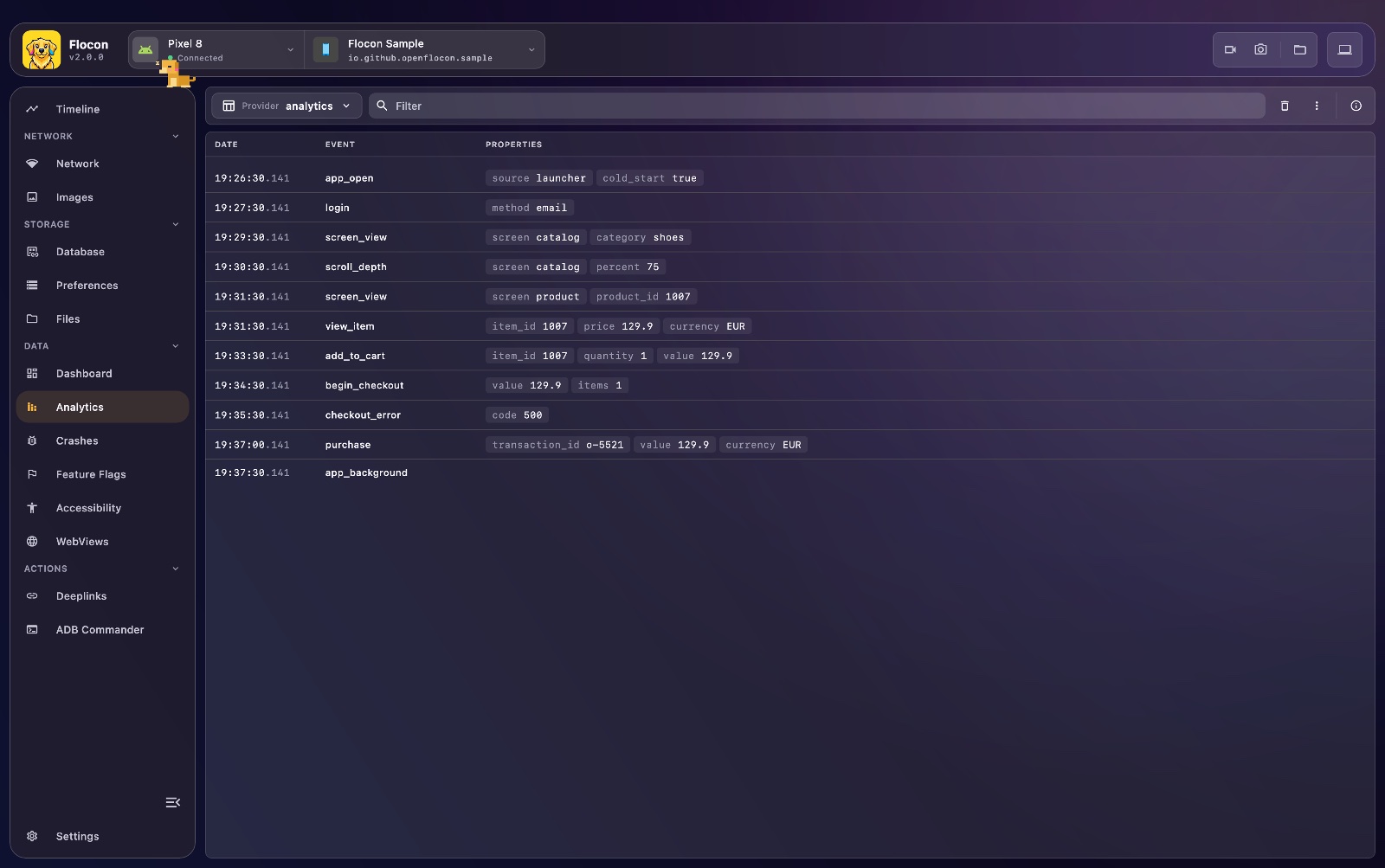
| Preferences: read and edit SharedPreferences, DataStore, UserDefaults. | Analytics: every event your app sends, per provider. |
 |  |
Inspired by Flipper by Meta, Flocon is a desktop debugger plus lightweight SDKs for Android, Kotlin Multiplatform, iOS and Flutter. Your app connects to the desktop app, and you observe, inspect and drive it in real time.
Full documentation: openflocon.github.io/Flocon
Your AI agent can see your app
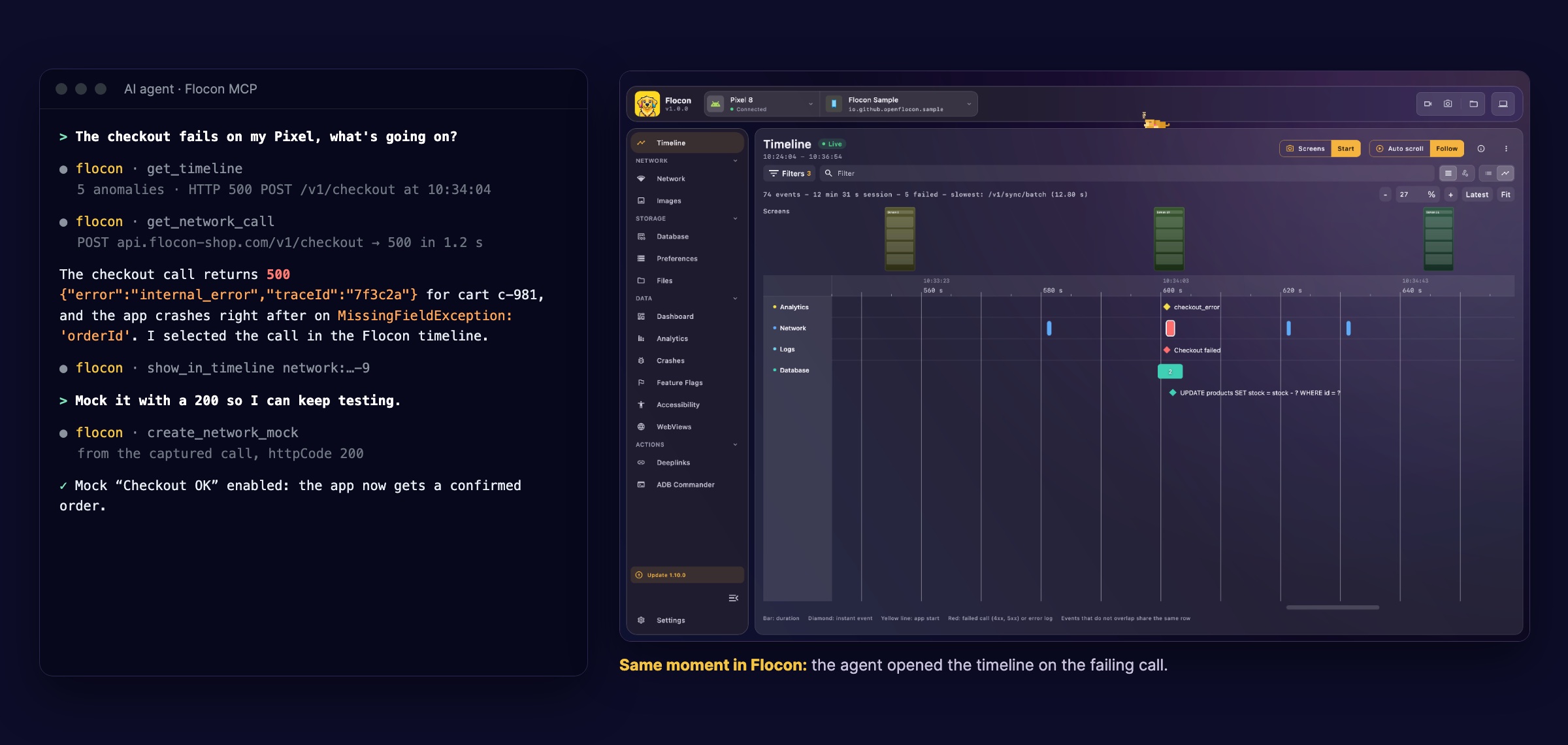
Flocon Desktop runs an MCP server (http://localhost:9042/mcp). Claude Code, Codex, Cursor, Gemini CLI, Antigravity, Copilot, Android Studio and more can read the network calls, timeline, databases, preferences and crashes of your running app, then mock calls, simulate a bad network, open deeplinks and take screenshots.
flowchart LR
    App["Your app<br/>Android · iOS · KMP · Flutter"] <--> Desktop["Flocon Desktop"]
    Desktop <--> MCP["MCP server<br/>localhost:9042/mcp"]
    MCP <--> Agent["Your AI agent<br/>Claude Code, Codex,<br/>Cursor, Gemini..."]
Try asking:
- "What happened right before the crash?"
- "Mock
/profilewith a 503 and take a screenshot." - "Which analytics events are sent on checkout?"
- "Turn on a slow network config and tell me which calls time out."
Install the plugin in Claude Code (it also ships for Codex, Cursor and Gemini):
/plugin marketplace add openflocon/Flocon
/plugin install flocon@flocon
See MCP setup, the tool reference and the cookbook.
1. Install the desktop app
macOS (Homebrew, no Gatekeeper prompt):
brew trust openflocon/tap   # recent Homebrew only: third-party taps must be trusted once
brew install --cask openflocon/tap/flocon
Linux: brew trust openflocon/tap && brew install openflocon/tap/flocon (Linuxbrew), or the .deb / .rpm (x64 and arm64) from the releases.
Windows: the .msi installer from the releases.
More in the macOS, Linux and Windows guides (manual install, adb).
2. Add the SDK to your app
Pick the SDK for your platform. They all connect to the same desktop app.
Android & Kotlin Multiplatform  |
|---|
|
Install |

iOS / macOS (Swift)  |
|---|
|
Install |

Flutter  |
|---|
|
Install |

| Start Flocon same API on every platform |
|---|
Then run your app. Full documentation, emulators and physical devices included. |
Coming from Flocon 1.x?
See the migration guide.
Requirements
- Desktop: macOS, Linux or Windows. The portable jar needs JDK 21.
- Android: emulator or device, with
adbfor screenshots, recordings and deeplinks. - Kotlin: KMP targets Android, JVM, iOS and Wasm.
- Swift: iOS 15 / macOS 12, Xcode 16+, Swift Package Manager.
- Flutter: Flutter 3.38.1+ (Dart 3.10+).
Stuck? See troubleshooting.
Contributing
Issues and pull requests are welcome on GitHub. Thanks to everyone who makes Flocon better: see all contributors.
License
Flocon is MIT licensed, as found in the LICENSE file.