
enferno
Lean Flask framework built for coding agents: Vue 3 + Vuetify with no build step, production-ready auth (2FA, passkeys, OAuth), AGENTS.md, an agent skill and a read-only MCP server. No webpack, no node_modules, just Python.
Automatically checked · GitHub checked 2026-11-14
Overview
Enferno 🔥


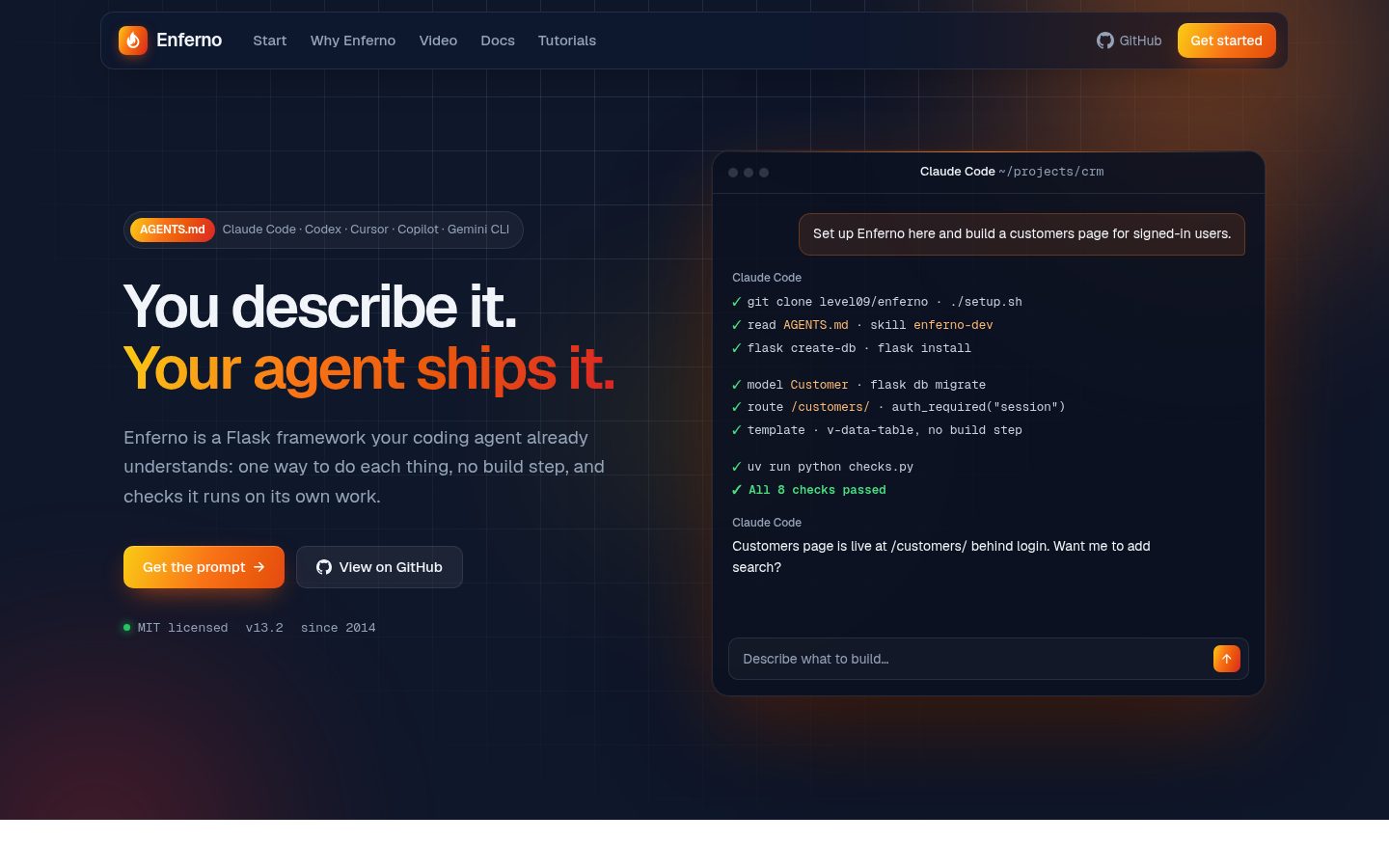
A Flask framework built for coding agents. You describe the app; your agent builds it on a stack it already understands, and a test suite tells it when it got something wrong.
Plain Python, Vue 3 and Vuetify with no build step, production auth out of the box. No webpack, no node_modules, nothing for the agent to configure.
Start
Paste this into Claude Code, Codex, Cursor or any coding agent:
Clone https://github.com/level09/enferno into ./myapp, follow its AGENTS.md
to set it up, create an admin user, start it on port 5001 and run the tests.
Or by hand:
git clone https://github.com/level09/enferno.git myapp && cd myapp
./setup.sh                    # Installs deps, generates .env with secrets
uv run flask create-db        # Create the database
uv run flask install          # Create an admin user
uv run flask run              # http://localhost:5000
setup.sh never prompts when there is no terminal, so agents and CI run it with flags: --full adds Redis and Celery, --docker configures the Compose stack.
Then just ask
Add a Product model with name, price and category, an admin page to manage it,
and a migration.

Let users export the activity log as CSV.

Add a status column to users and show it as a chip in the users table.
How your agent knows Enferno
| What it gives the agent | When | |
|---|---|---|
AGENTS.md | Stack, layout, commands, routes and hard rules, in about 100 lines | Every session, read automatically |
enferno-dev skill | Full patterns for models, APIs, Vue pages, dialogs, migrations and upgrades | Loaded only when a task needs it |
flask mcp | Live routes, schema with row counts, migration revision and audit log, read-only | When the agent needs the real state, not the docs |
/llms.txt | A short description of your app for LLM tools | Edit it to describe what you build |
The skill lives in .agents/skills/, the shared location for Codex, Cursor, Copilot and Gemini CLI, and .claude/skills links to it for Claude Code. npx skills add level09/enferno installs it in another project. MCP is opt-in: uv sync --extra dev --extra mcp, and .mcp.json lets MCP-aware agents offer to connect.
How your agent checks its work
Agents write code fast; they also forget migrations and leave routes unprotected. uv run pytest catches the mistakes they actually make:
- Every protected route rejects anonymous users, and every admin route rejects non-admins, including routes the agent just added.
- Models match migrations: change a model without
flask db migrateand the suite fails. - CSRF is enforced on the admin API, and a valid token still works.
- Auth flows: login, wrong password, POST-only logout, audited admin CRUD.
setup.shin every mode, without touching your.env.
The app tests run on in-memory SQLite in about two seconds; the setup.sh tests add about ten. CI runs them on PostgreSQL across Python 3.11 to 3.14. Set TEST_DATABASE_URI to use PostgreSQL locally; it must be a disposable database, because the suite drops every table.
AGENTS.md also gives the agent the rules that tests cannot: Tabler icons only, POST-only logout, migrations reviewed by hand, and a real browser check after a frontend upgrade.
What's in the box
- Frontend: Vue 3, Vuetify 4 and axios, vendored and pinned by
vendor.sh. No build step - Auth: login, registration, password recovery, TOTP 2FA, passkeys (WebAuthn), recovery codes, Google and GitHub OAuth
- Admin: users, roles and an audit log of admin actions
- Database: SQLAlchemy 2 with Alembic migrations. SQLite by default, PostgreSQL when you want it
- UI: collapsible sidebar, dark mode, Tabler icons, data tables, dialogs and notifications
- Optional: Redis sessions and Celery (
--extra full), MCP (--extra mcp), uWSGI (--extra wsgi)
Requires Python 3.11+ and uv.
Deploy
Docker, with PostgreSQL, Redis, Celery and nginx:
./setup.sh --docker
docker compose up --build
Compose requires DB_PASSWORD and REDIS_PASSWORD, which setup.sh --docker generates. For an existing installation, keep the credentials its database and Redis already use. Database and Redis ports stay internal to the Compose network.
Any Ubuntu VPS, with Caddy and automatic SSL, via Ignite:
curl -sSL https://raw.githubusercontent.com/level09/ignite/main/ignite.sh | sudo DOMAIN=your-domain.com bash
Configuration
setup.sh writes .env with generated secrets. The values you are most likely to change:
FLASK_DEBUG=1                    # 0 in production

# PostgreSQL (optional, SQLite works by default)
# SQLALCHEMY_DATABASE_URI=postgresql://user:pass@localhost/dbname

# Background tasks (optional)
# REDIS_URL=redis://localhost:6379/1
# CELERY_BROKER_URL=redis://localhost:6379/2
Full guides: docs.enferno.io
Related
- ReadyKit adds Stripe, workspaces and teams on top of Enferno.
- STK is the same philosophy on Quart (async Flask) with native WebSockets.
License
MIT