
crypt.fyi
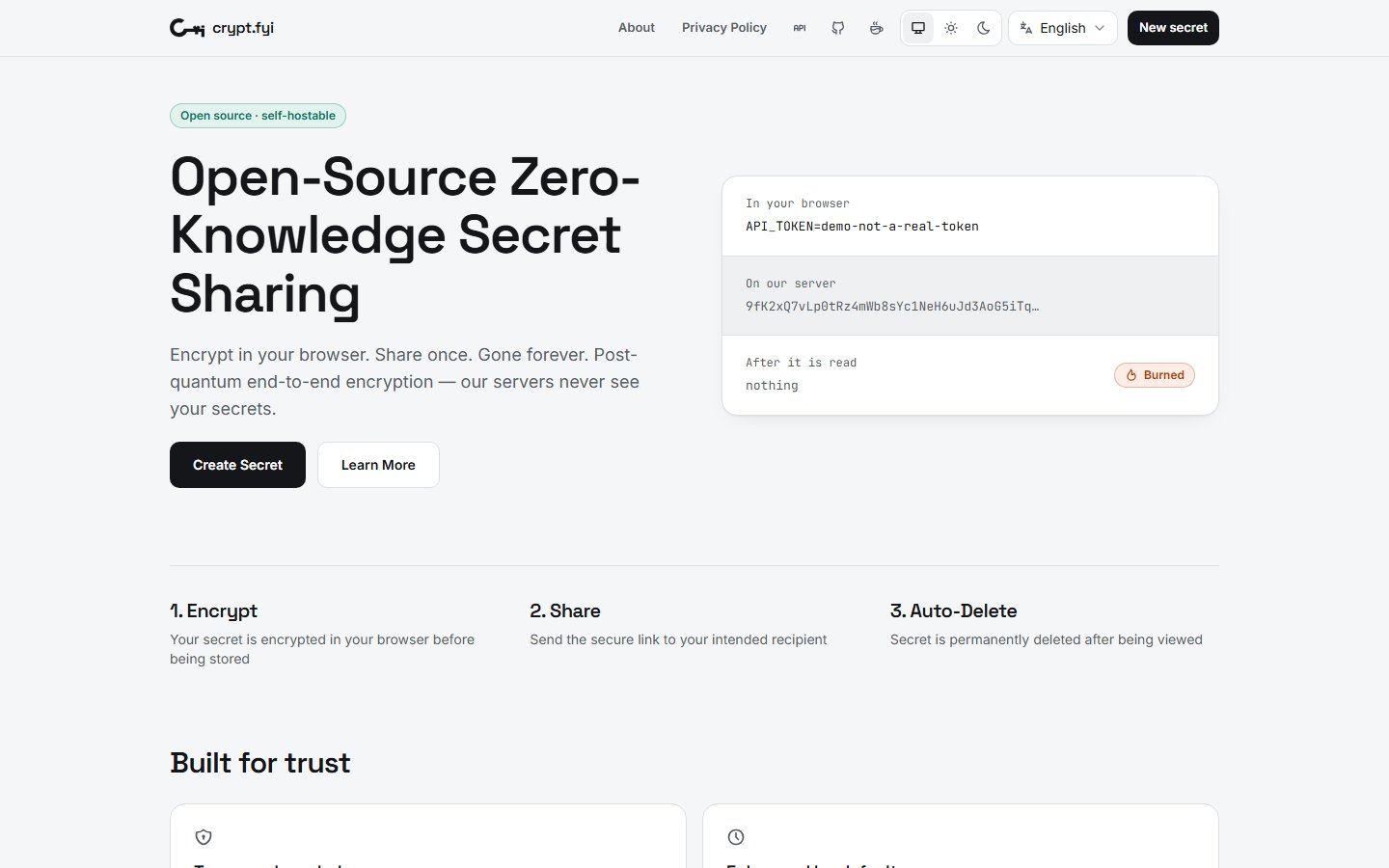
Ephemeral, zero-knowledge, end-to-end post-quantum encrypted sensitive data sharing
Automatically checked · GitHub checked 2026-11-17
Before you switch
Evaluate hosting, migration and feature requirements before switching.
Overview

crypt.fyi - A zero-knowledge, end-to-end encrypted secret sharing platform that enables secure and private transmission of sensitive data.



Features
- 🔐 End-to-end encryption using ML-KEM post-quantum cryptography
- 🛡️ Strict Content Security Policy (CSP) to prevent XSS attacks and unauthorized resource loading
- 🛡️ Strict rate limits to mitigate brute-force attacks
- 🤫 Zero-knowledge architecture - server never sees unencrypted data or decryption keys
- 🔥 Burn after reading w/ provisions to prevent erroneous burns from bots or url introspection
- 🔥 Burn after
nread failures - ⏰ Automatic expiration (Time-To-Live)
- 🗝️ Password protection
- 📁 File sharing support w/ drag and drop
- 🪝 Webhook notifications for read success, read failure, and burn events
- 🌐 IP/CIDR allow-listing
- 🔢 Read count limits
- 📱 QR code generation
- ⌨️ CLI for interacting with the API
- 🧩 Chrome Extension
- 🐳 Docker images for the api server and web client
- 🌐 Internationalization support for multiple languages
- Currently supported: View supported languages
- Contributions welcome for new translations!
How It Works
- Encryption key is generated on the client
- Password is optionally provided
- Encryption key and password are used to encrypt the secret
- Encryption key and password are hashed and stored along with the encrypted secret for verification on retrieval - the raw key and password are never stored or transmitted on/to the server
- The unique URL containing the decryption key is generated on the client
- Share the URL with your recipient and separately the password if specified
- When accessed, only when the decryption key and password match via server-side verification of the hashes, the encrypted secret is shared and decrypted in the recipient's browser
- Optionally, the secret is automatically destroyed after being read in an atomic read & delete operation guaranteeing only one person can access the secret
- If retrieval doesn't happen within the TTL, the secret is automatically destroyed
API Usage
Deployment
Docker
API_URL=https://{your-domain-here} ENCRYPTION_KEY=$(openssl rand -base64 32) docker compose up --build
ENCRYPTION_KEY protects verification hashes, delete tokens, IP restrictions and webhook URLs at rest in Redis. Keep it stable across restarts (e.g. in a .env file next to docker-compose.yaml). Replacing it outright makes all existing secrets unreadable until they expire; to change it without losing any, follow Rotating ENCRYPTION_KEY.
Rotating ENCRYPTION_KEY
The server holds a keyring: ENCRYPTION_KEY is the primary key, used for every new write, and ENCRYPTION_PREVIOUS_KEYS is a comma-separated list of older keys that are only used to read existing entries. Everything written at rest records which key wrote it, so the server picks the right key on each read.
-
Generate a new key:
openssl rand -base64 32. -
Multiple server instances only: make the new key known everywhere first. Add the new key to
ENCRYPTION_PREVIOUS_KEYSon every instance and roll them all out. Otherwise an instance that already writes with the new key can produce entries that an instance still on the old configuration can't read. A single instance can skip this step. -
Promote the new key. Set
ENCRYPTION_KEYto the new key and move the old key toENCRYPTION_PREVIOUS_KEYS, then restart every instance. The startup log lineLoaded encryption keyringshows how many previous keys each instance loaded. -
Re-encrypt existing entries. With the same environment as the server, run:
docker compose exec server node packages/server/dist/rotate-keys.js(
pnpm --filter @crypt.fyi/server keys:rotateoutside Docker; add--dry-runto report without writing.) It re-encrypts IP restrictions, webhook URLs and delete tokens with the new key, keeping each entry's TTL and never overwriting a concurrent read or burn. It's safe to run repeatedly while the server takes traffic. Verification-hash digests can't be re-keyed, because the server never learns the hash itself, so entries created before step 3 keep needing the old key until they expire. The report'spreviousKeysNeededUntilsays when that is (at most the max TTL, 7 days by default). -
Retire the old key. After
previousKeysNeededUntilhas passed, run the command again. Once it reports"safeToRemovePreviousKeys": true(no entry or queued webhook depends on a previous key), remove the old key fromENCRYPTION_PREVIOUS_KEYSand restart.
If the old key leaked, you can shorten step 5, but removing it before previousKeysNeededUntil makes the remaining older secrets unreadable. Entries already re-encrypted in step 4 no longer expose their IP restrictions, webhook URLs or delete tokens to the old key. A non-zero unreadable count in the report means an entry was written with a key that is no longer configured; its secret can't be recovered unless you add that key back.
API_URL is read when the web container starts, so changing it only needs a restart (docker compose up -d), not a rebuild. It must be a plain http(s)://host[:port][/path] URL; the container refuses to start otherwise.
A prebuilt API server image (linux/amd64, linux/arm64) is published to GHCR on every release:
docker pull ghcr.io/osbytes/crypt.fyi-server:latest
It runs with NODE_ENV=production and requires REDIS_URL and ENCRYPTION_KEY (plus ENCRYPTION_PREVIOUS_KEYS while rotating it).
The web client image is not published to GHCR yet; build it with docker compose as above.
Redis persistence
The compose file stores Redis data in the redis_data volume using an append-only file (AOF) that is synced to disk before each write is acknowledged, so secrets and queued webhooks survive restarts and crashes. A secret that was burned stays burned, even after a crash. RDB snapshots stay off because restoring an older snapshot could bring a burned secret back. See the specification for the requirements.
What this means for operators:
- The disk holds sensitive data. The volume contains ciphertext, keyed digests of verification hashes and encrypted delete tokens, but never plaintext or decryption keys. The digests and tokens rely on
ENCRYPTION_KEY, so keep that key off this disk where you can. Once a secret is deleted, the server never returns it, even if its ciphertext remains in the AOF until Redis next compacts it. Encrypt the disk. - Don't back up the volume. Restoring a backup can bring back burned secrets.
- Writes are slower than without persistence, because each one waits for the disk.
docker compose down -vdeletes the volume and every unexpired secret with it.
To run without persistence, set --appendonly no and remove the volume. A Redis restart then drops all unexpired secrets and queued webhooks. If you run Redis any other way (the GHCR image with your own Redis, a managed service, a hosting platform), apply these settings yourself: by default Redis takes snapshots and doesn't use AOF.
Upgrading from RDB snapshots
Deployments from before this change store data in a dump.rdb snapshot, which Redis ignores once AOF is on. Upgrading without these steps loses all unexpired secrets, and the old snapshot stays on disk. Before pulling the new compose file, turn on AOF in the running Redis:
docker compose exec redis redis-cli config set appendonly yes
Wait until this shows aof_rewrite_in_progress:0 and aof_last_bgrewrite_status:ok:
docker compose exec redis redis-cli info persistence
Then pull the new compose file and restart:
docker compose up -d
Once you've confirmed existing secrets still open, delete the old snapshot:
docker compose exec redis rm /data/dump.rdb
Railway

Development
- Clone the repository
- Enable Corepack (uses the
packageManagerfield → pnpm):npm install -g corepack # Node 25+ no longer bundles it corepack enable - Install dependencies:
pnpm install - Set up environment variables (see
.env.example) - Start the development server:
pnpm dev
Releasing packages
Publishable packages: @crypt.fyi/core and @crypt.fyi/cli (npm), plus the Chrome extension.
- Record changes:
pnpm changeset - Merge to
main— the Release workflow opens a Version Packages PR (or publishes when that PR is merged) - Required GitHub secrets for publishing:
NPM_TOKENCHROME_EXTENSION_ID,CHROME_CLIENT_ID,CHROME_CLIENT_SECRET,CHROME_REFRESH_TOKEN,CHROME_PUBLISHER_ID
Technical Stack
Known Issues & Development Considerations
Content Security Policy
- Production CSP (including
style-srchashes for sonner/Radix inline styles) lives innginx/nginx.conf vite previewapplies that same policy viapackages/web/csp.tsso local/CI match productionpnpm test:e2eruns Playwright againstvite previewunder that CSP (default create→read→burn, password unlock). It fails onstyle-src/connect-srcviolations; other console warnings/errors and non-style CSP noise (e.g.script-srceval fallback notes) are reported as non-blocking annotations- The e2e API uses an in-memory rate limiter and dedicated ports (
:4322API /:4173preview by default) so localpnpm devand shared Redis rate-limit keys cannot poison the suite. Playwright rebuilds the web client with that API URL before preview so CSPconnect-srcmatches the baked client config. - When a test fails on style-src, add the reported hash to
nginx/nginx.conf(do not weaken to'unsafe-inline') - Reference: sonner#449
Development Environment
- Ensure Redis is running locally when developing the server
- The web client expects the API to be available at
http://localhost:4321by default - CSP headers in development may differ from production configuration
Security Considerations
- Always test encryption/decryption flows thoroughly when making changes
- Ensure no sensitive data is logged or exposed in error messages
- Maintain strict CSP headers to prevent XSS vulnerabilities
- Keep dependencies updated for security patches
Contributing
Contributions are welcome! Please feel free to submit an Issue or Pull Request on GitHub.
Support
crypt.fyi is free to use. If it's useful to you, you can help fund hosting and development on Ko-fi.