
contrack
Self-hosted contact management + tracking + online enrichment for your personal and professional needs 🐦⬛
Automatically checked · GitHub checked 2026-11-13
Overview


Privacy focused people management and search





Contacts are scattered all over your apps, often have a large overlap, and aren't necessarily filled in with the most amount of information you'd like. When every app requests access to your contacts, it doesn't really feel like you own your network.
And even when you meticulously update your private Apple contacts, there's no good way to keep building the relationship or continuously updating their important details.
Contrack solves all of these by being an all-in-one, self-hosted contact management app that a follows a simple 4 step process:
Import → Dedupe → Enrich → Track

|
ImportEveryone, from everywhere. Drop in your contacts from Apple, Google, LinkedIn or Facebook. 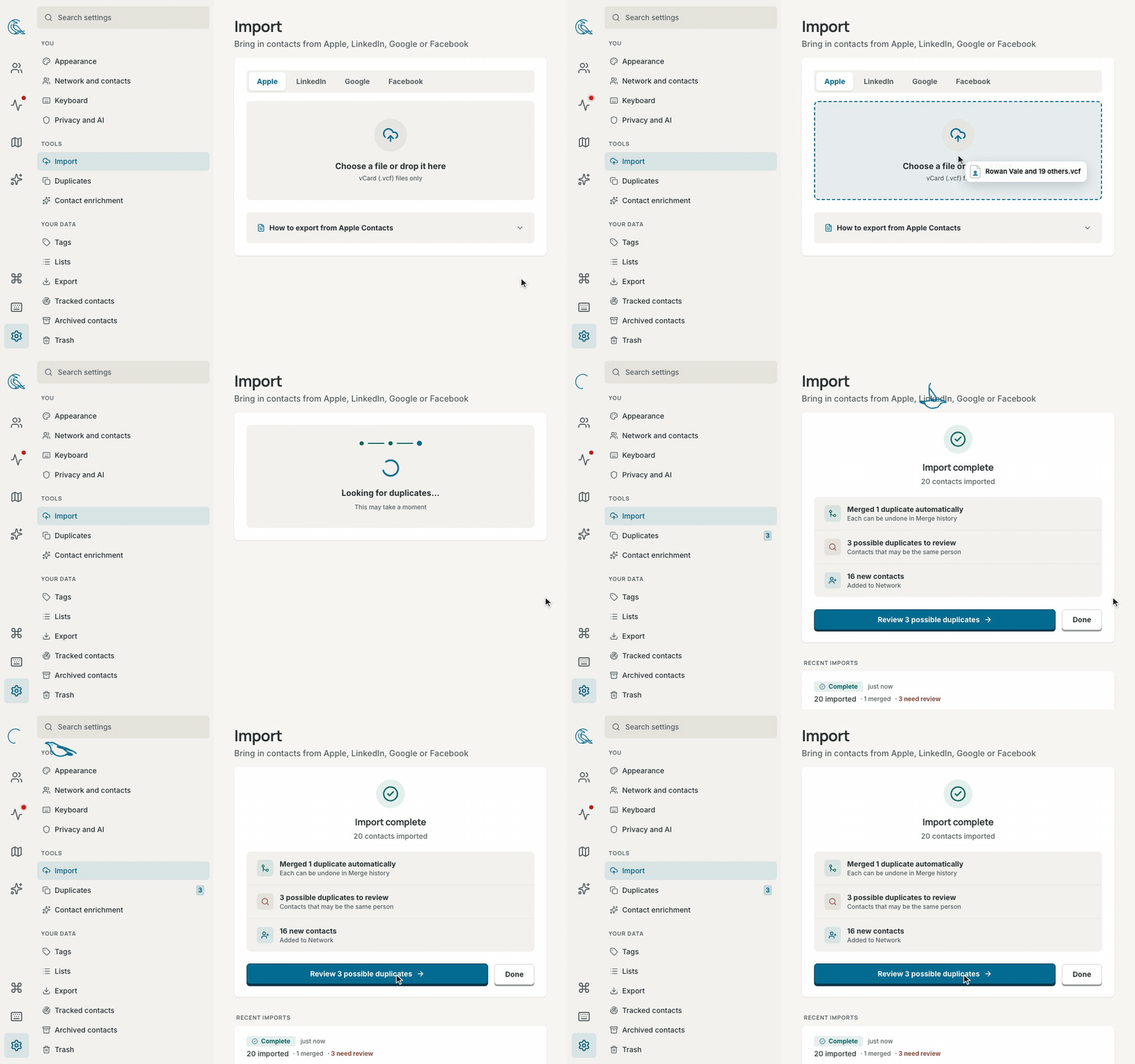
|
DedupeOne person. One clean story. The same friend from three address books becomes a single profile. 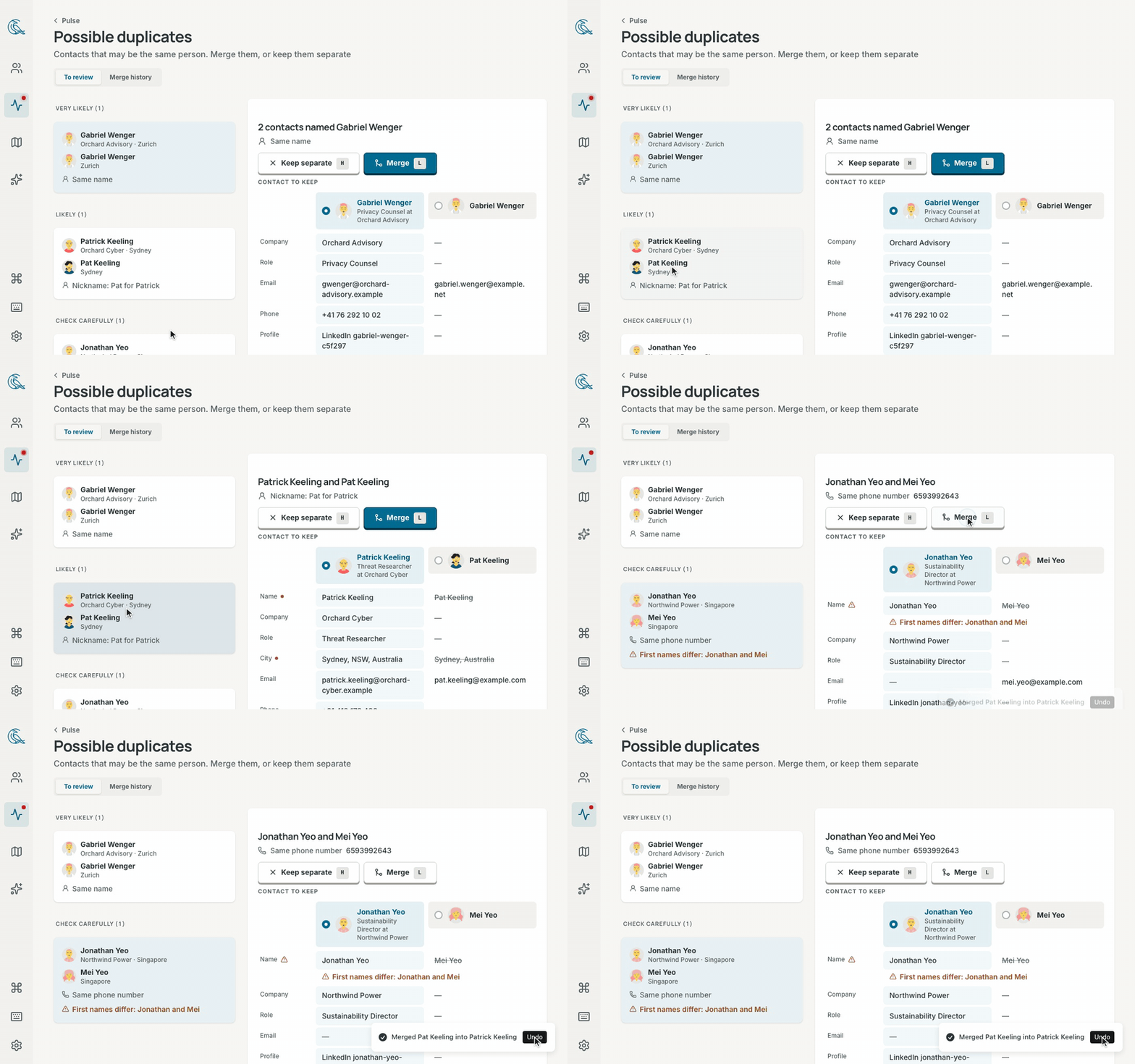
| |
EnrichAll the context you never had time to type. Paste a quick note like "Met at Sarah's wedding, loves natural wine, kids are Leo and Maya, catch up every quarter" or "Partner at Sequoia, follow up next Tuesday on seed round", and Contrack turns it into a complete profile with dates, tags, and reminders. 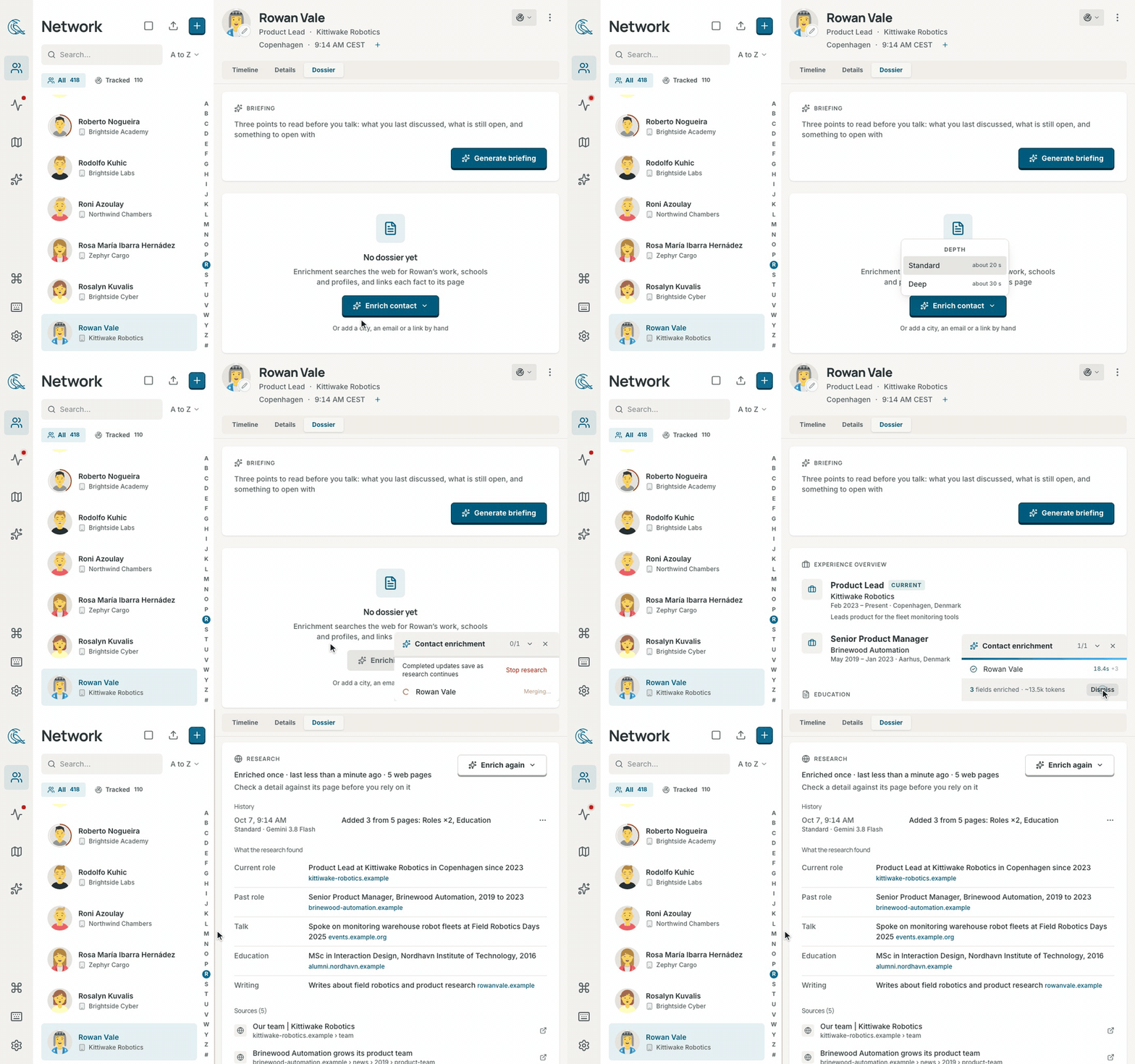
| |
TrackNever let someone important drift away. Write a note in plain language and "next Tuesday" becomes a reminder automatically. 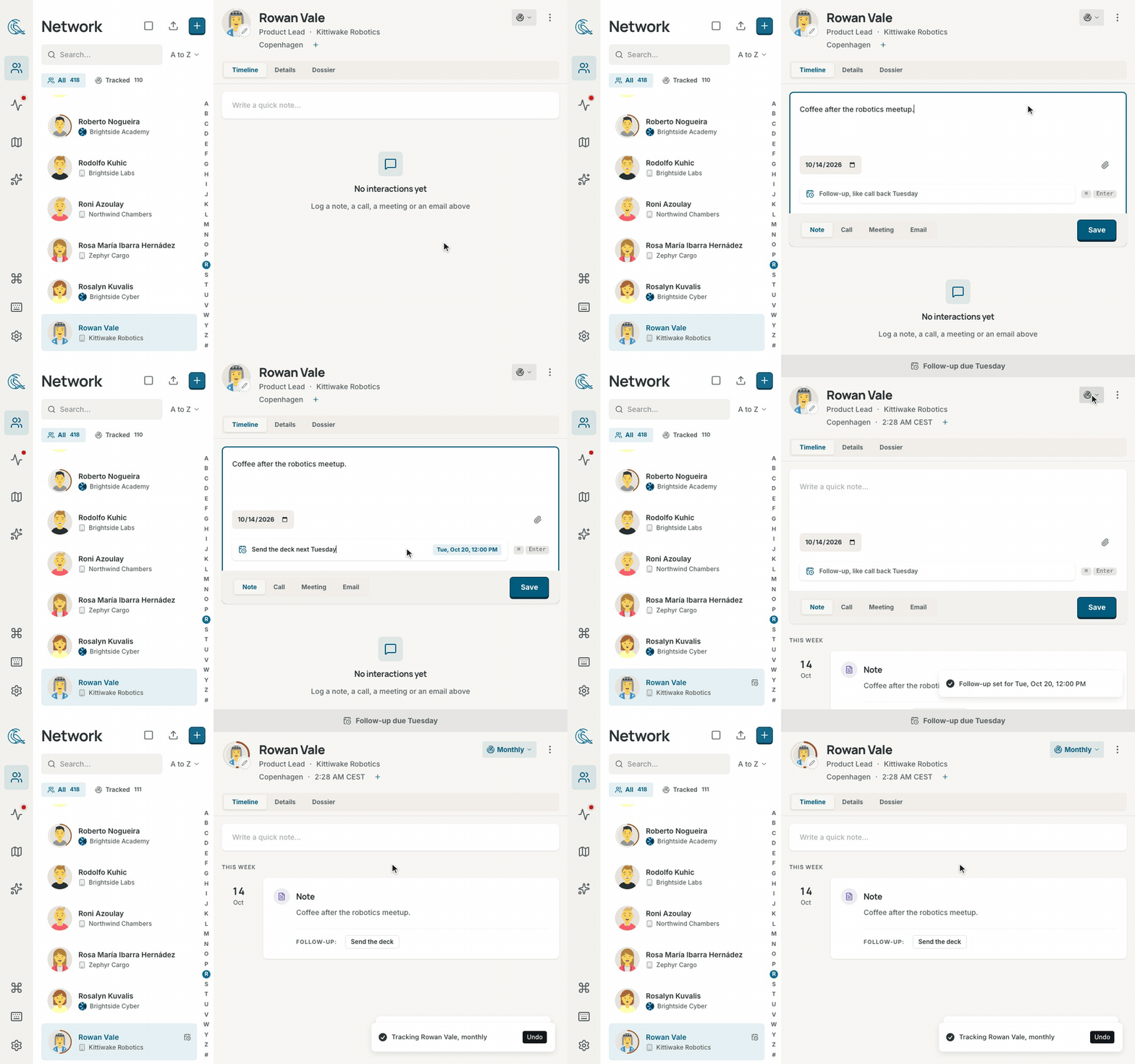
|
Highlights
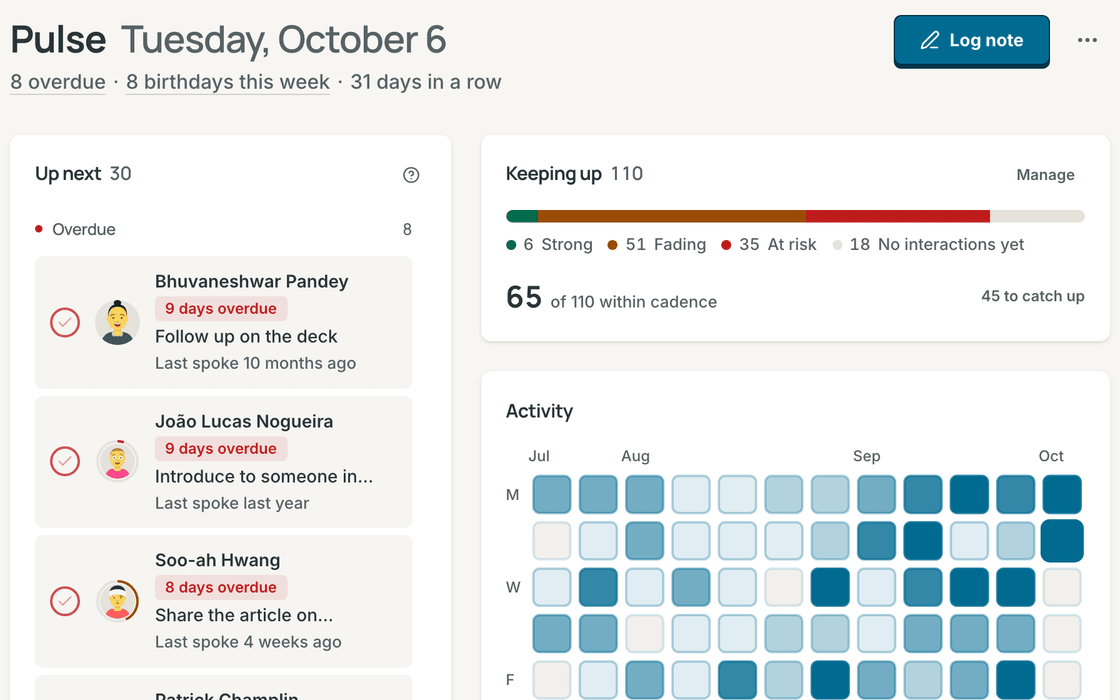
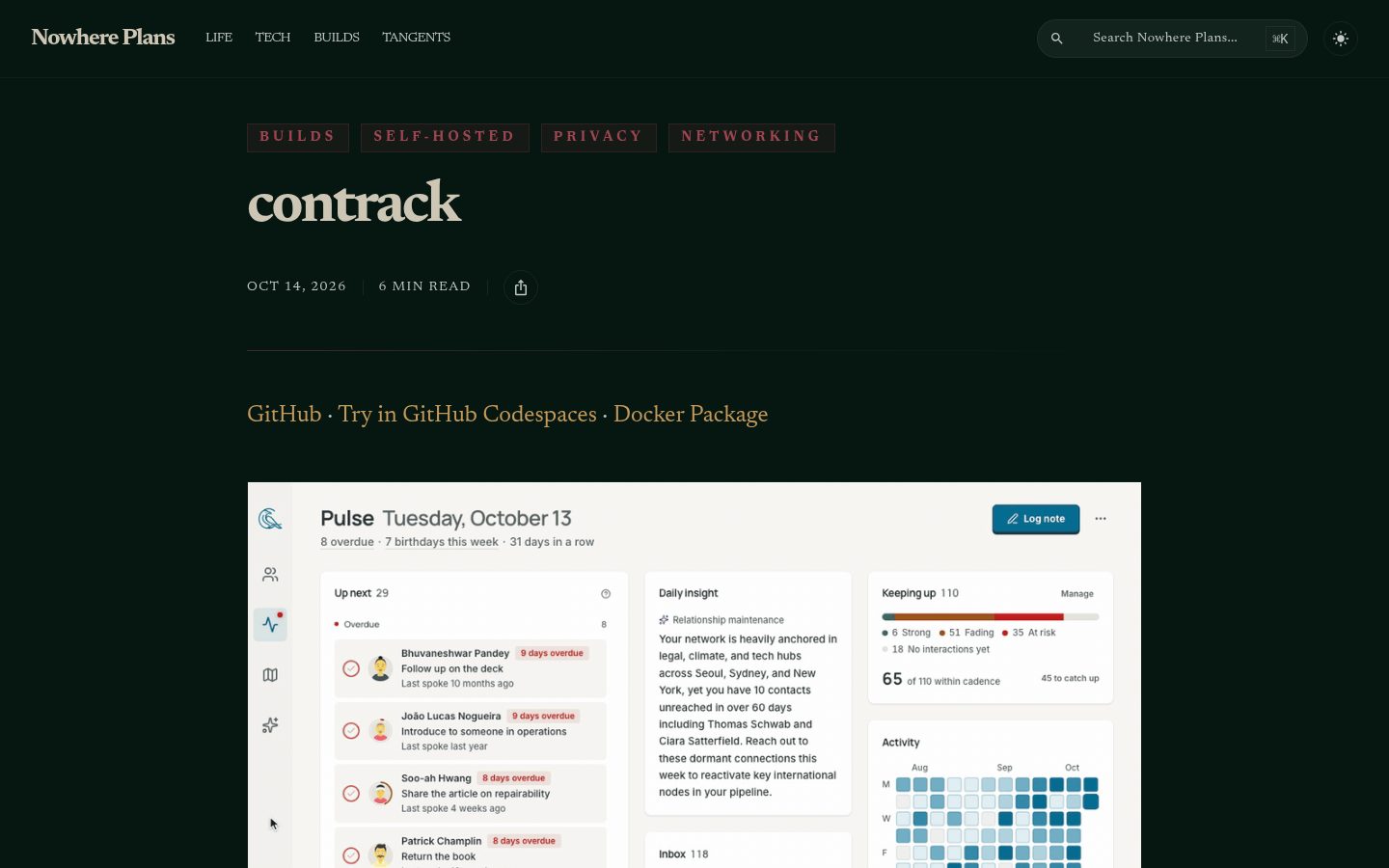
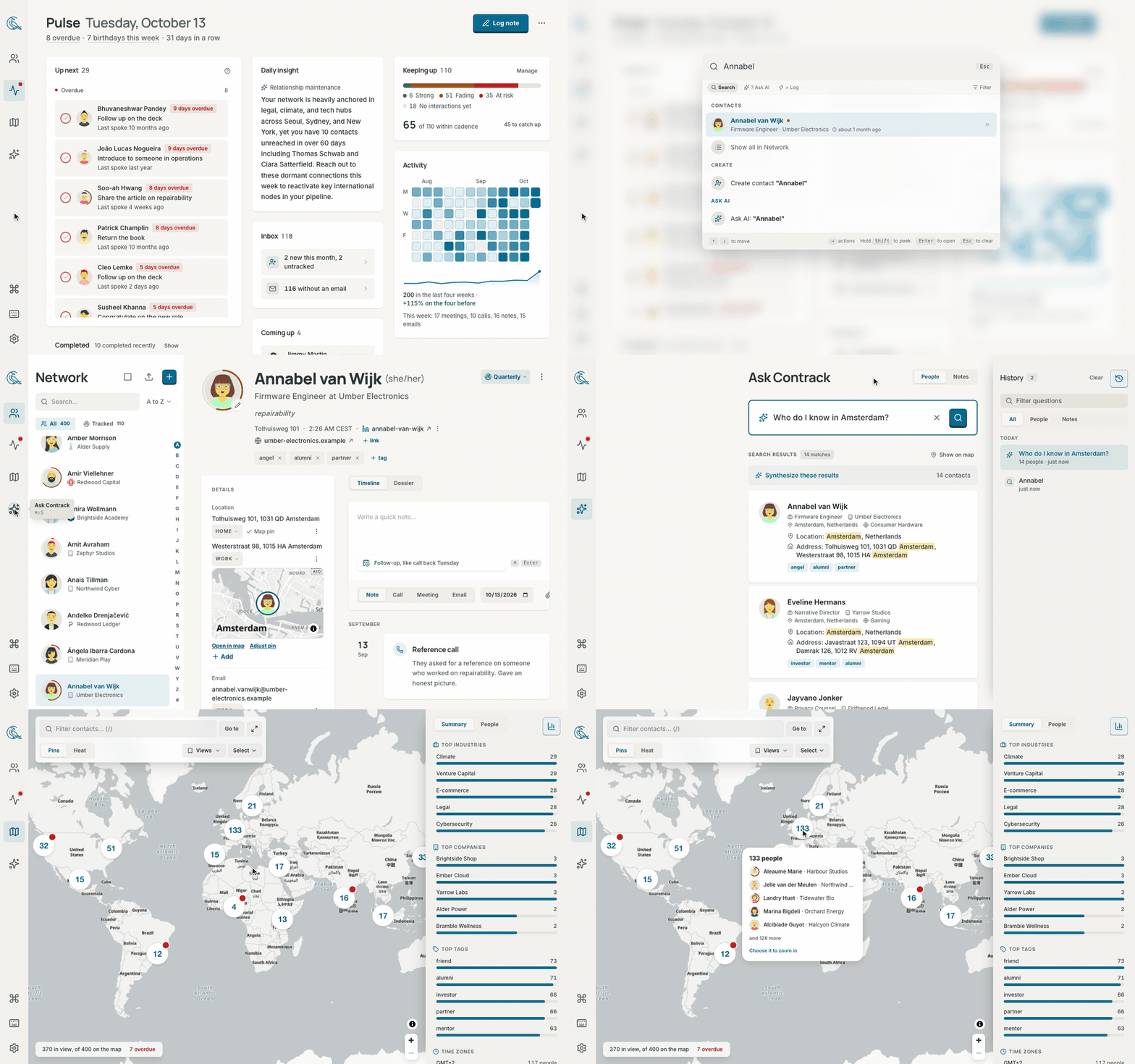
PulseYour calm morning briefing. See the follow-ups due today, friends and colleagues you haven't spoken with in a while, and upcoming birthdays, anniversaries, and custom milestones. |
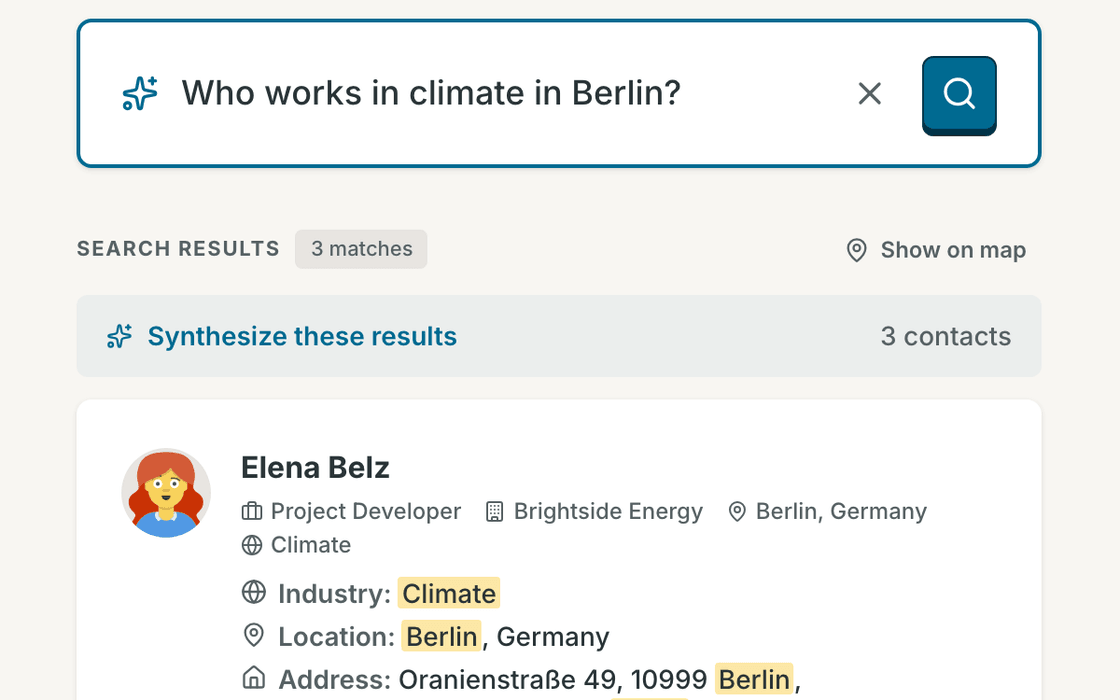
Ask ContrackAsk in plain words, like "Who do I know in Lisbon?" or "Who loves natural wine?" Answers come straight from your own contacts and notes, searched privately on your machine. |
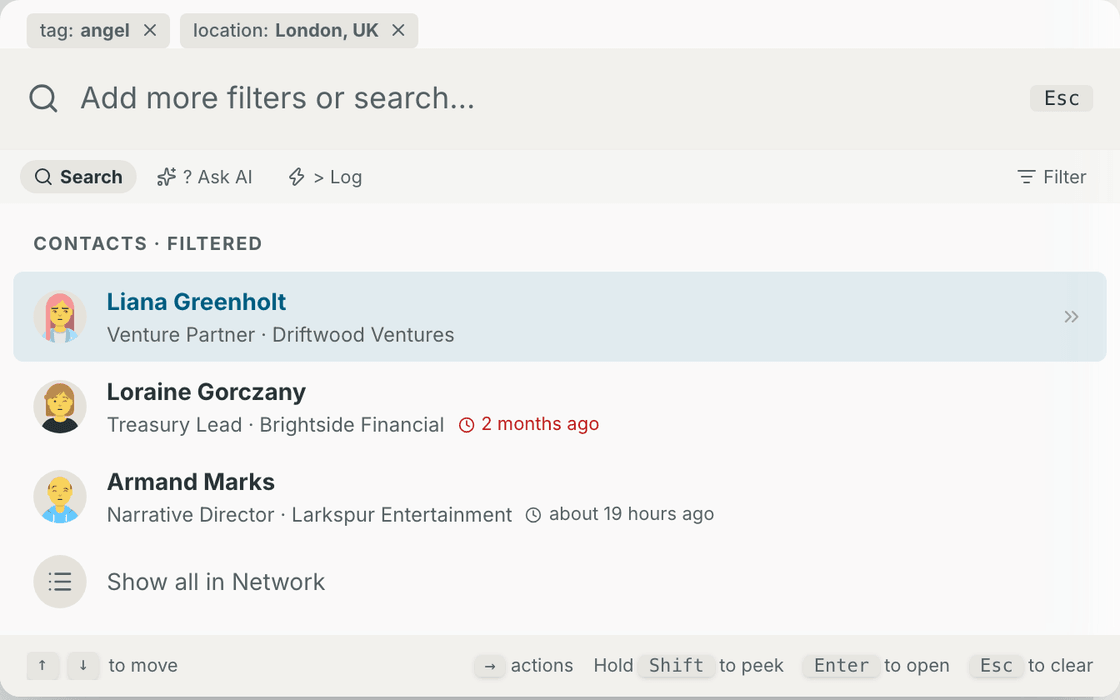
Command palettePress Cmd+K to jump to anyone, filter by company or tag, or log a quick note without ever lifting your hands from the keyboard. |
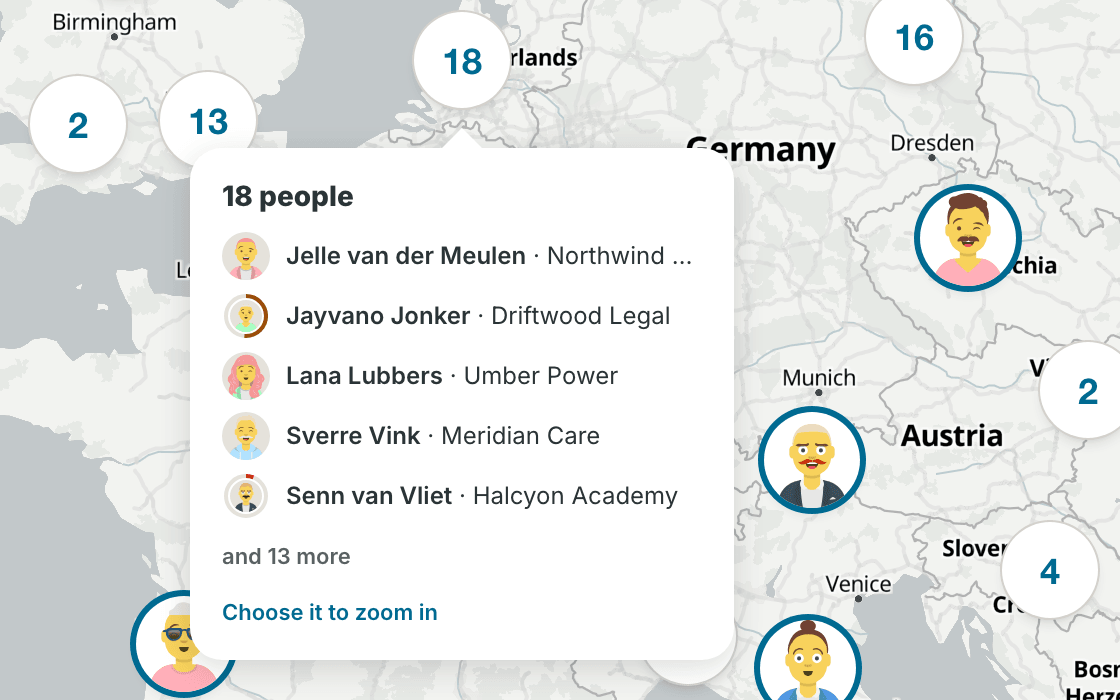
MapPlanning a trip? See everyone you know in a city at a glance. Draw a loop around a neighborhood to select everyone there and add them to a dinner list. |
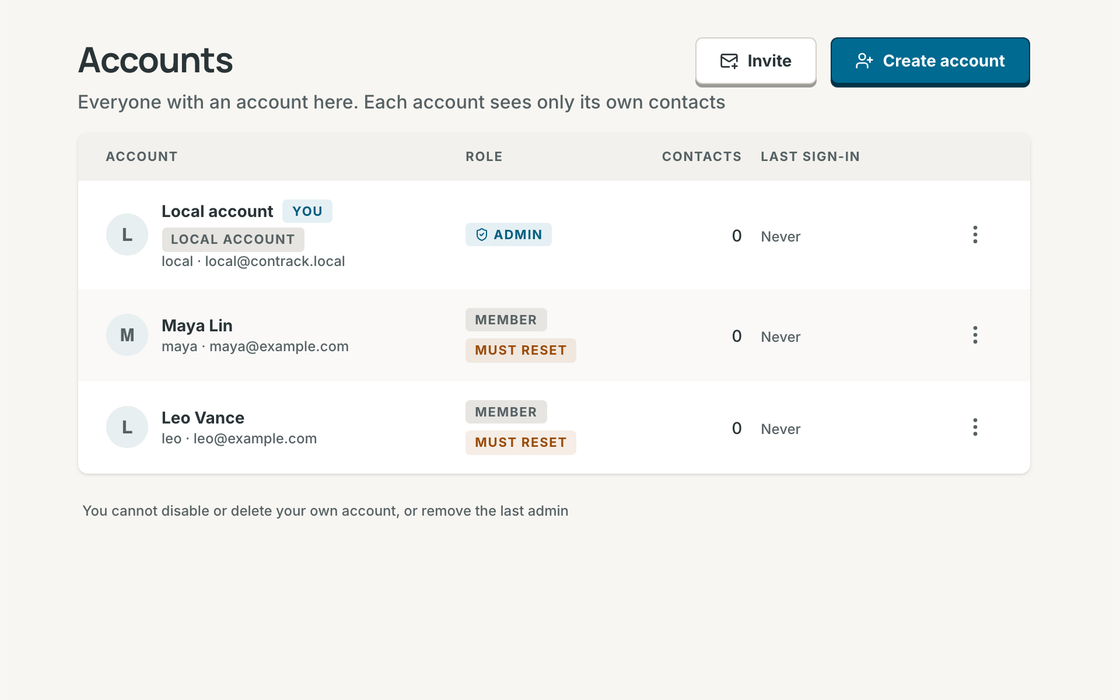
Multiple profiles, one homeRun one Contrack for your family or team. Invite someone with a link or create their profile in seconds. Every person gets their own private address book, notes, and reminders. |
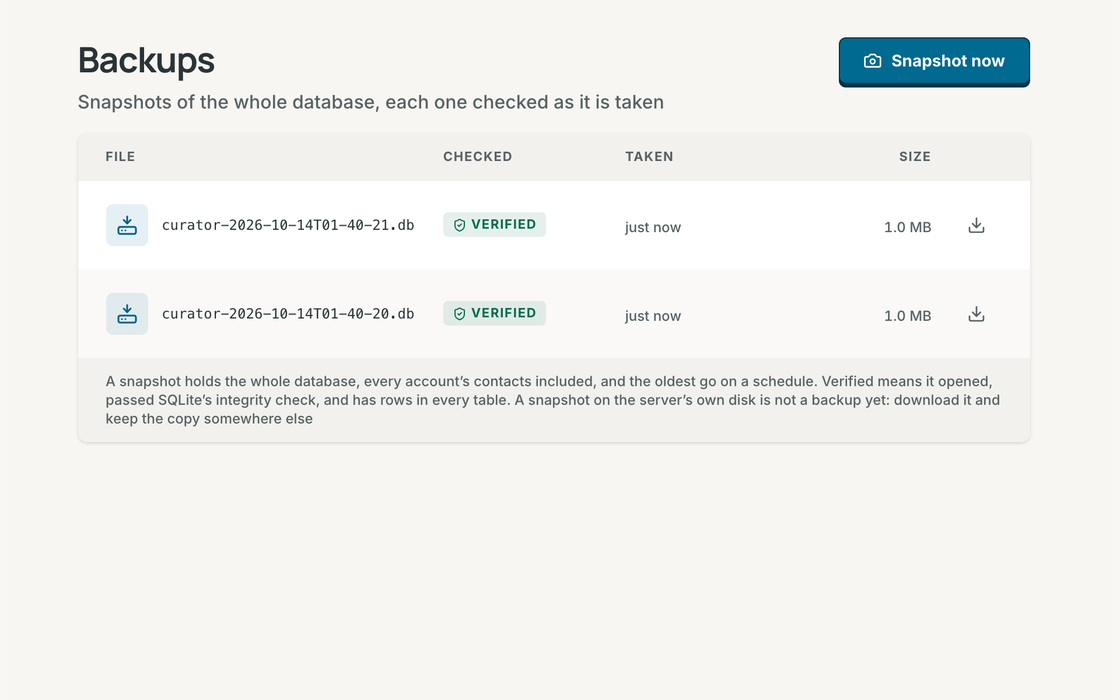
Verified backupsYour history is irreplaceable. Take a complete, integrity-checked snapshot of your address book in one click, or let Contrack back itself up automatically on your schedule. |
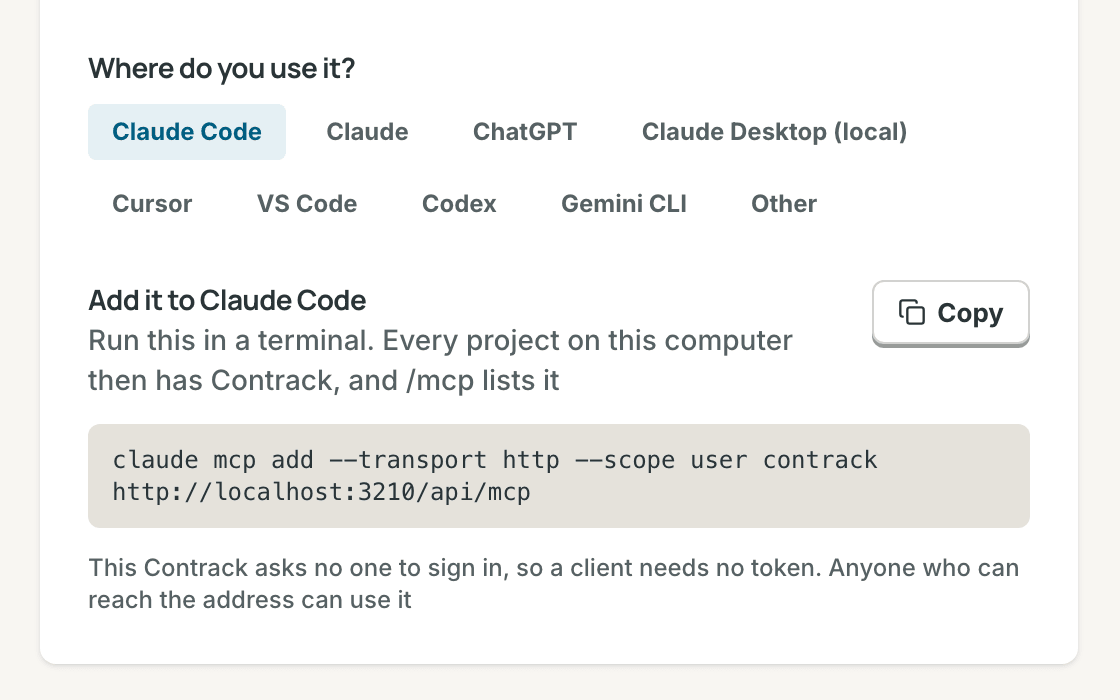
Works with your AI assistantConnect Claude, ChatGPT, or Cursor in one click so your favorite assistant can look up context and log notes for you, with read-only access whenever you prefer. |
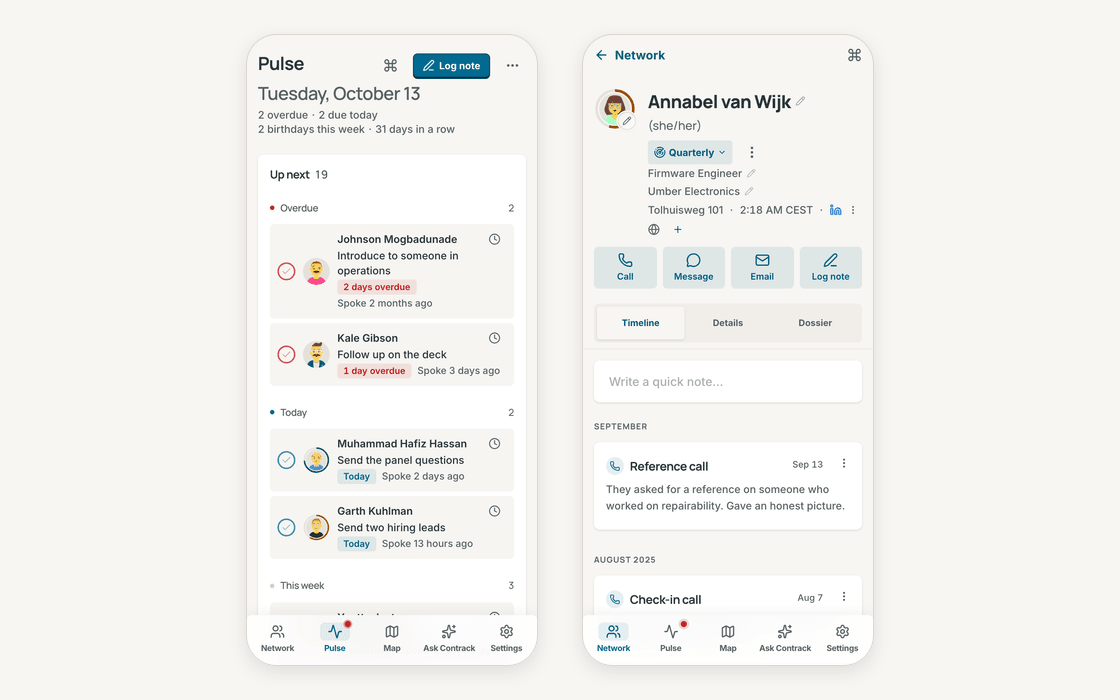
Right in your pocketAdd Contrack to your phone's home screen. Before you walk into coffee or a meeting, every note and detail is one tap away. |
And everything else you expect: rich notes with file & image attachments, @mentions that link people together, custom dates and anniversaries, lists and tags, passkey sign-in, a 90-day trash with undo, open exports anytime, and warm light and dark themes.
Privacy
Privacy isn't a setting. It's the foundation. Contrack lives on your own computer or home server. Your relationships aren't training anyone's model, sitting on a rented cloud, or locked behind a monthly subscription. Search happens right on your device.
Share one home server with your family or team while keeping everyone's address book completely private to them. And when you want AI to research a contact or turn a quick note into a rich profile, you bring the model you trust, or use none at all.
Comparing personal CRMs?
- Contrack vs Monica
- Contrack vs Clay
- Contrack vs Folk
- Contrack vs Twenty
- Contrack vs Huly
- Contrack vs EspoCRM
- Contrack vs Nextcloud Contacts.
Start in a minute
Run Contrack on your machine with Docker:
docker run -d --name contrack -p 127.0.0.1:3210:3210 \
  -v contrack-data:/app/data ghcr.io/arvarik/contrack:latest
Then open http://localhost:3210. There is no cloud account to sign up for and no API key required. Everything stays in your contrack-data folder. Whenever you want AI features, open Settings → Administration → AI.
Other ways to run it
Docker Compose with the published image:
services:
  contrack:
    image: ghcr.io/arvarik/contrack:latest
    container_name: contrack
    restart: unless-stopped
    ports:
      - "127.0.0.1:3210:3210"
    volumes:
      - contrack-data:/app/data
    environment:
      - AUTH_REQUIRED=false # Set to true before exposing beyond localhost

volumes:
  contrack-data:
Or build the image from this repository:
git clone https://github.com/arvarik/contrack.git && cd contrack
docker compose up -d
From source, with Node.js 26.13 or later:
git clone https://github.com/arvarik/contrack.git && cd contrack
npm install
npm run dev
For your household or team: turn on sign-in with -e AUTH_REQUIRED=true. Your first visit creates the admin profile, and you can invite family or teammates from Settings → Administration → Accounts. See the Self-hosting guide for remote access, backups, and upgrades.
Try it in your browser

Open a live demo in your browser preloaded with 400 fictional people, with no installation and no API key needed.


