
cli
Opaline: CLI for Claude Code and Codex session analytics.
Automatically checked · GitHub checked 2026-11-12
Before you switch
Evaluate hosting, migration and feature requirements before switching.
Overview
Opaline CLI
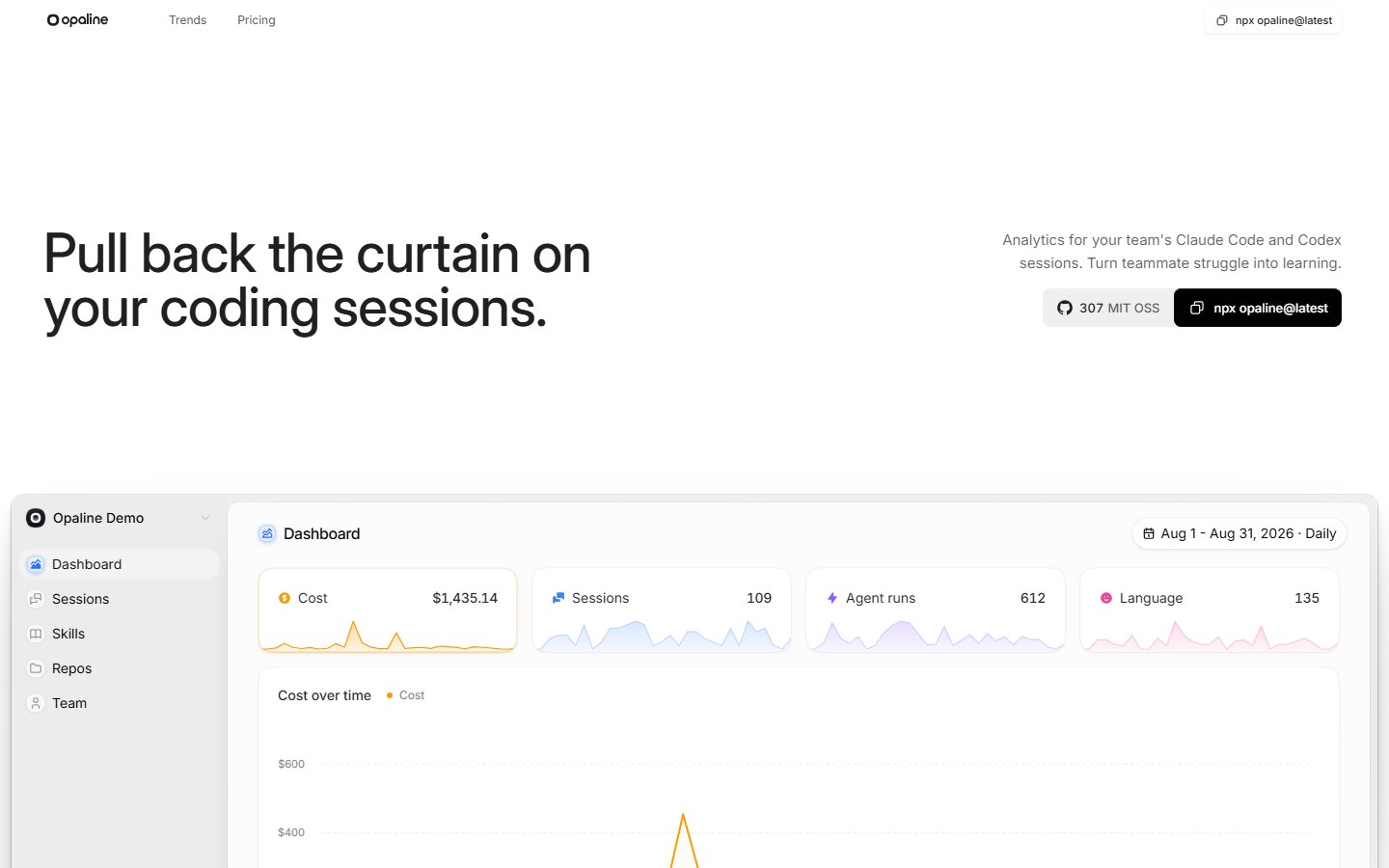
Pull back the curtain on your team's coding sessions.
Analytics for your team's Claude Code and Codex sessions.
Understand what happened, how agents worked, and where the effort went.




Open Opaline · The product · Get started · CLI guide
See Opaline in action
Opaline brings your team's coding sessions into a shared workspace. Browse sessions across repositories, follow conversations and tool calls, and see model usage, tokens, and API costs in context.
This repository contains the open-source CLI that connects your local sessions to the Opaline app.
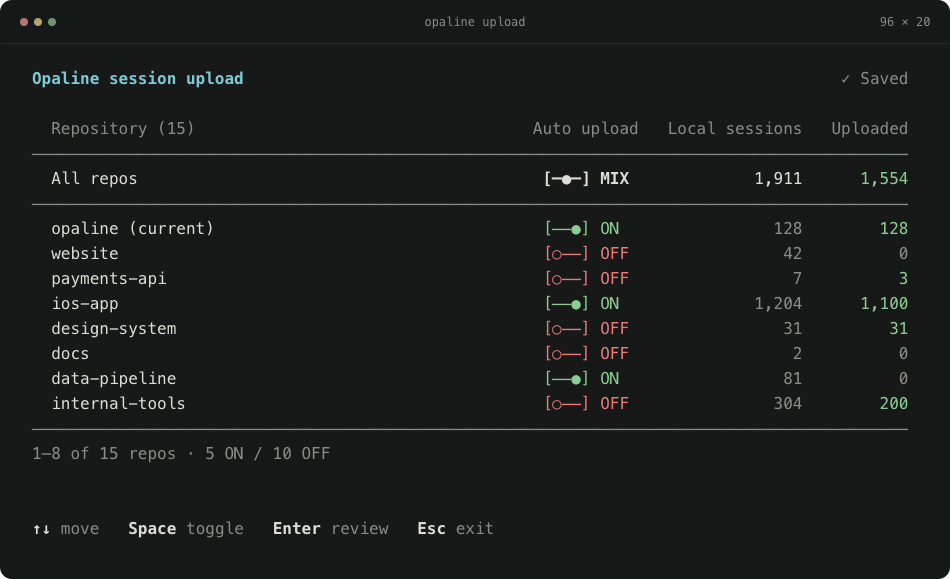
Choose which repositories sync with Opaline. Sample data shown.
Get started
Requires Node.js 20 or newer. Run from any directory; no global installation needed.
npx opaline@latest
- Choose repositories. Opaline finds local Claude Code and Codex sessions. Use ↑↓ to move and Space to toggle a repository.
- Review and confirm. Press Enter to review, then Enter to confirm. Sign in through your browser when prompted and choose a workspace if needed.
- Continue in Opaline. Existing sessions upload, and future sessions sync automatically. New users finish setup in the browser; returning users open their workspace's Sessions page.
Already started in the browser? Run the command Opaline gives you, including its --code value, and approve sign-in in that same browser. This keeps your terminal connected to your setup page.
How it works
- One view across both agents. The picker groups sessions by repository, including sessions from Git worktrees, and shows local and uploaded counts.
- Automatic uploads for your selections. Opaline sets up Claude Code and Codex hooks for enabled repositories. Sessions already uploaded to the destination are skipped. Running Claude Code and Codex sessions also stream new transcript lines within seconds; the regular uploads are unchanged.
- Change your mind anytime. Run the command again to turn repositories ON or OFF. OFF stops future uploads; it does not delete sessions already uploaded. An upload already running may finish.
Type to filter the list. Press Esc to go back from review or leave the picker without saving.
Data and privacy
Opaline uploads full session transcripts, including prompts, responses, source code, tool output, and related metadata. Only enable repositories whose session data you are allowed to share with Opaline.
Known secret patterns are filtered before upload, but filtering cannot guarantee that every secret is removed. Keep sensitive data out of agent sessions.
The CLI also sends limited usage analytics, including version, operating system, setup results, and repository/session counts. These events exclude transcript content, repository names, and local paths. Anonymous activity is linked to your account after sign-in.
To let answers say which sessions they miss, the CLI also sends the workspace a session inventory: for each session it would upload under your settings, the session id, agent, line counts, byte sizes and start and change times, never content, paths or repository names. Set OPALINE_SESSION_INVENTORY=0 to turn it off.
See data handling for the full disclosure and persistent opt-out settings.
The server can temporarily pause repository-evidence capture without pausing session uploads or changing their project identity and workspace binding. Normal Git metadata lookups continue; only repository-context collection, spool writes and evidence delivery stop. The CLI stores the pause in repository-evidence-pause.json under its config directory, leaves other pending captures untouched, and resumes after expiry (24 hours by default, bounded to 1 hour–7 days). Invalid markers are ignored and removed; persistence failures warn without preventing rejected-capture cleanup. opaline doctor reports an active pause.
Common commands
| Command | What it does |
|---|---|
npx opaline@latest | Manage repositories and upload sessions. |
npx opaline@latest whoami | Show your account and upload failures. |
npx opaline@latest doctor | Check authentication, connection, and hooks. |
npx opaline@latest update | Review and update supported persistent installations. |
npx opaline@latest pull --repo <repo> --from <day> --to <day> | Copy sessions to local files for an agent to compute on (also sql, count). |
npx opaline@latest --help | Show available commands and options. |
Prefer a shorter command? Install globally to use opaline directly.
Documentation and contributing
- CLI guide — setup, commands, configuration, troubleshooting, and migration from Rudel.
- Data handling — transcript uploads, secret filtering, and usage analytics.
- Contributing — local development and the CLI playground.
- Report a bug · Report a security issue privately.
- Contact.
Licensed under MIT.