
clawdcursor
Local MCP server that gives any AI agent safe desktop control on Windows, macOS and Linux. Reads the screen as text and structure (accessibility + OCR) and acts by element name, with screenshots as the last resort. Multi-monitor aware, verifies every action, one safety gate.
Automatically checked · GitHub checked 2026-11-15
Overview
Clawd Cursor
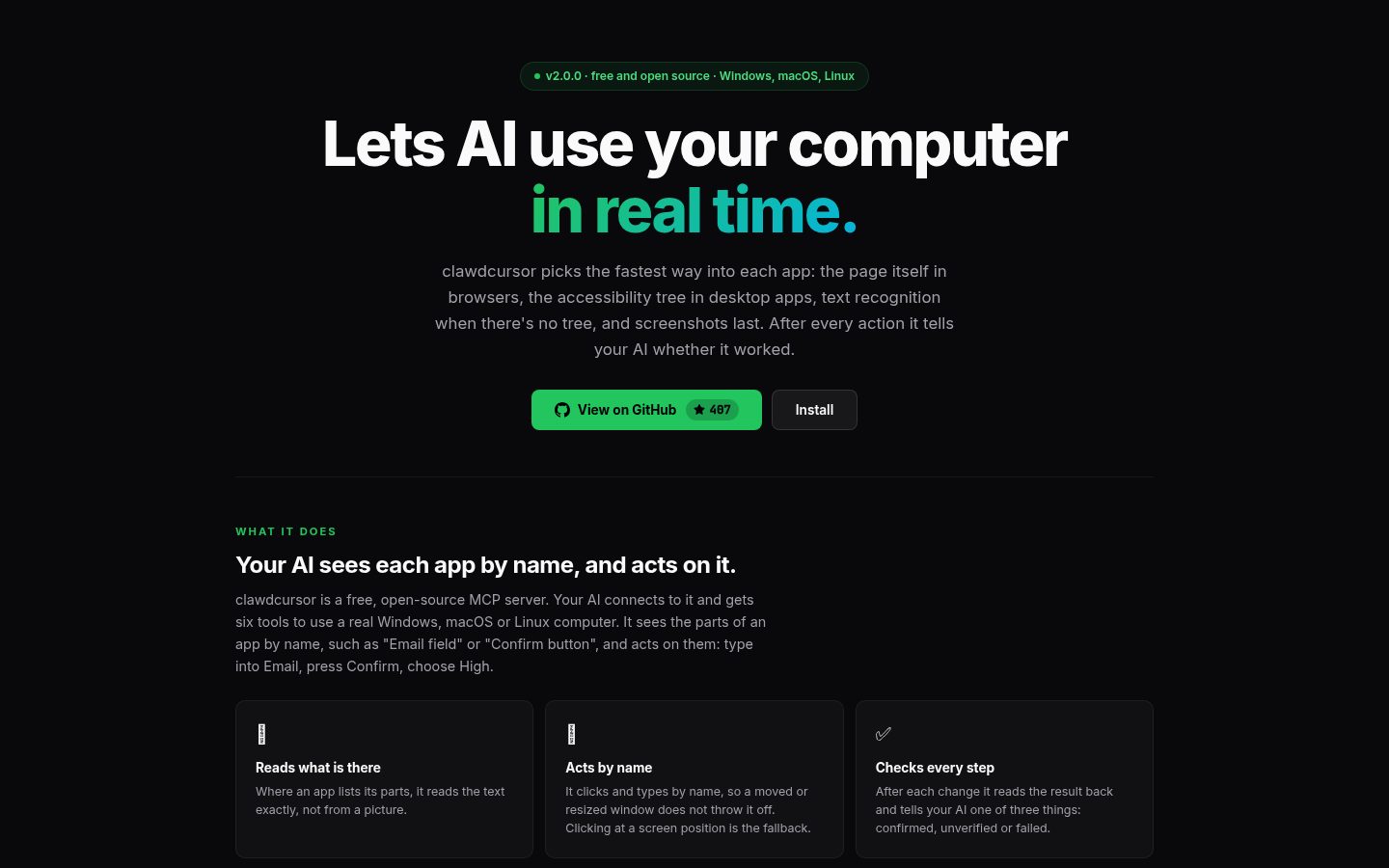
Lets AI use your computer in real time.
clawdcursor picks the fastest way into each app: the page itself in browsers, the accessibility tree in desktop apps, text recognition when there's no tree, and screenshots last. After every action it tells your AI whether it worked.





What it does · Proof · How it works · Limits · What protects you · Error reports · Install · Changelog
What it does
Clawd Cursor is a free, open-source (MIT) MCP server. Your AI (Claude, Codex, Cursor, a local model, any MCP client) connects to it and gets six tools to use a real Windows, macOS or Linux computer: accessibility, system, window, browser, computer and batch.
It sees the parts of an app by name, through the same data screen readers use: "Email field", "Confirm button". Your AI acts on those parts by name: type into Email, press Confirm, choose High. After each change Clawd Cursor reads the result back and reports confirmed, unverified or failed. Text is read exactly.
Clawd Cursor has no model and no API key of its own: your AI makes every decision. Use it for the steps that only exist in a GUI. If an API, a command-line tool or a file edit does the job, use that instead.
Proof
Our own benchmark: the Codex agent on Windows, 15 tasks.
| Measure | Result |
|---|---|
| Tasks done | 14 of 15 |
| Acted by name | about 100% where the app has an accessibility tree |
| Within the call budget | 12 of 15 |
| Screenshots | 4 in total, all on the two drawing-canvas tasks (the fewest those tasks allow) |
| Loops | 0 |
| False "ok" | 1 found (an action reported as done that was not): fixed on main, ships in the next release |
The scope is narrow: one OS, one agent, 15 tasks we built for the test. macOS, Linux and other models are not measured yet. From 2.1 the same benchmark runs on all three systems with several models, and a release ships only when it passes. How it measures: bench/README.md.
How it works
Your AI tries these in order and uses the first that works. Your AI makes every decision; Clawd Cursor carries it out and checks it.
- The page itself, in Clawd Cursor's own browser window.
browser navigateopens Chrome or Edge with its own profile and connects to it through Playwright; your AI then reads and clicks the page from the inside. A page already open in your own browser is read through the accessibility tree. - The accessibility tree, in desktop apps and your own browser. Apps list their buttons, fields and menus by name for screen readers. Clawd Cursor reads that list and acts on each part by name.
- Text recognition (OCR), when there is no tree. It reads the words on the screen and can click a visible label.
- Screenshots, last. Only when nothing else works, such as on drawing canvases and 3D views.
After every action the result ends with one status line: confirmed (it saw the change), unverified (nothing could check it), refused (a protection stopped it) or failed (with a code and the next call to try). Pass expect on an action that matters: the call re-reads the screen and reports a DEVIATION if the expected state is not there.
flowchart TB
    agent["Your AI (in its host)<br/>plans · chooses tools · checks results"] --> see{"SEE: the fastest way in first"}

    see -- "own browser window" --> page["browser navigate, then read_text<br/>the web page itself, through Playwright"]
    see -- "desktop app or your browser" --> tree["accessibility read_tree · system copy_all_text<br/>element names, positions, exact text"]
    see -- "no tree" --> ocr["system ocr<br/>the words on screen"]
    see -- "last" --> shot["computer screenshot<br/>sends an image to the model"]

    page --> act
    tree --> act
    ocr --> act
    shot --> act

    act["ACT: by name first<br/>invoke · set_value · smart_click · then click x,y"] --> guards
    guards["Always checked<br/>Stop · pause · AI-assistant window · hard key list"] -- ok --> desktop["Real desktop"]
    guards -- refused --> refused["refused, with a reason"]

    desktop --> result["Result line<br/>confirmed · unverified · refused · failed"]
    result --> agent
In tool terms:
- See.
accessibility read_treelists a window's parts by name,system copy_all_textgives the exact text of a page or document, andsystem ocrreads the screen when the tree is empty.computer screenshotand its variants (screenshot_region,zoom) come last: they are the only reads that put an image in the model's context. On a page your AI opened withbrowser navigate,browser read_textreads the page itself. - Act.
accessibility invokeclicks a part by name andset_valuefills a field. If the name is not in the tree,smart_clickfinds the visible label by OCR.compile_ui,find_buttonandfind_fieldreturn an{element_id, snapshot_id}pair that stays valid when the layout shifts. A click at a screen position is for a target with no name and no visible text. - Keys. The server tells your AI which OS it is on.
modmeanscmdon macOS andctrlon Windows and Linux.
The words, in plain terms
- MCP (Model Context Protocol): the standard way to plug tools into an AI app. Clawd Cursor is the tool side; your AI app connects to it.
- Accessibility tree: the list of buttons, fields and menus an app gives the system, each with a name. Screen readers for blind people use the same list.
- Acting by name: pressing "Send" because it is called Send, not because it sits at a spot on the screen.
- OCR: text recognition, reading the words in a picture of the screen. It runs on your computer.
- Playwright and CDP: Playwright is a library that controls Chrome and Edge from the inside, over the Chrome DevTools Protocol (CDP), the browser's own debugging connection. Apps built on a browser engine (Electron or WebView2) can be reached the same way;
system detect_webviewfinds them. - Compact tools: the six tools your AI sees with
--compact. Without it there are 89 smaller tools, one per action. See The tools. - The pill and the outline: while your AI is working, a pill on screen says what it is doing ("Typing in Edge") and a thin amber outline marks the window it is working in, moving with it from window to window; it turns blue while your AI waits for you. Clicks go through it, and it stays out of your AI's screenshots.
Limits
- It depends on apps exposing accessibility info. Most do: web pages, native apps, Office and system dialogs.
- Apps that draw their own screen (drawing canvases, games, CAD viewports) have no named parts. There it needs OCR or screenshots.
- The benchmark covers Windows and one agent so far. macOS and Linux are supported but not benchmarked yet.
- It acts with your permissions, and it has no built-in policy engine: see What protects you.
What protects you
Clawd Cursor runs with your own OS permissions: anything you can do with a mouse and a keyboard, your AI can do through it.
What is enforced, whatever your AI sends:
- A Stop button. Press Stop on the pill (or double-click it), or run
clawdcursor stop. Every Clawd Cursor process stops, including a call or batch already running, and stays stopped across restarts until you resume. - The pause card. For a sign-in or a 2FA code your AI hands that one step to you with
system pause_for_user: a card on screen says what is needed and can offer choices or a text box, and your AI continues when you click Resume, or as soon as itsdone_whencondition shows on screen. While the card is up, no other tool call runs. A choice or a typed reply on the card comes only from you: your AI cannot click its own card or the pill. On the granular surface an agent can also end a pause withresume_task; that is reported as unverified, never as your answer. - No typing into AI assistant windows. Input is refused when the window in front is an AI assistant your AI did not focus or open on purpose, or is no longer the window it was working in.
- Password values are never read. Password field values are never returned by tree, find or value reads on Windows, macOS and Linux. A screenshot or OCR can still show whatever is visible on screen.
- A short list of keys that are never sent, because they lock the machine or end the session. Windows:
Win+L,Ctrl+Alt+Del. macOS:Ctrl+Cmd+Q,Cmd+Shift+Q, anything with Power or Eject. Linux:Super+L,Ctrl+Alt+Del,Ctrl+Alt+Backspace,Ctrl+Alt+F1–F12, SysRq, Power. Every other shortcut is allowed. - Local only, with a token.
clawdcursor agentbinds127.0.0.1only and requires the bearer token.clawdcursor mcp(stdio) opens no port. - Screen text is marked as data. Page text, OCR, the clipboard, titles and element names reach your AI inside
<untrusted-screen-content>or quoted, and cannot break out of that wrapping. Whether the model obeys text it reads is the model's and the host's side of prompt-injection defence. - One-time consent. No tool runs until you accept once.
What is not enforced by Clawd Cursor:
- There is no built-in policy engine. Clawd Cursor does not decide which actions your AI may take, and nothing is refused for being "destructive". Your AI and your MCP host's approval prompts decide. (The policy gate of 1.x was removed in 2.0 because a click by coordinates went around it.)
- Per-action approval is your host's job. The tools carry
readOnlyHint/destructiveHintannotations for hosts that prompt. Approving a Clawd Cursor tool in a host means approving desktop control with your rights, not one narrow action. On the compact surface all six tools are marked destructive, because each covers many actions; the granular surface has one hint per action. - If your host auto-approves tool calls, nothing asks before an irreversible action. Your AI is instructed to ask on the pause card before sending, deleting, paying or closing unsaved work that you did not ask for, but that is an instruction, not a check. For agents you do not fully trust, or for unattended runs, use a host with approval prompts, or, from 2.1, turn on confirm mode (#373): with
CLAWD_CONFIRM=1in the server's environment (in the Claude Desktop extension, the "Ask before Send / Delete / Pay / Close" setting), a click or key that would send, delete, pay or close waits on the pause card until you click Resume. Its limits are in SECURITY.md. - An agent with its own shell on your machine is not confined by Clawd Cursor at all.
Privacy:
- No model calls. Screenshots and screen text go only to the MCP client that asked for them.
clawdcursor reportis opt-in and previews what it sends. For the error reports that start in 2.1, see Error reports. - No screenshots, if you want.
clawdcursor agent --no-vision, orCLAWD_DISABLE_VISION=1(which also covers stdio), refuses every call that would return an image; your AI works from the accessibility tree and OCR text. - Logs.
~/.clawdcursor/logs/records which tool ran and whether it worked, not typed text or screen content. - Pauses. A pause times out after 15 minutes (
CLAWD_PAUSE_TIMEOUT_MIN).CLAWD_NO_PAUSE=1turns pausing off for CI and unattended runs.
SECURITY.md has the threat model, the limits of each guarantee, and how to report a vulnerability privately.
Error reports
2.0.0 sent nothing. From 2.1, Clawd Cursor sends anonymous error reports by default, so bugs get found and fixed. Every value is a number or comes from a fixed list, and tool and action names are Clawd Cursor's own.
- With every report: a random install id made on your computer (not derived from your hardware or accounts), the Clawd Cursor version and your OS family.
start, when the server starts: OS major version, CPU architecture, Node.js major version, which AI app started it (from a fixed list: Claude Code, Claude Desktop, Cursor, Codex and others; anything else is "other"), and compact or granular tools.call_failed, when a call fails, times out or reads nothing: the tool and action name, the result code (NOT_FOUND,TIMEOUT, ...), the outcome, how long it took, and whether the app was a browser, an Electron app or a native app.slow_call, when a call takes over 10 seconds: the tool and action name, how long it took, and its slow internal steps (Clawd Cursor's own helper programs, by name, with their time).exit, when the server exits during a call, or was killed or crashed: the exit reason (from a fixed list:sigterm,host_gone, ...), and the tool and action that were cut off and how long they had run.crash, on an uncaught error: the error class (TypeError, ...), the error code (ENOENT, ...), and the stack reduced to file and line in Clawd Cursor's own code.- Never sent: error messages, typed text, the clipboard, screen or OCR text, screenshots, window titles, the names of the apps your AI works in, URLs, element names, file paths outside Clawd Cursor, user names, emails or IP addresses.
- Where it goes: over HTTPS to
telemetry.clawdcursor.com, a Cloudflare Worker run by the project. It checks every event against the same fixed lists and drops anything else, does not read or store your IP address or request headers, and deletes events after 90 days. - To turn them off: run
clawdcursor optout(clawdcursor optinturns them back on), ask your AI (it callssystem {action:"telemetry_optout"}; your AI can only turn them off), or setCLAWD_TELEMETRY=0orDO_NOT_TRACK=1. They are always off in CI and in test runs.
From 2.1, clawdcursor telemetry prints the status and every field it sends. The same list is in docs/telemetry.md.
Install
Pick your host. Each one needs the one-time desktop-control consent, and on macOS the Accessibility and Screen Recording permissions (macOS setup).
Claude Code: the plugin
claude plugin marketplace add AmrDab/clawdcursor
claude plugin install clawdcursor@clawdcursor
The plugin registers the MCP server (through npx, so no separate install; Node.js 20+ required) and bundles the usage skill. The first tool call asks "Allow clawdcursor to control this computer" in the app.
Claude Desktop: the .mcpb extension
Download the extension for your OS from the latest GitHub release and open it:
| Windows | macOS | Linux |
|---|---|---|
| clawdcursor-win32.mcpb | clawdcursor-darwin.mcpb | clawdcursor-linux.mcpb |
- Double-click the file, or use Settings → Extensions → Advanced settings → Install Extension….
- Turn on Allow clawdcursor to control this computer. That is the consent; until it is on, every tool returns a consent prompt.
- macOS: when asked, allow Claude under Privacy & Security → Accessibility and Screen Recording.
No Node.js, npm or JSON editing: Claude Desktop runs the bundled server.
Codex, Cursor and other MCP hosts: clawdcursor mcp --compact
Install once:
npm i -g clawdcursor            # Node.js 20+
clawdcursor consent --accept    # one-time desktop-control consent
clawdcursor grant               # macOS only: Accessibility + Screen Recording
Then register a stdio server whose command is clawdcursor mcp --compact. The host starts it; you never run it yourself. Only the config shape differs:
OpenAI Codex (~/.codex/config.toml; the first launch can take a few seconds, so raise the 10 s startup timeout):
[mcp_servers.clawdcursor]
command = "clawdcursor"
args = ["mcp", "--compact"]
startup_timeout_sec = 30
Cursor, Windsurf, Cline, Gemini CLI, Claude Desktop without the extension (mcpServers):
{
  "mcpServers": {
    "clawdcursor": { "command": "clawdcursor", "args": ["mcp", "--compact"] }
  }
}
VS Code (Copilot) (.vscode/mcp.json uses servers, not mcpServers):
{
  "servers": {
    "clawdcursor": { "command": "clawdcursor", "args": ["mcp", "--compact"] }
  }
}
Zed (context_servers in settings.json):
{
  "context_servers": {
    "clawdcursor": { "command": "clawdcursor", "args": ["mcp", "--compact"] }
  }
}
opencode (opencode.json uses mcp, and command is an array):
{
  "mcp": {
    "clawdcursor": { "type": "local", "command": ["clawdcursor", "mcp", "--compact"] }
  }
}
Claude Code without the plugin:
claude mcp add clawdcursor -s user -- clawdcursor mcp --compact
One-click for Cursor and VS Code (these use npx, no global install):


Notes:
- No global install: use
npxas the command with args-y clawdcursor mcp --compact. A global install is still the better choice for a tool with desktop control: the version is pinned and on disk, and on macOS the native helper is built at install time. - Windows: some hosts start the server without a shell and cannot find
clawdcursorornpx(both are.cmdshims). If the server does not start, wrap it:"command": "cmd", "args": ["/c", "clawdcursor", "mcp", "--compact"]. - Consent in the app: hosts that support MCP elicitation (Claude Code, VS Code) ask for consent on the first tool call, so
consent --acceptcan be skipped there. - Per-OS requirements. Windows: none. macOS: Xcode Command Line Tools (
xcode-select --install) to build the native helper. Linux:tesseract-ocr(OCR),python3-giandgir1.2-atspi-2.0(accessibility tree), and on Waylandydotool. - Permission allowlists: use the server-level wildcard
mcp__clawdcursor, not per-tool entries.
Installer scripts (they run npm i -g clawdcursor after checking Node and PATH)
# Windows (PowerShell)
powershell -c "irm https://clawdcursor.com/install.ps1 | iex"
# macOS / Linux
curl -fsSL https://clawdcursor.com/install.sh | bash
Over HTTP: clawdcursor agent
For an agent that speaks MCP over HTTP (a headless process, the Agent SDK, your own loop):
clawdcursor agent --compact # HTTP MCP on 127.0.0.1:3847/mcp
Every request needs the bearer token in ~/.clawdcursor/token. The server binds to 127.0.0.1 only; to reach it from another machine, tunnel the port over SSH (ssh -L 3847:127.0.0.1:3847 user@host). Use the daemon's own port on your side too: the server answers only requests addressed to 127.0.0.1:<its port> or localhost:<its port>, so a tunnel from another local port gets 403.
# List the tools. The Accept header is required by MCP's Streamable HTTP transport.
curl -s -X POST http://127.0.0.1:3847/mcp \
  -H "Authorization: Bearer $(cat ~/.clawdcursor/token)" \
  -H "Content-Type: application/json" \
  -H "Accept: application/json, text/event-stream" \
  -d '{"jsonrpc":"2.0","id":1,"method":"tools/list"}'
# Windows PowerShell 5.1
$token = (Get-Content "$env:USERPROFILE\.clawdcursor\token" -Raw).Trim()
$headers = @{ Authorization = "Bearer $token"; Accept = "application/json, text/event-stream" }
$body = '{"jsonrpc":"2.0","id":1,"method":"tools/list"}'
Invoke-RestMethod -Method Post -Uri http://127.0.0.1:3847/mcp -Headers $headers -ContentType "application/json" -Body $body
Updating
| Installed as | Update with |
|---|---|
| Global npm package | npm i -g clawdcursor@latest |
| Claude Desktop extension | Download the new .mcpb from the latest release and open it |
| Claude Code plugin | claude plugin marketplace update clawdcursor, then claude plugin update clawdcursor@clawdcursor |
Restart the host afterwards so it starts the new server. clawdcursor versions lists every copy on the machine and its version. From 2.1, clawdcursor update updates the global npm package and lists the other copies that need their own update.
Coming from 1.x: remove calls to the task tool and to clawdcursor task, drop the --provider, --model, --base-url and --api-key flags and the AI_API_KEY / CLAWD_*_MODEL variables, and configure the model in your agent host. Old config files still load; the model keys in them are ignored.
What's new
2.0.0 — A tool, driven by your agent. First published as 1.6.0 and renumbered because it is a breaking change; 1.6.0 is deprecated on npm. (full changelog)
- Breaking: the built-in agent loop and all model settings are gone. The
tasktool,clawdcursor task, the scheduler and the--provider/--model/--api-keyflags are removed, andclawdcursor doctoris a diagnostic only. Your agent calls the six tools step by step, orbatchfor a known sequence. - Breaking: the policy gate is gone: no tiers, no "confirm", nothing refused by label. See What protects you for what is still enforced, and what is not.
- A thin outline around the window the agent is working in replaces the full-screen glow.
- Keys follow the OS: the agent is told its modifier (
cmdorctrl) up front,modmeans that modifier, and shortcuts are offered only for this OS. - Screen text that reaches the agent cannot close its
<untrusted-screen-content>block, andopen_apponly starts an installed app by name.
1.5.27 — Ticks, dropdowns and expanders read and change the same way on all three OSes; a stop also blocks hover, clipboard writes, page script and tab switches; logs in ~/.clawdcursor/logs/ record each call's timing and outcome without typed text or window titles.
Earlier releases are in the changelog.
2.1. One standard benchmark across app types, OSes and models becomes the release gate, with five general mechanisms behind it: honest results, target resolution, perception without a tree, screen geometry and timing. The first three are in 2.1, and so are an opt-in confirm mode (#373), clawdcursor update, anonymous error reports and an orb in the pill; the thin outline around the agent's window stays as in 2.0. Screen geometry and timing are next: see the 2.1 milestone.
The tools
Two surfaces run the same code behind the same guards.
- Compact (
--compact, recommended): six tools, each with anactionparameter. About 7,000 tokens oftools/list. - Granular (the default without
--compact): 89 tools, one per action. About 19,000 tokens. Use it when a runtime needs every primitive as its own tool, or when you want your host to prompt per kind of action.
(Token figures are the tools/list JSON of 2.0.0, characters ÷ 3.5.)
| Tool | Actions |
|---|---|
accessibility | read_tree, find, get_element, focused, invoke, focus, set_value, get_value, expand, collapse, toggle, select, state, list_children, wait_for, compile_ui, find_button, find_field, smart_click, smart_type, smart_read |
system | clipboard_read, clipboard_write, copy_all_text, report, system_time, ocr, undo, shortcuts_list, shortcuts_run, pause_for_user, detect_webview, relaunch_with_cdp, build_uri, open_uri, open_app, open_file, open_url |
window | list, active, focus, maximize, minimize, restore, close, resize, list_displays, screen_size, open_app, open_file, open_url, switch_tab, navigate |
browser | navigate, connect, page_context, read_text, click, type, select_option, evaluate, wait_for, list_tabs, switch_tab, scroll |
computer | click, double_click, right_click, middle_click, triple_click, hover, move, move_relative, scroll, scroll_horizontal, drag, drag_path, mouse_down, mouse_up, type, key, key_press, key_down, key_up, wait, screenshot, screenshot_region, zoom |
batch | {steps:[…]}: several calls in one round trip. Each step is {name, arguments, expect?} and is refused exactly as a direct call would be; the batch halts with a per-step trace on a refusal, an error or a failed expect. |
accessibility({ action: "invoke", name: "Send" })    // click by name
computer({ action: "key", combo: "mod+s" })          // Cmd+S on macOS, Ctrl+S elsewhere
window({ action: "open_app", name: "Outlook" })
The full guide for agents is SKILL.md; it ships in the npm package and the Claude Code plugin. clawdcursor.com/llms.txt is a shorter summary of it: install, the tool surface and the safety rules. Every parameter is in schema.snapshot.json.
Platform support
| Platform | UI tree | OCR | Browser (CDP) | Input |
|---|---|---|---|---|
| Windows 10/11 (x64 / ARM64) | UI Automation via a PowerShell bridge | Windows.Media.Ocr | Chrome / Edge | nut-js |
| macOS 12+ (Intel / Apple Silicon) | Native AX helper (Swift), JXA fallback | Apple Vision | Chrome / Edge | nut-js + System Events |
| Linux X11 | AT-SPI via python3-gi | Tesseract | Chrome / Edge | nut-js |
| Linux Wayland | AT-SPI via python3-gi | Tesseract | Chrome / Edge | ydotool / wtype |
- Windows: no setup.
- macOS: Accessibility is required; Screen Recording is needed only for screenshots and OCR.
clawdcursor grantopens the dialogs. See docs/MACOS-SETUP.md. Retina scaling is handled for you: do not pre-scale coordinates. - Linux X11:
sudo apt install tesseract-ocr python3-gi gir1.2-atspi-2.0. - Linux Wayland: the same, plus
ydotoolwithydotoold(preferred) orwtype(keyboard only).
CLI
For people setting up or diagnosing an install. Agents connect over MCP. Start here:
clawdcursor doctor          Check the install and set it up
clawdcursor agent           Run clawdcursor, with a live log of every action on this computer
clawdcursor task "<task>"   Test an agent: it does <task> with clawdcursor as its only tool, then PASS or FAIL
In a terminal, clawdcursor agent prints one line per action, whichever clawdcursor did it: the one your Claude app or
editor started, a clawdcursor task run, or the daemon itself. Each line has the time, who did it (agent or
mcp <pid>), the tool and action, the outcome (ok, refused, failed, ...) with its result code, and how long
it took. A server connecting or leaving, a pause waiting for you, and a stop or resume get a line too. Names and codes
only: no typed text, clipboard or screen text. Ctrl+C ends it. Run as a service or piped, it prints nothing extra.
Every command:
clawdcursor consent         Desktop-control consent (--accept / --revoke / --status)
clawdcursor grant           Request macOS permissions (macOS only)
clawdcursor mcp             stdio MCP server; your host starts this (--compact for the six tools)
clawdcursor agent           HTTP MCP server on 127.0.0.1:3847, with the live log in a terminal (--port, --compact, --no-vision)
clawdcursor stop            Stop every running instance; agents stay stopped until resume
clawdcursor resume          Continue the daemon's paused task or give control back after a stop (--end to end the task)
clawdcursor doctor          Diagnose the install (version, consent, screen capture, accessibility, permissions)
clawdcursor status          Readiness check (consent, permissions, whether the daemon is running)
clawdcursor versions        Every installed copy and its version
clawdcursor update          Update the global npm install, then list the other copies to update (from 2.1)
clawdcursor telemetry       Whether error reports are on, and every field sent (from 2.1)
clawdcursor optout          Turn error reports off; optin turns them back on (from 2.1)
clawdcursor report          Send a redacted report of the last session, after a preview (--save-only)
clawdcursor register-skill  Register the usage skill in detected agents again
clawdcursor uninstall       Remove all config, data and skill registrations
clawdcursor task "<task>"   Developer add-on: a test agent with clawdcursor as its only tool (see below)
clawdcursor logs            Developer add-on: the logs, readably (-f, --session, --tool, --errors, --since, --run)
--no-banner (or CLAWD_NO_BANNER=1) on mcp and agent turns the on-screen pill and outline off. An app that hosts clawdcursor can draw the pill in its own window: docs/pill-host.md.
Testing clawdcursor on its own
For developers who want to see what an agent does when clawdcursor is the only tool it has. Optional: two small add-ons, downloaded from npm the first time you use them and only after you say yes.
clawdcursor task "Open a text editor and type hello"     # the agent does it, then PASS or FAIL
clawdcursor logs --run last                              # that run, joined with clawdcursor's own log
clawdcursor doctor --setup                               # pick the default runner and model, run a test call
- Your subscription, no API key.
taskruns your installed Claude Code (claude -p) or Codex (codex exec) on your own sign-in. The agent gets one MCP server, this clawdcursor (mcp --compact, or--granular), and none of its built-in tools, settings, plugins or skills.--with claude|codexpicks one; by default it is the onedoctor --setupchose, else the installed and signed-in CLI, Claude Code first.--modelnames a model. - API keys are optional:
--with anthropic(ANTHROPIC_API_KEY, or a key stored bydoctor --setup) and--with openai-compatible(base URL, key and model: OpenAI, Ollama, LM Studio, OpenRouter) run a small tool-calling loop over the same MCP server. - What you see: each tool call with its action and a one-line result, and the agent's short messages. The agent
ends with a
PASS: …orFAIL: …line, and the exit code follows it: 0 PASS, 1 FAIL or error, 130 Ctrl-C (the agent and its clawdcursor are stopped). - What is kept: every event of the run in
~/.clawdcursor/runs/<time>.jsonl(screenshots left out), with the id of the clawdcursor session it drove.logsshows the day log's tool calls with their outcome, result code and where the time went, and stop, pause, refusals and server start and exit;--session last,--tool click,--errors,--since 10m,-fnarrow or follow it. - The add-ons:
clawdcursor-agent(taskandlogs) andclawdcursor-doctor(doctor --setup), installed withnpm install --prefix ~/.clawdcursor/addonsat clawdcursor's own version. With no terminal to ask in, the command is printed and nothing is downloaded;--yesinstalls without asking (CI).doctor --setupstores an API key in~/.clawdcursor/agent.json, readable only by you, or just the name of the variable that holds it.
Development
git clone https://github.com/AmrDab/clawdcursor.git && cd clawdcursor
npm install
npm run build       # tsc + postbuild + bundle  ->  dist/surface/cli.js
npm test            # vitest
npm run lint        # eslint
npm link            # global `clawdcursor` shim
npm run build:addons                             # the developer add-ons in packages/
CLAWDCURSOR_ADDONS_DIR=$PWD/packages clawdcursor task "..."   # use them from the repo: nothing is downloaded
| Directory | What lives here |
|---|---|
src/core/ | Reading the screen (accessibility snapshots, the UI compiler), verification, and the Stop / pause / AI-assistant guards. |
src/tools/ | The granular tools, the five compound tools and batch. |
src/platform/ | The PlatformAdapter for Windows, macOS, Linux and Wayland; OCR; the CDP driver; the hard key list. |
src/surface/ | CLI, MCP server (stdio and HTTP), dashboard, doctor, consent. |
packages/ | The optional developer add-ons: clawdcursor-agent (task, logs) and clawdcursor-doctor (doctor --setup). |
CI runs the tests on Node 20 and 22 on Ubuntu, macOS and Windows, with a coverage threshold, a performance smoke test and an npm audit gate.
Contributing
See CONTRIBUTING.md. Bugs and feature requests go in issues; security reports go through SECURITY.md.
License
MIT. See LICENSE.
Acknowledgments
Built on the Model Context Protocol SDK, nut-js, Playwright, sharp, and the AT-SPI, UI Automation and AX accessibility APIs.
The pill's orb follows Thinking Orbs by Jakub Antalik (libraries.dev, github.com/Jakubantalik/Libraries.dev), MIT License, Copyright (c) 2026 Jakub Antalik. Its values (orbits, sizes, timings) are used in scripts/banner.ps1 and scripts/mac/overlay.swift; the full MIT notice is at the top of scripts/banner.ps1.
clawdcursor.com · Discord · Changelog · npm