
canvix
Canvix — Free & open-source graphic design tool. A community-built Canva alternative with a drag-and-drop editor, templates, shapes, text, images & one-click export. Works on desktop, tablet & mobile.
Automatically checked · GitHub checked 2026-11-17
Open-source alternative to
Overview

Canvix
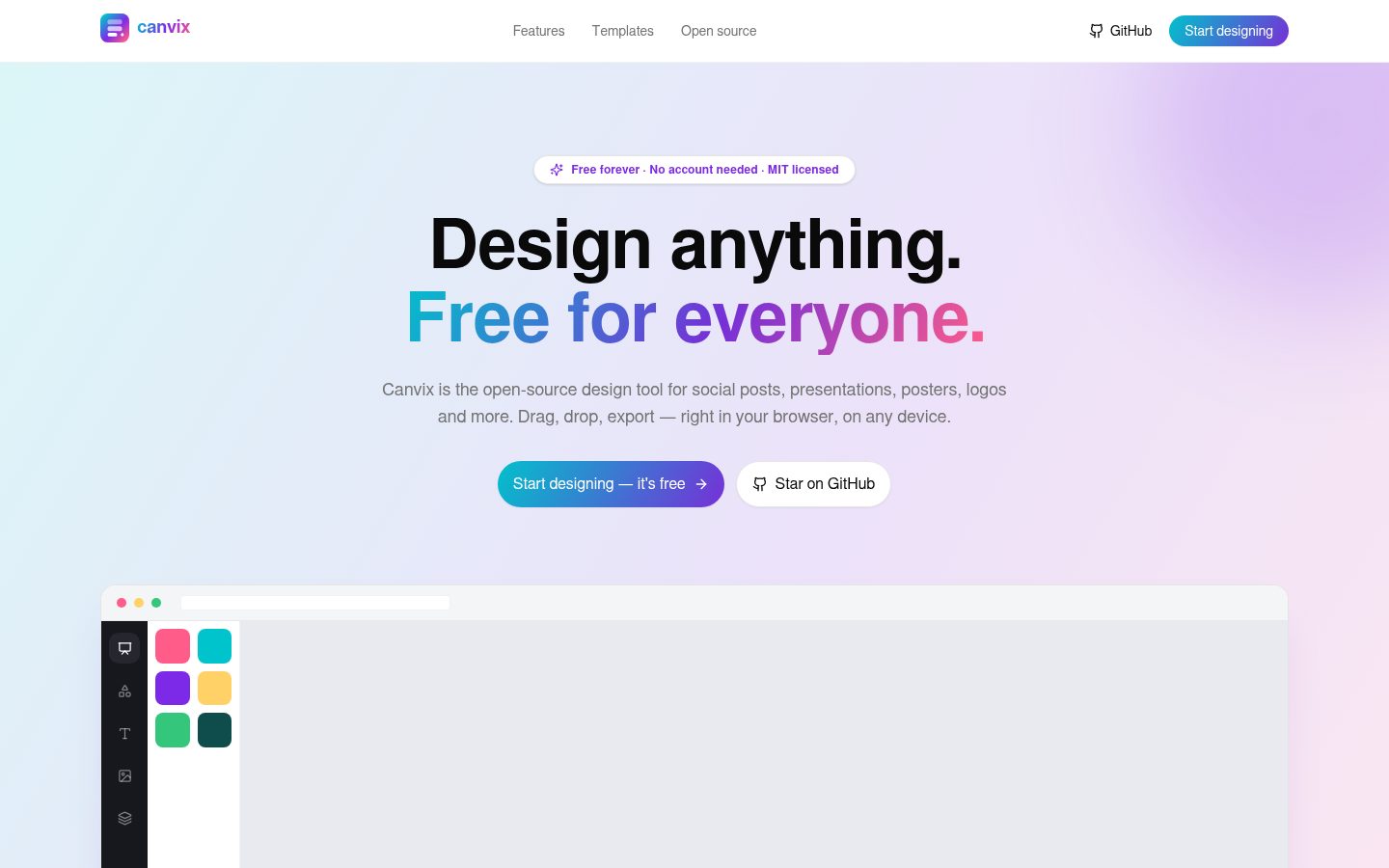
Design anything. Free for everyone.
Free & open-source graphic design tool — a community-built Canva alternative.


Features · Quick start · Self-hosting · Roadmap · Contributing
✨ What is Canvix?
Canvix is a browser-based design tool that lets anyone create social media posts, presentations, posters, logos and thumbnails — with a drag-and-drop editor, a 366-template library and one-click export. It runs entirely on your own infrastructure, stores designs in your own database, and exports files locally in your browser. Free accounts keep your designs yours; anonymous link-editing keeps working too. No watermarks, no paywalls.
🆓 Free forever — the promise
Every feature in Canvix is free, and it stays free. Forever. There is no Pro tier, no subscription, no trial countdown, no watermark ransom, no "premium" element you can drag but not drop. The whole point of this project is a design tool that never asks you for a credit card:
- All 366 templates — including the entire premium collection — are free
- All exports (PNG, JPG, WebP, SVG, PDF, PPTX, video, GIF) are free and unwatermarked
- All AI features (magic edit, magic write, background removal, translate) run against your own API keys, so there is nothing for us to meter
- Accounts are free — username + password, no email, no verification, no external provider; a self-hoster runs the whole thing for $0
- Self-hosting is first-class: your server, your database, your rules
- The license is MIT — you can even fork it and build a business on it
If anyone ever asks you to pay for Canvix, you are being scammed: the source is right here.
🎨 Features
v0.9.0 — Accounts & per-design ownership
- Free accounts, zero dependencies — username + password with scrypt
hashing from
node:cryptoand opaque DB-backed sessions (HttpOnly, SameSite=Lax cookies; the DB stores only sha256(token) so a leak never yields usable sessions). No email, no OAuth, no external provider — deliberately self-contained so self-hosting stays free forever. - Per-design ownership — designs you create while signed in are private to your account: the dashboard scopes to “yours + shared”, and every mutating API (save, delete, restore, version snapshot) answers 403 for anyone else. Share links still open — in view-only mode with an honest banner in the editor.
- Nothing breaks for existing setups — ownerless designs keep the exact
pre-v0.9 link-editable behaviour. One click (“Save my designs to this
account”) migrates the designs this browser created into your new
account — anonymous creations are attributed to the creating browser
(
canvix_anoncookie, sha256-hashed in the DB), so adopt-all can never sweep up another person's work. Legacy designs from before attribution exist? Claim those one-by-one with the per-design “Save to my account” action (a deliberate, visible action for pre-accounts self-hosters). - CSRF-safe writes — every mutating API route enforces same-origin on
top of the SameSite=Lax session cookie; cross-site POST/PUT/DELETE
requests answer
403 CSRF_REJECTED. Non-browser clients (curl, the MCP endpoint) are unaffected. - Collab identity upgrade — signed-in users appear under their real username in presence, cursors and comments.
- DNS-rebinding pinning (SSRF close-out) — the MCP server's
safeFetchnow connects via a custom lookup pinned to the validated IP, closing the TOCTOU window documented in v0.6.1. TLS keeps the real hostname for SNI, so certificate validation is unaffected. - End-to-end CI verification — the “Canvix Database Setup” workflow now boots the built server against your real database and exercises the whole account + ownership + claim-safety + CSRF flow (register → me → owned create → owner save → anonymous 403 → logout → revoked-token replay → login → cross-origin rejection → two-browser adopt-all scoping → cross-account isolation) before cleaning up after itself.
v0.8.0 — Supabase-ready infrastructure & the 110-template library
- Supabase-first database support — switching hosts (Neon → Supabase,
or anything else) is now a two-command move:
- Real migrations —
prisma/migrationsships in the repo, sonpm run db:setupcreates the full schema on a brand-new database (Supabase, Neon, RDS, local…) and seeds the template library in one go - Self-healing setup — if your database was provisioned with the
pre-v0.8
db pushflow,db:setupdetects it, baselines the migration history (Prisma's documented path) and continues instead of dead-ending - Smart connection handling (
src/lib/db-url.ts) — a copy-pasted Supabase connection string just works: TLS is auto-required for remote hosts, and the transaction pooler (port 6543) automatically gets pgbouncer-compatible settings so prepared statements don't break /api/health— a one-page diagnosis of env → connectivity → migration → seed, with the exact fix printed at each step- Actionable errors everywhere — “Could not open template” is dead:
API failures now carry classified codes (
DB_NOT_MIGRATED,DB_UNREACHABLE…), the dashboard shows a setup banner with the fix, and toasts tell you exactly what to run
- Real migrations —
- The template library, ×1.8 — now 110 templates, all free — 50 new
2026-trend originals across every category, authored in-house (podcast
quote card, new-listing post, bootcamp, restaurant special, lookbook,
webinar, LinkedIn banner, recipe pin, birthday story, Black Friday,
playlist cover, flash-sale countdown, grand opening · investor pitch,
marketing plan, course, agency portfolio, quarterly review, demo day,
nonprofit impact, product launch · wedding invitation, gym flyer, cafe
menu, concert poster, yoga flyer, gift certificate, business card, open
mic, moving sale · executive & creative resumes, cover letter, proposal,
invoice, newsletter, whitepaper, agenda, press release · 7 thumbnails ·
3 logos). The library lives in
src/lib/templates/as collections so it can keep growing, and a validator (scripts/validate-templates.ts) checks every entry at CI time
v0.7.0 — Fast & Free Forever: rendering performance & the premium template collection
- Rendering performance — the canvas was rebuilt around three classic
hot-path killers, and every one is gone:
- Structural sharing in the editor store — every mutation now builds only the pages/elements it actually touches; untouched objects keep their identity. A keystroke, a slider drag or a remote/AI live edit re-renders exactly one canvas node instead of the whole scene, and deep-cloning the entire document per edit is history
- O(1) undo/redo — history snapshots now share structure with live state (like Immer, without Immer): pushing history is a reference copy, and a 60-step history of a large design costs a fraction of the old memory
- Memoized canvas nodes —
ElementNodeno longer subscribes to the whole store (it reads actions at event time viagetState()), is wrapped inReact.memo, and receives stable callbacks — so selection changes, panel toggles and remote cursors don't re-render a single shape - Split Konva layers — interaction chrome (transformer, snap guides,
marquee, ruler guides, draw preview) moved to its own
<canvas>layer: dragging an element no longer repaints the chrome, and guide updates no longer repaint the artwork - Snap-guide equality guard — identical guide sets don't trigger a React render; snapping during drag only redraws when something visibly changed
- Shared image cache — images decode once per URL and are reused across pages, thumbnails and duplicated nodes (with in-flight dedup and a bounded 300-entry LRU)
perfectDrawEnabled: falseon element nodes — skips Konva's hit-canvas perfection pass during drag/transform for a big interactive win- Lazy template thumbnails — preview stages mount via IntersectionObserver (300 px pre-roll), so scrolling the 366-template library stays smooth; only visible cards own a canvas
- Locked in by tests:
src/store/editor-store.test.tsasserts the identity guarantees (untouched pages/elements keep references, history shares structure, snapshots are never mutated in place)
- The premium template collection — all free — 39 new templates (21 → 60), every one designed to Canva-grade quality and every one unlocked: social (flash sale story, trattoria, open house, bootcamp, webinar, podcast cover, birthday story, wanderlust, LinkedIn banner, minimal quote), presentations (pitch deck noir, quarterly report, webinar deck, course welcome, roadmap, meet-the-team), print (neon gig poster, charity gala, artisan menu, spa voucher, yard sign, luxe card, wedding thank-you, coupon), documents (proposal, newsletter, ebook cover, whitepaper, press release, meeting agenda, studio invoice, case study), thumbnails (gaming, tutorial, podcast episode, unboxing) and logos (orbit, bloom, apex). The templates panel gets a "Premium collection · free forever" section — premium is a quality label here, never a paywall
v0.6.0 — the Agent Edition: MCP, tables, frames, curved text & embeds
- MCP server (Model Context Protocol) — Canvix becomes an agent-native design platform:
POST /api/mcpspeaks standard MCP (JSON-RPC 2.0 over Streamable HTTP, stateless — same transport profile Canva's AI Connector uses), so AI assistants like Claude Desktop, Cursor, ChatGPT and any MCP client can create and edit real designs on your server. 20 tools: browse templates, search/get/create designs, add text/shapes/images/tables/embeds, restyle & move elements, set backgrounds, animate pages, comment, and export (SVG/PNG/JSON) — plusgenerate_design, which asks the server AI provider for a structured, fully-validated page layout and materializes it as native editable elements. Every tool maps to a real subsystem; without a provider everything works exceptgenerate_design, which says so plainly. Agent edits append to the same event log the editor replays, so a design an agent is editing updates live for humans in the editor - Security by default — the endpoint stays disabled until you set
CANVIX_MCP_TOKEN; requests needAuthorization: Bearer <token>(timing-safe compare), cross-origin requests are rejected, per-IP rate limits apply, image fetches are SSRF-guarded (private hosts denied, 8 MB cap), patches are whitelisted & clamped per element type, and errors never leak stack traces - Tables — Canva-style native tables: click any cell on the canvas to edit it, add/remove rows & columns from the toolbar, style borders/header/text, four starter styles. Cells export to SVG and translate with the design
- Frames — image-in-shape frames (rectangle, rounded, ellipse, circle,
triangle, hexagon). Drop an upload or photo on a frame to fill it — the image is
clipped to the shape with cover-fit (also true vector
<clipPath>in SVG export) - Curved text — Canva's signature arc effect: curve any text −180°…+180°
(arch up / valley down), rendered as a real text-on-path (Konva
TextPath, SVG<textPath>) so it stays crisp in PNG/PDF/video exports and editable everywhere - Embed cards — YouTube videos, Google Maps places and any link become native vector link cards (media band, play/pin glyph, title). Clicking a card in Preview or shared views opens the URL — honest scope: a styled card, not an iframe
- Translate covers tables — the AI translator now also walks table cells, not just text boxes
- Dashboard “AI agents (MCP)” card — shows the live endpoint status and a copy-paste client config (endpoint URL + bearer headers) for Claude Desktop / Cursor / any MCP client
v0.5.0 — Magic Layers, real-time collaboration & production AI infrastructure
- Magic Layers — upload any flat design (or pick an image on your canvas) and a vision model decomposes it into real, editable Canvix layers: text becomes live text boxes (color, weight and size recovered), photos become cropped image elements, shapes become native shapes, the background becomes a page background. Every region carries a confidence score — uncertain regions are flagged amber in the review step and can be discarded. Honest limitations are surfaced in-product (fonts are matched by class, not recovered exactly; illustrations become image regions)
- Real-time collaboration — share a design link and edit together: live
multiplayer with colored cursors + name tags, remote selection outlines,
presence avatars in the top bar, a live/offline connection indicator, and
gap-free catch-up after disconnects. Architecture: an append-only event log in
Postgres + server-sent events downstream + batched op POSTs upstream — works on
Vercel serverless and self-hosted Node alike, no WebSocket server required.
Link access (documented in the Share dialog since v0.11.7): anyone who
can reach your instance can open a share link; ownerless designs (created
while signed out) are editable by everyone with the link, while designs
owned by an account open read-only for everyone else — there is no cloud
gatekeeping, reachability is decided by your deployment.
Optimistic local edits always keep the canvas butter-smooth. Since v0.10
collaboration is also offline-safe: edits made while disconnected (or
after a crash/reload) queue in IndexedDB and merge deterministically on
reconnect — every element is a hybrid-logical-clock-stamped last-write-wins
register with delete tombstones, and the server merges divergent autosaves
with the same pure rule every client runs, so no one's work is ever
silently overwritten (see
research/OFFLINE-MERGE.md) - Comments & annotations — a first-class comments mode: click anywhere on the canvas (or on an element — the pin follows it) to drop a threaded comment. Replies, resolve/reopen, delete-own, unread badges, collaborator avatars and live propagation to everyone in the design
- Animations — Magic Animate — an Animate panel (Page / Element tabs) with 9 element animations (fade, rise, pan, pop, wipe, zoom, rotate, breathe), speed presets, duration/delay/easing/direction controls, and page transitions (fade/slide/morph, 0.1–2.5 s). One-click Magic Animate gives the whole page a tasteful animation pass. Animated playback in Preview with autoplay and a reduce-motion accessibility toggle
- SVG export — true vector export: text, shapes, paths, gradients, opacity, transforms, images and shadows serialize to clean, sanitized SVG (no rasterization of vector elements, opens in browsers and vector editors)
- Video export (MP4/WebM) — a real rendering pipeline: the animation timeline is rendered frame-by-frame to an offscreen canvas and encoded locally via MediaRecorder — MP4 (H.264) where the browser can encode it, WebM otherwise. Honest format detection is shown before you export. No uploads, no server rendering. Since v0.11 the page's audio is muxed into the recording (best-effort per browser) and beat-synced pulses render into the video
- GIF export (v0.15 R5) — animated, looping GIFs from any page
range: 480/720/1080 px caps, 10/15/20 fps, optional Floyd–Steinberg
dithering, a 25 MB cap enforced during the encode, and an 1800-frame
cap refused before rendering. Hand-rolled GIF89a + LZW encoder with
zero new dependencies (decisions on record in
docs/GIF-EXPORT.md); rides the same deterministic frame renderer as video export. GIFs are silent — the dialog says so before you click - PPTX export (Wave 5, first slice) — the Export dialog's
PowerPoint format: a real OOXML package written in the browser
with zero new dependencies. Text (rich runs, lists, RTL, auto-fit),
shapes (presets + custGeom from the shared geometry), lines,
images and emoji export as native editable objects; speaker
notes ride along as notes slides; everything the format can't
express (charts, tables, embeds, plugins, curved text) falls back
to PNG snapshots at the chosen detail. Verified through headless
LibreOffice conversion + pixel checks — guide:
docs/PPTX-EXPORT.md - Sound — library, Freesound, voiceover, animation SFX (the
Sound wave) — the Audio rail: a 16-sound offline library
(original code synthesis — pure CC0, generated by
scripts/gen-sfx-pack.mjs), provider-gated Freesound search (CC0 by default, one free key, durable attribution on every insert — the A4 stock-connector pattern), and voiceover recording through your mic into the media library. Every insert bakes the full analysis (waveform + BPM + beat grid), so Beat Sync works day one. Animations and page transitions gained sound effects (16 pack sounds, auditioned inline, played in Preview/Present, muted by reduce-motion). Zero new dependencies; operator guide + licence manifest indocs/SOUND.md - Stock photos (v0.16.4 A4) — the Photos panel's search runs on
the stock-provider keys (Pexels / Pixabay, the same free keys as the
Videos rail — no key = the bundled library keeps working and the
section says so). Until v0.16.4 this was an AI-model slot calling an
images/searchendpoint almost no OpenAI-compatible vendor serves — the standing 404 the admin Logs view was built to explain. Inserts download in the browser into your media library and carry durable attribution (creator, provider, license — shown at insert and on selection). Zero new dependencies; operator guide indocs/STOCK-PHOTO.md - Stock videos (v0.15 R6) — a provider-gated Videos rail:
search Pexels and/or Pixabay with free self-hoster keys (no key =
the tab hides itself, everything else works). Inserts download in
the browser into your existing media library (quota + dedupe + the
32 MB cap apply; oversized renditions fall back to smaller ones
automatically), and every element carries durable attribution —
creator, provider and license shown at insert, on selection, and
saved with the design. Zero new dependencies; decisions + operator
guide in
docs/STOCK-VIDEO.md - Audio/video elements & Beat Sync (v0.11, video export v0.15) —
upload MP3/WAV/MP4/WebM through the chunked media store (works within
every serverless body limit); audio renders as a waveform card with the
tempo detected in-browser, video as a poster frame in the editor. Media
plays in Preview/Present — and autoplay videos render their MOVING
content in exported videos, frame-accurately (v0.15 R3). Any
element can pulse on the music's beats — in the editor preview,
presentation and exported video. See
research/MEDIA-AND-BEAT-SYNC.md - AI Assistant 2.0 — the assistant is now design-aware: it sees your page's elements, colors, fonts and selection, and answers with structured, validated actions ("move the title to the top", "change all heading colors to purple", "make the layout more balanced", "add a CTA"). Every change lands as a normal, undoable edit
- AI provider abstraction — all AI features route through one server-side provider layer: per-IP rate limits, usage accounting, capability probing and graceful degradation when no provider is configured (local features like background removal, palette generation and layout balancing keep working; the rest show a clear "requires an AI provider" notice)
v0.4.0 — the Magic Suite: AI editing, PostgreSQL & infrastructure
- PostgreSQL database — Prisma migrated from SQLite to Postgres (native
jsonbdocuments); one database technology everywhere, local & serverless-ready (Neon / Supabase / RDS). Includes the.env.examplePostgres URL guide - Magic Resize — Canva Magic-Switch-style resize dialog: check any of 12 channel presets (Story / Reels / posts / A4 / poster / business card…), then resize in place or Copy & resize — every copy gets an automatic smart re-layout (elements scale, keep their relative positions, fonts & strokes re-proportion)
- BG Remover — one-click background removal on any selected image, powered by an in-browser ONNX segmentation model (real alpha cut-outs, first use downloads the model once, then it's cached)
- Magic Eraser — describe an unwanted object ("the person in the background") and AI removes it, reconstructing the background behind it
- Enhance image — one-click AI photo cleanup: sharpening, lighting and colour balance while keeping the framing identical
- Translate design — File → Translate: pick from 24 languages, and every text across all pages is AI-translated in place (layout intact, one undo)
- Canvix AI assistant — a chat copilot app (Canva AI-style) that sees your design: ask for headlines, palettes or taglines and tap the suggested actions to add text, generate images, save palettes or translate the design
- Live photo search — the Photos panel now searches real web photos (not just the bundled library) with debounced live results
- Server-side version history — snapshots now persist in Postgres (30 per design, cascade-deleted), with localStorage as an offline fallback
- Dashboard trash — deleting a design moves it to a Trash section (restore / delete forever), plus a Recent/Name sort control
- 5 new document templates — Minimal Resume, Certificate of Achievement, Clean Invoice, Monthly Calendar and Business Card under a new "Docs & office" category (21 templates total)
v0.3.2 — fonts, gradients, PDF, photos & AI
- 63-font library — 15 → 63 families across five categories (sans / serif / display / handwriting / new Mono) in a searchable, pill-filtered Canva-style font dropdown
- Gradient fills — linear & radial gradients on all shapes and text, edited straight in the colour menu: preset swatches, Linear/Radial toggle, 0-360° angle slider, from/to colour pickers, one-click remove
- PDF export — print-ready, multi-page PDF downloads straight from the browser (jsPDF, zero watermarks)
- Photos tab — new side panel with a bundled, license-free stock library (7 categories × 6 AI-generated photos), tag search, category chips and click-to-place
- Magic Write — AI copywriter app: describe what you need, pick kind (headline / tagline / body / caption) and tone, get 3 on-brand options, add one to the canvas
- AI image generator — prompt + style + aspect ratio → a design-ready image on your canvas
- Design Trends 2026 templates — five templates from Canva's official 2026 trend report: Prompt Playground, Notes App Chic, Texture Check, Opt Out Era and Granny Wave
- Per-page guides — ruler guides now belong to their page; snapping and Clear-guides act on the current page only
v0.3.1 — editor completeness: rulers, crop, layers rename, version history
- Rulers & manual guides — Canva-style ruler strips (top/left) with adaptive tick
ladders and pointer markers; drag out of a ruler to pull a
#9954FFguide, drag it to move, drag off-page or double-click to delete, and snap elements to it. Toggle with Shift+R or the File menu - Image crop — select an image → Crop button (or right-click → Crop image): drag handles or draw a brand-new crop region, lock to aspect presets (1:1, 4:3, 16:9…), rule-of-thirds overlay, live pixel readout, flips baked in
- Layer renaming — double-click any row in the Layers list for an inline rename; custom names persist with the design
- Version history — File → Version history (or Ctrl+Alt+S): labelled local snapshots per design with restore (undo-able), delete and relative timestamps
- Group rotation fixed & refined — rotating a group no longer double-rotates its children, and ungrouping a rotated group keeps every child exactly where it was
- Clickable app tiles — app cards and chart rows open on any click (not just the Open/Add button), with full keyboard support
v0.3.0 — deep visual parity & feature expansion
- Canva-exact selection chrome — selection border and handles re-skinned to the
measured purple
#7630D7with white circular anchors, 2px border and rotation snapping - Alignment guides recolored to the measured guide purple
#9954FFat 2px - Context toolbar in the topbar — selecting an element swaps the topbar middle for a Canva-style toolbar (32px / r10 buttons): font dropdown with live previews + search + category pills, size stepper, colour menu, B/I/U/S/Uppercase, alignment, spacing, transparency, effects and position
- Canva-style colour menu — spectrum + eyedropper + current colour, Brand Kit swatches, 4×7 default solids and gradient swatch rows
- Text effects: 10 presets — Drop, Lift, Glow, Hollow, Outline, Background, Splice, Neon and Echo in a 3-column thumbnail grid
- Position popover — 2×2 layer ordering (forward/backward/to front/to back), 6 align-to-page tiles and W/H/X/Y/Rotate numeric fields with ratio lock
- Right-click context menus — element & page variants with keyboard shortcuts, layer ordering, group/lock/hide and delete (244px, 32px items, 13px)
- Groups — Ctrl+G / Ctrl+Shift+G group & ungroup; children move and scale together
- Marquee selection — drag on empty canvas to box-select; space+drag or middle-mouse to pan; Ctrl+A select-all
- Zoom dropdown — 300%→10% presets plus Fit & Fill (128px listbox, 40px items)
- Expanded elements library — search, basic shapes, polygons (pentagon/hexagon/ octagon/diamond/semicircle) and 11 new decorative graphics & icons
- Media upgrades — image brightness/contrast/saturation adjustments, flips, replace-image flow, set-image-as-background and drag-and-drop onto the canvas
- Templates panel — search, category chips, recommended section, skeleton loading and a full-size preview modal with one-click apply
- Brand kit 2.0 — colour palettes, logo uploads, and one-click “apply brand style to page” (nearest-colour mapping + font swapping)
- Apps ecosystem — a registry-driven plugin panel: Charts, QR generator, Icons,
Colour palette generator, Placeholder text and Stickers. New apps register in
apps/registry.tsx - Dashboard polish — account avatar menu, help & shortcuts modal (Get help FAB), skeleton loading states, and toast notifications
- Mobile contextual action bar — selecting an element on phones swaps the bottom navigation for text/shape tools
- New keyboard shortcuts — group/ungroup, select-all, lock, layer ordering (
]/[)
v0.2.0 — the Canva-accurate dark refresh
- Canva-2026 dark theme — every surface re-skinned from live canva.com research:
deep-purple app background
#1F142E, editor workspace#0F1015, rail#1D1F26, cards#16171Dand the signature cyan→purple gradient topbar - New 8-tab editor rail (72 px, exactly like Canva): Templates · Elements · Text · Brand · Uploads · Tools · Projects · Apps
- New topbar: File menu, Resize, Editing/Viewing mode toggle, “All changes saved” pill, Preview, Share (white Canva pill) and Download
- Text effects — Shadow, Lift, Hollow, Neon and Echo presets from the context toolbar
- Draw tool — freehand brush (color + size) committed as editable vector strokes
- Brand kit — save brand colors & fonts, apply them to any selection (localStorage)
- Charts — bar, line and donut charts built from native editable elements (Apps panel)
- Preview mode — fullscreen presentation with keyboard navigation
- Share dialog — copy link + access levels (local-first)
- Resize dialog — preset sizes or custom, elements stay centered
- Canva-style home — “What will you design today?” hero, left rail with purple Create button, brand-kit section, and the purple “Get help” FAB
Core (v0.1.0)
- Drag-and-drop editor — move, resize and rotate text, shapes, lines, graphics, stickers and images on a smooth HTML5 canvas (Konva.js)
- Typography — 15 bundled Google Fonts, bold/italic/underline/strike, letter & line spacing, alignment, colors
- Smart snapping guides — elements magnetically align to the page center, edges and other elements
- Layers panel — reorder, lock, hide and delete any element
- Pages — multi-page designs (great for decks), duplicate & reorder pages
- Templates — 11 starter templates: Instagram posts & stories, pitch decks, posters, logos, YouTube thumbnails
- Backgrounds — solid colors, curated palettes and gradient presets
- Uploads — drag-and-drop your own images (a persistent library since v0.14: uploads survive reload and follow your account)
- Charts — data-bound bar / line / donut / scatter charts: add one from the Elements panel, edit labels, values and series in the toolbar's spreadsheet editor, convert between kinds in place — geometry stays live in the editor, video exports and SVG exports
- Undo / redo — full history stack with keyboard shortcuts
- Autosave — designs persist to the database automatically
- Export — PNG, JPG & WebP at 1× / 2× / 3× quality, current page or all pages, generated 100% client-side
- Responsive — the same editor adapts to desktop, tablet and mobile with touch gestures (pinch-zoom, drag-to-pan)
🚀 Quick start
Prerequisites: Node.js 20+ (or Bun), and a PostgreSQL database — a free Supabase project is the easiest start (any other Postgres works too: Neon, RDS, Docker, local).
git clone https://github.com/mir-ashiq/canvix.git
cd canvix
npm install            # or: bun install

# set up the database (get a connection string first — see below)
cp .env.example .env   # then edit DATABASE_URL
npm run db:setup       # migrations + 110 free templates, in one command

npm run dev            # → http://localhost:3000
Getting your Supabase connection string: Supabase dashboard → Connect (or Project Settings → Database) → copy the URI. Both styles work out of the box — Canvix auto-applies the right flags:
| Style | Looks like | Notes |
|---|---|---|
| Transaction pooler (recommended) | …pooler.supabase.com:6543/postgres | IPv4-friendly; Canvix auto-adds pgbouncer=true&connection_limit=1 |
| Direct connection | db.<ref>.supabase.co:5432/postgres | IPv6-only on most plans — use it only if your host has an IPv6 route |
Replace [YOUR-PASSWORD] with your database password, and you're done. If
anything looks off later, open /api/health on your server — it checks
env → connectivity → migrations → seed and prints the exact fix.
Production build:
npm run build
npm run start
☁️ Deploy — Vercel, Netlify, Cloudflare Workers, or your own box
Canvix runs on any Node host and — since v0.9.3 — on Cloudflare Workers too, and — since v0.9.4 — on Netlify. Same codebase, same database, zero config divergence.
Running it long-term? Two operations guides shipped with v0.12.4:
docs/BACKUP-AND-RESTORE.md — the
one-command pg_dump backup, a restore drill executed and verified
step-by-step (counts + bytea sizes + booting the app against the
restored database), scheduled-backup cron, and the media orphan GC —
and docs/UPGRADING.md — the routine upgrade
path, jumping minors, and rollback guidance including the honest
forward-only-migrations caveat.
Vercel (or any Node host)
- Import the repo, set
DATABASE_URL(the transaction pooler URL —…pooler.supabase.com:6543— Vercel functions have no IPv6 route). npm run db:setuponce from anywhere with DB access (migrations + templates), then deploy.postinstallregenerates the Prisma client on every build.
Cloudflare Workers (free tier works)
npm install                     # adds @opennextjs/cloudflare + wrangler
cp .dev.vars.example .dev.vars  # put your pooler DATABASE_URL in it
npm run preview                 # builds & boots the real worker locally

# ship it:
npx wrangler secret put DATABASE_URL      # paste the pooler URL when asked
npm run deploy                              # → https://canvix.<you>.workers.dev
# then open /api/health on the deployed URL — {"ok":true} = full stack green
Git-connected builds (Workers Builds): just connect the repo and keep the defaults — build command
npm run build, deploy commandnpx wrangler deploy. Since v0.11.2 the build script detects the Workers Builds environment (WORKERS_CI=1) and produces the OpenNext worker output (.open-next/) thatwrangler deployneeds; on every other platform the same command builds the standard standalone output. SetDATABASE_URLas a build/secret variable (the transaction pooler URL) and deploys go green end-to-end.
Local preview note:
npm run previewis great for UI and no-DB routes, but some environments' localwrangler devcannot open the Postgres TLS upgrade (a workerd runtime quirk — details inresearch/CLOUDFLARE-WORKERS-PORTABILITY.md). The real deployment is the source of truth: deploy (free), hit/api/health.
Netlify (free tier works)
Zero-config via Netlify's OpenNext-based Next.js runtime — the repo ships
netlify.toml + a pinned @netlify/plugin-nextjs, so connecting the repo
in the Netlify UI is all it takes:
- Push the repo to GitHub, then Add new site → Import an existing
project in the Netlify UI (build settings are read from
netlify.toml). - Set
DATABASE_URL(the transaction pooler URL) under Site settings → Environment variables — optionallyZAI_BASE_URL/ZAI_API_KEY. - Deploy. Open
/api/health—{"ok":true}= full stack green.
Functions run on AWS Lambda (full Node API surface — scrypt auth, pg
sockets, sharp PNG export all native). To simulate the exact build
locally: npx netlify-cli build --offline (no account needed) — the
function bundle lands in .netlify/functions/ (20.8 MB zipped, well
under the 50 MB limit; v0.9.4's trace diet cut it from 70 MB).
Honest free-tier notes: 100 GB bandwidth/month, 125 K function invocations/month, 300 build minutes — comfortable for personal use.
What makes it work (all already wired):
| Concern | How |
|---|---|
| Next.js on Workers | @opennextjs/cloudflare adapter (open-next.config.ts, wrangler.jsonc) |
| Prisma without native binaries | rust-free client (WASM query compiler) — the wasm is ESM-imported on Workers (compiled at deploy) and read from disk on Node; ships once, keeping the worker at 2.1 MB gzipped |
| Postgres sockets | pg over pg-cloudflare's socket layer (nodejs_compat) straight into the Supabase transaction pooler |
| Auth (scrypt) | workerd implements node:crypto scrypt — same hashes on every runtime |
| SSE collaboration | pure web streams + timers — no Node APIs |
| MCP fetch tool | SSRF guard switches to DNS-over-HTTPS validation + public-only fetch() (global_fetch_strictly_public flag) |
| PNG export | needs sharp (native) — on Workers it degrades gracefully: the tool answers "use SVG instead" |
Honest free-tier notes: Workers free allows 100k requests/day, ~10 ms CPU
per request and a 3 MB (gzipped) worker bundle — fine for trying Canvix
and light self-hosting; heavier editing sessions (scrypt logins, big SSE
pumps) fit the $5 paid plan better. Prisma's rust-free client keeps the
bundle ~85 % smaller than the classic engine, which is what makes it fit
at all. Full details: research/CLOUDFLARE-WORKERS-PORTABILITY.md.
🚦 Rate limiting (v0.12.3)
Every mutating surface carries a per-IP request limit, and the collaboration stream carries a per-IP concurrent-connection cap:
| Surface | Cap (per IP) |
|---|---|
POST /api/designs (create) | 30 / min |
PUT /api/designs/<id> (autosave) | 300 / min — autosave itself fires ≤ ~37/min |
DELETE /api/designs/<id> | 60 / min |
POST …/collab/<id>/events | 600 / min — active clients flush 150/min each |
POST …/collab/<id>/presence | 120 / min — heartbeats are 4/min per client |
POST …/comments | 60 / min |
POST /api/media (upload init) | 30 / min |
GET …/collab/<id>/stream (SSE) | 6 concurrent connections |
Rejected requests get 429 with a Retry-After header and a
RATE_LIMITED JSON body. The limits exist to stop abuse and runaway
loops, never to throttle a working editor — every cap has at least 4×
headroom over the heaviest legitimate client.
Multi-instance fleets — the honest limitation. Counters live in
memory, per server instance (the /api/mcp limiter always worked this
way). A fleet of N instances behind one load balancer enforces each cap
per instance, not per deployment: an abuser rotating across instances
gets roughly N× the budget. The shared-store upgrade (Postgres or Redis
counters) is deliberately deferred past 1.0 — it costs a round-trip on
every mutation and matters only once you outgrow a single instance.
Also: the client IP comes from x-forwarded-for / x-real-ip — the
headers every reverse proxy and hosting platform sets. A bare
next start with no proxy in front exposes no client address, so such
deployments fall back to one shared bucket (localhost is trusted
anyway; the caps still stop runaway loops).
Knobs (in .env): CANVIX_RATE_LIMITS=off disables every cap (self-
hosters behind their own throttle, load tests); CANVIX_SSE_MAX_PER_IP
tunes the stream cap (default 6). Prove the caps on a scratch instance:
BASE_URL=http://localhost:3000 bash scripts/rate-limit-probe.sh.
📡 Observability (v0.12.5)
Three primitives, all off by default — a design tool's server logs are the self-hoster's to read:
- Structured request logging — set
CANVIX_LOG=requestsand every API request emits one JSON line on stdout: method, path, status, duration ({"ts":…,"level":"info","event":"http_request","method":"PUT", "path":"/api/designs/abc","status":200,"duration_ms":18.4}). Query strings are never logged (they carry design ids and cursors); IPs aren't either. Grep-able, JSON-parseable, zero dependencies. /api/health?v=2— the observability payload: aggregate counts (live designs, users, finalized media count and bytes, version snapshots, comments), a DB latency probe, and the app version + uptime. Counts only, never ids — safe to point monitoring at. Plain/api/healthkeeps its v1 shape (plus an explicitv: 1) for liveness probes that should stay cheap.- Error webhook — set
CANVIX_ERROR_WEBHOOK_URLand every unhandled request error (any route, page or server action — via Next'sonRequestErrorhook insrc/instrumentation.ts) POSTs a JSON report: message, path, method, route type, app version, timestamp. 5-second timeout, fire-and-forget — a broken webhook never takes the error path down with it.
🛡 Admin console (v0.16 A1)
Set CANVIX_ADMIN_USERS="your-username", restart, sign in — a shield
icon on the dashboard opens /admin:
- Overview — users, designs, media, sessions and comments totals; 14-day API-traffic, daily-active, signup and AI-call charts (hand- rolled SVG, zero new dependencies); top routes; AI usage by feature; DB latency and provider status
- Users — searchable directory with design counts, active sessions and last activity; grant/revoke admin rights (two-step confirm, self-change refused); force sign-out everywhere
- AI & models — a provider override that wins over the env vars (write-only API key, masked echo), configurable text/vision/image model ids, seven per-feature kill switches that actually gate the routes, and a live connection test
- Settings — allow new sign-ups (503 before the rate limiter), anonymous editing on/off (gates writes, never reads), instance facts
Traffic counters are per-day aggregates — counts only, never ids, IPs
or query strings; 90-day retention; CANVIX_TRAFFIC=0 opts out. The
operator guide and the full decision record live in
docs/ADMIN.md.
🛠 Tech stack
| Layer | Choice |
|---|---|
| Framework | Next.js 16 (App Router) + React 19 + TypeScript |
| Styling | Tailwind CSS 4 + shadcn/ui |
| Canvas engine | Konva.js via react-konva |
| State | Zustand |
| Database | Prisma ORM + PostgreSQL (jsonb) |
| Realtime | Postgres event log + SSE (no WebSocket server needed) |
| AI | server-side provider layer (z-ai-web-dev-sdk, vision-capable) |
| Fonts | 63 hand-picked Google Font families |
| Tests | Vitest (unit) + Playwright (browser) + scripts/mcp-e2e.sh (38 live MCP assertions) |
🧪 Testing
npm test            # unit tests (SSRF guard, JSON-RPC conformance) — no DB needed
npm run typecheck   # tsc --noEmit
npm run lint        # eslint (0 errors, 0 warnings)

# browser smoke: landing → dashboard → editor canvas
# (boots `npm run dev` itself; needs a reachable DATABASE_URL)
npm run test:ui
BASE_URL=http://localhost:3000 npm run test:ui   # …or reuse a running server

# MCP end-to-end: 38 assertions over the live transport — auth, initialize,
# tool catalogue, a real create→edit→export workflow, live SSRF-guard
# rejections, and transport hardening (413 body cap included)
CANVIX_MCP_TOKEN=<your-token> npm run test:mcp
📁 Project structure
src/
├── app/                    # Next.js App Router
│   ├── page.tsx            # single-page app shell (landing / dashboard / editor + ?design= deep links)
│   └── api/                # REST endpoints: designs, templates, collab (SSE), comments, ai
├── components/
│   ├── landing/            # marketing page
│   ├── dashboard/          # home screen: presets, templates, recent designs
│   └── editor/             # the design editor
│       ├── canvas/         # Konva stage, element renderers, collab overlay, comment pins, export bridge
│       └── panels/         # templates / elements / text / brand / uploads / photos / tools / projects / apps / animate
├── lib/
│   ├── ai/                 # v0.5 AI provider abstraction (config, rate limits, usage)
│   ├── collab/             # v0.5 realtime: protocol, client session, participant identity
│   ├── magic-layers/       # v0.5 image → editable layers pipeline
│   ├── animations.ts       # v0.5 animation engine (pure functions of time)
│   ├── svg-export.ts       # v0.5 vector export
│   ├── video-export.ts     # v0.5 MediaRecorder MP4/WebM pipeline
│   └── design-actions.ts   # v0.5 validated, undoable AI editor actions
├── store/                  # zustand stores (app + editor + comments)
└── hooks/
prisma/                     # schema + seed
research/                   # architecture decision records & audits
🤖 AI provider setup
Canvix works fully without any AI provider — the editor, templates, exports,
collaboration and comments need nothing but the database. AI features
(Magic Layers, Assistant, Magic Write, image generation/editing, translate,
the v0.19 plan/notes/theme/alt-text/video features) activate when a provider
is configured on the server. Stock photo
search is separate by design (v0.16.4): it runs on free stock-provider
keys, not on an AI provider — see docs/STOCK-PHOTO.md:
Option A — environment variables (recommended for Vercel etc.):
# .env (server-side only — never exposed to the browser)
ZAI_BASE_URL=https://your-provider.example/v1
ZAI_API_KEY=your-key
Option B — a .z-ai-config JSON file on the server host (checked at the working
directory, then ~, then /etc):
{ "baseUrl": "https://your-provider.example/v1", "apiKey": "your-key" }
The provider layer (src/lib/ai/provider.ts) resolves credentials in that order,
probes capabilities at runtime and answers /api/ai/capabilities (booleans only —
never secrets). When no provider is configured, AI features degrade gracefully:
background removal (local ONNX), color palettes and layout balancing keep working,
and provider-backed features show a clear setup notice. Every AI route is rate-
limited per IP and logs usage into the AIUsage table.
Capability slots — modular AI, one job per slot
The AI layer is deliberately not one blob. It is split into capability
slots — text (assistant, magic write, design plans, notes, theme,
translate), vision (alt text, grounding), image (generation and magic
editing) and video (text-to-video) — and every slot resolves its provider
independently (AI_SLOTS in src/lib/admin/config.ts, resolution in
src/lib/ai/provider.ts). Run everything on one provider, or mix vendors per
slot through the admin console's multi-provider table, which carries per-slot
base URLs, API keys and model ids. /api/ai/capabilities answers per-slot
booleans, so the editor only ever offers what is actually configured — a
missing slot degrades gracefully instead of breaking the app.
Each slot speaks the same provider surface — a base URL and an API key (the
video slot auto-detects both dialects it supports: the Sora-style async API
and the z-ai one). That makes moving from an experimental or local setup to
official enterprise keys fully plug-and-play: start self-hosting on whatever
provider you already have, then point a slot at Fal.ai or Cloudflare Workers AI
by updating the credentials in .env or the admin console and restarting. No
code changes, no migrations, no editor redeploy — the slot, the probes and the
feature gates all follow.
Bring your own key — per-user AI providers (v0.23)
The AI features do not have to run on the operator's keys. Every signed-in
user gets a profile page (dashboard → account menu → Profile & AI keys)
where they can save their own provider credentials — a label, an
OpenAI-compatible base URL, an API key, and which capability slots
(text, vision, image, imageEdit, video) the key should answer,
with an optional model id per slot.
Resolution is user-first: a saved key answers its slots before the
instance-wide chain (multi-provider table → legacy override → env →
.z-ai-config), so a user's AI work never spends the operator's quota —
and /api/ai/capabilities reflects it, so the editor enables exactly the
features the user can run. Anonymous visitors resolve the instance-wide
slots exactly as before; a user with no saved keys notices nothing.
Security posture (same as the admin console, docs/ADMIN.md):
- keys are write-only — every read returns a mask (
sk-…last4), the API never sends the stored key back; editing a label never demands the credential again - the key lives server-side in Postgres and is resolved per request — it never reaches the browser (the capabilities endpoint stays booleans-only)
- validation reuses the admin table's rules: http(s) base URLs, no credentials embedded in the URL, model ids against a strict charset
- a Test connection button runs a minimal round-trip against the provider and reports the scrubbed reason on failure
Local-only vs provider-backed features
| Feature | Works without a provider? |
|---|---|
| Editor, templates, uploads, draw, groups, rulers, crop | ✅ always local |
| Exports — PNG / JPG / WebP / PDF / SVG / PPTX / GIF / video | ✅ always local |
| Collaboration, presence, comments | ✅ only needs the database |
| Background remover | ✅ local (in-browser ONNX) |
| Upscaler (Lanczos 2×/4×) | ✅ local — v0.19 Wave 4, any image |
| Brush magic eraser | ✅ local (pyramid diffusion) — v0.19 Wave 4, any image |
| Color palettes, layout balancing | ✅ local (deterministic) |
| AI design plan / notes / theme | ⚙️ needs a server AI provider (text slot) — v0.19 Wave 4, always review-gated |
| Alt text generation | ⚙️ needs a server AI provider (vision slot) — v0.19 Wave 4 |
| Magic Layers, AI Assistant, Magic Write | ⚙️ needs a server AI provider |
| AI image generation / eraser / enhance | ⚙️ needs a server AI provider (edits follow the provider's own rules — vibes-style providers only edit images they generated) |
| AI video generation | ⚙️ needs a provider on the video slot (Sora-style async API) — v0.19 Wave 4 |
| Translate | ⚙️ needs a server AI provider |
| Stock photo search | ⚙️ needs PEXELS_API_KEY or PIXABAY_API_KEY (free) |
| Stock video search | ⚙️ needs PEXELS_API_KEY or PIXABAY_API_KEY (free) |
| Sound library + voiceover + animation SFX | ✅ local — Sound wave, always available |
| Freesound sound search | ⚙️ needs FREESOUND_API_KEY (free, CC0 default) — Sound wave |
| MCP server (agent tools) | ✅ with token set — generate_design needs the AI provider, vision_ground the vision slot |
See docs/AI-POWER-UP.md for the full Wave 4 guide.
🤖 AI agents (MCP)
Canvix ships a Model Context Protocol server — the same interoperability standard Canva's “AI Connector” uses. It turns your Canvix instance into a set of tools an AI assistant can call: create designs, add elements, restyle, animate, comment, export.
Enable it
# 1. set a secret on the server (openssl rand -hex 24)
CANVIX_MCP_TOKEN=your-long-random-secret
# 2. restart Canvix — the dashboard "AI agents (MCP)" card flips to Enabled
Connect a client
Endpoint: https://your-canvix.example.com/api/mcp (Streamable HTTP, stateless).
Client config (Claude Desktop / Cursor / any MCP client that supports remote
HTTP servers):
{
  "mcpServers": {
    "canvix": {
      "url": "https://your-canvix.example.com/api/mcp",
      "headers": { "Authorization": "Bearer <CANVIX_MCP_TOKEN>" }
    }
  }
}
Tool surface (20 tools)
| Area | Tools |
|---|---|
| Discover | get_capabilities, list_templates, search_designs, get_design, get_design_content |
| Create | create_design (blank or from template), generate_design (AI) |
| Edit | add_text, add_shape, add_image, add_table, add_embed, set_background, update_element, delete_element, animate_page |
| Export | export_design (svg / png / json) |
| Collaborate | comment_on_design, list_comments |
| Reference | list_fonts |
Every write tool validates and clamps its arguments (hex colors, coordinates,
font whitelists, size caps) and appends a pages:replace event to the design's
collab log — so edits by agents appear live in any open editor session, and
humans can undo or keep refining them.
generate_design asks the server's AI provider for a structured page layout,
normalizes it into native elements (clamped sizes, whitelisted fonts, element
caps) and saves a real, editable design — not a raster. Without a provider
configured, the tool returns an honest setup error; template-based creation
keeps working.
PNG export rasterizes server-side with sharp (system fonts render the text); SVG is true vector with font-family references — both caveats are stated in the tool descriptions so agents pick the right format.
🔐 Security notes
- Security headers + CSP baseline (v0.12.1) — every response from every
route class (pages, APIs, SSE, static assets) now carries
X-Content-Type-Options: nosniff,Referrer-Policy: strict-origin-when-cross-origin,X-Frame-Options: SAMEORIGIN(+frame-ancestors 'self'),Strict-Transport-Security(180 days) and aPermissions-Policythat turns off camera/mic/geo. The CSP ships as Report-Only so nothing breaks while violations are reviewed: it allowlists Google Fonts,data:/blob:images, blob workers for the background remover and TLS-only frames for embed cards. After a review week, flip theContent-Security-Policy-Report-Onlyheader innext.config.tstoContent-Security-Policy(and tightenframe-srcto the embed allowlist). HSTS note for self-hosters: browsers only honour it over TLS, so anhttp://deployment is unaffected by definition — the header starts counting the moment you put the instance behind HTTPS. A Playwright spec (tests/e2e/security-headers.spec.ts) asserts the whole baseline on every route class in CI - Secrets never reach the browser — provider credentials are resolved server-side only; the public capabilities endpoint exposes booleans only
- Validated collaboration ops — every realtime event is type-checked,
size-capped (256 KB) and dropped (never crashed) if malformed; see
research/V05-SECURITY-AUDIT.md - Sanitized SVG export — all text is XML-escaped, path data is whitelisted,
image hrefs only allow
data:/https:; no scripts or event handlers - AI actions are double-validated (server clamps + client re-checks) and always undoable
- MCP endpoint hardening — disabled until
CANVIX_MCP_TOKENis set; Bearer auth with timing-safe compare; cross-origin requests rejected (DNS-rebinding guard per the MCP spec); 120 req/min/IP; SSRF-guarded image fetches (private hosts denied, 8 MB/10 s caps); tool arguments whitelisted & clamped per element type; agent writes ride the same validated event log as human edits - Designs without an owner are link-editable by anyone who can reach
the instance (deliberate — the Share dialog documents this); owned
designs are read-only for everyone else, enforced on both the document
rail and (since v0.11.8) the collaboration events rail; see the
security audit and
research/V0118-ROADMAP-RESEARCH.md§3.7
🤖 AI & Development Disclosure
NLnet's generative-AI policy expects projects with prior AI-generated code to say so publicly, in the repository itself. This is Canvix's complete disclosure — both of how the codebase was built and of the standard every future contribution is held to.
Historical development (v0.1 – v0.23.2). Canvix was rapid-prototyped by a solo maintainer using AI coding assistants: drafting editor modules, unit tests and documentation at a pace (23 minor releases in 14 days) that would not otherwise have been possible for one person around classes. No AI output was ever merged unreviewed. Every line landed through the human review loop: the maintainer reads, edits and takes authorship responsibility for all of it; CI gates every PR on typecheck, lint, and the full test wall — 1,411 unit tests (108 files) and 32 end-to-end Playwright specs — plus the production-build guard added in v0.16.1. Where AI-generated code failed that gate, it was fixed or rewritten before merge (the changelog records the honest incidents, e.g. the plugin-ceiling misses). The AI features in the product are runtime capabilities behind provider keys — they are not the development process.
Grant-funded milestones (WP1–WP5). Any code funded through the proposed NLnet grant will be human-authored engineering. AI tools are restricted to read-only review of human-authored code and tests, including identifying defects, security issues, and potential test-coverage gaps. AI may recommend additional test scenarios, but all test cases, code, fixes, and documentation must be independently authored by human contributors. The grant funds zero AI development: the entire AI-provider path — removing the z-ai-web-dev-sdk dependency and the provider-neutral adapter that replaces it — proceeds as unfunded project work outside the grant, and the budget requests €0 for AI subscriptions or API credits (AI costs are not reimbursable under the policy). To keep this auditable we adopt a commit convention: grant-funded commits carry a Grant: NLnet WP# trailer identifying the work package, and the maintainer is the sole recorded author of every commit. When an AI tool contributed to a commit's review, that fact is noted in plain prose in the commit message body (AI-assisted: …) — a commit note, never a Co-authored-by trailer — so the authorship record stays unambiguous: one human, responsible for every line. Anyone can audit the funding boundary with git log --grep='Grant: NLnet'.
Also disclosed: the funding.json manifest (three milestones, USD 7,000 total) exists for transparency about non-grant funding; it is not a revenue stream for the project.
🧭 Roadmap
- Canva-accurate dark theme & 8-tab editor rail (v0.2.0)
- Text effects, draw tool, brand kit, charts, preview & share (v0.2.0)
- Canva-exact selection, context menus, groups, colour menu, apps ecosystem (v0.3.0)
- Rulers & manually placed guides, image crop, layer renaming, version history (v0.3.1)
- 63-font library, gradient fills, PDF export, stock photo library, AI apps (v0.3.2)
- Magic Suite: AI image editing, Magic Resize, Translate, PostgreSQL (v0.4.0)
- Magic Layers, real-time collaboration, comments, animations, SVG & video export, AI Assistant 2.0 (v0.5.0)
- MCP server (20 agent tools), tables, frames, curved text, embed cards (v0.6.0)
- Rendering performance (structural sharing, memoized nodes, O(1) undo) & the premium collection (v0.7.0)
- 110-template library, Supabase-first migrations & self-diagnosing setup (v0.8.0)
- Accounts & per-design ownership — free username/password accounts, private designs, one-click migration of existing work, SSRF DNS pinning (v0.9.0)
- Claim eligibility (browser-attributed adopt-all, per-design adopt), CSRF same-origin enforcement, pre-Phase-4 verification gate (v0.9.1)
- Yjs-grade offline merge for collaboration — HLC-stamped element LWW + delete tombstones, persisted offline doc/op-queue (IndexedDB), server-side merge on divergent autosaves (v0.10.0)
- Audio/video elements & Beat Sync — chunked media store (bytea + Range streaming), in-browser tempo/beat analysis, per-element beat pulses in preview/present/export (v0.11.0)
- Production hardening sweep — presence P2002 storm + 30s function hangs, v0.11.0 smoke (preview playback, export audio, offline detection), editor Projects panel crash, Elements panel tab strip (v0.11.1–v0.11.3)
- Canonical design URLs —
/design/<id>share links, address-bar sync, legacy/?design=links self-heal to the canonical path (v0.11.4) - Presence join latency fix — per-tick presence diff + announce-on-join: a new collaborator shows up for idle clients in ≤ 3.2 s (was 60–90 s), remote cursors included (v0.11.5)
- Panel state hygiene — Photos category tabs exit search mode (no more stale 6-of-42 grid), web search without an AI provider says so, and the top-bar mode control + Tools-panel Draw toggle always agree (v0.11.6)
- QA sweep close-out — empty-canvas click deselects (Canva parity), zero render-phase store writes in canvas gestures (the “Cannot update a component while rendering” warning, root-caused to stroke/marquee/guide commits — not Magic Layers), and the Share dialog documents the real access model for self-hosters (v0.11.7)
- Collab-rail ownership enforcement — the events/presence routes now apply the same design-guard rule as the document rail (owned designs 403 non-owners; ownerless designs stay link-editable), plus same-origin enforcement and design-gated presence writes (v0.11.8)
- CI gate — every pull request now runs
tsc --noEmit+ eslint + the full vitest suite on GitHub Actions, and merges tomainalso run the Playwright browser suite against a real Postgres service container — the deploy pipelines finally get tested code (v0.12) - Security headers + CSP baseline —
nosniff,Referrer-Policy,X-Frame-Options/frame-ancestors, HSTS andPermissions-Policyon every route class from one source of truth innext.config.ts, a report-only CSP allowlisting Google Fonts +data:/blob:images + blob workers, and the strict per-manifest CSP the v0.13 plugin serve route will use, drafted and unit-tested insrc/lib/security/plugin-csp.ts(v0.12.1) - Error boundaries — a top-level boundary around the app shell plus
per-surface boundaries around the editor and dashboard: a render-time
crash now shows a recovery UI (reload editor / back to dashboard /
copy diagnostics with design id + last saved seq) instead of a white
screen;
reactStrictModere-enabled after a full-suite re-evaluation (v0.12.2) - Rate limits & connection caps — per-IP limits on designs CRUD,
collab events/presence, comments and media init (429 +
Retry-After, every cap ≥ 4× the heaviest legitimate client), SSE streams capped at 6 concurrent connections per IP, a load-probe script that proves both caps on a live instance, and an honest “multi-instance fleets” section in the README (v0.12.3) - Docs & ops runbook —
docs/BACKUP-AND-RESTORE.md(pg_dump backup with the bytea note, a restore drill executed + verified end-to-end: counts, media bytes, booting the app on the restored database, scheduled-backup cron) anddocs/UPGRADING.md(routine upgrades, jumping minors, rollback with the forward-only-migrations caveat), plus a media orphan GC script with its own verified drill (v0.12.4) - Observability floor — opt-in structured request logging
(
CANVIX_LOG=requests, one JSON line per API request, no query strings, no IPs),/api/health?v=2with aggregate counts + DB latency probe (never ids), and an optional error webhook (CANVIX_ERROR_WEBHOOK_URL, POSTed from Next'sonRequestErrorhook for every unhandled error) — all off by default for self-hoster privacy (v0.12.5) - Plugin system (external, installable apps) — sandboxed-iframe MVP
per
research/PLUGIN-SYSTEM.md: manifest + permission model, iframe sandbox with postMessage bridge, an “Apps” panel store, and a reference plugin to prove the surface. No community registry — by design (seedocs/PLUGINS.md's FAQ). Shipped across five slices: the security-boundary core (P1) landed insrc/lib/plugins/— manifest validator (id/api/engines/entry/ permissions/element-schema rules), versioned postMessage RPC envelope with typed error codes, the default-deny permission catalog for the consent screen and broker, plugin data caps at collab parity, and the accept-or-reject renderer-SVG sanitizer — all pinned by a protocol-level security regression suite (20 hostile manifests, 16 hostile SVGs, RPC replay/spoof corpus) (v0.13.0); the install rail (P2) followed —CANVIX_PLUGINS(default off) gates/api/pluginsinstall/list/uninstall + a DB-served asset route with the per-manifest CSP, sha256-pinned bundles fetched through the SSRF guard (v0.13.1); the panel runtime (P3) turned installs into running code — the RPC broker (origin discipline by window identity, one-time handshake token, 200 calls/min, default-deny dispatch), a lossy read-only design-snapshot projection, namespaced 256 KB plugin storage, the<iframe sandbox="allow-scripts">panel host, and the Apps grid's "Installed" section with a consent modal that lists every requested permission verbatim (v0.13.2); the element & renderer contract (P4) let plugins put their OWN element types on the canvas — one newpluginunion member whose per-plugin variety lives in cappeddata, a service iframe per plugin-with-elements answering host→pluginelements.rendercalls (10 s deadline, sanitized ≤ 2 MB SVG or raster output, cached by element+data+size), placeholder cards for every §4.9 state (flag off / not installed / disabled / not responding), export coverage (SVG embeds the sanitized vector; PNG/JPG/PDF/video rasterize it), a host-rendered schema properties card, and install-scopedaddPluginElement/updatePluginElementDataactions whose caller identity comes from the install row — verified end-to-end that uninstall/crash/flag-off never loses document data (v0.13.3); and the reference plugin (P5) closed the MVP —com.canvix.wordcloud, bundled inpublic/plugins/wordcloud/and installable one-click from the Apps grid: a seeded, fully deterministic word-cloud generator (panel + service renderer, zero network permissions) whose install → consent → generate → render → export → restyle → disable → uninstall journey is the acceptance e2e (tests/e2e-plugins/, flag-on). Author docs live indocs/PLUGINS.md— quickstart, manifest spec, RPC reference, renderer contract, hosting guide (v0.13.4) - Persistent uploads library (v0.14 D1) — one DB-backed library
for images AND audio/video: the media store now accepts
image/*(same chunked rail), finalizes with sha256 dedupe scoped to your attribution (never across accounts), enforces + surfaces a per-account quota (CANVIX_UPLOAD_QUOTA_MB, default 256 MB), and lists everything in the Uploads panel — thumbnails, click-to-insert, rename, delete. Uploads survive reload, and login/register claims this browser's anonymous uploads, so the library follows the account across devices. Removing an item never breaks designs using it (rows survive while referenced; the orphan GC skips library-kept rows unless--prune-library). SVG exports inline media images to data URLs so files stay portable (v0.14.0) - System clipboard & cross-tab copy (v0.14 D2) — copy/cut mirror a Canvix JSON envelope to the OS clipboard (custom MIME + text/plain fallback for Firefox), and one native paste pipeline handles it all: OS image files (screenshots!) become image elements through the uploads library, envelopes paste as sanitized elements, and the internal clipboard remains the same-tab fast path. Pasted data runs a hostile-input gauntlet (type allowlist, string/array/ depth/count caps, geometry clamps, prototype-pollution stripping) and every paste remaps element ids. Read-only designs never paste (v0.14.1)
- Folders (v0.14 D6) — organize the dashboard: private,
attribution-scoped folders (
Foldermodel + nullableDesign.folderId, migration 0008 — zero folders = "All designs" unchanged). Folder chips with counts, create/rename/ delete (a confirm notes the designs survive), a "Move to folder" submenu on every design card, designs born inside the open folder, duplicates inherit it, and login/register claims anonymous folders so the tree follows the account. Deleting a folder unfiles its designs — never deletes them (FKON DELETE SET NULL), and trashed designs return to their folder on restore. Foreign folder ids are flat 404s everywhere (no cross-account probe) (v0.14.2) - Charts (v0.14 D7) — a native, data-bound
chartelement (bar/line/donut/scatter) replaces the old one-shot exploded charts: one pure geometry module drives the editor, video exports and SVG exports (parity by construction), the toolbar edits labels/values/series in a spreadsheet popover and converts kinds in place, donuts take the first series with a centre total, scatter uses flat x,y pairs on numeric axes, pasted charts run the hostile-input gauntlet (kind whitelist, series caps), and MCP gainsadd_chart+ series support inupdate_element. While wiring the video exporter, tables, frames and embed cards stopped vanishing from video exports (a pre-existing parity gap) (v0.14.4) - Image filters (v0.14 D4) — a preset gallery on every image: grayscale / warm / cool / vintage / blur / sharpen / vignette with an intensity slider and live thumbnail previews. One pure pixel pipeline feeds the editor (Konva filters on the existing cache rail), the video exporter (bit-exact pre-bake + images finally export flip/rotation) and the SVG exporter (feComponentTransfer / feColorMatrix / feConvolveMatrix / exact- variance feGaussianBlur equivalents, approximations documented). Adjustments and filters persist in the element, pasted images validate filter ids + clamp intensity, and MCP image patches accept the new fields (v0.14.3)
- Even distribute (v0.14 D3) — select ≥ 3 elements and space
them evenly (Canva/Figma "spacing"): equal gaps between edges,
extremes fixed, one undo step. One pure geometry module
(
src/lib/distribute.ts) powers the Position popover's new Spacing H/V tiles, the store action (fresh HLC stamps on touched elements only, one collabpage:replace) and the AI/plugindistributeElementsaction — whose old inline math measured the span off by the last box's size and refused overlapping selections (Canva/Figma distribute those; now so does Canvix) (v0.14.5) - Rich text (v0.15 R1) — per-range styling inside ONE text box:
bold / italic / underline / strikethrough / colour / links as style
runs (
spans) over the existing flat fields, which stay the inherit-base. One shared geometry module (src/lib/rich-text.ts) lays out the runs and the editor canvas, the SVG serializer and the video-export frame builder all draw the SAME positions (the D7 charts pattern). Editing rides the existing textarea overlay with a floating selection toolbar (B/I/U/S, colour, link, clear) and a styled mirror so you see the formatting as you apply it; typing reconciles the runs per keystroke. Migration is lossless by construction — legacy elements render through the untouched flat path until a user styles a range, and "Clear styling" drops the spans with the base fields never having been touched. Links are http(s)-only (sanitizeLinkfail-closed —javascript:and friends are stripped on every write path: editor, MCPupdate_element, normalize). Undo is ONE step per editing session. Honest limits, on the record: collab merge stays whole-box LWW — two offline editors of one text box still last-writer-win the entire element (text + spans together; per-span stamps are a post-1.0 evaluation on real usage) — curved text (curve ≠ 0) ignores spans in all three renderers, the splice ghost-copies effect falls back to the flat path, and SVG exports render links styled but not as<a>anchors. (v0.15.0) - WebCodecs export pipeline (v0.15 R2) — a SECOND export engine
for silent designs:
VideoEncoder(VP9, VP8 fallback,latencyMode: 'quality', explicit bitrate) feeding a hand-rolled WebM muxer (src/lib/webm-muxer.ts— EBML writer with patched segment/cluster sizes, 1 ms timecode scale, cluster split policy, per-cluster Cues; zero new dependencies). Frame pacing is deterministic: every frame carries its exactframe/fpsµs stamp and there is no wall clock anywhere in the loop, so slow rendering can only make the export take longer — it can never drop or duplicate a frame (the MediaRecorder path paced against real time and dropped when behind). Both engines share ONE render session, so they draw identical pixels. Engine matrix (also inchooseVideoExportEngine, unit-tested): designs with autoplay page audio keep MediaRecorder when it can mux audio (the WebCodecs path is video-only — Opus-in-WebM viaAudioEncoderis a documented post-R3 evaluation); silent designs get WebCodecs; browsers without WebCodecs keep MediaRecorder; browsers with neither still fail honestly. MP4 decision point, on the record: MP4-everywhere would need either a hand-rolled moov/mdat muxer (a multi-week project) or a ~30 KB muxing dependency (mux.js et al.) — rejected for now; MP4 stays on the MediaRecorder path where the browser can encode H.264. (v0.15.1) - Moving video in exports (v0.15 R3) — autoplay VIDEO elements
render their moving content, frame-accurately, in exported videos
(poster-only since v0.11).
windowedSourceTimeis the one source-time mapping both engines share: page-local t=0 → trimStart, looping wraps within the trim window, non-looping holds the final frame, a trim past the file clamps to the file — garbage-safe (never NaN, never negative). Each engine gets its own scheduler: the WebCodecs engine seeks every visible video to its exact per-frame position before drawing (seeks deduped, parallel, individually bounded — a stuck seek draws the last decoded frame, so a slow source can only make the export take longer, never wrong); the MediaRecorder engine plays the videos in wall clock beside the page audio (segment entry seeks to trimStart + plays; the loop applies the trim window with the same rule the presentation tick uses). Live videos are always muted — the export muxes page audio only (audio mux unchanged, per the acceptance). Non-autoplay videos and load failures (CORS-blocked remotes, gone media ids) keep the poster render — the presentation semantic, fail-closed. Decode is capped at 12 simultaneous videos; the rest keep posters. (v0.15.2) - Vector-text PDF (v0.15 R4) — the PDF export emits real
selectable, searchable text with embedded subset fonts (plus
vector shapes/tables/charts, JPEG passthrough for photos, and
per-element raster strips for emoji, plugin renders, filtered
images and shadows — a page never degrades as a whole). The text
geometry is the shared one (
layoutRichLines, Konva-exact baselines and decorations); per-glyphTJpositioning comes from the same canvas measurements the editor wraps with. Fonts resolve through a fail-closed ladder: subset the real Google TTF (via a tiny legacy-UA css2 negotiation route) → documented per-category standard-14 fallback (Helvetica/Times/Courier + WinAnsi) when offline → rasterize the element only when glyph coverage drops below 75%. jsPDF is gone (net deps −1); the architecture and dependency decisions are on record indocs/PDF-VECTOR-EXPORT.md. (v0.15.3) - GIF export (v0.15 R5) — animated, looping social GIFs from any
page range: 480/720/1080 px caps, 10/15/20 fps, optional
Floyd–Steinberg dithering, a 25 MB cap enforced during the
encode and an 1800-frame cap refused before rendering — a
hand-rolled GIF89a + LZW encoder with zero new dependencies
(decisions on record in
docs/GIF-EXPORT.md), riding the same deterministic frame renderer as video export. GIFs are silent; the dialog says so before you click. (v0.15.4) - Stock video depth (v0.15 R6) — a provider-gated Videos rail: configurable Pexels/Pixabay connectors (free self-hoster keys; no key = feature hidden, the F2b pattern), one normalized result set parsed defensively, inserts that ride the existing chunked media store with an automatic smaller-rendition fallback, and durable attribution — creator, provider and license stored on the element, visible at insert and on selection, never burned into exports. Zero new dependencies; tested against recorded provider fixtures + a local mock-provider acceptance suite wired into CI. (v0.15.5)
- Admin console (v0.16 A1) — the operator surface: fail-closed
admin access (
CANVIX_ADMIN_USERSenv bootstrap + DB roles, no first-user-is-admin), traffic analytics from per-day aggregate counters (counts only — never ids, IPs or query strings; 90-day retention,CANVIX_TRAFFIC=0opts out), a user directory with role management and force sign-out, AI provider/model/feature configuration (write-only keys, seven kill switches that gate the routes and the capabilities endpoint), and instance settings (sign-ups, anonymous editing). Zero new dependencies; decisions on record indocs/ADMIN.md. (v0.16.0) - Mobile editor polish — touch-first selection handles, gesture zoom/pan without modifier keys, bottom-sheet property panels (the responsive groundwork from v0.11.3 makes this tractable)
Path to v1.0 — the living roadmap (what's shipped, what's open,
what's next, with per-epic status) is ROADMAP.md.
The original decision record (current-state analysis, 2026 landscape
research, prioritized epics with effort estimates, risk register)
lives in research/V0118-ROADMAP-RESEARCH.md. The arc:
v0.12 trust & rails (CI gate, security headers, rate limits, ops
runbook) → v0.13 plugin system MVP → v0.14 daily-driver editor
depth (persistent uploads, clipboard, folders, filters, charts,
distribute) →
v0.15 rich content & export (rich text, WebCodecs video, vector
PDF) → v0.16 mobile & collaboration scale (touch-first editing,
LISTEN/NOTIFY fan-out) → v1.0 = every promise on this page shipped
and verified.
🤝 Contributing
Contributions are very welcome! Areas that especially need help:
- New templates (add them in
src/lib/templates/collection-v08-*.ts) - New fonts, sticker packs, shape graphics
- Mobile UX polish
- Tests
- Fork the repo & create a branch
- Make your change (
bun run lintshould pass) - Open a pull request
⚖️ License
MIT © 2026 Ashiq Hussain Mir
Canvix is an independent open-source project and is not affiliated with, endorsed by, or connected to Canva.