
AIOStreams
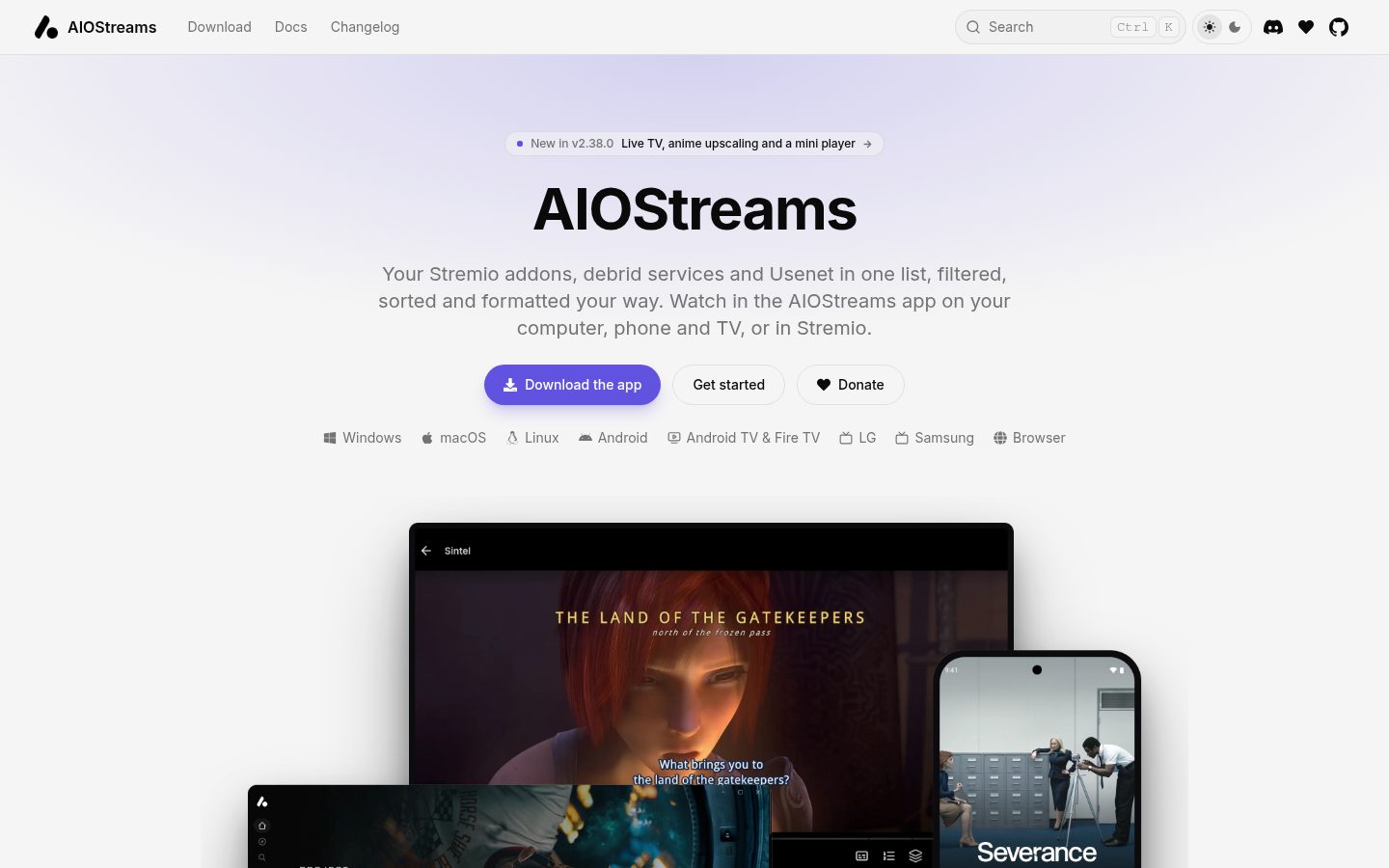
AIOStreams brings your Stremio addons, debrid services and Usenet together into one list, filtered, sorted and formatted your way, and plays it in Stremio or in its own apps for every screen.
Automatically checked · GitHub checked 2026-11-16
Overview

AIOStreams
One addon for all your sources, and the apps to watch them in.
AIOStreams brings your Stremio addons, debrid services and Usenet together into one list, filtered, sorted and formatted your way, and plays it in Stremio or in its own apps for every screen.





Docs · Public instances · Download the app · Changelog · Discord
What it does
Instead of juggling a dozen addons, each with its own settings and its own way of listing results, you configure AIOStreams once. It asks every source you've added, removes the duplicates, filters, sorts and names what comes back by your rules, and hands you one clean list, wherever you watch.
flowchart LR
  subgraph Sources
    A["Stremio addons<br/>80+ in the marketplace, or any by URL"]
    B["Built-in addons<br/>torrent and Usenet indexers, SeaDex…"]
    C["Debrid and Usenet services<br/>Real-Debrid, TorBox, Easynews…"]
  end
  P{{"AIOStreams<br/>dedupe · filter · sort · format"}}
  subgraph Watch["Where you watch"]
    E["Stremio<br/>as an addon"]
    F["The AIOStreams app<br/>browser, desktop, Android, TVs"]
    G["Jellyfin apps<br/>Infuse, Swiftfin, Findroid, Kodi…"]
  end
  A & B & C --> P --> E & F & G
Everything here works on a public instance. Host your own and you also get a Usenet engine and more.
🎛️ Your rules
Because every source goes through AIOStreams, you set your rules once and they apply to every addon.
- Filters by resolution, quality, encode, HDR and Dolby Vision, audio, language, size, bitrate, seeders, age, cache status, keywords and regular expressions, with matching that checks titles, years and episodes so you only see the right file.
- Sorting by any stack of criteria, separately for movies, series and anime and for cached and uncached results, with ranked preferences and scores.
- Deduplication by file name, info hash, or a fingerprint of the file's details.
- Stream expressions for rules that depend on the whole list, such as dropping 720p only when there's enough 1080p.
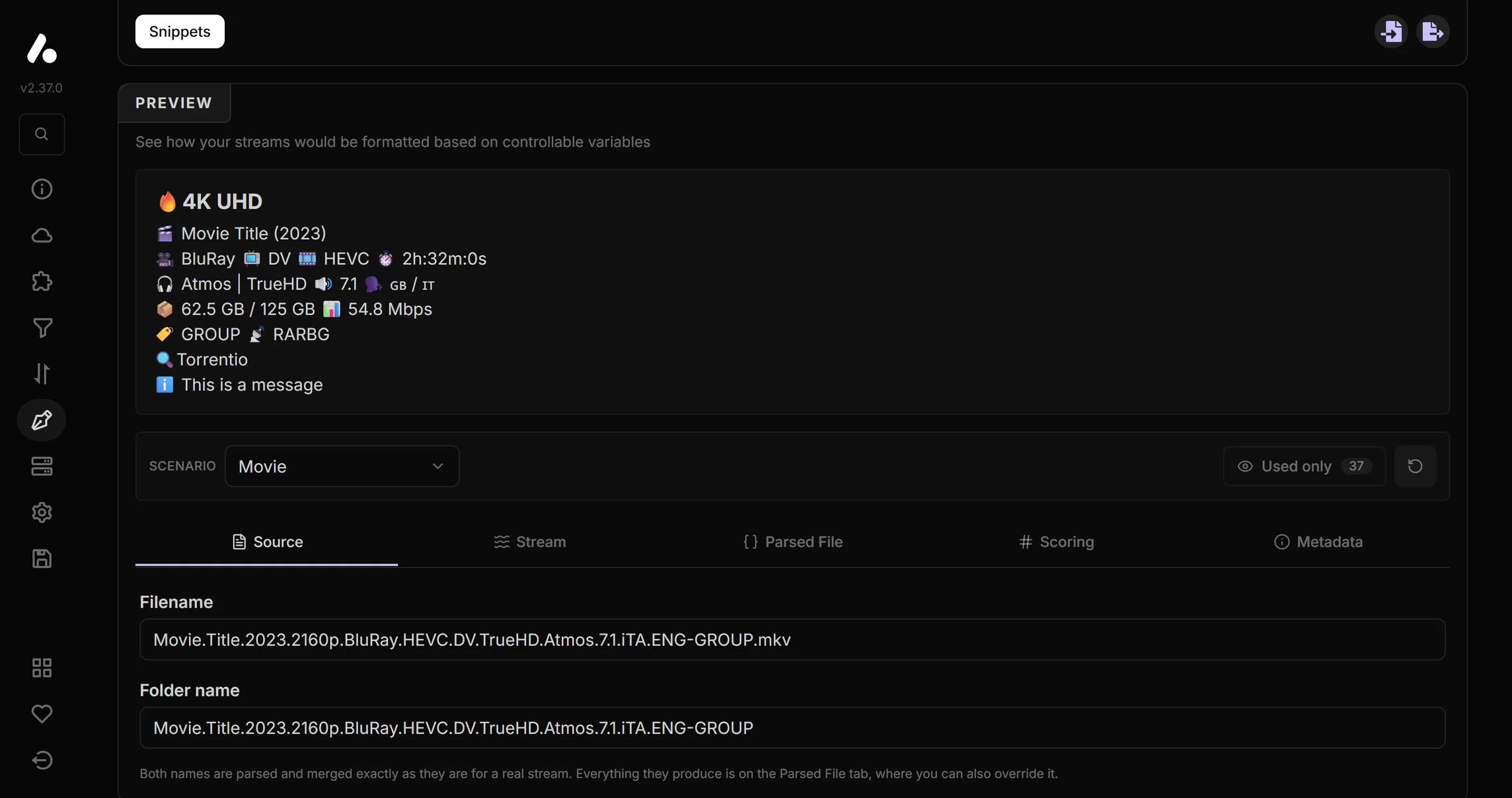
- A formatter that names each stream the way you want, with a live preview and ready-made formats to start from.
- Catalogs renamed, reordered, merged, shuffled or hidden, with better posters from services like RPDB.
- Groups that ask backup addons only when the main ones come up short, and variants that serve several differently tuned addons from one configuration.
- Templates to start from a complete setup someone shared, and profiles to reopen yours by signing in.
🔌 Sources
- Addon marketplace: 80+ community addons (Torrentio, Comet, MediaFusion and many more) to enable in a click, or add any Stremio addon by URL. Streams, catalogs, metadata and subtitles are all supported.
- Built-in addons that run inside AIOStreams: torrent and Usenet indexers, Prowlarr, Jackett, NZBHydra2, Newznab and Torznab, SeaDex for anime, Xtream for your IPTV provider's channels, Google Drive, and your debrid or Usenet library.
- Services entered once and applied to every addon that can use them: Real-Debrid, AllDebrid, TorBox, Premiumize, Debrid-Link, put.io, Offcloud, PikPak, EasyDebrid and more for debrid; Easynews, NzbDAV, AltMount, Stremio NNTP and StremThru Newz for Usenet.
The built-in addons
| Addon | What it finds |
|---|---|
| Knaben | A meta-search across The Pirate Bay, 1337x, Nyaa and more |
| The Pirate Bay | The Pirate Bay, by title and IMDb ID |
| TheRARBG | TheRARBG, by title and IMDb ID |
| Torrent Galaxy | Torrent Galaxy |
| EZTV | TV shows on EZTV |
| Zilean | A Zilean DMM hashlist instance |
| Bitmagnet | Your self-hosted Bitmagnet DHT crawler |
| SeaDex | The community's best releases for anime |
| AnimeTosho | Most Nyaa and TokyoTosho anime releases |
| NekoBT | Anime releases on nekoBT |
| Tsukihime | Anime releases, matched by MAL and AniDB ID |
| Prowlarr, Jackett | Your indexer manager |
| NZBHydra2 | Your Usenet indexers, through NZBHydra2 |
| Newznab, Torznab | Any Newznab (Usenet) or Torznab (torrent) indexer |
| Easynews Search | Easynews' Usenet index |
| Xtream | Your IPTV provider's channels, programme guide and catch-up, from your Xtream login |
| Stremio GDrive | Your Google Drive |
| Library | What's already in your debrid or Usenet library |
Built-in addons that search torrents need a debrid service. Every built-in addon that searches supports anime and Kitsu and MAL catalogs.
📺 Watch anywhere
In Stremio
Install AIOStreams as one addon in place of the rest, in Stremio or any app that supports Stremio addons. Link your Stremio account and changes you save reinstall themselves.
In the AIOStreams app
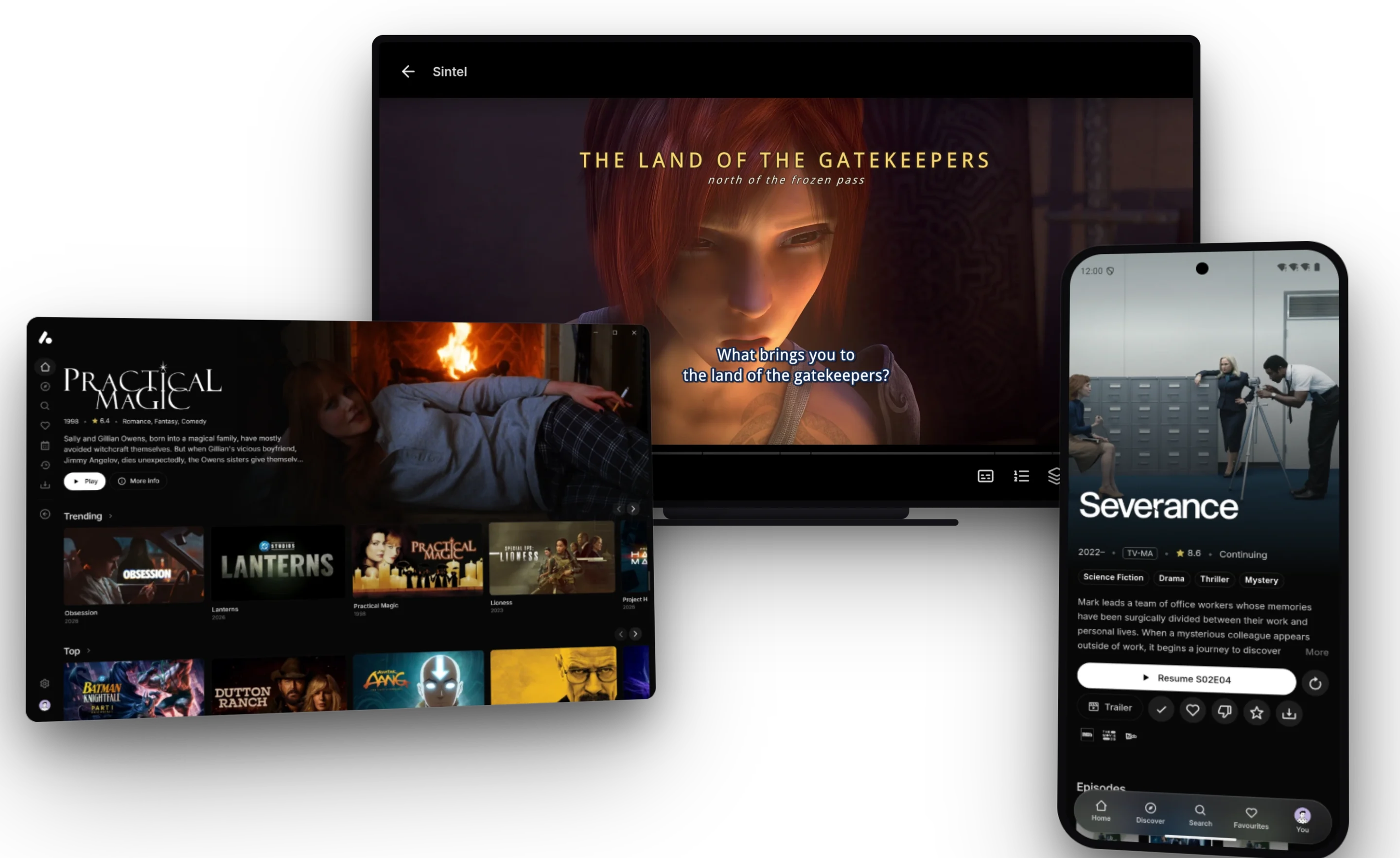
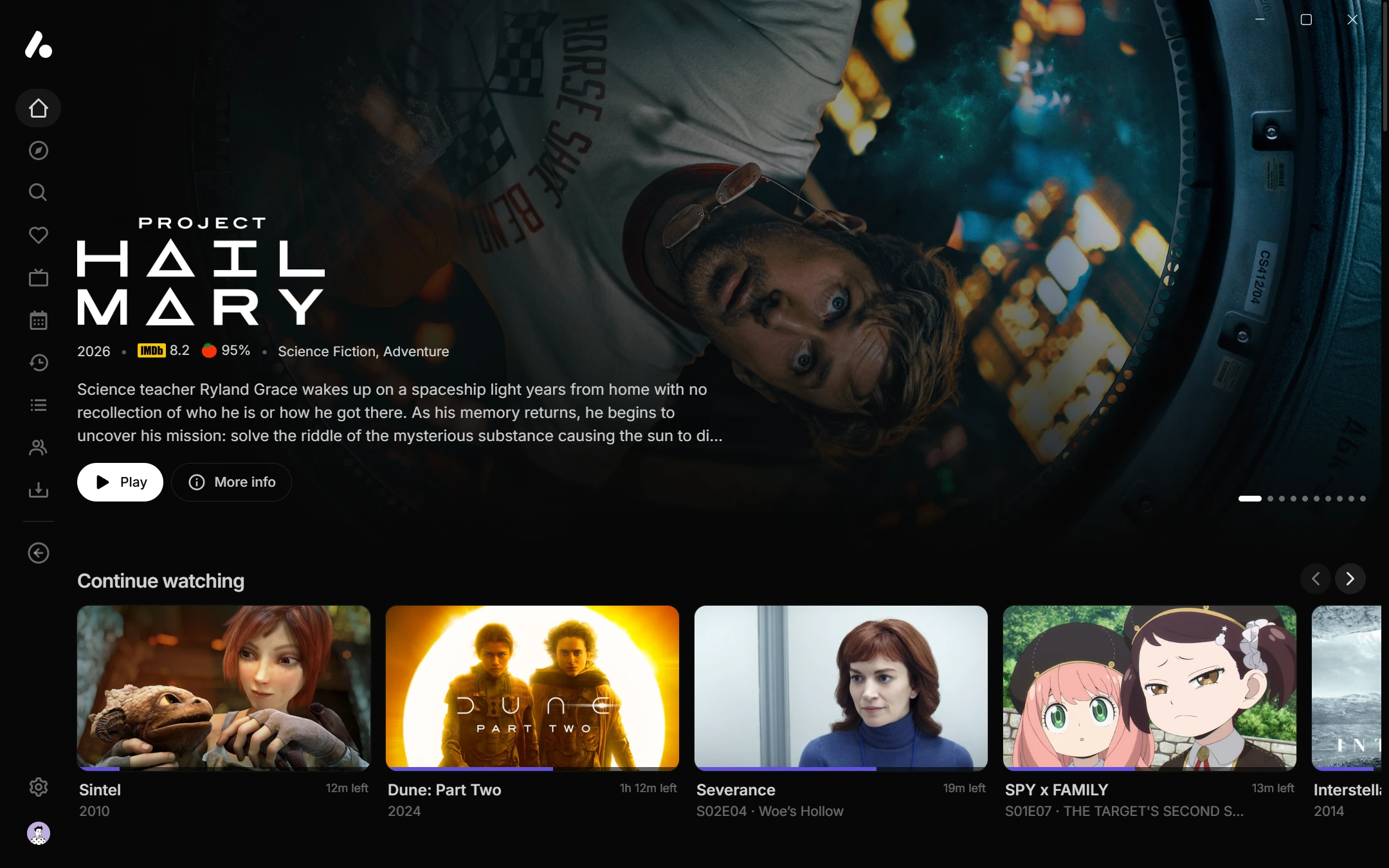
Your catalogs become a streaming app of AIOStreams' own, and your streams become versions of each title, sorted and named by your rules. There's nothing extra to host: every configuration is also a media server, so the app signs in to it, and so does any Jellyfin app. Download it for your computer, phone or TV.
| Where | App | Plays with |
|---|---|---|
| Any browser | Nothing to install: your instance's /web or web.aiostreams.org, which a phone can add to its home screen | A WebGPU engine: HEVC, Dolby Vision, TrueHD and DTS, audio tracks, styled subtitles |
| Windows, macOS, Linux | Desktop app | mpv: nearly any format, HDR, surround passthrough, styled subtitles |
| Android phones and tablets | Android app | ExoPlayer or mpv: HDR and Dolby Vision, passthrough, styled subtitles |
| Android TV, Google TV, Fire TV | Android app, with a layout made for the remote | ExoPlayer or mpv |
| LG and Samsung TVs (beta) | TV apps, installed from a file | The TV's own player |
| iPhone, iPad, Apple TV, Kodi… | A browser, or any Jellyfin app such as Infuse or Swiftfin | The app's own player |
The apps play streams with a link, such as debrid and Usenet ones; P2P torrents stay in Stremio.
It works as it comes. The player needs no setting up:
- Styled subtitles, such as most anime releases, drawn by libass in every app, signs and all, in a browser and on TVs too.
- Dolby Vision and HDR, with profile 7 converted where a device only plays profile 8.
- Surround sound passed through to your receiver format by format, or turned into Dolby Digital for an optical or ARC link, and the TV switched to each video's frame rate.
- Subtitles from your addons synced to the video by themselves, or by ear, or by picking the spoken line.
- Seek previews, skipped intros and credits, and the next episode on its own.
- Anime upscaling in the desktop and Android apps and the browser's WebGPU engine, which sharpens older and lower-resolution anime as it plays.
It runs on your addons. Catalogs, details, ratings, streams, subtitles and Live TV all come from addons. Tracker addons that support Watch State bring in your history, watchlist and ratings, and get your progress, ratings and drops back as you watch.
- Browse a home page with a featured title, rows for Continue Watching, Next Up and each catalog, Discover, search, collections, favourites, a calendar of airing episodes, trailers, and a page for every title and person.
- Live TV from IPTV addons or your Xtream login, with channel groups and numbers, a programme guide with the channel playing above it, catch-up and reminders.
- Versions are your streams. Search them, save quick filters, label them with badges, switch mid-play, or open one in VLC, Infuse or another player.
- Households get a user each, with their own Continue Watching and an optional PIN; TVs sign in with a Quick Connect code.
- Watch together in sync with friends, on your server or across servers, with chat and reactions.
- Play on another device turns the app into a remote for a TV or computer running it.
- Playlists, a mini player that keeps playing while you browse, and downloads for offline viewing on desktop and Android.
- Make it yours: navigation along the top, down the side or in a corner on solid, frosted or liquid glass, themes and your own colours, and custom CSS with hooks on every part of the app. The apps are in your language too, translated on Weblate.
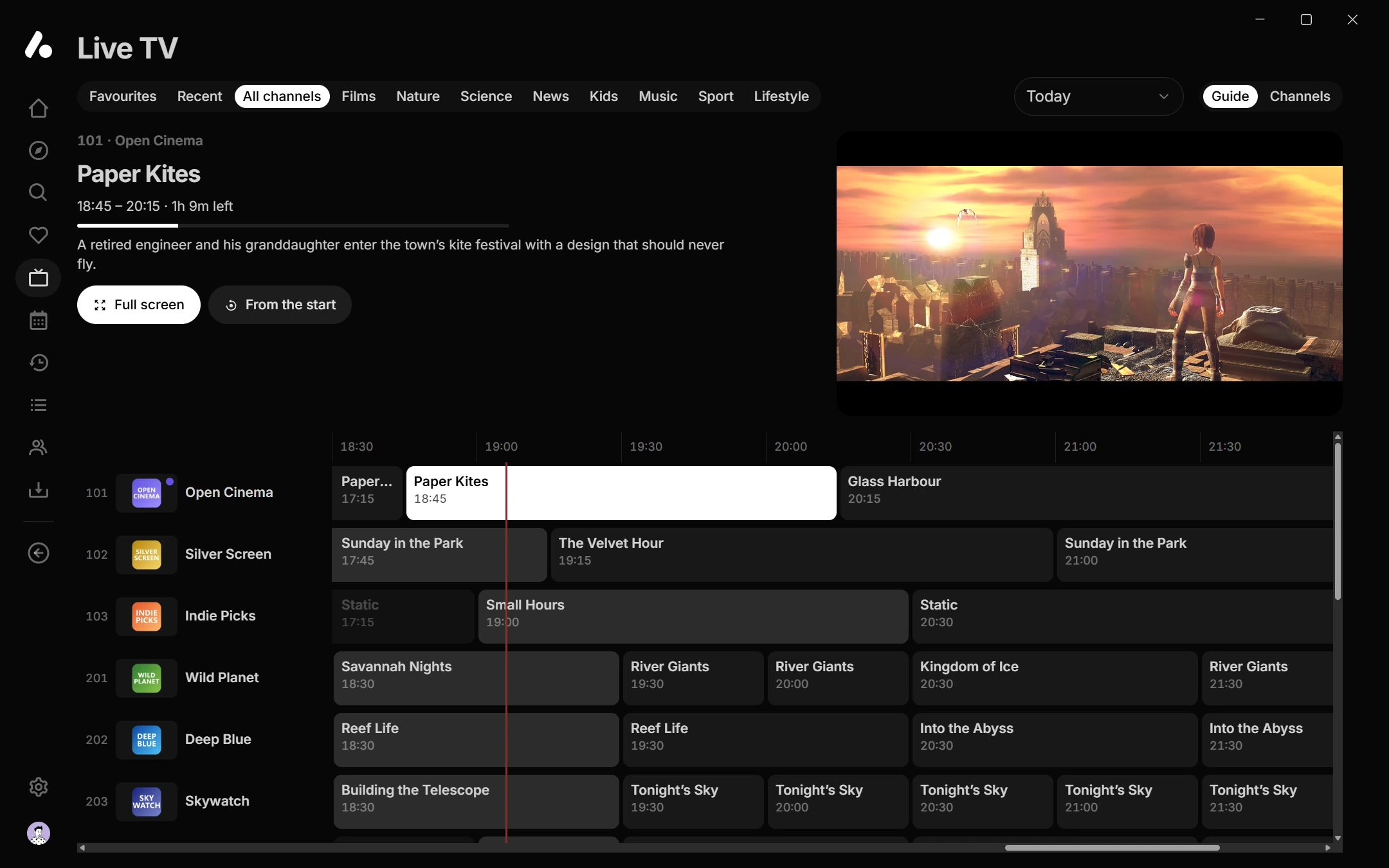
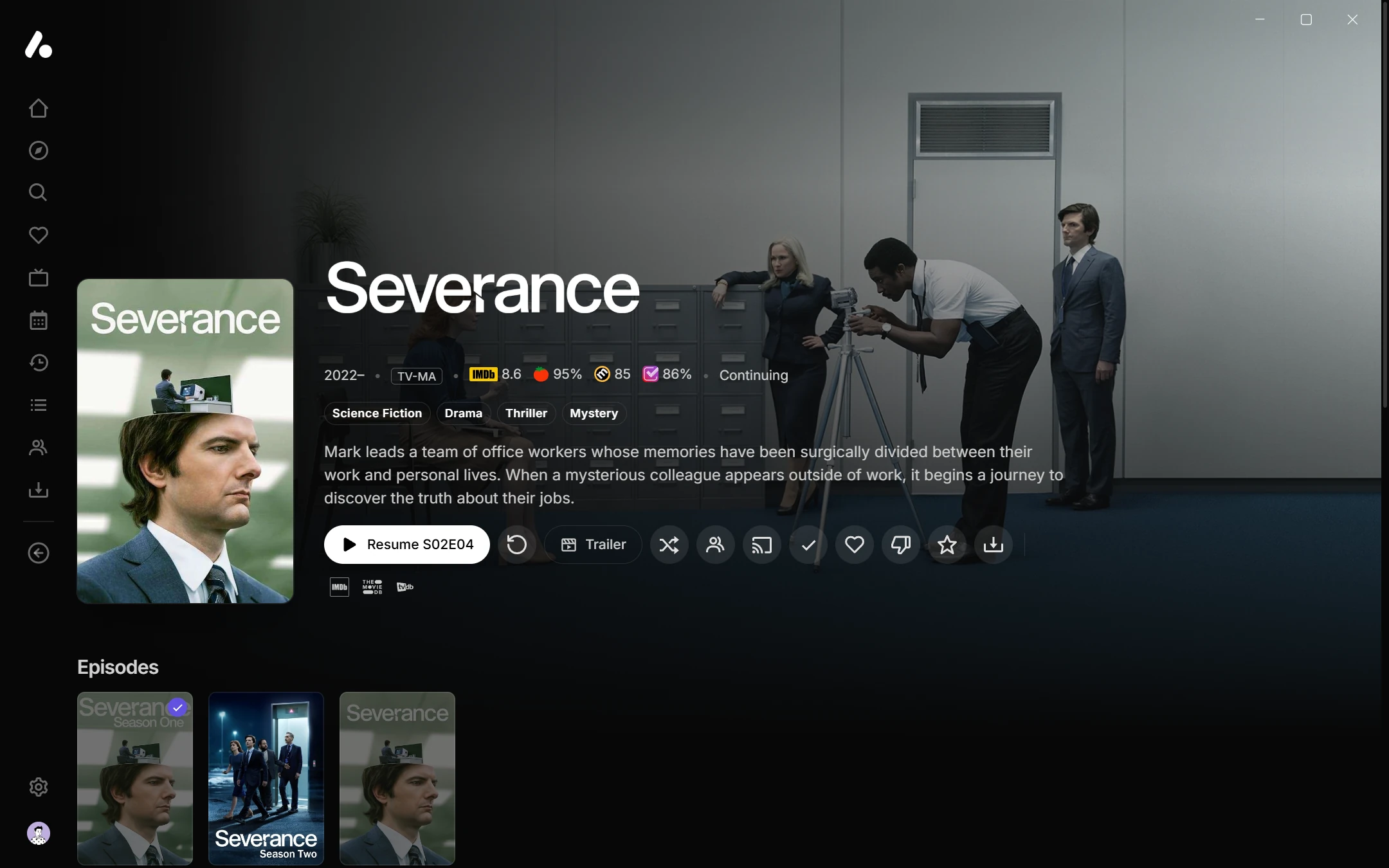
Elsewhere
From the same page you can also add AIOStreams to Seanime, Chillio and Aniyomi, or query it through the search API.
🏠 On your own instance
Hosting AIOStreams yourself (or on a private ElfHosted instance) adds what a public instance can't offer.
- A built-in Usenet engine. Give it your NNTP provider and it streams releases straight from Usenet, archives included, with no NzbDAV, AltMount or SABnzbd in between. In the public Usenet streaming benchmark, which runs nine applications over the same releases, it is first to the first byte and first to finish a seek. Usenet guide.
- Sonarr and Radarr can use the engine as their SABnzbd download client: they grab as usual, and Plex, Jellyfin or Emby stream the release from Usenet on demand, a library that takes no disk space. AIOStreams can also be their Newznab and Torznab indexer.
- A release blocklist that remembers dead and fake releases, drops them before they're tried, and can be shared between instances.
- A dashboard for the instance: live streams and bandwidth, analytics, logs, users, the Usenet library and providers, cache, tasks, crash reports from the apps, and every runtime setting.
- Accounts from
AIOSTREAMS_AUTHor any OpenID Connect provider through SSO, with per-user permissions, on SQLite or PostgreSQL, with Redis for several replicas. - Proxies: the built-in proxy, MediaFlow Proxy or StremThru, for services that limit how many IPs can stream.
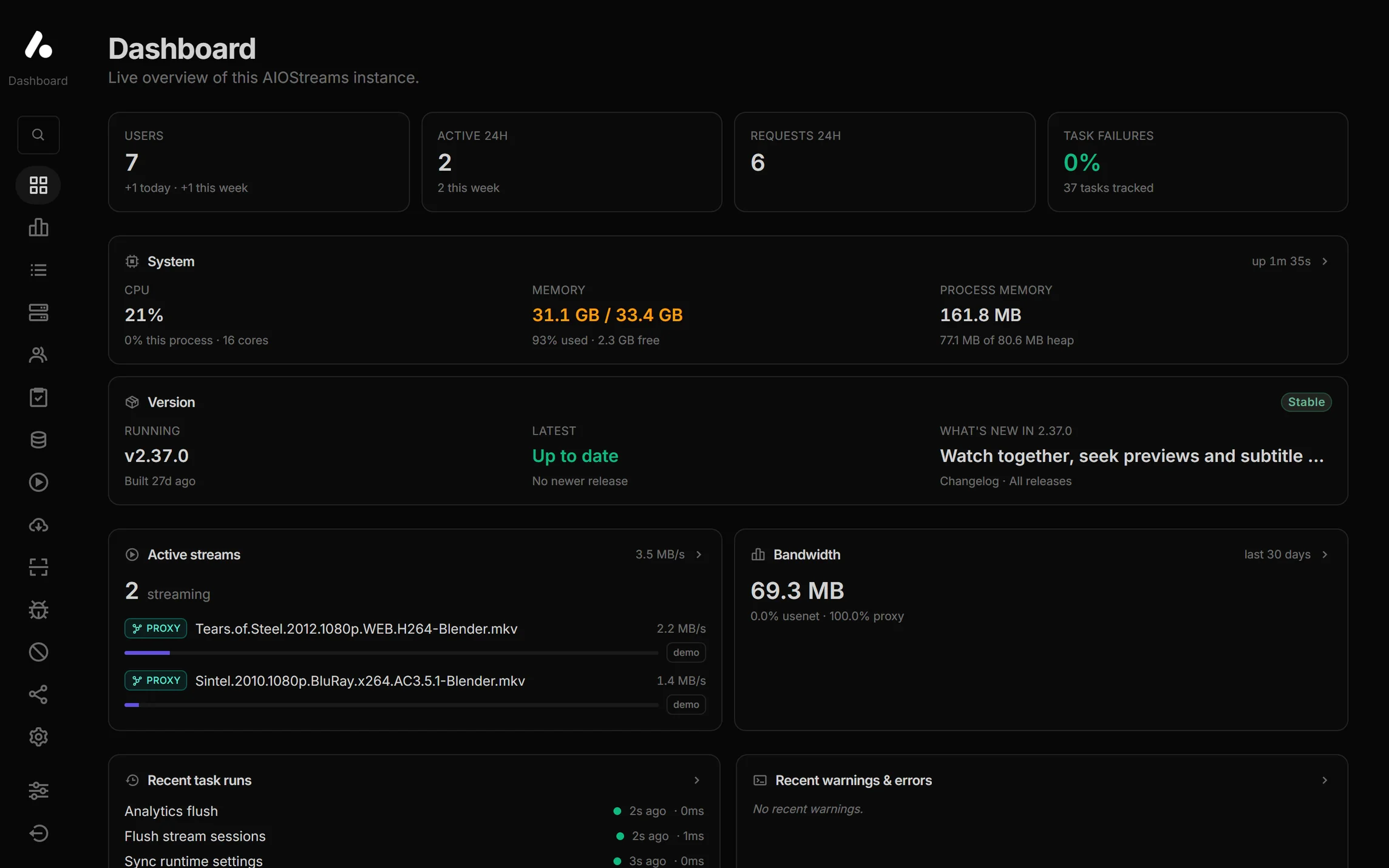
🚀 Getting started
- Pick an instance
-
A public instance: free, nothing to set up.
-
curl -O https://raw.githubusercontent.com/Viren070/AIOStreams/main/compose.yaml curl -o .env https://raw.githubusercontent.com/Viren070/AIOStreams/main/.env.sample # set SECRET_KEY in .env (a 64-character hex string), then: docker compose up -d -
Managed hosting from ElfHosted, a project sponsor.
-
- Configure it at
/stremio/configure: add your services, pick addons and set your rules, or import a template to start from a complete setup. - Save with a password.
- Install or open it from Save & Install: in Stremio, in the AIOStreams app, in a Jellyfin app, or in any of the other apps listed there.
The documentation covers every option, environment variable and guide.
❤️ Support the project
AIOStreams is built and maintained for free. If it's useful to you:
- ⭐ Star the repository, and the addon in the Stremio Community Catalog.
- 🌍 Translate the apps into your language.
- 🤝 Report bugs, suggest features or open a pull request.
- ☕ Donate on Ko-fi or GitHub Sponsors.
⭐ Star history
⚠️ Disclaimer
AIOStreams does not host, store or distribute any content. It connects to the sources you configure (addons, debrid services and Usenet providers) and plays what they return. The developer does not endorse or promote access to copyrighted content. You are responsible for complying with the laws that apply to you and with the terms of every service you use with AIOStreams.
🙏 Credits
AIOStreams builds on the work of many others, especially the developers of the addons it integrates.
- mpv, FFmpeg, libass and Media3 ExoPlayer, which the apps play video with, and WebGPU-Player and JASSUB, which play video and draw subtitles in a browser.
- Jellyfin, whose API the media server speaks.
- mhdzumair/mediaflow-proxy and MunifTanjim/stremthru.
- UI components and issue templates adapted with permission from 5rahim/seanime.
- NzbDAV and AltMount support, inspired by Sanket9225/UsenetStreamer.
- sleeyax/stremio-easynews-addon, the project's initial structure.
- The formatter, inspired by and adapted from diced/zipline.
- The Stream Expression Language, powered by silentmatt/expr-eval, via the patched jorenbroekema/expr-eval fork.