
ai-real-estate-assistant
Open-source AI real estate assistant: RAG + vector search over your own listings, 16 LLM providers, FastAPI + Next.js. Run it on your own server with Docker, or try the live demo.
Automatically checked · GitHub checked 2026-11-13
Overview

AI Real Estate Assistant
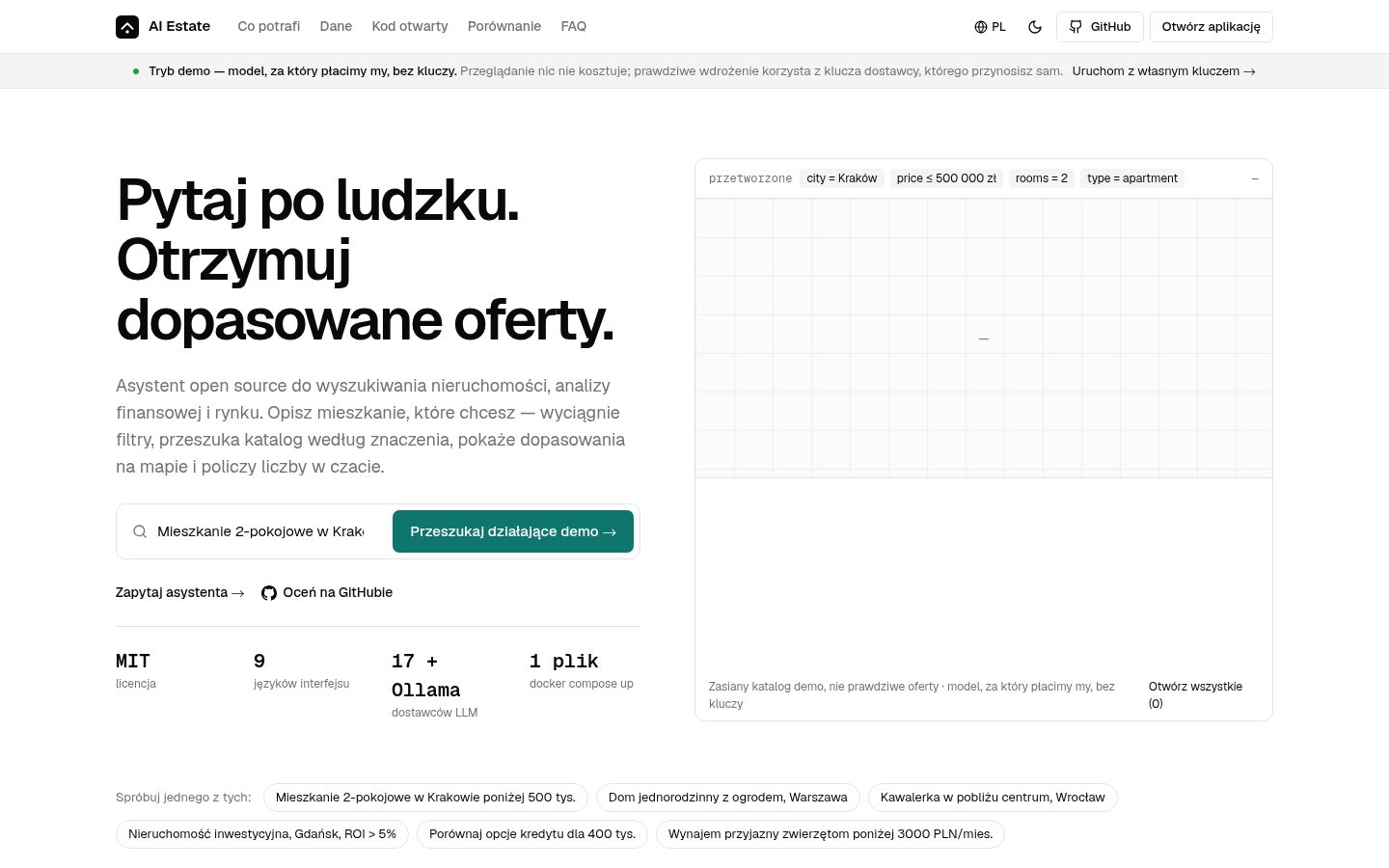
Ask in natural language. Get matched listings.
An open-source conversational assistant for property search, financial analysis and market insight. Ask for "2-bedroom apartment in Kraków under 500k" and it answers from a semantic index over your own catalogue — with 17 LLM providers, a toolbelt behind the chat (mortgage, comparison, ROI, valuation) and nine languages.
MIT licensed, an open landing page and a free account for the app itself, and it runs on your own server as happily as it runs on a managed platform.



Table of Contents
- Live demo
- The design
- Deploy it your way
- What's new
- What it does
- Why developers pick this
- Tech stack
- Architecture
- Quick start
- The hosted version, and what comes next
- Questions people actually ask
- Documentation
- Testing
- Contributing
- License
- Support
Live demo
Try the live demo →
The landing page is open — the app asks for a free account
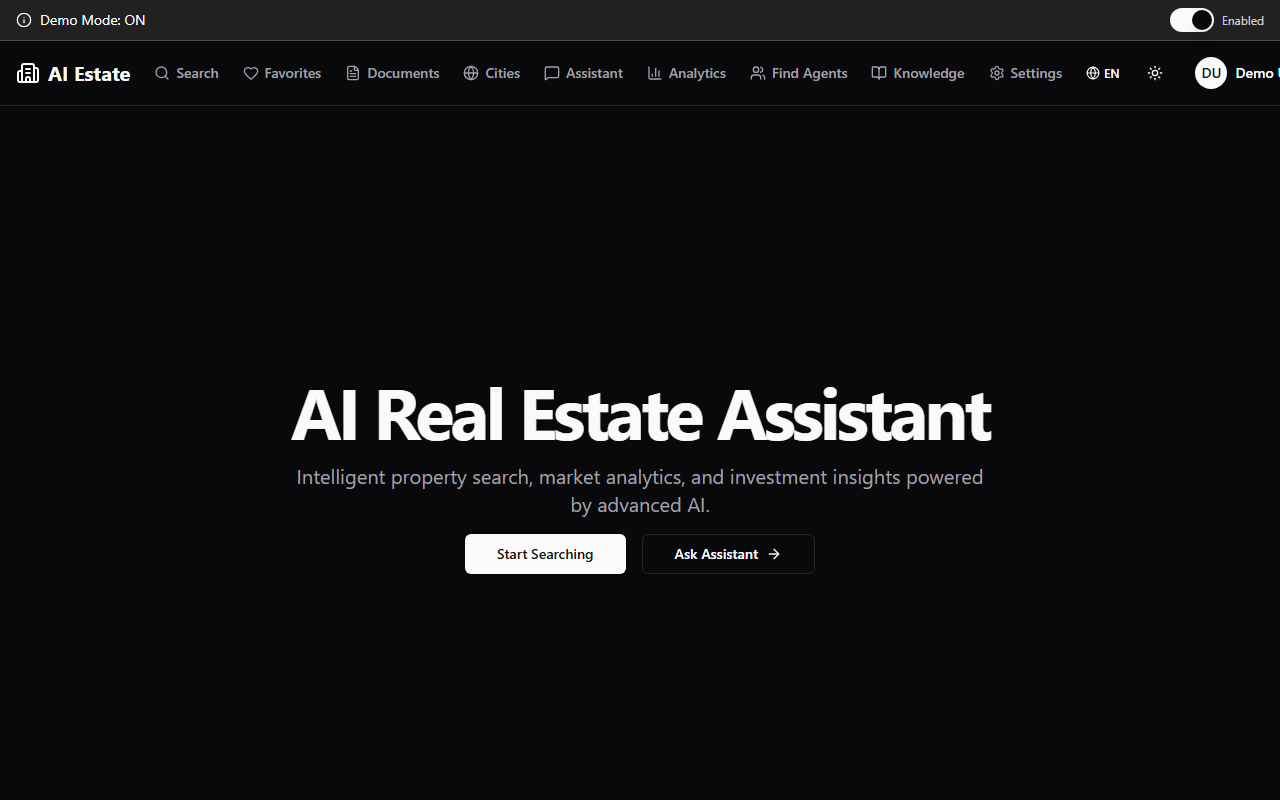
Six seconds of the demo — the landing, the search with its results, the assistant answering with its sources:
The master is assets/clips/demo-6s.mp4 — the same
six seconds in the form a landing page can play.
Everything is live — no keys, no setup, and the account is free:
- Natural-language search — ask "2-bedroom apartment in Kraków under 500k" and get matched listings
- A real toolbelt behind the chat — mortgage calculator, rent-vs-buy, ROI, TCO, valuation with a multi-year price forecast
- Interactive maps — clustered markers with area analytics
9languages — English, Polish, Russian, German, Spanish, Italian, Portuguese, Turkish, Ukrainian- Honest about its limits — the demo answers with a model we pay for, so it costs nothing to explore, and falls back to a local one if the hosted one is unreachable; a real deployment uses the provider key you bring
The assistant answers with the catalogue in front of it, and shows where every number came from:
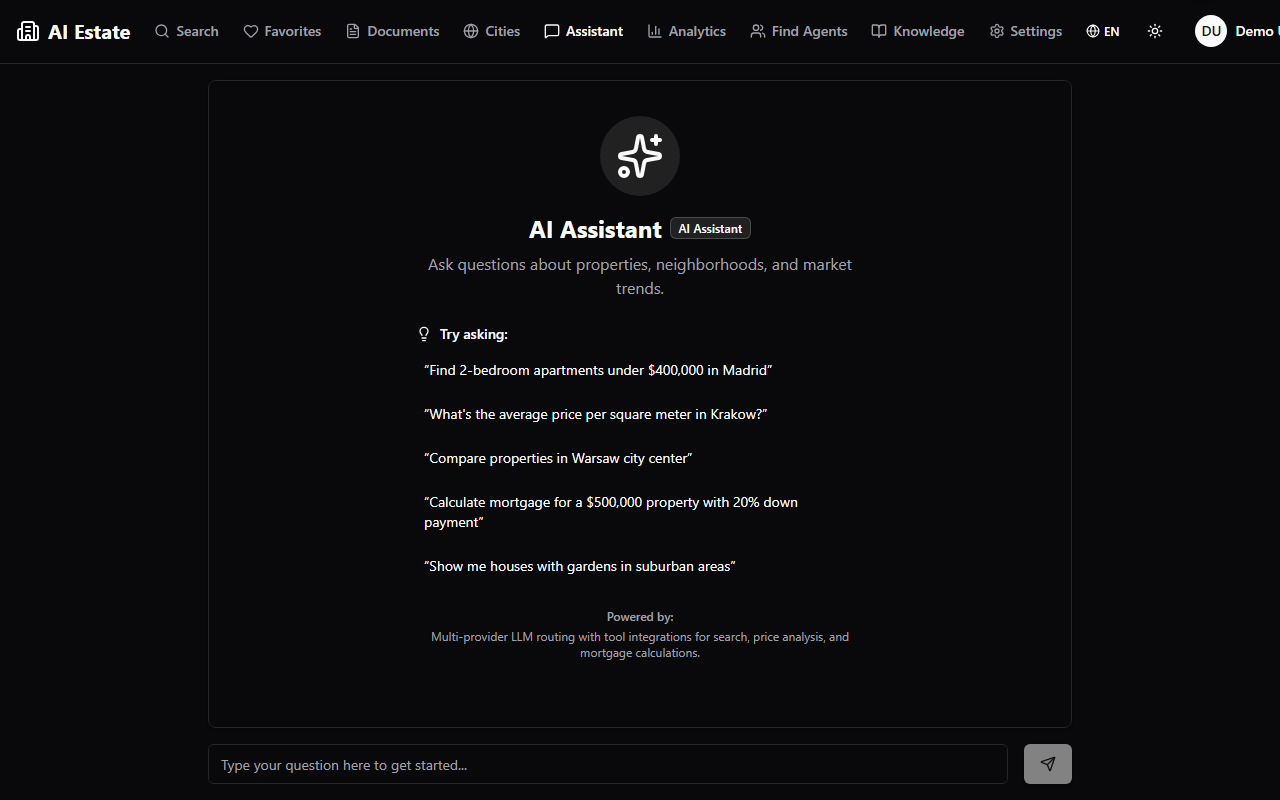
And the application behind it — the same design system, the same tokens, the same ledger:
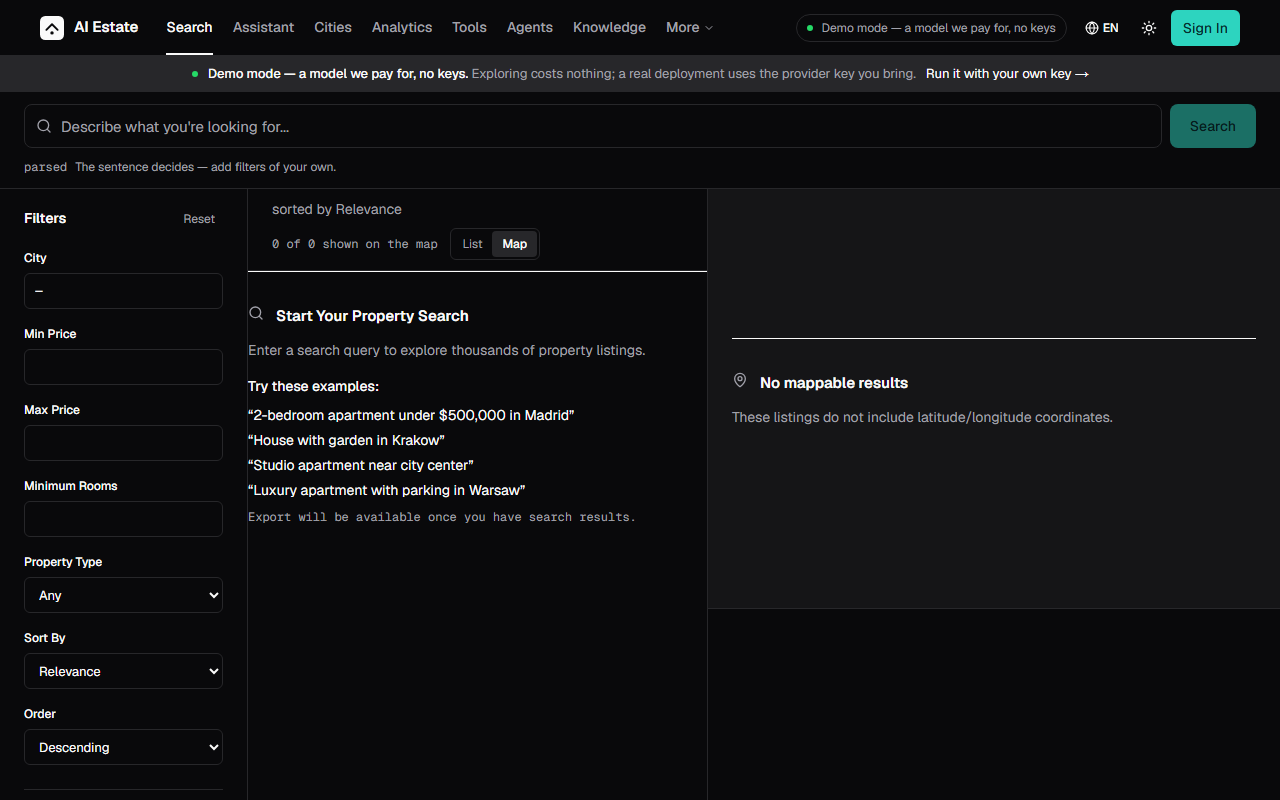 | 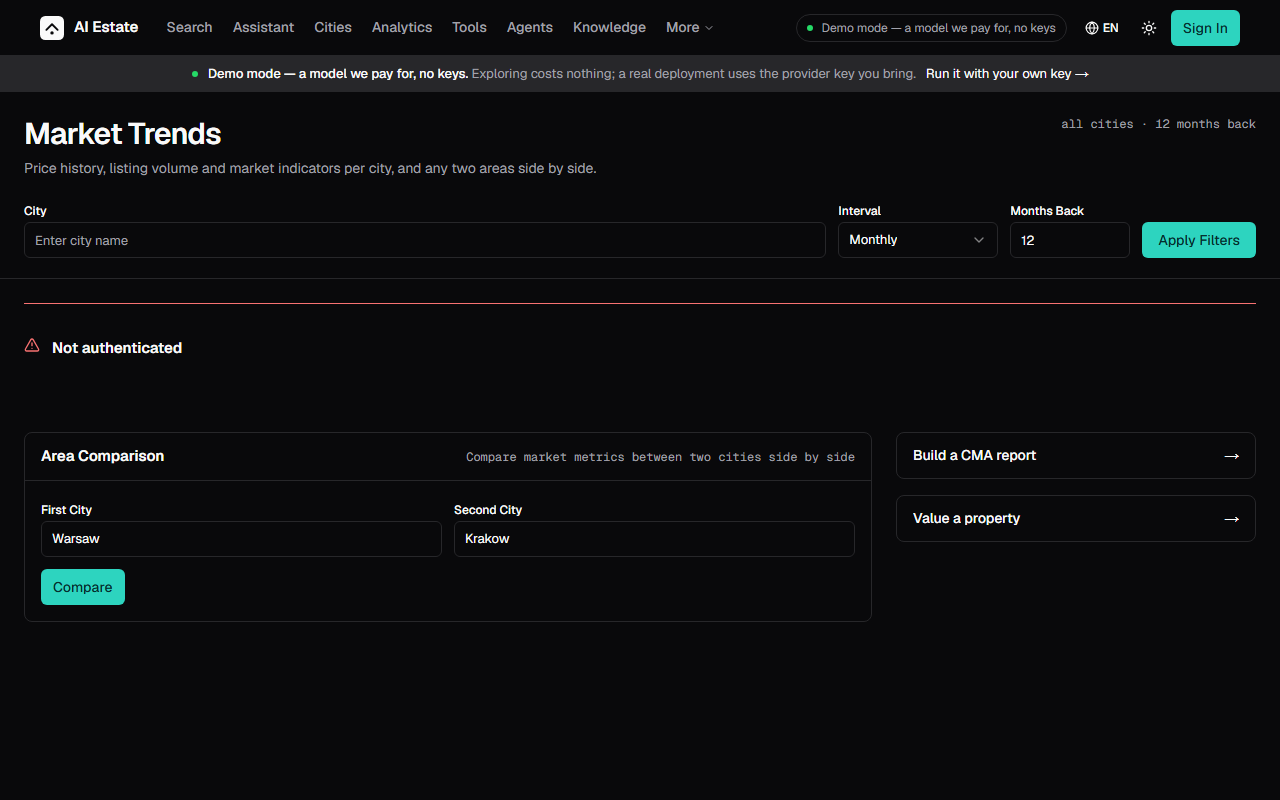 |
| Search — the query, the filters and the map in one screen, the results as a ledger of prices | Market trends — the indicators, the price curve and the districts that moved |
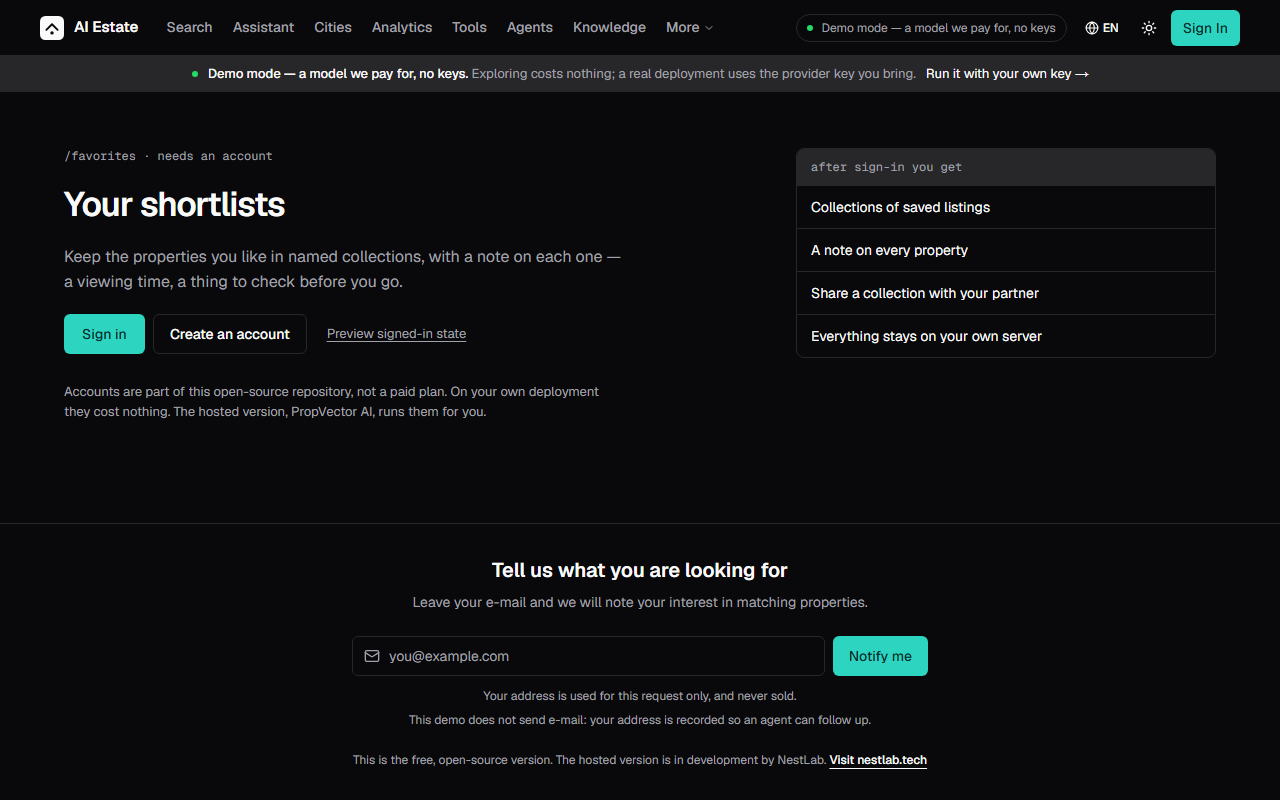 | 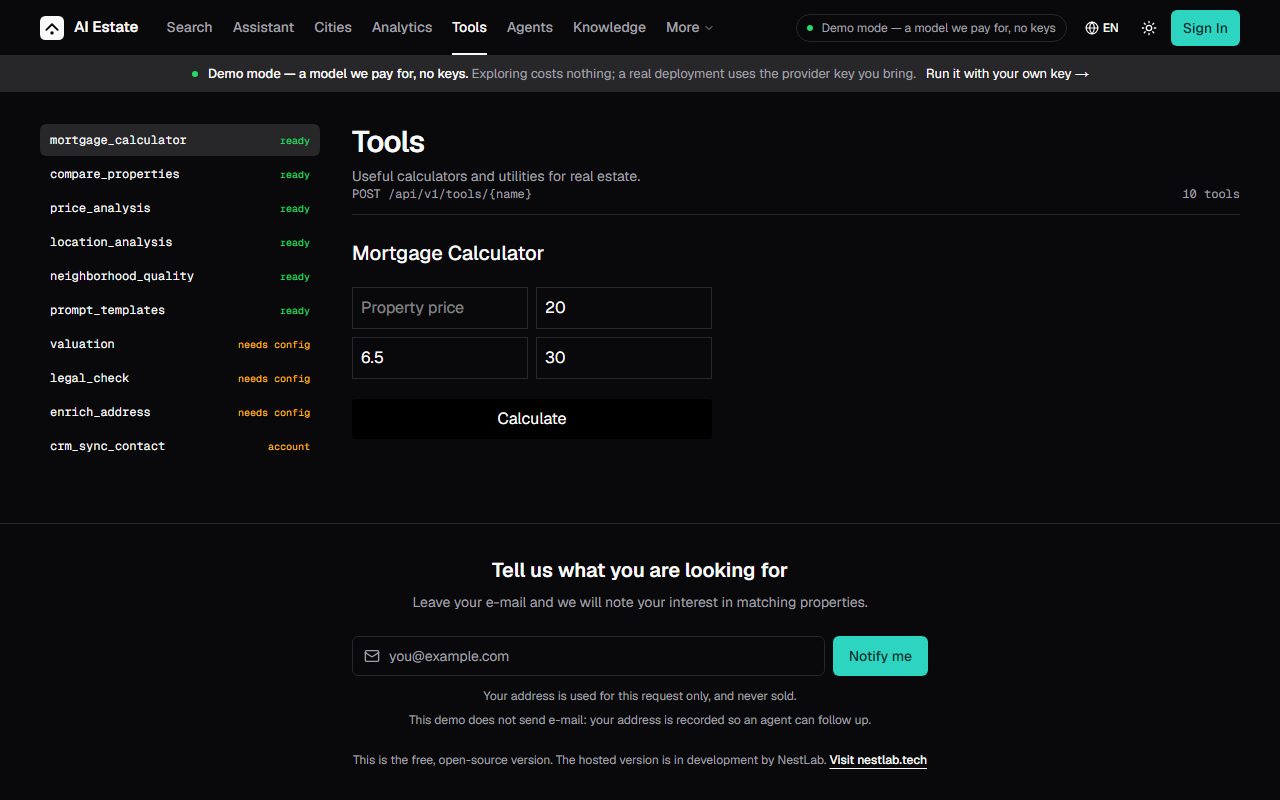 |
| The gate — the eight account routes ask for an account, and say what the account is for | Tools — the mortgage, the comparison, the valuation and the neighbourhood, in the chat |
And the rest of it — the directory of the agents, the market of a city, the wizard of the comparative analysis, the knowledge base, the analytics of the usage:
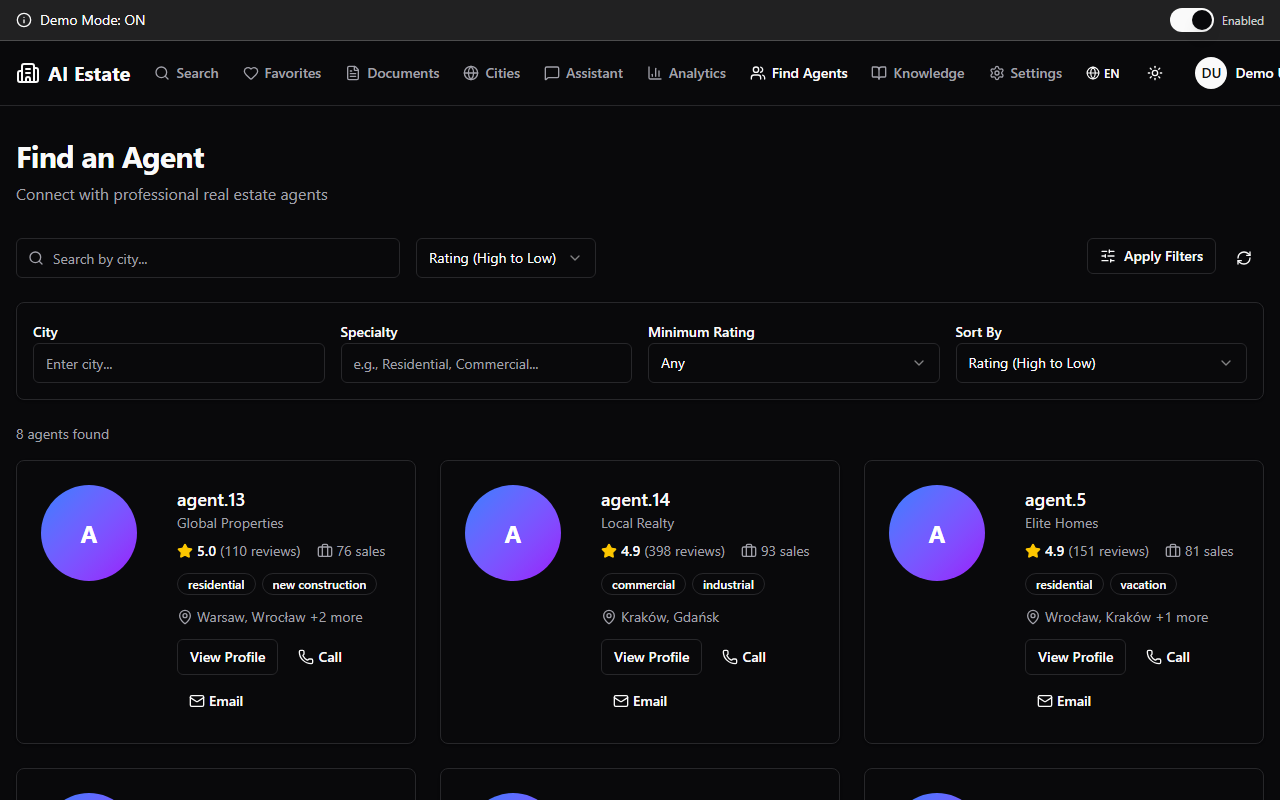 | 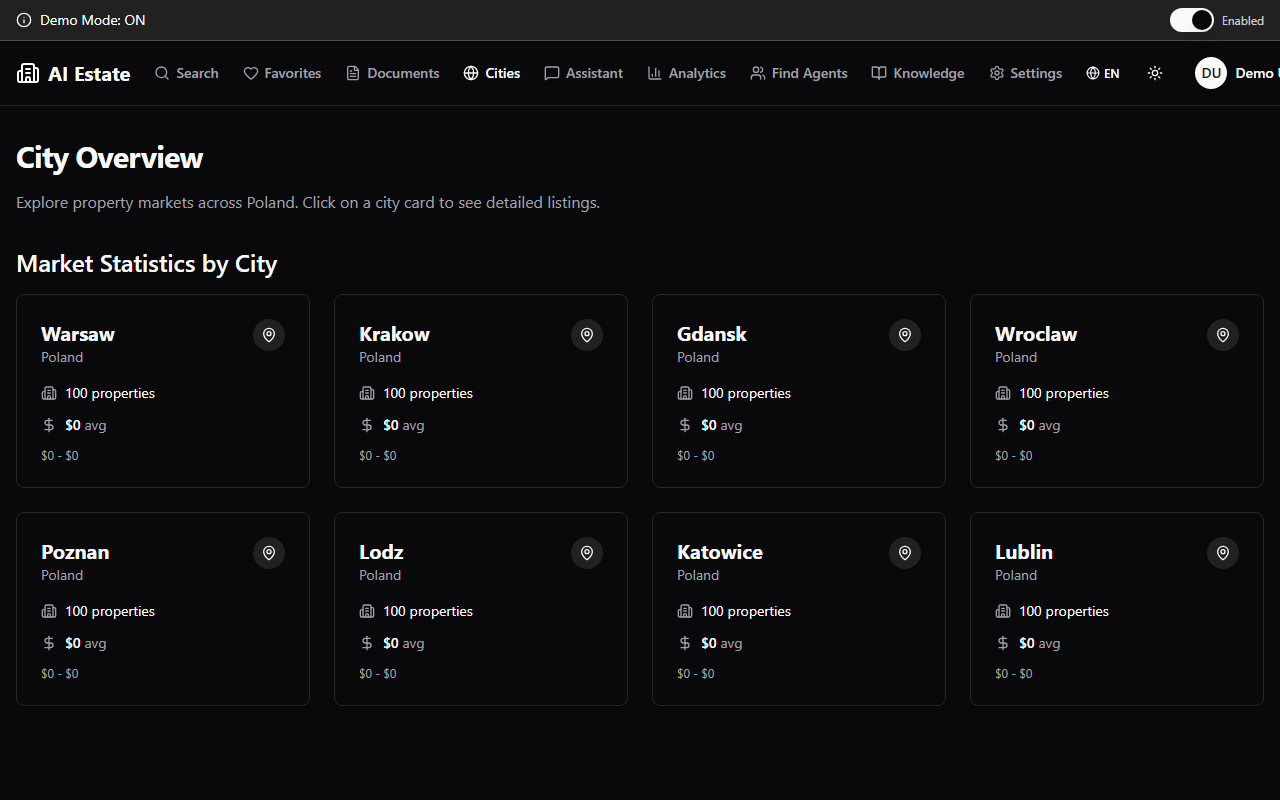 |
| Agents — the directory of the agents and their listings | City overview — the market of a city, district by district |
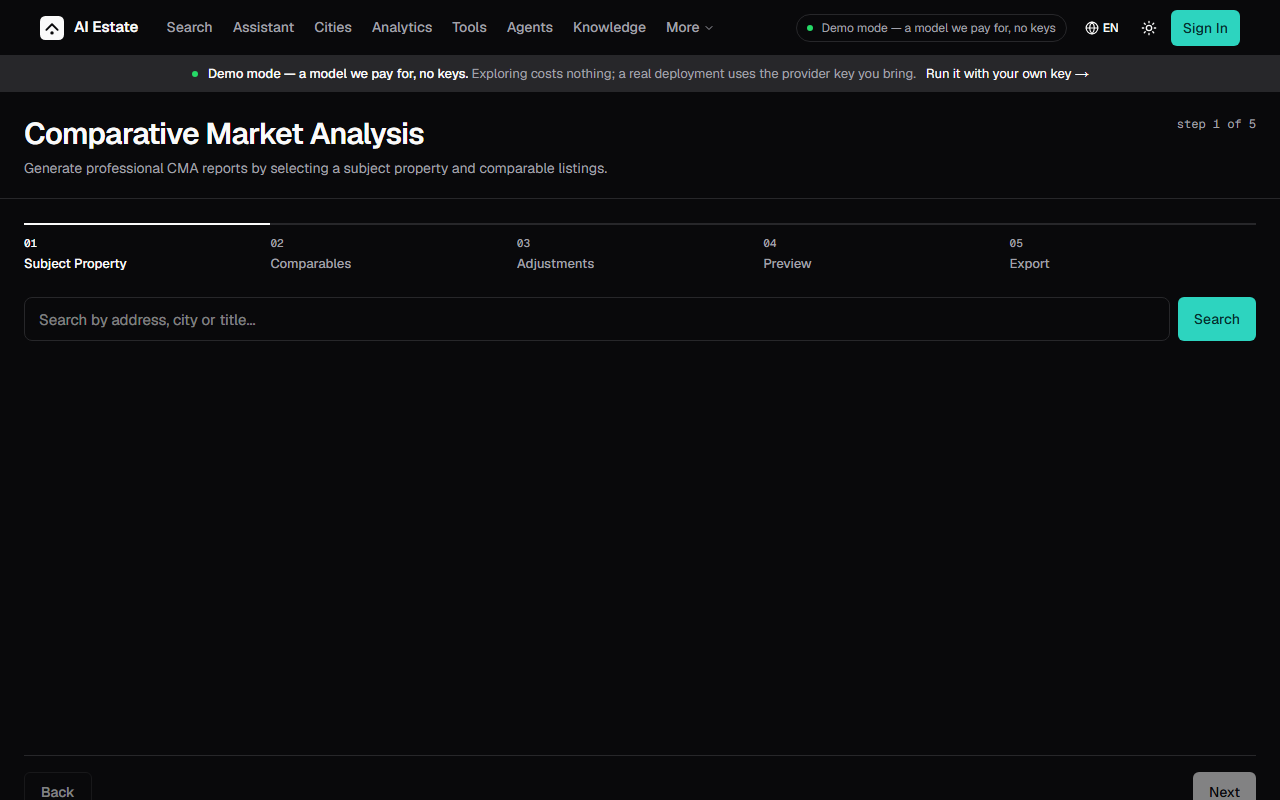 | 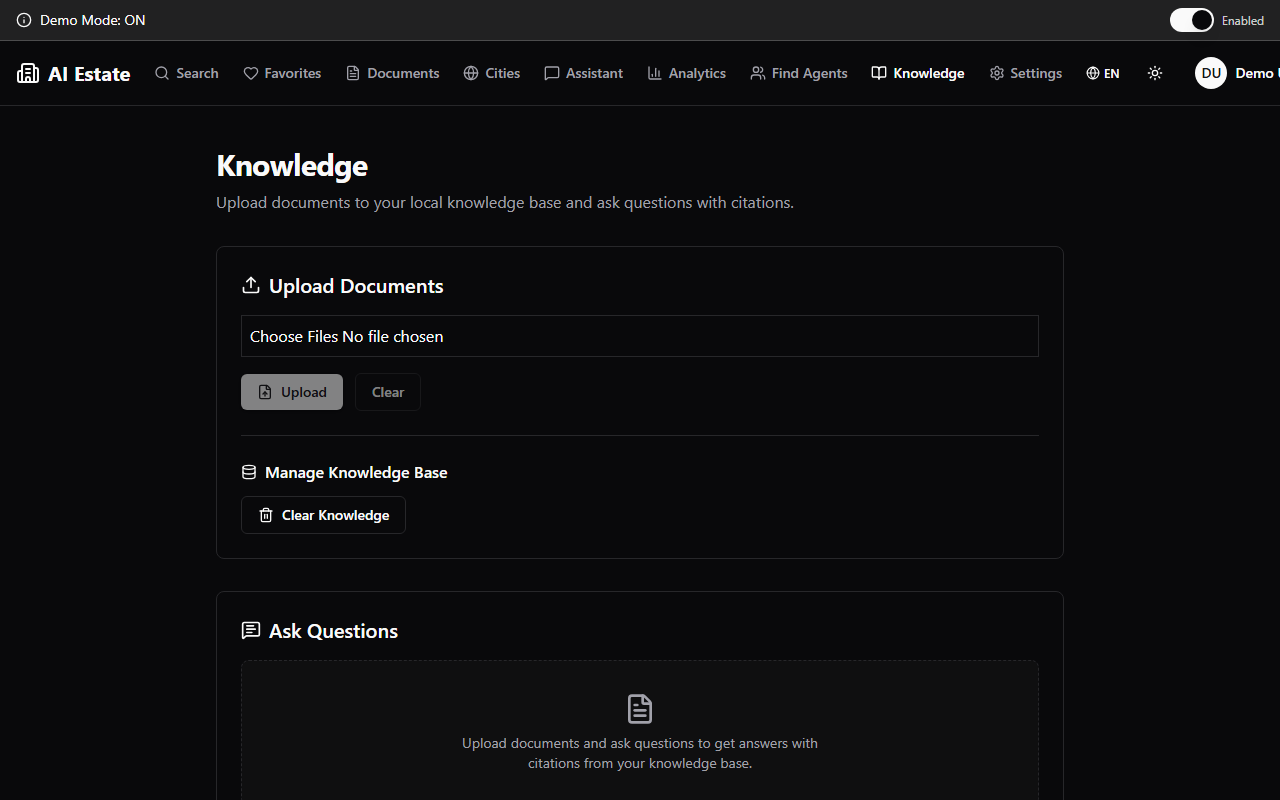 |
| CMA — the wizard of the comparative market analysis, step by step | Knowledge — the documents the assistant reads, and what it found in them |
Go straight to a part of it:
| Route | What it does |
|---|---|
/en/search | Semantic search over the demo catalogue, with filters and a map |
/en/chat | The chat and its tools — mortgage, ROI, comparison |
/en/city-overview | Per-city market analytics |
/en/documents | Upload and query your own files |
/en/agents | The agent directory and their listings |
The design
The interface this project is being ported to — the design, not the product.
The screens below are the design reference: a static prototype of the next version of the interface, with no live data, no account and no model behind it. They are not screenshots of the running application — the screens in Live demo are, and those are the ones that show the product as it runs today.
What the two share is the palette: the same tokens, out of
apps/web/src/app/globals.css, in the light
theme and in the dark one. The comparison between them is therefore between
two renderings of one design, and not between two designs.
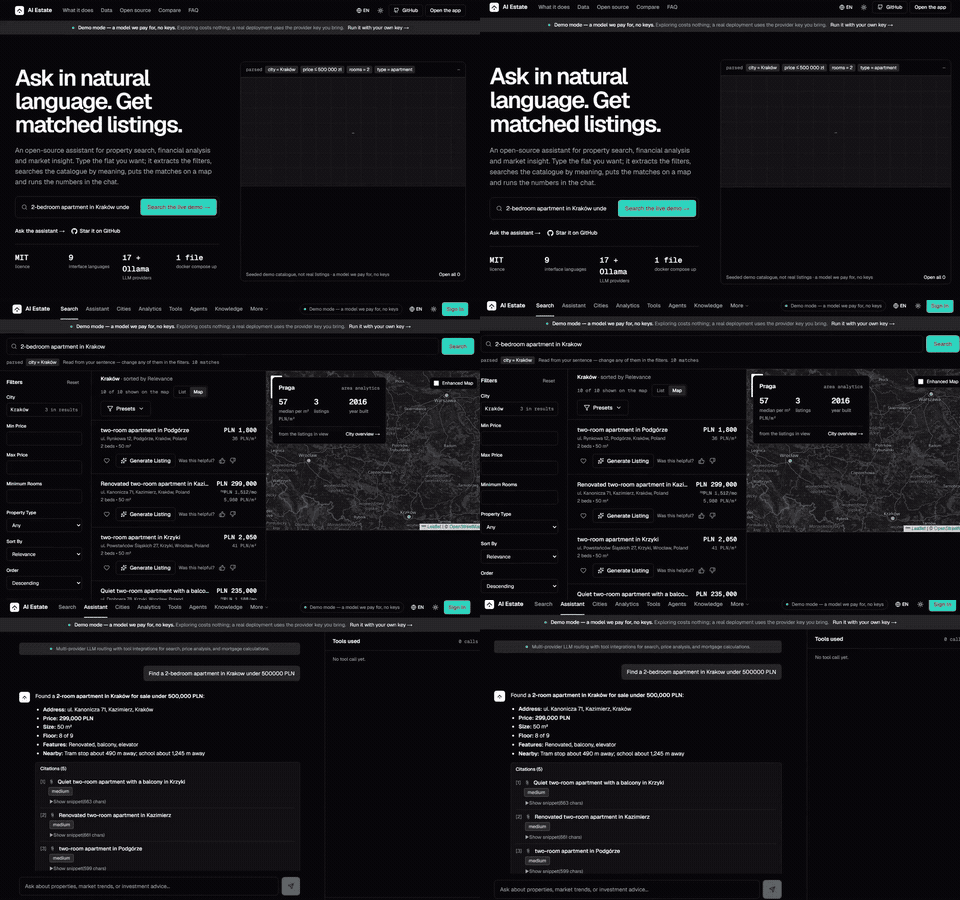
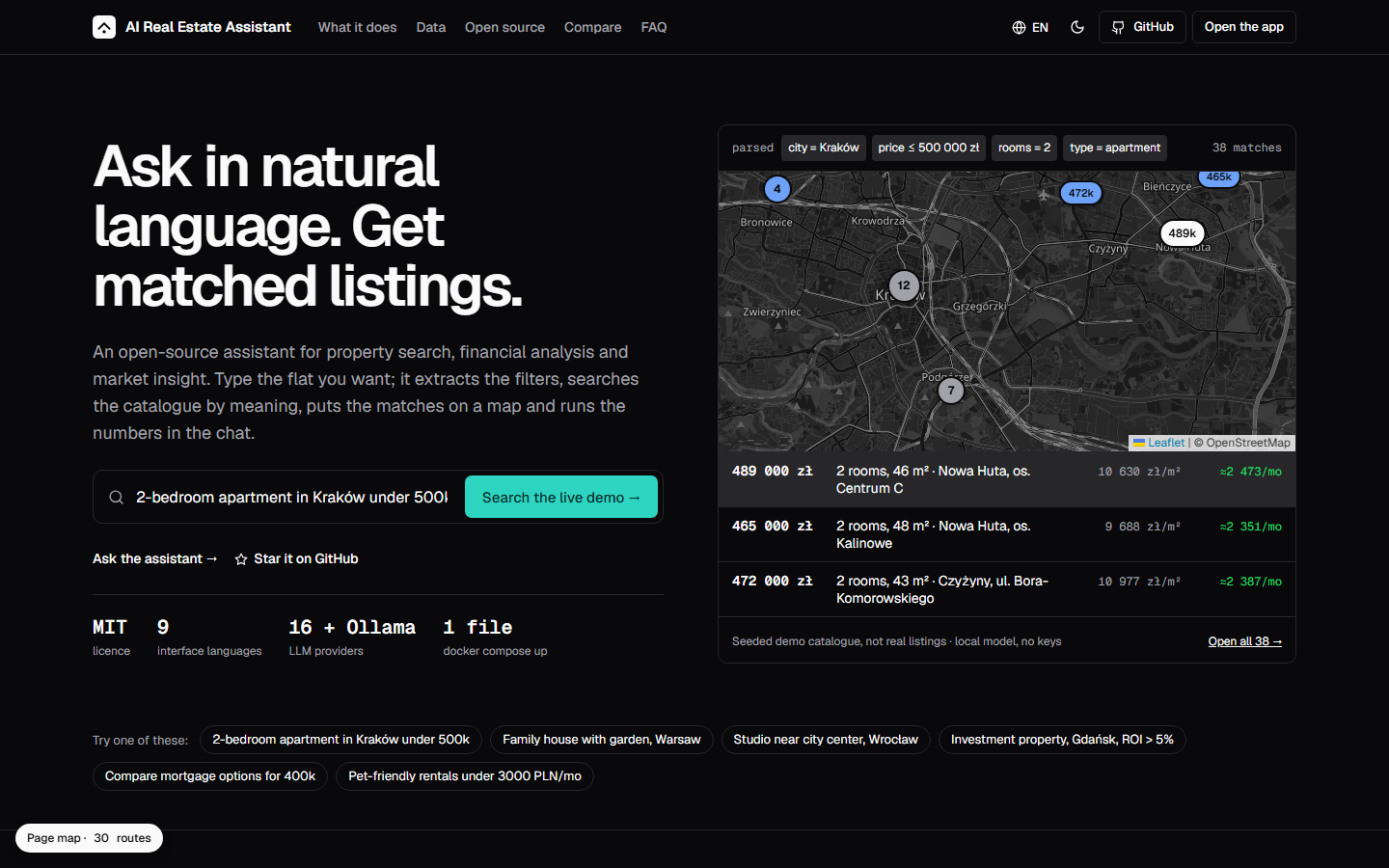 | 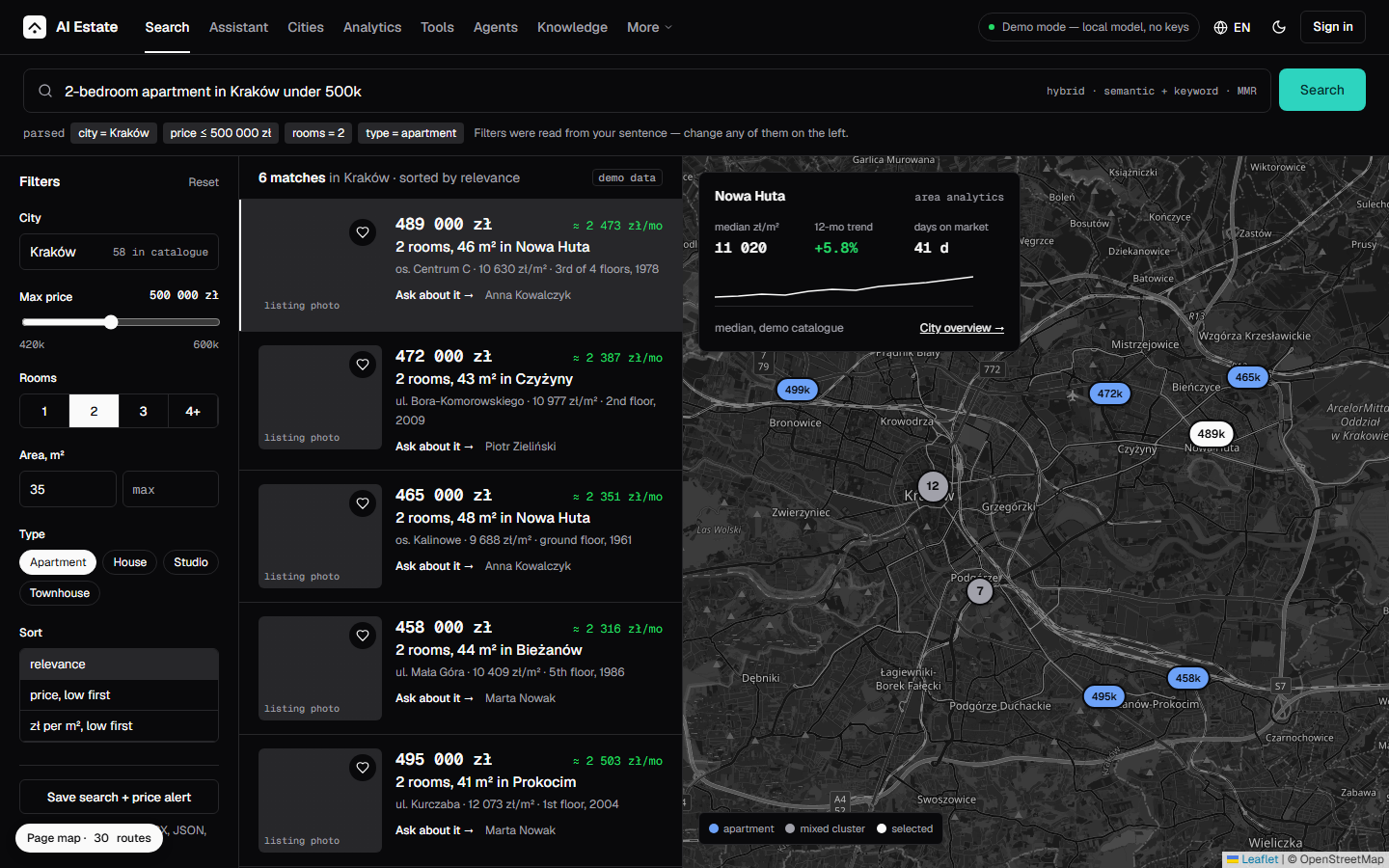 |
| Landing — the working tool: a parsed query, a map and three priced rows | Search — the query, the filters and the map in one screen |
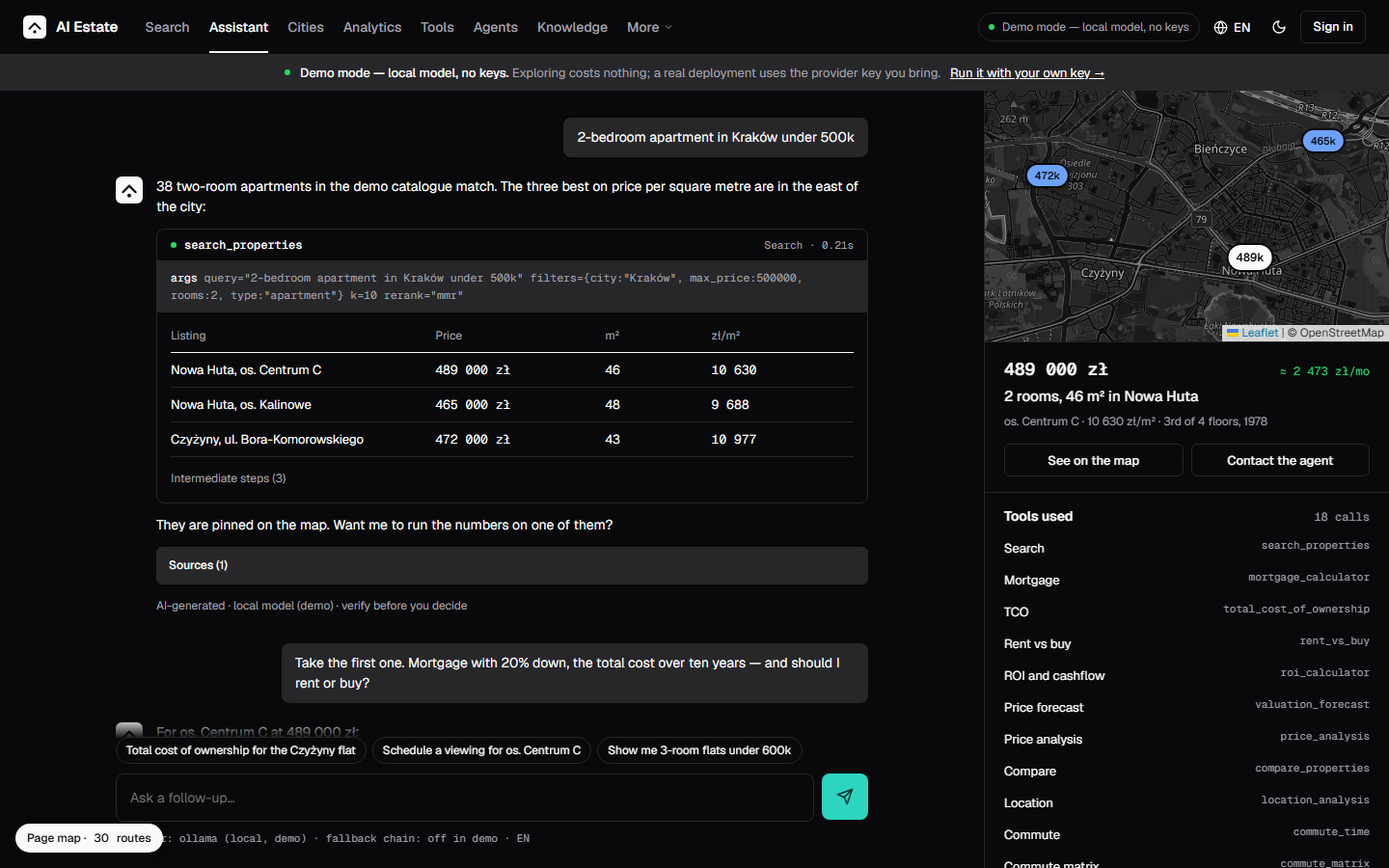 | 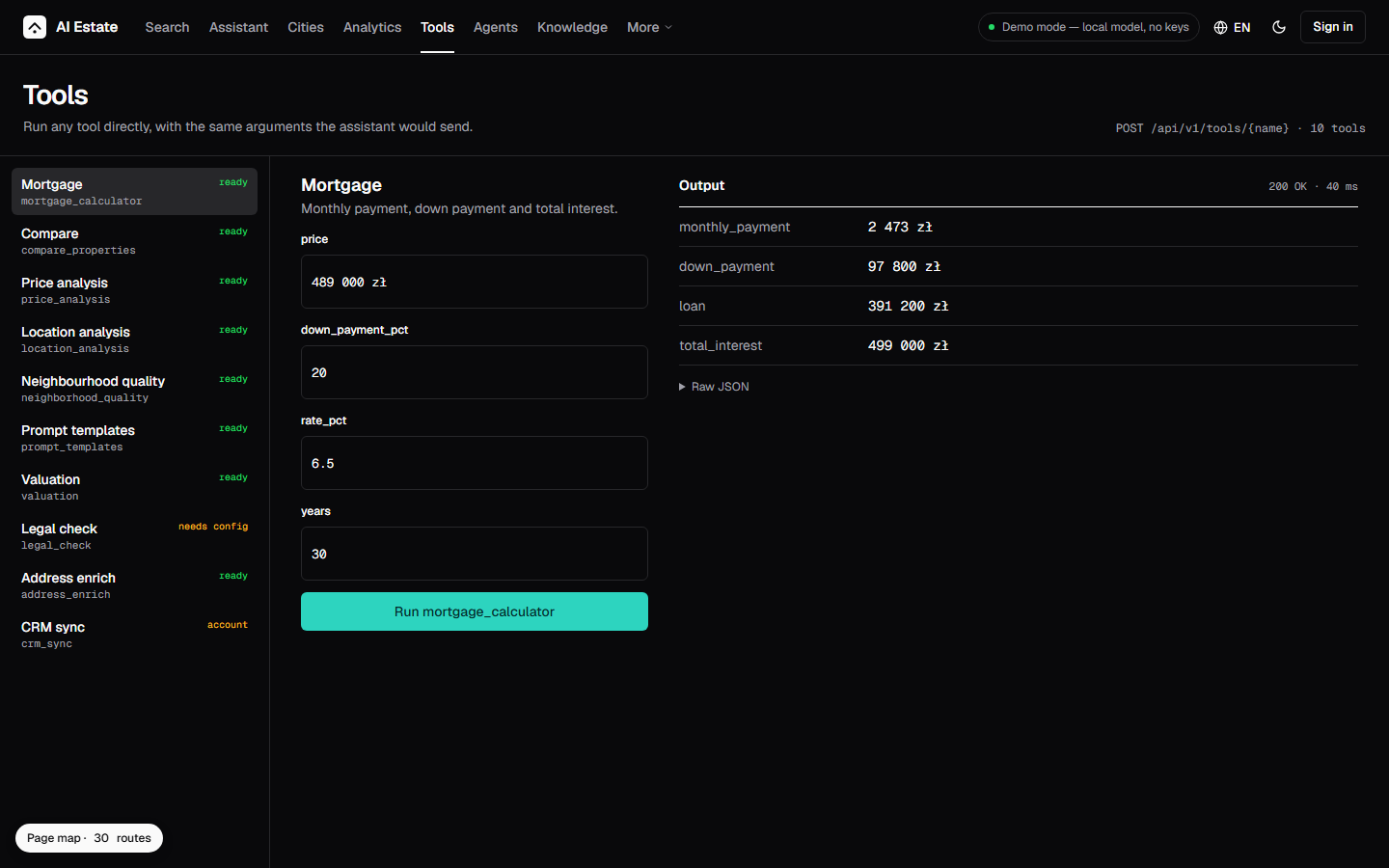 |
| Assistant — the conversation, its tool calls and the ledger of the matches | Tools — the mortgage, the comparison, the valuation and the neighbourhood |
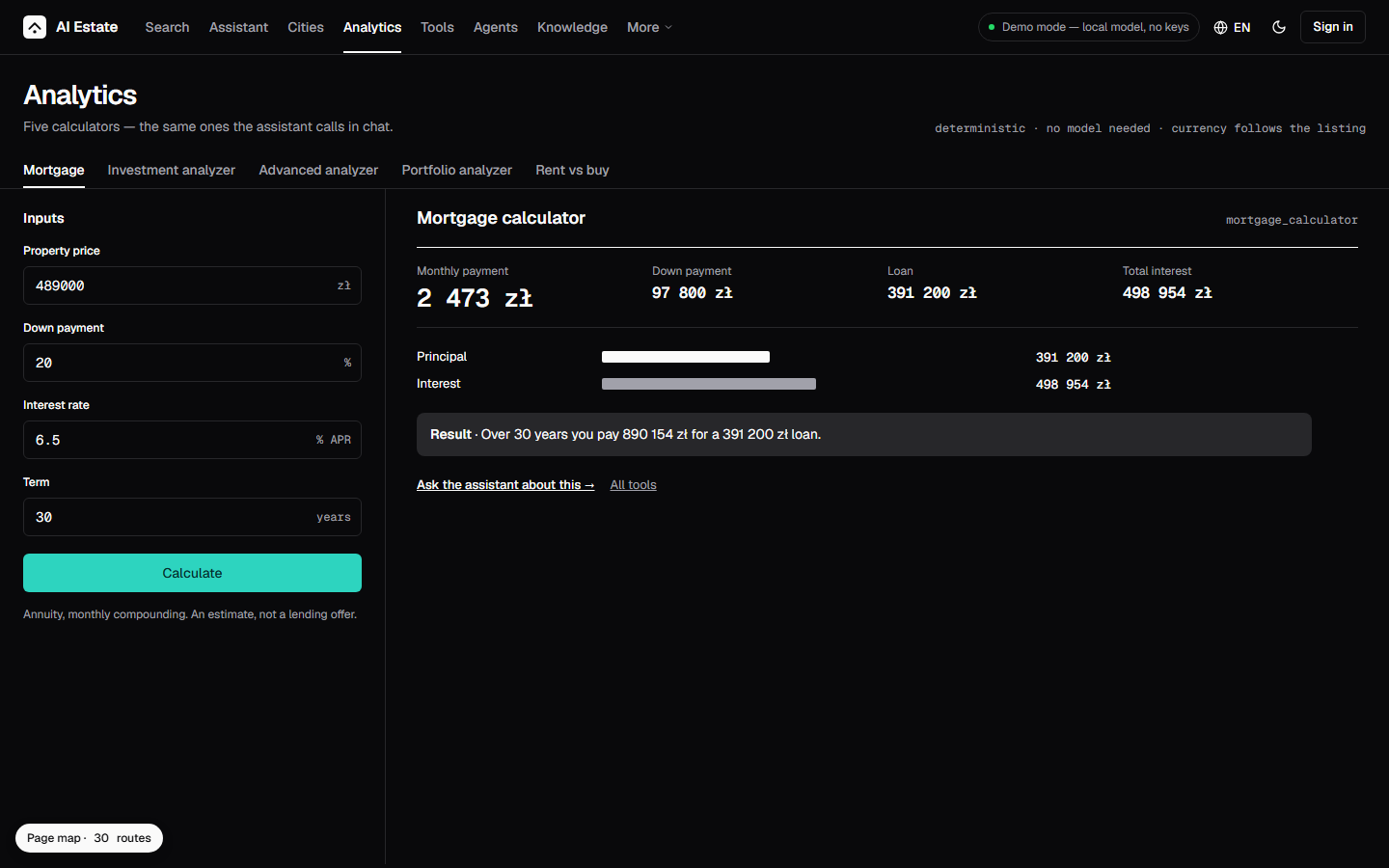 | 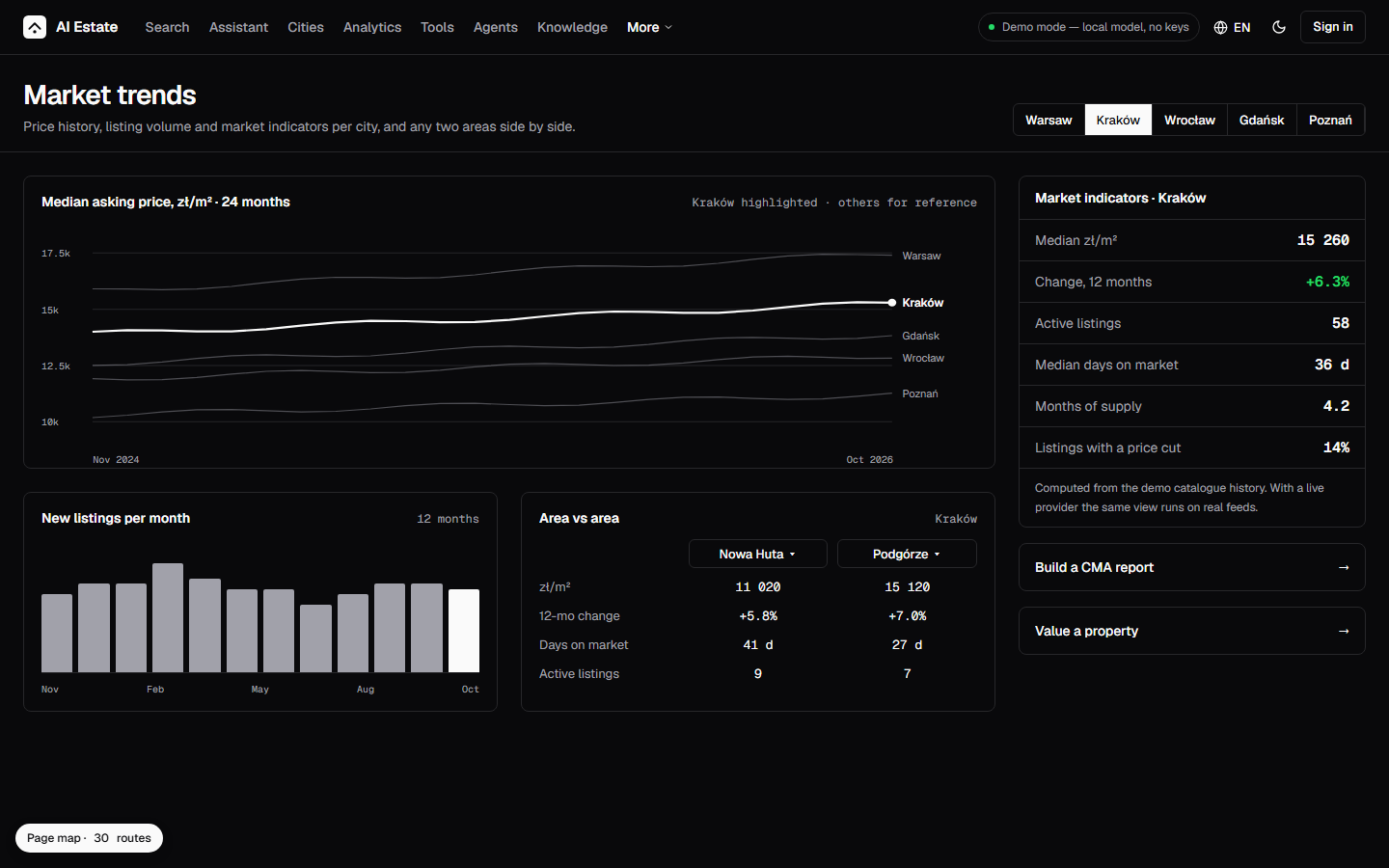 |
| Analytics — the calculators, the inputs on the left and the numbers on the right | Market trends — the indicators, the price curve and the districts that moved |
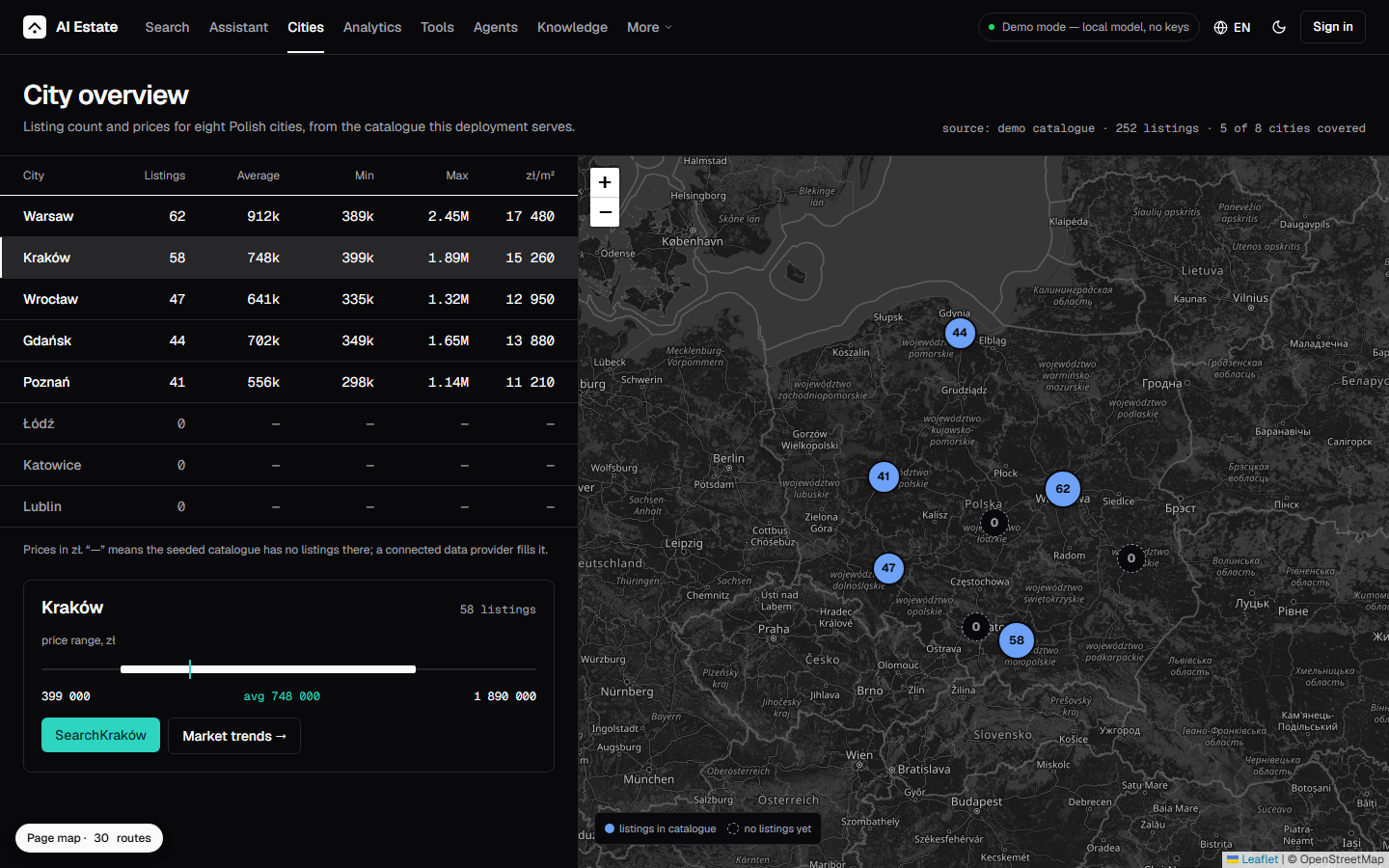 | 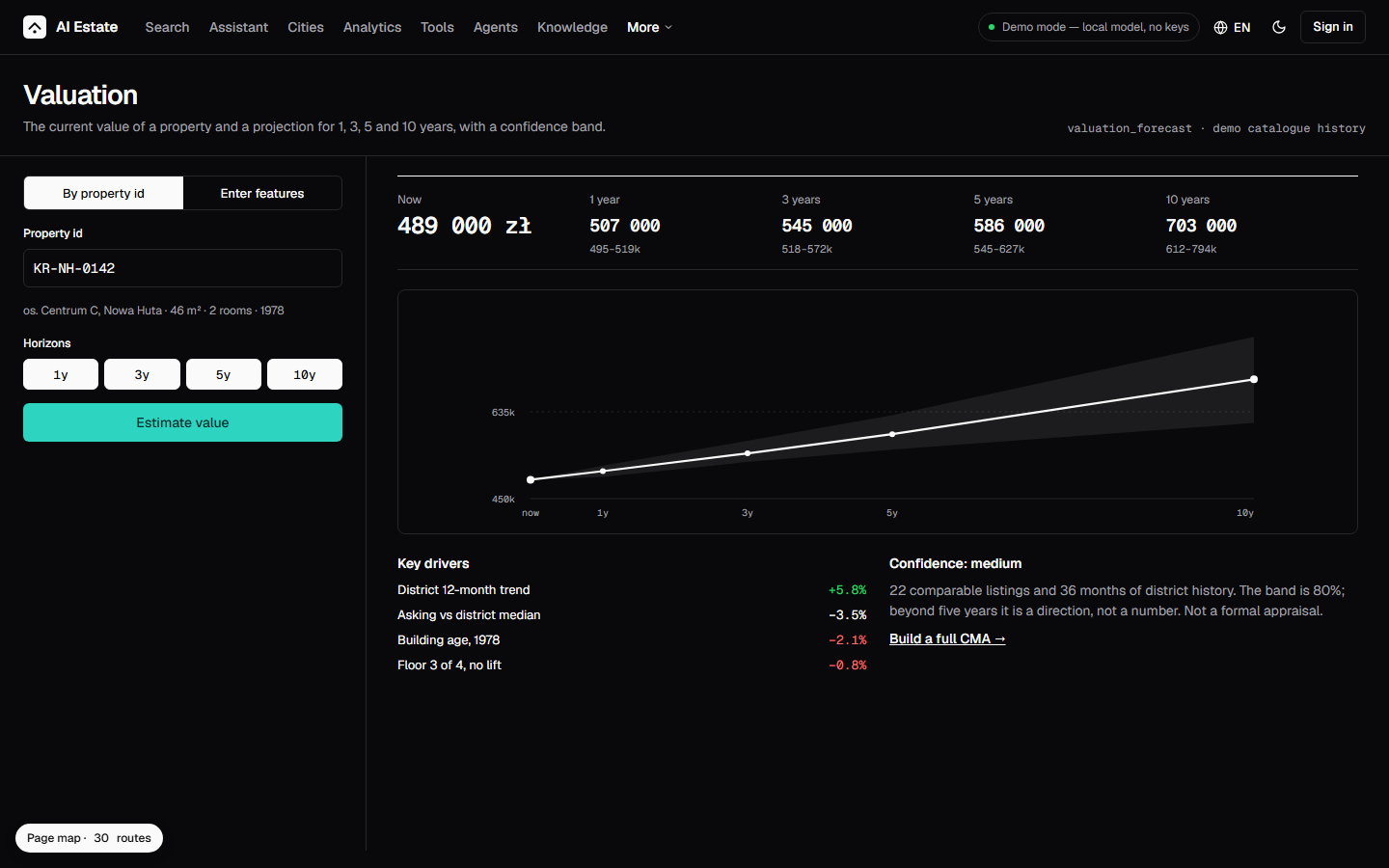 |
| City overview — the market of a city, district by district | Valuation — the price forecast of one listing, year by year |
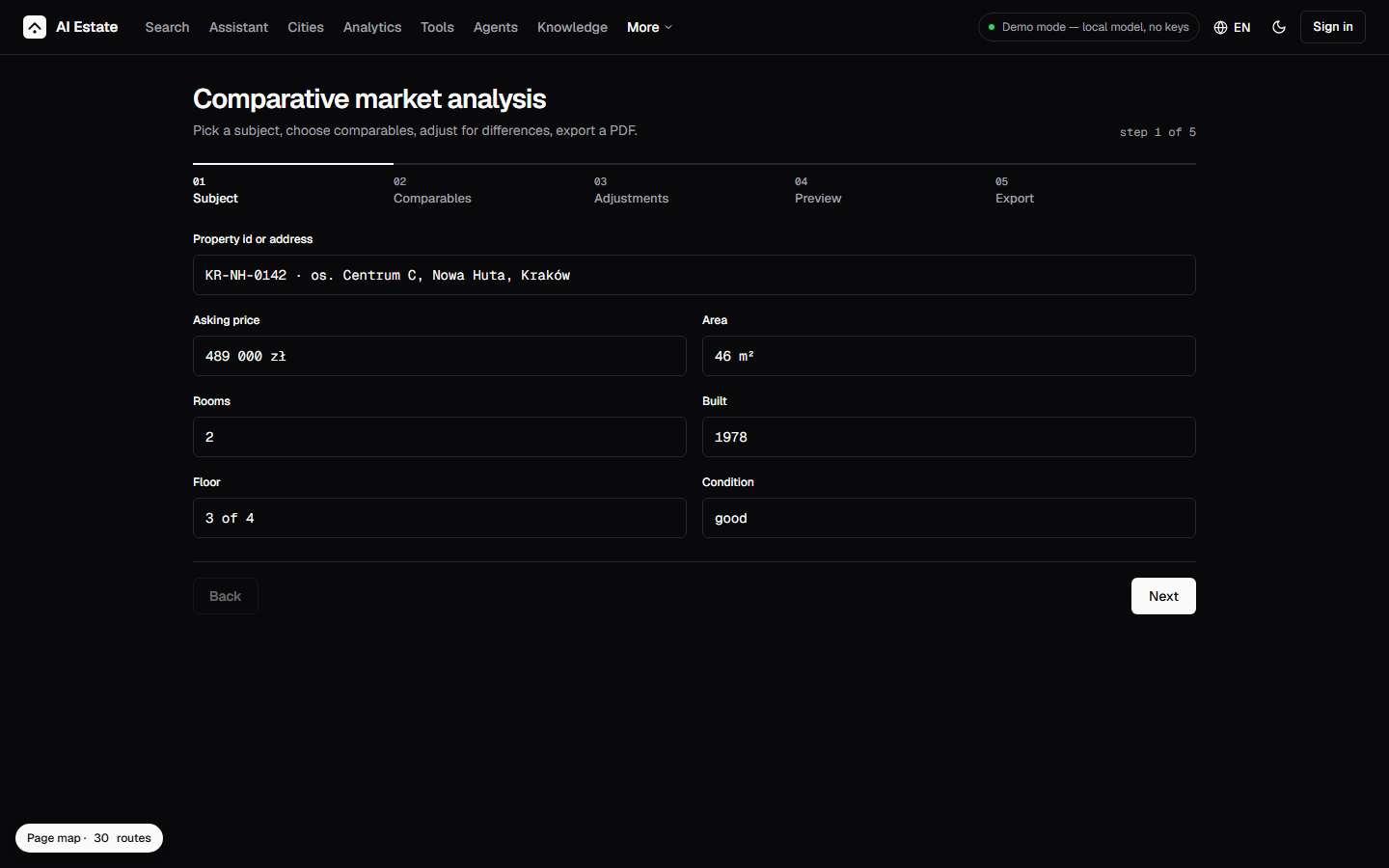 | 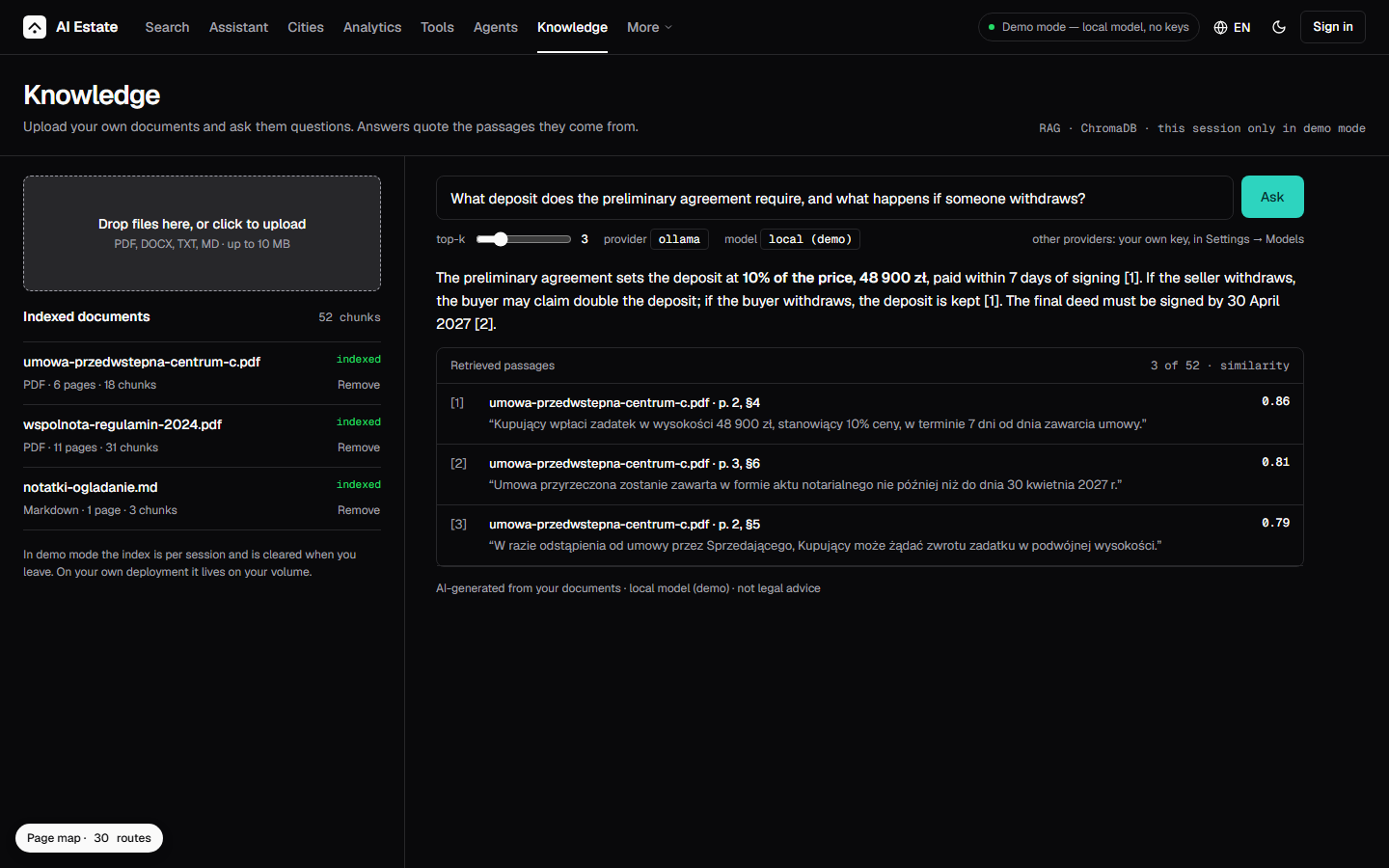 |
| CMA — the wizard of the comparative market analysis, step by step | Knowledge — the documents the assistant reads, and what it found in them |
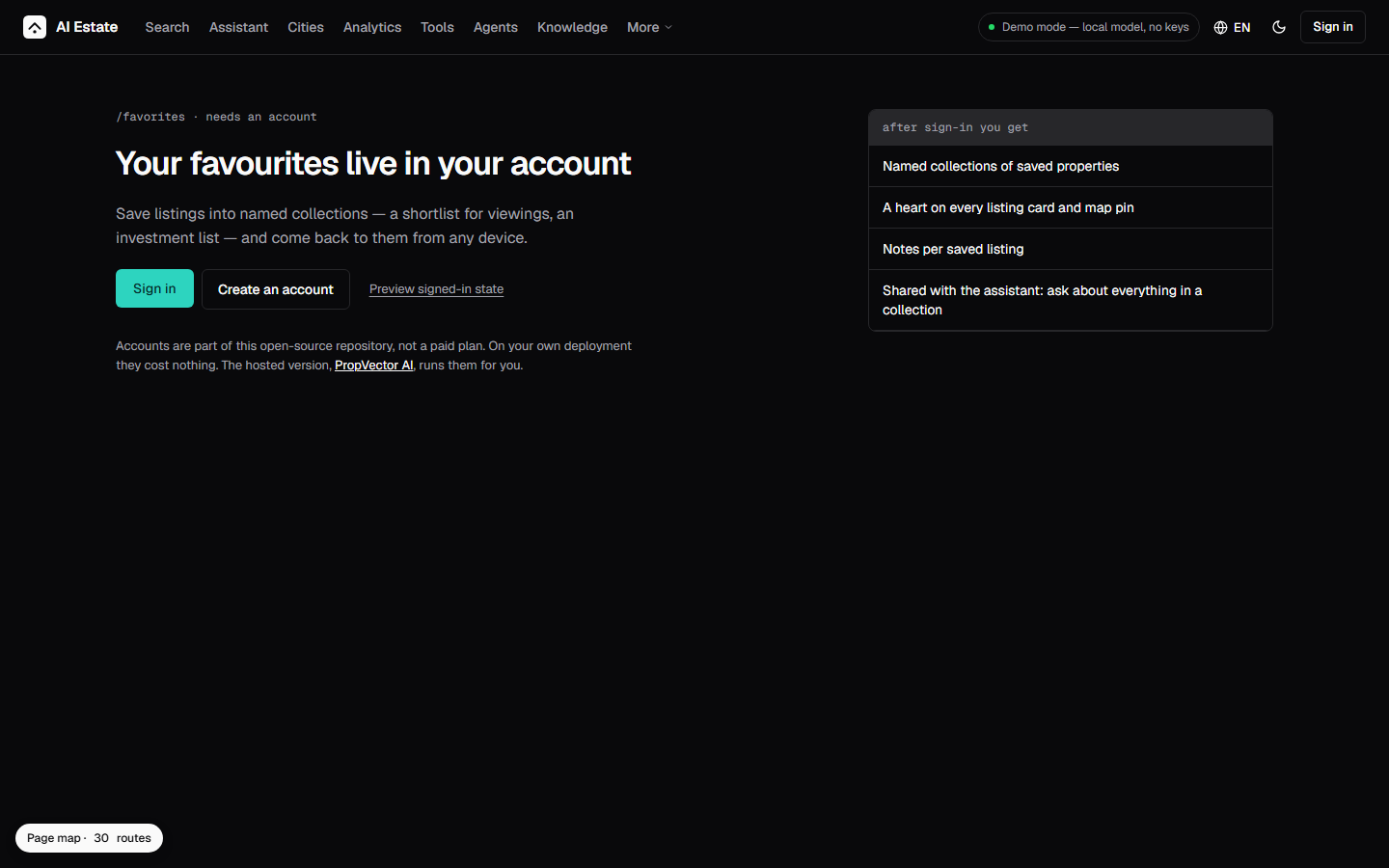 | 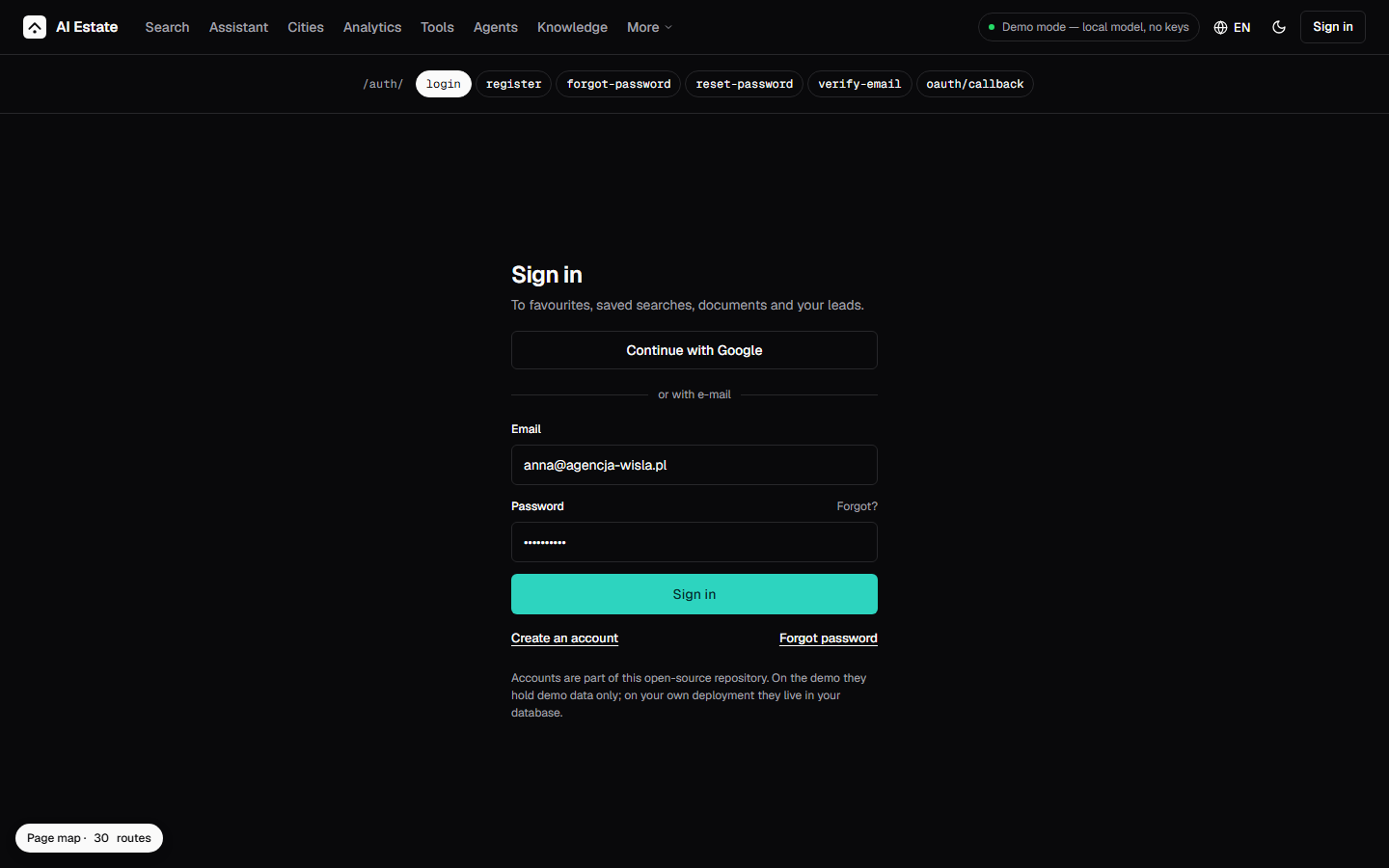 |
| Favorites — the saved listings and the saved searches | Sign in — the wall in front of the account routes, and what an account is for |
 | 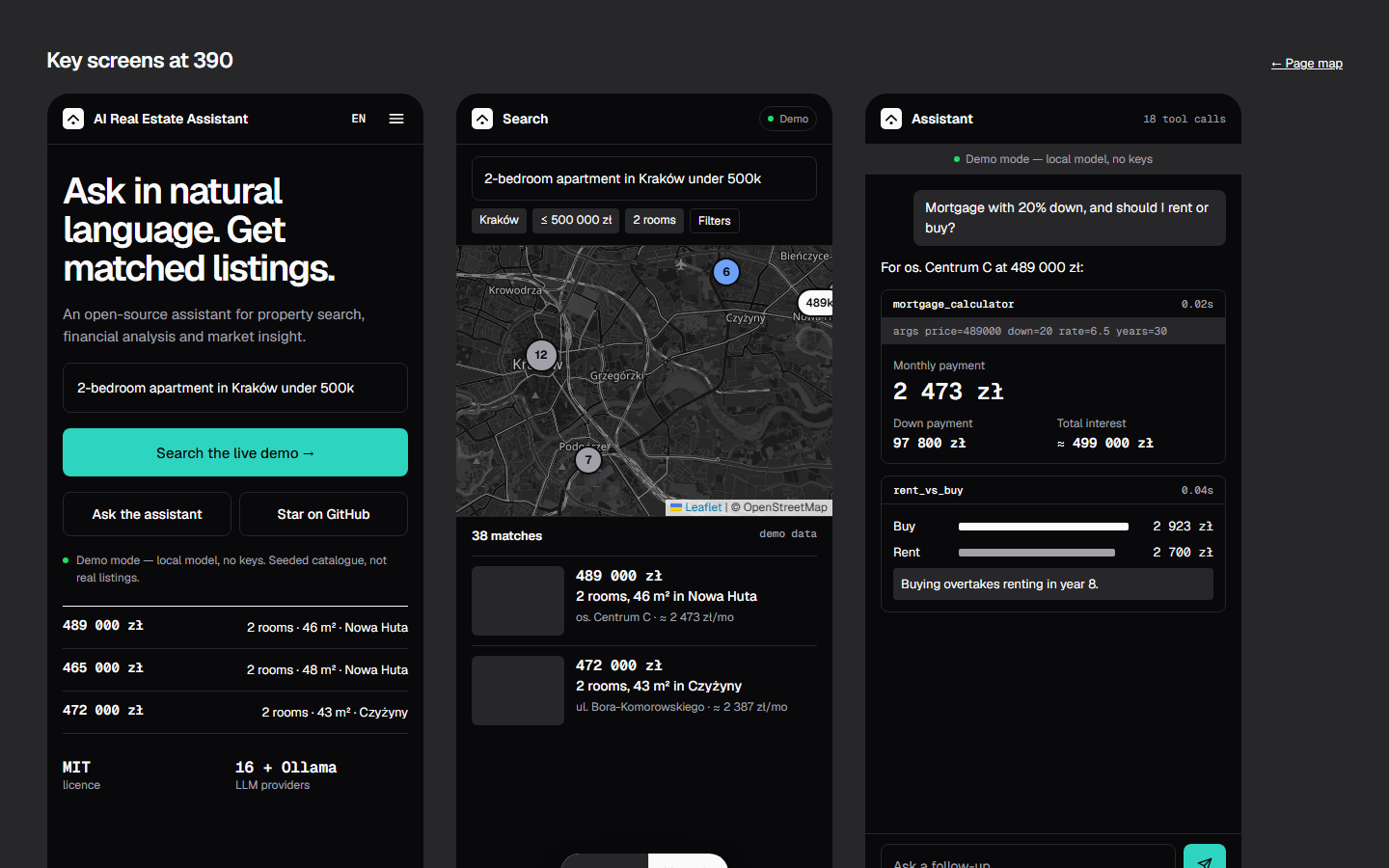 |
| Top bar — the navigation, the language and the theme switch | Mobile — the key screens at 390 |
Both sets of images come out of one capture pipeline —
node scripts/utils/take_screenshots.js <page> dark <folder> -dark — so the
live screens and the reference are captured the same way.
Deploy it your way
There is a live deployment of this project — the demo above runs the release images, with a seeded catalogue and a model the studio pays for, on a server its maintainer controls. You do not have to stop there: the same images are published on every release, and three ways to run them are supported today.
| A hosted platform | Your own VPS | The published images | |
|---|---|---|---|
| What you need | an account on the platform | a machine with Docker and a spare gigabyte of RAM | a machine with Docker |
| What you do | one click, the platform builds and serves it | copy one compose file, docker compose up -d | pull two images, point them at your own secrets |
| Who builds it | the platform | you — or CI, on every release tag | you, or CI |
| Your data | on the platform | on your disk, in your country | on your disk, in your country |
| Best for | a demo, a trial, a first look | production, on your own terms | an existing setup that already runs containers |
On a hosted platform, one click

The blueprint in render.yaml declares the web service and the
API, the build steps and the health check. The platform builds the images,
serves them and restarts them on every release.
On your own VPS server
deploy/docker-compose.selfhosted.yml
is the whole stack: a FastAPI backend and a Next.js frontend, one persistent
volume, one published port. It needs no paid model key to answer.
curl -O https://raw.githubusercontent.com/AleksNeStu/ai-real-estate-assistant/main/deploy/docker-compose.selfhosted.yml
cat > .env <<'ENV'
API_ACCESS_KEY=change-me
JWT_SECRET_KEY=change-me
SECURITY_PEPPER=change-me
ENV
docker compose -f docker-compose.selfhosted.yml up -d
Put a TLS terminator in front of it — a reverse proxy, a load balancer, a tunnel — and never expose the port raw.
With CI instead of a terminal
This repository also ships a self-host deploy workflow. Give it a deploy key and the address of your server as repository secrets, and every release tag rolls your machine onto the new images by itself. Nothing about your host is stored in this repository — the host, the user, the port and the path are all secrets you set yourself.
Or just pull the images
Every release publishes both images to GitHub Container Registry, multi-arch (amd64 and arm64):
docker pull ghcr.io/aleksnestu/ai-real-estate-assistant/backend:5.1.10
docker pull ghcr.io/aleksnestu/ai-real-estate-assistant/frontend:5.1.10
The full guide — the memory footprint per setup, the published tags and the Kubernetes variant — is in the deployment guide.
What's new
v5.3.4 — the demo can be signed into, and the pages say what they are.
- The demo signs in with Google — the deployment hands the browser to Google and takes the account back: the state, the PKCE verifier and the session live in httpOnly cookies, the account is created or linked by e-mail, and the flow ends on the interface's own page. The button appears only where a deployment carries a client. The privacy policy and the terms of use are pages of the deployment now, and they say what a sign-in stores.
- Every public route says what it is — fourteen routes answered with the same title and the same description. Each one now declares its own, in the language of the route, with its own canonical address and its own cluster of translations.
- A listing is a page a crawler can read — the page of a single property
was rendered in the browser, so a crawler received an empty shell. It is
read on the server now: the page carries the listing, its title, its
address and a
schema.org/Propertyblock with its position, its rooms and its offer. - The catalogue can be enumerated, and it is —
GET /api/v1/propertiesanswers with a page of the listings, the sitemap carries all of them, and the llms.txt names the routes, the languages and the size of the catalogue.
v5.3.1 — the property page answers.
- The page's data arrives — the endpoints behind the property page asked
the application state for the catalogue, and the application never puts one
there, so every request answered
503even with a full catalogue behind it. The endpoints read the catalogue the way the rest of the API does, and the page shows its listing.
v5.3.0 — a property has a page of its own.
- The property page — the search answered with listings and the card showed them, but a reader who picked one had nowhere to go. The page shows the listing itself: the price, the numbers, the description, the amenities, the AI one-liner of its neighbourhood, and the comparable listings of the same city and type. It is public — a visitor who clicks a listing is nobody until they sign in, so the data it reads does not ask for a session. The title of a search result and a marker on the map both open it.
v5.1.20 — the model thinks as hard as the deployment asks it to.
- The cheapest way to answer — M3.1 Flash always reasons, and it reasons at
maxwhen the parameter is missing. The effort is a setting of the deployment now (MINIMAX_REASONING_EFFORT), because the bill belongs to the operator who pays it and not to the code. The same request costs350output tokens atmaxand304atlow, the input of a demo request is99.9%a cache hit, and the ceiling of one answer is a token cap — so a request of the public demo costs about a tenth of a cent.
v5.1.19 — the demo answers.
- The public demo answers with a real model — the conversation buffer that holds the history of a conversation knew one name for the question and refused the other, so every question came back as an error. The retrieval chain and the agent executor keep one conversation now, and the factory that builds the model follows the flag of the model instead of the flag of the demo. The answer is grounded in the catalogue and cites it.
- The landing page is the front door (
v5.1.18) — the root of the public address carries the design system of the project: zinc chrome, one teal action, Geist for every number. The hero asks for a property, the catalogue counts itself, the features are a ledger, the data coverage is honest about what it does not have, the product is compared in four states, and the waitlist catches the address of a visitor before the account exists. - Sign-in is real — the registration writes the consent of the GDPR into
the account, the token is read before the demo user is invented, and the
copy of the
9locales follows the state of the deployment instead of promising a local model the deployment does not run.
v5.1.10 — the demo lives on a domain of its own.
- A public address that can be printed on a business card — the demo moved
from a platform subdomain to
https://realty.kittray.com, on a domain delegated to Cloudflare. The Worker that fronts the deployment keeps its custom domain, so the front door did not change — only the name on it. - One address in the tree — the README badge, the live-demo link, the
package.jsonhomepage,robots.txt, the sitemap line,llms.txt, the launch copy and the canonical URL all follow the same value. The public address of a deployment is a build argument (SITE_URL), so changing it is one setting and one release. - A mark, a card and half the README (
v5.1.9) — the icon is now a roof over a point, in the monochrome the design system asks for; the social preview says what the project is; the README is the short version. - A second deployment target (
v5.1.8) — the release pipeline now rolls a server you own, not only the managed platform. One compose file, one workflow, no credentials in the tree. - AI property valuation — paste a property id, get an estimate of the
current value plus a projection for
1,3,5and10years, with a confidence band and the key drivers. Try it at/valuation. - An AI neighbourhood summary on every property page — what the district feels like, what is around it, how easy it is to move around. It falls back silently when the model is unavailable.
- The monthly payment on the card — every listing shows its estimated monthly cost next to the title (20 % down, 30 years, 6.5 % APR by default; not a lending offer).
- A first-visit tour — five steps from the landing page to the features that matter, shown once and remembered locally.
- A citation layer for AI search — an expanded
llms.txt, arobots.txtthat names the AI crawlers it wants,FAQPageJSON-LD next to the existing schemas, a social preview image, and complete metadata in nine locales. - 335 dependency alerts closed — every critical and high advisory resolved, the floors pinned in both the lock file and the project file.
Full notes: v5.3.1 release · changelog.
What it does
| Conversational search | Natural-language queries with automatic filter extraction; hybrid semantic + keyword retrieval over ChromaDB with MMR reranking |
| Financial tools | Mortgage calculator, rent-vs-buy, ROI, TCO, comparative market analysis, AI valuation with a multi-year forecast |
| Neighbourhood one-liner | An AI summary of a district's character, lifestyle and accessibility, on every property page |
| Maps | Clustered markers, area comparisons, city-overview analytics |
| Localisation | 9 languages with EU AI Act compliance labels on AI output |
| Security | OWASP-hardened: rate limiting, audit logging, SSRF protection, dual-mode auth (API key + JWT), progressive security pipeline in CI |
Why developers pick this
- Multi-provider LLM routing —
17providers with an automatic fallback chain; a per-request provider selection by header or parameter, no code change to switch models. - Hybrid RAG + vector search — a query-complexity classifier routes between RAG-only, hybrid RAG with enhancement, and agent-with-tools; ChromaDB with MMR reranking for the retrieval.
- A complete reference stack — FastAPI + Next.js
16+ ChromaDB, Docker Compose and Kubernetes, CI that ships the images, and a self-host deploy path you can point at your own server.
Tech stack
| Layer | Technology |
|---|---|
| Backend API | FastAPI (Python 3.12+) |
| Frontend | Next.js 16 + React 19 |
| Vector DB | ChromaDB (semantic search + MMR reranking) |
| Relational DB | PostgreSQL / SQLite |
| LLM providers | OpenAI, Anthropic, Google, Grok, DeepSeek, MiniMax, OpenRouter, Together AI, Fireworks AI, HuggingFace, Groq, Mistral, Qwen, ZAI, Moonshot, OpenCode, local Ollama |
| Container | Docker / Docker Compose |
| CI/CD | GitHub Actions (CI, GHCR images, deploy) |
| Monitoring | Uptime Kuma + structured logs |
Architecture
graph LR
    UI["Next.js Frontend"] --> Proxy["API Proxy"]
    Proxy --> API["FastAPI Backend"]
    API --> QA["Query Analyzer"]
    QA -->|Simple| RAG["RAG Engine"]
    QA -->|Complex| Agent["Hybrid Agent"]
    Agent --> Tools["Tools"]
    RAG --> VDB[("ChromaDB")]
    Tools --> LLM["AI Providers"]
    API --> DB[("PostgreSQL / SQLite")]
Full system design: docs/architecture/large-saas-overview.md.
Quick start
git clone https://github.com/AleksNeStu/ai-real-estate-assistant.git
cd ai-real-estate-assistant

# Docker, demo mode, no API keys required
cp deploy/compose/.env.example deploy/compose/.env
# The backend runs as uid 999 and writes its state into these directories.
# On Linux Docker creates them as root, so they need write access for that
# user; on macOS and Windows Docker's own permissions already allow it.
mkdir -p deploy/compose/{chroma_db,data/audit,.preferences,.notifications,.sessions}
chmod -R a+rwX deploy/compose/{chroma_db,data/audit,.preferences,.notifications,.sessions}
docker compose -f deploy/compose/docker-compose.yml up --build
# Frontend: http://localhost:3082 · API: http://localhost:8082/docs
On Windows, .\scripts\docker\start.ps1 does the same thing with the ports
assigned for you. For the manual path (uv + npm), the API reference and the
verification scripts, see the 5-minute quickstart.
The hosted version, and what comes next
This repository is the free, open-source version of the product. It is complete enough to run, to read, to extend and to put in front of your own users — and it stays that way.
The paid version is being built right now on top of the same engine, as PropVector AI. The split is deliberate and it does not change with the roadmap:
| Capability | Open source (this repo) | Hosted (PropVector AI) |
|---|---|---|
| Conversational property Q&A, demo catalogue | Free | Included |
| Bring your own LLM keys, local Ollama | Free | Included |
| Vector search (ChromaDB) over your own data | Free | Included |
| Live data feeds and the enrichment pipeline | — | Pro |
| Accounts, favourites, saved searches | Free | Included |
| Live feeds, alerts, drip campaigns | — | Pro |
| AI CRM (lead scoring, drip campaigns, pipeline) | — | Pro / Enterprise |
| CRM connectors (HubSpot, Pipedrive), SSO, MFA | — | Enterprise |
| White-label / self-host support contract | — | Enterprise (custom) |
Free $0 · Pro $29/mo · Enterprise (custom) — the tiers reflect the
public roadmap and may move before launch.
PropVector AI is launching soon; the landing
page ships alongside billing. The fastest way to reach the maintainer today
is to open a Discussion
with the [Commercial] prefix.
More from the studio
The same team builds these.
| PropVector AI | The hosted version of this project — live data, accounts, AI CRM, enterprise tiers. |
| EU AIGap | EU AI Act self-assessment for teams that ship AI: classify a system, find the gaps, export the documents. |
| NestLab Tech | The studio itself — workflow automation, custom AI software and EU AI Act readiness for clients. |
| CheckCV · TuneCV | AI resume analysis and ATS optimisation. |
| PoznajSiebie | Self-knowledge through attachment styles — in Polish. |
Ideas, forks, and other ways to work with us
The backlog of this repository is written in the open, and suggestions are read and used — a feature request, a provider we do not support yet, a language we have not translated, a bug you hit while running it on your own server. All of it is welcome, and none of it needs to be filed as a formal proposal first.
- Suggest something — open an issue. Ideas, use cases, "I wish it did X" are all legitimate issues.
- Build on top of it — fork it, change it, ship it under your own name. The licence is MIT; you do not need to ask.
- Talk to us first — a Discussion is the right place for a feature you would like to shape, a deployment you would like help with, or a partnership.
- Work with the studio — NestLab Tech builds products like this one for clients: workflow automation, custom AI software, EU AI Act readiness.
Questions people actually ask
Can I run it on my own server? Yes — that is what the project is for. One compose file, or let this repository's CI do it: give the self-host deploy workflow a key and an address as repository secrets, and every release tag rolls your machine onto the new images. See Deploy it your way.
Do I need a paid API key?
Not to look around. The demo answers with a model we pay for, so it costs
nothing to explore, and a local model takes over when the hosted one is
unreachable. For real answers you bring your own key — any of 17 providers, or
a local Ollama — and the app falls back to the next one when a provider fails.
What is the difference to the hosted version? The engine is the same. The hosted tier adds live data feeds, accounts, saved searches, alerts and an AI CRM — see PropVector AI.
Which languages? Nine in the interface: English, Polish, Russian, German, Spanish, Italian, Portuguese, Turkish and Ukrainian. The documentation is English-first.
Is the data mine? Yes, for anything you run yourself: SQLite plus a ChromaDB index on a volume you own, in your country, behind your own authentication.
Can I use it commercially? MIT. Fork it, change it, ship it. The hosted version is the commercial path for teams that want the managed pieces instead of running the stack.
Documentation
| Doc | Description |
|---|---|
| 5-minute quickstart | The shortest path from a clone to a running app |
| Deployment guide | Docker, Kubernetes, the self-host stack and the CI deploy |
| Architecture | System design, data flow, deployment |
| API reference | All endpoints with examples |
| User guide | How to use the assistant |
| Testing guide | Writing and running tests |
| Contributing | Development workflow |
| Security policy | Reporting and hardening |
| Changelog | Version history |
Testing
.\scripts\testing\test-fast.ps1     # quick test (3-5 min), during development
.\scripts\testing\test-ci.ps1       # full CI (8-12 min), before a commit
./scripts/testing/test-fast.sh      # the same, on Linux and macOS
./scripts/testing/test-ci.sh
Backend: pytest with xdist and a coverage gate that can fail — 84 % for the unit suite, 50 % for the integration suite, and the coverage of the files a change touches on top of that. Frontend: Jest, with a coverage gate over the whole frontend — the library layers, the components and the pages — and a separate floor for each of them. Security: Gitleaks, Semgrep, Bandit, Trivy, CodeQL. Full details in the testing guide.
Contributing
Contributions are welcome — see CONTRIBUTING.md for the workflow, and the code of conduct for the terms.
- Fork →
git checkout -b feature/short-description - Run the checks locally (
make ci) - Commit:
type(scope): message - Open a PR against
dev
dev is the working branch, main is the stable one.
License
MIT — see LICENSE.
Support
If this project saved you a weekend, you can say so here:


Commercial and partnership work — deployment help, customisation, CRM integration, or building the next version together — goes through the studio that maintains this project:
Or open a Discussion
with the [Commercial] prefix and it reaches the same team.
Star this repo if you find it helpful — it is what makes the next version possible.
Made with Python, FastAPI and Next.js.
Copyright © 2025-2026 Alex Nesterovich