
ai-markdown
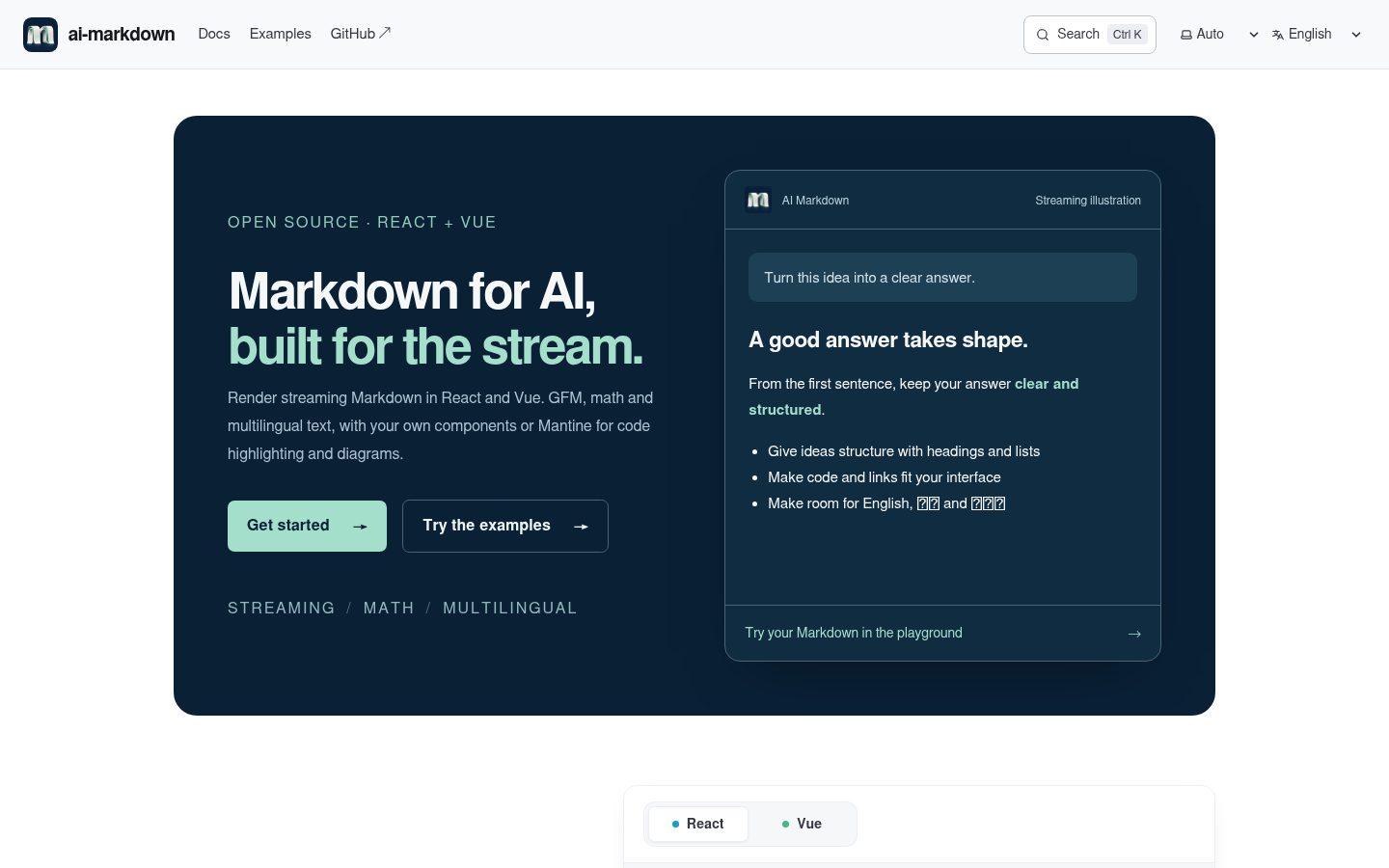
Markdown rendering for AI applications: incremental streaming, LaTeX math, GFM, and CJK typography. Shared engine and core, React and Mantine integrations; Vue in development.
Automatically checked · GitHub checked 2026-11-14
Overview
ai-markdown
Website · Documentation · Interactive examples
Render streaming Markdown in React and Vue, with shared parsing and document coordination. Start with the package README below or follow the getting started guide.


Since 3.0.0: React and Vue adapters share the public
@ai-markdown/coreand@ai-markdown/enginepackages. See the migration guide.
React and Vue Markdown rendering for AI responses: GFM, KaTeX math, CJK-aware parsing, incremental streaming, and shared references across logical document sections. Use either framework adapter with your own UI, or the React Mantine integration for highlighted code, JSON presentation, and Mermaid diagrams.
Upgrading from 1.x? v2.0.0 removes the 1.x object-based
configchannel (and its integrator default channel) in favor of flat props, a sealed engine-plugin catalog, and five narrow hooks. Every removed symbol has a one-to-one destination with before/after code in the migration guide.
Why ai-markdown?
An AI response changes while the user reads it. A fence may be incomplete, a citation definition may arrive after its reference, and a large answer may receive many small updates. The renderer needs to preserve the meaning of those intermediate snapshots while keeping repeated work manageable.
ai-markdown addresses those concerns at distinct layers:
- Accumulated streaming input. Pass the complete current Markdown string to one component. The engine reuses a verified prefix when the input is an append and the grammar permits it; otherwise it uses a full parse.
- Reusable rendered blocks. The React adapter retains React elements for unchanged plans. Custom components can still update through state and context, so streaming status and application callbacks remain live.
- Logical document sections. When an application deliberately uses multiple renderers for one document,
AIMarkdownDocumentsshares footnote and link/image definitions under an explicit document id. It does not join syntax split across arbitrary network packets. - Math and mixed-language text. Built-in normalization handles common model-produced math delimiters and currency text. The pipeline includes CJK-aware delimiter parsing and optional pangu spacing; typography and source line breaks remain explicit presentation choices.
- Controlled output policy. The sanitizer filters the tree before URL transformation. Schema extensions, custom components, and application URL schemes are supported through typed inputs whose scope and precedence are documented.
Choose @ai-markdown/react for React rendering or @ai-markdown/vue for Vue 3.5 rendering with your own presentation. Choose Mantine when you also want its providers, typography, highlighted code controls, and diagrams. React and Vue share parsing and coordination algorithms, with framework-specific component APIs. See Getting started for complete setup and the API differences.
Features
Parsing features are shared by React and Vue. The context hooks, typography slots and React-node cache described below belong to the React adapter; Mantine adds its React UI features. For Vue equivalents and limitations, see the API comparison.
| GFM | tables, strikethrough, task lists, autolinks (via remark-gfm) |
| LaTeX math | inline $…$ and display $$…$$ via KaTeX, with smart preprocessing for currency $, bracket delimiters (\[…\], \(…\)), pipe escaping, and mhchem commands (chemistry formulas like \ce{H2O}) |
| Mermaid diagrams | interactive SVG with dark/light themes, source toggle, copy, open-in-new-window (in @ai-markdown/react-mantine) |
| Syntax highlighting | language-labelled tabs, expand/collapse, optional language detection for unlabelled blocks through @ai-markdown/code-language-detector (in @ai-markdown/react-mantine) |
| CJK-friendly | CJK-aware emphasis and strikethrough parsing, source newlines rendered as breaks, plus optional pangu auto-spacing between CJK and half-width characters |
| Streaming-aware | streaming flag is propagated via context; custom renderers can show cursors, skip animations, or disable copy buttons during streaming |
| Streaming cursor | built-in streamingCursor slot renders a "still generating" indicator after the last streamed character — visible through token stalls, pure-CSS animation, zero impact on the parse pipeline |
| Smooth streaming | <AIMarkdownSmoothStream> reveals bursty token chunks as a steady grapheme-by-grapheme typewriter; a completion-deadline pacing law tracks the source's cadence — coarse proxy-buffered feeds included (three presets: smooth / balanced / responsive) and append frames can use incremental parsing when its safety gates permit |
| Cross-chunk coordination | <AIMarkdownDocuments> wrapper lets chunked chat messages share a documentId so footnotes / link refs / image refs resolve across chunks |
| Block-level memoization | each markdown block is memoized by source identity; unchanged plans reuse React elements during streaming; equivalence tests compare optimized and full paths. Child state/context can still update |
| Emoji shortcodes | :smile: → 😄 via remark-emoji |
| Extra syntax | ==highlight==, definition lists (PHP Markdown Extra) |
| Display optimizations | SmartyPants typography, HTML comment removal, pangu CJK spacing |
| Customizable URL safety | two-gate XSS protection (urlTransform + rehype-sanitize); helper to extend the schema without breaking library invariants |
| Custom components | swap any HTML-element renderer with a typed component; library defaults are merged underneath |
| Custom typography | drop-in Typography slot with full CSS-variable token surface for spacing, headings, weight, colors |
| Metadata context | pass arbitrary data to nested custom components without prop drilling — a separate context so its subscribers update independently of state-only consumers |
| TypeScript | first-class metadata generic and fully typed flat props; full IDE autocompletion |
| React 19 | uses native useId(), properly typed for the current React version |
Packages
| Package | Role | Version | Downloads |
|---|---|---|---|
@ai-markdown/react | React renderer, hooks and customizable typography. |  |  |
@ai-markdown/vue | Vue renderer, scoped slots and SSR/hydration. |  |  |
@ai-markdown/react-mantine | React + Mantine typography, highlighted code and Mermaid. |  |  |
@ai-markdown/core | Framework-independent sessions, block plans and coordination. |  |  |
@ai-markdown/engine | Parsing, preprocessing, incremental algorithms and reference registries. |  |  |
@ai-markdown/remark-mark-highlight | Standalone remark plugin for ==mark== syntax. |  |  |
@ai-markdown/code-language-detector | Streaming-aware language detection for unlabelled code blocks, and fence language names mapped to Shiki or highlight.js names. |  |  |
The five framework/shared packages track latest; the independently versioned highlight plugin and code language detector also track latest. Download counts are package-wide monthly totals across all versions, not counts for the displayed tag or unique applications. Core and engine are normally installed transitively by an adapter, and the code language detector by the Mantine integration.
Vue adapter
The Vue 3.5+ adapter is part of the stable 3.0.2 release train. See the Vue README for components, SSR/hydration, cross-chunk references, slots and smooth streaming. Shared core/engine contracts and prerelease migration notes are documented in the API contracts.
Installation
React (any UI library)
@ai-markdown/core and @ai-markdown/engine arrive as exact-version dependencies. Applications install only the framework package; adapter authors may install the shared layers explicitly.
# npm
npm install @ai-markdown/react

# pnpm
pnpm add @ai-markdown/react

# yarn
yarn add @ai-markdown/react
Vue 3.5
pnpm add @ai-markdown/vue vue@^3.5.0
Import @ai-markdown/vue/styles.css for base presentation. For math, also install katex and import katex/dist/katex.min.css.
Mantine integration
# pnpm (illustrative — the same applies to npm / yarn)
pnpm add @ai-markdown/react-mantine @ai-markdown/react \
         @mantine/core@^9 @mantine/code-highlight@^9 highlight.js@^11.11.2
Peer Dependencies
| Peer | Required by | Version |
|---|---|---|
react / react-dom | react, react-mantine | ^19.0.0 |
vue | vue | ^3.5.0 |
katex | react, vue, engine (optional — for math) | ^0.16.0 || ^0.17.0 |
@mantine/core | react-mantine | ^9.0.0 |
@mantine/code-highlight | react-mantine | ^9.0.0 |
highlight.js | react-mantine (optional — highlight.js adapter) | ^11.11.2 |
katexis an optional peer, declared byreact,vueandengine(the engine owns therehype-katexstep; applications import CSS). It ships transitively viarehype-katex, so hoisted installations resolve'katex/dist/katex.min.css'automatically. Strict-isolation installers (yarn PnP,pnpm --node-linker=isolated) must install it explicitly, in your own app — not alongside the engine. Skip this only if you never render math.
React version & framework compatibility
| Question | Answer |
|---|---|
| Does it work with React 18? | No. The library uses useId() and React 19's stricter Strict Mode semantics; the peerDependencies are pinned to ^19.0.0. If you're on React 18, react-markdown is the safer choice until you upgrade |
| Next.js (App Router)? | Yes. The React package marks 'use client' at its barrel; the Mantine package's sub-components mark it where needed. In practice, import either component from a file you've marked 'use client' yourself. CSS imports (KaTeX, typography, Mantine) go in your root layout.tsx |
| Next.js (Pages Router)? | Yes — standard CSR usage. The library is SSR-safe (useId() is SSR-stable), so server-rendering a static markdown string also works |
| React Native? | No. The renderer depends on the DOM (<div>, <span>, KaTeX CSS). React Native would need a separate renderer |
| Remix / Vite / CRA? | Yes — any React 19 host. The only environment-specific note is the strict-isolation pnpm/yarn-PnP katex install (see Peer Dependencies) |
Development vs production builds
The React package ships two builds (react/redux-style) selected by the development
exports condition:
the development build has all warnings and dev-time invariant checks enabled; the
production build has them compiled out. Neither file references process.env, so
importing the package without a bundler (browser native ESM, CDN, Deno) is safe and
yields the production build.
Bundlers that understand the condition (Vite, webpack/Next.js in development mode) pick the right build automatically — nothing to configure.
Footgun: a resolver that does not know the condition always gets the
production build, even during development. The common case is server-side
rendering with plain Node (no bundler): dev warnings will be silent there. Run Node
with --conditions=development if you want them in that setup.
The same applies to Jest: its resolver never includes the development
condition (regardless of NODE_ENV), so consumer test suites exercise the
production build — this package's dev-only warnings and invariant checks will not
fire in tests. Opt back in with
testEnvironmentOptions: { customExportConditions: ['development', 'node', 'node-addons'] }
(jest-environment-node; use ['development', 'browser'] with jsdom). Keep the
environment's defaults in the list — customExportConditions replaces them
rather than adding to them, and dropping node/browser would misresolve every
other conditional-exports package in the test process.
Footgun (all dual-build packages — react and redux share it): resolution
conditions must be consistent within one process. If part of your toolchain inlines
this package under the development condition while another part — say an
externalized wrapper like @ai-markdown/react-mantine in a partially-inlined
Vitest setup — resolves it through Node without that condition, two copies load
and React contexts split across them: cross-chunk coordination appears silently
dead. Align deps.inline / aliases so everything in the process resolves the
same build.
CSS Imports
Pick the set that matches the package you installed.
If you installed @ai-markdown/react only:
import 'katex/dist/katex.min.css'; // required for math
import '@ai-markdown/react/typography/default.css'; // default variant only
// or: import '@ai-markdown/react/typography/all.css'; // every shipped variant
If you installed @ai-markdown/react-mantine — the Mantine package provides its own typography wrapper, so you do not need the React typography CSS unless you also render the standalone <AIMarkdown> somewhere:
import 'katex/dist/katex.min.css';
import '@mantine/core/styles.css';
import '@mantine/code-highlight/styles.css';
import '@ai-markdown/react-mantine/styles.css';
Quick Start
React
import AIMarkdown from '@ai-markdown/react';
import 'katex/dist/katex.min.css';
import '@ai-markdown/react/typography/default.css';

export default function App() {
  return <AIMarkdown content="Hello **world**! Math: $E = mc^2$" />;
}
Vue
<script setup lang="ts">
import AIMarkdown from '@ai-markdown/vue';
import '@ai-markdown/vue/styles.css';
import 'katex/dist/katex.min.css';
</script>

<template>
  <AIMarkdown content="Hello **world** — $x^2$" />
</template>
Install katex directly for the math stylesheet above. See Getting started for complete dependency setup and a React/Vue API comparison.
Mantine
import { MantineProvider } from '@mantine/core';
import { CodeHighlightAdapterProvider, createHighlightJsAdapter } from '@mantine/code-highlight';
import hljs from 'highlight.js';
import MantineAIMarkdown from '@ai-markdown/react-mantine';

import '@mantine/core/styles.css';
import '@mantine/code-highlight/styles.css';
import '@ai-markdown/react-mantine/styles.css';
import 'katex/dist/katex.min.css';

const highlightJsAdapter = createHighlightJsAdapter(hljs);

export default function App() {
  return (
    <MantineProvider>
      <CodeHighlightAdapterProvider adapter={highlightJsAdapter}>
        <MantineAIMarkdown content="Hello **world**! Math: $E = mc^2$" />
      </CodeHighlightAdapterProvider>
    </MantineProvider>
  );
}
Recipes
The recipes, props, hooks and typography reference below use @ai-markdown/react and its Mantine integration. Vue uses components, scoped slots and setup composables; start with the Vue README or the framework comparison.
Stream from an LLM
The streaming flag describes the source lifecycle and controls the cursor slot — pass true while tokens are still arriving so descendants can adapt (deferred copy buttons, skipped animations, etc.). The renderer itself remains stable across re-renders thanks to block-level memoization. Add streamingCursor for a built-in "still generating" indicator that tracks the last streamed character and stays visible through token stalls (docs):
import AIMarkdown, { AIMarkdownStreamingCursor } from '@ai-markdown/react';

function ChatMessage({ message }: { message: { content: string; pending: boolean } }) {
  return (
    <AIMarkdown
      content={message.content}
      streaming={message.pending}
      streamingCursor={AIMarkdownStreamingCursor}
      colorScheme="dark"
    />
  );
}
Network chunks land in bursts; if the lurching bothers you, swap in <AIMarkdownSmoothStream> — same props, plus typewriter pacing that adapts to the source's cadence (pick a smoothPacing preset: smooth, balanced, or responsive — docs):
import { AIMarkdownSmoothStream, AIMarkdownStreamingCursor } from '@ai-markdown/react';

<AIMarkdownSmoothStream
  content={message.content}
  streaming={message.pending}
  streamingCursor={AIMarkdownStreamingCursor}
/>;
Empty-mounted smooth chunks that share a documentId inside <AIMarkdownDocuments> take turns automatically (existing text snaps on mount): chunk N reveals completely before chunk N+1 starts — one typewriter, one cursor, even when the sources stream concurrently (details).
Render chunked chat messages with cross-chunk references
When a single logical document is delivered in multiple <AIMarkdown> instances (e.g. one per chunk, or one per turn within a thread), wrap them in <AIMarkdownDocuments> and pass the same documentId so footnotes, link refs, and image refs resolve across chunks:
import AIMarkdown, { AIMarkdownDocuments } from '@ai-markdown/react';

function StreamedMessage({ chunks, id, done }: { chunks: string[]; id: string; done: boolean }) {
  return (
    <AIMarkdownDocuments>
      {chunks.map((chunk, i) => (
        <AIMarkdown
          key={i}
          content={chunk}
          documentId={id}
          documentIndex={i}
          streaming={!done && i === chunks.length - 1}
        />
      ))}
    </AIMarkdownDocuments>
  );
}
Without the wrapper, each <AIMarkdown> is independent — its references only resolve within its own content. Coordination requires the wrapper, the same explicit non-empty document id, and blockMemo enabled. Each chunk must be a meaningful Markdown unit. This array-index key is suitable only for a fixed append-only list; use persistent chunk ids when inserting or reordering.
Mermaid diagrams (via Mantine package)
```mermaid
graph TD
  A[User Input] --> B{Is it valid?}
  B -->|Yes| C[Process]
  B -->|No| D[Show Error]
```
The Mantine integration renders this as an interactive SVG with dark/light theme switching, a source toggle, copy button, and "open in new window" — no extra setup. The mermaid package is a direct dependency of @ai-markdown/react-mantine.
CJK text with auto pangu spacing
Pangu spacing automatically inserts a regular ASCII space between CJK characters and half-width letters/digits, when its mixed-script rules match. Applications can choose whether that spacing fits their language and editorial conventions. It's on by default. Turn it off by filtering the pangu plugin out of the default engine-plugin set:
import { defaultEnginePlugins, pangu } from '@ai-markdown/react/plugins';

// Module scope — stable reference keeps the memo cache warm.
const PLUGINS = defaultEnginePlugins.filter((p) => p !== pangu);

<AIMarkdown content="今天我用 React 19 重构了 ai-markdown 的 streaming 实现。" enginePlugins={PLUGINS} />;
Allow a custom URL scheme (e.g. myapp://)
Sanitization runs through two independent gates for defense in depth: rehype-sanitize schema (per-protocol allowlist, runs first in the rehype chain) and urlTransform (per-attribute rewriter, runs second at render time). Both must permit a scheme for it to render.
import AIMarkdown, { defaultUrlTransform, extendSanitizeSchema, type UrlTransform } from '@ai-markdown/react';

// Module-scope: defined once, stable across renders, keeps the memo cache warm.
const ALLOWED = /^myapp:/i;
const URL_TRANSFORM: UrlTransform = (url, key, node) =>
  key === 'href' && ALLOWED.test(url) ? url : defaultUrlTransform(url, key, node);

const SCHEMA = extendSanitizeSchema((s) => {
  s.protocols!.href!.push('myapp');
});

export default function App({ content }: { content: string }) {
  return <AIMarkdown content={content} urlTransform={URL_TRANSFORM} sanitizeSchema={SCHEMA} />;
}
⚠️ Reference stability matters. Inlining
urlTransform={(url) => …}creates a new closure every render and discards the block-memo cache. Always define at module scope (or memoize withuseMemo). Development builds emit aconsole.warnafter detecting 3+ identity flips.extendSanitizeSchemais the only supported way to build a schema — it hands you a deep clone with library invariants (cross-chunk tags,math-inline/math-displaymarkers on<code>,<mark>) preserved.
Replace specific HTML element renderers
import AIMarkdown, { type AIMarkdownCustomComponents } from '@ai-markdown/react';

const components: AIMarkdownCustomComponents = {
  a: ({ href, children }) => (
    <a href={href} target="_blank" rel="noopener noreferrer">
      {children} ↗
    </a>
  ),
  img: ({ src, alt }) => <img src={src} alt={alt} loading="lazy" />,
};

<AIMarkdown content={markdown} customComponents={components} />;
In the Mantine package, caller customComponents are merged on top of Mantine defaults; including pre opts out of Mantine's built-in code-block / Mermaid / JSON pipeline.
Pass metadata to nested custom components
Metadata is a dedicated context for application ids, callbacks, and other data needed by custom renderers. A new metadata value notifies its consumers; it does not require rebuilding the Markdown pipeline when pipeline inputs are unchanged.
import { useRef } from 'react';
import AIMarkdown, {
  useAIMarkdownMetadata,
  type AIMarkdownMetadata,
  type AIMarkdownCustomComponents,
} from '@ai-markdown/react';

interface ChatMeta extends AIMarkdownMetadata {
  messageId: string;
  onCopyCode: (code: string) => void;
}

const COMPONENTS: AIMarkdownCustomComponents = {
  pre: ({ children }) => {
    const meta = useAIMarkdownMetadata<ChatMeta>();
    const preRef = useRef<HTMLPreElement>(null);
    return (
      <div>
        <button
          type="button"
          onClick={() => {
            meta?.onCopyCode(preRef.current?.textContent ?? '');
          }}
        >
          Copy
        </button>
        <pre ref={preRef}>{children}</pre>
      </div>
    );
  },
};

function Message({ markdown, metadata }: { markdown: string; metadata: ChatMeta }) {
  return <AIMarkdown<ChatMeta> content={markdown} customComponents={COMPONENTS} metadata={metadata} />;
}
The copy example reads text from the actual code element and keeps the toolbar outside it. String(children) cannot recover source from a React element. If a renderer transforms the display, keep the original hast code text for copying instead; see custom components. Keep metadata stable when its values have not changed, and use an external-store subscription when a stable container carries rapidly changing reactive data.
Adapt rendering based on streaming state
Narrow hooks subscribe per system — this component subscribes to streaming state and theme changes. Ordinary parent renders and its own state can also cause renders:
import { useAIMarkdownState, useAIMarkdownTheme } from '@ai-markdown/react';

function MyCodeBlock({ children }: { children?: React.ReactNode }) {
  const { streaming } = useAIMarkdownState();
  const { colorScheme } = useAIMarkdownTheme();
  return <pre className={`${colorScheme} ${streaming ? 'cursor' : ''}`}>{children}</pre>;
}
Strip frontmatter (or any other transform) before rendering
import type { AIMDContentPreprocessor } from '@ai-markdown/react';

// Narrow LF-delimited frontmatter format; use a parser for a broader dialect.
const stripFrontmatter: AIMDContentPreprocessor = (content) => content.replace(/^---\n[\s\S]*?\n---(?:\n|$)/, '');
const PREPROCESSORS = [stripFrontmatter];

<AIMarkdown content={raw} contentPreprocessors={PREPROCESSORS} />;
Preprocessors run after the built-in LaTeX normalizer, in array order.
Advanced Customization & Extension
The README covers the 90% case. For deep customization — replacing element renderers, theming, allowing custom URL schemes, coordinating chunked streaming, building your own integration package — see the topic-focused guides under documentation:
| Guide | What it covers |
|---|---|
| Custom components | Replace renderers for any HTML element with your own React components |
| Custom typography | Swap the Typography slot; integrate with design systems |
| Design tokens | Complete CSS custom-property surface; retheme without writing JS |
| Content preprocessors | Transform the raw markdown string before parsing |
| URL sanitization | Two-gate sanitization model; allow custom schemes safely |
| Cross-chunk coordination | Chunked chat messages with references that resolve across chunks |
| Metadata context | Pass callbacks/ids to nested components without prop drilling |
| Streaming & performance | Block-level memoization, streaming flag, cache-flush footguns |
| Smooth streaming | Typewriter pacing for bursty token streams — shell, hook, non-React controller |
| TypeScript generics | Typed metadata via the TMetadata generic; wrapper extension patterns |
| Migrating to v2 | Complete 1.x → 2.0.0 mapping — every removed symbol with before/after code |
| Extending via a sub-package | Ship your own @yourorg/ai-markdown-<integration> |
| Architecture overview | Render pipeline, context layering, registry design |
| Streaming chat: end-to-end | Copy-runnable SSE chat example — backend route, React client, Next.js App Router |
| CJK typography | Chinese / Japanese / Korean text — line breaking, pangu spacing, font stack |
| Release highlights | What's notable in each version — distilled from the commit log |
| Benchmark | Measured numbers for block-memo × incremental parse, and how to reproduce them |
Below this point: the full prop / config / hook / API reference. Most readers can stop here and dive into the customization guides — come back when you need a specific signature.
<AIMarkdown> Props
The full list with all subtleties lives in @ai-markdown/react README. Quick reference:
| Prop | Type | Default | Purpose |
|---|---|---|---|
content | string | required | Raw markdown to render |
streaming | boolean | false | Propagated via context for streaming-aware renderers |
streamingCursor | ComponentType | — | "Still generating" indicator slot, mounted after the last streamed character while streaming — see Streaming cursor |
fontSize | number | string | '0.9375rem' | Base font size (numbers → px). Anchors --aim-font-size-root |
variant | AIMarkdownVariant | 'default' | Typography variant name |
colorScheme | AIMarkdownColorScheme | 'light' | 'light', 'dark', or custom |
metadata | TMetadata | — | Arbitrary data for custom components (separate context) |
contentPreprocessors | AIMDContentPreprocessor[] | — | Extra string transforms applied after the LaTeX preprocessor. Ships an optional createRemendPreprocessor() factory for streaming tail repair — see Content Preprocessors |
customComponents | AIMarkdownCustomComponents | — | react-markdown component overrides |
Typography | AIMarkdownTypographyComponent | DefaultTypography | Typography wrapper |
ExtraStyles | AIMarkdownExtraStylesComponent | — | Optional wrapper between typography and content |
documentId | string | auto via useId() | Stable id namespace for clobberable attributes; share across chunks for cross-chunk coordination |
documentIndex | number | mount order | This chunk's position among instances sharing a documentId under <AIMarkdownDocuments>; pass a stable ordinal when chunks can mount out of order or remount — see Cross-chunk Coordination |
urlTransform | UrlTransform | null | defaultUrlTransform | Second sanitization gate — per-attribute URL rewriter (runs at render time) |
sanitizeSchema | SanitizeSchema | library default | First gate — rehype-sanitize schema, per-protocol allowlist (build with extendSanitizeSchema) |
enginePlugins | readonly AIMarkdownEnginePlugin[] | defaultEnginePlugins (all five) | Sealed engine-plugin selection, imported from @ai-markdown/react/plugins; passing an array replaces the set wholesale — see Engine Plugins |
blockMemo | boolean | true | Per-block memoization. Standalone output is equivalent when disabled. Cross-chunk coordination requires blockMemo; set blockMemo={false} only for standalone debugging |
incrementalParse | boolean | true | Prefix-freeze incremental parsing for append-only streaming — see Behavior props |
preserveOrphanReferences | boolean | true | Protect orphan [^x]: … defs from being silently dropped during streaming when the reference hasn't arrived yet |
An explicitly passed prop (v != null) overrides the shipped default; an absent prop falls to the shipped default. Passing null counts as absent — this guards against serialization boundaries (RSC, persistence) materializing "not passed" as null and punching through defaults.
The Mantine package extends this with a
codeBlockprop. See its props table.
Engine Plugins
Optional pipeline features are selected through the enginePlugins prop, which accepts sealed plugin objects exported from the @ai-markdown/react/plugins subpath:
import AIMarkdown from '@ai-markdown/react';
import { highlight, pangu } from '@ai-markdown/react/plugins';

const PLUGINS = [highlight, pangu]; // module scope — stable reference

<AIMarkdown content={content} enginePlugins={PLUGINS} />;
| Plugin | Effect |
|---|---|
highlight | ==highlighted text== syntax |
definitionList | Definition lists (PHP Markdown Extra) |
removeComments | Remove comment-only HTML nodes; comments inside other markup are dropped by the sanitizer instead |
smartypants | Typographic substitutions: curly quotes (CJK-aware pairing beside CJK text), em-dashes (--), ellipses (...) |
pangu | Auto-insert spaces between CJK and half-width characters |
Omitting the prop means defaultEnginePlugins (all five). Passing an array replaces the selection wholesale — there is no merging. The recommended "turn one off" idiom:
import { defaultEnginePlugins, pangu } from '@ai-markdown/react/plugins';

const PLUGINS = defaultEnginePlugins.filter((p) => p !== pangu);
Rules worth knowing:
- Each plugin's position in the produced chain comes from its internal stage metadata; the order of your array is irrelevant. Duplicates are deduplicated with a dev warning.
- The set is sealed: only engine constructs plugins (the incremental engine's boundary scanner must know every construct's syntax). Third-party content extension stays open through
contentPreprocessors+customComponents. - Plugin objects are not serializable. For remote-config scenarios, store
plugin.namestrings and map them back to the exported singletons at the edge.
Behavior props
| Prop | Type | Default | Purpose |
|---|---|---|---|
blockMemo | boolean | true | Per-block memoization. Standalone output is equivalent when disabled. Cross-chunk coordination requires blockMemo; set false only for standalone debugging |
incrementalParse | boolean | true | Prefix-freeze incremental parsing: append-only streaming re-parses only the tail (83–94% less pipeline stage time on the benchmark payloads). Output stays deep-equal to a full parse; see Streaming & Performance. On by default |
preserveOrphanReferences | boolean | true | Protect orphan [^x]: … defs from being silently dropped during streaming when the reference hasn't arrived yet |
The Mantine package additionally surfaces a codeBlock prop (group value replaces atomically; omitted fields fall to defaults):
| Prop field | Type | Default | Purpose |
|---|---|---|---|
codeBlock.defaultExpanded | boolean | true | Whether code blocks start expanded |
codeBlock.autoDetectUnknownLanguage | boolean | true | Detect the language of unlabelled blocks with @ai-markdown/code-language-detector; a block the detector abstains on stays plaintext labelled "unknown"; false keeps every unlabelled block plaintext |
codeBlock.languageFormat | MantineLanguageFormat | HighlightJs | Names languages are handed to the highlighter in: HighlightJs ('highlight-js') or Shiki ('shiki'), matching the adapter in CodeHighlightAdapterProvider. Applies to fence languages and detected ones alike (```objc reaches highlight.js as objectivec); the tab label keeps the name as written |
codeBlock.formatJson | boolean | true | Format JSON without rounding numeric tokens; copying uses original code text |
codeBlock.expandNestedJson | boolean | true | Expand JSON object/array strings when formatting is enabled |
codeBlock.highlightIntervalMs | number | 50 | Coalesce streaming code display updates over this interval in milliseconds; 0 updates every frame. Completion and replacement update immediately; copy always uses latest source. |
define* factories (optional)
Integration-time values can be packaged as frozen, reference-stable fragments and spread into the component. Runtime-varying fields go after the spreads (later props win):
import { defineTheme, defineBehaviors, definePipeline } from '@ai-markdown/react';

const THEME = defineTheme({ fontSize: 15, variant: 'default' });
const BEHAVIORS = defineBehaviors({ blockMemo: false });
const PIPELINE = definePipeline({ sanitizeSchema: MY_SCHEMA });

<AIMarkdown content={content} {...THEME} {...BEHAVIORS} {...PIPELINE} colorScheme={userScheme} />;
Factories are identity + types + Object.freeze, zero logic — bare flat props are always equally legal. React factories accept React fields only; wrappers re-export widened versions (e.g. defineMantineBehaviors, which adds codeBlock).
Hooks
State is split across five per-system contexts, each with a narrow hook that re-renders only when its own system changes (a streaming flip no longer wakes every consumer). Available from @ai-markdown/react:
| Hook | Returns | When to use |
|---|---|---|
useAIMarkdownState() | { streaming, …extension state groups } | React to streaming state (cursors, deferred copy buttons) |
useAIMarkdownTheme() | { fontSize, variant, colorScheme } | Theme-aware custom components |
useAIMarkdownDocument() | { documentId, documentIdExplicit, clobberPrefix } | Components that emit anchors / ids |
useAIMarkdownBehaviors() | { blockMemo, incrementalParse, preserveOrphanReferences, …wrapper groups } | Read the behavior switches and wrapper behavior groups |
useAIMarkdownMetadata<TMetadata>() | TMetadata | undefined | Read app-specific metadata (callbacks, ids, etc.) |
useAIMarkdown() | { document, metadata, state, theme, behaviors } | Aggregate over all five contexts — see the price below |
useDocumentRegistry(documentId) | Registry | null | Direct access to the cross-chunk registry. null when outside <AIMarkdownDocuments> |
useStableValue(value) | Same type as input | Returns a referentially stable copy via deep-equal; useful when you cannot easily memoize a complex prop |
The aggregate
useAIMarkdown()subscribes to all five contexts and re-renders on ANY change — including everystreamingflip. It serves teaching code and low-frequency components; performance-sensitive components should use the narrow hooks.
The Mantine package adds:
| Hook | Notes |
|---|---|
useMantineCodeBlockOptions() | Returns Required<MantineCodeBlockOptions> — the codeBlock group with defaults applied |
useMantineAIMarkdownMetadata<TMetadata>() | Defaults TMetadata to MantineAIMarkdownMetadata |
Typography & Theming
The default typography is driven by CSS custom properties anchored to --aim-font-size-root — which means changing the fontSize prop scales root-anchored dimensions (spacing, headings, KaTeX, etc.). Override any token in your own stylesheet:
.aim-typography-root.default {
  --aim-spacing-md: calc(var(--aim-font-size-root) * 1.2); /* roomier paragraphs */
  --aim-h1-font-size: calc(var(--aim-font-size-root) * 2.5);
  --aim-font-weight-strong: 600;
  --aim-color-anchor: #ff6b6b;
}
Token groups:
| Group | Tokens |
|---|---|
| Spacing | --aim-spacing-{xs,sm,md,lg,xl} |
| Font size | --aim-font-size-{xs,sm,md,lg,xl} |
| Heading sizes | --aim-h{1..6}-font-size |
| Heading meta | --aim-h{1..6}-line-height, --aim-h{1..6}-font-weight |
| Shared weight | --aim-font-weight-strong (default 700) |
| KaTeX | --aim-katex-font-size |
| Misc | --aim-line-height, --aim-radius-sm, --aim-font-family-{monospace,headings} |
| Color (light / dark) | --aim-color-{text,dimmed,anchor,border,code-bg,code-text,blockquote-bg,mark-bg,mark-text} |
Stability contract: token names and roles follow semver. Exact default values may shift under minor bumps as the visual design evolves — override what you need locked.
For a fully custom typography wrapper, replace the Typography prop; remember to forward style so injected CSS custom properties reach descendants. Full recipe in the React README.
TypeScript
The component accepts one generic type parameter — TMetadata for metadata:
import AIMarkdown, { type AIMarkdownMetadata } from '@ai-markdown/react';

interface MyMetadata extends AIMarkdownMetadata {
  messageId: string;
}

<AIMarkdown<MyMetadata> content={markdown} metadata={{ messageId: '123' }} />;
useAIMarkdownMetadata<MyMetadata>() reads it back typed. Sub-packages like @ai-markdown/react-mantine extend the flat prop surface directly (MantineAIMarkdownProps<TMetadata> extends AIMarkdownProps<TMetadata> adds codeBlock), transport their groups through AIMarkdownBehaviorsProvider, and apply group defaults inside their own narrow hook — see Extending via a sub-package.
Security: Two-Gate URL Sanitization
By default <AIMarkdown> only renders URLs whose protocols are in the same allowlist react-markdown / GitHub use: http, https, irc, ircs, mailto, xmpp. Anything else — javascript:, data:, your own customscheme:// — is stripped. This protects against XSS in LLM-generated markdown.
Two gates run in sequence:
rehype-sanitizeschema — runs first (in the rehype plugin chain), drops URLs whose protocol is not in the schema's per-attribute allowlist (protocols.href,protocols.src,protocols.cite).urlTransform— runs second, on every URL-bearing attribute during render-time traversal. Receives the attribute name ('href'/'src'/ …) so policies can discriminate (e.g. allow a scheme on<a>but not on<img>).
For a scheme to render, both must permit it. This is intentional defense-in-depth. Use defaultUrlTransform + extendSanitizeSchema (see the recipe above) to opt into additional schemes without breaking other invariants (cross-chunk tags, KaTeX classes, <mark>).
Full sanitize-schema reference, footguns, and the asymmetric reference-stability rules for
urlTransformvssanitizeSchemaare documented in the React README's security section.
Cross-Chunk Coordination Reference
| Export | Shape | Purpose |
|---|---|---|
<AIMarkdownDocuments> | { children, preserveOrphanReferences?, smoothTurnTaking? } | Wrap a group of <AIMarkdown> chunks that share a documentId; smoothTurnTaking (default true) gates smooth-stream turn-taking |
useDocumentRegistry(documentId) | Registry | null | Read the shared registry inside a custom component |
Registry, ChunkData, FootnoteDef, LinkDef, RefRecord, RefKind | exported types | For typed helpers that operate on the registry directly |
The preserveOrphanReferences prop on <AIMarkdownDocuments> unconditionally overrides each chunk's preserveOrphanReferences prop — useful when the wrapper-level policy should always win.
<MantineAIMarkdown> participates in coordination identically; nest it inside <AIMarkdownDocuments> the same way.
Exported API at a Glance
@ai-markdown/react
// Default export
import AIMarkdown from '@ai-markdown/react';

// Components
import { AIMarkdownDocuments, AIMarkdownStreamingCursor } from '@ai-markdown/react';

// Additive Providers (extension-group transport for wrappers / apps)
import { AIMarkdownBehaviorsProvider, AIMarkdownStateProvider } from '@ai-markdown/react';

// Hooks — five narrow hooks + the aggregate
import {
  useAIMarkdownState,
  useAIMarkdownTheme,
  useAIMarkdownDocument,
  useAIMarkdownBehaviors,
  useAIMarkdownMetadata,
  useAIMarkdown,
  useDocumentRegistry,
  useStableValue,
  useStableRecord,
} from '@ai-markdown/react';

// Factories, constants & helpers
import {
  defineTheme,
  defineBehaviors,
  definePipeline,
  defaultUrlTransform,
  extendSanitizeSchema,
  createRemendPreprocessor,
  AIMarkdownStabilityPolicy,
} from '@ai-markdown/react';

// Sealed engine plugin catalog (subpath export)
import {
  highlight,
  definitionList,
  smartypants,
  pangu,
  removeComments,
  defaultEnginePlugins,
} from '@ai-markdown/react/plugins';

// Types
import type {
  AIMarkdownProps,
  AIMarkdownDocumentsProps,
  AIMarkdownCustomComponents,
  AIMarkdownMetadata,
  AIMarkdownEnginePlugin,
  AIMarkdownEnginePluginName,
  AIMarkdownTypographyProps,
  AIMarkdownTypographyComponent,
  AIMarkdownExtraStylesProps,
  AIMarkdownExtraStylesComponent,
  AIMarkdownVariant,
  AIMarkdownColorScheme,
  AIMDContentPreprocessor,
  UrlTransform,
  SanitizeSchema,
  AIMarkdownStabilityTable,
  Registry,
  ChunkData,
  FootnoteDef,
  LinkDef,
  RefRecord,
  RefKind,
} from '@ai-markdown/react';
@ai-markdown/react-mantine
// Default export
import MantineAIMarkdown from '@ai-markdown/react-mantine';

// Components
import { MantineAIMarkdownTypography, MantineAIMDefaultExtraStyles } from '@ai-markdown/react-mantine';

// Hooks
import { useMantineCodeBlockOptions, useMantineAIMarkdownMetadata } from '@ai-markdown/react-mantine';

// Factory, constants & enums
import {
  defineMantineBehaviors,
  defaultMantineCodeBlockOptions,
  MantineLanguageFormat,
} from '@ai-markdown/react-mantine';

// Types
import type {
  MantineAIMarkdownProps,
  MantineAIMarkdownMetadata,
  MantineCodeBlockOptions,
  MantineBehaviorProps,
} from '@ai-markdown/react-mantine';
preloadMantineCodeAssets() is also exported by Mantine. It starts the lazy Mermaid import ahead of first use; language detection is synchronous and has nothing to preload. It does not replace the highlight adapter provider or stylesheet imports, and module preloading does not eliminate diagram rendering cost.
Architecture
engine owns parsing and registry primitives; core owns framework-independent sessions, plans and coordination. React and Vue depend on both. Mantine composes the React adapter through an exact-version peer dependency. The standalone highlight plugin is a dependency of engine and has its own version; the code language detector is a dependency of the Mantine integration and also has its own version.
The component tree below is React-specific; the architecture guide also covers Vue lifecycle and the workspace layout.
<AIMarkdown>
  <AIMarkdownMetadataProvider>          // Separate context for metadata
    <AIMarkdownProvider>                // Per-system contexts: document, state, theme, behaviors
      <Typography>                      // Configurable typography wrapper
        <ExtraStyles?>                  // Optional extra style wrapper
          <AIMarkdownContent />         // react-markdown with the remark/rehype pipeline
        </ExtraStyles?>
      </Typography>
    </AIMarkdownProvider>
  </AIMarkdownMetadataProvider>
</AIMarkdown>
State lives in five separate per-system contexts (document, metadata, state, theme, behaviors) so a change in one system — a metadata swap, a streaming flip — notifies subscribers to that context rather than every narrow-hook consumer. This isolation does not suppress ordinary parent, local-state, or external-store updates.
The Mantine package wraps <AIMarkdown> with:
Typography = MantineAIMarkdownTypography(Mantine<Typography>)ExtraStyles = MantineAIMDefaultExtraStyles(CSS scoping for em-based Mantine tokens)customComponents.pre = MantineAIMPreCode(CodeHighlight + Mermaid + JSON pretty-print)colorScheme = useComputedColorScheme('light')when not overridden
Development
Public packages live in packages/{engine,core,react,vue,react-mantine,remark-mark-highlight,code-language-detector}. apps/storybook-*, tooling/storybook-kit, corpus, benchmarks/* and prototypes/* are private workspaces. packages/react/plugins is a React export subpath, not another published package. See the development commands for the full command map.
# Install dependencies (pnpm required)
pnpm install

# Build all packages
pnpm build

# Run Storybook (interactive playground for development)
pnpm storybook # Hub :6006, React :6007, Vue :6008

# Lint / autofix
pnpm lint
pnpm lint:fix

# Format
pnpm format
pnpm format:check

# Per-package tests (vitest)
pnpm --filter @ai-markdown/react test
pnpm --filter @ai-markdown/react typecheck
See Interactive examples for corpus sample selection, independent renderer tests and portable static builds.
Contributing
Issues and pull requests are welcome. For non-trivial changes, please open an issue first so we can discuss design and scope.
Reporting a bug helps most when it includes:
- The package and version (
@ai-markdown/[email protected]…) - The relevant
<AIMarkdown>/<MantineAIMarkdown>props - A minimal markdown sample that reproduces the issue
- For streaming-related bugs: the chunk sequence (one string per chunk)
Development and verification workflow
Use the workspace's pinned pnpm version and install with pnpm install --frozen-lockfile when reproducing a checkout. pnpm build generates package artifacts used by package exports, browser benchmarks, and packaging checks. Make changes in source, not in generated dist files.
The repository has several kinds of checks. pnpm typecheck checks workspaces and Storybook; pnpm test:unit runs package unit suites, while pnpm test:storybook runs browser stories. Build public packages before workspace checks. pnpm preflight combines static checks, a single package build, typechecks, unit and control tests, package validation, Storybook static/development acceptance and adapter browser regressions. See development commands for scopes, prerequisites and compatibility aliases. Stateful parser changes additionally need the oracle and release-soak evidence described in soak coverage.
Choose performance measurements by question. pnpm bench:unit measures the LaTeX preprocessing microbenchmark, Storybook comparison stories attribute pipeline and React work, and pnpm bench:web measures production browser scenarios. Historical percentages in the benchmark study retain their original date and build mode; they are not current device-independent budgets. Read the browser harness limitations before interpreting a result.
For a documentation or integration change, check public exports and defaults against the package source, verify complete examples with the current types, and inspect relative links and Markdown fences. A successful build alone cannot establish that a code sample copies the right source, an SSE reader handles split frames, or a lifecycle callback fires in every state. Target those behaviors directly when the recipe depends on them.
The developer guide index covers customization, architecture, migration, streaming lifecycle, and maintenance. Bug reports are most useful with full accumulated snapshots or an exact delta sequence and completion/replacement events, since the final Markdown alone can hide an intermediate streaming defect.