
abi
ABI (Agentic Brain Infrastructure) is the open-source AI Operating System that grounds LLMs in your organization's ontology to create tools that extend human capabilities.
Automatically checked · GitHub checked 2026-11-14
Before you switch
Evaluate hosting, migration and feature requirements before switching.
Overview

ABI
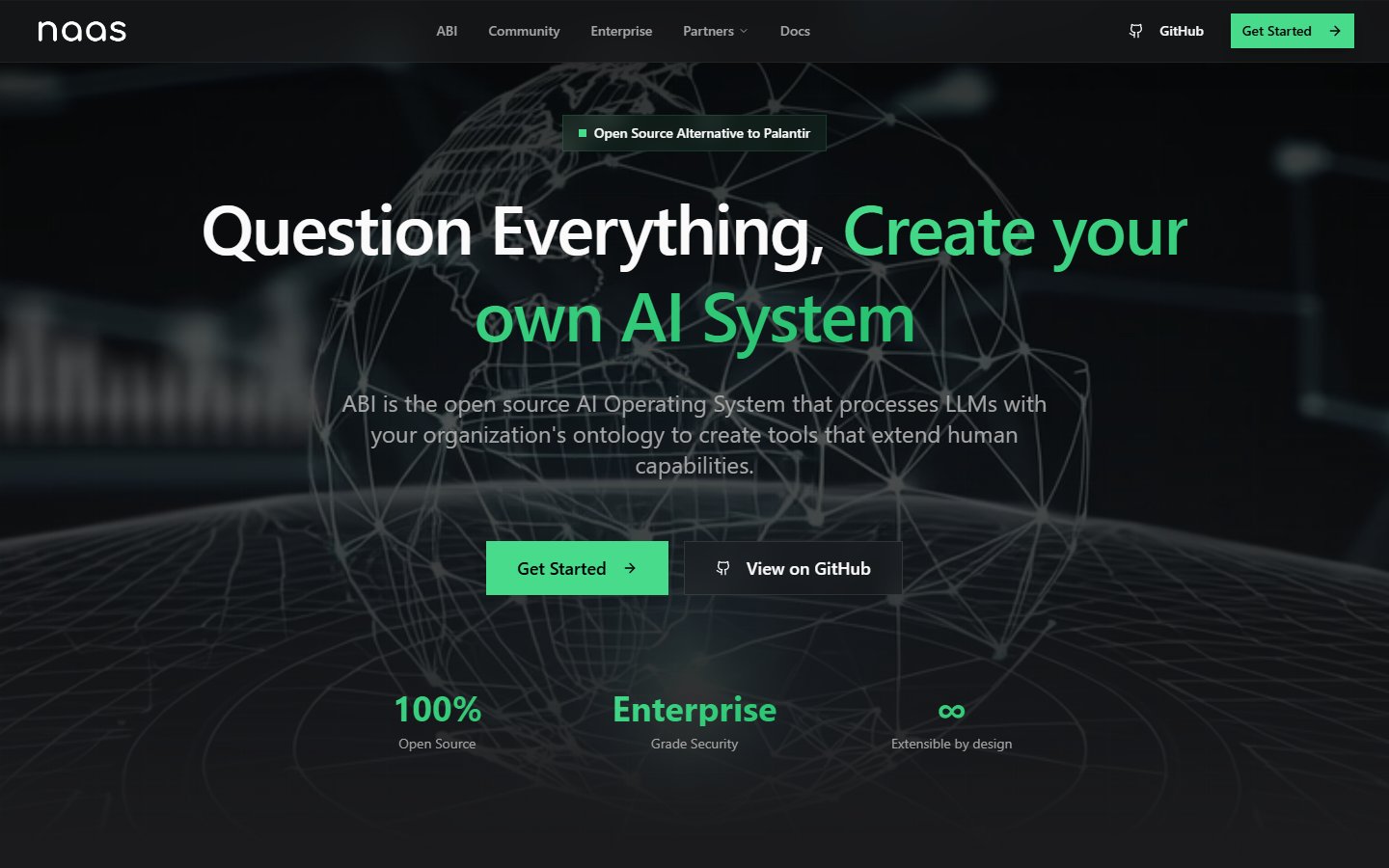
Question Everything, Create your own AI System
ABI (Agentic Brain Infrastructure) is the open-source AI Operating System that grounds LLMs in your organization's ontology to create tools that extend human capabilities. An open and accessible alternative to Palantir.



Why ABI?
Most AI platforms lock you in: proprietary data models, opaque pipelines, no exit. When the vendor changes pricing or discontinues a model, you have no contingency.
ABI is built for continuity and ownership. Every layer is swappable: LLM providers, infrastructure services, data adapters. Agents reason over context sources you control (knowledge graph, vector store, file system), so your data and logic stay yours regardless of what any upstream vendor does.
It also covers the full stack from ingestion to UI, so you are not stitching together five different tools. The knowledge graph is built on ISO/IEC 21838-2 Basic Formal Ontology (BFO), the open top-level ontology standard used in biotech, defense, and enterprise. BFO-grounded data makes compliance with ISO/IEC 42001:2023 AI Management Systems and the EU AI Act (Regulation 2024/1689) significantly easier, since traceability and auditability are built into the data model from the start.
Quick Start
Prerequisites
- Python 3.12+, Git, uv (
curl -LsSf https://astral.sh/uv/install.sh | sh) - Node.js 18.17+ and pnpm 8.15+ (
npm install -g pnpm) — for the Nexus web app; required byabi dev up, not by the Docker stack nats-server2.14 or later onPATH(brew install nats-server, or a release binary) — new projects run on NATS; required byabi dev up, not by the Docker stack- Docker Desktop (8GB+ RAM for full stack)
- LLM API keys: any OpenAI-compatible provider (OpenAI, OpenRouter, or equivalent)
Details and versions: Install and prerequisites.
Upgrading from 2.x? ABI 3.0 runs on NATS: read Migrate from 2.x to 3.0 and Breaking changes in 3.0.
Get started
uv tool install naas-abi-cli --force --upgrade --with-executables-from naas-abi-core

abi new project my_ai   # replace "my_ai" with your project name
cd my_ai
abi dev up
Web UI
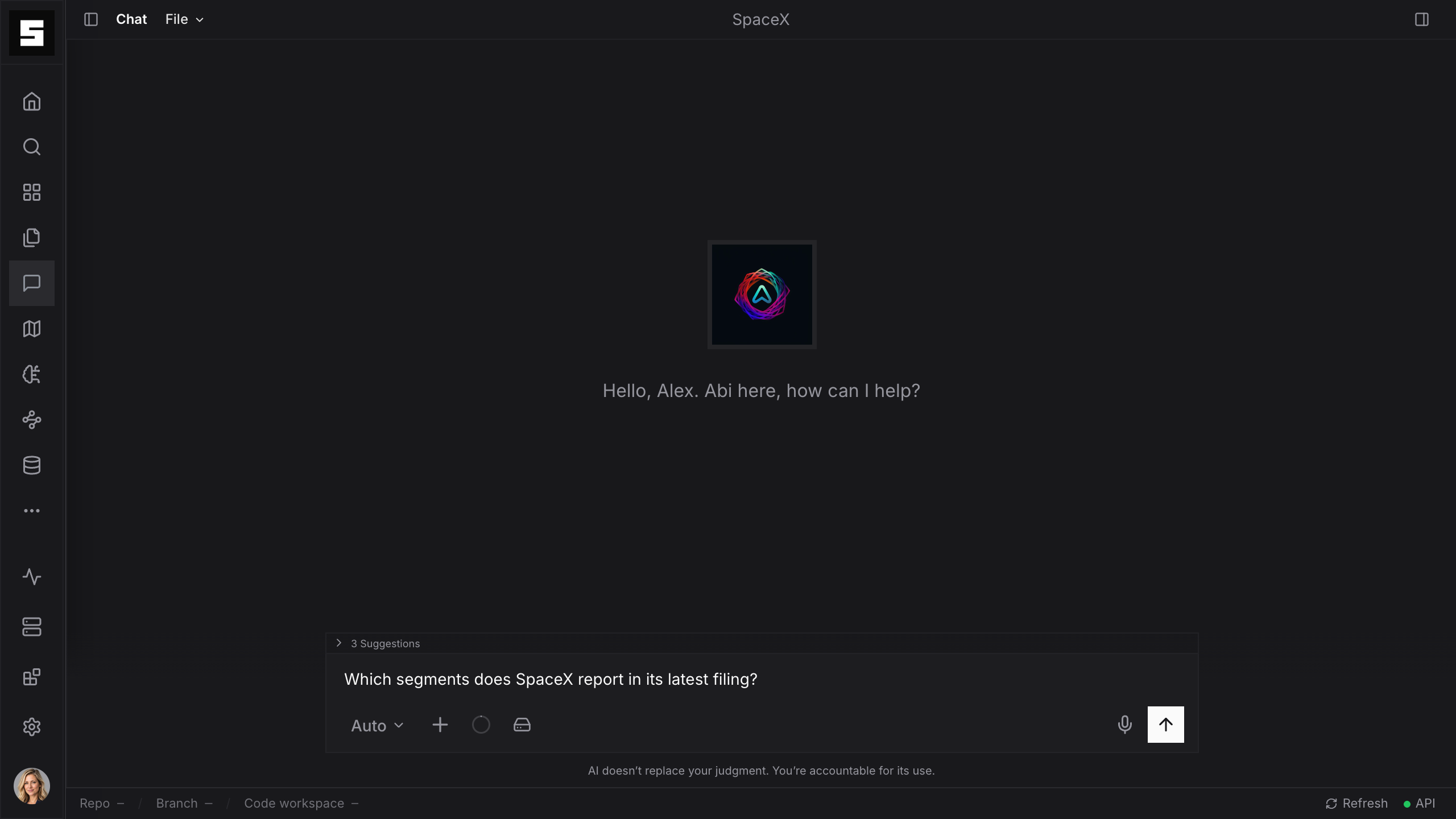
The main interface. Chat with Abi, switch agents, manage your workspace, and access your knowledge graph. Open http://localhost:3042 and sign in as the platform administrator (NEXUS_USER_ADMIN_EMAIL in .env, asked for at the first abi dev up) with the code the identity provider emails (no password; abi dev code prints it).
API
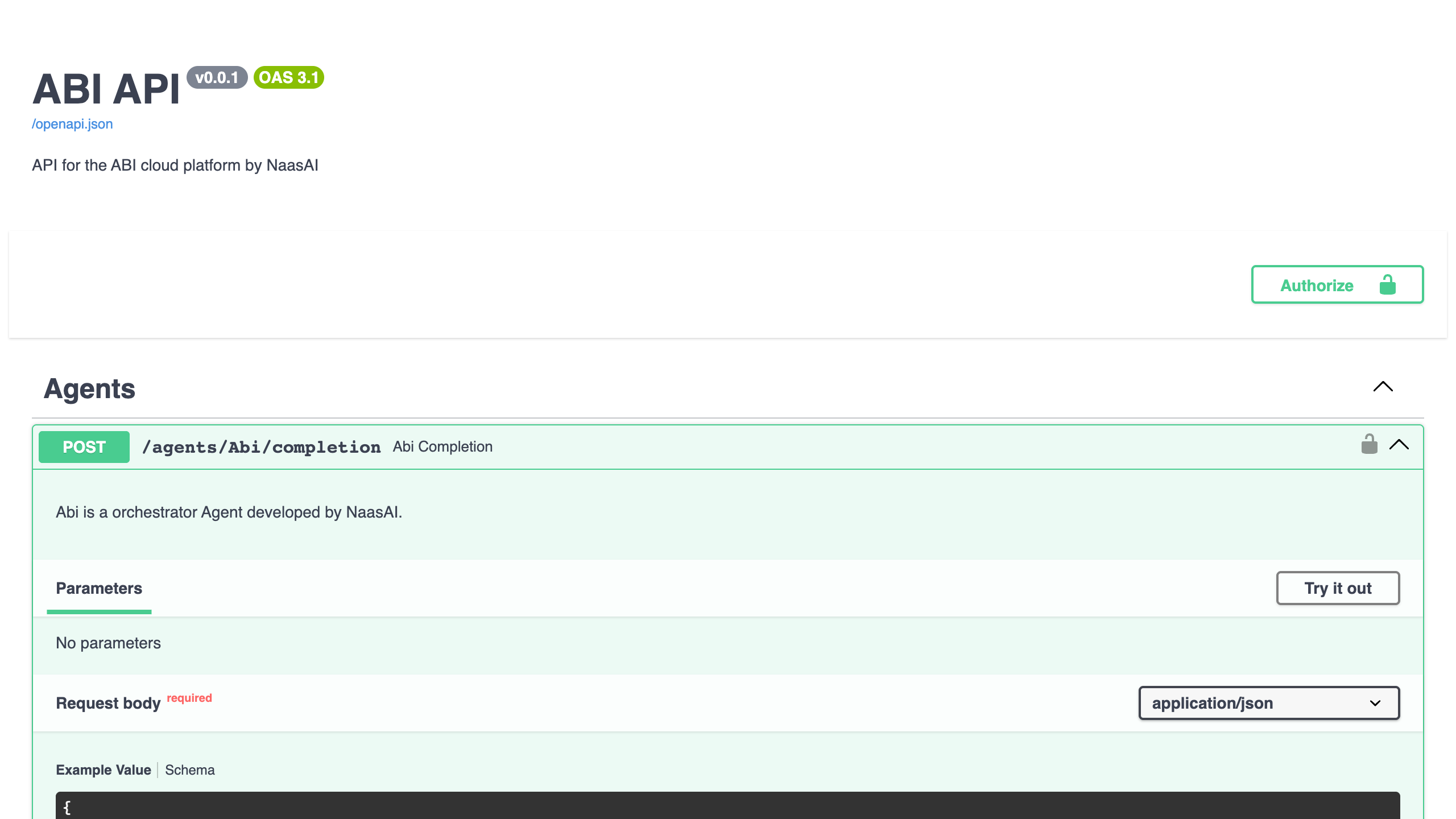
Every agent is exposed as a REST endpoint. Useful for integrating ABI into your own tools, triggering agents from scripts, or building on top of the platform. Explore the full reference at http://localhost:9879/docs.
CLI
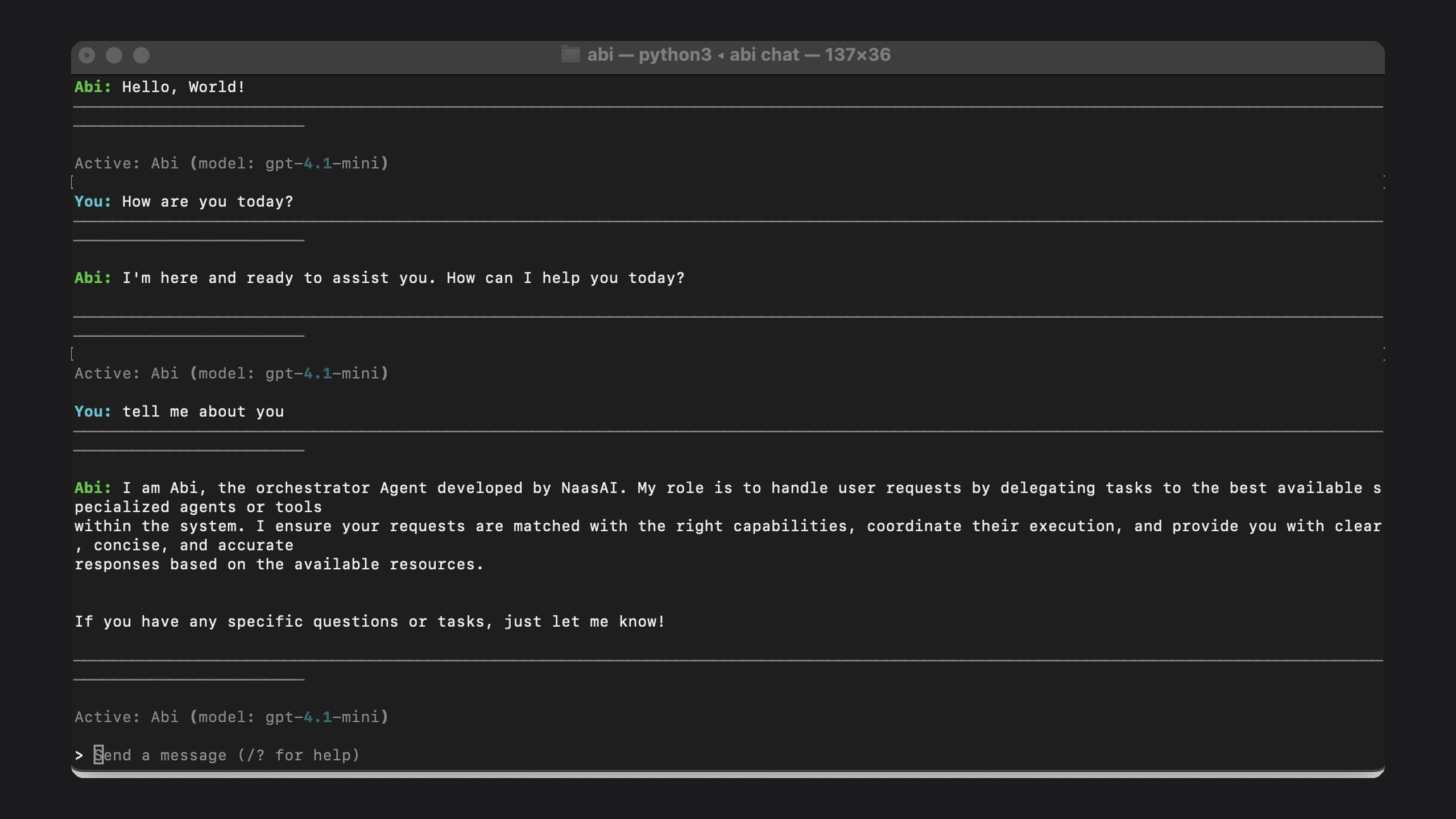
Run abi chat to talk to Abi directly from your terminal. No browser needed.
abi start            # Start the full stack and open the browser
abi stop             # Stop all running services
abi chat             # Chat with Abi in the terminal
abi logs             # Tail logs from a service (e.g. abi logs abi)
abi stack status     # Check health of all running containers
abi config validate  # Check your config.yaml for errors
abi new module       # Scaffold a module that runs in its own process (NATS)
abi new agent        # Scaffold a new agent
abi new workflow     # Scaffold a new workflow
How It Works
Everything in ABI is organized around modules. A module models a domain, connects to its data sources, and exposes intelligent capabilities on top. You enable one with a single line in config.yaml.
A module bundles:
- Agents: LLM-powered agents that reason over the knowledge graph and dispatch to the right domain capability
- Applications: web UI, REST API, and CLI surfaces that expose module capabilities to end users and operators
- Integrations: connectors to external APIs (GitHub, Salesforce, LinkedIn, Notion, ...) that pull data into the module
- Ontologies: OWL/Turtle files that define the domain as typed entities and relationships in a knowledge graph
- Jobs: scheduled and event-driven work the module runs itself (module jobs on NATS JetStream; Dagster orchestrations are legacy)
- Pipelines: operations that read and write RDF triples to the knowledge graph (add, merge, insert)
- Workflows: structured callable tools exposed to agents and users that query or act on the knowledge graph
Each infrastructure concern is abstracted as a port with a swappable adapter. Change the adapter in config.yaml, no module code changes needed. The community edition ships every service as a Docker container. Enterprise deployments swap each adapter for a managed cloud service or run the whole stack on Kubernetes.
- Triple store (knowledge graph): Community: Apache Fuseki / Enterprise: Amazon Neptune, Stardog, Ontotext GraphDB
- Vector store (semantic search): Community: Qdrant / Enterprise: Pinecone, Weaviate, pgvector, Azure AI Search
- Relational store (agent memory): Community: PostgreSQL / Enterprise: Amazon RDS, Azure Database, Cloud SQL
- Object storage (files and artifacts): Community: MinIO / Enterprise: Amazon S3, Azure Blob Storage, Google Cloud Storage
- Message bus (async task routing): Community: NATS JetStream / Enterprise: a managed NATS cluster (2.14 or later, JetStream on)
- Cache (sessions and hot data): Community: Redis / Enterprise: Amazon ElastiCache, Azure Cache for Redis, Memorystore
- Scheduling (schedules and event triggers): module jobs on NATS JetStream, run by each module in its own process
New projects run on NATS: the engine serves every kernel service over the broker, the bus is JetStream, and modules can run in their own process with naas-abi-sdk, registering through discovery. abi new module creates such a module; abi new module --in-engine and abi new project --without-nats keep the classic in-process setup. Dagster and RabbitMQ are legacy extras, removed in the next major. Existing projects move over with Migrate from 2.x to 3.0; the architecture is in NATS and the Kernel Services.
The Context Engine wires all these services at startup and routes every request to the right agent. Abi acts as the supervisor: it reads the intent behind each request and dispatches to the right domain agent or answers directly from the knowledge graph, vector store, or file system.
Start with the marketplace modules to get running immediately, then use abi new module to model your own domain. Product docs: docs.naas.ai.
Repository Layout
Your project (created with abi new project my_ai):
my_ai/
├── src/
│   ├── my_ai/                 # Your module (agents, integrations, ontologies, ...)
│   └── research/              # A remote module (`abi new module research`), run in its own process
├── config.yaml                # Base module and service configuration
├── config.local.yaml          # Local overrides (ports, credentials, enabled modules)
├── config.remote.yaml         # Remote/production overrides
├── docker-compose.yml         # Local stack definition (generated)
├── docker-compose.override.yml # Remote modules' services (`abi new module`)
├── pyproject.toml             # Python project, naas-abi-* installed as dependencies
└── .env                       # Secrets and environment variables
This repo (for contributors):
abi/
├── libs/
│   ├── naas-abi-core/         # Infrastructure adapters (storage, vector DB, message bus, SPARQL)
│   ├── naas-abi/              # Core agents, ontologies, and the Nexus app (API + web UI)
│   ├── naas-abi-cli/          # The abi CLI
│   ├── naas-abi-sdk/          # The SDK for remote modules (NATS clients, module runtime)
│   ├── naas-abi-proto/        # The protobuf contracts of the kernel services
│   └── naas-abi-marketplace/  # Domain modules and third-party integrations
├── docs/                      # Pointer only: product docs at docs.naas.ai; AGENTS.md in-tree
├── docker/                    # Caddy, Dagster, Postgres, and service configs
├── scripts/                   # Utility scripts (sync, export, datastore, docs generation)
├── config.local.yaml          # Module and service configuration (local)
├── config.yaml                # Module and service configuration (base)
└── docker-compose.yml         # Local stack definition
Working on ABI (development)
This repository runs what a project from abi new project runs: NATS by default, with Dagster and the RabbitMQ bus as opt-in legacy, to be removed in the next major.
abi dev is a no-docker dev runtime for hacking on the project itself. It spawns the API, Nexus web, a bundled Oxigraph SPARQL server and nats-server as native processes, sharing one terminal, then the remote modules listed under dev.modules: this repository's config.yaml has a nats: block, like a generated project's. abi dev up --without-nats runs the legacy in-process engine instead, with Dagster when the legacy naas-abi-core[dagster] extra is installed, and --with-tracing adds Jaeger. Parallel branches (git worktrees) get their own deterministic ports automatically — no collisions, no docker compose shuffling.
One-time setup
git clone https://github.com/jupyter-naas/abi.git
cd abi

# uv + Python toolchain (skip if you already have uv globally)
curl -LsSf https://astral.sh/uv/install.sh | sh

# Node toolchain for the Nexus web app (Node.js 18.17+, pnpm 8.15+ — required by `abi dev up`)
brew install pnpm        # or: npm install -g pnpm

# NATS broker, 2.14 or later (required by `abi dev up`)
brew install nats-server # or a release binary: https://github.com/nats-io/nats-server/releases

# Install all libs in editable mode
uv sync

# Install the CLI from this repo (editable, picks up your changes)
uv tool install --editable libs/naas-abi-cli --force --upgrade --with-executables-from naas-abi-core
Start the dev stack
abi dev up
You'll see a status table pinned at the bottom of the terminal with live health for each service:
oxigraph   http://127.0.0.1:7878   ● ready
nats       http://127.0.0.1:13000  ● ready
api        http://127.0.0.1:9879   ● ready
nexus-web  http://127.0.0.1:12000  ● ready

Sign in: the platform administrator (`NEXUS_USER_ADMIN_EMAIL`), with the emailed code (`abi dev code`)
There is no admin password: the built-in identity provider emails a 8-digit code to the address, and in abi dev the mail is a file in storage/email.
Hotkeys
While abi dev up is running:
| Key | Action |
|---|---|
1 / 2 / 3 / 4 | Filter logs to one service (other services still log to files) |
0 | Back to interleaved output |
o / a / n | Open Oxigraph / API / Nexus web in the browser (d: Dagster, legacy) |
r | Restart the whole stack in place (no need to quit) |
q / Ctrl+C | Graceful stop (SIGTERM, 10s grace, then SIGKILL) |
Q | Force kill (SIGKILL immediately) |
You can also detach with abi dev up -d and use abi dev logs <service> -f, abi dev status, abi dev down.
Reset / wipe state
When the local DB or triple store gets into a weird state:
abi dev down
abi dev nuke              # wipes storage/, .dagster/, .abi/dev/logs/, with prompt
abi dev nuke -y --start   # nuke + immediate restart, no prompt
abi dev nuke --reset-env  # also strip the seeded admin credentials from .env
abi dev nuke keeps .env and node_modules by default, and keeps the port allocation stable across nukes.
Parallel worktrees
Each git worktree gets a deterministic per-path port offset, so you can run abi dev up in three branches at the same time without port conflicts:
git worktree add ../abi-feat-x feature-x
cd ../abi-feat-x && abi dev up   # different ports automatically
If the deterministic port is busy (stale process, three-way collision), the CLI walks the service's 900-port window to find the next free one and persists it in .abi/dev/instance.json.
Dev vs production parity
abi dev up swaps the heavy-weight services for file-based equivalents so it works without Docker:
| Service | Production | Dev (abi dev up) |
|---|---|---|
| Nexus DB | PostgreSQL | SQLite (WAL) |
| Triple store | Apache Jena Fuseki | Bundled Oxigraph HTTP server (pyoxigraph) |
| Vector store | Qdrant server | SQLite + sqlite-vec extension |
| Key-value | Redis | SQLite (WAL) |
| Message bus | NATS JetStream | nats-server (default) or SQLite (--without-nats, legacy) |
| Object storage | MinIO / S3 | Local filesystem (storage/datastore/) |
| SMTP | Filesystem (storage/email/*.eml) |
All adapters are interface-compatible — config.yaml selects which one. For changes touching schema, concurrency, or filter semantics, also run abi stack start (the full docker stack, on NATS; config.local.yaml) before opening a PR. abi stack start --legacy adds Dagster and the RabbitMQ bus, behind the legacy compose profile.
Logs
Live, written to disk regardless of foreground/background mode:
.abi/dev/logs/api.log
.abi/dev/logs/nats.log
.abi/dev/logs/nexus-web.log
.abi/dev/logs/oxigraph.log
abi dev logs <service> -f follows one of them.
Documentation
User guide: Install and prerequisites, Quickstart, Configuration, Build (modules, module jobs, agents, pipelines, the SDK), Deploy (Docker, Dokploy, production), Upgrade to 3.0, CLI reference.
Developer guide: Contribute to ABI, Testing, Releasing, Architecture, ADR index.
Production Deployment
Self-Hosted
Copy your .env and config files to the target server, then run:
docker compose -f docker-compose.yml up -d
All services (NATS, PostgreSQL, Fuseki, Qdrant, MinIO, Redis) start as containers, with remote modules from docker-compose.override.yml. In NATS mode one engine serves the kernel services; for deploys without downtime see one serving engine. For production workloads, swap the Docker adapters for managed cloud services as described in How It Works.
Managed Hosting
Need a hosted, managed deployment? Get started on naas.ai or reach out to the team directly.
Research & Development
Collaborative effort between:
- NaasAI - Applied AI Research Lab
- OpenTeams - Open SaaS Infrastructure
- University at Buffalo - Research University
- NCOR - National Center for Ontological Research
Contributing
We welcome contributions. Open an issue or pull request to get started, and read Contribute to ABI first.
License
MIT License - see LICENSE
For enterprise support or managed hosting, visit naas.ai.
⭐ If ABI is useful to you, star the repo to help others find it.